
One-on-one
Notes from your 1:1s and coaching sessions, kept in your own account
Record the session with the other person’s agreement. SozAI writes the transcript and the follow-up: what you decided, who does what, what is still open.
The short answer
For 1:1s, coaching and mentoring sessions, record with the other person’s agreement and let SozAI write the transcript, then notes with what was decided and who does what next. Record in person with the phone app, a browser call with the web version in Chrome or Edge, or any call on a Mac with the Mac app, whose meeting mode transcribes on the Mac so the audio never leaves it. Recordings stay in your own account, stored on our servers in Germany, and you can delete any of them yourself at any time. The first 30 minutes of transcription are free, once.
Ask first, and say what the recording is for
A 1:1 is usually a conversation between two people who aren’t equals, such as a manager and the person who reports to them. A request to record can feel like an order. So ask before the session rather than with your finger on the button, say what the notes are for (“so I don’t forget what I promised you”), and make “no” an easy answer.
Two habits help. Offer to send the other person the notes. And pause for anything they would rather keep off the record; the web version has a Pause button, and the apps let you stop and start a new recording. Rules on recording conversations differ by country and sometimes by state. Follow the ones that apply to both of you; we don’t give legal advice.
Three ways to record a 1:1
| Where the session happens | Record with | Audio leaves your device | Speaker labels | Notes made automatically |
|---|---|---|---|---|
| Same room | SozAI on iPhone or Android, phone on the table | Yes, uploaded for transcription | Yes | Yes |
| Video call in Chrome or Edge | The web version, source “Both” | Yes | Yes | Yes |
| Call in any app on a Mac | SozAI for Mac, meeting mode | No, only the text is saved | No | No |
For most 1:1s we would take one of the first two rows. Two voices are the easy case for speaker labels, and the notes are the point. The Mac row is for sessions where audio leaving the computer is the problem, for example when the other person has asked for that; you get a timestamped transcript and write the follow-up yourself. The details of each are on in-person meetings, calls without a bot and the Mac app.
After the session
- Rename the two speaker labels to real names, in the phone app or on the web. On the web, SozAI then offers to rebuild the notes with the names, so the tasks say who owns them.
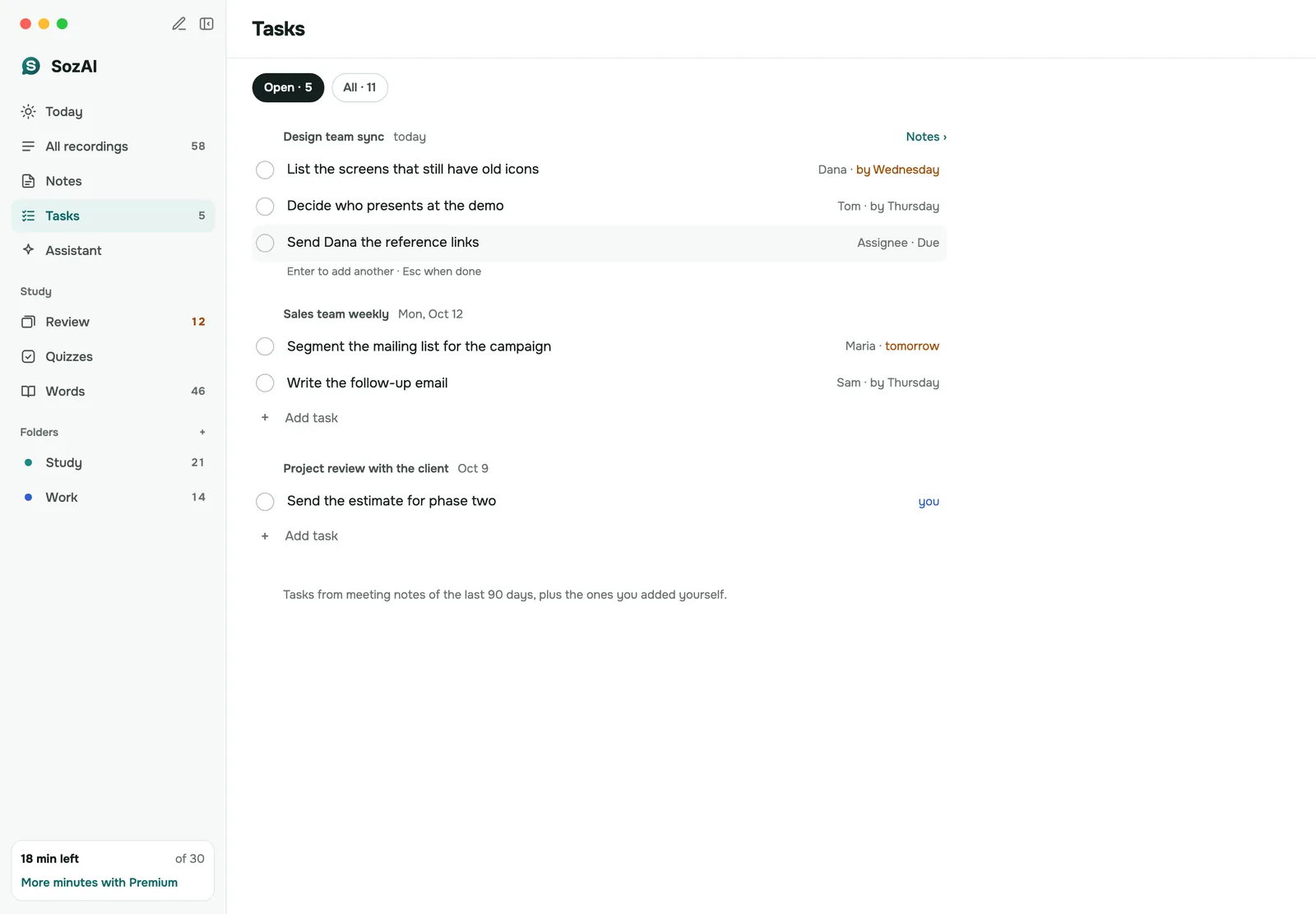
- Read the notes. For a meeting they hold a short summary and the decisions, then tasks with an owner and a due date when someone said one. Then the open questions, and a draft follow-up email.
- Fix what is wrong. Transcript text can be corrected in the iPhone and Android app; everywhere else, edit the notes after you copy them out.
- Move the recording into a folder for that person.
The notes only know what was said aloud. If you agreed something by nodding, or the most useful part of a coaching session was a silence, it isn’t in there.
Finding it again three months later
A 1:1 is a series, and the value shows up when you can look back. If you meet the same person every two weeks, keep one folder per person in the app or on the web. Before the next session, read the last notes in that folder, especially the open questions and the tasks you took on.
For something older, search. On the web, Ctrl K finds a recording by its title, and inside a recording Ctrl F searches the text. The assistant in the app answers questions across your recordings, so “what did I promise Dana about the training budget?” has somewhere to go. Each recording also has its own chat, for questions about that one session.
Privacy, in plain terms
- Recordings travel over HTTPS and are stored on our servers in Germany (Hetzner).
- The audio of uploaded recordings goes to AssemblyAI in the US for speech recognition; the AI features (notes, chat, translation) send transcript text to the AI partners on our sub-processor list.
- A meeting recorded with the Mac app’s meeting mode is transcribed on the Mac; only the text is saved to your account.
- Recordings sit in your own account. There are no shared team folders, so a colleague on the same team plan doesn’t see them.
- You can delete a recording or your whole account yourself in the app or on the web. That removes the audio and everything made from it from our servers. Encrypted database backups are kept for up to 12 months, and deleting doesn’t yet send a delete request to the speech recognition partner, whose copy follows its own retention terms.
The full account is on the security page.
When SozAI is not a fit
- Therapy or any clinical session. SozAI isn’t built for health records; our sister app notavik keeps the audio on the device.
- The other person said no, or said yes only because you are their manager.
- HR or disciplinary meetings where the record has to be formally agreed by both sides. SozAI gives you a draft, not a signed record.
- You want both people to edit one shared set of notes. Today each account keeps its own recordings.
How notes from meetings of any size work is on the AI meeting notes page.
Answers
Frequently asked questions
Can I record my 1:1 meetings with AI?
Yes, with the other person’s agreement. Record in the room with the SozAI phone app, or record a browser call with the web version in Chrome or Edge. You get a transcript with both speakers labelled and notes with decisions and tasks.
Is it legal to record a 1:1 with my employee?
It depends on the country and sometimes the state, and on your company’s own policy. We don’t give legal advice. Ask before the session, say what the notes are for, and accept a no.
Can I record a coaching session without the audio leaving my computer?
Yes, on a Mac. The meeting mode of SozAI for Mac transcribes on the Mac and saves only the text to your account. It doesn’t label speakers or make notes automatically.
Who can see my 1:1 recordings?
They are in your own account, and there are no shared team folders. Our servers and the processing partners on our sub-processor list handle them to produce the transcript and notes; SozAI doesn’t show them to other users.
Can I delete a recording after the meeting?
Yes. You do it yourself in the app or on the web, at any time. The audio and everything made from it are removed from our servers; encrypted database backups are kept for up to 12 months.
Does SozAI track action items from 1:1s?
Yes. Meeting notes list tasks with an owner and a due date when someone said one, and SozAI for Mac and iPad collects tasks from your meetings in one list. Rename the speakers first, so the tasks carry real names.
What is the best way to keep notes for recurring 1:1s?
Keep one folder per person and read the last session’s open questions and tasks before the next one. Older sessions are easiest to find by searching titles, or by asking the assistant across your recordings.
Turn your next recording into text
Record, upload a file or paste a link. You get the transcript, speakers and a summary back.
Free on iOS and Android. No account required for YouTube transcripts.