
SozAI for teams: transcripts and meeting notes from your own recordings
Record a meeting or an interview, or upload the file. You get a transcript with speakers and timestamps in 99 languages, and notes with the tasks in them.
The short answer
SozAI turns recordings and YouTube links into transcripts with speaker labels and timestamps, in 99 languages, and then into summaries, meeting notes and study material. It suits teams whose people record their own conversations, such as researchers and reporters, legal staff or trainers. Each person gets 30 free minutes once, then Premium costs $3.99 a week or $44.99 a year through the App Store or Google Play; a team can ask us for one invoice. SozAI does not join Zoom or Teams calls, has no shared team workspace yet, and is not HIPAA compliant.
What teams use SozAI for
Meetings
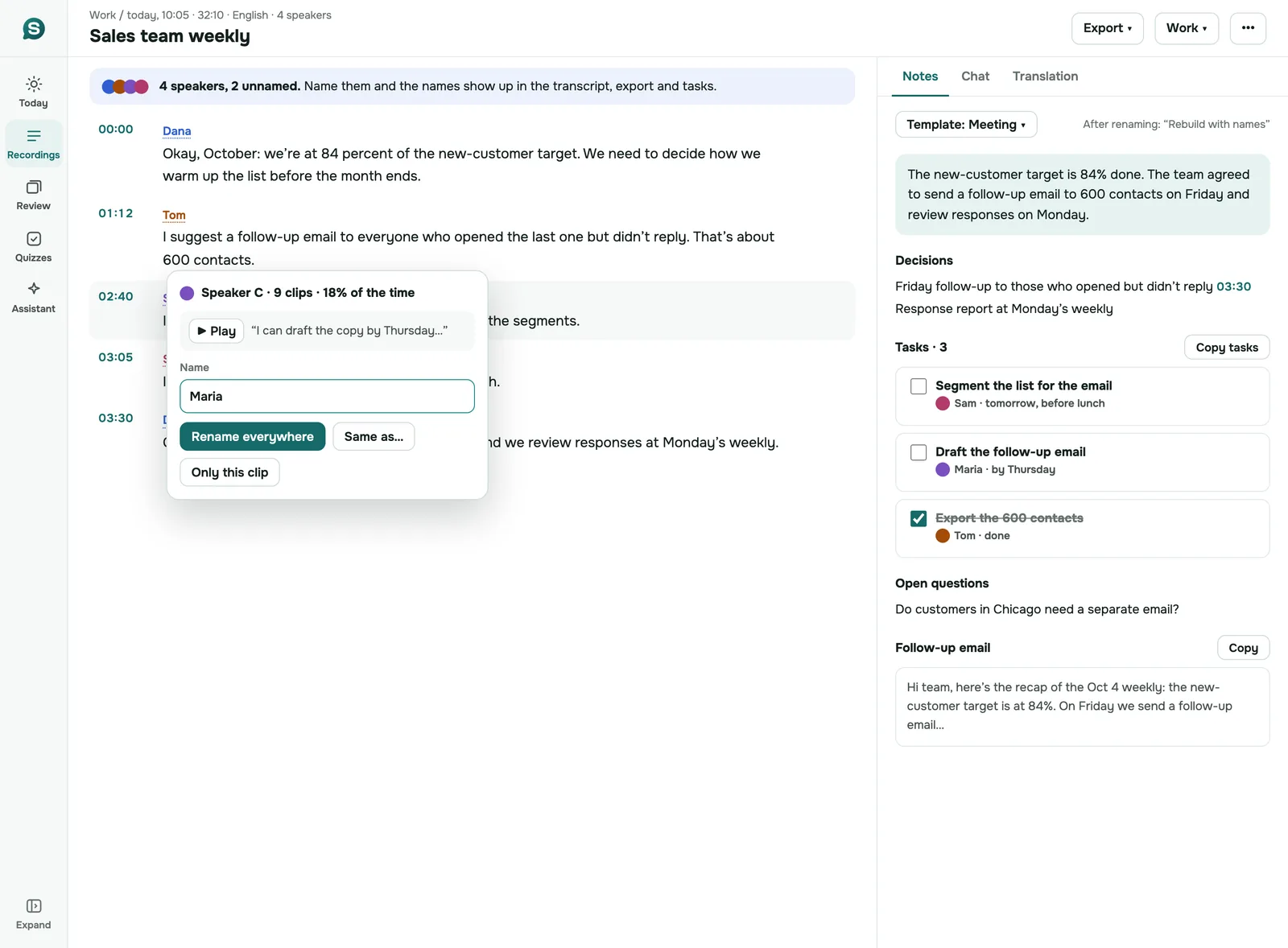
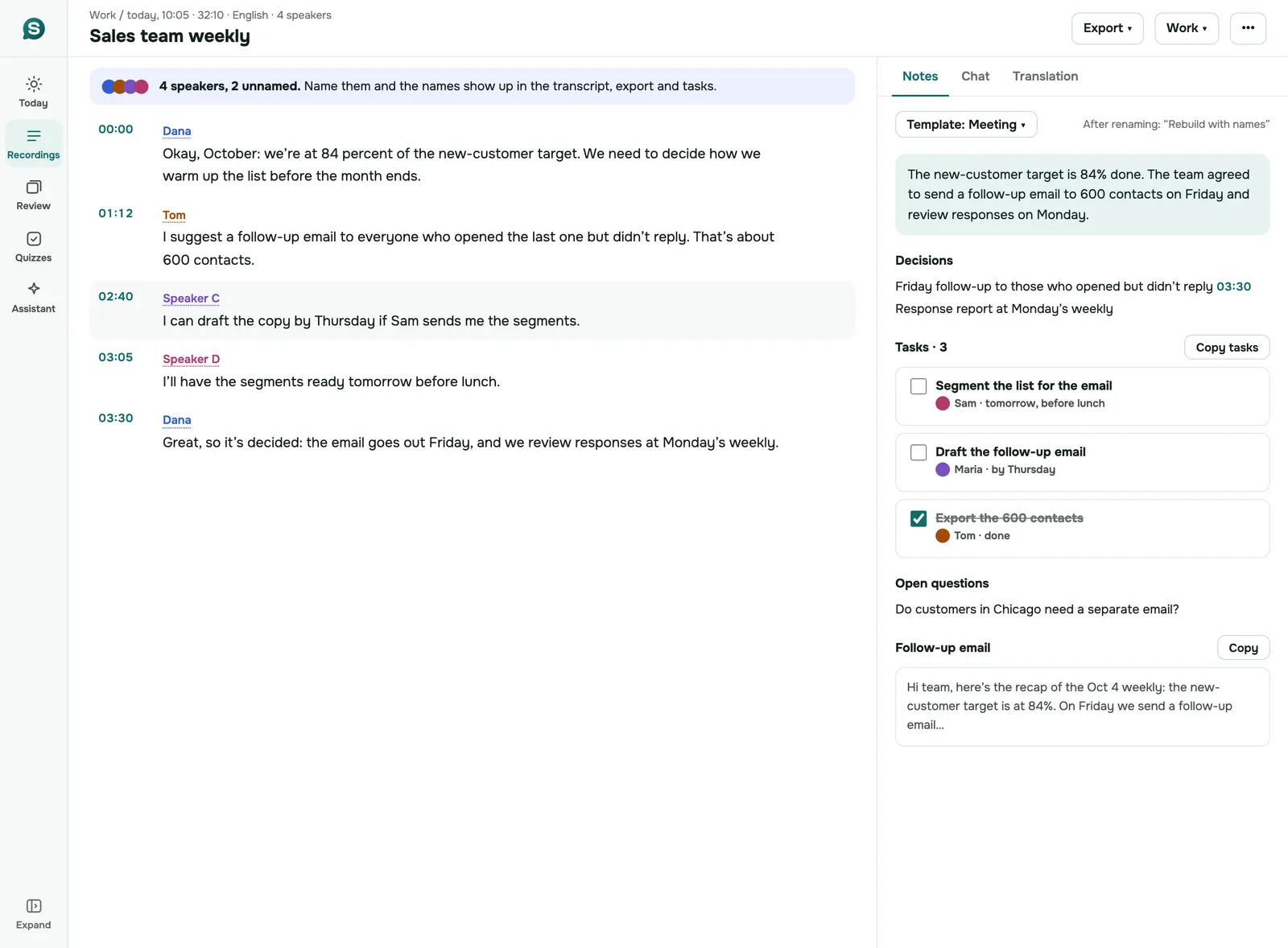
Put a phone on the table in the meeting room, or upload the call recording afterwards. You get the transcript with each speaker marked, and notes that pull out the decisions and the tasks.
Interviews and user research
Speaker labels come from the voices on the recording, and you can rename "Speaker A" to the person's name in the phone app or on the web. Every line has a timestamp, so a quote can be checked against the audio in seconds. For qualitative studies, see transcripts for research.
Newsrooms
A reporter can record on the phone they already carry and have a searchable transcript before they're back at the desk. A source who speaks another language is covered: recognition works in 99 languages, and the transcript can be translated.
Legal teams
Working transcripts of client meetings and recorded statements, for internal reference. They are not certified court transcripts.
Podcasts and video
Transcribe an episode from the file or its YouTube link. Then export subtitles in SRT or VTT.
Training and education
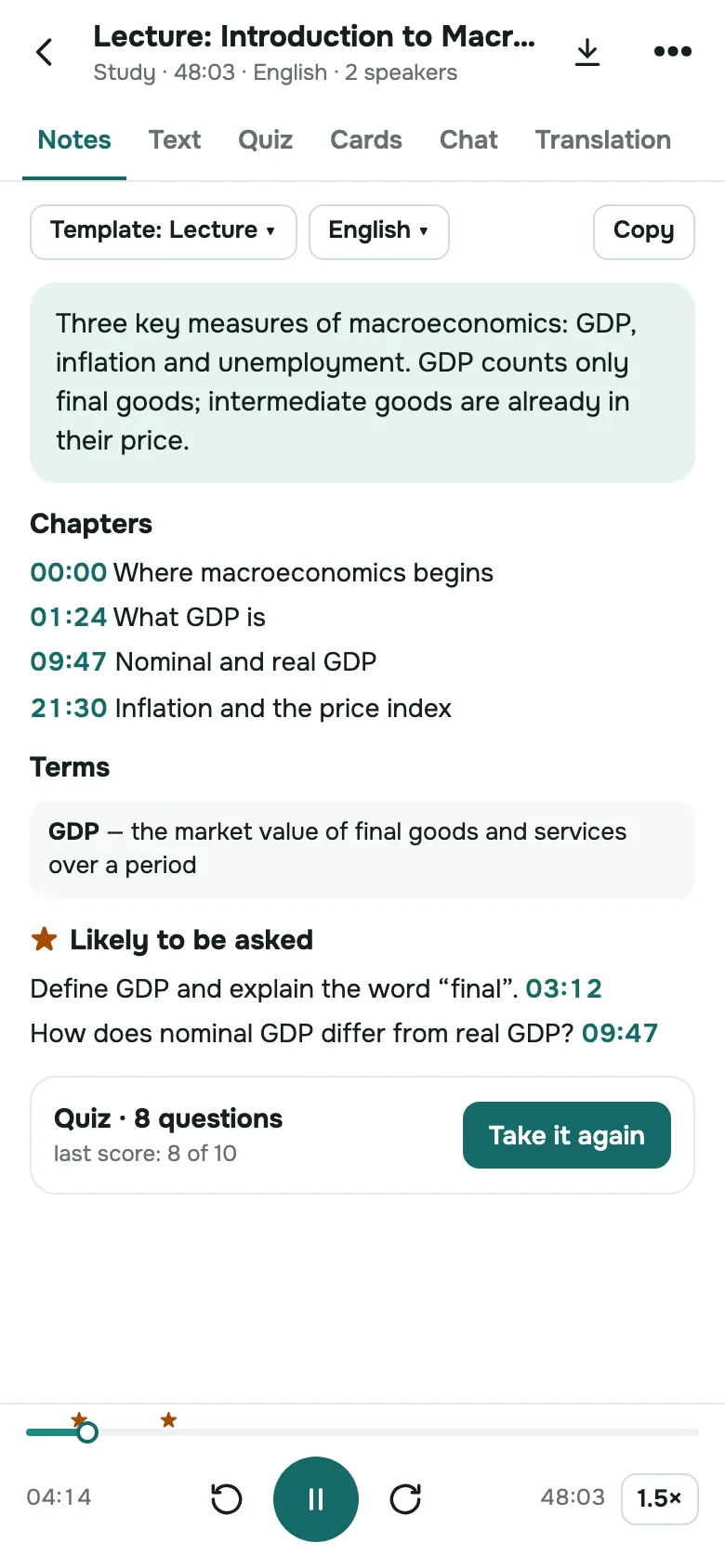
A recorded training session becomes a transcript plus a quiz that checks what people took away.
One real meeting, transcribed
Below is SozAI's output for a public-domain meeting recording, unedited: the transcript first, then the notes the app made from it.
Chairman Robert Sumwalt
00:11We are back in session. And do either of my colleagues have additional questions? Thank you very much. Ms. Bryson, if you'd please read the proposed findings.Ms. Bryson (NTSB staff)
00:24Yes, sir. As a result of this investigation, staff proposes 13 findings. Number one, none of the following were factors in this accident. One, flight crew qualifications which were in accordance with US regulations. Number two, flight crew medical conditions. Number three, the airworthiness of the airplane before the left engine failure occurred and number four, Southwest Airlines maintenance of of the airplane. […]Chairman Robert Sumwalt
05:47Thank you very much for reading those. Are there any proposed amendments? Great. Do I have a motion to adopt the findings as read? So moved. It's been moved and seconded. All. Any further discussion saying none. All in favor of adopting the findings as proposed, please signal with a hand and say aye. Opposed? There are none. The findings have been adopted unanimously. Now, Ms. […]Ms. Bryson (NTSB staff)
06:16Staff proposes the following probable cause. The National Transportation Safety Board determines that the probable cause of this accident was the in flight separation of fan cow components, including the inboard fan cowl aft latch keeper, which impacted the fuselage near a cabin window and caused the window to depart from the airplane, the cabin to rapidly depressurize and the passenger fatality. […]
Summary. The NTSB board met to finalize findings, probable cause, and safety recommendations regarding the Southwest Airlines Flight 1380 accident. The board unanimously adopted 13 findings and an amended probable cause statement identifying a fan blade fatigue crack as the initiating event. Seven new safety recommendations were issued to the FAA, Southwest Airlines, and the EASA to improve nacelle structural integrity and passenger safety.
00:11Review and Adoption of Findings
- Staff presented 13 proposed findings regarding the accident.
- The board discussed and unanimously adopted the findings.
06:16Probable Cause Amendment and Adoption
- Staff presented the initial probable cause statement.
- The board chair proposed an amendment to explicitly include the fan blade fatigue crack as the initiating event.
- The board unanimously adopted the amended probable cause.
09:51Safety Recommendations and Final Report Adoption
- Staff presented seven new safety recommendations.
- The board unanimously adopted the recommendations.
- The board unanimously adopted the final report as revised.
- The meeting concluded with closing remarks.
Decisions
- The 13 proposed findings were adopted unanimously.
- The probable cause was amended to identify the fan blade fatigue crack as the initiating event and adopted unanimously.
- Seven new safety recommendations were adopted unanimously.
- The final report was adopted unanimously.
How a team uses SozAI today
Each person has their own account. They sign in with Google or Apple, or with a code sent by email. Their recordings stay in their own library, sorted into folders. There is no shared team library yet and no admin console: a colleague gets a transcript when you export it or copy the text to them.
That works for a team of reporters or researchers who each record their own interviews. It doesn't work if your company needs one place where a manager sees everyone's recordings. Shared workspaces are on our list, and we'd rather build them around real requests: if your team needs one, tell us what it has to do.
Billing is per person through the App Store or Google Play. If you'd rather pay once for the whole team, write to [email protected] with the number of people and we'll invoice your team.
How accurate it is, in which languages
SozAI recognizes 99 languages and detects the language of each file on its own, so nobody has to set it. We measured accuracy on 200 public recordings in 10 languages and published every file: word error rates run from 1.8% in Spanish and 3.6% in English to 8.0% in Portuguese. Arabic came out at 19.6% and Kazakh at 50%, with 5 of the 20 Kazakh files detected as Azerbaijani. Those were short sentences read in quiet rooms, so read them as the best case: a noisy meeting room will produce more errors. Method and data: our accuracy test.
On uploaded files and app recordings, speakers are told apart by voice. On a YouTube link, an AI model guesses the speakers from what is said, not from the voices, so check those labels before you quote anyone. We haven't measured recordings that switch between languages, so try one of yours on the free minutes first.
A one-hour file is usually ready a minute or two after it finishes uploading. YouTube links take a few minutes longer.
Where it runs
One account works on every platform below, and a recording made on the phone is waiting on the Mac and in the browser.
| Platform | Get it | Good for |
|---|---|---|
| iPhone and iPad | App Store | Recording in the room, editing the transcript (iPhone), notes and quizzes |
| Android | Google Play | The same as iPhone |
| Mac | Mac App Store | Uploading files and reading long transcripts on a large screen |
| Browser | web.sozai.app | Uploading, renaming speakers, folders, exporting from a work computer without installing anything |
| Chrome | Three extensions | YouTube transcripts, WhatsApp Web voice messages, audio files in the browser |
Editing and exports, by platform
The platforms are not identical yet. This is what each one does today:
| iPhone and Android | Mac and iPad | Web app | |
|---|---|---|---|
| Correct the transcript text | Yes, one line at a time or the whole text | No | No |
| Rename speakers | Yes | No | Yes |
| Folders | Yes | Yes | Yes |
| Export | PDF, TXT, SRT, VTT, JSON | PDF, TXT, SRT, VTT, JSON | TXT (with or without timecodes and speakers), SRT, VTT; TXT of several recordings at once from the library |
Names you give speakers carry into the exports, except SRT subtitles, which never include speakers. There is no Word (DOCX) export.
Quizzes and flashcards made in the app stay in the app for now. To get them into other software, use our free tools: the quiz generator exports Moodle GIFT and CSV and prints a test with a separate answer key, and the flashcard generator exports CSV for Anki and a TXT file Quizlet imports.
Security and data
- Recordings travel over HTTPS and are stored on our servers in Germany, at Hetzner. The data center parks are ISO/IEC 27001 certified; the certificate is Hetzner's, not ours.
- Speech recognition and the AI features are run by named partners. Speech recognition runs in the US. Every partner is on the sub-processors page.
- We don't sell recordings, and our code never uses them to train models.
- Anyone can delete a recording or their whole account themselves. That removes the audio and everything made from it from our servers. Encrypted database backups are kept up to 12 months.
- What we don't offer: HIPAA compliance or a BAA, a SOC 2 report, single sign-on, team admin roles.
The full account, including what deleting leaves behind, is on the security page.
Plans and invoices
Every new account gets 30 minutes of transcription free, once, which is enough to test SozAI on a real meeting before anyone pays. Premium is $3.99 a week or $44.99 a year per person, with up to 700 hours of transcription and files up to 500 MB. Prices vary by country, and the stores bill them. See pricing.
Team and Education plans: write to [email protected], tell us how many people and what they record, and we'll invoice your team.
Who makes SozAI
SozAI is published by VAST FLOW, TOO, a software company registered in Kazakhstan, and built by its founder, Merey Tleugazin. The first version reached the App Store in September 2025. Every release since is listed in the changelog, and the press kit has logos and screenshots for reviewers.
Questions from a buyer or a security reviewer go to [email protected]. We usually reply within a working day.
Answers
Frequently asked questions
Is SozAI HIPAA compliant?
No. We don't sign a Business Associate Agreement, and our speech recognition and AI partners would all have to be covered for patient data. Don't use SozAI for patient information. It's fine for lectures and research interviews. For clinical notes, our sister app notavik records and writes the notes entirely on the device, without uploading the audio.
Do you support SSO or team admin controls?
Not yet. People sign in with their Google or Apple account or with a one-time code sent to their email, and each person manages their own library. There is no single sign-on, and no admin console with roles. If your organization needs them before it can use SozAI, write to [email protected] and tell us which identity provider you use.
Where is our data stored?
On our servers at Hetzner in Germany. The audio leaves the EU once, for speech recognition at a US endpoint, and the AI features send transcript text to model providers through OpenRouter. Every partner, with what it receives and when, is on our sub-processors page. Encrypted database backups are kept for up to 12 months.
Can we pay with one invoice for the whole team?
Yes. Individual subscriptions go through the App Store or Google Play, but for a team we invoice directly. Write to [email protected] with the number of people and what they'll use SozAI for, and we'll invoice your team. Each person still signs in to their own account, so nobody has to share a login.
Do you train AI on our recordings?
We don't, and we don't sell them. Nothing in our code sends your recordings or transcripts into model training. The partners that process them work under their own terms, and we link each one from the sub-processors page so your security team can read them. The free web tools on sozai.app use free models, so keep confidential text out of them.
Does SozAI join our video calls?
No, there is no meeting bot. You record the conversation on a phone or a laptop in the room, or download the call recording from Zoom, Teams or Meet and upload it, up to 500 MB per file. Nobody on the call sees a bot join, and you decide which meetings get transcribed. A one-hour file is usually ready in a minute or two.
Can colleagues share a library?
Not yet. Each person's recordings live in their own account, organized in folders. To share, export the transcript in one of five formats from the app, or as TXT or subtitles from the web app, or copy the text. Shared team workspaces are on our list; tell us what yours would need.
Turn your next recording into text
Record, upload a file or paste a link. You get the transcript, speakers and a summary back.
Free on iOS and Android. No account required for YouTube transcripts.