
Consultants and agencies
Notes from client calls and workshops, without a bot in the meeting
Record from your own computer or phone. The client sees nobody new in the call. You get the transcript, with the decisions and tasks for the follow-up.
The short answer
For a client call in Google Meet, the Zoom web client or Teams on the web, record the browser tab on web.sozai.app in Chrome or Edge; for a call in a desktop app on a Mac, use the Meeting mode of SozAI for Mac, which transcribes on the Mac itself. For a workshop in the client's office, record on an iPhone or Android phone. No bot is added to the call and SozAI never touches your calendar. Recordings made in the browser or on the phone come back as transcripts with speakers and timestamps in 99 languages, with notes that list decisions and tasks. A freelancer pays $9.99 a month or $79.99 a year for Pro; an agency buys seats at $12.99 a month or $99.99 a year each.
Pick the route by where the client is
| The meeting | Record with | What the client sees | Limits |
|---|---|---|---|
| Meet, Zoom or Teams open in your browser | web.sozai.app, audio source "Both" | Nothing new in the call | Chrome or Edge on a computer. Up to 3 hours per recording. Uses your transcription minutes. |
| Desktop Zoom, Teams, Webex or Slack on a Mac | SozAI for Mac, Meeting mode, "You and the others" | Nothing new in the call | macOS 14 or later. Transcribed on the Mac and free of minutes. No AI notes are made automatically. |
| A workshop or a dinner meeting | SozAI on a phone, on the table | A phone on the table | The phone hears the room, so sit it near the people talking. |
| The client sends you their recording | Upload in the app or on the web | Nothing | Up to 500 MB per file. |
One gap to know: on Windows, SozAI hears a call only when it runs in the browser. If the client's call is in the desktop Teams or Zoom app on a Windows laptop, open the meeting link in Chrome or Edge instead.
Recording a browser call, step by step
- Open the client call in Chrome or Edge.
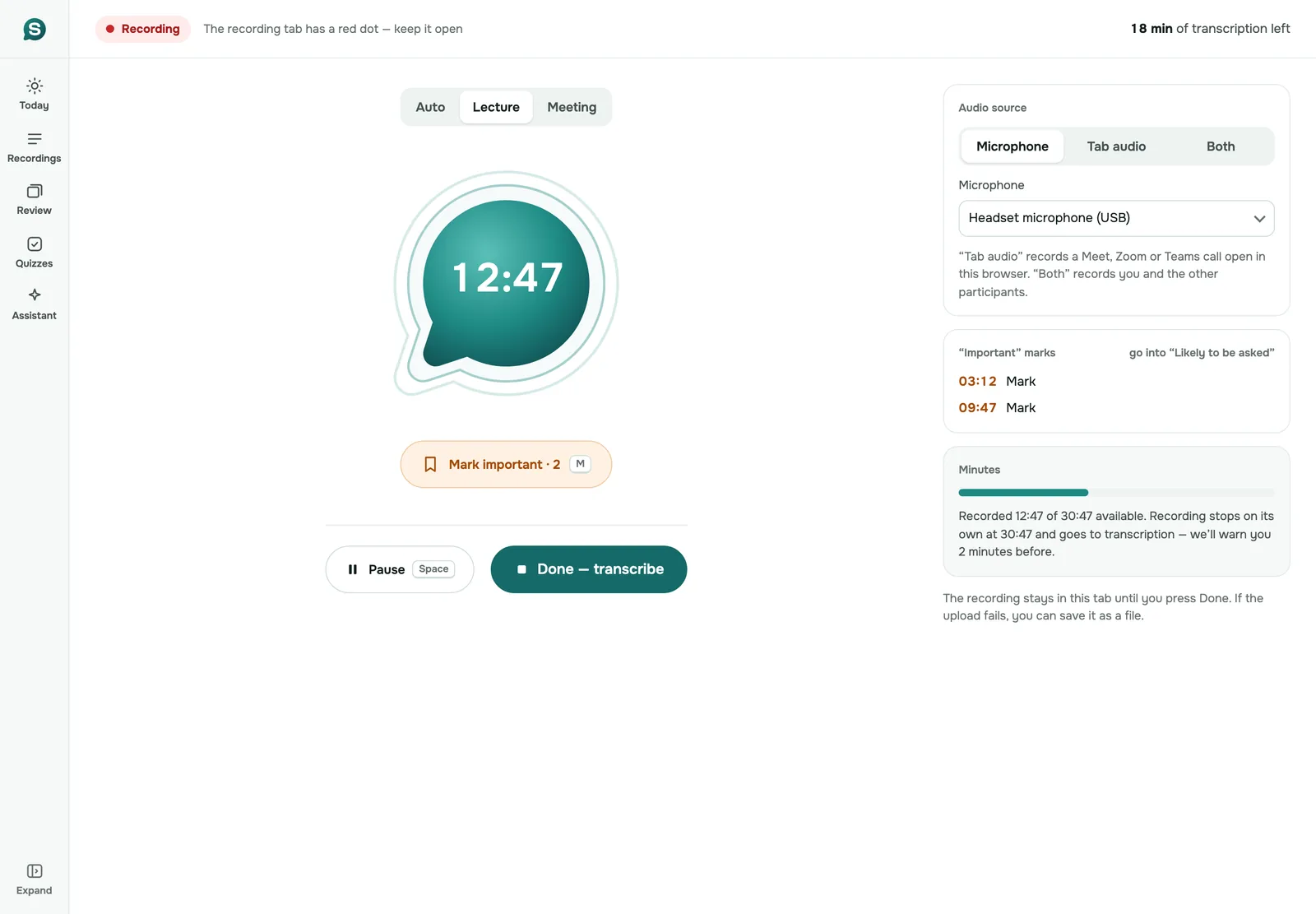
- In a second tab, open web.sozai.app/record. Set "Recording type" to "Meeting".
- Under "Audio source", choose "Both", which records you through the microphone and the client through the tab.
- Press "Start recording", pick the tab with the call, and turn on "Also share tab audio".
- Press "Mark as important" (or M on the keyboard) when the client says something you'll need later.
- At the end, press "Done — transcribe" and keep the tab open until the upload finishes.
If you stop sharing the tab by mistake, recording goes on with your microphone, and what was already captured is kept. You get a warning 2 minutes before a recording reaches 3 hours or before your minutes run out.
From the call to the follow-up email
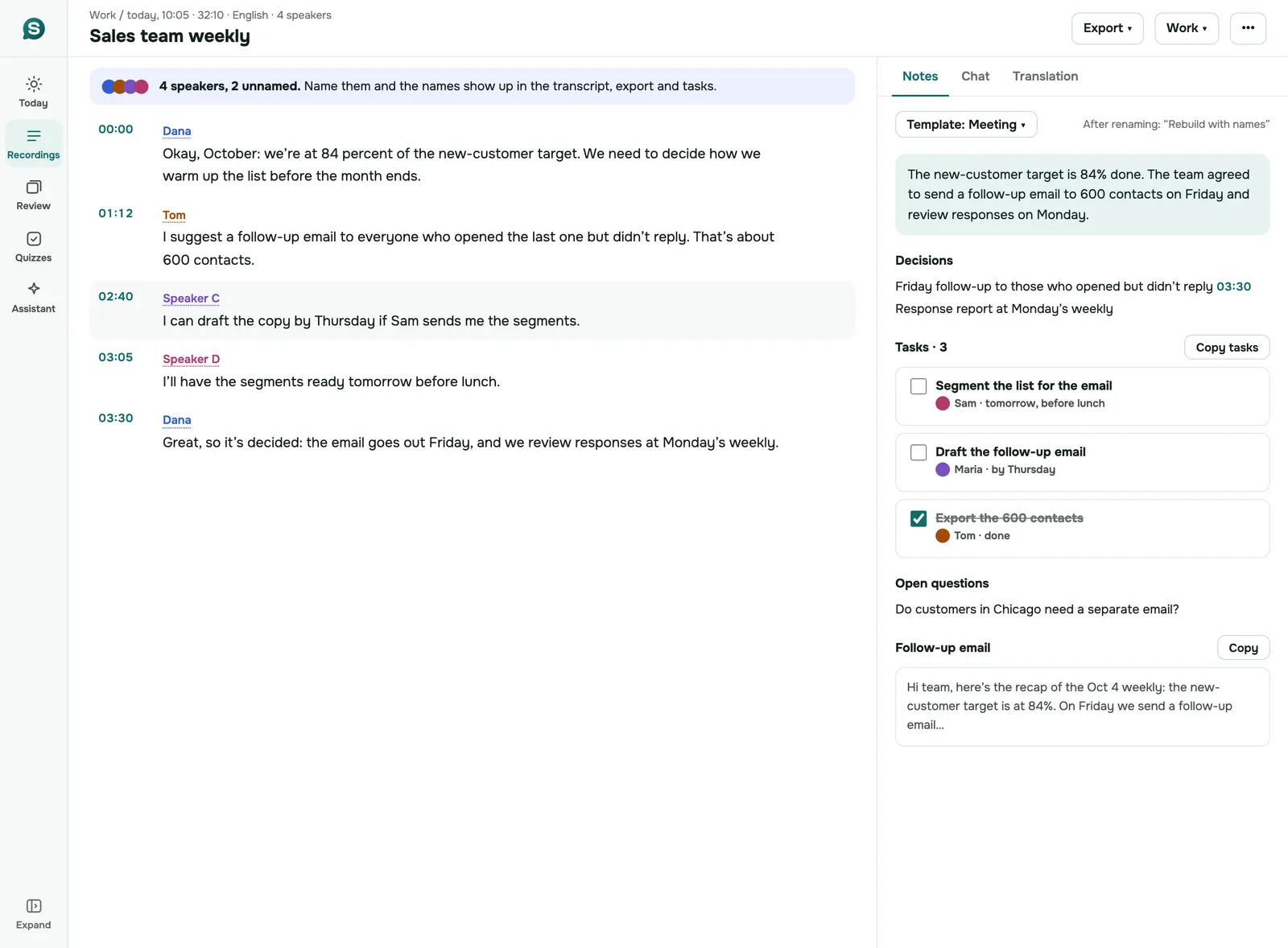
The notes for a recorded meeting put the decisions, the tasks with their owners and the open questions in one place, next to the transcript, along with a draft of the follow-up email. On a good call that's most of the recap already written.
Read it before it goes to the client. AI notes can attribute a task to the wrong person or round off a number the client was precise about, and the client will notice. Check names and figures against the transcript, and listen to the audio wherever the transcript and your memory disagree. Then send it as your recap, in your voice.
The tasks also go into the task list of the app, grouped by meeting. If you track work elsewhere, copy them across; SozAI doesn't sync with CRMs or project tools.
Clients who work in another language
SozAI detects the language of each recording itself, across 99 languages, so a call with a client in Madrid or Warsaw needs no setting. The transcript and its notes can be translated, which helps when a colleague who wasn't on the call needs the gist.
Send a translated recap to the client only after someone who speaks their language has read it. Our published accuracy test found 1.8% word errors in Spanish but 19.6% in Arabic on short read sentences, and a call where people switch languages hasn't been measured at all.
Client confidentiality
Look at your client agreements before you record. Some NDAs limit which third parties may process client information, and an AI transcription service is one.
The facts to check them against: files and browser recordings are stored on our servers in Germany (Hetzner); speech recognition for them runs at AssemblyAI in the US; summaries and notes go to AI model providers. Every company that processes them is named on the sub-processor list. Our code never sends recordings into model training.
For the most sensitive calls, the Mac's Meeting mode keeps the audio on your Mac. Only the text is saved to your account. You can delete a recording, or the whole account, at any time; encrypted backups keep data for up to 12 months. The details are on the security page.
And tell the client you're recording, at the start of the call. No bot announces it for you, so it has to be you. Recording consent rules differ by country; follow the ones that apply to you and to them.
What it costs a freelancer or an agency
A solo consultant is best served by Pro on the web: $9.99 a month or $79.99 a year, with up to 700 hours of transcription. An agency buys Team seats, at $12.99 a month or $99.99 a year per person, so one person pays, the invoice carries the agency's name and tax ID, and seats move when people come and go. Five consultants on yearly seats come to $499.95 a year before tax.
Each person's recordings stay private to them, including from whoever pays. That suits client work, where not every colleague should hear every call, but it means there is no shared client folder. How to buy, with VAT and refunds: how to buy for a team.
When SozAI is not a fit
- You want notes from every calendar meeting without pressing anything. That is what meeting bots do, and SozAI doesn't have one.
- You need the notes pushed into a CRM or a project tool automatically.
- The agency wants one shared library per client, with access controls.
- Most of your calls run in desktop apps on Windows and you can't open them in the browser.
The general guide to meeting notes is on meeting notes. Teams that interview people for a living have their own pages for hiring and newsrooms, and the overview is on SozAI for teams.
Answers
Frequently asked questions
How can I record a client Zoom call without a bot joining?
Open the call in Chrome or Edge and record the tab on web.sozai.app with the audio source "Both", or use the Meeting mode of SozAI for Mac with the desktop Zoom app. Nothing is added to the call, so tell the client you're recording.
Does SozAI make meeting notes with action items?
Yes, for recordings made in the browser or on a phone and for uploaded files. The notes list decisions and tasks with owners, plus open questions. Meetings recorded in the Mac app's Meeting mode get the transcript only, with no AI notes made automatically.
Can SozAI record a Teams call on Windows?
Only when the call runs in Chrome or Edge, through the web version's tab audio. The desktop Teams app on Windows can't be recorded by SozAI, so open the meeting link in the browser.
What is the cheapest SozAI plan for a freelance consultant?
Pro on the web, at $9.99 a month or $79.99 a year, with up to 700 hours of transcription. Every account also gets 30 free minutes once, with no card.
Does SozAI work with clients who speak other languages?
Yes. It recognizes 99 languages and detects the language of each recording itself, and the transcript and notes can be translated. Have a translated recap checked before it goes to the client.
Is it safe to record confidential client calls with SozAI?
It depends on your client agreements. Browser and phone recordings are stored in Germany and processed by named partners, including speech recognition in the US; the Mac's Meeting mode keeps the audio on the Mac. Check the sub-processor list against your NDA first.
Turn your next recording into text
Record, upload a file or paste a link. You get the transcript, speakers and a summary back.
Free on iOS and Android. No account required for YouTube transcripts.