Skip to content

Home Network Upgrade and Cleanup | 1000Mb Fiber, Google WiFi, TP-Link Switches (Vlog)

Steve upgrades and cleans up his home network with 1000Mb fiber, Google mesh Wi-Fi, and TP-Link switches for better connectivity and organization.

Ask about this video. Answers come from its transcript only — with the timestamp, so you can check them.

Generated from the transcript and can be wrong — check the timestamp.

Key Takeaways

  • Upgrading home networks requires both wireless mesh systems and sufficient wired switch ports for smart home devices.
  • Proper cable management and labeling significantly improve network closet organization and troubleshooting.
  • Increasing internet speeds (e.g., to 1000Mb fiber) demands compatible network hardware to fully utilize the bandwidth.
  • NAS devices remain valuable for local storage and security camera footage, but storage capacity may need upgrades over time.
  • Strategic placement of network equipment helps prevent overheating and enhances Wi-Fi coverage throughout the home.

What the video covers

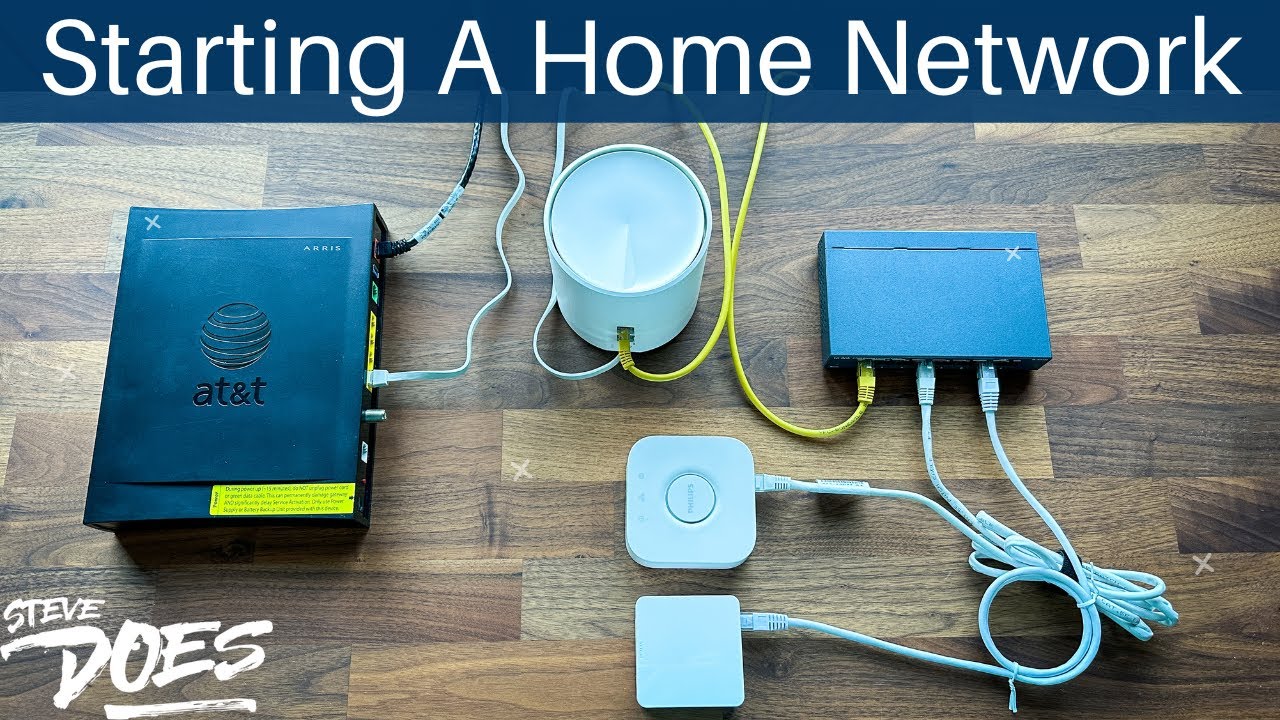
  • Steve upgrades his home network by adding a mesh Wi-Fi system and two new TP-Link switches to improve connectivity and network organization.
  • He discusses the existing network setup including a Linksys router and a network box installed in his master bedroom closet.
  • The video shows the process of cleaning up a tangled network closet and organizing cables for better management.
  • Steve highlights the use of multiple smart home hubs like Amazon SmartThings, Philips Hue, Arlo, and Yuffie, requiring many wired connections.
  • He explains the need for more Ethernet ports beyond the existing 8-port switch and introduces a new 16-port gigabit switch.
  • The upgrade coincides with his recent internet speed increase to 1000Mb fiber, necessitating better network hardware.
  • Steve showcases his NAS device with mirrored 2TB drives, used for local storage and plans for future upgrades involving IP cameras.
  • The video includes practical tips on placing network devices to avoid overheating and improve signal coverage with mesh points.
  • He emphasizes the importance of labeling and managing cables, noting the house came pre-wired with Ethernet and coaxial cables.
  • The vlog concludes with setting up hubs in the office and around the house to maximize wired and wireless network performance.

Answers

Questions about this video

What network equipment is Steve adding in his home upgrade?

Steve is adding a mesh Wi-Fi system and two new TP-Link switches to increase wired connections and improve Wi-Fi coverage throughout his home.

Why does Steve need more Ethernet ports in his network setup?

He has many smart home devices and hubs that require wired connections, and the existing 8-port switch is insufficient, so he is upgrading to a 16-port gigabit switch.

How does Steve manage the network cables in his closet?

Steve organizes and labels the cables, cleans up the tangled mess in the network closet, and strategically places devices to avoid overheating and improve accessibility.

Full Transcript — Download SRT & Markdown

00:02
Speaker A
What are you guys laying over here for? We got a lot to do today. Let me get you guys all set up.
00:11
Speaker A
be upgrading my home network so i'm going to be adding in a mesh wi-fi and i'm also going to be adding two new switches so that way i can get everything connected into the network now while wi-fi is an
00:24
Speaker A
All right, today we're going to have a lot of fun because today we are going to be upgrading my home network.
00:36
Speaker A
office while you see there is the plate not on my switch yet but hey i'm still finishing it up nice gray with white i really like it and now that i'm getting things finalized here in the office i need to deal with the network solution
00:50
Speaker A
So I'm going to be adding in a mesh Wi-Fi, and I'm also going to be adding two new switches so that way I can get everything connected into the network.
01:04
Speaker A
the network closet in my master bedroom closet and we've got a bunch of stuff here in this closet that's just a little sneak preview i'll show you guys later what is actually in that closet but we're gonna have a lot of fun in today's
01:18
Speaker A
Now, while Wi-Fi is an easy solution to get Wi-Fi throughout the house with the mesh network, I also want to be plugging a lot of things in, especially the office desk that I have set up here.
01:39
Speaker A
network box here in my closet here this thing was installed with the house when we purchased it five years ago and you can see all these cables sticking out and the reason for it is because this is my router so this is the linksys
01:54
Speaker A
By the way, I just finished painting the office. While you see, there is the plate not on my switch yet, but hey, I'm still finishing it up. Nice gray with white. I really like it.
02:05
Speaker A
just down here on the carpet and it's kind of too big to fit into here which is why you see all the cables running up into the back of here and the problem with the back of it too
02:16
Speaker A
And now that I'm getting things finalized here in the office, I need to deal with the network solution.
02:31
Speaker A
now and it's still going strong it's got to two two terabytes of drives in here that are mirrored and i'll tell you two terabytes is definitely not enough this thing i'm actually looking to upgrade soon because i want to do some videos on
02:43
Speaker A
So there are a lot of things that need to be plugged in, having a lot of smart home devices like the Amazon SmartThings hub. We've got Philips Hue hubs, Arlo hubs, Yuffie hubs. There are just so many of them.
02:57
Speaker A
this is what it is so the nice thing is that when we purchased the house they ran all the cables for us we've got one to two cables per bedroom then we have all of our coax cables here
03:10
Speaker A
I've got them split between the network closet in my master bedroom closet, and we've got a bunch of stuff here in this closet. That's just a little sneak preview. I'll show you guys later what is actually in that closet.
03:25
Speaker A
which obviously we know we don't have telephone we do a power it down in there too and then we also have power out here what i want to do since i have all of these cables right here is i picked up a
03:36
Speaker A
But we're gonna have a lot of fun in today's video, not only upgrading the network but cleaning up a lot of the things because I'm OCD and I'm sick of looking at the rat's nest of cables inside of the network closet.
03:48
Speaker A
all of the hubs in here is that i'm going to have a bunch of the hubs in the closet in my office in addition to that i've also been having some problems with the range on this wi-fi router right here
04:00
Speaker A
So let's get started. [Music]
04:13
Speaker A
going to be putting those around the house to boost the signal and the speed with wi-fi in addition to also activating all of the ports that i have throughout the house okay so i wanted to talk about the
04:24
Speaker A
So I am really fortunate to have a network box here in my closet. This thing was installed with the house when we purchased it five years ago, and you can see all these cables sticking out.
04:40
Speaker A
one that had eight ports on the back this one's got one for the internet and then one that's going to extend out and you can either put that directly into a computer or for my sake what i'm gonna do is i'm
04:51
Speaker A
And the reason for it is because this is my router. So this is the Linksys router that I bought back when we were in our condo.
05:04
Speaker A
port gigabit switch so what we're going to do is we're going to take our network cable out of the back of the wireless router here it's going to plug in to the number one slot here and then i
05:16
Speaker A
And while it was great for the condo—I mean, it was way overkill for the condo—it can get pretty hot, so I didn't want to stick it just down here on the carpet.
05:27
Speaker A
leave links in the description below if you guys want to see what i picked up but that's pretty much it we're going to plug this into the network cable plug all of my network ports in but since i want to set up some of
05:41
Speaker A
And it's kind of too big to fit into here, which is why you see all the cables running up into the back of here.
05:54
Speaker A
the office here it's going to plug into number one and i'm going to plug the rest of my ports into here we're just going to do a few of the hubs in the office the rest are going to be scattered
06:02
Speaker A
And the problem with the back of it too, as you can see, is that there are only eight ports back here, and I need a lot more than those eight ports.
06:15
Speaker A
all right so another thing worth mentioning and the reason i'm kind of doing this upgrade right now is that i just upgraded my home internet i went from 100 meg up and down to now having fiber to the house so i've got
06:28
Speaker A
We've got the NAS that I've got set up. So this thing I've actually had for, I think, about nine years now, and it's still going strong.
06:45
Speaker A
set up for the internet and then we'll plug in the blue one and this one this blue one here will go up to our new switch that we're going to [Applause] install and uh great flip it this way okay good
07:09
Speaker A
It's got two two-terabyte drives in here that are mirrored, and I'll tell you, two terabytes is definitely not enough.
07:57
Speaker A
keep this thing up high and out of the way so we are going to keep the synology nas up here but we only have the two cables running down and then i've got my recorder for my vivint home security
08:11
Speaker A
This thing I'm actually looking to upgrade soon because I want to do some videos on not only saving pictures to something like this but also connecting IP cameras to it so I can just store my footage locally to this thing right here.
08:30
Speaker A
the wall which was nice so i just pushed them all up through there we've got the cable modem here and then we've got the mesh wi-fi right here so this mesh wi-fi also has two more points that are around the house
08:45
Speaker A
But if we want to take a look at what this NAS thing looks like, this is what it is.
09:07
Speaker A
you about this gigabit switch right here is that you notice that there are lights flashing on the top and that is going to mean that there's an active connection on the other side so right here nothing is turned on on the other side
09:20
Speaker A
So the nice thing is that when we purchased the house, they ran all the cables for us. We've got one to two cables per bedroom. Then we have all of our coax cables here.
09:33
Speaker A
but that's okay because that device that is plugged in right there is just a printer so it doesn't matter that 100 megabits is fine where these are all gigabit connections so you can tell from the flashing colors on this switch
09:46
Speaker A
So we've got all of our coax cables. They labeled everything for us, which was awesome. We've got all of these cables running through. I've got my 18T router right here.
10:00
Speaker A
is that we picked up this tp-link 8-port switch so it's just like the 16-port it's just the 8-port version of it i'm going to be putting this in the office because like i mentioned we've got things like the philips hue
10:13
Speaker A
And then we've got our telephone patch panel right here, which obviously we know we don't have telephone. We do power it down in there too.
10:26
Speaker A
weird but i do have the two nightstands that were on either side of the bed in here we got it stacked up in here just temporarily but this has kind of been like the charging station and where i get kind of
10:39
Speaker A
And then we also have power out here. What I want to do, since I have all of these cables right here, is I picked up a 16-port switch.
10:50
Speaker A
this is kind of where i want to put the hub stick it up here maybe stack up all of the hubs that i have you know smart things and everything else let's go ahead and get everything set up
11:02
Speaker A
So we'll be plugging in a switch here, make it look nice and pretty.
11:30
Speaker A
i'm actually need to open this up and take a look at that but that is everything that's installed also the blue cable right here that is running over to the pc so i have it running down here just have a giant cable that's running
11:43
Speaker A
And then what I want to do, since 16 ports is not going to be enough and I don't want to be trying to stick all of the hubs in here, is that I'm going to have a bunch of the hubs in the closet in my office.
12:00
Speaker A
on the computer okay so about 870 up that is really good i'm paying for a thousand up and a thousand down but 870 is not bad at all and as far as the upload all right we've got nine over 900 for
12:19
Speaker A
In addition to that, I've also been having some problems with the range on this Wi-Fi router right here.
12:31
Speaker A
as always don't forget to subscribe for more content like this one and i'll see you in the next video [Music] [Applause] [Music] you
Topics:home network upgrademesh Wi-FiTP-Link switchGoogle WiFi1000Mb fibernetwork closetsmart home hubsNAS storagenetwork cable managementhome office network

Get More with the SozAI App

Transcribe recordings, audio files, and YouTube videos — with AI summaries, speaker detection, and unlimited transcriptions.

Or transcribe another YouTube video here →