
Second-language lectures
Study a lecture given in a language you are still learning
Record the lecture as it is spoken. SozAI writes it down in the original language, then translates the transcript and the notes into yours, so you can read slowly and check every term against what was said.
The short answer
Record or upload the lecture in SozAI: it detects the spoken language itself, from 99, and writes the transcript in that language. Then translate the transcript and its notes into your language, or have the notes written in your language while the transcript stays as spoken. Translation and notes don't use transcription minutes, and the first 30 minutes of transcription are free once. It works in the apps for iPhone, iPad, Android and Mac and at web.sozai.app. Recognition quality differs a lot between languages, and SozAI works on the recording after class, not as live subtitles.
Read it slowly, then listen again
In a second language the hard part of a lecture is usually speed. You know most of the words. The lecturer doesn't wait while you place one, and by the time you have, the next sentence is gone.
A transcript removes the speed problem. You read at your own pace, look up the term that stopped you, and tap its timestamp to hear how the lecturer said it. The translation is for the sentences you still can't untangle, and it sits next to the original instead of replacing it. There is a longer method for this in our article on following a lecture in a language you're learning.
A routine that fits one lecture: read the original once at your own speed and note the lines you don't follow. Open the translation for those lines only. Then play each of them once more with the text in front of you, so the sound and the written word meet. Keep a short list of the terms that stopped you. They tend to come back in the next lecture, and they are the first flashcards worth making.
How to do it in SozAI
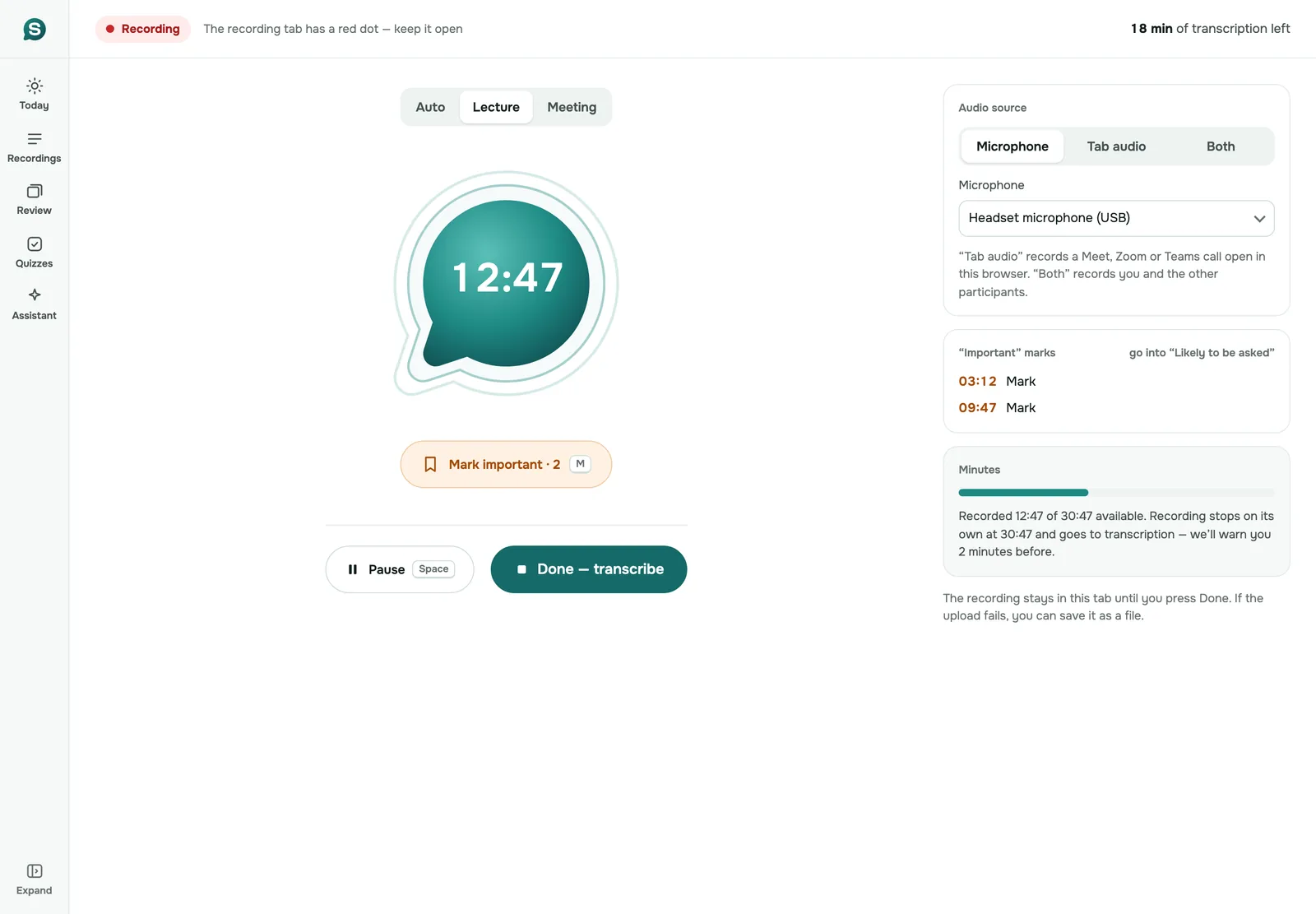
- Record the lecture in the app with the Lecture mode, or at web.sozai.app with the microphone, or upload the file your university posted. There is no language to choose: SozAI detects the language of each recording.
- Open the recording and read the original. Each passage carries a timestamp; tap it to play that moment again.
- Tap Translate (on the web, Translate into…) and pick your language. The text and the notes are translated, usually in about a minute, and you can go back to the original at any time.
- If you'd rather have notes written in your language from the start, change the Notes language. The notes are rebuilt in that language and the transcript stays as it was spoken.
- Make the quiz after that step. The quiz and the examiner use the language of the notes, so notes in your language give you questions in your language.
Translate the notes, or write them in your language
Pick by the language of the exam.
If you will be examined in the lecture's language, keep the notes in that language and use the translation as a dictionary. Your answers need the original terms, and notes in your own language teach you words the examiner won't use. Read the original first and open the translation only for the passages that lose you.
If the exam is in your language, or the lecture is background for a course taught in your language, set the Notes language to yours. The notes are then written from the transcript directly, and the quiz you make afterwards follows them.
One practical difference: a translation is tied to the notes it was made from. When you rebuild the notes, SozAI marks the translation as out of date and offers Update.
How well each language is recognized
A translation can only be as good as the transcript under it. We measured recognition in October 2026 on 200 short public recordings, 20 per language, sent the way the app sends a recording (language detected automatically, speaker labels on). Lower is better.
| Language | Word error rate | Language detected correctly |
|---|---|---|
| Spanish (Latin America) | 1.8% | 20 of 20 |
| German | 3.0% | 20 of 20 |
| English (US) | 3.6% | 20 of 20 |
| French | 4.9% | 20 of 20 |
| Russian | 5.5% | 20 of 20 |
| Turkish | 7.6% | 20 of 20 |
| Portuguese (Brazil) | 8.0% (3.9% without one file read twice) | 20 of 20 |
| Japanese | 4.8% character error rate | 20 of 20 |
| Arabic (Egypt) | 19.6% | 20 of 20 |
| Kazakh | 50.0% | 15 of 20 (5 taken for Azerbaijani) |
These were read sentences in quiet rooms. A lecture hall adds distance, echo and the rustle of a few hundred people, so expect more errors than the table shows. The method and the per-file results are in the accuracy test.
Mixed languages and technical terms
SozAI detects one language per recording. If a lecturer moves between two languages, the part in the second one comes out weaker, and a translation can't repair a word that was misheard in the first place.
Terms are the other weak spot: an English term inside a German lecture, a researcher's name, a formula read aloud. The slides usually have the right spelling. Add the slide PDF to the recording and the notes are rebuilt from the transcript and the slides together; slides and lecture shows how. In the phone app you can also correct the transcript line by line.
When SozAI is not the right tool
- You need interpretation during the lecture. SozAI gives you text and a translation afterwards, not live subtitles in the hall.
- You need a certified or official translation. The translation is written by an AI model and can get terms wrong; it is for understanding, not for documents.
- Your lectures switch languages every few minutes. One language is detected per recording.
- Your lecture language is one where recognition is weak, such as Kazakh in our test. Check the transcript before you rely on its translation.
For everything else a student can do with a recording, see SozAI for students, or go straight to exam prep.
Answers
Frequently asked questions
Can SozAI translate a recorded lecture into my language?
Yes. Once the lecture is transcribed, tap Translate and pick a language; the transcript and its notes are translated, usually in about a minute, and the original stays available. Translation does not use transcription minutes.
Do I have to tell SozAI what language the lecture is in?
No. SozAI detects the language of each recording itself, among 99 languages, and there is no language picker. It detects one language per recording, so a lecture that switches languages comes out weaker in the second one.
Can SozAI translate a lecture live while the professor is speaking?
No. SozAI transcribes and translates the recording after the lecture. For live captions in the room, ask your university's disability or accessibility office what it offers.
Can I get the quiz in my language when the lecture is in another one?
Yes. Set the Notes language to yours so the notes are rebuilt in it, then make the quiz. The quiz and the examiner use the language of the notes.
Which lecture languages does SozAI transcribe best?
In our October 2026 test of read sentences, Spanish (1.8% word errors), German (3.0%) and English (3.6%) did best. Arabic came out at 19.6% and Kazakh at 50%, so check transcripts in those languages closely.
Is the translation good enough to study from?
For understanding, usually yes; for exact terms, check it. The translation is made by an AI model and can get technical words wrong. If your exam is in the lecture's language, learn the original term and use the translation as a dictionary.
Turn your next recording into text
Record, upload a file or paste a link. You get the transcript, speakers and a summary back.
Free on iOS and Android. No account required for YouTube transcripts.