
Exam prep
Prepare for an exam from a semester of lecture recordings
Every lecture becomes notes and a quiz, plus a deck of cards. Review shows what is due today, a reminder tells you when, and the examiner asks you questions out loud before the real one does.
The short answer
Put each lecture of the course into SozAI as its own recording. Every one gets notes, up to 30 flashcards and a quiz of 5 to 15 questions. The cards go into a review queue that shows what's due today, with an optional reminder on your phone, and the examiner asks you questions you answer aloud or in text, then grades them. Quizzes and flashcards don't use transcription minutes; transcribing does, with 30 minutes free once and Premium from $4.99 a week. Each quiz and deck covers one recording, so there is no single quiz for the whole semester.
Start from the exam, not from the recordings
List the topics the exam covers (the syllabus and past papers have them) and match each one to a lecture. A recording of a topic that won't be examined can wait. If the pile is a whole term and the exam is close, our article on turning a semester of recordings into notes covers that triage in detail.
Then work through the lectures that matter in this order:
- Make a folder for the course (the apps and the web share it) and put every lecture in it. For a lecture you missed, upload the lecture capture file where your university lets you download it, or paste a YouTube link for an open course.
- Read each lecture's notes once, starting with Likely to be asked. That block lists what the notes mark as probable exam material.
- Take the quiz for that lecture. When you get one wrong, open Why: the explanation quotes the lecture, and the quote's time opens the transcript at that moment. On the result screen, tap Add mistakes to flashcards.
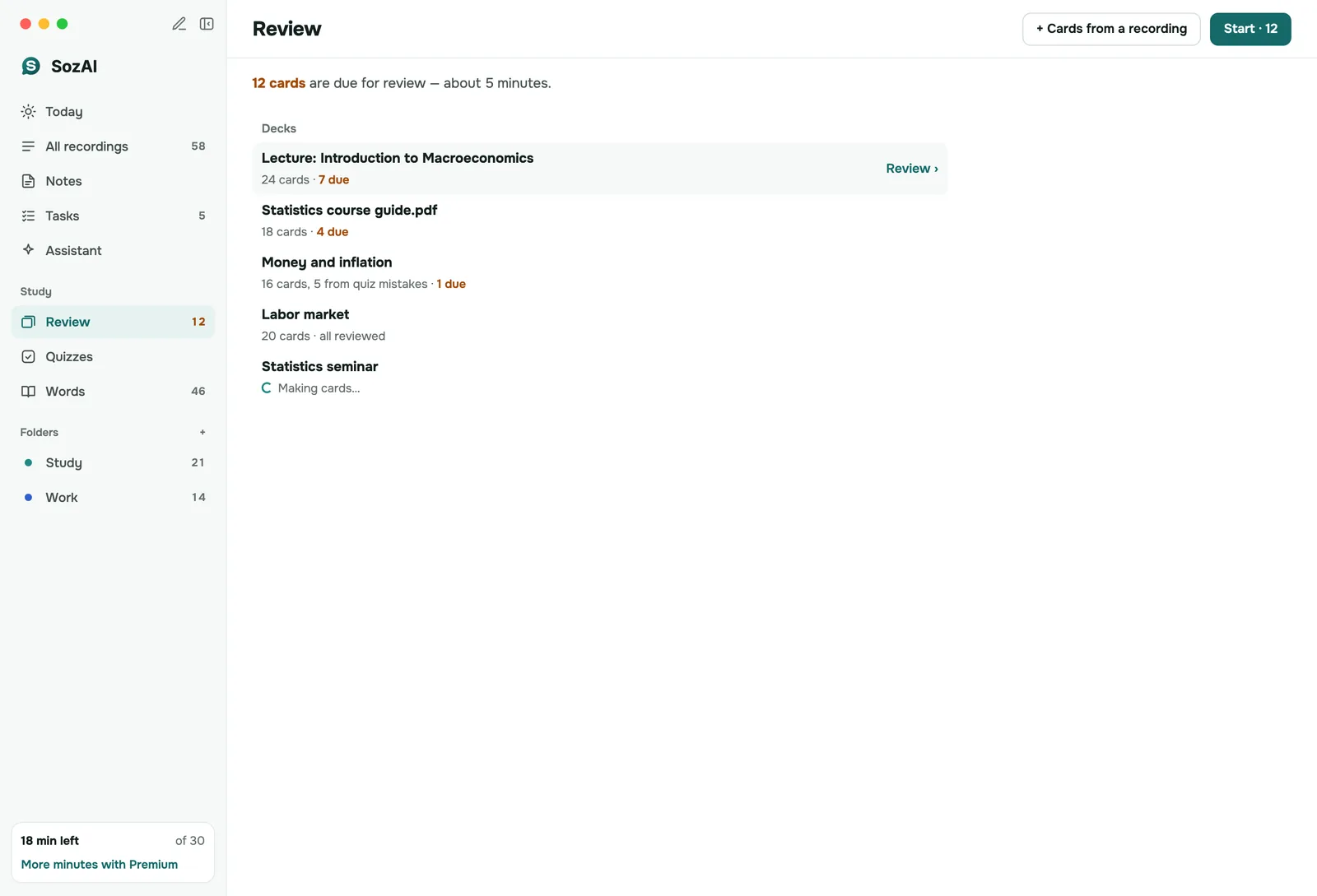
- Review every day. Review shows the cards due today across your decks. Rate each card Again, Hard, Good or Easy; cards you know come back later and cards you miss come back sooner.
- Turn on review reminders and pick a time and days (every day, weekdays or weekends). The reminder arrives only on days when something is due.
- In the last few days, use the examiner on the lectures you're least sure of.
Why a quiz beats another read of the notes
Rereading feels like progress because the text looks familiar. Familiar is not the same as remembered. A question you can't answer shows you the gap while there is still time to close it, and a card you keep rating Again tells you where the next hour should go.
Know what a quiz can't do. It has at most 15 questions, so for an hour-long lecture it samples the main points rather than every minute. Make a new quiz from the same recording later and the questions will be different; that is limited to three new quizzes per recording in 24 hours, and retaking an existing one is always open.
What each tool does, and its limits
| Tool | What it does | Limits to know | Where |
|---|---|---|---|
| Notes | Lecture template: chapters, terms, facts, Likely to be asked | Needs at least 200 characters of text | Apps and web |
| Quiz | 5 to 15 questions with four options; every answer explained with a quote | Three new quizzes per recording per 24 hours; retakes any time | Apps and web |
| Flashcards | Up to 30 cards per recording, picked from definitions and facts plus what the lecturer called important | One deck per recording | Apps and web |
| Review reminders | One notification at the time you choose | Only on days with cards due; set on the phone | Phone app |
| Examiner | Asks questions, you answer by voice or typing, it marks Correct, Partly right or Not quite | Voice answers depend on the recording's language being supported on the device | iPhone, iPad, Android, Mac |
| Mind map | The chapters of the notes as branches | Needs notes with chapters | iPhone, iPad, Android, Mac |
| Free quiz generator | A test to print with its answer key; exports Moodle GIFT and CSV | Paste up to 60,000 characters; 10 generations a day per device | Any browser, no account |
Generation has daily limits as well, and the app tells you when you reach one.
Practising for an oral exam
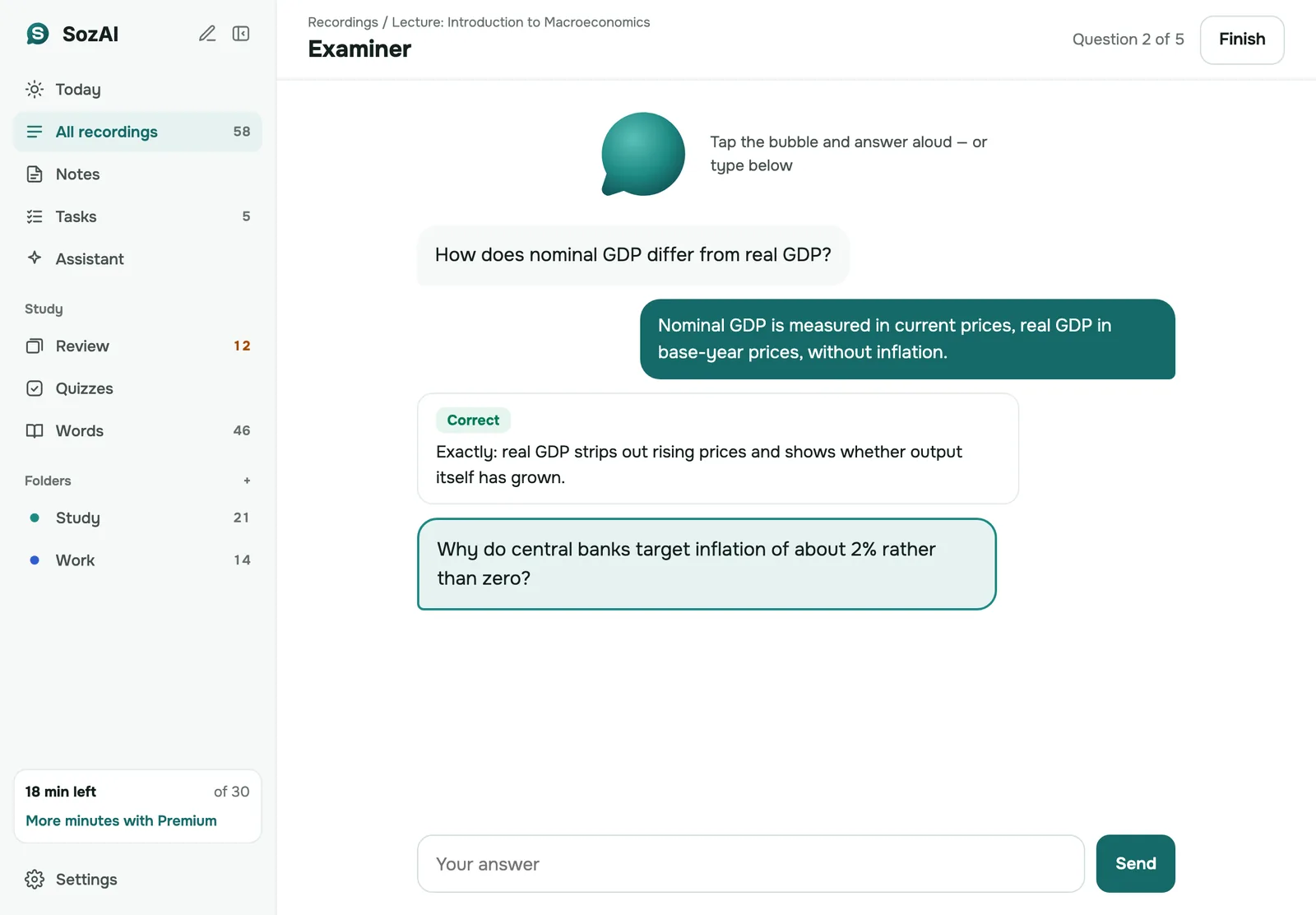
The examiner is a chat that quizzes you. Open a recording's notes and choose Examiner. It prepares its questions, usually in under a minute, can read each one aloud, and listens when you tap to answer; you can type instead. Each answer gets a verdict, and you see a score at the end. Take it again starts a new round.
It is most useful for subjects where you have to explain, not pick. Saying an answer out loud exposes the half-understood parts that a multiple-choice question lets you guess past. Voice answers need microphone and speech recognition access, and for some languages the device has no voice input, so you type. The examiner is in every SozAI app, but not on the web.
To ask something that spans several lectures, use the assistant in the app: it looks through your recent recordings for the answer.
A mock exam on paper
Some exams are still written by hand, and a printed test is closer to that than an app. Export the lecture transcript as TXT, paste it into the free quiz generator, and choose 5, 10 or 20 questions: multiple choice, true or false, short answer or a mix. It prints the test with the answer key on a separate page. Its questions come from free AI models, so read them before you rely on them.
When SozAI is not the right tool
- The exam is mostly problem solving. A quiz from a recording checks what the lecturer said; past papers and problem sets train the method.
- You want one cumulative test of the whole course. Each quiz and deck belongs to one recording.
- You keep all your cards in Anki. SozAI decks stay in SozAI; the free flashcard generator exports a CSV for Anki from a pasted transcript.
- The recordings are barely audible. Questions built on a bad transcript repeat its mistakes, so check the text first.
The rest of the study loop is on SozAI for students, and the review schedule is explained on quizzes and flashcards. Lectures with slides: slides and lecture.
Answers
Frequently asked questions
Can SozAI make flashcards and a quiz from my lecture recordings?
Yes. After a lecture is transcribed, SozAI makes up to 30 flashcards and a quiz of 5 to 15 questions from it, each answer with an explanation and a quote from the lecture. Neither uses transcription minutes.
Can I make one quiz from all my lectures at once?
No. Each quiz and each deck is built from one recording. Review, though, collects the cards due today from all your decks, so a daily session covers the whole course.
Does SozAI remind me to review my flashcards?
Yes, if you turn it on. Choose a time and the days in the review settings, and the phone app sends one notification on days when cards are due, and nothing on other days.
What is the SozAI examiner?
It is a chat that quizzes you on a recording. It asks a question, can read it aloud, and you answer by voice or by typing; it marks the answer Correct, Partly right or Not quite and gives a score at the end. It is in all the apps, not on the web.
Do quizzes and flashcards use up my free minutes?
No. Only transcribing a recording uses minutes. The study tools are free to generate within daily limits, on the free plan and on Premium.
Can I print a practice exam from a lecture?
Yes, with the free quiz generator on sozai.app. Paste the lecture transcript, pick 5, 10 or 20 questions, and print the test with the answer key on a separate page. It also exports Moodle GIFT and CSV.
What if a quiz question is wrong?
Check it against the quote under Why, which shows what the lecturer actually said. Questions are written by an AI model and can be wrong; hold a question to report it, and trust the recording over the explanation.
Turn your next recording into text
Record, upload a file or paste a link. You get the transcript, speakers and a summary back.
Free on iOS and Android. No account required for YouTube transcripts.