Skip to content
Get App

Lecture 25 Chapter 04 section 4.2 Subjects, Objects, abd Access Rights

Lecture on access control covering the three core elements: subjects (actors), objects (resources), and access rights, with examples of owner, group, and world classes plus accountability through audi

Key Takeaways

  • Access control policies rest on three elements: subject, object, and access right.
  • Permissions are specific to each resource and each right is granted independently.
  • Owner, group, and world classes determine how subjects are categorized for permissions.
  • Logging subject actions enables accountability, incident investigation, and misuse detection.

What the video covers

  • Introduces the second lecture of Chapter 4 on Access Control, focusing on subjects, objects, and access rights.
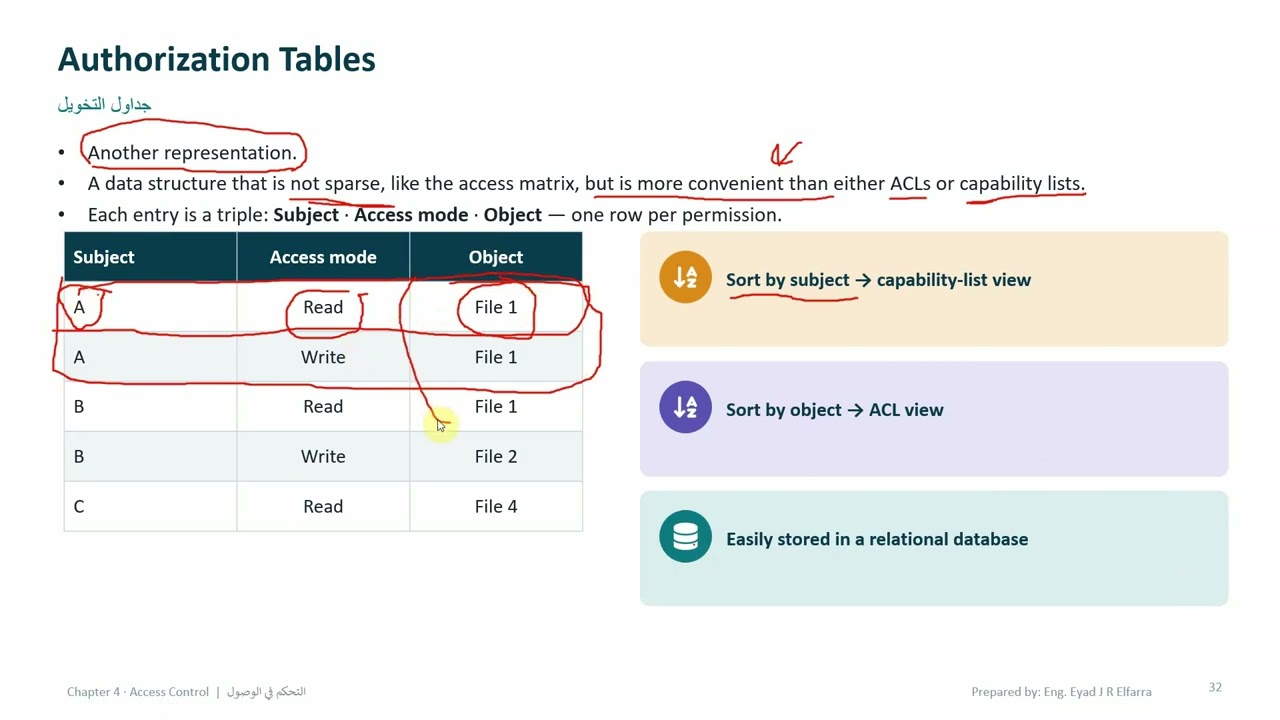
  • Defines the three basic elements of any access control policy: the subject, the object, and the access right.
  • A subject is the active entity requesting access, which can be a person or a process acting on behalf of a user or application.
  • An object is a passive resource such as a file, database record, directory, program, or a specific router port.
  • Access rights include read, write, execute, delete, create, and search, and can be further split into finer-grained permissions.
  • Permissions are resource-specific and granting one permission (e.g., read) does not imply others (e.g., write).
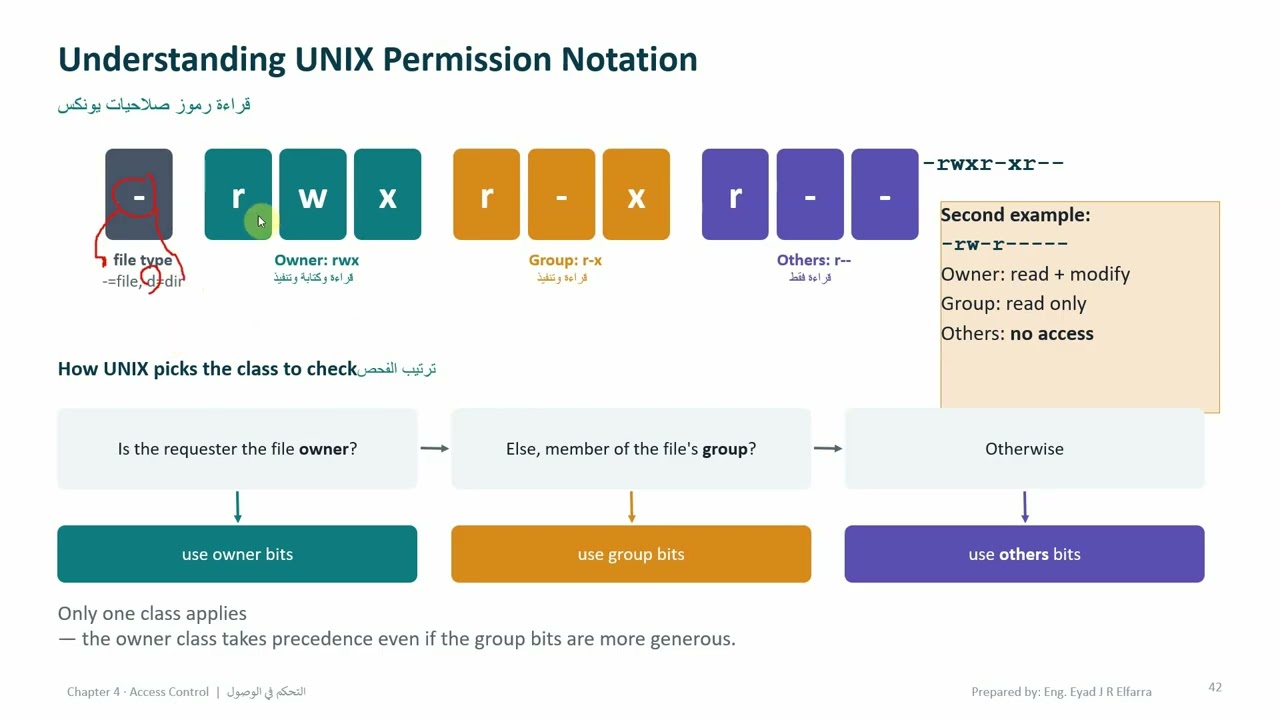
  • The three classes of subjects are owner (creator with full permissions), group (users sharing membership), and world (everyone else).
  • University examples illustrate that lecturers can read and write grades, students can only view them, and unauthorized users have no access.
  • Subjects should be accountable: the system must log who performed which operation on which object, when, and with what result.
  • Audit logs support investigating incidents, detecting misuse of privileges, and verifying compliance with requested system behavior.

Answers

Questions about this video

What are the three basic elements of an access control policy?

The lecture identifies the subject (who requests access), the object (the resource being accessed), and the access right (the permission to read, write, execute, delete, etc.). Together these define who can perform which operation on which resource.

What are the three classes of subjects described in the lecture?

The three classes are the owner, who created the file or resource and has full permissions; the group, a set of users sharing membership such as employees in a department; and world, which includes everyone who is neither the owner nor a group member.

Why must operations performed by subjects be recorded?

Recording operations in audit logs supports accountability by showing which user or process accessed which object, what they did, when, and the result. This helps investigate incidents, detect privilege misuse, and verify that the system behaves as intended.

Full Transcript — Download SRT & Markdown

00:00
Speaker A
In the name of God, the Most Gracious, the Most Merciful. Welcome. Welcome to the second lecture of the fourth chapter, Access Control. We will talk about subjects, objects, and access.
00:10
Speaker A
Alright. We have the three basic elements in any access control policy. Which are, who is the subject? Who is the authorized person, or the authorized entity to perform the operation? The second type is the object. The access right; does it have
00:25
Speaker A
the permission to read, write, execute, or delete? And the third thing, which is, or what is our second object? The object. Alright. The third component is the object, the resource on which I will perform the operation. Alright.
00:37
Speaker A
Subject, the actor, the active entity requesting access. The person who, or the entity that, requested the access right. Why did we call it a subject?
00:46
Speaker A
Because it can be a person. Or it can usually be a process acting on behalf of a person or another application.
00:54
Speaker A
Okay, good. Access permission. Does this person, or this subject, have the permission to read, write, execute, or delete? Alright. So if they have the right, they get access; if not, they don't. So the right to read, write, execute, delete, modify, and so on, on
01:12
Speaker A
whom? On an object, which is the resource we have. Alright. Passive access resource, like a file, record, directory. Of course, a file is a file.
01:20
Speaker A
A record is a record in a database. A directory is, well, it's a program, okay. A directory is what? Alright, like a directory, file, record, directory, program, or a specific port on a router. And alright. Example: I have the lecturer, who is a subject.
01:45
Speaker A
And the student record, which is an object. He has the permission to read and modify it. Alright, that's. The permission, well, the student is a subject. They might read the course, which is an object. But they cannot modify or delete it. So what is the
02:01
Speaker A
subject as we said? We said the subject is the actor. In our control, it is a process acting on behalf of. Either a user, or an application. Actually, the process has the same permissions as the user or. The application. So the
02:28
Speaker A
subject, The subject might perform operations related to security. On whom ? On system resources. Alright, in this case, the action must be done. Stored in the database, stored in the audit logs. For later reference, to support accountability. We have a person or
02:51
Speaker A
user running the operation. Requesting access from me. To a specific object. Alright. I want to distinguish this user. Alright. It is what? A person or a specific account. While the process is an entity. Working on behalf of the
03:17
Speaker A
user. It is the one requesting access to whom? To the data we have. Alright.
03:21
Speaker A
Mostly that is correct. But the user themselves, for example, might come to access a specific file or directory.
03:27
Speaker A
The user might perform this operation directly. Okay. What are the three classes of subjects? Who are the users or the process? Well, we have three, three. Who are they? We have the owner.
03:44
Speaker A
We have the group, which is the set the owner belongs to. For example, employees in the finance department, employees in human resources. Right.
03:52
Speaker A
This is the group. World, which is other people outside the group. These are called world or others. Okay, the owner is the creator of the file. Or the owner of this resource. Right. And they have full permissions over it.
04:07
Speaker A
Okay, file creator, system admin. Okay. The group is a collection of users who share access membership. Right. The group has access permissions based on what? On membership. Like, for example, all those working in the computer engineering department. Okay. World, or
04:24
Speaker A
the remaining users, are those who are neither the owner nor members of the group. Right. Meaning they are neither the owner nor part of the group. Right.
04:48
Speaker A
That's what they are. But it is not necessarily that they are actually separate user accounts. What is. An object. We talked about the subject.
05:01
Speaker A
Subject access control and the object. What is the object? The object is the file or the resource that I want. The resource could be a file or a record.
05:10
Speaker A
Right. Normal files or records in a database. It could be folders, directories, mailboxes. Right. It could be programs. Some programs I might assign to certain people and deny access to others. It could be history.
05:30
Speaker A
And so on. Okay. What do I want to protect? Based on the security requirements of my system. What is the complexity of implementing the protection process or this access process? Right. Okay, what are access rights? Now let's talk about the third
05:57
Speaker A
component. We said three objects. Talking about the third one. What are the access rights? Your access rights that you perform on objects. You might read, write, execute, delete, create a new one, or search. These are our six permissions. Possibly. Yes, other
06:14
Speaker A
permissions can be created if the system has other requirements. Consequently, you can split the permission of editing or writing. I can split it into several permissions. For example, there is a permission to set status to active or inactive. Right.
06:31
Speaker A
Permission to edit specific data. At that point, I can split the permission itself into several more permissions.
06:37
Speaker A
Right. With access rights, how will you work on it? Will you execute a certain program? Will you search in a list or a certain directory? Will you create a certain file or a record in the database? Will you write to a file or
06:52
Speaker A
edit a file? Will you read a file or delete a file? Right. Permissions are resource-specific. Right, permissions are always closely linked to the resource. Each resource has its own permissions that differ from others.
07:08
Speaker A
Meaning if I have a Word file, for example. What execution operation will happen on it is a Word file, okay. I will only read or write to it. Okay.
07:17
Speaker A
Permissions to read. That's one thing. Another thing is telling me that if I give you permission to read a file. It doesn't mean I gave you permission to write to the file or execute. The file, or permission to create another file,
07:34
Speaker A
or permission to search other files. I gave you only read permission, so you only have read permission, okay? An application example here at the university: the lecturer can read and write student grades. Okay. The student only has grades. Can he perform an
07:49
Speaker A
operation? Can he write? No. Okay. The registration employee can register a new student. He can register, so he can read the records of registered students and write to them. Okay. Unauthorized user. A person who doesn't have it, that is, registration, for example. Or
08:06
Speaker A
a user, for example, who isn't registered with us in the security course. Computer networks, can they see the computer networks security course?
08:14
Speaker A
No, they can't. Thus, it's clear. Okay, the system. I must do an evaluation before. Giving them. Permission.
08:31
Speaker A
Accountability in our application log. And the subject might be accountable. A person might be held accountable for every operation they performed on the system. Therefore, since the person is accountable. For every operation they do on the system, I must record the
08:48
Speaker A
operations each person performed on the system, what objects, what they did, and when? And what was the result? Okay . Meaning, for example, user 1432026, for example, Dr. Name. Ahmed, on object with ID 5401. Performed an update on it
09:08
Speaker A
and had the permission, okay, I record it. Clear. Okay, why do I record data?
09:14
Speaker A
If a certain problem occurs. That, for example, a student said the grade wasn't recorded. The teacher said. No.
09:20
Speaker A
I recorded the grade. So, what do we do ? We investigate the incident. Okay.
09:26
Speaker A
Detect misuse. We want to detect misuse . We want to detect who? Misuse. A specific person exploited their privileges to modify student grades. Or exploited their privileges to modify.
09:36
Speaker A
Specific records in the finance department. I want to know the person who performed this operation. Verify compliance. Okay. Verify that the program is actually working exactly as I requested. Okay. God willing, in the next lecture. We will discuss AC.
Topics:access controlsubjectobjectaccess rightspermissionsownergroupworldaccountabilityaudit logs

Get More with the SozAI App

Transcribe recordings, audio files, and YouTube videos — with AI summaries and speaker detection. 30 minutes free.

Or transcribe another YouTube video here →