Skip to content
Get App

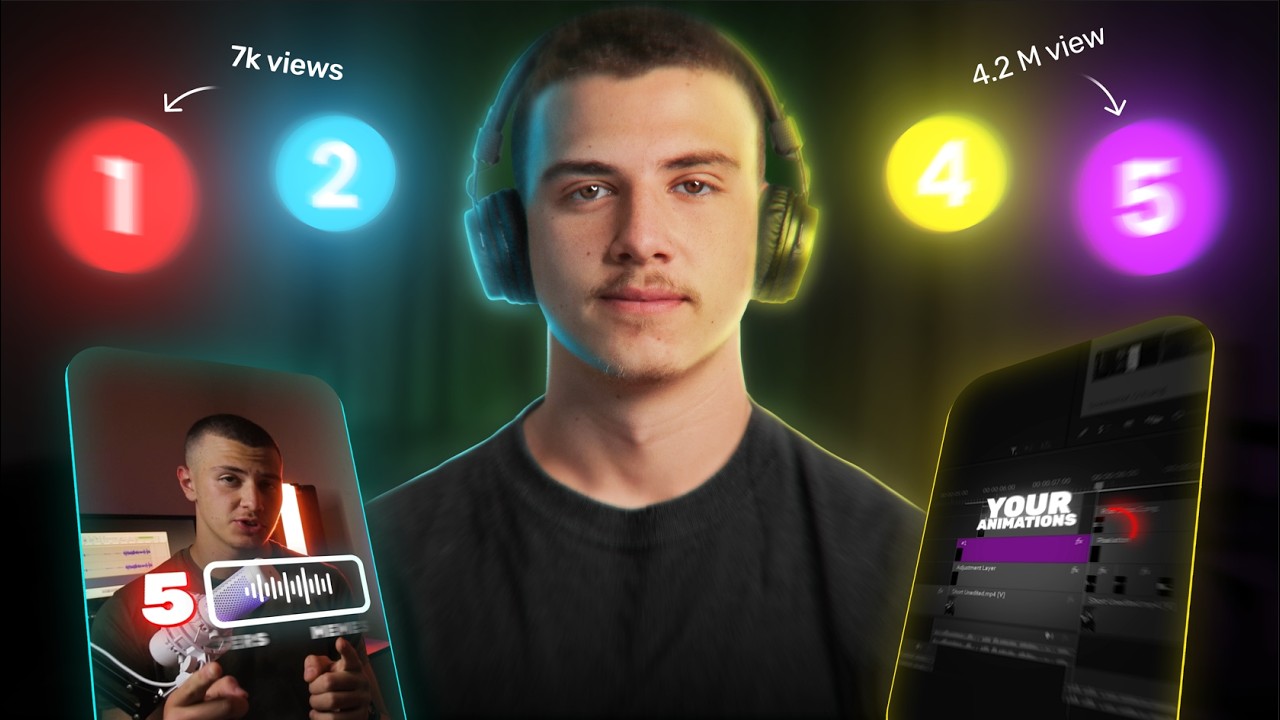
How to Edit Premium Instagram Reels Using ONLY Claude! (Full Breakdown)

Joseph shows how he trained Claude to edit his viral Instagram Reels, breaking down his five-key editing style and the two inputs needed to replicate it.

Key Takeaways

  • A viral short-form editing style can be decomposed into five repeatable components that can be taught to an AI.
  • Training an AI editor requires a reference set of target videos plus a detailed written breakdown of the style.
  • AI-assisted editing workflows can go from raw footage to finished animated edits by planning scenes from the script and building each element with a trained skill.

What the video covers

  • Joseph built a short-form editing skill over three weeks and used it to create 12 premium Instagram Reels, one reaching 90,000 views.
  • His editing style rests on five keys: two-font captions with blur-fade animation, on-screen UI chapter listicles, UI pops and number counters, a three-part hook formula (speaker, text, visual), and full-screen animations.
  • Captions use a simple sans font for regular text and a script font for highlighted words, placed in gaps around the highlighted words.
  • Chapter listicles use rhombus-shaped number cards introduced with pop-up fades and reused whenever a chapter is mentioned.
  • UI pops and counters vary by script content, such as before/after layouts, software notification pop-ups, circular timers, and sequenced lists.
  • Hooks align the speaker's eyes to the upper third, emphasize the most compelling script point with text, and pair it with supporting visuals.
  • Training Claude requires two inputs: a reference folder of about 14 videos to replicate, and a detailed breakdown of the editing style, created in Figma.
  • Claude analyzes the reference videos frame by frame and with word-by-word transcripts, then studies the Figma breakdown to build a skill.
  • The workflow then turns raw footage into a clean cut, plans scenes based on the script, gathers assets, and builds animations in the learned style.
  • The video promotes Joseph's paid Ultimate Editors 2.0 masterclass and skill packs, with a limited-time discount.

Answers

Questions about this video

What two things does Joseph say are needed to train Claude on an editing style?

He says you need a large reference folder of videos to replicate and a full breakdown of the editing style, which he creates in Figma. Claude then studies both to build the skill.

What are the five keys of Joseph's short-form editing style?

The five keys are two-font captions with blur-fade animation, on-screen UI chapter listicles, UI pops and number counters, a three-part hook formula, and full-screen animations. Combined, they produce his premium look.

How does Claude choose scenes for the edit?

Because Claude studied Joseph's short-form videos, it knows the animations he uses and recommends scenes that match what he is saying in the script.

Full Transcript — Download SRT & Markdown

00:00
Speaker A
Over the last 3 weeks, I've been building this short form editing skill. And I've used it to create the last 12 premium reels that I posted on my Instagram, and one of them even hit 90,000 views. Now, a lot of people have
00:11
Speaker A
been wondering if these are edited using AI or an actual editor. So, today I'm finally showing you how I trained Claude to edit my short form videos for Instagram. First, I'm going to break down the five keys that make up my viral
00:22
Speaker A
short form editing style so that you can understand it. Second, I'll walk you through the training process of how you can create a viral short form editor skill for any editing style, including mine. And finally, I'll take a raw short
00:33
Speaker A
form video and edit it using this skill with you step by step. And by the end of the video, you'll know exactly how you can train Claude on any editing style that you want and how to use it to edit
00:42
Speaker A
viral short form videos like the ones you love. If you want access to this very skill, I just dropped the Joseph AI editing masterass where I'm sharing the skills that edit both my short form and long form content. [music] It's all in
00:53
Speaker A
Ultimate Editors and the link is down below. But without further ado, before we learn how we can create the skill that edits short form videos for us.
01:00
Speaker A
First, let's understand the style that we're about to train it on. You see, I've been posting for quite some time and a lot of my audience specifically loved the style of the videos that we were making. It felt clean, it was
01:09
Speaker A
premium, and it was really simple. So, my goal with the skill that I was about to build was very simple. I wanted to train Claude on how it can create these exact videos. So, before we do that, let's first break down what my editing
01:20
Speaker A
style is actually made of. The Joseph short form editing skill is made up of five keys. If you combine these five keys, you get premium stunning edits that look like this. The first key to the Joseph editing style is the
01:31
Speaker A
captions. We start with our A-roll and break down the scene into thirds. Then we add a darkness and blur to the lower third. And our caption sits in this box here. The caption is made up of two separate fonts. A simple sounds font for
01:42
Speaker A
the regular text. We're using Creator Display and a special script font for the highlighted text where we use Apple Gar. When we place the text, we start by placing one or two script fonts for the special words. Then we look for gaps
01:52
Speaker A
around it where the rest can fit. And we fit the rest of the sentence in using the sounds font. Finally, for the text animation, it's a simple pop-up blur fade in where the text pops up, fades in from low opacity, and even has a blur at
02:03
Speaker A
the beginning as an extra touch. The first key is done. Now onto the second key, the on-screen UI listicles. A lot of our videos are chapter- based where we walk the viewer through chapter 1, then two, then three. So, we use these
02:14
Speaker A
UI listicles to show the viewer three chapters early in the video. For the design, it's a rhombus with a slight gradient and a stroke around the outside that's thin with a number that's in the middle. For the chapter animation, we
02:25
Speaker A
simply introduce each one with a pop-up fade in. Then, every time we mention the chapter throughout the video, we'll reuse it with text next to it to name the chapter. Key3 is our on-screen UI pops and number counters. There's many
02:36
Speaker A
different kinds, and they all differ based on what is being said in the script. For example, when we talk about two elements or compare two things, we use a before and after layout like this.
02:45
Speaker A
Object on the left, object on the right linked with a clean, simple arrow. When we mention a certain software or an event, we can use a UI pop-up animation like this with a blurred background, the logo of the software, and text
02:55
Speaker A
representing the notification. If we ever mention timers or counters, we use a circular animation like this one. It has a gray stroke background and a colored foreground and number in the middle that represents the amount. And if we ever need to list out multiple
03:06
Speaker A
things, we pop up a blurred square just like this one and list out each element in a sequence like this. Key four is how we create engaging hooks. We use a simple three-piece formula for our hooks: speaker, text, and visual. The
03:17
Speaker A
first thing we do is ensure the speaker is visible by aligning our speaker's eyes to the upper thirds of the video.
03:22
Speaker A
We can ensure that the viewer instantly sees the speaker and connects with it. Then for the text, it all starts by looking at the script and asking ourselves, "What about this makes the viewer want to watch the video?" Once
03:31
Speaker A
you found it, then you want to emphasize it using text. Finally, for the visuals, we simply ask ourselves, what can we show on the screen that would support the text in hooking the viewer? This could be popping up the editing styles
03:41
Speaker A
that we're talking about, or it could be showing a timer if the video is about how short we're going to be teaching the viewer a certain thing. Finally, key five is the full screen animations.
03:49
Speaker A
These are the bread and butter of the video. They take up half of the edit, but have the most impact. These fully depend on what the script is saying, but to keep it simple, sometimes we use listical animations to take our viewer
04:00
Speaker A
from one point to another. These are composed of a timeline, UI chapter cards, and text and elements that slide by. Other times, we use simple full screen scenes where one element takes up the entire scene and showcases a screen
04:10
Speaker A
recording or a sample of what we want to show. We even use full screen text animations where the background and text contrast each other to help the viewer read through the point that we're delivering. And finally, we'll use out
04:19
Speaker A
ofcreen zooms if we want to take the viewer out of the A-roll and introduce new elements like other edits and other showcases. Now, all five of these keys come together to form the editing style that you guys know and love on my
04:30
Speaker A
Instagram. Now, here's the thing. You clicked on this video to learn how you can edit premium videos with AI. But what if I told you that I've built a full skill pack that creates premium stunning videos like these called the
04:40
Speaker A
Joseph AI short form editing skill. And I've also created a skill pack that edits the very YouTube videos that you've been watching on this channel.
04:47
Speaker A
and it's called the Joseph long form editing skill. And I've even recorded step-by-step courses showing you how I train both of them and how I use both of these skills to edit my short form and long form YouTube videos. This is all
04:58
Speaker A
inside the Joseph AI editing masterass. And we just dropped this into Ultimate Editors 2.0. This is just one of the 12 master classes that you can get access to, including the five viral editing styles that you can learn to recreate
05:10
Speaker A
and an AI editing fundamentals course that teaches you the basics of AI video editing. The program is closing in about 10 more days on November 15th. So, if you want to create stunning edits like these using AI, click the link down
05:22
Speaker A
below because we have a special discount before the program closes down forever. But now that you understand all five keys, it's time to understand how you can train Claude on this editing style.
05:31
Speaker A
You might think that training Claude on an editing style this complex is very difficult. But the truth is, when training Claude on any editing style, you only need two simple things. The first thing is a big reference folder. a
05:41
Speaker A
folder that contains all the videos that we want to replicate. How do I collect that? I head over to my personal brand and I watch through the edits and pick out the ones that I like the most. I
05:50
Speaker A
ended up downloading 14 edits. Now, I place those in a reference folder and this checks off the first part. Now, the second thing I will need is a full breakdown of the editing style. And this is the part that really makes a
06:00
Speaker A
difference. Check it out. First, you start by loading up a program like Figma. Then, we're going to split the screen into two. Have Figma on the right and we'll load up our reference videos and watch through them on the left. Now,
06:09
Speaker A
what we need to do is simple. Anytime we see a good design scene, we snap a screenshot and place it on the board. We do this for text scenes, on-screen animations, full screen animations, and everything that looks high quality until
06:20
Speaker A
we have a big inspiration board of more than 120 images. Now, this is very important because we just turned the videos that we want to create into images that we could see on the screen.
06:30
Speaker A
Now, the next step is we need to break down the style. So, remember the five keys that we talked about? Well, now we're going to break down each one using the inspiration board that we just built. Start with key number one.
06:39
Speaker A
Collect all the inspiration that shows on-creen text design and bundle them together here. Then take one to the side and break down what it's made of. The fonts, the placement, and everything in between. Next, we're going to do this
06:48
Speaker A
for every single key. I drag all my listical inspiration over here and I break them down like so. Then I drag my on-creen animations here and I break them down in a table of each design and every kind of animation. Then I have a
06:58
Speaker A
segment where it talks about key4, how we set up the hooks, character, text, and visuals. And finally, I take all the inspiration of the full screen animations and bolder them over here where I section them out into tables and
07:07
Speaker A
break down their designs and animations. Now, if we zoom out, this Figma board has 120 images of what our style looks like and breaks down every element in it and how it is made from scratch. The designs, the animations, and even the
07:19
Speaker A
references. So, now that we have both a reference folder and a full Figma board, how do we create a short form editing skill? This is where things get interesting. First, we're going to head into cloth and start by uploading the 14
07:28
Speaker A
reference videos and the full Figma breakdown that we just created. Then we're going to prompt it with this.
07:32
Speaker A
First, you're going to break down the 14 reference videos into a word-by-word transcript and a frame by frame breakdown. Then, you're going to study three main things. The design principles of every scene, the colors, layout, effects, and everything else. The
07:43
Speaker A
animation logic. What does each [music] element have as an animation, a pop-up fade in, a blur reveal, and so on, and the placement of the animations, and timing relative to the script of the video. Then, you're going to use the
07:53
Speaker A
Figma breakdowns as a deep analysis of the design principles of this editing style. So, study it and analyze how the style is made. Learn everything there is to this editing style so that you can recreate it and turn it all into a
08:03
Speaker A
skill. Claude starts by taking all 14 videos and breaking them down into all the frames that make up the animations and wordbyword transcripts of each video. Finally, it looks at the Figma file and studies everything from top to
08:15
Speaker A
bottom, every design, how it's made, and how it's animated and formulates the rules for the video style. Then it combines all of that into the skill pack, the short form editing skill. Now, inside the skill pack, first there's a
08:26
Speaker A
rule book. The rule book determines all the nitty-gritty details about the skill like the font sizes, the spacing, the layout of the designs, the animation curves, and the speed of the movement.
08:34
Speaker A
Then it creates what's called a lookbook, which is a book that contains what my editing style looks like, the shapes, the colors, gradients, icon styles, assets used, and everything in between. And finally, it creates a reference folder where it saves every
08:45
Speaker A
single animation [music] from the 14 reference videos into these files. In each one is a screenshot of the design, a key frame sheet of the animation, and a breakdown of how the animation works.
08:54
Speaker A
And it does this for almost 200 animations. This all comes together to form the short form editing skill that's responsible [music] for creating these stunning viral short form ads. And as I mentioned before, if you want to skip
09:05
Speaker A
the training, I've uploaded the short form skill that creates stunning short form edits for my brand and the long- form editing skill that has edited the long form YouTube videos you're watching right now, all into the Joseph AI
09:15
Speaker A
editing masterass. I've even recorded step-by-step courses on how I train both of them so that you can use the same logic to train Claude on any editing styles [music] that you like. And this is just one of the many courses that you
09:26
Speaker A
get access to inside of Ultimate Editors 2.0, where you can literally learn how to edit stunning videos like these in 2026 and make money as a video [music] editor. The editors that join Ultimate Editors joined as complete beginners,
09:37
Speaker A
and over just a few months, they master viral video editing because of how easy the courses are. We've helped editors make $282,000 in the last 9 months of Ultimate Editors 2.0. We were only able to do that because of our $2,000 per month editor
09:50
Speaker A
blueprint, which teaches editors how to build a premium personal brand and land highpaying clients. This is all going to close down forever on November 15th, which is why the price for this program just went down from $1,200 per year to
10:03
Speaker A
just $299 for lifetime access. If you want to learn how to edit premium videos like these using AI and make $2,000 per month as a video editor, click the link down below and join Ultimate Editors 2.0 before it closes down forever. But now
10:17
Speaker A
that we've trained Claude on our editing style, it understands everything about our editing style and can recreate it from scratch. So, let's show you how we can use this skill to create the stunning edits you guys know and love.
10:27
Speaker A
This is the raw video I'm going to be editing. I'll start by booting up Claude and going into Claude Code, setting the model to Opus 5.5 and the effort to extra. Then, I start by asking Claude to load up my short form editing skills so
10:38
Speaker A
that I can edit a short form video in my style. The first thing I want to do is turn my raw footage with silences and bad takes into a raw cut clip that's actually ready to be edited. To do this,
10:46
Speaker A
I upload my raw video into Claude and prompt it asking to do a wordbyword level transcript of the video, finding all the silences and all the bad takes and cutting them all out with tight cuts. Then I click on enter. Claude
10:57
Speaker A
starts by taking the video, transcribing it word by word into a full transcript. Then it analyzes the transcript and searches for any silences or any bad takes or anything that needs to be removed and takes them out and delivers
11:07
Speaker A
the raw cut video back. Sweet. Now that we have a raw cut video, the next thing we want to do is plan out how the edit is going to go. We definitely don't want AI to plan out what it needs to show in
11:16
Speaker A
the edit because if we do that, it's going to end up creating trashy AI edits that look very bad. The real secret to getting good results with AI editing is planning out the editing yourself and having AI do the work. So, I prompt
11:26
Speaker A
Claude to use the transcript of the video to create a planning document for me to plan out what I want each scene to look like. On the right, it's going to have each script line, and on the left,
11:34
Speaker A
it's going to have an empty text box where I can plan out my edit. You can also ask it to do this. based on the study that you did on my short form content, recommend four potential designs for each scene that I could
11:43
Speaker A
choose from. Since Claude studied my short form videos, it knows what kind of animations I use. So, it can actually recommend good scenes based on what I'm saying. Now, Claude will spend a few minutes building the document out. And
11:52
Speaker A
once it's done, it's going to send me this back. You can click on it and open it up. This full document allows you to see the scenes on the right and plan out your edit on the left. And this is the
12:01
Speaker A
real trick. Now, this is where I would spend around 15 minutes thinking from the viewer's perspective and planning out the edit accordingly. Let me show you how I did that for our video here.
12:08
Speaker A
First, the hook. The video starts with me saying this as the hook. Getting hired as a video editor in 2026 comes down to three simple steps. The hook in this video is around making money as a video editor. So, I plan a stripe
12:20
Speaker A
notification pop-up that shows an editor earning. Then, I plan a three chapter listical animation popping up once I mention the three steps. Then, I keep thinking from the viewer's perspective.
12:29
Speaker A
The next segment says this, "The problem is 90% of editors give up after the second step. Since it breaks the pattern a little, I chose to ask claw to track me and keep the tip of my nose in the
12:39
Speaker A
center of the screen. Desaturate the screen and add reverb. That's when we get started on the chapter by saying this. Step one is become a viral editor.
12:46
Speaker A
Here I ask lot to create the chapter 1 listicle with text describing the chapter. Now the first point I make is this. Business owners don't want to hire average editors anymore. They want to hire the editor that knows how to turn
12:58
Speaker A
the raw boring footage into the viral edits that actually perform. That's why it's more important than ever to master the viral editing styles of 2026. So, I start with an outofcreen zoom out where we slide through lowquality edits to
13:10
Speaker A
showcase them. Then, we're going to pan to a scene where the viewer can see raw videos as the camera keeps panning over to the final edit being showcased. This delivers my point and helps the viewer understand exactly what I'm saying. Now,
13:19
Speaker A
I just keep working through this document, selecting the designs and filling the animations that I want, thinking from the viewer's perspective, until we end up with this, the full plan for the edit, exactly how I want it to
13:29
Speaker A
turn out. Again, this step is so crucial because the objective isn't to let AI come up with the edit. It's to guide AI to build the edit that we have in our mind. And with all that done, now we
13:38
Speaker A
just hand Claude the full plan and ask it to create the edit using the plan as a guide to what it needs to create and use the skill as a guide on how it needs to look. And this is the real magic.
13:48
Speaker A
Claude now looks at the plan and sees, okay, the user wants this here. Then Claude looks at the skills and sees, okay, this is how the style shows this kind of animation. Then he uses this logic to build these animations inside
13:59
Speaker A
of freeotion for us. And it's going to do this for every single scene that we just planned out. It looks at the plan, concludes how it can build it with the skill, gathers the assets, and builds it out. And this is the step that takes the
14:09
Speaker A
longest. But after around 40 minutes or so, it should have the full video built out for you to take a look at it. And when the first draft is ready, don't get too excited. You're probably going to be
14:17
Speaker A
mind-blown by how good it is, but you need to review it at least once or twice before it's actually good. I watched through the entire edit and noticed that it looked amazing. But there were a lot of things that could be changed to look
14:27
Speaker A
better. So I prompted Claude to speed up the slide down animation of Stripe to increase the scale of the chapter 3 listicle. Remove these animations in the tracking scene, show a viral edit in this scene, smoothen out this zoom out,
14:37
Speaker A
and completely change this design to where the camera snaps to the personal brand on the left and an edit on the right. Then I told it to decrease the user icons in this scene, change the design of the graphs here to one with a
14:47
Speaker A
blueprint grid in the background, and change this scene to a oneline text scene because it actually made a mistake when building it. Then I clicked on enter. Now, this will be a much faster process since Claude already has the
14:57
Speaker A
project file. It's going to take around 10 minutes. Make all the changes that need to be made and send you back the final edit. This should be much better.
15:04
Speaker A
So watch through it and confirm that it looks good. and then tell Claude that he did a great job so that in the case that AI later does become conscious, he doesn't hunt you down and get revenge for abusing him. But now that we have
15:14
Speaker A
our final video ready, you can simply prompt Claude asking it to do the sound design and music for the edit. This is where Claude first creates a full Q sheet of your edit which shows every animation, everything that happens on
15:24
Speaker A
the screen, exactly when it happens, and which sound effect needs to be used according. Then it adds those sound effects in, double checks the volume, and wraps things up with music. Once it sends you this, the master file, this
15:34
Speaker A
means that the video is complete and ready to be watched. By this point, you'll have uploaded a fully raw video into Claude. It did the cuts, you planned the video, it animated it, sound designed it, added the music, and sent
15:44
Speaker A
you the final edited version. It took me just around an hour and a half to do this edit with Claude. And if you guys want to see the final results, here you go. Getting hired as a video editor in
15:52
Speaker A
2026 comes down to three simple steps. The problem is 90% of editors give up after the second step. Step one is become a viral editor. Business owners don't want to hire average editors anymore. They want to hire the editor
16:04
Speaker A
that knows how to turn the raw, boring footage into the viral edits that actually perform. That's why it's more important than ever to master the viral editing styles of 2026. Step number two is build your brand. Russell Brunson
16:16
Speaker A
said, "You can't build something amazing and expect people to find it. You need to market your editing skills." To do this, you must build a social media page and post your best work to attract the highest quality clients. Finally, step
16:28
Speaker A
number three is treat your clients like kings. The real money is in the clients that never want to leave. Overd deliver and finish before deadlines and go above and beyond to make sure that your clients actually love you. And if you
16:39
Speaker A
just do these three things, you'll never need to find clients ever again. Now, after seeing today's edit created by AI, you might be worried that video editing is dying or that AI video editing is about to take all the jobs. The truth
16:49
Speaker A
is, today's edit wouldn't have looked this good if it wasn't for my 8 years of video editing experience. You still need to understand how a good video is made to guide AI on how to make good videos for you. So, as a video editor in 2027,
17:00
Speaker A
there's two skills you need to know. You need to understand content psychology, which is knowing what needs to be where in the video for it to look good, and you need to learn how to execute that using AI. And if you're scared that AI
17:10
Speaker A
is taking over, chances are you don't know how to create stunning videos, and you have no clue how to do that with AI.
17:16
Speaker A
This is why with less than 10 days left, this is the best time to join Ultimate Editors 2.0. It's the easiest place to learn the content psychology skills step by step. We teach you the design fundamentals, the fundamentals of
17:26
Speaker A
setting up your animations, and short form content psychology in step-by-step courses. Then, through our five editing style master classes, our students learn how to edit premium videos like these.
17:35
Speaker A
Then, our AI editing fundamentals masterass starts from zero and teaches you the basics of the AI tools, Claude, Remotion, and Hicksfield. And the Joseph AI editing masterass gives you the short form editing skills that edit my reels and the long- form skills that edited
17:47
Speaker A
the video that you're watching right now. And finally, our $2,000 per month editor blueprint teaches you how to build a premium personal brand and land high paying clients. This is how we've helped editors make $282,000 in the last 9 months. Look, there's less
17:59
Speaker A
than 10 days left before the program closes down forever. And instead of $1,200 per year, you can now get lifetime access for just $299.
18:08
Speaker A
This includes all the AI modules and all the skills you'll ever need. After November 15, there's no other place that teaches you the viral editing styles of 2026 and how to do them with AI. This is going to be your last chance. So, take
18:19
Speaker A
it while you can.
Topics:Claude AIvideo editingInstagram Reelsshort form editingAI video editingediting stylemotion graphicscaptionsFigmaviral content

Get More with the SozAI App

Transcribe recordings, audio files, and YouTube videos — with AI summaries and speaker detection. 30 minutes free.

Or transcribe another YouTube video here →