Skip to content
Get App

M5 Ultra vs 2 DGX Sparks… The Number You're Not Looking At

Comparison of M5 Ultra Mac Studio vs dual NVIDIA DGX Sparks for AI model inference and performance.

Key Takeaways

  • M5 Ultra Mac Studio and dual DGX Sparks deliver comparable token generation speeds for large AI models.
  • Mac's higher memory bandwidth and optimized AI engines give it an edge in some scenarios.
  • Dual DGX Sparks require complex setup and interconnects but offer a cost-effective solution for large models.
  • Choice of AI inference engine significantly affects performance outcomes.
  • Both setups have trade-offs in cost, complexity, and performance for local AI model serving.

What the video covers

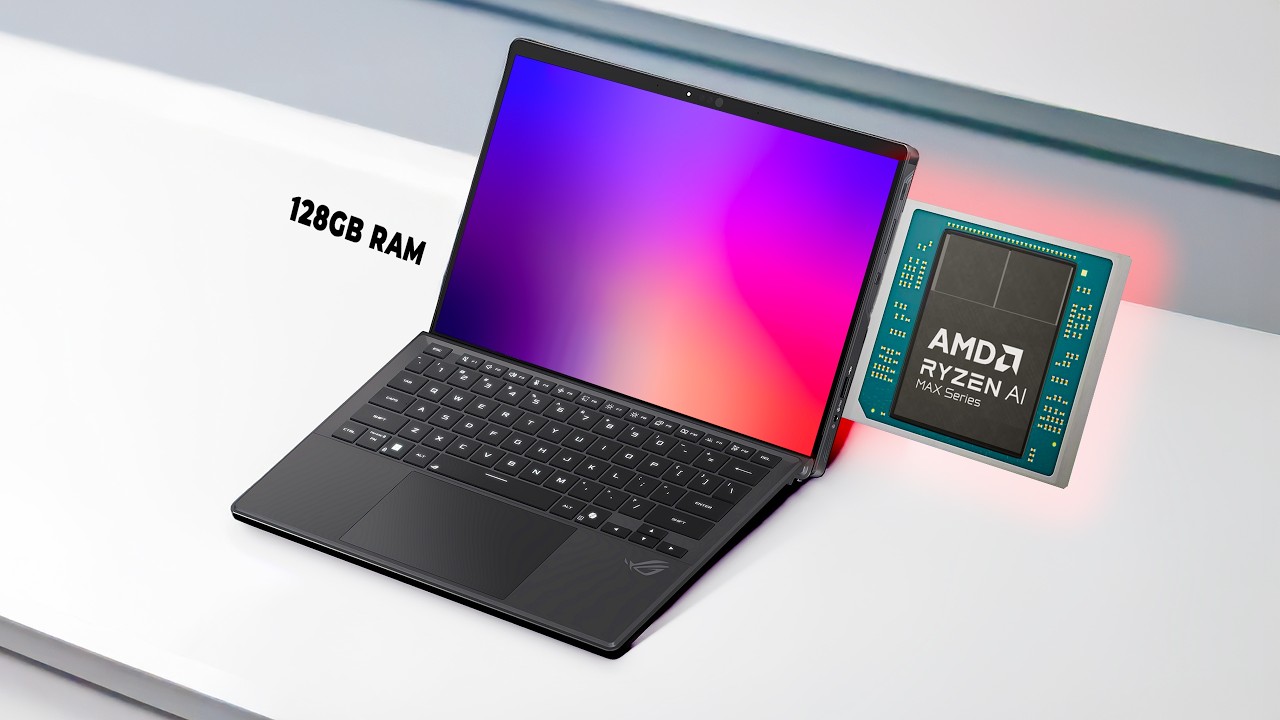
  • The video compares Apple's M5 Ultra Mac Studio with two NVIDIA DGX Sparks, each with 256 GB combined memory for AI workloads.
  • Both setups run large language models like DeepSeek V4 Flash and Quan 3.8 Flash Next using tensor parallelism.
  • Performance in tokens per second is close, with the Mac slightly faster in some tests due to higher memory bandwidth and software engine optimizations.
  • The DGX Sparks use RDMA over converged Ethernet (RoCE) via a QSFP cable for direct memory access and synchronization.
  • The Mac Studio is more expensive but offers a single-box solution with 8 TB storage, while the Sparks are cheaper but require additional hardware and cables.
  • Token generation involves GPU matrix multiplication for prompt processing and memory bandwidth for token writing.
  • Different AI engines (Llama CPP, MLX) impact performance significantly on the Mac.
  • The video also highlights Merlin AI, an all-in-one AI tool integrating multiple models with a discounted offer.
  • Longer prompts and multiple users affect latency differently on the two systems.
  • Thermal performance and hardware details are briefly discussed.

Answers

Questions about this video

What are the main hardware differences between the M5 Ultra and dual DGX Sparks?

The M5 Ultra is a single-box Mac Studio with 256 GB memory and 8 TB storage, costing about $14,000. The dual DGX Sparks each have 128 GB memory, combined 256 GB, with 4 TB storage each, connected by a high-speed QSFP cable using RDMA for memory sharing, costing around $10,000 plus cable.

How does tensor parallelism work on the dual DGX Sparks?

Tensor parallelism splits each model layer in half, with each Spark processing one half. After processing each token, the Sparks exchange data over the QSFP cable to synchronize before proceeding to the next layer, enabling large models to run across both devices.

Why does the M5 Ultra sometimes outperform the dual DGX Sparks?

The M5 Ultra benefits from higher memory bandwidth (1.2 TB/s vs 273 GB/s per Spark) and more efficient AI inference engines like MLX, which can increase token generation speed by up to 34% compared to other engines.

Full Transcript — Download SRT & Markdown

00:00
Speaker A
Are you thinking what I'm thinking? These edges are way too sharp. You should not let your kids play with them.
00:05
Speaker A
It even says so on the box. I've got the M5 Ultra Max Studio here, 256 GB and two DGX Sparks. And go. And there they go.
00:16
Speaker A
Okay. Both wrote exactly 800 tokens. 38.7 tokens a second on the M5 Ultra and 34.3 on the dual DGX Spark cluster.
00:25
Speaker A
That's basically neck and neck. But we'll discover that there are quite a number of differences here. And this is the closest these two are going to get for the rest of the video. So, here's what we've got on this side. This is the
00:37
Speaker A
brand new M5 Ultra. Top of the line right now with 256 gigs of memory all in one box. And in this corner, we've got two DGX Sparks. Each one of them has 128 GB. That's also 256 when you add them
00:52
Speaker A
together. And they're connected by one fat 200 GB cable. That cable runs something called Rocky. Not that Rocky.
01:01
Speaker A
RDMA over converged Ethernet. It's like an acronym within an acronym. R is for RDMA, which is remote direct memory access. So basically, they can write into each other's memory directly. The Mac as configured here is $14,000 because it's got the 8 TB TE drive in
01:19
Speaker A
there. The Sparks have 4 TB each. So together they're also 8 TB. And the Sparks when they came out they were 4 grand each. Now they're almost 5 grand each. So that's 10. Still cheaper than this. Plus the expensive cable. If
01:33
Speaker A
you're a developer running big models locally or you want to serve a small team, you should watch this video. And if you're not, you should also watch this video 'cause it's pretty cool stuff.
01:42
Speaker A
Merlin AI. It's an all-in-one AI tool and they gave my audience a big discount. I keep multiple AI tools around because each one is good at something, but it gets really expensive and bouncing between tabs breaks my focus. Merlin AI puts ChatGPT, Claude,
01:59
Speaker A
Gemini, and more in one place so I can pick the best one for the moment, whether I'm coding, researching, or writing for a video. Watch this. I click the Merlin AI extension, chat with the web page to summarize what I'm reading,
02:11
Speaker A
and pull out the important parts. And I even have my choice of models right at my fingertips. If I need something deeper, I turn on deep research. And it builds a clean, structured report from multiple sources. And it also has quick
02:22
Speaker A
modes like web, academic, and Reddit search. If you pay separately, ChatGPT is $20. Claude is $20. Gemini is $20.
02:30
Speaker A
And that adds up fast. Merlin AI is cheaper because they buy AI API access in bulk. APIs cost less than the $20 plans. And most people don't even use $20 worth of API in a month. And here's the discount. I click pricing, continue.
02:45
Speaker A
It takes me to Stripe. I enter the promo code and the total drops to $60 for the year. That's basically five bucks a month. I don't know how long this deal will be available, so grab it soon. The
02:55
Speaker A
link is in the description. Now, two Sparks just don't turn into one big computer magically. VLM, which is this high throughput and memory efficient inference and serving engine for LLMs. This is the software that most NVIDIA setups run and it splits the
03:14
Speaker A
model across both of them. In this case, it's called Tensor Parallel. There's other kinds of parallelism and I talk about that in other videos, but today we're doing tensor parallel. And what that means is that every layer of the
03:25
Speaker A
model gets cut in half, one half on each Spark. For every single token, both boxes do their half. Then they swap results over the cable before the next layer can even start. So that's a lot of back and forth over a cable like this.
03:40
Speaker A
This is a QSFP cable it's called. That's just that standard right there. So why bother with two? Well, modern models today are perfect fit for two of them.
03:50
Speaker A
DeepSeek V4 Flash, for example, that's about 150-160 GB. It doesn't fit on one 128 gig Spark. And yeah, I tried loading it once. It didn't work out so well. Plus, you need extra space for context. Once you load it across two of
04:06
Speaker A
them, each node is holding just a little bit over 100 gigs. I got it loaded on both of them right now. We got 111 gigs.
04:12
Speaker A
It's just showing one of them right now out of 128. And that's with extra system stuff going on, too. So, each one gets half the model plus a little room to work. And the Mac just loads the whole
04:22
Speaker A
thing on one box. Just a quick note, I'm running the same model on both machines, but it's not the same file. Each file is rounded down to four bits or quantized, so it's smaller and faster. The Sparks are
04:34
Speaker A
running VLM. Like I mentioned, Llama CPP, a popular tool, works there, too. But VLM is Nvidia's go-to for this kind of split. On the Mac, I tested both Llama CPP and MLX. Sometimes one wins and sometimes the other one wins, and
04:49
Speaker A
I'll point that out as we go. So, I'm going to be running DeepSeek V4 Flash, Quan 3.8 Flash Next. That's another pretty new one that requires two Sparks 'cause it's large enough. Now, every time you generate tokens, it
05:04
Speaker A
actually happens in two steps. And I know some of you already know all this, but this is for the newcomers. First, the model reads your whole prompt all at once. That's pure math. It's matrix multiplication. So, whichever box has
05:17
Speaker A
more compute wins. Usually, that stuff happens on the GPU. So, the more powerful GPUs get the job done faster.
05:24
Speaker A
And that time is your time to first token, that waiting of the GPU number crunching. Then it takes that answer and writes one token at a time. And every token is another trip through memory for the model's weights. Weights is just
05:38
Speaker A
basically a collection of numbers. A huge collection of numbers. Many, many gigabytes of collections of numbers.
05:43
Speaker A
That's the files that you download. So because for every token we use in the memory, the writing of the answer comes down to memory speed. In other words, the second part of inference is token generation and it's reliant on memory
05:56
Speaker A
bandwidth. So let's take a look at writing. That's that second part. And this is the race from the start, the one I showed you in the beginning. A slightly different version of it, but very close numbers 'cause I ran it multiple
06:07
Speaker A
times. A short prompt with one user. I'm pointing over here 'cause I have my charts over here. In DeepSeek, we're getting about 38 tokens per second on the M5 Ultra and also about 38 tokens per second on the Dual Sparks. That's
06:20
Speaker A
basically a tie. Both are going a pretty decent speed. This is a big model, so that's not bad at all. With Quan, we have a little bit of a difference there.
06:28
Speaker A
45 tokens per second on the Mac and 38 tokens per second on the dual Sparks.
06:32
Speaker A
That one I'll give to the Mac. Why did that happen? Well, my best guess is memory. Apple says the M5 Ultra has 1.2 terabytes per second of memory bandwidth.
06:43
Speaker A
That's a lot. Each Spark is rated at 273 GB a second, significantly less. And on top of that, they're syncing over a cable that I measured at about 111 GB.
06:54
Speaker A
Not the 200 it's rated for, but still pretty good. But I didn't test how much that cable actually slows things down, so take this with a grain of salt. But the Mac has another trick. The engine you pick for the model matters a lot.
07:06
Speaker A
For example, DeepSeek on Llama CPP writes at about 40 tokens per second, but you take the same model and use MLX instead and you're getting 53 tokens per second. That's 34% faster just from switching software. And on Llama CPP
07:21
Speaker A
served exactly the same way, the Mac and the Sparks were within 2%. So yeah, that's faster than Spark's 38 tokens a second, but I only tested DeepSeek on MLX in process. That's the benchmark talking straight to the engine, not
07:35
Speaker A
served over HTTP like a real chat server. Anyway, I'm collecting information. Okay, I'm trying my best to do all the tests that I can. There's a lot of tests that can be done, but so far the Mac is looking pretty good.
07:49
Speaker A
Now, just a quick little primer on tokens. A token is about three-quarters of a word, about there. So, a common thing you'll hear is 32K or 32,000 tokens, which is kind of like a typical modern starting point. You start from there and you go
08:03
Speaker A
up for context size. And that's about 24,000 words, which is r
08:18
Speaker A
Now, reading or prompt processing, that's the GPU cranking away. Remember, I started small. At 2,000 tokens, both start fast, but the sparks turn out to be twice as quick. Quen 1.5 seconds on the Mac, 85 seconds on the dual sparks. Deepseek, 2
08:40
Speaker A
and 1/2 seconds on the Mac, one and a/4 seconds on the dual sparks. You won't care. It's only a 2,00 token prompt. You probably won't even notice if you sneeze. By the time you wipe your nose, it's done. But you might care later.
08:54
Speaker A
We'll get to that. On Quen, the max faster writing even wins it back after a couple of hundred tokens. If we make that prompt a little longer, at 8,000 tokens, Deepseek takes about 4 seconds on the sparks and about 10 seconds on
09:07
Speaker A
the Mac. We double it to 16,000 and the max weight doubles also to 21 seconds.
09:13
Speaker A
Now, you're going to have to sneeze a few times and wipe your nose a few times, huh? Yeah, you're going to notice this one. So, let's go big.
09:23
Speaker A
Okay, I know you some of you going to say like, "Oh, 32,000 is not big." Let's just take it one step at a time. Okay, this time I'm using a real codebase.
09:30
Speaker A
32,000. Boom. There's 14 Python files in here. Ah, the DJX Sparks started streaming already, which means they're generating tokens. Now we're past the calculation stage and the Mac is still reading the prompt. It's still processing. We're at 17 seconds for the
09:46
Speaker A
two DJX Sparks. We're done. And yeah, the Mac is still thinking. Still reading the prompt. Yeah, 50 seconds. I can hear it generating. Yeah. But yeah, that's a big difference there. 300 tokens generated. 32,000 prompt tokens. Now, if
10:02
Speaker A
you look down here, Spark 17 seconds to Mac Studios 50 seconds. That's about three times the weight. But hold on, don't run away yet buying the Sparks.
10:15
Speaker A
Some of you might still want to pick up that Mac. I'll let you know why. Now, here on this chart, this is where I used a slightly shorter prompt, but the ratio is about the same. So, we got 44 seconds
10:25
Speaker A
on the M5 Ultra and 16.5 on the dual sparks. Quen 26 seconds on the Ultra, 11.2 on the Sparks. So, 2.4 times faster. Not even close. And after that, it kind of keeps going. Double the prompt, double the weight. Now, with the
10:42
Speaker A
sparks, I did push them all the way up to 128,000 tokens. I didn't run the Mac at 128,000 tokens because I kind of saw a pattern here. And if it kept its 32k pace, it would have been over 3 minutes
10:54
Speaker A
of waiting. So, it only slows down as the prompt gets longer. The Sparks did it in 72 seconds. Still way faster than the M3 Ultra. Okay. All right. Not trying to make excuses. I'm just saying we we still have improvements overall.
11:12
Speaker A
Well, let's go back to that codebased race. Deepse seek with a 32k prompt. The spark gets about a 30-cond head start.
11:20
Speaker A
After that, on llama CPP, the writing speed is a tie. Quen's different. The sparks start about 15 seconds ahead, but the Mac gains a few thousand of a second in every token. divide one by the other and by my math, the Mac needs a few
11:34
Speaker A
thousand tokens in order to catch up. I didn't time that one. It's an estimate, but that's quite a lot. It's a whole new file basically. So big inputs favor the Spark. Big output favors the MAC, at least on Quen. This is one of the
11:47
Speaker A
reasons we have a lot of interest in doing this kind of disagregated prefill decode using both the Sparks and a Mac.
11:54
Speaker A
Sparks will do the prefill, Max will do the decode. I did a video about this, an early early prototype a couple months ago. I'll link to it down below. You can check it out. It's interesting. But this is a new project by this guy Ash Hart.
12:06
Speaker A
You can check it out. He's on Twitter. He's posting a lot about this stuff now.
12:10
Speaker A
But there's one thing that takes the edge off. You always see demos of, oh, uh, you know, these things when they're kicked off fresh, the prompt processing speed is so different. That's not how it happens in the real world. In a real
12:25
Speaker A
scenario, in the same session, the servers keep what they've already read. There's a cache with 16,000 tokens of context. The first ask took 21 seconds on the Mac and 8.3 seconds on the Sparks. All right, we've already seen
12:40
Speaker A
this part, but the follow-up question, 3 seconds on the Mac, 1.4 seconds on the Sparks. Yes, the sparks are still a little bit faster, but you pay for that long read only once per session, not every time. And I recently made a video
12:55
Speaker A
for members of the channel uh detailing different techniques for how to speed things up and includes prefix caching.
13:01
Speaker A
Thanks to the members of the channel, by the way. Really appreciate you. Sometimes they get extra videos uh when I get a chance to record them.
13:08
Speaker A
Appreciate you all. Anyway, and that's how coding tools actually work. Your agent sends the code base once, the server keeps it, and every new question only adds a little bit on top. So that long wait is mostly an initial first
13:22
Speaker A
question cost, not an every question cost. Where it hurts the most is when the context keeps changing. Obviously, a new repo, big new files, or a long session that outgrows the cache. Those are all possibilities. Another thing I
13:36
Speaker A
found when running Frontier models is when you're changing a model like from Opus 5 to Opus 5.5 or Fable 1.1, you have to recalculate all that and the initial hit is longer usually. But we're not talking about Frontier models now.
13:50
Speaker A
We're talking about local. All right. Same ideas though apply. Can MLX rescue the Mac on reading speed?
13:59
Speaker A
Well, on Quen, it's kind of a split. Llama CPP writes faster and MLX reads faster. MLX gets through 32K in about 19 seconds instead of 26. That's still behind the Spark's 11 seconds. And for DeepSeek, even at MLX's best reading
14:16
Speaker A
speed, 32,000 tokens would take at least 22 seconds, probably closer to 30. Yes, that's also slower than the Sparks.
14:23
Speaker A
Whether MLX lets the Mac win that race back, I don't know yet. I haven't run deep yet on MLX with longer prompts or multiple users. told you there's a lot of tests to do and I'm crunching through them.
14:37
Speaker A
More than one user or the number of concurrencies sometimes it's called you'll see a bigger number quoted usually and it's the total speed of the throughput of all the tokens generated for all the users. But careful with that
14:50
Speaker A
number though because it shows everybody's number. It's everyone's tokens added up. Each person only gets a slice. The server writes for everyone together. And when somebody new shows up, well, the server has to stop and read their prompt, too, which uh is
15:05
Speaker A
going to add to that initial calculation. On the Mac, that reading is slower past about four users. It's spending more time reading than writing.
15:12
Speaker A
So, at that point, everyone's slice shrinks a little bit. And you can see it on the Mac, Deepseek peaks at four users, 66 tokens per second there.
15:21
Speaker A
That's total. Then it drops to 46 tokens per second for eight users. But the sparks, they keep climbing to 70 tokens per second, and I haven't done 16, so I don't know where it drops off uh TBD.
15:35
Speaker A
Now, give everybody 8,000 tokens of chat history, and at eight users, the Mac does about 11 tokens per second. The Sparks, 25, and that's total. But the real pain is the wait. Each person on the Mac waits over a minute for the
15:50
Speaker A
first word and then gets about five tokens a second. on a Sparks it's about 24 second wait and then about seven tokens per second. So yeah, sharing these machines, keep it to yourself. All right, you can do it, but use smaller models maybe or
16:06
Speaker A
yeah, there's there's different ways of splitting these machines up, but just don't use big models for a lot of people. It's not going to turn out so well. Looking at Quen here at eight users, the Sparks put out 120 tokens a
16:19
Speaker A
second total. That's pretty good. Yeah, that's way better than DeepSeek. The Mac does 66 in Llama CVP and 70 in MLX. And for that, I used OMLX, which is a new tool, newish. There it is. No more waiting on your Mac. Well, there is some
16:34
Speaker A
waiting. Okay. Really, the Mac is a machine for one person, maybe two. The Sparks are a little bit better for a small team, maybe four people. Eight.
16:43
Speaker A
You're pushing it. Now, I didn't start out with two sparks. I went to four and then eight. That was a much bigger project. It was actually experimental, more like uh with breakout cables and extra switches that I had to buy. I made
16:54
Speaker A
a whole video about it. Compared to that, two sparks is kind of a perfect setup. It's just one cable. And Nvidia's developer site build.envidia.com/spark has some really interesting recipes that are super easy to follow and it just works most of the time. Shows you how to
17:11
Speaker A
connect two of them, how to run multiple workloads, vlm, everything. Pretty easy. You still have to line things up. I match the OS, the kernel, the driver, the firmware on both of the machines.
17:20
Speaker A
Then you have to set up VLM and multi-node with a pile of nickel and rocky environment variables. After that, you have to check the traffic going over the RDMA connection. What you get for all that is CUDA and VLM. So basically,
17:35
Speaker A
it's the same kind of stack that you'd run in the cloud. But on the Mac side, this machine isn't just for AI. It's also good at AI, but for example, my daily driver is an M5 Max, MacBook Pro.
17:47
Speaker A
Everything that I do on that machine, I can do it on the M5 Ultra, but faster.
17:52
Speaker A
That includes running large models and for everyday work. It's zero setup. Basically, I can offload a lot of stuff to it, like rendering my videos, for example, for this channel. And um sometimes the Mac gets a little bogged
18:07
Speaker A
down. I run a lot of stuff on it. And right now I'm using 88 GB of memory.
18:12
Speaker A
Yeah, it gets bugged down a little bit even with 128 gigs of memory. So, it's nice to be able to offload stuff very easily. And here is another thing. There they go. Full GPU utilization on both machines. Or yeah, you only see one
18:26
Speaker A
here, but they're both working on the Sparks. And the Mac is using 100% of GPU as well. Oh boy.
18:35
Speaker A
Now, during my M5 Ultra first look, I noticed that the machine was pretty toasty. And yeah, it is. But sparks also have been known to be toasty. You know, we're not alone here. Right now, I'm doing a very heavy load on the cluster
18:48
Speaker A
here and the Mac Studio. And this is what I'm seeing. This is nuts. All right. Uh I don't want to pop a breaker here, but I might. 434 watts being used by the M5 Ultra and 410 by the Spark
19:02
Speaker A
Cluster. So, we're very close. I should say at idle, it's a very different story. They are pretty warm now. And I'm hearing noise coming out of everywhere.
19:13
Speaker A
Just like noise throughout. They feel about the same, actually. Yeah, they're both pretty orange. About 49° to 50° on the hottest part of the Mac Studio. About 48° on the sparks. Let's take a look at the back. Ooh, 56° on the grill, the back of
19:35
Speaker A
the Mac Studio. And wow, 5860 63 I saw in there on the Sparks. So, yeah, both get pretty toasty. For AI on the Mac, there's a little setup depending on which stack you want. Llama CPP or MLX. OMLX is pretty easy. There's
19:52
Speaker A
also newer ones like native without the E. And there's a splash. Some of these are so new I haven't even tried them yet. These are basically homebrew installs. So, is 256 gigs across two boxes the same as 256 in one? Well, it
20:07
Speaker A
holds the same model. It just reads a lot faster. But before you go out and drop 10 grand or more on one of these setups, look at your own work. How big are your prompts? How long are the
20:18
Speaker A
answers to your prompts? You want to learn more about clustering the sparks? Watch this video here. Clustering Mac Studios, watch this video here. Thanks for watching and I'll see you next time.
Topics:M5 UltraMac StudioNVIDIA DGX SparkAI model inferencetensor parallelismRDMADeepSeek V4 FlashQuan 3.8 Flash NextLlama CPPMLX

Get More with the SozAI App

Transcribe recordings, audio files, and YouTube videos — with AI summaries and speaker detection. 30 minutes free.

Or transcribe another YouTube video here →