1.7.4. Final Assessment Part 2: Your Venture project an… — Transcript

Learn how to complete your final capstone project by submitting a startup venture proposal and earn certification in the AI-SANA program.

Key Takeaways

  • Submitting a well-prepared startup venture proposal is essential to pass the final capstone project.
  • Collaboration with team members and use of registered emails is required for project submission.
  • The system provides detailed feedback and allows multiple attempts to improve the proposal.
  • Successful completion of all activities leads to certification in the AI-SANA program.
  • Students should utilize the gallery and peer reviews to refine their project ideas.

Summary

  • The video explains the two-part final capstone project involving evaluating and creating 12 phases of startup venture activities.
  • Students must join a specific group (M01.07) to submit their venture startup project ideas for assessment.
  • Each project idea must meet a minimum passing threshold of 70% to be accepted and listed in the gallery.
  • Students can view peer submissions and detailed reviews with color-coded feedback for each of the 12 phases.
  • Multiple resubmissions are allowed until the project proposal meets the acceptance criteria.
  • Teams of about seven members are recommended, and members must use registered emails in the Smile system.
  • The proposal must describe the AI/ML model and data sources involved in the venture.
  • After passing the project submission, students can track their progress and enroll in the AI-SANA certification program.
  • Completion of all activities allows students to print their certificate of program completion.
  • The instructor encourages collaboration and provides guidance on how to successfully complete the program.

Full Transcript — Download SRT & Markdown

00:07
Speaker A
Hello everyone. In this video, I would like to demonstrate how you can complete your final capstone project.
00:17
Speaker A
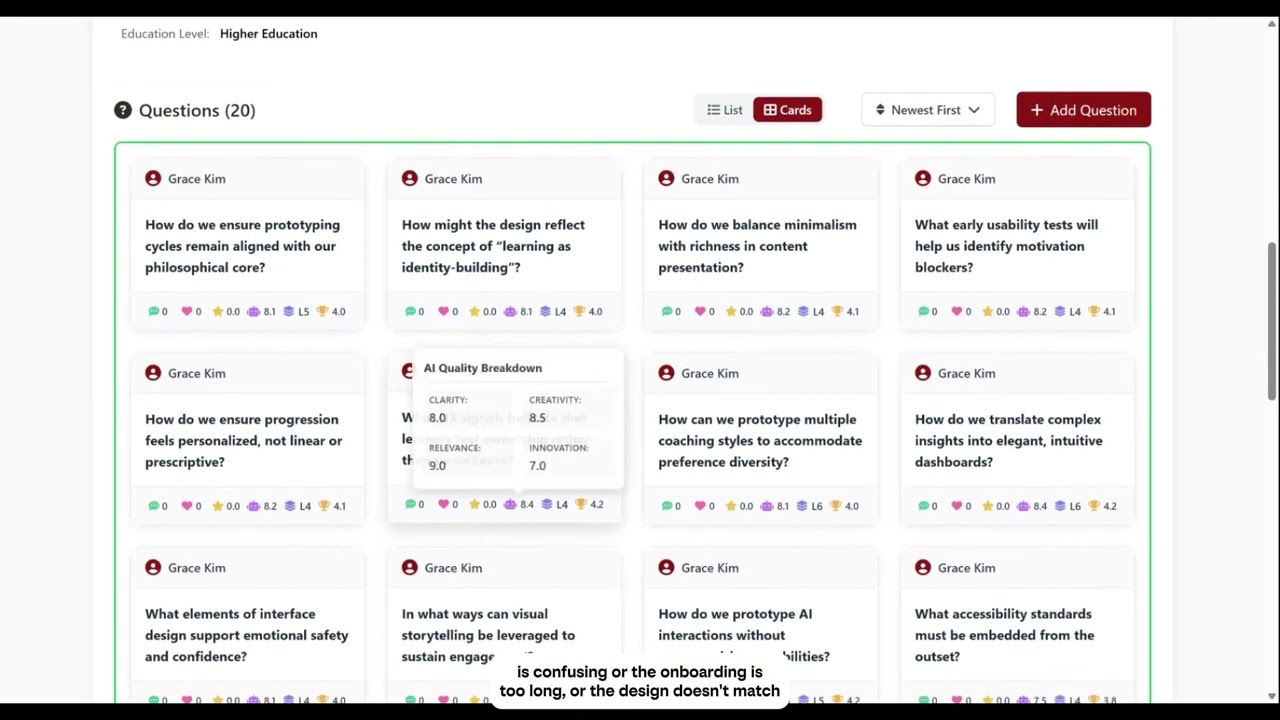
Um, there are two components. One is to go into the Inspire simulation fictitious companies venture startup group, and then you are evaluating the existing questions in 12 different phases, and you are to create your own group and
00:44
Speaker A
create those 12 phases of activities and fill in each phase of activity with 20 questions that are very similar to what you see in the fictitious companies group Inspire. Um, I already have the video that describes
01:07
Speaker A
how to do that in this video. Um, the part two is basically go to this particular group M01.07, and this is where you submit your project idea of your venture startup. So when you finish your part one, you will have pretty good
01:32
Speaker A
understanding of what sort of questions you want to raise at each phase of the 12 phases that are critical in establishing and launching a venture startup. So in this page, you will find capstone project submission activity.
01:54
Speaker A
You'll come to this group by clicking on the link that's given in the material, and you can first go to the gallery before you submit your own project idea. Go to the gallery and look at existing submissions. Basically, this is a
02:17
Speaker A
startup venture proposal. Um, so it's already submitted, and then the system accepted it because the required passing threshold is a 70% out of 100%. So this particular venture startup project idea was submitted and then was accepted and therefore it's
02:44
Speaker A
listed in the gallery. When you attempt to submit your own project ideas and then if the system does not accept, meaning that you did not meet the minimum threshold of 70%, this will your project idea will not be listed in the
03:03
Speaker A
gallery. But anyway, this particular venture startup project idea was accepted and passed, so you can see the results of your peer team's project idea. When you click on the detailed review, you will be able to see exactly the 12 different phases
03:31
Speaker A
and then you can see what they have put in each phase. So this is the text that they have put in. The colors here represent nine means green, which is good. Six is okay. Um, eight means good, five means it has some room
03:52
Speaker A
to improve. But as long as the system accepts your proposal idea, then you pass, and then it will be listed in the gallery. So if you submit it and if it does not accept and you fail, you have an option to edit, revise
04:12
Speaker A
your project proposal and then resubmit until you pass. Okay. So you have multiple opportunities to come back, revise, enhance your proposal, and then submit.
04:29
Speaker A
Then you'll be able to see the feedback, not only the submission of the proposal that your other team members have submitted.
04:42
Speaker A
Um, so you'll be able to see multiple teams' submissions here and be able to read the overall assessment here as well. So when you come up with your own startup venture proposal, share a Google doc with your team
05:00
Speaker A
members. I think about maybe seven members in a team would be ideal. So share your Google doc and go through these 12 phases and decide how to describe your venture startup. Okay? And then when you're ready to submit, then come to
05:25
Speaker A
you can go back to the group here, and then here basically that's the activity, and then you can start your project and then you can type in your venture startup's name. It's basically your first initial project name or company
05:47
Speaker A
name, your startup name, right? And then your email will remain here as the lead of this particular project. And then you can add your team member. So you can say Bob example.com, you know, email addresses of your team
06:10
Speaker A
members registered with this system. You cannot just put random emails. You must ask your team members what emails they used, what Gmail probably they used when they logged into the Smile system. Ask them what email they used
06:31
Speaker A
and then enter them here as your team members. So if you put your team members, then you're good to go. So if you put like six or seven or eight or nine team members, the emails that are used in the Smile
06:55
Speaker A
system, and then if your proposal idea is accepted, then basically you are passing and completing this activity. When this gets completed, all the team members that you entered here will have the completion status. Okay. So that's how you pass
07:19
Speaker A
this activity, and not only you but all your team members pass all together as a team. Okay. So you have to describe what kind of an AI ML model you will use, what kind of data source you will be
07:35
Speaker A
involving in here, and then you can copy-paste from your Google doc that you worked on with your team members.
07:42
Speaker A
Copy-paste all those things here, 12 phases. You probably have become an expert by now how to come up with all the ideas or responses to this different phases that you have to go through. Once you do that and then
08:01
Speaker A
once you pass this activity, assuming that you passed all other activities, you can check and see if you finished everything successfully by going to tools.
08:15
Speaker A
Go to tools, certificate programs, browse certificate programs. Assuming you finished every single activity, you can go enroll as AI signup program student assessment. You can enroll in there and then you can check all the activities that are assigned
08:37
Speaker A
to finish the program are listed here. So when you finish all these activities, it will say complete if you finish an activity. If it still says progress, then you need to go back to
08:57
Speaker A
that activity and then finish it. Once you finish all these activities, then you'll be able to not only enroll in this program and also print out, right now I haven't finished all the activities, so it says 0% progress, but if
09:17
Speaker A
you finish it, then you can print out your certificate by clicking on continue certificate.
09:24
Speaker A
So that's how you would know what you have done, what you have missed, and how you're doing in each activity. And once you finish all the activities, you'll be able to print out your own certificate, meaning that you completed
09:41
Speaker A
the program. This shouldn't be too complicated. Um, so hopefully you will be able to complete all these activities and finish the program. Best luck to you, and I'll see you in the next program.
Topics:capstone projectstartup ventureAI-SANA certificationfinal assessmentventure proposalAI/ML modelteam collaborationproject submissionpeer reviewcertificate program

Frequently Asked Questions

What are the two components of the final capstone project?

The first component is evaluating 12 phases of activities in a fictitious company group, and the second is creating and submitting your own startup venture project with 12 phases of activities.

How is the project proposal evaluated and accepted?

The proposal must meet a minimum passing threshold of 70%. If it does not pass, students can revise and resubmit multiple times until accepted.

How do team members participate in the project submission?

Team members must be added using their registered Smile system emails, and once the project is accepted, all team members receive completion status.

Get More with the Söz AI App

Transcribe recordings, audio files, and YouTube videos — with AI summaries, speaker detection, and unlimited transcriptions.

Or transcribe another YouTube video here →