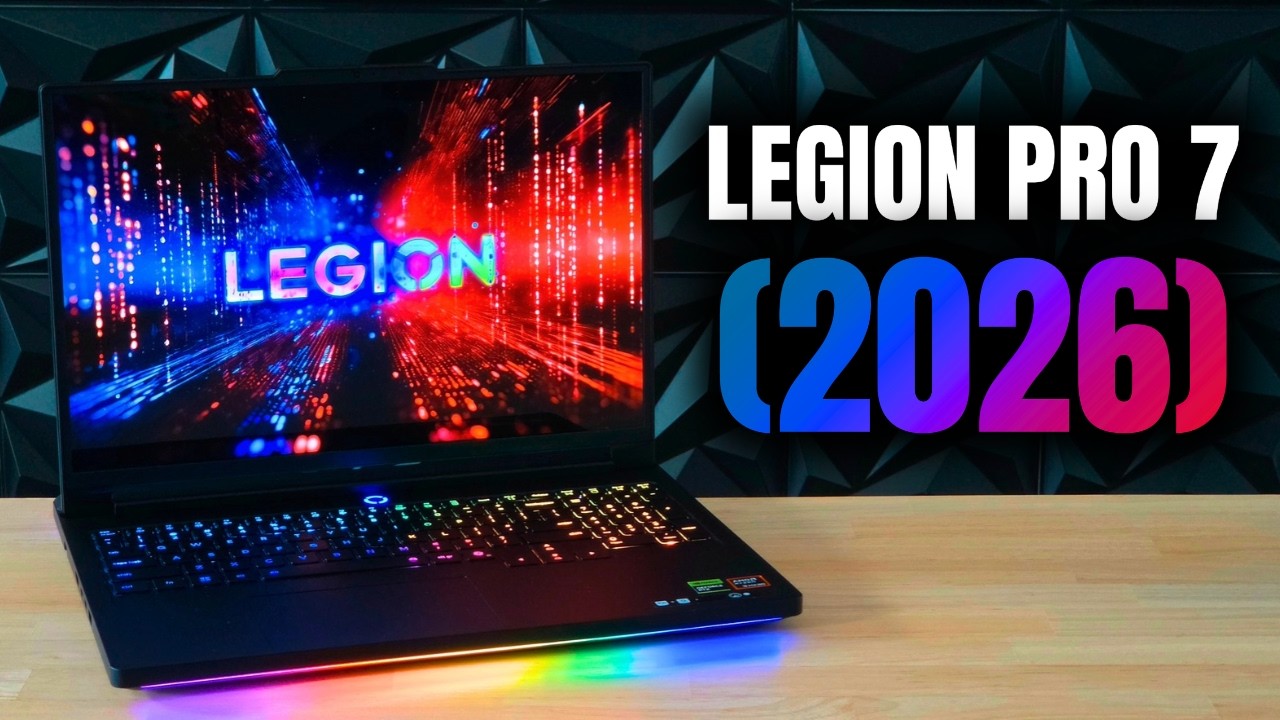
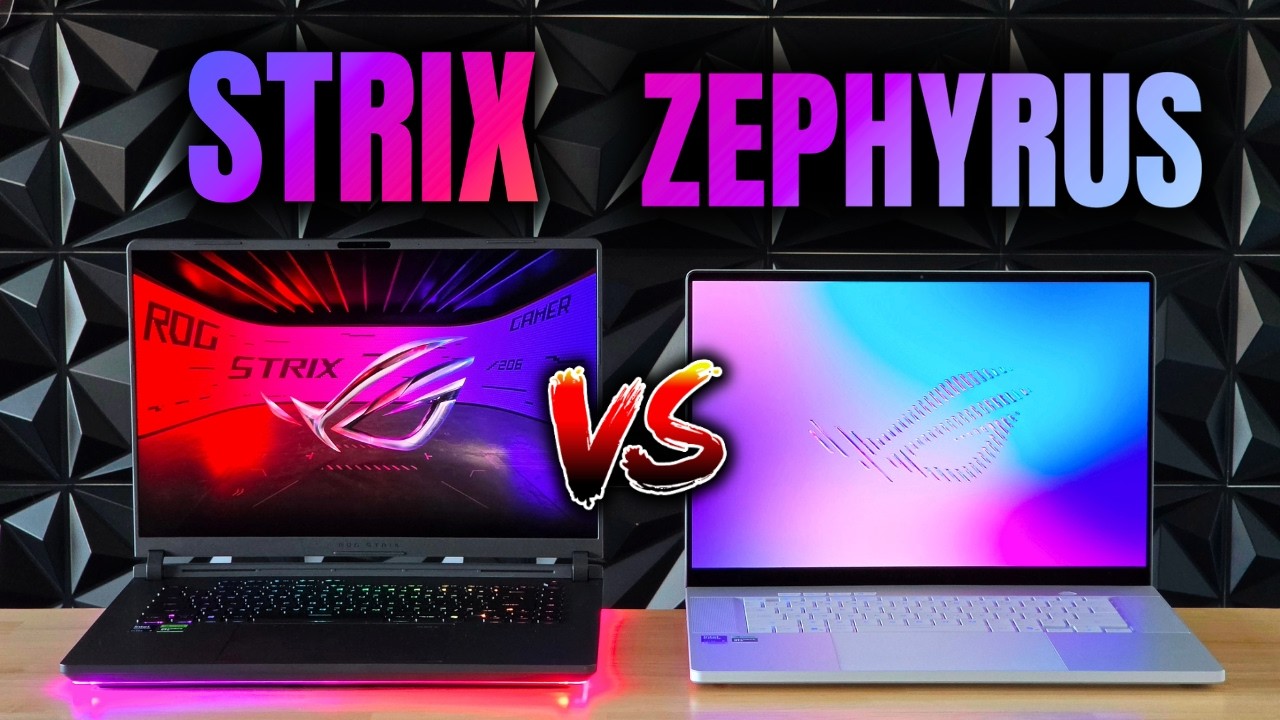
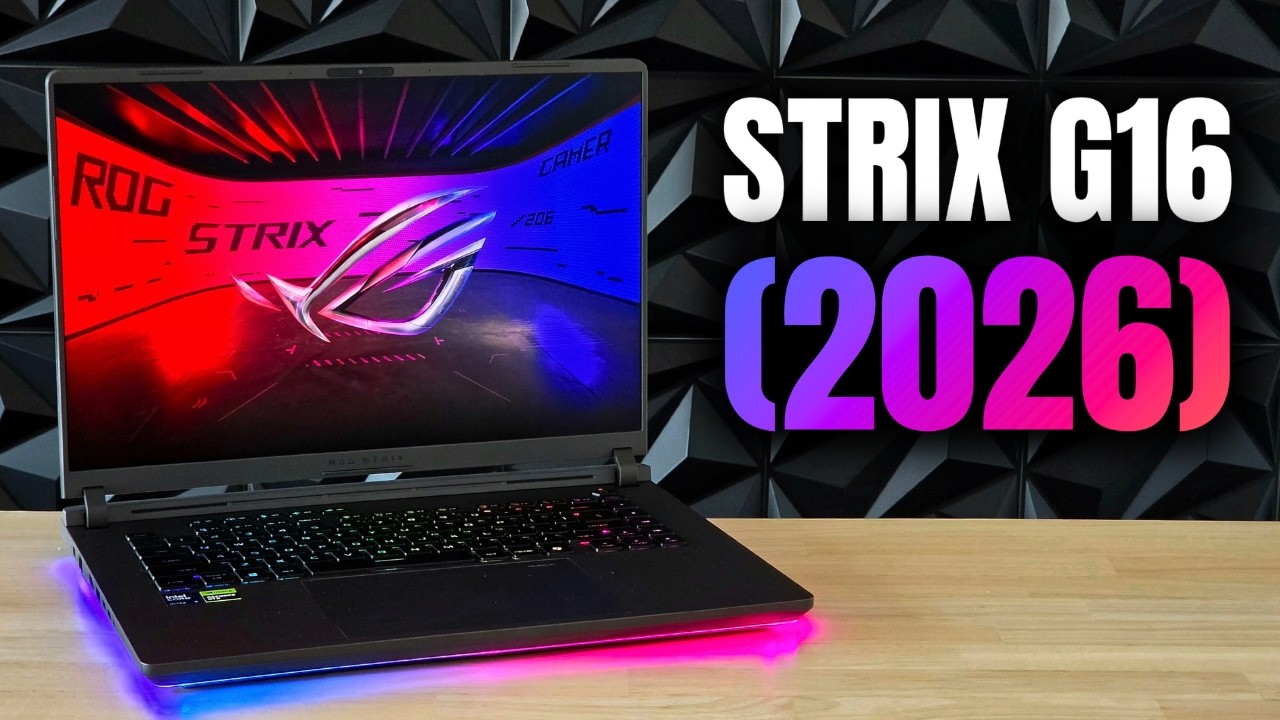
Lenovo Legion Pro 7 vs ASUS ROG Strix G16 (2026): build, keyboards, displays, audio, performance, thermals and battery compared to find the better 16-inch gaming laptop.
Key Takeaways
- The Legion Pro 7 wins on display quality, audio, and gaming performance.
- The ASUS ROG Strix G16 wins on keyboard feel, trackpad, thermal management, and upgradeability.
- The Legion can overheat in its extreme performance mode, while the Strix sustains its limits more consistently.
- The Strix offers more affordable configurations, making it a better budget option.
What the video covers
- Both laptops are flashy, sturdy 16-inch gaming machines; the Legion uses a metal top and bottom while the Strix uses a metal lid with a plastic base to save weight.
- The Strix is slightly thicker, while the Legion has a larger rear area that aids cooling and houses up-firing speakers.
- Both use RTX 5080 GPUs with equal power limits and support 100W USB-C charging; the Legion has a much larger power brick.
- The Strix has a Thunderbolt 4 port and a physical webcam switch is found on the Legion; ports are otherwise very similar.
- Both have per-key RGB keyboards; the Strix feels nicer to type on with deeper key travel and has dedicated macro keys, while the Legion includes a numpad.
- The Strix has a larger, centered glass trackpad with a hidden numpad function, while the Legion's plastic trackpad is off-center.
- The Legion's OLED display is brighter and has much better blacks, but it lacks anti-glare coating; the Strix's matte IPS panel handles reflections better.
- The Legion has clearly superior speakers with more bass and balance, and a slightly better webcam and microphone.
- In benchmarks the Intel chip on the Legion is slightly faster, but in actual gaming the Legion's AMD X3D-equipped setup is notably faster, especially in CPU-bound titles.
- The Legion runs much hotter under its highest performance profile and can overheat, while the Strix stays within thermal targets; the Strix is also easier to upgrade with a single button and no tools.
Full Transcript — Download SRT & Markdown
Speaker A
Both the Lenovo Legion Pro 7 and ASUS ROG Strix G16 are some of the best 16-in gaming laptops on the market, but which one is better? Lenovo or ASUS? Well, let's find out. And please like and subscribe if you like these type of
Speaker A
videos. From the outside, these two are both very flashy laptops. The Strix has a 360° RGB LED all across the bottom, but the Legion has an RGB logo, RGB vents, and also an RGB strip on its front. Which
Speaker A
one do you prefer the look of? These are both sturdy laptops, but the Legion has a metal top and bottom, while the Strix has a metal top, but a plastic bottom, probably to keep the weight down.
Speaker A
Because the Legion is slightly heavier, but you will not feel the difference. 70 g is basically nothing. And that plastic bottom doesn't affect the rigidness on the Strix G16. These are both absolute tanks in terms of build quality, but
Speaker A
they're also tanks in terms of their thickness. The Strix is a little thicker than the Legion, but then the Legion has a slightly bigger ass, which is mostly there for cooling. And they're going to need good cooling, because they each
Speaker A
have about the fastest laptop GPUs and the two fastest laptop processors from both Intel and AMD. The 9955HX 3D is actually a year old now. So, we'll see if the new beefy 290HX can finally beat it. They have equal power limits
Speaker A
for their RTX 5080, though. So, they should be just as fast in that area. The Strix does have a lot more lower configurations available, as well, though. So, you can get it if you're on a budget, too. In terms of ports,
Speaker A
they're very similar, but the Strix has a Thunderbolt 4 port instead of just regular USB-C. And the Legion actually has a physical webcam switch, which is pretty handy. The Legion definitely has a larger power brick though. I mean,
Speaker A
they're both pretty big, but this thing is massive. You can also use a smaller brick for both of them since they support the same 100 watt USB-C charging. Now, let's take a look at their keyboards. They both have full per
Speaker A
key RGB backlights, so you can create some very pretty looking effects on each. I think I do prefer the look of LEDs a bit since it has less light bleed through the front of the keyboard. But honestly, they're both really pretty.
Speaker A
But what about their actual keys? I think the Strix is definitely nicer to type on. It feels like it has almost double the key travel of the Legion. The Legion is nice and clicky, but it's definitely shallower. But the Legion has
Speaker A
a numpad while the Strix does not, which might be a deal breaker to some people.
Speaker A
I personally prefer no numpad because the keyboard is more centered this way and because I really never use a numpad on a laptop. But obviously, this is completely subjective. The Strix does have dedicated macro keys though, which could be handy. Moving down, we have
Speaker A
their trackpads. And the Strix's is definitely a lot bigger, which is an advantage. And it's also centered while the Legion's trackpad is off to the left, which I don't really like since you touch it a lot while gaming. The
Speaker A
Strix's is also made of glass while the Legion has a plastic one. So overall, it just feels a lot cheaper.
Speaker A
I do prefer the feeling of its clicks though. The Strix requires a lot more force to press it down. But the Strix actually does have a numpad as well, technically.
Speaker A
It has these invisible LEDs underneath that you can turn on that turns your trackpad into a numpad. Of course, a physical numpad will feel better, but it's a pretty cool implementation nonetheless. But moving up, we have their displays. And if we just go off of
Speaker A
their specs, the Legion obviously wins here. OLED does look better than an LCD, but the Strix has a very high quality IPS. So, they really do look almost as good. But as soon as you turn the lights I mean, these blacks speak for
Speaker A
themselves. The Strix does technically have a higher refresh rate, but honestly, most people don't even see the difference between 144 and 240 hertz.
Speaker A
So, this isn't a noticeable difference. The Legion also gets a lot brighter, especially in HDR content, but a big downside on the Legion is that it lacks any kind of anti-glare or anti-reflective coating. It's about as shiny as a mirror. And while the Strix
Speaker A
has more glare, yes, that matte coating does prevent reflections a lot better. So, at least you won't constantly see yourself in your reflection while playing games. They both have the same high resolution, so you're never really going to see pixels on any of them,
Speaker A
which is great. But they also don't open up all the way, which is less great.
Speaker A
They do both have very sturdy hinges, though. You can easily open and close them both with one hand. And neither one of them really has any wobble.
Speaker A
Now, gaming laptops usually don't prioritize speaker quality, since most people wear headphones anyways during gaming, but it is nice to have.
Speaker A
And the Legion sounds leagues better than the Strix. The Strix does have some very nice surround sound, but the Legion has way more bass and overall just sounds more crispy and well-balanced. It probably helps that it has up firing
Speaker A
speakers on its ass, while the Strix only has down firing drivers. The Strix would be okay for daily use, but I would actually enjoy listening to the Legion speakers. So, for movies, music, or games, it easily wins here.
Speaker A
They both don't have particularly high-res webcams, but I think the one on the Legion is slightly sharper. Its microphone also sounds ever so slightly better than the Strix, which is a bit robotic in comparison.
Speaker A
But, let's get to the most important part about these laptops, performance. How does the newest Intel processor stack up against the best of the best from AMD? Well, in Cinebench R23, they're really close, but at least in benchmarks, the 2980HX is still faster,
Speaker A
both in terms of single and multi-core performance. But, they're really not that far off. And in 3DMark Time Spy, these are the same GPUs, so they score about the same. But, the Strix did consistently get a roughly 5% higher
Speaker A
score, which is odd, right? But, these are gaming machines, so let's see how they compare in some actual games.
Speaker A
And to my surprise, the Legion is actually a lot faster. Both in CPU and GPU intensive games, it had noticeably higher FPS. And in some games where these laptops are CPU bottlenecked, that 9955HX 3D ripped the 290HX apart like a mad
Speaker A
dog. So, it's obvious that when you give this chip as much power as it needs, it is ridiculously fast. And if we compare their FPS numbers at a lower resolution where the games get even more CPU intensive, it's almost like we're
Speaker A
looking at a generational leap of performance. It really sucks that this new Strix doesn't have the option for that same chip as well. Because last year, it did have an X3D, and it was one of the fastest gaming laptops that you
Speaker A
could buy. So, at least for gaming, there is a clear winner here. But, while the Strix was pretty consistently staying at its maximum TGP for a GPU, the Legion's 5080 was actually not reaching it at all, which is pretty odd
Speaker A
for such a thick laptop because it should have the cooling to support those wattages. Well, performance isn't the entire story. Let's talk about their thermals. In their highest performance profiles, the Strix G16 did sit pretty high on its CPU, staying a couple
Speaker A
degrees under its thermal targets. And the same goes for its GPU, staying again a couple degrees under its limit. But the Legion was running hot hot, going far above its thermal limit on its CPU, and actually reaching its thermal
Speaker A
throttle point on its GPU. Well, the Legion is doing things a bit differently here. While the Strix does have the ability to push its hardware to high power and temperature limits, the Legion has the ability to push them past their
Speaker A
limits with very high wattages. And so, if you just crank everything to the max in that extreme performance profile, it will overheat. In its lower performance profile, it reaches a lot more reasonable temperatures on its CPU. But its GPU is still sitting at its thermal
Speaker A
limits most of the time. So, it seems that while the Legion is faster than the Strix, it does that while running a lot hotter as well. Now, you can create custom fan and power profiles on both of these laptops. So, you can just make
Speaker A
them run louder and cooler if you'd want to. Speaking of fan noise, they're both about as loud during heavy gaming. But again, you can customize this a bit. Now, while gaming laptops aren't exactly known for their long battery life, it is nice to know which
Speaker A
one would last longer in an emergency. So, I tested them in two different scenarios, under light use and during gaming. In the light use test, I played a YouTube video until their batteries died with their displays at 80%
Speaker A
brightness, at 60 Hz, and with their dedicated GPU turned off. And the Strix lasts almost double as long as the Legion. Both of their processors kind of prioritize power over efficiency, but the complete lack of any kind of
Speaker A
efficiency cores on the 9955HX 3D kind of kills it here. In the gaming test, I played Minecraft until their batteries died with the same settings as before.
Speaker A
And while the Strix technically lasted a bit longer here, gaming laptops are just not made to play games on battery. So, they both don't really last that long.
Speaker A
Now, what they both do very well is upgradeability, but the Strix has a pretty big advantage here because you can open it up with just one button and with no tools needed. While the Legion has the standard like eight or 12 screws
Speaker A
you need to undo, but in terms of actually upgradeable parts, they're about the same. They both have two SODIMM slots and they can be stacked up to 128 gigs of RAM. They both have two M.2 SSD slots, so storage up grades are
Speaker A
very easy, and they both also have Wi-Fi card slots, which could be handy in the future. But let's get to arguably the most important factor when deciding between two laptops, their price. In this top 5080 spec, the Strix G16 is
Speaker A
around 3,900 bucks, which obviously is a lot of money. But the Legion Pro 7 with the spec used in this video is actually about the same, being roughly 100 bucks more expensive. However, I did see the Legion drop to a way lower price, which
Speaker A
would make it a whole lot more worth it. They both do have lower spec options as well, which are a bit cheaper. But like I said before, the Strix actually has affordable variants, which are actually priced pretty reasonably. I'll put links
Speaker A
for all of these options in the description down below for if you're interested in buying them, which brings us to our conclusion. Which one of these should you buy? The Strix G16 or the Legion Pro 7? Well, honestly, it all
Speaker A
comes down to preference. These are both some of the fastest, highest tier gaming laptops you can currently buy. They will both easily play and run everything you throw at them and not even break a sweat. The Legion definitely has a
Speaker A
better display panel, but its reflectivity is a big downside in my opinion. And while it is noticeably faster in that extreme profile, you could cook an egg on its processor while playing games. So, essentially, the Legion gives you the option to kill
Speaker A
itself, while the Strix plays it a little bit more safely. Their prices are about the same across the board, but again, I have seen the Legion drop to a way lower price. So, what's my advice?
Speaker A
Well, wait for lower prices and just buy whichever one is a lot cheaper, because both of these options are simply great.
Speaker A
And you should definitely consider last year's variants as well, because while they're only marginally slower, they are a lot cheaper. I myself would probably choose the Strix G16 simply because of the easily removable back panel and the complete lack of reflections. But then
Speaker A
again, the Legion has that awesome AMD chip in it, so I wouldn't be able to choose. If the Legion ran at better temperatures and had an anti-reflective layer built in on its display, it would be the obvious choice. And if the Strix
Speaker A
G16 had that X3D chip in it, it would be the obvious choice. Eventually, it all comes down to you. So, which one would you pick? I will see you all in the next video. Bye-bye.
Speaker A
Where is your leader? You'll never get to him. He's surrounded by twice as many men, twice as tough as this lot.
Topics:Legion Pro 7ROG Strix G16gaming laptopRTX 5080laptop comparison16-inch gaming laptopLenovo vs ASUSlaptop thermalsOLED laptop2026 gaming laptop