Comparison of Asus ROG Strix G16 vs Zephyrus G16 gaming laptops focusing on design, performance, display, and features.
Key Takeaways
- Strix G16 is ideal for users prioritizing maximum gaming performance and power.
- Zephyrus G16 suits users needing portability, premium build, and superior display and audio quality.
- Both laptops support USB-C charging and have robust port selections with slight differences.
- OLED display on Zephyrus offers better visual experience despite lower refresh rate.
- Strix’s enhanced cooling enables higher sustained performance but results in a thicker, heavier chassis.
What the video covers
- The Strix G16 is thicker and heavier but offers significantly higher performance due to better cooling and power limits.
- The Zephyrus G16 is thinner, lighter, and has a more professional design with a full aluminum body.
- Strix uses a desktop-class HX CPU, while Zephyrus uses a lower power 285H CPU variant.
- Zephyrus features an OLED display with vibrant colors and better brightness, while Strix has a higher refresh rate LCD with a matte coating.
- Strix has more ports including an extra USB-A and Ethernet, while Zephyrus includes an SD card slot.
- The Strix keyboard has full-size arrow keys, extra macro and media keys, and per-key RGB lighting; Zephyrus has a single-zone LED backlight.
- Zephyrus has superior speakers with dedicated subwoofers, providing better sound quality and louder volume.
- Strix offers a virtual numpad on the touchpad, which Zephyrus lacks.
- Performance benchmarks show Strix is considerably faster in CPU and GPU tasks, especially in gaming due to higher power limits.
- Thermal performance is stable on both, with Strix running slightly hotter on CPU but cooler on GPU.
Full Transcript — Download SRT & Markdown
Speaker A
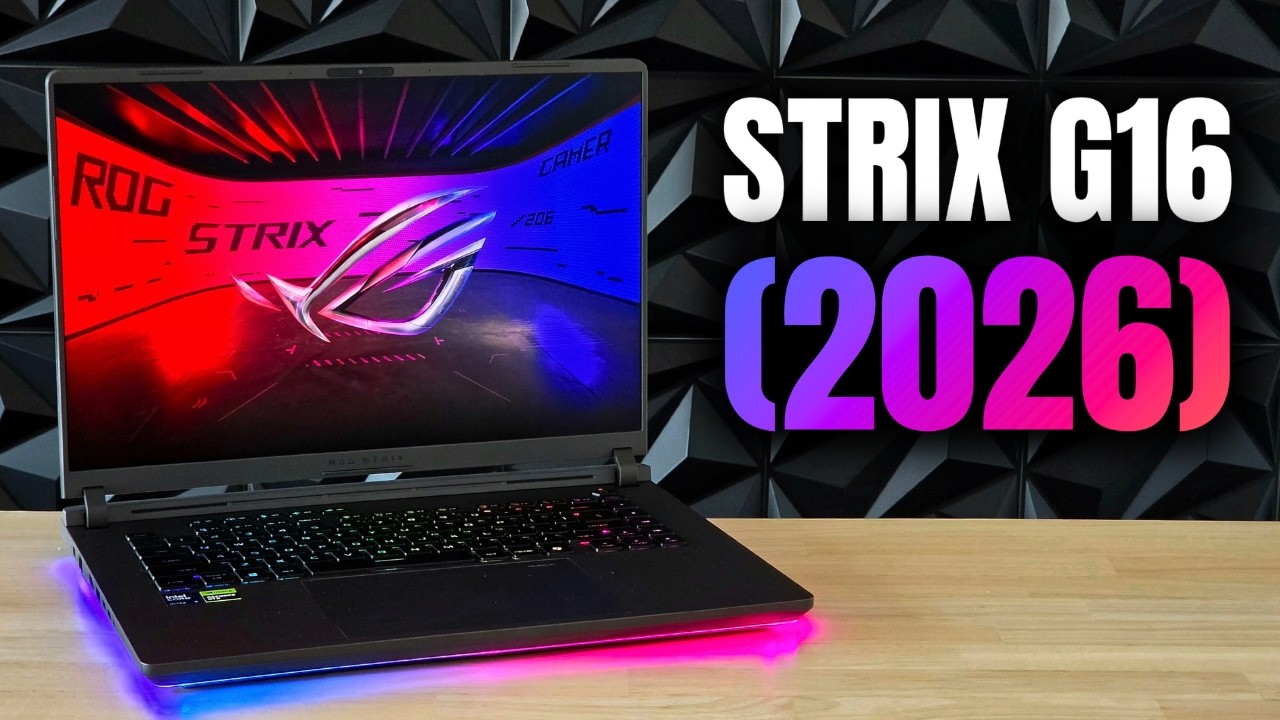
So, you're looking to buy a 16-inch gaming laptop, but you don't know whether to get a thinner, lighter device or a heavier, thicker one. So, today we're comparing the new Strix G16 against the new Zephyrus G16. So, let's find out. And please like and subscribe if you like these types of videos. From the outside, these two are black and white, both literally and figuratively. [music] The Zephyrus has a pretty professional look to it, being basically a Windows MacBook, but with some obvious gamery accents. Meanwhile, the Strix isn't afraid to show its true colors. And they are some very pretty colors from every angle. The Zephyrus is considerably lighter than the Strix to the point where you can actually use it with one hand, while you need to have some muscles to do that on the Strix. And that's the main appeal for the Zephyrus. If you move around a lot with your laptop, it's a lot nicer to carry around. But ironically, [music] it actually has a fully aluminum body from top to bottom, while the Strix only has a metal top lid, while the rest of the laptop is made of plastic. They both feel very well built, but obviously the Zephyrus feels a little more premium with all of that metal. And of course, the Strix is almost double as thick as the Zephyrus, which actually isn't a bad thing because while they look like they have almost the same specs, the Strix has a lot more power packed into it. More cooling means it can use more power, and so it has considerably higher power limits for both its CPU and GPU, which is also why it can have an HX chip [music], which is essentially a desktop processor in terms of power usage. Both of these laptops also have lower spec variants though, so you're not forced to splurge on a 5080 model. They both do have a lot of ports, but the Strix has an extra USB-A port more than the Zephyrus, and it also has an Ethernet port, while the Zephyrus has an SD card slot. Which one do you prefer? More power does mean a larger, higher wattage power brick, but the difference isn't that big. And you can use a smaller third-party brick on both of them since they also support USB-C charging up to 100 W. Now, let's look at their keyboards. They both use a very similar keyboard layout, but the Strix has full-size arrow keys as well as some media keys on the side and one extra macro key on the top. Here's how their actual keys compare. The Strix's keys have a tiny bit longer key travel, but the Zephyrus is more clicky. They're both great to type on, but I myself slightly prefer the Zephyrus. The Strix does win in terms of lighting though, since it has a full per-key RGB backlight, while the Zephyrus just has a single zone LED, which looks a bit boring. Moving down, we have their trackpads. And they are the same large size and are both made of glass, so they feel just as sturdy and they don't really rattle. But the Zephyrus's clicks do feel better, while the Strix just feels a bit more mushy and requires more force to press down. But the Strix has a hidden feature up its sleeve. While they both lack a physical numpad on the side, the Strix has a virtual one integrated into the touchpad. You can turn this on or off whenever you'd want. So, this is a slight advantage over the Zephyrus. But moving up, we have their displays, and I feel like the Zephyrus easily wins here. Despite not being a purely gaming laptop, OLED just has way more vibrant colors and contrast. And when you start comparing their blacks, you're never going to want to go back to an LCD. The Strix does technically have a higher refresh rate, but most people are not going to see the difference between 240 and 300 Hz. And because OLEDs have a near instant pixel response time, it actually looks smoother than the Strix. The Zephyrus also gets way brighter and looks brighter as well since OLED has that insane contrast. And that also makes it a lot nicer to use near a window or outside in the sun. But the difference in their coatings kind of comes down to preference. While the Strix has a matte display layer, the Zephyrus has one of the best anti-reflective glossy coatings. I myself prefer the Zephyrus since it handles reflections really well and just looks a bit sharper, and I dislike the glare that matte coatings have. But again, this preference really differs per person. They both have the same nice high resolution though, so they're just as sharp from close by or far away. Now, while they both don't open up all the way down, the Zephyrus goes a lot further. But [music] they have equally sturdy display hinges. You can very easily open and close both with one hand. But the Strix does have slightly less wobble. Not that that's an issue on the Zephyrus, though. Now, when we get to speakers, you'd expect the thicker, bigger laptop to sound better, right? Well, listen to this. The Zephyrus sounds leagues better than the Strix. While the Strix only has some tiny front-firing speakers inside of its hinge and down-firing speakers on the bottom, the Zephyrus has these two huge grills for high-quality drivers as well as dedicated subwoofers on the bottom. So, it gets a lot louder. It has infinitely better bass. It has better surround sound. And overall, it just sounds more clear. There's a reason we call the Zephyrus the king of laptop speakers. I think these two laptops use the same webcams because they're just as sharp and both have decent colors. The microphone on the Zephyrus though sounds leagues better than on the Strix. But let's get to the most important difference between these two laptops, their performance. The Strix has access to a lot more cooling and power, so it should be a lot faster, right? Well, in Cinebench R23, absolutely. It is considerably faster in single-core performance and downright double as fast when it comes to multi-core loads, which is an insane difference. And when we get to 3DMark Time Spy, the Strix is also noticeably faster. Fourteen percent might not seem like a lot, but remember these are the same GPUs, just with different power limits, and they're almost a whole GPU tier apart from each other. But synthetic benchmarks don't always show you real-world performance. We need to see how they each perform while their CPU and GPU are being used intensively at the same time. And they are both still gaming laptops. So, let's see how they compare in some actual games. Is that flash? [laughter] Get back. [groaning] Where'd they go? Here we go. [groaning and screaming] And yeah, the Strix is noticeably faster than the Zephyrus because of its beefy 290HX. It is faster in CPU games, but especially in GPU-heavy titles, the difference is night and day. And the Strix performs almost a full GPU tier higher. And it's pretty obvious to see why when we look at how much power each one of them is using. The CPU [music] in the Strix is using more than double the watts than the 285H on the Zephyrus. And for their GPUs, the Strix has it basically always running at the maximum power limit for a 5080, while the highest the Zephyrus ever got was 145 W, so quite a bit lower. Do not misunderstand me. The fact that a laptop this thin can run a 5080 at 145 watts reliably is incredibly impressive. And this year's Zephyrus G16 is easily one of the fastest thin 16-inch laptops that money can buy. But the Strix just has more cooling, so it can use a whole lot more power. And the difference in performance from that extra cooling is noticeable. But what does that mean for thermals? Does the Strix also run cooler? Well, for their CPUs, they're both edging their thermal limits a little bit, but the Strix runs slightly more stable at 93°. Then again, these generations of chips are designed to run at these temperatures, hence why it's called a thermal target. You can also turn this slider down yourself and just have it run cooler. But when we get to their GPU temperatures, the Zephyrus's 5080 actually runs a little bit cooler, which is [music] surprising. I'm guessing the Zephyrus i
Speaker A
out. And please like and subscribe if you like these type of videos. From the outside, these two are black and white, both literally and figuratively. [music] The Zephris has a pretty professional look to it, being basically a Windows
Speaker A
MacBook, but with some obvious gamery accents. Meanwhile, the Stricks isn't afraid to show its true colors. And they are some very pretty colors from every angle. The Zephris is considerably lighter than the Stricks to the point where you can actually use it with one
Speaker A
hand while you need to have some muscles to do that on the Stricks. And that's the main appeal for the Zephorus. If you move around a lot with your laptop, it's a lot nicer to carry around. But ironically, [music] it actually has a
Speaker A
fully aluminum body from top to bottom, while the Streaks only has a metal top lid, while the rest of the laptop is made of plastic. They both feel very well built, but obviously the Zephorus feels a little more premium with all of
Speaker A
that metal. And of course, the Strixs is almost double as thick as the Zephorus, which actually isn't a bad thing because while they look like they have almost the same specs, the Strixs has a lot more power packed into it. More cooling
Speaker A
means it can use more power and so it has considerably higher power limits for both its CPU and GPU which is also why it can have an HX chip [music] which is essentially a desktop processor in terms of power usage. Both of these
Speaker A
laptops also have lower spec variants though so you're not forced to splurge on a 5080 model. They both do have a lot of ports, but the Stricks has an extra USBA port more than the Zephorus, and it also has an Ethernet port, while the
Speaker A
Zephris has an SD card slot. Which one do you prefer? More power does mean a larger, higher wattage power brick, but the difference isn't that big. And you can use a smaller third-p party brick on both of them since they also support
Speaker A
USBC charging up to 100 W. Now, let's look at their keyboards. They both use a very similar keyboard layout, but the Stricks has full-size arrow keys as well as some media keys on the side and one extra macro key on the top. Here's how
Speaker A
their actual keys compare. The Strixus keys have a tiny bit longer key travel, but the Zephorus is more clicky. They're both great to type on, but I myself slightly prefer the Zephorus. The Stricks does win in terms of lighting though since it has a full
Speaker A
per key RGB backlight, while the Zephris just has a single zone LED, which looks a bit boring. Moving down, we have their trackpads. And they are the same large size and are both made of glass, so they feel just as sturdy and they don't
Speaker A
really rattle. But the Zephris's clicks do feel better, while the Stricks just feels a bit more mushy and requires more force to press down.
Speaker A
But the Stricks has a hidden feature up his sleeve. While they both lack a physical numpad on the side, the Stricks has a virtual one integrated into the touchpad. You can turn this on or off whenever you'd want. So, this is a
Speaker A
slight advantage over the Zephorus. But moving up, we have their displays, and I feel like the Zephorus easily wins here.
Speaker A
Despite not being a purely gaming laptop, OLED just has way more vibrant colors and contrast. And when you start comparing their blacks, you're never going to want to go back to an LCD. The Stricks does technically have a higher
Speaker A
refresh rate, but most people are not going to see the difference between 240 and 300 Hz. And because OLEDs have a near instant pixel response time, it actually looks smoother than the Stricks. The Zephris also gets way brighter and looks brighter as well
Speaker A
since OLED has that insane contrast. And that also makes it a lot nicer to use near a window or outside in the sun. But the difference in their coatings kind of comes down to preference. While the Stricks has a matte display layer, the
Speaker A
Zephris has one of the best anti-reflective glossy coatings. I myself prefer the Zephus since it handles reflections really well and just looks a bit sharper, and I dislike the glare that matte coatings have. But again, this preference really differs
Speaker A
per person. They both have the same nice high resolution though, so they're just as sharp from close by or far away. Now, while they both don't open up all the way down, the Zephorus goes a lot further. But [music] they have equally
Speaker A
sturdy display hinges. You can very easily open and close both with one hand. But the Stricks does have slightly less wobble. Not that that's an issue on the Zephorus, though. Now, when we get to speakers, you'd expect the thicker,
Speaker A
bigger laptop to sound better, right? Well, listen to this. The Zephris sounds leagues better than the Stricks. While the Stricks only has some tiny frontfiring speakers inside of its hinge and downfiring speakers on the bottom, the Zephorus has these two huge
Speaker A
grills for highquality drivers as well as dedicated subwoofers on the bottom. So, it gets a lot louder. It has infinitely better bass. It has better surround sound. And overall, it just sounds more clear. There's a reason we call the Zephorus the king of laptop
Speaker A
speakers. I think these two laptops use the same webcams because they're just as sharp and both have decent colors. The microphone on the Zephorus though sounds leagues better than on the Stricks. But let's get to the most important
Speaker A
difference between these two laptops, their performance. The Stricks has access to a lot more cooling and power, so it should be a lot faster, right?
Speaker A
Well, in Cinebench R23, absolutely. It is considerably faster in single core performance and downright double as fast when it comes to multi-core loads, which is an insane difference. And when we get to 3D Mark Time Spy, the Stricks is also
Speaker A
noticeably faster. 14% might not seem like a lot, but remember these are the same GPUs, just with different power limits, and they're almost a whole GPU tier apart from each other. But synthetic benchmarks don't always show you realworld performance. We need to
Speaker A
see how they each perform while their CPU and GPU are being used intensively at the same time. And they are both still gaming laptops. So, let's see how they compare in some actual games.
Speaker A
Is that flash? [laughter] Get back. [groaning] Where' they go? Here we go. [groaning and screaming] And yeah, the Stricks is noticeably faster than the Zephorus because of its beefy 290HX. It is faster in CPU games, but especially in GPUheavy titles, the
Speaker A
difference is night and day. And the Stricks performs almost a full GPU tier higher. And it's pretty obvious to see why when we look at how much power each one of them is using. The CPU [music] in the Stricks is using more than double
Speaker A
the watts than the 285H on the Zephorus. And for their GPUs, the Stricks has it basically always running at the maximum power limit for a 5080. While the highest the Zephris ever got was 145 W, so quite a bit lower. Do not
Speaker A
misunderstand me. The fact that a laptop this thin can run a 5080 at 145 watts reliably is incredibly impressive. And this year's Zephris G16 is easily one of the fastest thin 16-in laptops that money can buy. But the Stricks just has
Speaker A
more cooling, so it can use a whole lot more power. And the difference in performance from that extra cooling is noticeable. But what does that mean for thermals? Does the Stricks also run cooler? Well, for their CPUs, they're
Speaker A
both edging their thermal limits a little bit, but the Stricks run slightly more stable at 93°.
Speaker A
Then again, these generations of chips are designed to run at these temperatures, hence why it's called a thermal target. You can also turn this slider down yourself and just have it run cooler. But when we get to their GPU
Speaker A
temperatures, the Zephorus's 5080 actually runs a little bit cooler, which is [music] surprising. I'm guessing the Zephris is just being a little bit conservative with how much power it's giving its 5080 because it also has to share more power with its CPU. But what
Speaker A
about fan noise? Well, they're both about as loud in heavy tasks, but the Zephris has a slightly higher pitched fan noise than the Stricks.
Speaker A
But this is not super noticeable like previous years. During lighter use, they both stay silent.
Speaker A
But the fans do kick in more frequently on the strips. But more power isn't better for everything because that also means more power usage. I tested their battery lives in two different scenarios, under light use and during gaming. In the light use test, I played
Speaker A
a YouTube video until both their batteries died with their displays at 80% brightness at 60 Hz and with their dedicated GPUs turned off. And yeah, the Zephris lasts more than double as long as the Stricks, which is a massive
Speaker A
difference. The 285H is very much optimized for efficiency since it has dedicated low power efficiency cores, while the Stricks doesn't have any of those. So, in lighter tasks like web browsing or just watching videos, it's going to use a whole lot less power. In
Speaker A
the gaming test, I played Minecraft until their batteries died with the same settings as before. And again, it lasted almost double as long. So, it seems that even in heavier tasks, the Zephris is going to be a whole lot more efficient.
Speaker A
Your actual battery life is going to be somewhere between these two numbers since most people do not just watch videos all day. But while you definitely need to bring your charger with you if you're going to use the tricks, the
Speaker A
Zephris could last up to a full work or school day on a single charge. But a bigger body mostly has advantages like the extra space for modular components.
Speaker A
And while the Zephorus is a little iffy to open up with a bunch of screws and the need for a prying tool, on the STS you just slide a single button and voila, you're in. It really is that
Speaker A
simple. And while they both have two M.2 SSD slots for easily upgradeable memory, as well as a Wi-Fi card slot for the future, the Strixs has fully upgradable memory with two sodium slots for up to 128 GB of RAM. While the Zephris has it
Speaker A
all soldered down, so RAM upgrades are not even possible. But now comes the question, which one of these is more affordable? Well, the Stricks G16 with an RTX 5080 like the one used in this video is already pretty expensive at
Speaker A
almost $4,000 bucks, but the Zephris G16 is even more expensive by about $500. So, a lot more. This is mainly due to the fact that RAM prices are still just through the roof. So, every single newly releasleased laptop is going to be
Speaker A
insanely expensive. But, you want to see a magic trick to save you a whole lot of money? Just look at last year's models.
Speaker A
The Stricks G16 is unfortunately still quite expensive with a 5080. But if you look at last year's Sephus, it is more than 1,500 bucks cheaper and it has almost identical specs to the new one.
Speaker A
Hell, if you want to save even more money, both of their 5070Ti models are a whole lot cheaper. So, [music] I would honestly recommend those over the 5080 ones. I'll post links for all of these laptops in the description down below
Speaker A
for if you're interested in buying them. But let's get to a conclusion here. Which one of these should you buy? The Zephris G16 or the Stricks G16? Well, it really depends on what you need. The Stricks G16 is considerably faster than
Speaker A
the Zephris. It has a whole lot more power to work with, which gives you noticeably higher performance. I mean, if you do lots of multi-threaded workloads, it is [music] literally double as fast. But the Zephris really isn't that far behind. And the fact that
Speaker A
such a portable machine can have a 145W 5080 jammed into it is nothing short of impressive. And that's really where the Zephorus wins by a [music] lot. You can easily throw it in a bag or even just casually walk around with it. also
Speaker A
because it has more than double the battery life of the Stricks and overall it's just a better allround laptop. It has a brighter better OLED display as well as leagues better speakers and in general it just has a bit more of a
Speaker A
professional look. [music] So here's my advice. If you need the best of the best performance with no compromises, and if you're okay with sitting more at a desk because it's so heavy, get the Stricks G16 because it is [music] simply the
Speaker A
faster laptop and it has a lot beefier cooling. But if you move around with your laptop and if you're on the go a lot or just use your machine for more than just gaming, [music] so web browsing, watching movies, or listening
Speaker A
to music, I would get the Zephorus G16 [music] because it is the better overall device and it just does all of the other stuff better. But you want my real advice? just get last year's models because [music] especially the 5070 Ti
Speaker A
variants of these guys are almost half the price and at [music] least 90% as good as these new ones. And that is about it for today. I'll see you all in the next video. Bye-bye.
Topics:Asus ROGStrix G16Zephyrus G16gaming laptop comparison2026 laptopsOLED vs LCDlaptop performancegaming laptop designlaptop coolinglaptop speakers


![Introduction to DaVinci Resolve – [Full Course] for Beginners (2026) — Transcript](https://i.ytimg.com/vi/MCDVcQIA3UM/maxresdefault.jpg)

![[YTP] Pragerworld — Transcript](https://i.ytimg.com/vi/Nopw6DGzCFA/maxresdefault.jpg)