Skip to content
Get App

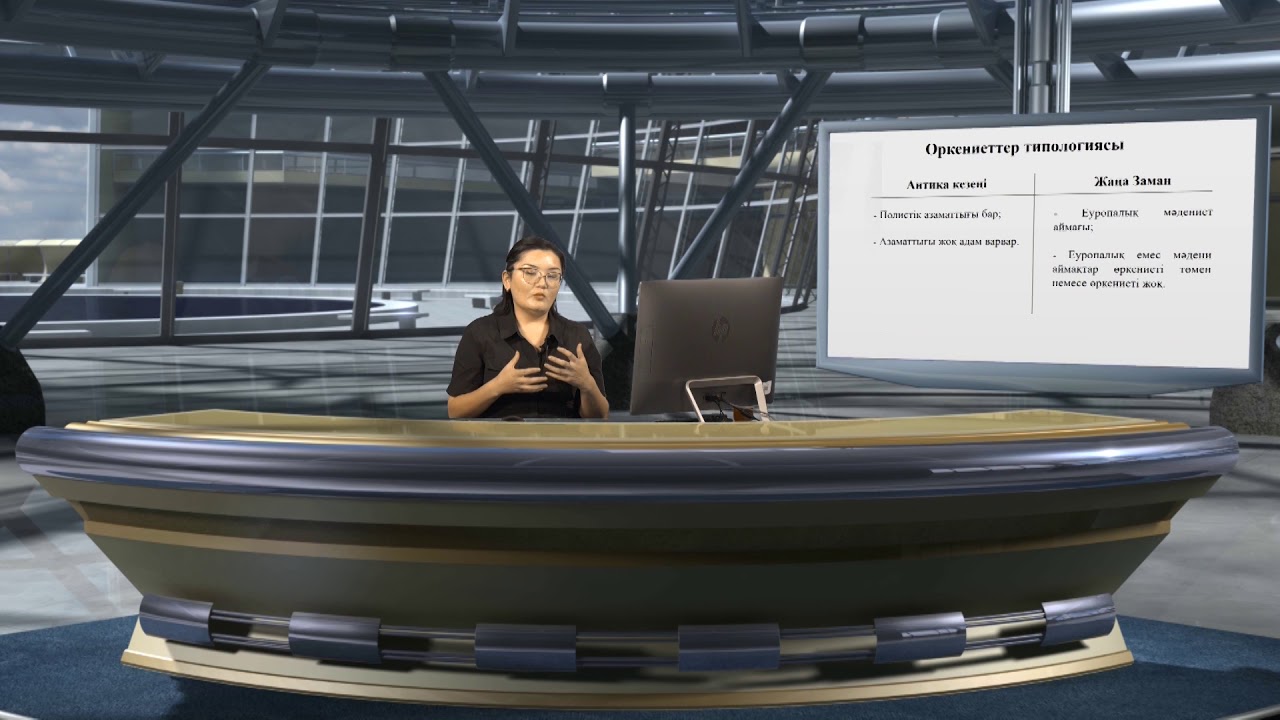
Жусупова Роза 4 курс 5 лекция

Lecture on effective English classroom management using digital technologies, covering online tools, platforms, and video lesson creation.

Key Takeaways

  • Digital technologies enhance English classroom management and student engagement.
  • Effective use of platforms like Google Meet, Zoom, and Microsoft Teams is crucial for online teaching.
  • Distance learning can integrate multiple media types such as video, radio, and web resources.
  • Creating and sharing audiovisual content supports better understanding and interaction.
  • Proper lesson planning and use of digital tools improve the efficiency of online English lessons.

What the video covers

  • Introduction to effective English classroom management with digital technologies in EFL teaching.
  • Discussion on organizing online classes effectively using platforms like Google Meet, Zoom, and Microsoft Teams.
  • Use of digital tools for distributing instructional materials and managing student tasks and assessments.
  • Overview of various distance learning technologies including internet-based, TV broadcasting, and radio communication.
  • Ideas for online classrooms such as web classes, video lessons, chat sessions, collaborative documents, and ebooks.
  • Detailed features and usage of Google Meet for virtual classrooms and interactive teaching.
  • Zoom's capabilities and limitations, including time restrictions and screen sharing for language teaching.
  • Microsoft Teams as a comprehensive classroom management hub with multimedia sharing and collaboration.
  • Importance of lesson planning and organizing assignments using digital platforms.
  • Introduction to video creation tools like Loom and Flipgrid for enhancing student engagement and communication.

Answers

Questions about this video

What features does Google Meet offer for interactive teaching?

Google Meet allows sharing information, screen demonstrations, visualization, voice recording, and real-time communication, enabling interactive discussions among students and teachers.

How can teachers use Microsoft Teams to manage their classrooms?

Teachers can use Microsoft Teams to provide video meetings, share and record videos, upload and download materials, assign tasks, facilitate discussions, and collaborate on projects within a centralized platform.

What are the limitations of using Zoom for online classes?

Zoom has time limitations for meetings, requiring teachers to provide access links for specific periods, which can affect the length and flexibility of online lessons.

Full Transcript — Download SRT & Markdown

00:01
Speaker A
[Music] Hello, everybody. Today, we continue our course Digital Learning Technologies in EFL. Today is lecture number five, and the topic of today's lecture is effective English classroom management, for example, or maybe effective English classroom—how to organize it using digital technologies.
00:31
Speaker A
Technologies so firstly we will speak about online class how to make online class effective and some ideas for organizing online lessons tips and tools for creating personal audio visual content and we will speak about your target audience about your
00:53
Speaker A
So firstly, we will speak about online class, how to make online class effective, and some ideas for organizing online lessons, tips, and tools for creating personal audiovisual content. And we will speak about your target audience, about your learners, profiles of learners, also analysis of using different digital technologies in the classroom, and how to implement all these technologies in the classroom.
01:18
Speaker A
the help of internet if we have a very good connection or for example we can organize testing uh Knowledge Test for example or we can organize different resources for students and they check their progress and their achievement the
01:37
Speaker A
So you can see from the previous lectures that distance learning technologies are mostly used with the help of the internet if we have a very good connection, or for example, we can organize testing, knowledge test, for example, or we can organize different resources for students, and they check their progress and their achievement.
01:59
Speaker A
distribution of instructional materials for example different study platforms Learning Management systems and digital tools and resources that you share with your students you share information you share the resources they do the task answer the questions for example or do
02:19
Speaker A
The next is we can organize modern technologies. We can use different websites, podcasts, or different online platforms so that to communicate with students and to provide their feedback. And the next is remote study of materials. It may be the distribution of instructional materials, for example, different study platforms, learning management systems, and digital tools and resources that you share with your students. You share information, you share the resources, they do the task, answer the questions, for example, or do the written work, and you also assess with using different applications.
02:48
Speaker A
internet computer assisted language learning teleconferencing chat classes and web based tutorials the next is distance Technologies may be organized according to to the television connection for example video lectures television channels and educational tele television broadcasting systems and the
03:12
Speaker A
So you can see this knowledge connects teachers to students using communication and innovative information technologies. So types of distance learning also may be very, very different. The first is network using internet, computer-assisted language learning, teleconferencing, chat classes, and web-based tutorials. The next is distance technologies may be organized according to the television connection, for example, video lectures, television channels, and educational television broadcasting systems. And the next is case study or maybe radio communication. That is also very useful, very interesting. Podcasting, for example, system is very interesting for students and is also important for teaching.
03:34
Speaker A
different types like Network TV broadcasting case studies radio communication into the one e-learning course so I'd like to provide you some menu of ideas in online classrooms it may be using web classes different websit and web resources video lessons
03:56
Speaker A
So you can see that distance learning technologies can combine all these different types like network, TV broadcasting, case studies, radio communication into one e-learning course. So I'd like to provide you some menu of ideas in online classrooms. It may be using web classes, different websites and web resources, video lessons using video, YouTube lectures, chat lessons when students communicate in different small session rooms, for example, and try to arrange the collaborative document, ebooks. That is very popular. You see, there are a lot of options for reading ebooks, for doing tasks using ebooks, and also for doing the tasks and web resources, for example, different websites, different additional materials that may be arranged using the internet.
04:22
Speaker A
also for doing the tasks and web resources for example different websites different additional materials that may be arranged using the internet so firstly let's speak about the Google meet that we can organize for example virtual classroom and we also use Google
04:45
Speaker A
So firstly, let's speak about Google Meet that we can organize, for example, virtual classroom, and we also use Google Meet, the Google application that is free. And in Google Meet application, for example, you can share information, you can share the demonstration, you may make some visualization also, and at the same time, you can communicate, and your students also can discuss about the most important topic. And if, for example, you need, you also can record your voice or they can record their voice, and so that, for example, listen to each other more perfectly.
05:07
Speaker A
also can discuss about the most important topic and if for example you need you also can record your voice or they can record their voice and so that to for example listen to each other in more perfectly okay the next is zoom
05:30
Speaker A
Okay, the next is Zoom. Zoom is also very useful meeting platform so that you—this Zoom mostly provided by school or institution, and you click only to join, for example, so that the browser opens and prompts to sign in the school login signals. So you can see Zoom is very popular, but you know that Zoom has time limitations, so you need to provide the link in a particular period of time. Microsoft Teams is also very popular, is a useful application, and it is a classroom management hub. There are a lot of opportunities and also operation systems. For example, you can provide video meetings, you can provide video sharing for the whole class, you may record your voice, record your students also. You can also download and upload different visuals, images, and captions so that to communicate, for example, and to make the process more vividly. Or also you may use video lessons and use a lot of other materials and also share the resources.
06:01
Speaker A
popular but you know that Zoom has time limitations so you need to provide the link in a particular period of time Microsoft teams is also very popular is a useful in application and it is a classroom management Hub there
06:25
Speaker A
So you can see there are a lot of channels, applications, and so, for example, how can we use them effectively? So firstly, you should organize your lesson beforehand. You should think about all the stages of your lesson plan, for example, more detailed and more colorful. So for example, how you can organize your assignment using Microsoft Teams. Firstly, you may provide a lot of tasks for your classroom. For example, attach the materials, they read this, for example, text or material and answer the questions or collaborate with each other in discussion form or maybe write the answer to the questions. For example, you ask them the question and they answer in chatting box. Also, for example, you have a lot of such documents as attachments, and you also may send different materials to every student, and they, for example, collaborate with each other and create something new, maybe post or maybe mind map or something new so that to do the task.
06:47
Speaker A
also download and upload different visuals images and captions so that to communicate for example and to make the process more vividly or also you may use video lessons and use a lot of another materials and also share the
07:11
Speaker A
The next is, for example, you may show the video how to do this, how to write this, and they, while listening to video, they make instructions, and that makes your learning process easier to read, to understand the information, and they try to revise this information and do their tasks.
07:36
Speaker A
lesson plan for example more detailed and more colorful so for example how you can organize your assignment using Microsoft teams firstly you may provide a lot of tasks for your classroom for example itach the materials they uh read this for example
08:02
Speaker A
Okay, so you can see here is an example of classroom, and here is a lot of units, channels, applications, and teams so that to organize your personal learning network. So here is the control questions for you: What features does Google Meet offer for interactive teaching, and how can they be utilized? How can teachers use Google Classroom to distribute assignments and learning materials? And explain the process of screen sharing in Zoom and its relevance in teaching foreign languages.
08:19
Speaker A
lot of such document as attachments and you also may send different materials to every student students and they for example collaborate with each other and create something new maybe post or maybe mind map or something new so that
08:43
Speaker A
Okay, the next topic that we will cover today is making videos for mini lessons because you see when students learn new materials, they try to want to distribute these, for example, topic to other students. They try to communicate, and integrating videos into the language is a powerful pedagogical tool. I'd like to point out scientist Nick Pich, who is an influential scientist in providing digital tools for teachers, for example, and also Web 2.0 tools for teachers, and he makes a great contribution to making videos for lessons, for example, and how to incorporate any technology into foreign language teaching. So Nick Pich tries to support the idea that when used effectively, technology can create a more engaging and inclusive learning environment for all students. I strongly recommend you to find his pages, maybe blogs with Nick Pich, and there you can find a lot of useful information.
09:02
Speaker A
understand the information and they try to revise this information and do their tasks okay so you can see here is an example of classroom and here is a lot of units channels applications and teams so that to organize your personal
09:25
Speaker A
So the first is video lecturing. Video lecturing may be online live session, for example, and may be recorded beforehand so that to economize, for example, teachers' time. Also, video lecture has a lot of benefits. It gives that personal connection that is missing from face-to-face classroom time. It helps us to communicate more clearly with facial expressions, body language, and intonation. Publishing, recording, and talking can be much faster than other forms of communication, and putting creative touches on a video is easy with many platforms.
09:50
Speaker A
process of screen sharing in zoom and it relevance in teaching foreign languages okay the next topic that we will cover today is making videos for mini lessons because you see when students learn new materials they try to want to distribute these for
10:16
Speaker A
So now I'd like to ask you how to do live video calls with Google Meet. So for example, you find the Google Meet program, you try to find the button as join or start a meeting, and you click continue so that to start a new meeting, and here you—
10:42
Speaker A
example and also Web 2.0 tools for teachers and he makes a great contribution of making video for lessons for example and how to incorporate any technology into the foreign language teaching so unique pure uh try is to support the idea that when use
11:04
Speaker A
effectively technology we can create a more engaging and inclusive learning environment for all students I strongly recommend you to find his Pages maybe blogs with Nick pichy and there you can find a lot of useful information so the first is video
11:26
Speaker A
lecturing video lecturing may be online live session for example and may be recorded beforehand so that to economize for example teachers time also video lecture has a lot of benefits it gives that personal connection is missing and from face Toof
11:49
Speaker A
face classroom time it helps us to communicate more clearly with facial expressions body language and ination Publishing record and talking Can Be Ma much more faster than other forms of communication and putting creative touches on a video is easy with many
12:13
Speaker A
platforms so uh now I'd like to ask you how to do live video calls with Google meet so for example you find the Google meet program you try to find the Button as join or start a meeting and
12:34
Speaker A
you click continue so that so that to start a new meeting and here you can see uh your participants for example you may share uh your dist your for example demonstration and also you may connect students via video so for example here is the example
13:02
Speaker A
of Google meet how it is looks like and you see that Google meet is free application it is very easy um in for example reaching the communication and what is more there are a lot of options then that can be enough for classroom
13:28
Speaker A
management okay besides another programs I'd like to PO point out these tools for making videos Loom Camtasia lip grid and at puzzle let look through at LOM it is a new video messaging program that helps you to get your message across through
13:56
Speaker A
instantly sharable video with loom you can record your camera microphone and desktop screen simultaneously your video is then available to share through looms patented technology so it very very interesting and Loom it also may be sent by email for example or another platform
14:19
Speaker A
so that to communicate for example using Google Classroom Camtasia is a recording software that allows you to record and clip whatever is happening on your screen perfect for filming webinars for example or video tutorials for example you need to show how the Excel table is
14:44
Speaker A
working and you provide your own screen recording for example and you try to make video flip GD flip greet is very popular and students like this program because it is V visual it is um colorful it is very well
15:04
Speaker A
presented in different options and while you are recording your voice using flip grid for example you may improve your speaking skills because you listen to your your video and you may check your grammar lexical mistakes and you see the rhythm of your spoken
15:31
Speaker A
speech okay FP is a free web and mobile application from Microsoft that schools around the world have been using for more than a decade for record edit and share video assignments and also flip GD has webcam or mobile device recording
15:54
Speaker A
and it has video responses so uh flip GRE is very popular around the classroom for example because they can do different video discussions presentations and different collaborative projects ad puzle it's also a digital tool that helps Educators take
16:16
Speaker A
advantage of the Myriad quality videos online as well as make their own video uh so that to use them in teaching so you can see at puzzle may be integrated with Google classroom also also it may be like a
16:36
Speaker A
gamification and at puzzle is a very very interesting creative platform so there are three main questions for you during this part of the lecture what are the benefits of you of using video lectures in education describe the B basic steps
17:00
Speaker A
to start a a live video call using Google meet and what is Flip or maybe formally flip grid and how is it commonly used in education so in conclusion we'd like to point out that making video is a very
17:22
Speaker A
very integral part of our digital communication landscape for example when students in listening activities they listen to YouTube link and after that link they do some your their own recordings they may use different platforms so you can see
17:42
Speaker A
that videos offer a powerful medium to uh for example organize messages share experiences and connect with participants on a deeper level as technology continues to Advance the tools and platforms available for video creation have become more accessible enabling individuals from various
18:09
Speaker A
backgrounds to harness the creative potential of visual storytelling so you can see this topic is very popular because video is one of the crucial point in our society and teachers and Learners life like to make video of their lessons of
18:31
Speaker A
the distribution of materials so there are a lot of scientists who write about this topic the first Isa and in her book and his book multimedia learning and also I'd like to point out Daffy Lona centered theory in practice in
18:59
Speaker A
distance education and duban Blended courses and all these in all these vs make a great contribution to providing video lessons more creative and more interesting thank you very much I very glad to see you bye
Topics:English classroom managementdigital learning technologiesonline teaching toolsGoogle MeetZoomMicrosoft Teamsdistance learningaudiovisual contentEFL teachingvideo lessons

Get More with the SozAI App

Transcribe recordings, audio files, and YouTube videos — with AI summaries and speaker detection. 30 minutes free.

Or transcribe another YouTube video here →