Learn how to set up and optimize a YouTube channel correctly in 2026 to avoid common mistakes and grow fast with expert branding tips.
Key Takeaways
- Proper channel setup is crucial for YouTube success and growth.
- Creating a new, dedicated Gmail ID boosts channel performance and reach.
- A simple, unique, and descriptive channel name builds brand trust and improves discoverability.
- Exclusive use of the channel’s Gmail ID for YouTube activities helps maintain algorithmic targeting.
- Following the recommended settings and branding strategies can significantly accelerate channel growth.
What the video covers
- Avoid creating a YouTube channel in 2025 without proper setup to prevent failure like 90% of creators.
- The creator achieved 19,000 subscribers with only 22 videos by setting up their channel correctly.
- Creating a new Gmail ID specifically for your YouTube channel is recommended for better initial reach.
- Use the new Gmail ID exclusively for YouTube-related activities to keep the channel organized and targeted.
- Choose a simple, memorable, and unique channel name in English without numbers or symbols to build trust.
- Keep the channel name short (max three words) and descriptive of the content niche.
- Use tools like ChatGPT to generate unique channel name ideas to avoid duplication and improve searchability.
- Set the channel handle to match the channel name or add 'official' if the name is taken.
- Avoid watching unrelated content or logging into other sites with your channel’s Gmail ID to maintain algorithmic focus.
- Proper branding and secret settings shared in the video help channels grow quickly and gain viral views.
Full Transcript — Download SRT & Markdown
Speaker A
Don't create a YouTube channel in 2025 if you don't know how to set up a channel correctly. Otherwise, you too, like 90% of YouTubers, will create your channel in the wrong way and in the end will say that your luck is bad. I am saying this because right now, on the channel on which you are watching this video, I have completed 19,000 subscribers with just 22 videos. All two, every video of this channel of mine is getting a lot of views. Even you can see that two of my videos have gained more than 2 lakh views, and I was able to do all this because I have set up this YouTube channel of mine in a completely correct way. That means I have created my YouTube channel in a completely correct way. Even you will be shocked to know that it does not appear even when anyone else searches for the channel. But at the same time, if you search my channel, Chat Grow, then you will see my channel shining at the top. So, for this also you will have to do some secret settings, which you will get to know in this video. Believe me, from this video you will get only one. You will not learn to create a normal YouTube channel, but you will learn to create a brand channel. But not only this, I will show you some important settings which will make your channel grow very quickly. But if you have already created a channel, then also do not miss this video because maybe you must have missed the important settings while creating the channel, due to which your channel is down or none of your videos are going viral. So that's why watch this video very carefully and apply all the settings on your channel so that your channel can grow as quickly as possible. So without any delay, let's start from the pure basics. You do not need any degree to create a channel on YouTube. Rather, you need a Gmail ID. But people get stuck most of the time at this point that whether to create a new Gmail ID or create a channel with the old ID. If you are like me, then it will be better to create a new email ID because I don't know where you might have tried with that old ID, which is not at all safe for your YouTube channel. Even I don't know what is the technical reason behind this, but whenever I have tried to create a channel on YouTube, I have never done anything. If you have created your channel with the old Gmail, then you never got any reach in the beginning, whereas the channel created with the new email gets a huge boost in the beginning. Now I am not a scientist to find the reason behind this, but yes, this really happens. Even I have not observed this only, but many of my creator friends have also observed this. So we will not take any unnecessary risk and create a new email ID. To create a new email ID, simply open YouTube, then click on your profile picture from the right side corner, click on Switch Account, then click on the plus icon and now here you have to enter the password of your phone as a security, after which some such interface will open. Then simply click on Create Account and now you will get two options here, in which you have to choose For my personal use because the second one is for brands and businesses, with which you have nothing to do. So now click on Next. Then it will ask you to enter the name here, which totally depends on you what you want to enter. I will simply enter the name of the channel and click on Next. Then now you have to enter the date of birth here. Even if you enter it wrong, it will be fine. Just keep any year before 2000. No matter what age you are, it does not matter. Then now you have to select the gender here. Even if you choose wrong, there is no issue. Then finally now you have to choose an email. If you are fond of creating it yourself, then fulfill your hobby by clicking on Create Your Own Gmail Address. Then click on Next. Now here you have to set a strong password which no one else can guess except you. Then again click on Next. And yes, if such a popup comes, then definitely click on Save. What will happen with this is that your password will be saved and in future if you have to log in somewhere else, then that will be done easily. Then now you have to click on Next again and then scroll a little and click on I Agree here. Now finally your new email ID has been created and the YouTube channel has also been created with this. But now you have to keep one thing in mind that you have to do only YouTube-related work with this email ID. Do not use this ID to sign in to any other thing or website and even when you are using YouTube, never watch any other content from this ID, which you have decided or the content which you are going to upload from this ID. You have to see only that. But if you want to watch some other content or you want to log in to a website, then create a second ID for that. What will happen is that you will be able to use this ID for business mail and watching any other content. Even I have created a second ID myself which I use as a business mail and for content consumption, so that my main ID remains completely organized and YouTube also does not have any problem in finding my targeted audience. Now I do not know the specific reason behind this, but according to me it helps. So now we have a new Gmail, so now the next work is to create a YouTube channel and optimize it properly and do proper branding. So let's do this also properly. First of all, you have to open the YouTube app, then again click on your profile picture and click on Create a Channel. Now here you will get the option to enter logo, name, and handle. So first of all, you have to choose the name of your channel because all the further work will be done from this. And your channel name is going to be your brand name by which people will recognize you. So that's why you can't choose anything randomly. Personally, when I keep naming a new channel, I keep some things in mind which I don't want to do at all, otherwise the possibility of my channel's growth will end by 40% right here. So you also have to keep these things in mind. So the first mistake is to keep numbers or symbols in your channel's name. I don't know why, but a lot of people make this mistake, due to which the brand image of their channel gets spoiled and people don't trust such channels much, due to which at last their channel becomes dead. And even some people make this mistake that they keep their channel's name in a specific language or very hard words as if they are a language teacher of a school, which you should not do at all. Keep your name as simple as possible in English and simple so that from a 10-year-old child to an 80-year-old man can remember it, even the pronunciation of the event. Now you know the things that you should not do. But I will also tell you what to do. So the most important point is that try to keep your name as short as possible, maximum three words, not more than that, otherwise the channel name will look like someone's address. Another important thing is to keep a name that describes the work. For example, Chat Grow, it is clear from the name itself that it will get you to grow. Tech Burner, it is clear from the name itself that it will be related to technology. Similarly, you also have to keep a name such that people get to know your work from the name itself. But there is no use of doing all this if your channel name is not unique, otherwise people will get tired of searching, still your channel name will never come in the search. Now you should not work so hard to find a unique name, so without thinking come to Chat GPT and tell them that you are creating a YouTube channel in which you will upload XYZ content. So for that, give 10 channel names which are unique and no one else is using. Then you have to choose whatever you like in it. Then you have to come to YouTube and save it. Then now comes the turn of the handle which will be exactly the same as the title, but if it is not available in your case, then put the word official in front of it. Then it will definitely be found. So
Speaker A
now, on the channel on which you are watching this video, I have completed 19,000 subscribers with just 22 videos. All two, every video of this channel of mine is getting a lot of views. Even you can see that two of my videos
Speaker A
have gained more than 2 lakh views and I was able to do all this because I have setup this YouTube channel of mine in a completely correct way, that means I have created my YouTube channel in a completely correct way. Even you will be shocked to know that it
Speaker A
does not appear even when anyone else searches for the channel. But at the same time, if you search my channel, chat grow, then you will see my channel shining at the top. So, for this also you will have to do some secret settings, which you will get to know in this video. Believe me, from this video
Speaker A
you will get only one You will not learn to create a normal YouTube channel but you will learn to create a brand channel but not only this, I will show you some important settings which will make your channel grow very quickly but if you have already
Speaker A
created a channel, then also do not miss this video because maybe you must have missed the important settings while creating the channel due to which your channel is down or none of your videos are going viral, so that's why
Speaker A
watch this video very carefully and apply all the settings on your channel so that your channel can grow as quickly as possible, so without any delay, let's start from the pure basics, you do not need any degree to create a channel on YouTube, rather you
Speaker A
need a Gmail ID but people get stuck most of the time at this point that whether to create a new Gmail ID or create a channel with the old ID, if you are like me, then it will be better to create a new
Speaker A
email ID because I don't know where you might have tried with that old ID, which is not at all safe for your YouTube channel, even I don't know what is the technical reason behind this, but whenever I have tried to create a channel on YouTube , I have never done anything
Speaker A
. If you have created your channel with the old Gmail, then you never got any reach in the beginning, whereas the channel created with the new email gets a huge boost in the beginning. Now I am not a scientist to find the reason behind this,
Speaker A
but yes, this really happens, even I have not observed this only, but many of my creator friends have also observed this, so we will not take any unnecessary risk and create a new email ID. To create a new email ID, simply
Speaker A
open YouTube, then click on your profile picture from the right side corner, click on Switch Account, then click on the plus icon and now here you have to enter the password of your phone as a security, after which some such interface
Speaker A
will open, then simply click on Create Account and now you will get two options here, in which you have to choose For my personal use because the second one is for brands and businesses, with which you have nothing to do, so now click on Next,
Speaker A
then it will ask you to enter the name here. Which totally depends on you what you want to enter, I will simply enter the name of the channel and click on next, then now you have to enter the date of birth here, even if you enter it wrong, it will be fine, just
Speaker A
keep any year before 2000, no matter what age you are, it does not matter, then now you have to select the gender here, even if you choose wrong, there is no issue, then finally now you have to choose an email, if you
Speaker A
are fond of creating it yourself, then fulfill your hobby by clicking on Create Your Own Gmail Address, then click on Next, now here you have to set a strong password which no one else can guess except you, then again click on Next and
Speaker A
yes, if such a popup comes, then definitely click on Save, what will happen with this is that your password will be saved and in future if you have to login somewhere else, then that will be done easily, then now you have to click on Next again and then scroll a little
Speaker A
and click on I Agree here, now finally Your new email ID has been created and the YouTube channel has also been created with this, but now you have to keep one thing in mind that you have to do only YouTube related work with this email ID.
Speaker A
Do not use this ID to sign in to any other thing or website and even when you are using YouTube, never watch any other content from this ID, which you have decided or the content which you are going to upload from this ID.
Speaker A
You have to see only that, but if you want to watch some other content or you want to login to a website, then create a second ID for that, what will happen is that you will be able to use this ID for business mail and watching any other content,
Speaker A
even I have created a second ID myself which I use as a business mail and for content consumption, so that my main ID remains completely organized and YouTube also does not have any problem in finding my targeted audience,
Speaker A
now I do not know the specific reason behind this, but according to me it helps, so now we have a new Gmail, so now the next work is to create a YouTube channel and optimize it properly and do proper branding, so
Speaker A
let's do this also properly, first of all you have to open the YouTube app, then again click on your profile picture and click on Create a Channel, now here you will get the option to enter logo name and handle, so first of all you have to choose the name of your channel
Speaker A
because all the further work will be done from this And your channel name is going to be your brand name by which people will recognize you, so that's why you can't choose anything randomly. Personally, when I keep naming a new channel,
Speaker A
I keep some things in mind which I don't want to do at all, otherwise the possibility of my channel's growth will end by 40% right here, so you also have to keep these things in mind, so the first mistake is to keep numbers or symbols in your channel's name, I don't know
Speaker A
why but a lot of people make this mistake, due to which the brand image of their channel gets spoiled and people don't trust such channels much, due to which at last their channel becomes dead and even some people make this mistake that they
Speaker A
keep their channel's name in a specific language or very hard words as if they are a language teacher of a school, which you should not do at all, keep your name as simple as possible in English and simple so that from a 10-year-old child to an 80-year-old man
Speaker A
can remember it, even the pronunciation of the event. Now you know the things that you should not do. But I will also tell you what to do, so the most important point is that try to keep your name as short as possible, maximum three words, not more than that,
Speaker A
otherwise the channel name will look like someone's address. Another important thing is to keep a name that describes the work, for example Chat Grow, it is clear from the name itself that it will get you to grow, Tech Burner, it is clear from the name itself that it will be related to technology, similarly you also
Speaker A
have to keep a name such that people get to know your work from the name itself, but there is no use of doing all this if your channel name is not unique, otherwise people will get tired of searching,
Speaker A
still your channel name will never come in the search, now you should not work so hard to find a unique name, so without thinking come to Chat GPT and tell them that you are creating a YouTube channel in which you will upload XYZ
Speaker A
content, so for that give 10 channel names which are unique and no one else is using, then you have to choose whatever you like in it. Then you have to come to YouTube and save it. Then now comes the turn of the handle which
Speaker A
will be exactly the same as the title, but if it is not available in your case, then put the word official in front of it, then it will definitely be found, so save it again and leave the logo for now,
Speaker A
we will add it later, so you just click on create channel and your channel will be created successfully. Now you have become a creator and now you can also access YouTube studio, but for now we have to warm up our channel,
Speaker A
for which you have to go to your YouTube channel and then you have to search and watch as much as possible those contents which you are going to upload, if possible subscribe to two-three creators and those videos which are not related to your content,
Speaker A
mark them as not interested with three dots, what will happen from this is that YouTube will get data about your channel and YouTube will suggest your videos to the same people as the content you were watching, I am saying it again,
Speaker A
from this ID or YouTube channel you will be able to watch other niches. You do not have to watch videos, watch only those which are related to your niche.
Speaker A
Now you have a YouTube channel, but if you start uploading content on it without doing SEO and important settings, then forget about a viral channel, it will be difficult to get even zero views because the SEO and optimization of your channel is still pending. Now for those who don't do this, it
Speaker A
will not be wrong to give an example through any medium that you are going to give exams but you do zero in the name of studies, now you should not do this, that is why what and how should you do
Speaker A
I will tell you what to do but all the settings that are ahead will not be on YouTube or YouTube Studio app, for this we will have to use the PC version of YouTube Studio, but don't worry, I will show you that too in the phone itself, so first of all you
Speaker A
have to open the YouTube Studio app, then here you have to click on your profile picture and click on switch account and then from here you have to choose that new ID, after doing this just close it, then open the Chrome app and
Speaker A
search here YouTube Studio login, then here you have to click on login, then your PC YouTube Studio will open in the phone itself, so come let's quickly turn on all the settings, but before that click on the three dots and
Speaker A
click on Open in Chrome browser, now your Chrome app has opened, so now zoom a little and click on Settings from the right side corner, which will open a new interface where you have to click on Channel, then choose your favorite country from Country of Residence,
Speaker A
then in the keyword box you have to type the name of your channel and click on this arrow button, so that it will open as an interface The tag will be saved and then you have to type three to four tags separately in the name of your channel
Speaker A
like I will give an example, the name of my channel is Chat Grow but if someone searches for Chaddi Guru then my channel will come on top because again I have put that literally people search anything so you also
Speaker A
have to use your mind a little then you have to add four to five tags related to your content like in my case I am going to put AI related content so I will put AI automation AI tips
Speaker A
and tricks how to grow on YouTube extra extra now after this is done you have to click on advanced settings then you have to choose no set this channel as not made for kids here do not choose the first one otherwise if you
Speaker A
are not making content for children then you have to ignore all the settings below and come to feature eligibility now listen carefully my brother the three settings you are seeing I call them three important settings in my language because
Speaker A
in my According to observation, after enabling it, YouTube gives a lot of reach to our video and due to which at last a lot of views come but unfortunately many of you forget to enable it but enabling them
Speaker A
is very easy, the first one gets enabled as soon as the channel is created, to enable the second one, click on it and here you have to verify your number, so just click on it, now if such an interface opens, then do not worry, just
Speaker A
open YouTube in Chrome and choose your new account and then come to YT studio again and click on verify phone number, then enter your number and click on next, if it is not happening with this number, then take it from your family or friend's number and enter the OTP and submit, now your second feature has been enabled
Speaker A
and you did not even know, now to enable the third feature, click on it and click on SH feature, then here you have three options to enable it but the easiest and The fastest method is the first option take a six second video of
Speaker A
yourself so choose it and click on next and then click on get email now you will get a mail from YouTube click on it and scroll down a little then you will find the option of start verification so click on that
Speaker A
then now a new interface will open so scroll down a little and after ticking it click on I agree now what you have to do is move your face in the same direction as it tells then this process of yours will be over and this feature
Speaker A
will also go to pending and just after a few hours this feature will also be enabled till then let's do some more settings so come to the upload default section and here the basic instruction is to put the same thing again in the tags box which you had put for your channel
Speaker A
then come to the advanced setting where first of all turn off these automatic chapters here because it never works then choose your language from video language then come down a little and so how many viewers like Uncheck this video, even you will be shocked to know that
Speaker A
I always keep this option unchecked because by turning it off, I get a lot of likes, then lastly you have to choose the category, like if I am doing something to educate you people, then I will choose education and even if you choose the wrong one, it is okay
Speaker A
And no other settings are of any use, so save them. Now your channel is ready to go viral, but if you do not brand it, then hardly people will subscribe to you. By branding I mean putting a profile picture on your channel, putting a banner and customizing the channel's home page, so let's
Speaker A
do that properly. For this also you have to click on this magical stick type symbol in YouTube studio. Then first of all you have to upload the banner, whose tutorial you will get on YouTube, but if you do not want to work so hard, then don't worry, just
Speaker A
type the banner in my Telegram channel and you will get a ready-to-use banner, that too without any effort. Then now you have to set the channel logo, which I would recommend that you learn from YouTube and make a unique one for yourself. Now comes the turn
Speaker A
of the channel description, which you can also write according to yourself, otherwise open the chat GBT, what will it be used for, so simply give it a command to give me a channel description for this channel of yours, that too completely professional. Type and this
Speaker A
is my business email and add it as well. Then whatever it gives you, copy paste it.
Speaker A
That's it. Adjust the rest as per your requirement. Then you can add links of your other social media platforms from the link option but for now leave it as it is. Then you have to carefully add your business email in the contact info
Speaker A
so that brands can reach out to you for sponsorship. Then in this video watermark, you have to add the logo of your channel again and then enable it by clicking on the home tab option and then just make it public. Now
Speaker A
if you have followed all the steps, then your channel is ready to go viral and now you can start your YouTube journey. But maybe if you have noticed that I have used chat gpt many times in the videos to make my work easier
Speaker A
and even you will be shocked to know that the description, tags and SEO of the video you are watching, all the things have been done by AI and this speaking is not in any context. It won't be wrong to say that somewhere in my YouTube journey,
Speaker A
AI has helped me the most. Now, I know a lot of AI tools which I cannot tell you right now, but if you want me to make a detailed video on AI tools in which I will tell you how you can go viral using AI tools,
Speaker A
then as many AI experts as possible should comment, I will make a video on this as soon as possible. All this is done for later. If you haven't thought yet about what you will upload on this channel, then you are not going to become a millionaire. Now, if you believe me,
Speaker A
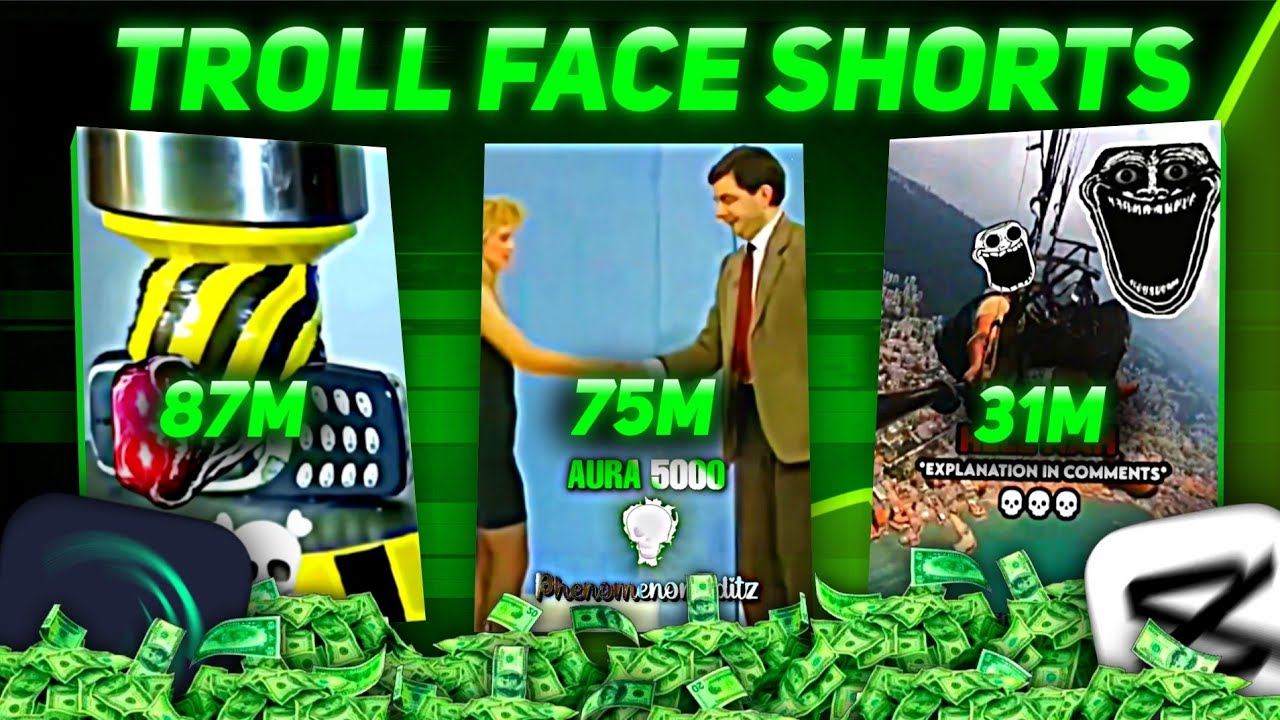
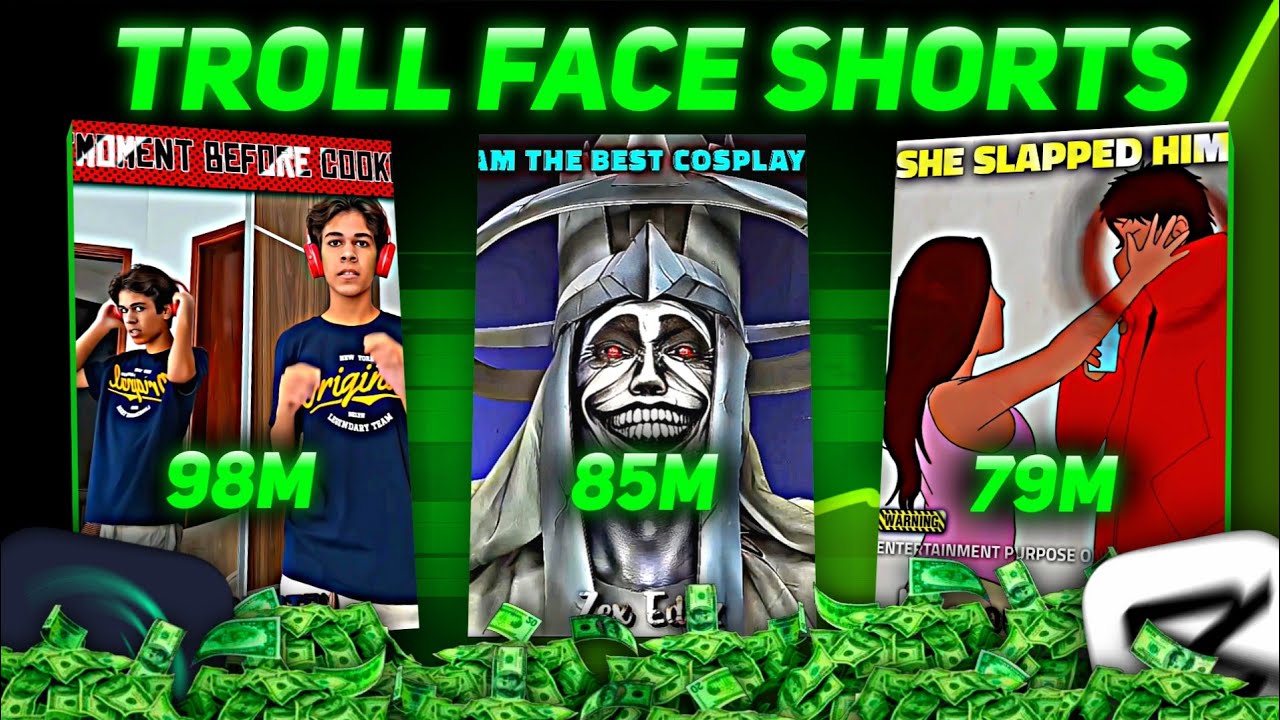
then start uploading troll face shots in it because after this playlist of mine, a lot of people have already started it and a lot of people are growing very fast as you can see and before starting, it is very important for you to have the right knowledge, which you will get in my troll face playlist,
Speaker A
so watch and implement all the videos carefully. If we get 30 subscribers from this video, then I will reveal my growth secret to all of you. End I will also ask Q&A, so don't forget to subscribe. It may be just a click for you but it means a lot to me. Well,
Speaker A
thank you all from the bottom of my heart for watching this video completely. I love you all.
Topics:YouTube channel setupYouTube growth 2026create YouTube channelYouTube branding tipsnew Gmail for YouTubeYouTube channel name tipsoptimize YouTube channelYouTube algorithmchannel handleYouTube success strategies