How To Build & Sell “talking websites” Full Guide (& ma… — Transcript

Learn how to build and sell AI-powered talking websites that book appointments and generate $56k/month with this step-by-step guide.

Key Takeaways

  • Talking websites with AI agents can significantly increase client engagement and appointment bookings.
  • The setup process is beginner-friendly and can be done in just a few clicks.
  • This service offers recurring monthly revenue opportunities ranging from $2 to $500 per client.
  • Integration works with existing websites and popular platforms like WordPress and GoHigh Level.
  • There is a growing market demand, making this a timely and lucrative business opportunity.

Summary

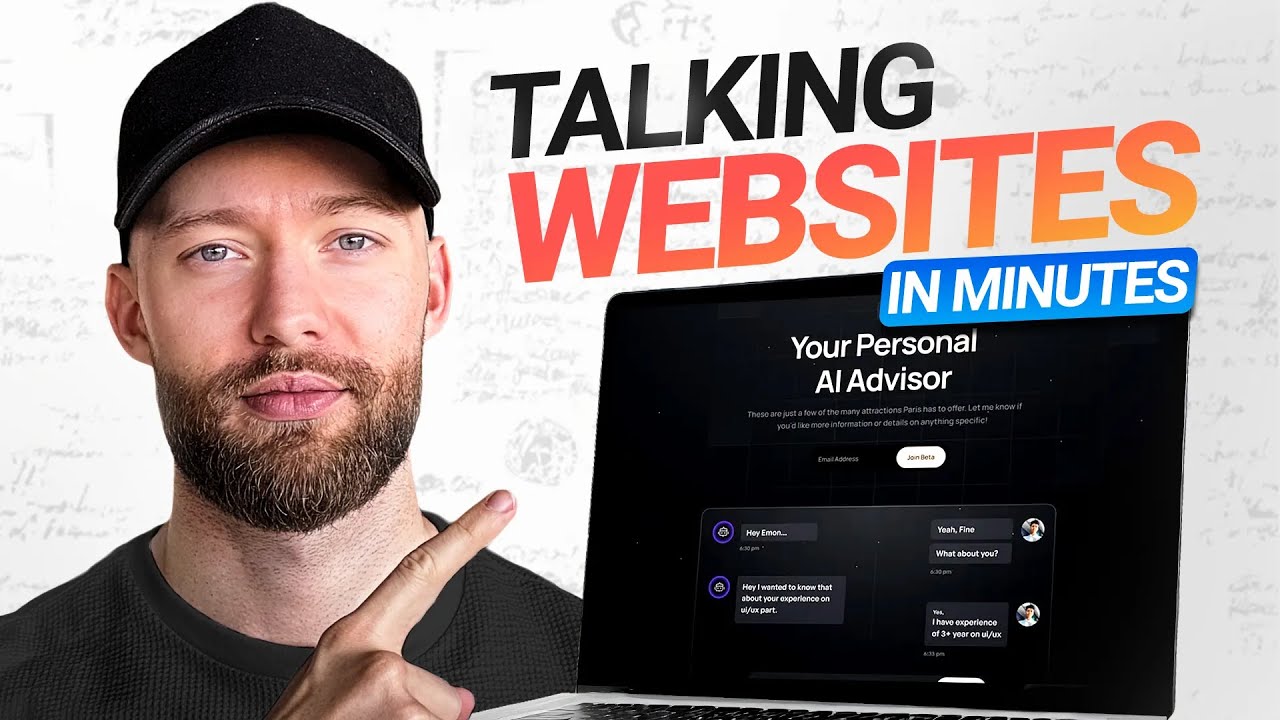
  • Introduction to talking websites that interact with visitors via AI and book appointments automatically.
  • Demonstration of a live AI agent handling a customer inquiry and scheduling a consultation.
  • Explanation of backend features including conversation logs and contact management.
  • Overview of software platform (gofreetrial.com) used to create and manage talking websites.
  • Step-by-step instructions to link client business profiles and set up AI agents.
  • Guidance on creating knowledge bases and training the AI with client-specific FAQs and details.
  • Instructions on integrating the AI agent on any website via code snippet or within GoHigh Level.
  • Discussion on pricing models and potential earnings from selling this service to local businesses.
  • Marketing tips on targeting high-value clients with websites and traffic for maximum impact.
  • Support and training offered including Zoom calls and resources to help users succeed.

Full Transcript — Download SRT & Markdown

00:00
Speaker A
Websites can now talk, and clients freaking love this. Instead of needing to click on things and find information, you can have a live website agent talk to them while they're on that website and explain everything and then even
00:14
Speaker A
book appointments. You can set this up in three clicks, even if you are a complete beginner. These businesses are paying anywhere from $2 to $500 a month just to keep this installed. And you can install this on any website, even if
00:27
Speaker A
they already have one. This talking website service has become that new sexy thing that no one's heard of. Here's the thing. In the next 6 to 12 months, a lot of businesses are going to have this.
00:38
Speaker A
And if you don't sell this to them, someone else will. This is a huge opportunity. I mean, think about it.
00:44
Speaker A
When someone goes on your client's website at 11 p.m. with an emergency, what happens? Maybe they try to call them. Maybe they fill out a contact form, but it takes them until the next day for someone to actually reach back
00:57
Speaker A
out to them. So now your clients can actually wake up in the morning with appointments already on their calendar that were booked right from their website. So let me break down exactly how this works and how you can set this
01:08
Speaker A
up for local businesses. This is how it works. Notice this little icon in the bottom right-hand corner. This is not a chat widget in a traditional way. When you click this, look what happens. It says call us here and it calls right in
01:22
Speaker A
the browser. ABC Concrete, how can I help you today? Hey, so I have a cracked concrete floor in my backyard. I'm wondering if this is something that you can help with.
01:34
Speaker A
Yes, we can help with cracked concrete floors in your backyard. We specialize in concrete repair and use techniques like control joints, reinforcements, and curing methods to minimize visible cracking and ensure long-term durability. Would you like to schedule a
01:49
Speaker A
free no-obligation consultation to assess the damage and provide a detailed quote? Maybe. But can you guys actually work around like a fireplace that we have? And then also we have grass that's growing in the cracks of the concrete.
02:04
Speaker A
Yes, we can work around a fireplace and address grass growing in the cracks of your concrete. We specialize in custom concrete repairs, including areas with unique features like fireplaces. For the grass, we can remove it and ensure the
02:17
Speaker A
cracks are properly cleaned and sealed to prevent regrowth and further damage. Would you like to schedule a free consultation to assess the area and provide a detailed quote?
02:26
Speaker A
Okay, but like roughly how much does this cost? The cost can vary depending on the size of the area, the extent of the damage, and the specific repairs needed. To give you an accurate estimate, we'd need to assess the site in person. The good news
02:40
Speaker A
is we offer free no-obligation consultations where we can provide a detailed quote tailored to your project.
02:46
Speaker A
Would you like to set that up? Sure, let's do that. I am free next week Monday.
02:53
Speaker A
Got it. Let me confirm. You're available next week on Monday, which is December 22nd, 2025. Let me grab a few details to set this up for you. Can I start with your name?
03:03
Speaker A
Sure. My name is Paul Smith. Thanks, Paul. Let me confirm. Your name is spelled P A U L, right?
03:12
Speaker A
Yes, that's correct. Perfect. Paul, and your last name is Smith, spelled S M I T H, right?
03:18
Speaker A
Yes. Great. Could you share your email address so we can send you the appointment details?
03:23
Speaker A
Yes, my email is Paul Smith Vegasgmail.
03:39
Speaker A
Got it. Let me confirm. Your email is p a u l s m i t h l a s v e g a s g m a i l.com. Correct.
03:50
Speaker A
Yes, that's it. Perfect. Lastly, could you provide your address so we know where to meet for the consultation? Yes. The address is going to be 714 Las [snorts] Vegas Boulevard.
03:56
Speaker A
Thanks. Let me confirm. Your address is 714 Las Vegas Boulevard. Correct.
04:13
Speaker A
Yes, that's correct.
04:25
Speaker A
Perfect. Paul, you're all set for a consultation on Monday, December 22nd, 2025. Our team will meet you at 714 Las Vegas Boulevard and confirm everything via email shortly. Thanks for choosing ABC Concrete. Have a great evening. So, as you can see, this AI responds like a
04:36
Speaker A
real person and will keep asking follow-up questions, but the intent of the AI is to get that booked appointment. Now, look, normally if I had a real calendar, actually linked up to this website and this was a live
04:46
Speaker A
client, it would actually check and make sure that the client is available at that time. So, I'll scan his calendar and it confirms that that time is actually available. And then if it's not, it goes a little bit more back and
04:59
Speaker A
forth and then it finds a time that works well for the person visiting the website and that business owner. So now this is what the backend looks like because if you head over to conversations, you can see right here,
05:11
Speaker A
it automatically added me as a contact on this business, Paul Smith, right there. And it even imported my email exactly as I gave it. And if we want to view the entire transcript, you can see that right here. And this is the full
05:18
Speaker A
conversation that we had before booking the appointment. And so if your client wants to actually read what happened, they can do it right here. So we have this entire website already built. All the service pages, the location pages,
05:28
Speaker A
the FAQ pages, everything is already done. And by the way, this software you can check out at gofreetrial.com.
05:41
Speaker A
And this is where we run the entire business. Everything from the AI bot, you can see right here, it's under AI agents to the website. We have everything in here. And if clients have their website built somewhere else like
05:53
Speaker A
WordPress or another platform, I'll show you how to take a piece of code and paste it on any website that you may want and it will automatically add this live website agent. If you want everything imported into your account
06:05
Speaker A
and just copy and paste everything that we've built with a click, you can now do that. It's working like crazy. Not just for me, but we've proven that this works for people with all kinds of experience levels and backgrounds. In fact, Gohigh
06:15
Speaker A
Level themselves rated us the number one course because of the results that we get for people and the support that we give. I'm going to show you a toz how to get clients, deliver results, grow your business, and then even hire employees
06:25
Speaker A
to run it all for you. I'll even talk to you on Zoom, and answer questions to make sure that you succeed. If you want all this for free, go to laptopeo.com or check the link in the description. All
06:36
Speaker A
right, so first things first, what you want to do is head over to where it says launchpad and just link up the client's Google business page. To link up their Facebook just so we have everything connected. If they're on WhatsApp, you
06:39
Speaker A
can even set up like different WhatsApp automations to notify the clients on WhatsApp and even have WhatsApp conversations with the potential clients. But when it comes to the bot, go ahead and click AI agents right here.
06:49
Speaker A
The first thing you want to do is head over to the knowledge base right here.
06:59
Speaker A
Now, as you can see, I already created one right there for ABC Concrete, but you're going to hit create knowledge base right here. And let's name it testing. And then you can hit create.
07:09
Speaker A
Now, once you're on here, we are going to do a few different things. The first thing you want to do is head over to where it says rich text right here. And we want to paste in a bunch of details
07:19
Speaker A
from the client. And the way we are going to do that is you can check out my pre-built bot that I already created for you. And it's fully trained. Trust me, this took way too much time to figure
07:29
Speaker A
out. And here's how you can set it up. All you have to do is just paste in that client's details. This is a sample client's details right here. And then you just hit enter. So, one of the most
07:40
Speaker A
important things is going to be a frequently asked questions section both on the website but also to give to the bot because the bot has to know what to say to the FAQ. Then you want to give it
07:53
Speaker A
general details. So, now that this is done, as you c
08:03
Speaker A
in FAQ. Boom. Now you're going to paste that in there and you're going to hit save. Now on GPT, we have section two.
08:10
Speaker A
We're going to take section two right there. And you can click add source right here. And we're going to be rich text. Boom. Paste that in. And we're going to copy the rest of that. And as soon as that's in there, you can go
08:21
Speaker A
ahead and hit save. Now, this bot is going to have a lot of details that it can actually work off of. But we're not going to stop here. Next, what you're going to do is add in a web crawler. And
08:32
Speaker A
you can select that from the dropown. And you're going to do all URLs in this domain. And what that's going to do is it's going to scan your URL that you have, the naked URL, and it will find
08:42
Speaker A
all the pages, the about us page, the services pages, location pages, and it will scan all of that. So, just make sure it ends in.com here. Then you can click extract data right there, and it will fetch those pages. And by the way,
08:55
Speaker A
this can take a little bit of time, so you can just leave it there. Okay. Now, you can hit back right here and head over to where it says conversation AI, and we will create a new bot right here.
09:04
Speaker A
Now, this is where we can get creative. If you know what you're doing, go ahead and select the promptbased one or the flow-based one if you want to be advanced or you have a bigger client.
09:12
Speaker A
But for most people, 90% of you, just click create new bot right here. Now, we want to select appointment booking and then hit continue. Now, what we're going to do is fill out all this information.
09:22
Speaker A
So, let's just call it ABC testing company email. I'll get all this filled out. Now, when it says describe your brand tone of voice, I like to just do friendly to keep it simple. Then, you hit next at the bottom. Now, for the bot
09:33
Speaker A
name, you want to name it the business name that you are importing in here. For the preferred channels, you can have this bot respond literally to everything that they have linked up. But in the beginning, what I recommend you do is if
09:46
Speaker A
you want to do this just for the live chat, just select this one. If you want this bot to respond to SMS messages, meaning if someone calls this website right here, we have something that's called automatic mis call text back. So,
09:58
Speaker A
if they get a missed call, we will automatically text them. When the person responds to that text, the AI will take over that conversation and then book that appointment. But for this example, I'll just do live chat. And then for the
10:10
Speaker A
bot initial message, boom. This is ABC concrete. How can I help? If this will be your primary bot, meaning the first one that you make and you want this to take over all the conversations, make sure you check this off as well. And
10:22
Speaker A
then I'm going to hit next. Okay, now we're on the bot goals. This is step three. It's the final step on this entire process. And you're just going to check off name, email, phone. For our business, we need their address.
10:32
Speaker A
Obviously, if you're like a barber shop or a medical spa and they have to travel to your location, you don't need that.
10:38
Speaker A
And then from here, we usually just leave these. If you want to add more questions, like your clients need more details, they can do that right here.
10:45
Speaker A
And then we always check off skip if it's already filled. Meaning, if it's a returning customer, they've already been on that website, they already filled it out. We don't want to ask them that a second time. For the calendar, you're
10:54
Speaker A
going to pick your client's calendar right there. This is very easy to do. You can integrate it right there under calendars. If you integrated the client's Gmail and their Google business page, it should automatically be linked.
11:05
Speaker A
But under calendars, you can just select that and link up anything you want. And then from here, you can go ahead and hit save. For right now, let's just keep it off. But if you want it to automatically
11:14
Speaker A
respond to all the text messages that come in and all the messages, you can check off autopilot right here. So, I'm going to hit save and close. Now, we're actually going to build the chat widget that appears on the website. You can
11:25
Speaker A
head over to where it says sites right here. Head over to chat widget right here. We're going to click new right here. And then you can select voice AI.
11:34
Speaker A
It should be the last one. So let's title it testing so my team doesn't get confused. And boom. As you can see, it is already pre-built in here. Now, if you click into styles right here, you can select any color you want. Now, in
11:47
Speaker A
my website, it's kind of this yellow color. So, I'm going to select this one right here. Have a question. Talk with us here. I would usually just leave that there. And then again, if they're a returning customer, it can actually pull
11:58
Speaker A
in their name. So, welcome back, John. How can we help you today? And this is the cool part about it. Like, if your client has their contact inside of Highle right here, that chatbot will automatically greet them. Next, we have
12:12
Speaker A
widget customizations. So, from here, you can select one of these AI avatars. You can also upload the client's photos.
12:18
Speaker A
I usually just leave this AI one. That's perfectly fine. Then, we have chat window, right? What does it actually look like on here? Under chat window, it just says talk to us. You can leave this, change it, do anything you want
12:28
Speaker A
there. Next, we have additional options. I typically turn off the agency branding right there since we don't need it. As well as for HIPPA, this client is not applicable. This is mainly for like the medical industry. Next, we have the
12:40
Speaker A
messaging tab. We want to leave it at English or whatever language your clients are in. And then we have the agent. So, as you can see, I have my ABC concrete agent already selected in here, but we made that new agent. So, what you
12:54
Speaker A
want to do is select that dropdown and select that new agent that you created.
12:59
Speaker A
It should appear right here. I don't want to mess up our current website, so I'm not going to change it. But then you hit save right there. And now the whole thing is done. So, first I'm going to
13:08
Speaker A
show you how to add it to any website across the internet. And this is very easy to do. You just click get code right here at the top right hand corner and there it is. This is the only code
13:19
Speaker A
you need. You copy this in the body or the footer section. I've even pasted this in the header section as well. And then it just works perfectly across the entire website. So like no matter where someone goes, whether it's the about us
13:31
Speaker A
page or anything, it always stays right here. As you scroll down, it stays right there. And if you're using WordPress, it's also very easy to do. you can just connect it with a WordPress plugin and then it will automatically add it. So
13:43
Speaker A
now I'm going to show you how you can add it to a website that you built within GoHigh Level. So these are some of the websites that I have imported on here. If you're making a new website, you can go here and then you can select
13:52
Speaker A
that from the templates. And I do recommend you use this cuz it's so much easier. Like whatever industry you work in, they probably have countless templates for websites that look freaking good. Like this one right here, you can just import with a click and
14:05
Speaker A
then use GPT to generate all the content. this website that you're looking at. Every single piece of content that we have on here was generated with GPT. But once you have that built and you're looking at your website, you can head over to where it
14:18
Speaker A
says settings right here. And then you go down to where it says chat widget.
14:22
Speaker A
And then what you can do is select that one. So there's that testing one that we created together. And then you just go to the bottom and you hit save. So now you're thinking that's cool, but how much can I actually charge for this
14:33
Speaker A
service? Look, it really ranges in a web design. I recommend you charge somewhere if you're doing a new website build between $1,000 to $6,000. If you're taking one of the templates that I just showed you and you just want to use GPT
14:45
Speaker A
to generate some content, copy and paste it in there, then I would charge $1,000.
14:50
Speaker A
You can also just keep it at a flat monthly rate of 500 bucks, not charge any setup fee if it's your first couple clients. But obviously, if they're asking you to redesign everything, charge them $3,000 minimum. And then
15:00
Speaker A
maximum that I've charged has been $6,000 for a local business website like this. And for the monthly fee, look, if you don't have past experience, just charge 200 bucks a month and just let them use it. You can also just give them
15:12
Speaker A
a freaking free trial, take that piece of code that I just showed you, right?
15:16
Speaker A
It takes 5 minutes. Paste it and just let them experience this chat widget, this talking website on their existing website and they will love it. And then just automatically enroll them into auto billing after that. And once you get
15:29
Speaker A
some clients under your belt, you can start charging 500 bucks a month. And in case you're wondering, well, why are we charging this much money for something that takes 510 minutes to set up? Well, let me answer that for you. A roofer on
15:41
Speaker A
average per project makes freaking $10,000 for one roof that he's working on, right? A dentist can make $3,000 per new patient that comes in and does an implant. A plumber can also make thousands of dollars. All these businesses know the value of getting an
15:58
Speaker A
extra customer. So by you setting this up and even if it saves them one customer per month or just one customer every 6 months, it's still well worth it for them. We work with remodeling companies and their projects are
16:11
Speaker A
$30,000. So if we get them an extra one customer per year because of this voice chatbot, our whole service is paid off.
16:20
Speaker A
And you can also take the service and go to companies that are already running Google ads or running Facebook ads or doing SEO. They're paying for some kind of marketing. So, they're getting traffic on their website and just tell
16:31
Speaker A
them, "Look, you're getting traffic. What if I can help you convert at least one or two customers every single month?
16:37
Speaker A
How much would that be worth it for you?" Right? These guys are already spending money and a lot of times thousands of dollars. So, by having something like this, they're maximizing their return on investment on you and also on all of their marketing
16:49
Speaker A
campaigns. The best part about this service is that everyone could be your potential client. If they have a website and they're getting traffic, say something like this. Hey, I built you a live talking website agent that will talk and book appointments with your
17:01
Speaker A
potential customers right on your website. It's already done. Do you want to see it? And again, if you're a beginner, just offer this for free for 7 days. If they don't have a website, you could say something like, "Hey, I built
17:11
Speaker A
you a talking website that can book appointments on autopilot. Do you want to see it?" And of course, look, I don't expect you to build 10 million of these websites before somebody responds to you. No, send these messages. And if
17:22
Speaker A
someone does respond, then what you do is you build a demo website like I just showed you. And now you demo that to them. You get them to test that voice AI agent. Yes, it's not trained on their
17:33
Speaker A
business and on their location, but they get the point. As long as you build a website in their industry, they will be impressed. Let them ask complex, concrete questions, and let's see how the AI responds. And again, even if it's
17:46
Speaker A
not perfect, you can still tell them on the phone, "Look, John, I trained this bot in five minutes and it has no details on your business." Imagine if you gave me all these details. This bot would know everything. The best clients
17:55
Speaker A
for this are going to be clients that get a high volume of calls or leads or appointments, but also have a higher ticket price. So, barber shops, in my opinion, is not necessarily the best clients because they charge what, $50,
18:09
Speaker A
$60, right, per haircut. Think about how many more customers they're going to need to pay off your services. But if you work with a junk removal company or a chimney repair company, then it's going to absolutely crush because these
18:22
Speaker A
guys also still get volume. They still get 2, three, four calls every single day and they charge thousands and thousands of dollars. Right now, 99% of businesses have still never heard of this. So getting clients is going to be
18:35
Speaker A
easiest now more than ever before. And if you have other services like SEO or Facebook ads or Google ads or anything else, you can always upsell that in the back end. So the days of any one of these businesses needing to take
18:49
Speaker A
freaking phone calls at 11:00 p.m. or miss phone calls and now that lead goes to their competitors is over. You can solve that problem for
Topics:talking websitesAI website agentappointment bookinglocal business marketingGoHigh Levelwebsite automationchatbotlead generationdigital marketingonline business

Frequently Asked Questions

What is a talking website and how does it work?

A talking website uses an AI agent that interacts with visitors by voice or chat, answering questions and booking appointments in real-time, improving user engagement and conversion.

Can I add the talking website AI agent to an existing website?

Yes, you can easily add the AI agent to any existing website by pasting a small piece of code, regardless of the platform, including WordPress and GoHigh Level.

How much can I charge clients for this talking website service?

Clients typically pay between $2 and $500 per month depending on the service level, with potential to earn thousands per project by targeting businesses with high ticket services.

Get More with the Söz AI App

Transcribe recordings, audio files, and YouTube videos — with AI summaries, speaker detection, and unlimited transcriptions.

Or transcribe another YouTube video here →