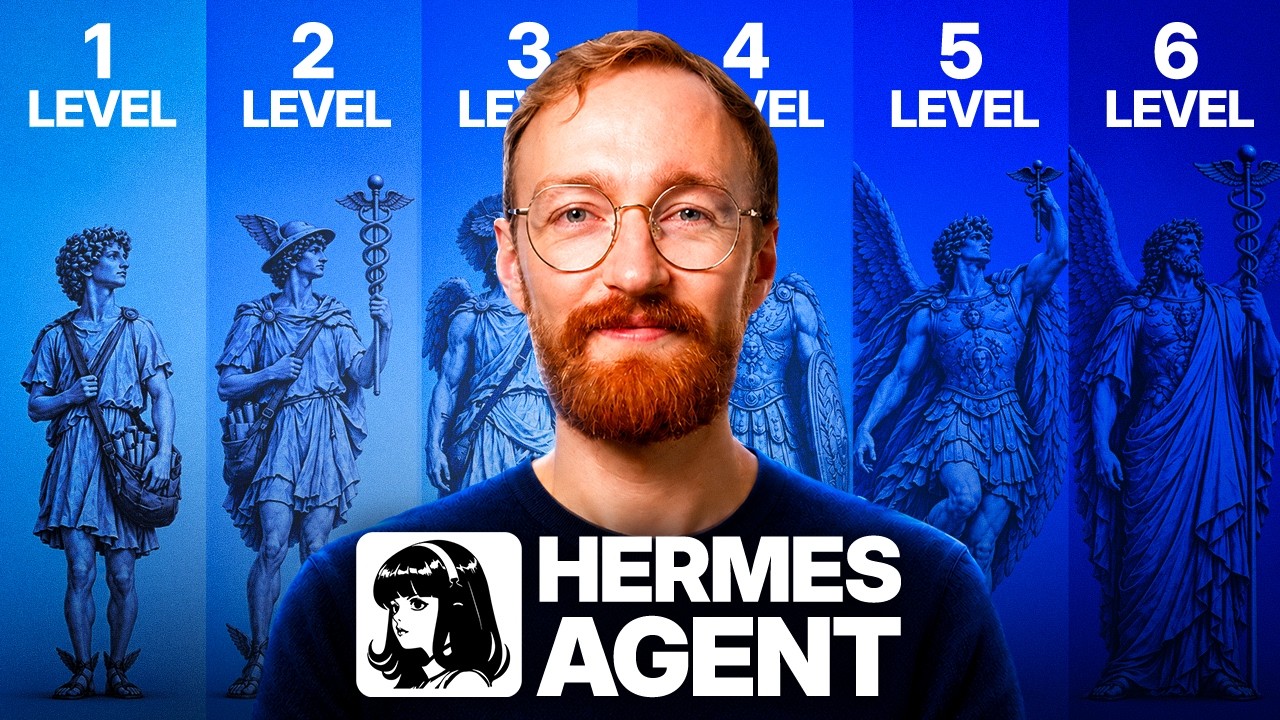
Matt walks beginners through building a free, no-code AI agent (Hermes Agent) on a rented server, connected to Telegram, that runs scheduled jobs and messages you on changes.
Key Takeaways
- A personal AI agent can be set up in about 20 minutes without coding, using a rented server and a free open-source agent.
- Running an agent on a dedicated, always-on server with no personal data is safer and more reliable than running it on a personal laptop.
- Agents become more useful through tools, scheduling, and memory/skills, while model costs for simple tasks are very low.
What the video covers
- The video promises a no-code AI agent that runs 24/7 on its own server and can be texted from a phone.
- An AI agent differs from a chatbot: it has tools (web search, files, programs), works toward goals on its own, can run on schedules, and remembers past preferences.
- Hermes Agent, a free open-source agent by Nous Research, is chosen because it works with any model provider and runs on a server the user owns.
- Users pay only for the AI model usage and a small VPS (virtual private server) costing a few dollars per month.
- A VPS is recommended over a laptop because it stays awake for scheduled jobs and can be isolated from personal data and accounts.
- Setup involves renting a server, installing Hermes via a one-click application, logging into the dashboard, and configuring an inference provider.
- A cheap, tool-capable model (DeepSeek) is recommended, with the note that a message costs a fraction of a cent.
- The agent is connected to Telegram via a bot, with a /set home command to designate the main channel.
- Example usage: telling the agent what to watch (e.g., flight prices), after which it writes its own skill, schedules checks, and only messages when something changes.
- The video notes that interfaces and features may change over time and that the test environment should be treated as disposable.
Chapters
- 00:00Introduction: Your First AI Agent in 20 Minutes
- 01:20What Makes an AI Agent Different from a Chatbot
- 02:05Why Hermes Agent and How Pricing Works
- 03:51Choosing a Machine: Renting a VPS
- 06:00Installing Hermes and Setting Up the Dashboard
- 10:48Choosing and Configuring the AI Model
- 13:24Connecting Your Agent to Telegram
- 17:39Giving Your Agent Its First Job
- 20:25Ideas for Other Things to Watch
Full Transcript — Download SRT & Markdown
Speaker A
Let's build your first AI agent in the next 20 minutes without writing a single line of code.
Speaker A
By the end of this video, your agent will run on its own server 24 hours a day.
Speaker A
By the end of this video, your agent will run on its own server 24 hours a day. You'll text it from your phone, and it will message you when something you care about changes.
Speaker A
This video is for complete beginners, so you don't need any technical experience. I'm Matt, by the way.
Speaker A
This video is for complete beginners, so you don't need any technical experience. I'm Matt, by the way.
Speaker A
Millions of people have set up their own agents with my tutorials here on YouTube.
Speaker A
I use my own agent every day, and it runs more than 20 jobs for me. Millions of people have set up their own agents with my tutorials here on YouTube.
Speaker A
Through a lot of trial and error, I found the easiest way to set one up.
Speaker A
And the truth is, anyone can do this. You don't need to code or build a giant workflow. Through a lot of trial and error, I found the easiest way to set one up.
Speaker A
It all comes down to five simple steps. First, I'll show you the free agent that I use every day.
Speaker A
The agent itself is free, so you only pay for a small server and the AI model it thinks with.
Speaker A
Fourth, we'll connect it to your phone. And finally, we'll give your agent its first job so it can work for you even while you sleep.
Speaker A
It all comes down to five simple steps. First, I'll show you the free agent that I use every day. Second, we'll give it a home on its own server with one click. Third, we'll pick its AI model, and I'll show you the one that gives you the most for your money. Fourth, we'll connect it to your phone. And finally, we'll give your agent its first job so it can work for you even while you sleep.
Speaker A
Once you see it, every step after this will make sense. The simplest way to use AI is a chatbot.
Speaker A
Every step is timestamped below, so you can jump to any step later. But first, let me show you what makes an AI agent different from ChatGPT.
Speaker A
An AI agent goes further in three ways. First, it has tools. It can search the web, read and write files and run programmes on its own computer.
Speaker A
Once you see it, every step after this will make sense. The simplest way to use AI is a chatbot. You type a question, and it types an answer back. Then it waits for your message.
Speaker A
It can even repeat that job on a schedule while you're away. Third, it remembers.
Speaker A
An AI agent goes further in three ways. First, it has tools. It can search the web, read and write files, and run programs on its own computer.
Speaker A
Inside every agent is an AI model. It's the same kind of model that powers ChatGPT and Claude.
Speaker A
Second, it works towards a goal on its own. You give it a job, and it figures out the steps. It can even repeat that job on a schedule while you're away.
Speaker A
Let me show you why I picked it. Hermes Agent is a free open source AI agent made by a company called Nous Research.
Speaker A
Third, it remembers. It learns how you like things done, so it gets better the more you use it.
Speaker A
If you already pay for ChatGPT or Claude, some of this will sound familiar. Both of those can run a task on a schedule now.
Speaker A
Inside every agent is an AI model. It's the same kind of model that powers ChatGPT and Claude. The difference is everything built around that model.
Speaker A
If that's all you wanted, you already have it. But there are three things you can't buy from either of them.
Speaker A
In this video, we'll use an agent called Hermes Agent. Let me show you why I picked it.
Speaker A
Hermes connects to any model from any company, so you can put a cheap one on the boring jobs and a powerful one on the hard jobs all inside the same agent.
Speaker A
Hermes Agent is a free, open-source AI agent made by a company called Nous Research. You pay only for the AI model it thinks with and for the machine it works on, which for us is a small rented server that costs just a few dollars a month.
Speaker A
Hermes is a free software that runs on a server you own, so no company can throttle it or switch off something you rely on.
Speaker A
If you already pay for ChatGPT or Claude, some of this will sound familiar. Both of those can run a task on a schedule now. Both of them remember you. Both of them can read your email and send a message for you.
Speaker A
Your Hermes agent gets its own Telegram, WhatsApp, or a Slack account so it can message you in the same app you already use every day.
Speaker A
If that's all you wanted, you already have it. But there are three things you can't buy from either of them.
Speaker A
Hermes turns that around. There's one agent, it learns your whole world, and you point it at whatever you're working on.
Speaker A
The first is your choice of model. ChatGPT and Claude only let you use the models their own company makes. Hermes connects to any model from any company, so you can put a cheap one on the boring jobs and a powerful one on the hard jobs, all inside the same agent.
Speaker A
Your agent needs a machine to live on and that machine has to be three things.
Speaker A
The second is ownership. ChatGPT and Claude are services you rent, with weekly limits and features the company can just take away. Hermes is free software that runs on a server you own, so no company can throttle it or switch off something you rely on.
Speaker A
It has to be separate from your things. An agent runs commands, instals software, writes files, deletes files.
Speaker A
The third is where your agent lives. ChatGPT and Claude only talk to you inside their own apps. Your Hermes agent gets its own Telegram, WhatsApp, or Slack account, so it can message you in the same app you already use every day.
Speaker A
No personal photos, no passwords, no sensitive work documents, and no browser logged into your bank.
Speaker A
There's one more difference. In ChatGPT or Claude, you make a project for each thing you work on, and everything it knows about that work stays inside that project. Hermes turns that around. There's one agent, it learns your whole world, and you point it at whatever you're working on.
Speaker A
And if you ever break it badly, you delete the whole thing and start again in 10 minutes.
Speaker A
Over time, it writes down what it learns as skills, which are step-by-step notes it can reuse, so it gets better at your work specifically instead of starting fresh each time.
Speaker A
That machine is a VPS, a virtual private server. It's a computer in a data centre that stays on all the time and that only you can log into, and the smallest one costs just a few dollars a month.
Speaker A
Your agent needs a machine to live on, and that machine has to be three things.
Speaker A
So for your first agent, rent the server. Now, you can rent a server from plenty of companies and on almost all of them, you'd be installing Hermes yourself from a terminal, which is the text window you may have seen programmers use.
Speaker A
It has to be awake. Your scheduled jobs, the watching, and the messages it sends you all depend on the machine being on at three in the morning, and a laptop in a bag isn't on.
Speaker A
It instals Hermes, puts it behind a secure web address, gives you a login page and adds backups, one-click updates and a Restart button.
Speaker A
It has to be separate from your things. An agent runs commands, installs software, writes files, and deletes files. While you're learning, you want all of that happening somewhere with nothing of yours on it. No personal photos, no passwords, no sensitive work documents, and no browser logged into your bank.
Speaker A
So, a button might be somewhere else. Things might have different labels and there might even be new features by the time you watch this.
Speaker A
Think of it as a practice workshop. You're going to make a mess in it, which is what it's for. And if you ever break it badly, you delete the whole thing and start again in 10 minutes.
Speaker A
There are just two things that cost money today, the server, which is just a few dollars a month, and a model account in a few minutes, which costs about the same as a streaming service.
Speaker A
And it has to be reachable, so your phone, your laptop, and your tablet are all doors into the same agent.
Speaker A
It stacks an extra 10% discount on top of any sale Hostinger is already running.
Speaker A
That machine is a VPS, a virtual private server. It's a computer in a data centre that stays on all the time and that only you can log into, and the smallest one costs just a few dollars a month.
Speaker A
And if you click the Choose Plan button, it'll scroll you down to see the various plans that are available.
Speaker A
You can install Hermes on your own computer instead, but then it only works while that computer is awake, and it's running commands and deleting files right next to everything you own. So for your first agent, rent the server.
Speaker A
I recommend taking the KVM1 plan. It's the smallest plan and it runs one agent comfortably.
Speaker A
Now, you can rent a server from plenty of companies, and on almost all of them, you'd be installing Hermes yourself from a terminal, which is the text window you may have seen programmers use. That's the part I want to skip, and it's the reason we're using Hostinger. They have a one-click Hermes template that does the setup a beginner shouldn't have to touch.
Speaker A
You'll land on the cart and here, you'll need to make a few selections. The first one is your registration period.
Speaker A
It installs Hermes, puts it behind a secure web address, gives you a login page, and adds backups, one-click updates, and a Restart button. It's also one of the cheapest ways to do it.
Speaker A
There's a 30-day money back guarantee, whichever you choose. Then, there's a box that's already ticked for ready to use AI.
Speaker A
Throughout this tutorial, you'll see how everything looks while I'm recording, but software like this gets updated all the time. So a button might be somewhere else, things might have different labels, and there might even be new features by the time you watch this. If something seems different, don't panic. Follow the general idea rather than the exact visuals.
Speaker A
Leave the rest of the add-ons alone. And then, check the discount is showing on this page.
Speaker A
There are just two things that cost money today: the server, which is just a few dollars a month, and a model account, which takes a few minutes to set up and costs about the same as a streaming service.
Speaker A
I'll use an email address. Create a password. And then, enter a phone number if you'd like, but that's optional.
Speaker A
So, let's start by grabbing our Hostinger VPS. Use the link on screen or the first link in the description below. It stacks an extra 10% discount on top of any sale Hostinger is already running, so using that link is the absolute cheapest way to get started.
Speaker A
I'll do this offscreen and meet you on the next page. After payment, you'll get this confirmation.
Speaker A
When you click that link, you'll land on this page. If you click the Choose Plan button, it'll scroll you down to see the various plans that are available. Here, you can see that our coupon has already been applied, so the plan prices listed are the prices you'll really pay.
Speaker A
Here, you can keep the username as Hermes or change the admin username to whatever you want, just make sure you remember it.
Speaker A
I recommend the KVM1 plan. It's the smallest plan, and it runs one agent comfortably. And if you ever outgrow it, you can simply upgrade later without reinstalling anything. So go ahead and click Choose Plan.
Speaker A
Go ahead and copy this and then save it somewhere safe, like a password manager.
Speaker A
You'll land on the cart, and here you'll need to make a few selections. The first one is your registration period. Longer terms are cheaper per month, but the discount needs at least 12 months, so 12 is the shortest I'd pick. There's a 30-day money-back guarantee whichever you choose.
Speaker A
This is how you're going to access your agent and you wanna make sure it's locked down.
Speaker A
Then there's a box that's already ticked for "ready to use AI." Go ahead and untick it. It signs you up for a different AI service you don't need, and we're bringing our own in a few minutes. Leave the rest of the add-ons alone, check that the discount is showing on this page, and then click Continue.
Speaker A
You might be presented with this survey. You can fill it out or click Skip.
Speaker A
On the next page, you'll need to register your account. Register with Google, GitHub, or an email address. I'll use an email address. Create a password, then enter a phone number if you'd like, though that's optional. I'll go ahead and click Register.
Speaker A
If you see this, wait a few minutes until this hermes-agent application changes to a green check mark status and says Running.
Speaker A
Then, on the next page, enter your billing address and your payment details to complete the transaction.
Speaker A
Once you've got it all set up, you can manage your Docker application that holds Hermes here in the application section of Docker Manager.
Speaker A
We have two things installed here right now, the actual Hermes agent and traffic, which secures your connection to the server.
Speaker A
Setting up Hermes used to mean a terminal and a long list of typed commands.
Speaker A
On this route, you never touch a terminal. Your agent is already reachable through a browser and you log in just like any other website.
Speaker A
On the Docker Manager page, go to your Hermes agent and under the Access column, click the Open link.
Speaker A
This is the login page for your Hermes dashboard. Go ahead and save this URL in your bookmark so you can access it later.
Speaker A
Once you've done that, then go ahead and sign in with the username and password that you saved earlier.
Speaker A
Welcome to your agent's control room. Let me give you a quick orientation before we change anything.
Speaker A
On the left side, we have the nav menu. SESSIONS is every conversation your agent has ever had on any device and they all share one memory.
Speaker A
MODELS is where you pick the AI that does the thinking, and that's the first thing we fix because right now, nothing is chosen.
Speaker A
CRON is the schedule, the page that lets it work while you're asleep. In the top of the nav section, if you click CHAT, it'll load a retro terminal style chat.
Speaker A
And here, if you try to type something, like in my case I'll say hello, you notice that nothing really happens.
Speaker A
In fact, we get this error that says, "No inference provider configured." On the upper right two, you'll see there's an error.
Speaker A
So your agent is installed and running, but it can't think yet. It needs a model provider, which is the account that supplies its intelligence, and the gateway on the left side is the part that connects it to the outside world.
Speaker A
It carries messages to and from your phone later. Right now, it has nothing to connect to.
Speaker A
We'll fix the model first, then we'll connect your phone. A model is the AI that does the thinking, the brain your agent borrows, and it's the same kind of AI that runs ChatGPT and Claude.
Speaker A
Hermes doesn't come with one, so you give it an account that supplies one. We're using Nous Portal, made by the same people who make Hermes.
Speaker A
Nous Portal is built into Hermes, so you simply connect it by logging in with no access codes to copy anywhere.
Speaker A
One account gets you access to more than 200 models from all the major AI companies, and it supplies the tools your agent works with, web search, reading, webpages, image generation, browsing, and speech.
Speaker A
$20 a month buys you $22 of credits. Sign up with a second link in the description below.
Speaker A
That link takes $15 off your first paid month, so month one only costs you $5, and you still get $22 of credits, which covers everything in this video and weeks after it.
Speaker A
That link will take you to this page here where you can see the invitation banner, and you'll also see the deal I just mentioned.
Speaker A
Go ahead and click the claim your invite link at the bottom. You'll get this pop-up saying, "Welcome to Nous Portal!" Go ahead and create an account with Google, your email, GitHub, Discord, or one of the other options.
Speaker A
I'll use my email again. You may need to enter a six-digit code from your email.
Speaker A
Go ahead and open your inbox and grab that and paste it in. You'll get a success message.
Speaker A
And then, you'll be right into the checkout page, and you can see that the discount has already been applied to your order.
Speaker A
Go ahead and check out. I'll do this offscreen and meet you on the next page.
Speaker A
After checkout, you'll land on this confirmation page and you'll see on the left side that your account has been loaded with $22 of credits.
Speaker A
Back in the Hermes browser dashboard, on the left side nav, scroll down and click into the KEYS page.
Speaker A
Here, the first option is Nous Portal. Go ahead and click the LOGIN button to the right.
Speaker A
Here, this will open a window and it'll say, "Allow Hermes Agent to use your plus plan." You can click the CONNECT button to activate it.
Speaker A
You'll get a confirmation saying it's connected and you can close the page and return to the Hermes Agent.
Speaker A
So, we'll go ahead and close this tab. And you can see back on the KEYS page that Nous Portal is already connected.
Speaker A
Now, let's pick a model. On the left side, scroll back up and select the MODELS page.
Speaker A
Here, click CHANGE next to MAIN MODEL. And here, we get a whole list of models offered by Nous Portal.
Speaker A
I recommend start with a fast and cheap model, because you'll send a lot of messages while you're learning.
Speaker A
Deepseek Flash is perfect for this. Go ahead and search for Deepseek or scroll down and find it in the list.
Speaker A
Here, you'll see a few options. There's Deepseek V4 Pro, Deepseek V4 Pro 0813, and Deepseek V4 Flash 0731.
Speaker A
These are the models at the time I'm recording. We want the Flash model, and I recommend just going with the newest version of whatever it is by the time you're watching this.
Speaker A
It could be Deepseek V4.1 or even 5, 6, 7. Don't pay too much attention to the number.
Speaker A
The one we want is Deepseek Flash. Now, the reason we're using Deepseek is because it's good at using tools and a message with it costs a fraction of a cent.
Speaker A
So we'll go ahead and click that, and then click Switch at the bottom. It gives you a dialogue asking if it's okay to switch the model.
Speaker A
We'll click Reload. Let's go ahead back to our chat page. We'll click that in the upper left.
Speaker A
And then here in the upper right, you can see that we now have Deepseek selected as our model.
Speaker A
Let's go ahead and type a message in the chat here. I'll say hello, and hit return on my keyboard to send it.
Speaker A
And we get a response. It says, "Hello, what can I help you with?" Two minutes ago, this agent couldn't answer anything at all.
Speaker A
Now, we can ask it anything. So, let's ask what tools it came with. I'll say, "What tools do you have?" And it comes back with a list.
Speaker A
It has a built-in browser. It can run terminal commands, work with files, do code execution, search the web, delegate to sub-agents, use memory, schedule things, and a whole bunch of other miscellaneous tools.
Speaker A
Your agent can think now. Next, let's give it a way to reach you. Right now, it lives in a browser tab, but we're going to give it its own Telegram account so it can reach you when you're nowhere near this dashboard.
Speaker A
We're using Telegram because it's the easiest one to set up. It just takes one quick scan of a QR code with no codes to copy anywhere.
Speaker A
And it's a great messaging app to use day-to-day. You get fast replies, and you can send files, voice notes, and photos all in one thread.
Speaker A
Hermes supports more than 20 other platforms too, including Discord, Slack, and WhatsApp, and you can add one of those later from the same page.
Speaker A
Before following along, get your phone out now, instal Telegram if you don't have it, and keep it nearby.
Speaker A
I've put a link in the description below that takes you straight to the Telegram download for your phone or desktop, so you don't have to go looking for it.
Speaker A
Back in your Hermes web dashboard, on the left side, click CHANNELS in the menu.
Speaker A
Then find the Telegram channel. Here, you can see it's disabled. Go ahead and click the toggle at the upper right to turn it on.
Speaker A
You'll need to click the RESTART button for that change to take effect, so go ahead and click that.
Speaker A
And you'll get a gateway restarting pop-up. You'll get a message saying the gateway is not running, and then this will take a few minutes for the gateway to turn back on.
Speaker A
If you don't see it turn on after a few minutes, I recommend going ahead and clicking refreshing your browser.
Speaker A
And here, you can see now that the gateway is running, but there's no bot token configured for Telegram, and it is turned on.
Speaker A
So, let's go ahead and click CREATE WITH QR to connect for Telegram bot. All right, now grab your phone and get your camera app up.
Speaker A
Then, go ahead and scan the QR code and open the link. Here, you'll be taken to a conversation with the Nous host at Hermes bot.
Speaker A
Click Create bot, and then Create. That'll take you into a conversation with your Hermes agent, but the bot's not fully connected yet, so go ahead and hit back on Telegram and select that Nous hosted Hermes bot chat from the list,
Speaker A
or if it's not there like it's not in my case, go ahead and scan that QR code again to pull it up.
Speaker A
And that'll take you back to the conversation with the Nous host at Hermes bot.
Speaker A
And here you can see that there is a message that says, "Connect this bot to your Hermes setup." Go ahead and click the Connect this bot button.
Speaker A
And then, you'll see at the same moment that you get a bot connect notification in Telegram, your bot appears in the web dashboard as well.
Speaker A
Here's the bot name, and then here's the allowed user. This is your Telegram ID.
Speaker A
To lock this in, go ahead and click SAVE AND RESTART. And this can take a few minutes just like that first restart change, so give it a few minutes to restart.
Speaker A
And if after a while it doesn't flip back to showing it that everything is running, go ahead and click refresh in your browser, and then you'll see that Telegram is connected and your gateway is running.
Speaker A
Now, in your Telegram app, you can go ahead and tap on the username for your bot, that's the @Hermes_ and series of numbers and letters.
Speaker A
That takes you back into the conversation with your bot. So, go ahead and click Start.
Speaker A
And the start command doesn't actually start the conversation. You have to send a message.
Speaker A
So, let's test that out. We'll say, "Hello, can you hear me?" And you can see that the Hermes agent is typing a message.
Speaker A
You also get a message saying that there's no home channel set for Telegram. The home channel is where Hermes delivers the cron job results and cross-platform messages.
Speaker A
So go ahead and simply tap the slash set home command, and then that sets Telegram to be your home channel.
Speaker A
Now, anytime a cron job runs and it needs to send you a notification, Telegram is where it will send it.
Speaker A
And you can see the message came through here. It says, "Yes, I can hear you loud and clear.
Speaker A
What can I help you with, Matt?" Let's cover safety. This flow just put your Telegram account on the Allow list, so if anyone else finds your bot and tries to message it, they get nothing back.
Speaker A
And Telegram bot chats aren't end-to-end encrypted, so don't send it passwords or banking details.
Speaker A
For everything we do today though, it's fine. Your agent has a home, a model, and a phone line.
Speaker A
Now, let's give it its first job. A great first job is a watcher. A watcher checks something on a schedule, and it only messages you when something changes.
Speaker A
I'm going to tell my agent what I care about once. It'll write its own skill for checking, schedule itself, and then from then on, my phone only buzzes when something's actually new.
Speaker A
I'm typing this in the Hermes desktop app. It's connected to the same agent, so you can send the exact same message from Telegram.
Speaker A
In a new session, let's say something like this. Watch Barcelona to London flight price trends for me.
Speaker A
Build yourself a reusable skill for the check, keep track of what you've already shown me, schedule it every few hours, and message me on Telegram only when there's something new.
Speaker A
So, this job was a cool one to watch. This one actually took about 30 to 45 minutes, somewhere in there.
Speaker A
I actually stepped away and came back because it was taking a while. So the agent went onto the live internet, figured out the best way to do this job, built the machinery, built a skill, put it on a schedule,
Speaker A
and also set up some memory, so it can keep track of what it's already shown me.
Speaker A
And then here after all that work is its first response, basically saying that it'll message on Telegram only when something changes.
Speaker A
If we go to the schedule jobs, we can see now we have this Barcelona London flight price watch.
Speaker A
So it'll run this script every six hours, fetching the latest prices. And there you can see unprompted after something changed, this is what it looks like when the flight watch Cronjob finds something new.
Speaker A
I described an outcome once and now it comes to me. My own agent runs more than 20 of these.
Speaker A
One checks my bookkeeping every Monday. One tracks birthdays and starts researching gift ideas while there's time to order.
Speaker A
One works on a trip I'm planning twice a day, getting quotes and coming back with the best option.
Speaker A
And one follows up on a negotiation so I don't have to remember to do it.
Speaker A
Flights are just my example. You can point your watcher at a price, news about a topic you follow, or even tomorrow's weather.
Speaker A
Some websites block agents. If that happens, ask your agent to find another source. So, what does all of this cost?
Speaker A
The server is a fixed price every month. The model is the part that changes because you pay a tiny amount for every message.
Speaker A
You can see exactly what you've spent on the usage page in Nous Portal. On the first day I set up my agent, the model cost me a little over eight cents.
Speaker A
Your agent is now working for you 24 hours a day. To train it and give it a full team, watch my full Hermes Agent guide next.
Speaker A
It's on screen now. And if you still need a server, the first link in the description gets you an extra 10% off.
Speaker A
Thanks for watching.
Topics:AI agentHermes Agentno-code AIVPSTelegram botDeepSeekAI automationbeginner tutorialself-hosted AINous Research