Filmmaker Jacob Nordin shares his sound design process: dialogue and music first, then ambience, Foley, creative effects, silence, plus J/L cuts, panning, reverb and EQ techniques.
Key Takeaways
- Sound design is as important as visuals and shapes how a film feels on a deeper level.
- Layering sound in a deliberate order (vocals, music, ambience, effects) builds a strong foundation.
- Creative, non-literal sound choices can evoke emotion more effectively than realism.
- Techniques like J/L cuts, panning, reverb and EQ make edits and sounds more seamless and believable.
What the video covers
- Sound design shapes a film's flow, pacing, depth and immersion, and deserves as much attention as visuals.
- Start with vocals (dialogue or voiceover), which must stay clear in the mix, then add background music that sets pacing and mood.
- Ambience is the first sound layer, providing subtle environmental background that grounds the viewer in the setting.
- Sound effects fall into realistic environmental sounds and Foley recorded specifically to sync with on-screen actions.
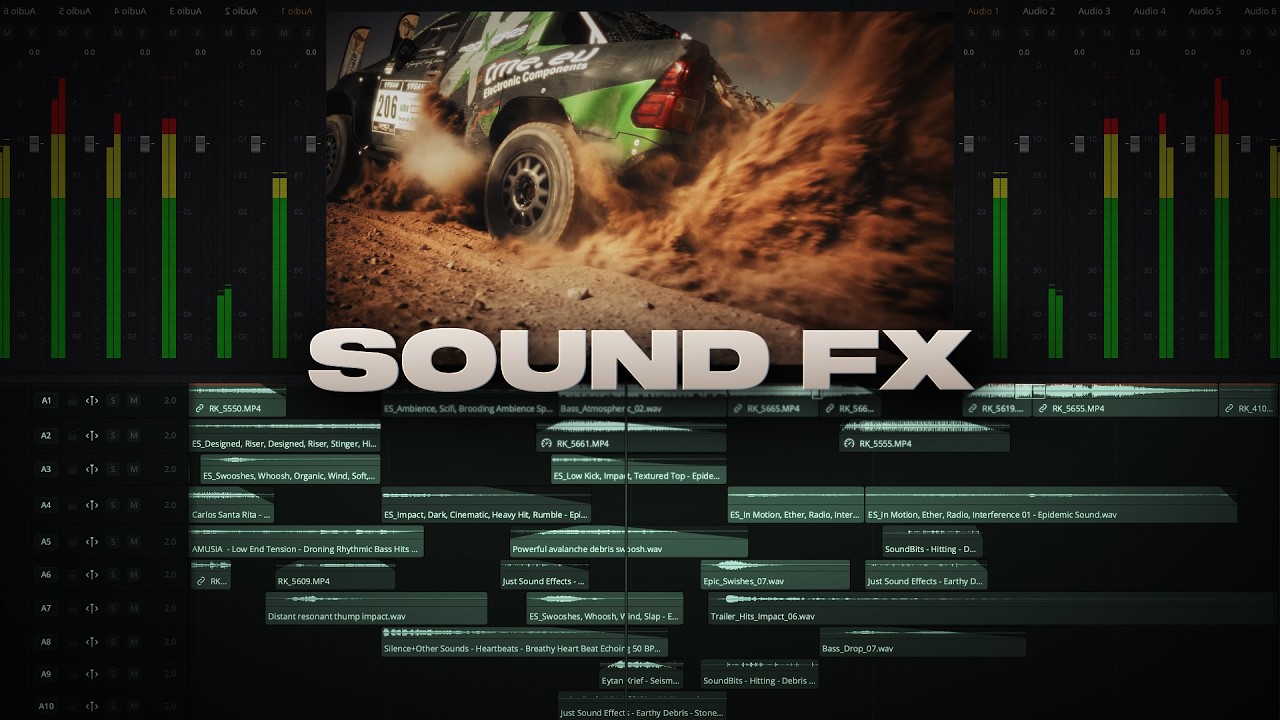
- Creative sound effects such as whooshes, impacts and risers are used for emphasis, transitions, anticipation and suspense.
- Silence and quieter moments create contrast that makes returning sound more impactful.
- Sound need not be literal; choose sounds that evoke the intended emotion, such as fake rain or making a tuk-tuk sound like a sports car.
- Artlist, the sponsor, offers sound effects, music with stems, stock footage and templates cleared for commercial use.
- J cuts and L cuts smooth scene transitions by overlapping audio across edits; panning positions sounds left or right for realism.
- Reverb, EQ (including high-pass and low-pass filters) and volume adjustments refine sounds to fit their environment and keep the mix balanced.
Chapters
- 00:00Why Sound Design Matters
- 00:55Starting With Vocals and Background Music
- 01:36Ambience and Environmental Sound
- 02:28Sound Effects, Foley and Creative Sounds
- 03:21The Power of Silence and Non-Literal Sound
- 04:25Sponsor: Artlist Sound Library
- 05:38Panning, J Cuts and L Cuts
- 06:58Reverb and EQ Techniques
- 09:03Mixing Levels and Final Tips
Full Transcript — Download SRT & Markdown
Speaker A
audio plays a huge role in how a film feels and sound design is a big part of that it helps shape the flow and pacing of a film adds depth to the edit and connects the viewer to what's happening
Speaker A
on screen in ways they might not even realize it's what makes a scene feel immersive whether through subtle Ambience or dramatic sound effects as filmmakers it's easy to fall into the Trap obsessing with visuals but sometimes in that process we forget that
Speaker A
audio is just as important just like lighting or color grading sets a visual mood sound design does the same but on a deeper [Music] level but where do we start the vocals are usually the most important sound in a video which can be
Speaker A
dialogue or voice over carrying the story and information which you don't want to get lost in the mix by being too quiet or overpowered by other elements next we have the background music which is super important to help set the
Speaker A
foundation of the pacing and overall mood of the video and I personally sometimes like to find the music before I even start shooting and while this approach might not work for every type of video this can help me visualize the
Speaker A
overall feel and energy of the project and even influence how I decide to shoot and once those are in place I'll start focusing on the sound design elements beginning with Ambiance or environmental sounds Ambiance is often the first layer
Speaker A
of sound design that I add to the timeline and it's the background noise used to help establish the environment the scene takes place in and make your scene feel alive and immersive it shouldn't be overpowering just be there in the
Speaker A
background depending on your scene it could be things like wind and subtle C noise or lapping water and some burn Shing they're subtle but crucial for grounding your audience in the setting then we layer in our sound effects which
Speaker A
I like to group into two main categories first there's sounds that comes from the actual environment like a corridor closing footsteps or just anything in your scene that you feel like would make a sound just like Ambience these don't
Speaker A
necessarily draw too much attention into themselves but they are essential for creating a solid foundation Foley also falls under this category which is when you record the sounds yourself specifically for the project to sync to the onscreen actions then we have the creative sound
Speaker A
effects which are added as a creative Choice rather than realism it can be anything from whooshes impacts and risers or just any other sound you can think of to elevate your scene or story wooes are incredibly be versatile and I use them to make Cuts
Speaker A
Transitions and movements feel more intentional and risers are a powerful tool for building anticipation and suspense and the most common uses of risers is building up to a reveal or smoothing out the cut to a completely different environment or energy
Speaker A
level which leads me to the next point the absence of sound is just as important as the presence of it just like blending fast based handle movements with static shots gives an eded room to breathe we can apply the
Speaker A
same principle to sound assign instead of filling every second with layers of sound silence or just a quieter moment builds contrast and make the returning of the sound or music even more impactful the fun thing about sun sign
Speaker A
is that it doesn't have to be literal just because you see something on screen doesn't mean you have to match it with the exact same sound it make in real life instead think about how you want the audience to feel and experiment with
Speaker A
different sounds to reinforce that emotion I can make it sound like it rains outside or like someone's playing music outside my door when in reality I don't even have neighbors also if I want the Tuk Tuk to sound like a sports car I can
Speaker A
[Music] before we jump into some of my favorite sound design techniques I just want to talk about the place I always go to when I'm searching for high quality sound effects which is artist which was also kind enough to sponsor this video they
Speaker A
are an all-in-one website for all kinds of assets you might need for your film making process and I've used their music and sound effects since the start and their Sound Library is seemingly endless so whatever sound you're looking for
Speaker A
there's a good chance you will not find this one but multiple options that could fit your scene one of my favorite additions to their music library especially when it comes to sound design is that many songs include stems that
Speaker A
gives you as an editor the freedom to build a perfect underscore for your story if there's some distracting instrument in a song you can just mute that track and make the perfect song to fit your video apart from their
Speaker A
extensive sound effects and music they have stock footage video templates an AI voiceover generator lots and they are constantly adding new things for us creators to use they have several different subscription plans to fit your needs all cleared for commercial use so
Speaker A
if you want to dive more into sound assign or anything else to make your videos come to life I have a link in the description that will give you two additional months if you decide to sign up thank you artlist for supporting the
Speaker A
channel let's move on to some of my favorite sound design techniques one of the most important sound design techniques to make your sound more realistic is to use panning to position sounds either to the left speaker or to the right speaker
Speaker A
and here's the shot of US cycling in Japan without any panning and with panning subtle panning can make your Sunscape sound more Dynamic and realistic a great way to smooth out cuts and make them feel more seamless when
Speaker A
transitioning from scene to scene is to use a j cut that means that the audio from the next scene start playing before the visual cut happens you do that by extending the audio to the left and gradually fade it in before the clip
Speaker A
appears being able to hear the sound before the cut really helps to hide the cut and make it feel more motivated and to also let the audio from the previous scene linger as the visuals change is called an L cut these
Speaker A
techniques can make edits flow a bit better even if the cut is to something completely different here's the audio timeline from my Japan video and here you can see all the j cuts and L cuts of the blue
Speaker A
Ambience tracks fading in and out there are a few ways you can enhance sound effects and tweak them to make them fit the environment better in most editing programs there's a bunch of built-in audio effects to choose from
Speaker A
but there are three that I tend to use in every single project the first one is reeverb which is used to create a sense of space or atmosphere making sounds feel like they actually belong in the environment for example a small room
Speaker A
should only have a tiny amount of Reverb while a large church should have a much bigger and Echo sound the size of the space determines how much Reverb you need or if a certain sound effect sounds a bit dry or abrupt you can use Reverb
Speaker A
to make the sound feel larger and more fluid Reverb can also help push sounds further into the background and right now this bird sounds really weird and up close but the more Reverb you add the more it sounds like the birds are coming
Speaker A
from a distance EQ is also something I use in every single project which you can use to both decrease or increase different audio frequencies it's a great tool for enhancing voices but you can also use it to create room for different sounds for
Speaker A
example if I have a music track and a voice over track that uses a lot of the same frequencies I could remove some of those frequencies of the voice from the music to make the voice more prominent another use of EQ is to create a high
Speaker A
pass or low pass filter highpass will cut out all the low frequencies of your audio and low pass will cut out all the high frequencies you can use this effect to mimic for example different speakers like this phone speaker or you can make
Speaker A
audio sound muffled or like it's underwater and here's our normal wave sound effect sounds like when I add the low pass filter now we've come to the last step of the process which is the mixing where you want to make sure that nothing's too
Speaker A
loud or too quiet and that the levels are consistent throughout the video after you've added a bunch of sounds to the timeline it's easy for the audio levels to start creeping up into the Reds and if the audio is clipping it
Speaker A
will not sound very nice once you export the video but let's say you're happy with the overall mix but the levels are still too high then you can just lower the moner volume which in this case is bus one to make sure nothing is peing a
Speaker A
quick tip if you use Da Vinci is in the deliver page under audio and audio normalization we have the option to normalize our entire mix to meet different audio loudness standards so I usually take this to prevent additional
Speaker A
audio compressions from us before you press publish it's a good idea to listen to your film in different speakers to make sure everything sounds like it should sound design can be a super powerful tool for creating more immersive videos and it can be a little
Speaker A
bit terrifying when you see someone's timeline and it's like hundreds of audio tracks stacked on top of each other and also since sound design can be so abstract you can basically do whatever you want but by just watching your Clips
Speaker A
figuring out what sounds are present in those specific environments and What feelings you want the audience to get when they watch it then you've already come a long way and sometimes you don't need more than one or two layers of
Speaker A
sound and I know sound isn't the most fun topic to talk about but if you made it this far in the video that means you're still awake which is great and I hope this video has inspired you a
Speaker A
little bit to experiment more with sound design since it's such a crucial part of the viewing experience and don't forget the two additional months ofart list link below and thank you so much for watching see you in the next one
Topics:sound designfilmmakingvideo editingFoleyambienceJ cutL cutreverbEQsound effects