Skip to content
Get App

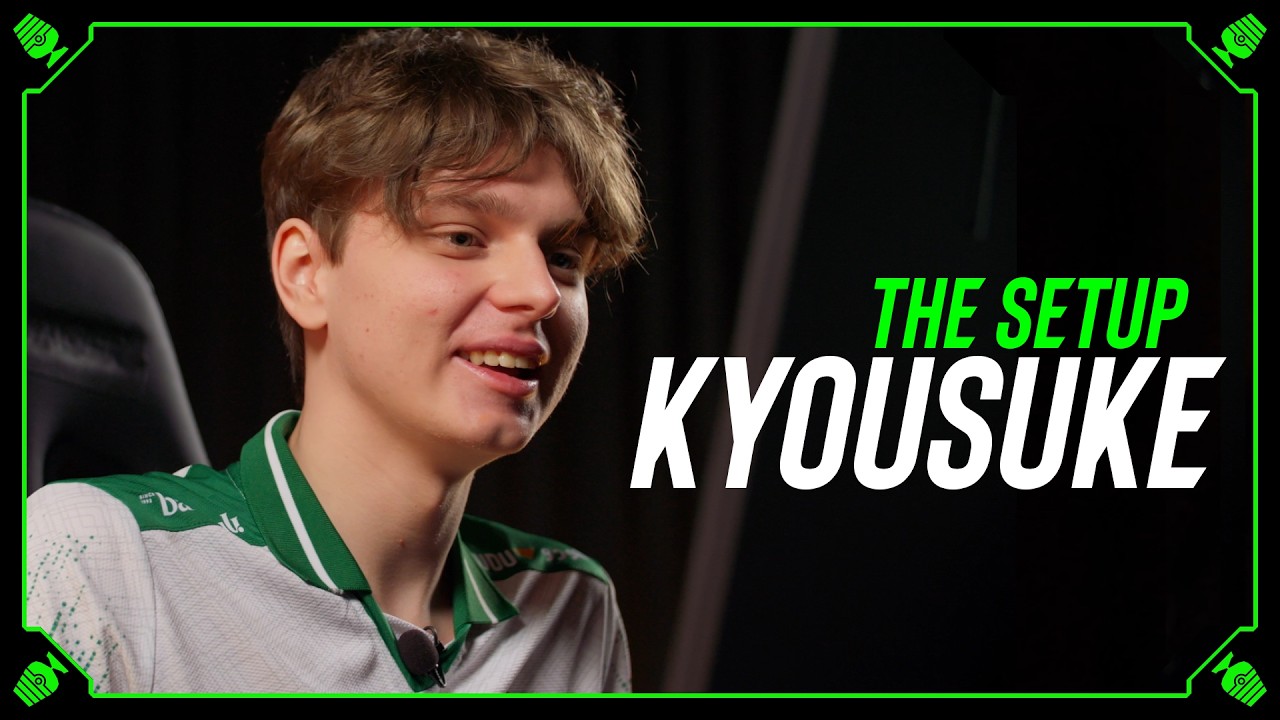
m0NESY's MAJOR MVP Settings UPDATED - The Setup

ESL CS pro m0NESY walks through his full CS2 setup: peripherals, seating, Nvidia control panel, Steam login, and in-game video and crosshair settings.

Key Takeaways

  • m0NESY's setup prioritizes comfort and familiarity: older Logitech mouse, wired keyboard, and default driver settings.
  • Settings such as 999 FPS cap, 8x anisotropic filtering, and disabled boost player contrast reflect personal preference rather than universal best practice.
  • Experimenting with video settings should happen before a tournament to allow adaptation time.

What the video covers

  • m0NESY shows his mouse pad, Logitech mouse (older G Pro X-series model rather than Superlight), and wired keyboard, explaining his preference for the older mouse.
  • He describes his ergonomic seating: chair pulled fully down, monitor placed roughly between 6 and 7 height levels, and mouse pad positioned at the table edge.
  • He notes he doesn't care much about his headset (Logitech G333 with a Logitech sound card) and has used it for about four years.
  • Nvidia control panel setup: full-screen GPU scaling with override enabled, 3D settings left at defaults, and power/quality settings unchanged.
  • He keeps hardware accelerated GPU scheduling on, which he was told reduces latency rather than improving FPS.
  • Steam login uses QR code in 2026 to avoid exposing account credentials; he shares a story about a past account hack and the Steam 7-day trade protection.
  • Launch tip: if CS2 is updating or validating, right-click Steam and launch Counter-Strike from the library.
  • In-game settings: FPS max 999, boost player contrast disabled, anisotropic filtering at 8x (considering 16x), and he tests settings changes before tournaments.
  • Mouse polling rate 2000 Hz and primary bind layout are discussed, along with his claw grip and crosshair placement practice.
  • He describes his communication/in-game habits and closes by thanking viewers and ESL.

Answers

Questions about this video

What mouse does m0NESY use in this video?

He uses an older Logitech G Pro-series mouse rather than the Superlight, saying the choice is simply a matter of preference and that he may switch later. He has been using Logitech since his time at Na'Vi.

Why does m0NESY use QR code login for Steam?

QR code login means he doesn't have to type his account name and password on stream, which protects his account from being exposed. He mentions that he was hacked once before, which motivates this precaution.

Does m0NESY change his video settings during tournaments?

He prefers to make video setting changes before a tournament so he has time to test and adapt to them. He adjusts advanced video settings in-game so changes take effect immediately.

Full Transcript — Download SRT & Markdown

00:00
Speaker A
Connect in Steam. We use QR code in 2026. So, you guys will not actually see my SUKA account name.
00:07
Speaker A
Someone to hack me. Actually, one time I got hacked. You got hacked? [music] Hello everyone. You asked for Ilya Monesy also people settings and he's here with me. Hello Monesy.
00:18
Speaker A
Hello man. Nice to meet you. Nice to meet you. We are going to be doing your setup completely. Talking about peripherals, all the settings, all the in-game settings that you have. Tell us what you have prepared for us.
00:29
Speaker A
Let's go. Mouse pad. Very easy. It's Yes. Just mouse pad. Nothing special. For the e-sport player, you need keyboard.
00:39
Speaker A
Perfect. Perfect. Some mouse as well. You need to aim. I think I think when I see this mouse on the internet, I see your face next to it all the time. Is that [music] true?
00:46
Speaker A
Yes, it's true. It's true. It's actually very good mouse. I I like Logitech overall. Since I started playing in Na'Vi, I I've been using Logitech because they had like this G Pro G Pro X series always. Yes, I use it every time.
01:00
Speaker A
I will plug your cables. Thank you so much, my friend. I see that you're using the older version of the Logitech.
01:06
Speaker A
Uh yes. Not the Superlight. Any reason? Uh just just preference. Just preference for now. Maybe I will start using later Superlight. I used it at the at the beginning of the year, but I decided to switch because I
01:17
Speaker A
[music] I was used to this mouse before cuz I've been playing for like a long a long time. Also, wired keyboard. I use I use cable for some reason. I don't know.
01:24
Speaker A
Just feel more comfortable. How about your seating, by the way? Before we dive into the [music] settings.
01:30
Speaker A
So, the way I sit, I always pull the pull the chair down all the way all the way down. And this armrest, I don't really care about about it too much. The only thing I don't like is when on like for example
01:42
Speaker A
on some tournaments, the armrest they hit the table and I cannot control the height of the table. So, if this is the case, I remove them. But if they don't really bother me, I just leave them.
01:52
Speaker A
[music] And about the height of the table? You have any preference there? No, I usually just the way I Yes, set it up I put the monitor always between 7 and 6.
02:04
Speaker A
Mhm. So, it's between 7 and 6. I put it a bit in front, and after I understand by the feeling how how I would say how high yeah.
02:15
Speaker A
You're putting it between What do you say? 6 and 7 and 6. 7 and 6. Tell me how you sit comfortably so I can measure it kind of for our viewers.
02:24
Speaker A
Okay. Where your head and eye level is in in in the monitor level as well.
02:30
Speaker A
I just do it by the feeling. I like when How to say it? My legs are like kind of touching the touching the ground, you know, but I sit just very comfortably, and I understand when I put the monitor
02:39
Speaker A
between 7 and 6. I need I understand how table should be set set it set up [music] for me. After that, I put the mouse pad more to the right of the of the monitor, so I leave like [music] a
02:50
Speaker A
little bit of gap here. The mouse pad is uh hanging [music] off the No, it's just it's just kind of the edge? Okay.
02:57
Speaker A
On the edge of the Yes, on the on the table. I move my keyboard a little bit more to the left. I turn it slightly to the right. That's how I just always always was playing.
03:07
Speaker A
I remember in when I was very small kid, I was playing like this, you know? You know, but after I started turning it because I started playing on some LANs, you know, and Yes, you need space.
03:15
Speaker A
I don't know. Yes, I need some space. I don't actually care too much about the ears. I have G333 [music] Logitech with a Logitech sound card. I don't know. I have these ears like for for [music] 4 years almost
03:28
Speaker A
since I joined G2. Usually, when I go on the PC, you know, when I start set setting up, I go in Nvidia control panel immediately.
03:38
Speaker A
Usually, I play 600 Hz if there is a opportunity on the on the on LAN because at home I have Actually, at home I have 600, yes. I also play 600 Hz. Here, I change to full screen GPU, and I mark
03:50
Speaker A
the over override the scaling mode set by games and programs. It's in adjust desktop size and position. I always do it by default.
03:56
Speaker A
Mhm. So, I use the GPU scaling, not not a display one. Okay. After I go to manage 3D settings and I put everything by default. I restore defaults. I don't like to set set up anything here. I just do it
04:12
Speaker A
by default, basically. I know that at some point you were putting maximum performance, right?
04:17
Speaker A
Yes. You're no no longer doing that, so that's new, I think, for your setup.
04:20
Speaker A
Yeah, yeah, yeah. I don't put anything in the power management mode. I don't put anything in quality. Here there is a high performance. I just leave everything by default and I don't really care because nowadays you have very good
04:31
Speaker A
PCs online and I don't see the reason to to put everything on performance. Color settings here also return by default.
04:38
Speaker A
Everything here is default besides the desktop size and position. Okay. So, after also I always put usually it's by on by default online in graphic settings. I put the hardware accelerated GPU scheduling on on. I just remember someone told me it gives you more like
04:53
Speaker A
it just improves something in the game. Yeah, like not FPS, but smoothness in the game.
04:59
Speaker A
maybe like a latency thing or something like that? Latency thing, yeah, yeah. But usually before it was off on tournament, now it's on, so people maybe understood it.
05:07
Speaker A
All right. I'm pretty sure if you're wrong someone will tell us in the comments.
05:10
Speaker A
Yes, yes, yes. But yeah, I got it was just an advice from from people.
05:18
Speaker A
After the most important thing, we have to connect in Steam. [music] We use QR code in 2026, so we don't have to write any account name and password.
05:28
Speaker A
Yes. So, you guys will not actually see my suka account name. Someone will try to hack me. Actually, one time I got hacked.
05:33
Speaker A
You got hacked? Yeah, I was Someone stole your skins as well? [music] No, actually nobody because Valve they added the 7-day rule, you know, that you cannot Yeah, the protection.
05:42
Speaker A
Thank you, Valve. They knew someone will hack me. I go always in properties. I disable in controller to disable the Xbox controller PlayStation. I don't know why I do this, but it was just I don't know why I do this to be honest. And I just
05:55
Speaker A
connect to I just go in CS. Go in CS? Yes. [music] CS that? Actually, there is a there is a trick.
06:00
Speaker A
If if your CS is updating here or validating, you can always go here, right [music] click Steam and press Counter-Strike because you can't launch here, you but you can launch here. Just a Just a trick for you guys if nobody
06:12
Speaker A
knew before. So, my settings are uh boost player contrast is enabled. Okay. This disabled, this disabled, but I was thinking to put it [music] enable plus boost. I played an enable plus boost at home and in this tournament. I prefer to
06:29
Speaker A
have it disabled. Okay. That's interesting because I I think if you have like a really good PC, it should be enabled plus boost. That's what I at least saw people do.
06:37
Speaker A
Yes. So. But to be honest, I prefer disabled. Okay. That's fine. So, [music] yeah. FPS max in the game 999. Um I got told to not put zero because because the FPS should be locked. Just got also an advice from people who know
06:51
Speaker A
how PC works most likely. I don't know. Okay. Uh this also 999. Uh 8X I have and I never change anything here. Besides, I was thinking to change [music] to 16X anisotropic. I got told it's also not removing the it's not affecting the FPS
07:08
Speaker A
in the game, but it gives better quality of the things, like of the tech texture, you know?
07:13
Speaker A
Maybe more grenade lineups as well. It gives you? [music] Yes, maybe. But I was thinking at some point to change it, but I never got to this point.
07:21
Speaker A
Okay. So, bilinear low low disabled and quality. So, these are my settings. I have them since 2024.
07:30
Speaker A
After after the first season I changed to to this and I never changed changed back.
07:34
Speaker A
So, if you want to change some things in your config, for example, sensitivity or or video settings, do you do that mid-tournament or do you wait for the off-season so you can have some like way to adapt to it.
07:47
Speaker A
Yeah, I prefer to change it before the tournament so I can have some room to test it. So some some days, you know, to test to test it or to play with it and maybe [music] to get used to it. But if
07:55
Speaker A
you change like these kind of things these kind of settings, I don't think it gives you like some I don't know insane boost, you know? For example, boost player contrast gives you just you can see like maybe models
08:06
Speaker A
far far away better, you know? But like I don't know changing these kind of settings will not give you any boost or anything like big it will not give you big difference, you know? But for example, changing video like to I don't
08:18
Speaker A
know [music] to to 16 by 9 from 4 by 3 you need some time to get comfortable get used to it.
08:25
Speaker A
Yeah. So your resolution, what do you use? About resolution actually there is also one more trick. Yeah, if you come to LAN usually you will always have 16 by 9 immediately full screen window and first never change resolution first always
08:36
Speaker A
change advanced video so you can change it faster. If you change from 8 x to [music] 4 changing immediately, you see?
08:42
Speaker A
But if you're going to change resolution to 4 by 3 I use this one.
08:46
Speaker A
Um it will alt up your game, you know, you have to wait longer and longer. So if you want to change video advanced video you can just change it uh with full screen window so you can [music] change
08:57
Speaker A
it way faster. You see but now you have to wait. now it's bugged out.
09:01
Speaker A
After I got to game, I put radar radar is zooming dynamically, yes. So in the game if my if my teammate is on a on the other side of the map, my radar will zoom accordingly to how my teammate is moving
09:15
Speaker A
because he's far away and I have to see him. And I I think it's it's very cool also for IGLs, you know, no for for for everyone. [music] But it helps me a lot in the game.
09:25
Speaker A
of the whole map basically. Yes. Yes, basically. One more thing damage prediction is all on no, I don't use damage prediction. I don't know how it works on LAN but at home I don't like it. After accuracy for sniper show in in accuracy I play
09:40
Speaker A
zero. I don't use it. I use it in Rio. I played with it one line. It was nice.
09:45
Speaker A
After salaam alaikum uh rarity color one. I like when my skins are on with different colors on the right side.
09:52
Speaker A
Yeah. Uh sealing the hood Yeah, everything is fine. 2.3 sensitivity? Okay. What What's the DPI? We didn't talk about that at all, so So, I have 2.3 sensitivity. Zoom sensitivity ratio is one. DPI is 400 400 and I use 2,000 hertz on the mouse.
10:10
Speaker A
2,000 hertz polling rate. Okay. Yeah. Maybe some primary binds I have. Maybe for For grenades, maybe?
10:18
Speaker A
So, let's say for grenades because here it's bugged. I have binds. So, flash bang is F. HET smoke C.
10:25
Speaker A
Decoy it's use a snake. Molotov X. Okay. Graffiti menu H actually very important as well.
10:33
Speaker A
It's important to put the graffiti after the clutch. Yes. Okay. Switch with model left and right hand is nice sometimes. I use N. Don't use it too much and uh And that's it. And player ping is mouse three. Uh that's it. And I talk in the
10:47
Speaker A
game on mouse four. Okay. Do you have perhaps uh radar bind that you zoom in and zoom out radar in the smoke? A lot of players have it because they they know when [music] they're stuck in some player and they
10:58
Speaker A
can shoot free kill. You're You're nerd the guy, so I assume that you will have it.
11:03
Speaker A
No, no, no. If I would play in 2018 or 19 where Astralis I think or who was using this rather rather hack when you were taking the fight in the smoke and you could see dots red dots. I don't know who was who
11:15
Speaker A
was doing it first, but it was I was also using it on my face. But I would use it, but now it's for me I don't like it.
11:23
Speaker A
Monitor settings. Uh monitor settings I go menu. I I use gamer one. Color black equalizer 12.
11:31
Speaker A
Color vibrance I have 10 or 12. Sometimes I uh change it if I if I want more colorful monitor. So, I use 10 by default. Low blue light zero. Gamma gamma two. Color temperature I have normal. Picture DyAc I use premium. Brightness 100.
11:50
Speaker A
All right. Uh contrast I use 50 or 60, but I I prefer 50. Sharpness 10 and AMA I have high.
11:58
Speaker A
Perfect. These are my settings. I have them since 2000, I don't know, 2022, [music] like 2023. I I don't like to change monitor settings. I like to have the same colors and these colors are I got used to [music] them, but
12:15
Speaker A
uh what I changed, for example, in 2024, I I started playing with DyAc. Mhm.
12:20
Speaker A
Before I was playing with I was playing off. And that's it. Okay. Do you Have you ever tried OLED monitors?
12:26
Speaker A
Uh I think yes. Did you like it? I I like them as well, yes.
12:34
Speaker A
Usually Usually when I play the game, I take off the jacket because I don't like the the sleeve the sleeve, you know.
12:40
Speaker A
You don't You don't use any sleeve, of course, but someone on your team does, right? Isn't?
12:44
Speaker A
Uh yeah, I think Nico. Nico, right? Yes. Uh maybe Finn as well. Rene I think is using it.
12:49
Speaker A
Okay. So, now you're in the dead match. Is this purely for warm-up? Sometimes you would go into dead match to actually practice something specific or are you just feeling the game? Are you just running around?
12:59
Speaker A
I'm just I'm just feeling the game, to be honest. I don't really have anything like ins- I don't know, insane routine or anything. I usually play Faceit or aim bots. Dead match I don't really play a lot, you know. But if I come to dead
13:14
Speaker A
match, I just try to practice my crosshair placement. The the most important is just to feel the keyboard as well. The way you press strafe uh when you take fights.
13:26
Speaker A
Yeah. Do you use any mouse skates? Mouse skates, or are you just doing default ones on your Logitech?
13:31
Speaker A
Yeah, I have default ones. I don't I don't like to change these kind of things. People use different mouse skates because, for example, the normal maybe the normal skates for the mouse may be very slow for you and you want to maybe faster skates and
13:47
Speaker A
people like use custom ones, but I prefer to use default ones and just change like the mouse every like maybe 5 months or 6 months.
13:56
Speaker A
Did you copy someone with a with a mouse grip? This is getting very technical, but is this just how you always used to play?
14:02
Speaker A
Yes, I never change my grip. I Let's go spectators. I don't have any specific grip.
14:11
Speaker A
I never used different grips in my life. I just whenever when I took the mouse first in my hand, I just felt it's the most comfortable one and I to be honest, I cannot lie. I don't remember even in
14:21
Speaker A
the past like 10 years ago or like 5 years ago, I used the grip like this.
14:25
Speaker A
Okay, like maybe not 5 years ago. 5 years ago I remember because I was a nerd. So, I remember that I used always like this, but like 8 years ago, you know, I don't remember. Maybe I used like this or I don't like this, but
14:36
Speaker A
for me it's always like palm grip. I just take the the mouse the most comfortable way and I don't have to copy anyone how people are using. For example, I know that for example, Donk is using like like this, yeah?
14:48
Speaker A
Like a claw grip, yeah. Like a claw, yes. It gives you like maybe more I don't know. You can aim aim How to say? It's like by the pixels.
14:55
Speaker A
Very Yeah, like micro adjustments are maybe easier. Yes, exactly. Exactly. Good. But for me it's not comfortable, you know, and I don't want to copy players just because they use like this.
15:06
Speaker A
Yeah. And it And it's comfortable for you, don't change because someone is is doing different, you know?
15:11
Speaker A
Yeah. The [music] most important how you feel in the game with these settings, kind of.
15:16
Speaker A
Words of wisdom to end this. Thank you for guiding us through your setup. [music] I think it It a really insightful. A lot of valuable knowledge that you shared with us and uh I will I wish you good luck in the
15:27
Speaker A
tournament. Okay. Thank you so much, guys.
Topics:m0NESYCS2Counter-Strike 2pro settingsmouse settingsLogitech G ProNvidia control panelESLesports setupcrosshair

Get More with the SozAI App

Transcribe recordings, audio files, and YouTube videos — with AI summaries and speaker detection. 30 minutes free.

Or transcribe another YouTube video here →