Skip to content

Make Viral 2D Animation Documentary Videos | Using AI

Learn how to create viral 2D animation documentary videos using AI tools for scripting, voiceover, and animation with step-by-step guidance.

Key Takeaways

  • Choosing the right viral topic is crucial for video success in the 2D animation documentary niche.
  • AI tools can automate scriptwriting, voiceover generation, and animation creation, significantly reducing production time.
  • Maintaining character consistency and using proven video patterns helps videos go viral from the first upload.
  • Fact-checking sensitive content is necessary to avoid misinformation and potential backlash.
  • Using platforms like Open Art and custom GPTs streamlines the entire video creation workflow.

What the video covers

  • The video explains how channels in the 2D animation documentary niche rapidly grow subscribers by choosing viral topics.
  • It emphasizes the importance of selecting the right video topic based on viral patterns and audience targeting.
  • The creator uses a custom GPT model to generate scripts automatically from video titles, saving time.
  • A free AI tool, Open Aifm, is recommended for generating professional voiceovers with specific voice settings.
  • The video details how to create 2D animation by generating image prompts for first and last frames and converting them into video clips.
  • Another custom GPT helps maintain character consistency across animation frames by analyzing the script paragraph-wise.
  • Open Art platform is used for AI-based image and video generation with specific model recommendations for best results.
  • The process involves generating multiple clips per script line and then polishing the final video using editing software.
  • The video also discusses thumbnail patterns and viral video ideas to help creators stand out in the niche.
  • Warnings are given about fact-checking scripts, especially on sensitive topics like national security, to avoid backlash.

Answers

Questions about this video

How can I find viral topics for 2D animation documentary videos?

You can analyze successful channels in your niche using tools like Cloud to discover their content patterns, target audience, and popular themes. This helps generate unique viral video ideas.

What AI tools are recommended for scriptwriting and voiceover generation?

The video recommends using a custom GPT model for automatic scriptwriting and Open Aifm, a free text-to-voice API by OpenAI, for generating professional voiceovers.

How do I maintain character consistency in AI-generated 2D animation videos?

Using a custom GPT trained to identify characters in each script paragraph and generate consistent image prompts ensures character continuity throughout the animation.

Full Transcript — Download SRT & Markdown

00:00
Speaker A
This channel has gained more than 100,000 subscribers with just 27 videos. Similarly, another channel created content in the same niche and gained over 35,000 subscribers with only 25 videos.
00:09
Speaker A
After that, another person started a channel in the same niche and also gained more than 8,000 subscribers with just nine videos. In today's video, I am going to tell you how you can also start a 2D animation documentary channel and grow it from zero.
00:18
Speaker A
So, do not skip this video by mistake because this is a full course. Let's start with the very first step, which is the main reason behind a video going viral: the video topic. If you do not choose the right topic, you will not get views even after making 2D documentaries.
00:31
Speaker A
Therefore, first, you need to find viral ideas. Now, how to do this?
00:41
Speaker A
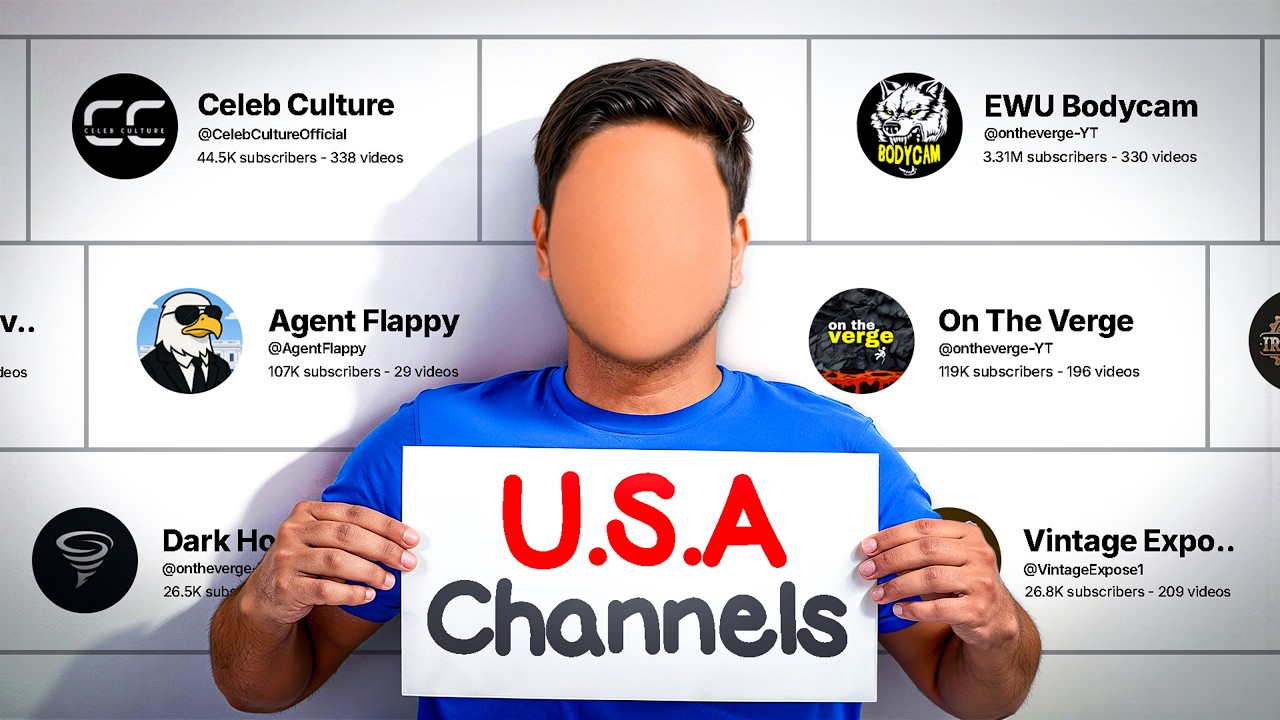
Let me tell you. You just need to take a screenshot of this channel and paste it on Cloud. After that, Cloud will reveal all the secrets of this channel. For example, Cloud told me three things about this channel.
00:51
Speaker A
First, this channel shares forbidden knowledge, such as secret missions, RAW, and army operations. Second, this channel targets nationalism plus revenge fantasy emotions. That means it mainly targets people who are patriotic and enjoy India versus Pakistan content.
01:03
Speaker A
This channel is mainly targeting those people and creating content for them. Third, this channel repeatedly mentions famous villains and heroes, such as Dawood, Ajit Doval, Modi, Putin, and other politicians.
01:13
Speaker A
After that, Cloud even gives you the patterns that this channel repeatedly follows. For example, Pattern A is involving any hero or country name and villain in violent action. Pattern B is naming an army operation and creating a dramatic situation.
01:23
Speaker A
Pattern C is naming an agency, then using high expression, followed by the operation name. Pattern D is the real story of mysterious figures. These are the patterns that work repeatedly on this channel.
01:36
Speaker A
If you also follow these patterns, you will start going viral from your first video. Cloud also gave us thumbnail patterns, which we will discuss later. But below, you will find 10 video ideas that this channel has not created yet.
01:44
Speaker A
You can easily stand out by using all these ideas. For example, I really liked the idea about Operation Cactus. So, I will use this topic in the upcoming videos. You can also generate 20-50 ideas by looking at this part.
01:53
Speaker A
You will get both the idea and the video title together. Now, you have a viral topic. The next task is scriptwriting. Writing a viral script is very easy, and I have shared it in detail in this video.
02:03
Speaker A
But to save your time, I copied this channel's script and created a custom GPT where you just give the video title, and it will generate the entire script line by line for you. You can directly use it in your video.
02:16
Speaker A
Now, everything will be perfect here, but I still prefer that you manually check the facts inside the script once because this video is about national security, and even a small mistake can cause a lot of backlash.
02:25
Speaker A
Now, I will tell you how to use this GPT. You just need to copy-paste your topic here, and you will get the entire script ready in the same style and intensity as other channels in this niche.
02:34
Speaker A
After the script, the next and most important task is video generation, for which you first need a voiceover. There are many AI tools available in the market for generating voiceovers.
02:45
Speaker A
But the AI I am going to tell you about is totally free. This tool is called Open Aifm. It is a text-to-voice API from Open AI, which they have kept free for developers.
02:53
Speaker A
Basically, you can generate as many voiceovers as you want for free here. You just need to make sure you pick a male voice and select True Crime Buff in vibe.
03:06
Speaker A
Then, you just paste your scripts in this area, and by clicking here, your voiceover will be ready. Listen to this once. On November 3, 1988, in Male, Maldives, around 4:30 AM, the calm waves of the Indian Ocean were hitting the shores.
03:16
Speaker A
A faint blue light was spreading in the sky. But everything on the ground had changed. The number is spoken with a slight English accent, but overall, the paragraph is perfect.
03:26
Speaker A
So, you just need to generate your entire script in parts like this. Then, go to any voice editing software and remove the spaces in between and merge all parts.
03:42
Speaker A
After doing this, you will have a perfect voiceover ready. You can also add effects to make this voiceover a bit more powerful.
03:57
Speaker A
Now, you have a viral topic for your video, a script, and a voiceover. Now, let's move to the main part of the video, which is creating 2D animation.
04:06
Speaker A
To create 2D animation videos, you need three things. First is an image prompt, which you use to generate images according to the scene. Second is the first image frame and last image frame, which give you more control over the scene you want to generate.
04:16
Speaker A
Third is a video prompt so you can generate a video using both images. If you do this manually, it will waste a lot of your time. Therefore, I created another custom GPT for you.
04:28
Speaker A
When you paste your script inside this GPT, it will tell you which characters are in the first paragraph, write their details, and remember them for later. Then, it will give an image prompt for the first frame.
04:38
Speaker A
Then, it will give an image prompt for the last frame and a detailed video prompt. If you type "Go add," it will do the same for the second paragraph.
04:47
Speaker A
I trained this GPT to find characters in each paragraph, check how they were shown before, and write the same detailed prompt again. This way, your entire video will maintain character consistency.
04:59
Speaker A
You don't need to worry about that. Now, your prompts are ready. Next, you need to convert them into images. For this, I am going to use a tool called Open Art.
05:08
Speaker A
Open Art is an all-in-one AI platform where you get tools for image generation, video, and voice generation. Almost all AI models are available in their image and video tools.
05:18
Speaker A
You can access Open Art through the link in my description. Then, you will see an interface like this. First, click on Create Image in the image section.
05:29
Speaker A
Then, you will come to an interface like this. Here, select the Nano Banana Pro model. Then, paste the first frame prompt here. Click output and set the aspect ratio to 16:9.
05:40
Speaker A
Select quality as 4K and generate three variations. When you click generate, in a few seconds, you will get a result like this. This is your first frame. You can see it looks exactly like a 2D animation scene.
05:50
Speaker A
After that, follow the same procedure for the last frame. This round has characters, so let's see what it generates. As you can see, it has built real-life-like characters in 2D because all the details were fed in the prompts.
06:00
Speaker A
Now, you have two images. Next, you need to convert these images into a video. For this, simply select your first image and click on Image to Video.
06:11
Speaker A
Then, you will come to the Frame to Video section, where the first frame will already be in place. Just click in this area and add your last frame here.
06:20
Speaker A
Then, paste the video prompt that ChatGPT gave you here. Make sure you have selected the Clink 3.0 model and set the output to 1080p.
06:29
Speaker A
After that, if you click generate, you will get a result like this. This is a perfect intro scene because it is fast-paced and makes the story interesting.
06:38
Speaker A
क्लिक करके अपने लास्ट फ्रेम को भी यहां पे ऐड कर देना है। जिसके बाद चैट जीपीटी ने जो आपको वीडियो प्र्ट दिया था उसे यहां पे पेस्ट कर देना है। मेक श्योर कि यहां पे आपने क्लिंक 3.0 मॉडल को चूज़ किया हो
06:48
Speaker A
और आउटपुट आपका 1080p में हो। इसके बाद अगर आप जनरेट पे क्लिक करोगे तो आपको कुछ ऐसा रिजल्ट मिलेगा। यह एक परफेक्ट इंट्रो सीन है क्योंकि यह फास्ट फेस भी है और स्टोरी को इंटरेस्टिंग भी बना रहा है। आप चाहो तो किसी भी इमेज
07:04
Speaker A
को सिंपल सा प्रम्प देके उसे इमेज टू क्लिप में भी कन्वर्ट कर सकते हो। आपको इसी प्रोसीजर को हर पैरा और हर लाइन के लिए रिपीट करना है। जिसके बाद फाइनली आपके पास हर एक लाइन के लिए एक क्लिप अवेलेबल
07:14
Speaker A
होगी। और इसके बाद जो आपका काम बचेगा वो है पॉलिशिंग का। सारे क्लिप्स जनरेट करने के बाद आपको एडिटिंग सॉफ्टवेयर में जाके अपनी वॉइस ओवर एंड क्लिप्स को इंपोर्ट कर लेना है। एंड देन वॉइस ओवर के अकॉर्डिंग क्लिप्स को
07:27
Speaker A
फास्ट पेस या फिर स्लो पेस करके एडजस्ट करना है। अगर आपको लगता है कोई सीन ज्यादा लंबा चला गया है या फिर किसी सीन के लिए कुछ और क्लिप्स भी जनरेट की जा सकती थी तो आप चाहे GBT को स्पेसिफिक लाइन मेंशन करके
07:37
Speaker A
उसके लिए तीनचार या जितने भी सीन्स आपको चाहिए उसके प्र्ट बनवा सकते हो। जब क्लिप्स का काम हो जाएगा, फिर आपको बैकग्राउंड म्यूजिक लगाना है क्योंकि बिना बैकग्राउंड म्यूजिक के आपके डॉक्यूमेंट्री में मजा नहीं आएगा। और इसके बाद आपको बस
07:48
Speaker A
साउंड इफेक्ट्स लगा के अपनी वीडियो को एक्सपोर्ट कर लेना है। आपको इस चीज का ट्यूटोरियल देते-देखते हमने भी कुछ इस तरह की वीडियो जनरेट कर ली है। 3 नवंबर 1988 मालदीव रात के करीब 4:00 बजे हिंद महासागर की शांत लहरें किनारों से
08:01
Speaker A
टकरा रही थी। आसमान में हल्की सी नीली रोशनी फैल रही थी। लेकिन जमीन पर सब कुछ बदल चुका था। अचानक गोलियों की आवाज पूरे शहर में गूंज उठती है। राष्ट्रपति भवन के बाहर अफरातफरी मच जाती है। सैनिक भाग रहे
08:15
Speaker A
हैं। लोग छिप रहे हैं और हर तरफ सिर्फ एक ही सवाल है। यह हमला किसने किया?
08:20
Speaker A
राष्ट्रपति मोमून अब्दुल कयूब अपने कमरे में खड़े हैं। फोन की लाइनें कट चुकी है। बाहर विद्रोही घुस चुके हैं। उनके पास सिर्फ कुछ मिनट है। अगर वह पकड़े जाते हैं तो सिर्फ सरकार नहीं पूरा देश गिर जाएगा और तभी एक गुप्त कॉल लगाई जाती है। यह कॉल
08:36
Speaker A
भारत के प्रधानमंत्री राजीव गांधी तक पहुंचती है। लेकिन असली खेल अब शुरू होता है। यह सिर्फ एक हमला नहीं था। यह एक पूरा देश हथियाने की कोशिश थी और अब फैसला होना था। क्या भारत सिर्फ देखेगा? एज यू कैन सी
08:50
Speaker A
कितना आसान है इस तरह की वीडियो को जनरेट करना क्योंकि आपके पास कस्टम जीपीटी भी है और आपके पास ओपन आर्ट भी है जहां पे सारी क्लिप्स बन जाएगी। अब आपने वीडियो बनानी तो सीख ली लेकिन आई एम श्योर आपके मन में
08:59
Speaker A
अभी भी एक क्वेश्चन होगा कि इस के चैनल मोनेटाइज हो भी रहे हैं या नहीं। आधे से ज्यादा लोगों को यह लगता है कि उन्होंने एआई इमेज या फिर एआई वीडियोस का इस्तेमाल करा है तो चैनल मोनेटाइज नहीं
09:11
Speaker A
होगा। लेकिन यह आधी इनफेशन है। YouTube को एआई से कोई भी प्रॉब्लम नहीं है। जब तक वीडियो में किसी तरह आपकी इन्वॉल्वमेंट या मेहनत है। या तो आप स्क्रिप्ट राइटिंग में क्रिएटिविटी दिखा सकते हैं या फिर वॉइस ओवर खुद से कर सकते हैं। दोनों ही चीजों
09:22
Speaker A
में अगर हल्का सा भी ह्यूमन टच है तो चैनल कंफर्म मोनेटाइज होगा। लेकिन अगर आपने इस वीडियो के अंदर बताए हुए मेथड को भी फॉलो करा है तो भी प्रॉब्लम की बात नहीं है। क्योंकि जो हमने स्क्रिप्ट जनरेट करी है
09:31
Speaker A
वो एक कस्टम डीपीटी से बनी है जो कि ह्यूमन बिहेवियर के अकॉर्डिंग ही ट्रेन किया गया है। और अगर आपने वॉइस ओवर को भी थोड़ा सा एडिट किया होगा तो वहां पे भी आपको कोई प्रॉब्लम नहीं आएगी। मैक्सिमम जो
09:40
Speaker A
चैनल डीमनेटाइज या टर्मिनेट हो रहे हैं वो इसलिए हो रहे हैं क्योंकि वो मास प्रोडक्शन कर रहे हैं क्योंकि ऑब्वियसली सारा काम एआई से करवाना बहुत ही इजी है। तो इसलिए आपको मेक श्योर करना है कि आप अपने चैनल पे 5-प दिन के गैप पे ही कंटेंट
09:50
Speaker A
डालें। ऐसा करने पे आपका चैनल स्पैम एक्टिविटी में डिटेक्ट नहीं होगा। जिसके बाद आप ऑब्वियसली मोनेटाइजेशन के लिए अप्लाई कर सकते हो। नाउ आई होप इस वीडियो से आपने टू डी एनिमेशन डॉक्यूमेंट्री चैनल बनाना सीख लिया होगा। और अगर आपको कस्टम
10:00
Speaker A
जीपीटी का लिंक चाहिए तो वो मैंने डिस्क्रिप्शन में शेयर कर दिया है। एंड अगर आप मेरे डिस्क्रिप्शन में दिए हुए प्रोमो कोड को यूज करते हो ओपन आर्ट को एक्सेस करने के लिए तो आपको 20% डिस्काउंट भी मिलेगा। यह हायर डिस्काउंट है जो कि
10:10
Speaker A
ओपन आर्ट अभी ऑफर कर रहा है। तो मेक श्योर टू यूज़ इट। YouTube से रिलेटेड और ऐसी वीडियोस के लिए चैनल को सब्सक्राइब करना मत भूलना।
Topics:2D animationdocumentary videosviral videosAI video creationscriptwriting AIvoiceover AIOpen ArtOpen AifmYouTube growthcontent creation

Get More with the SozAI App

Transcribe recordings, audio files, and YouTube videos — with AI summaries, speaker detection, and unlimited transcriptions.

Or transcribe another YouTube video here →