Skip to content
Get App

Lecture 15 Chapter 02 section 2.6 Encryption of stored data

Lecture on encrypting stored data (data at rest): risks of lost or stolen devices and backups, wiping vs. encryption, PGP file encryption, and back-end encryption appliances.

Key Takeaways

  • Physical loss or theft of storage media bypasses traditional access controls, so data at rest needs encryption.
  • Overwriting (wiping) or deleting data is not sufficient protection; encryption protects data even if media is recovered.
  • Encryption is only as strong as its key management; keys should be strong and stored separately from the encrypted data.
  • Key management for data at rest is largely the user's responsibility, especially for password-based tools like PGP.

What the video covers

  • Introduces data at rest (stored data on disks, SSDs, laptops, backup tapes, removable drives, and network storage) as distinct from data in processing.
  • Explains that traditional controls like access control, authentication, and intrusion detection don't protect data once the physical media is stolen or lost.
  • Cites a 2004 American bank incident where backup media containing data of 1.2 million clients was lost, as an example of the risk.
  • Notes that deleted data can be recovered, so selling devices without proper wiping exposes data; wiping by overwriting multiple times is one remedy.
  • Argues encryption is the main solution, but the encryption key must be strong and stored securely, ideally outside the device holding the encrypted data.
  • Describes PGP (Pretty Good Privacy) for file encryption: a password generates a key, the file is encrypted, and the same password decrypts it; the program does not store the password, so the user is responsible for it.
  • Presents three classifications of data-at-rest protection: back-end encryption appliances, tape encryption, and laptop/PC encryption.
  • Explains a back-end encryption appliance sits between server and storage, encrypting outgoing data and decrypting incoming data transparently at near wire speed.
  • Covers tape encryption for backups, which are low cost and high capacity, with encrypted tapes sent to another party using compatible tape drive hardware.
  • Gives examples of full-disk encryption such as Windows BitLocker, macOS FileVault, and VeraCrypt.

Answers

Questions about this video

Why isn't access control enough to protect stored data?

Access control and authentication only work while the device is under your control. If the hard drive or flash drive is physically stolen or lost, anyone holding it can read the data, so encryption is needed to protect it.

Is wiping data by deleting or overwriting it sufficient before selling a device?

Deleting data leaves it recoverable with recovery programs. Overwriting it multiple times (wiping) makes recovery much harder, but encrypting the data is presented as the more reliable protection.

How does PGP file encryption work and who is responsible for the password?

You enter a password into PGP, which generates a key used to encrypt the selected file; entering the same password regenerates the key to decrypt it. PGP does not save the password, so the user must remember a strong one and is responsible for protecting it.

Full Transcript — Download SRT & Markdown

00:01
Speaker A
Welcome to the final lecture in chapter two, Cryptographic Tools. Today, God willing, we will discuss section 2.6, practical applications of. Encryption, and we will talk about the encryption of stored data. Alright, what does stored data mean? It is the data stored
00:17
Speaker A
on my hard disk, on the device, on the server, or on network storage devices.
00:22
Speaker A
Okay, protecting data at rest. What is meant by data at rest? We have data in one of two states. Either it is in a state of processing, in which case it is loaded into the RAM. Or it is at
00:33
Speaker A
rest, meaning it is in a saved or inactive state. Where is this stored? On the hard drive. Data at rest is data stored on a device or storage system.
00:42
Speaker A
It is data stored on the machine or on any storage system. Okay, what are some examples of stored data or data at rest ? We have the hard drive or the SSD.
00:52
Speaker A
The HDD, the regular hard disk, and the SSD. We have laptops. We have backup tapes, the backup tapes. Why do we use these backup tapes? We use them to take backups. They are tapes, they are called tapes for a reason. Like, how
01:08
Speaker A
are they like old video or cassette tapes? Okay, we take large copies or large backups from any system we have to save the data from loss. Data can also be on removable disks. Like what?
01:21
Speaker A
Like portable hard disks, external hard disks, or flash drives. It could also be on network storage, like what we have on MikroTik or other devices. Well , the traditional protection methods for this data were access control. I define who the authorized people are to
01:35
Speaker A
access it. I prevent certain IPs from accessing, or I allow other specific IPs to access. Also authentication.
01:45
Speaker A
What is meant by authentication? It means that I am the only authorized person to access this data, that I can access this data. We also have intrusion detection and prevention systems, which are systems to prevent or detect breaches. These systems are
02:01
Speaker A
the main traditional protection methods . Okay, or the known protection methods , good as long as. The hard disk is inside my device, I can protect it with these things. But if someone simply came, removed the hard disk, took it
02:14
Speaker A
and left, or if a flash drive fell from me on the road, what happens to the data then? My data becomes exposed to anyone who has the hard drive or the flash drive. Well, if I want to protect
02:27
Speaker A
the device or protect my data from this , the only solution we have is encryption. Alright, why do I want to encrypt the data? We said so that if the laptop is stolen, the hard drive is stolen, the flash drive is lost, or
02:40
Speaker A
stolen, or anything else, I need to perform encryption on my data. Perform what kind of encryption? Simply put, a laptop without an encryption process.
02:49
Speaker A
If the laptop or hard drive is stolen, all of your data becomes exposed or available to everyone. With encryption, if they take the hard drive, they'll see gibberish they don't understand; it's just encrypted data. The strength of the encryption I use will complicate
03:04
Speaker A
the process of retrieval, or perhaps make it impossible. Alright, what other risks could we have besides the laptop being stolen? For instance, I might be backing up my data, right? The backup media, whether it's a hard drive, a
03:19
Speaker A
flash drive, or the tape I used for the backup, could be lost. This actually happened in a bank incident in America in 2004; they took data for 1.2 million users, or 1.2 million of their clients.
03:34
Speaker A
The bank had their data backed up— their names, their national numbers, what we call ID numbers, their accounts , and account details. The backup was effectively lost. What does "lost" mean ? Lost, how? My data became available to everyone. Right. For example, if my
03:53
Speaker A
laptop is lost, or my archive is lost. My archive was stolen or hacked. Also, if I decided to sell my laptop, sell my external hard drive, or sell my phone.
04:10
Speaker A
And what did I do? I deleted all the data. Simply put, there are programs that recover data. Therefore, deleted data is recoverable. If I sell the device to anyone, thinking that my device is clean because I deleted the
04:25
Speaker A
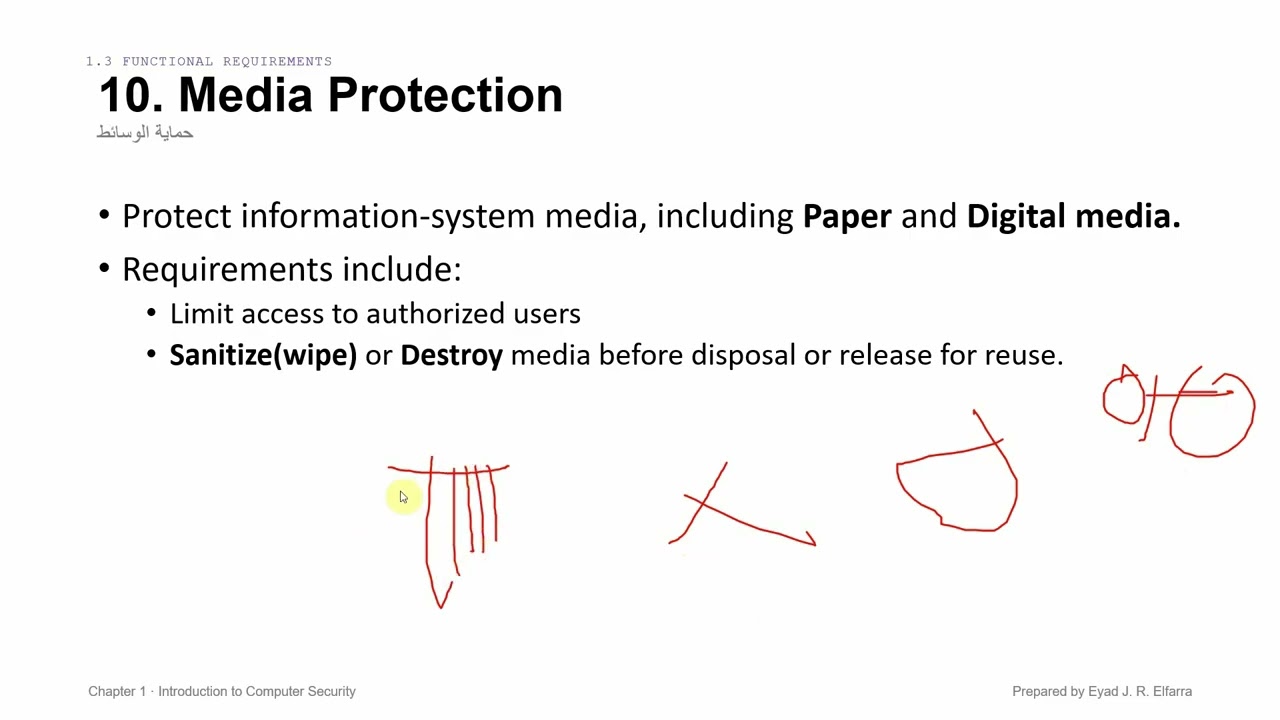
data from it. In reality, there are programs that recover data. Actually, if someone recovers the data, they can see everything on it. So, I have one of two solutions. Either I do something we call "wiping," alright. Or we do
04:39
Speaker A
something we call "encryption," alright . With wiping, I erase my data using programs that wipe the data. It overwrites it. It wipes what was written and overwrites it seven times, or a number of seven times. In this case, what happens to my data? Anyone
04:56
Speaker A
who tries to recover the data will only recover the last version written, which is just gibberish. They won't understand anything; they won't be able to reach my data, alright. So, what is the solution? The solution, as we said,
05:07
Speaker A
is encryption. Data at rest must be protected with encryption and efficient , effective key management, alright.
05:15
Speaker A
What must I do? I must encrypt it, and my key must be strong. And I must be able to store it securely. Not just encrypt it with a program, while the program and the encryption key are both on the same laptop. If the laptop or
05:30
Speaker A
hard drive is stolen, what's the point? With the program and the key, they will decrypt it. The storage of the encryption key used in the process must be secure, and it's preferred to be outside the device containing the
05:45
Speaker A
encrypted data, alright. It says one of the applications or methods for encryption is called PGP. I perform file encryption using PGP. PGP stands for Pretty Good Privacy, alright. It can protect selected files, and...What does this process do? I select specific
06:04
Speaker A
files. And I encrypt that file. So, how does this process work? It simply tells me that I enter a password into the program. The program generates a key.
06:16
Speaker A
It generates a key for what? For the encryption key that I want to encrypt with. After I generate the encryption key, it encrypts the file. And now I have an encrypted file. Well, what if I want to decrypt it? I enter the same
06:28
Speaker A
password into the program. It will generate the same key. It will decrypt the file. It will return the original file. Perfect. Let’s be sure that the user is ultimately responsible for protecting their password. The program does not save the password, okay. The
06:44
Speaker A
program does not save the password. So, as a user using this program or this technique, you must remember the password and choose a very strong one, okay. It enables the user to generate a key from a password. What should I be
07:02
Speaker A
sure of? Who is responsible for the password? Password protection is your responsibility. It is your responsibility as a user. Okay, what methods do we have for protecting data at rest? It says we have three, which we will discuss under three
07:18
Speaker A
classifications. First, it says back-end encryption appliance. Okay, so I...Will use an intermediary in the back-end for the encryption process. Or we use something called tape encryption . Or laptop PC encryption. Let’s talk about the first one: back-end encryption appliance. Okay. I will use
07:34
Speaker A
an intermediary for the process. Encryption in the back-end; this intermediary is hardware. Okay. I place the hardware or install it between where and where? Between the server and the storage. I have a server here. And I have the hard drive to store on. Or
07:47
Speaker A
if I want to store on an external server or on cloud computing, what do I do? I put the drive or the hardware piece between the server, or within the server. But before the storage process, what does it do? It takes all the data
08:01
Speaker A
coming out of the server before it reaches the storage, and what does it do? It encrypts it. And the data coming from the storage to the server, it decrypts so the server can handle it.
08:10
Speaker A
It tells me here: it encrypts and decrypts data, how? Transparently. What does transparently mean? It happens in a transparent manner. The word transparent here is a metaphor for the subject. Why? Because it tells me it encrypts data, how? It tells me it is
08:24
Speaker A
close to wire speed. The data encryption process happens at a speed close to the data transfer speed across the network. Clear? That is why it says transparently. It does not give me overhead, or take extra time from me in
08:37
Speaker A
the encryption process. Okay, it says it is designed for high-speed operation . As long as I put dedicated hardware for this, not relying on software alone , it means it supports high-speed operation. Okay, so what is the second
08:51
Speaker A
type or the second classification? Tape encryption. This tape is one of the mediums I use primarily for what process? Taking a backup of the data.
08:59
Speaker A
What is a backup? A backup copy. Okay, why do I use tape? Because it’s low cost, and its storage capacity is very high if I want to take a daily backup.
09:10
Speaker A
From my database or server, if I were to use a standard hard drive, it would be very expensive. So, we use tapes; their cost is very low, and their storage capacity can reach petabytes— up to 2 million petabytes. Okay, it
09:29
Speaker A
says "per-drive," meaning I have an encryption process on the hardware or the tape drive I'm using. Which is what stores the data on the tapes, okay. It says what? It says "used for off-site backups." What does it mean by off-site
09:44
Speaker A
backups? A backup that I take off the site. And what do I do, or from the application or the server? And I move it to another location. Our method happens as follows. I have the coprocessors on my device, right, and
09:56
Speaker A
it encrypts. The data using a non-readable key; this tape, on which the encrypted data is stored, is sent to another person or another institution. Okay. With whom? With the same tape drive hardware. With the same tape drive hardware. Why? To decrypt it
10:15
Speaker A
. Alright. It says, if I didn't send the same drive hardware. It says, simply, I export my key, just like that . I send it via a secure email or a small, encrypted flash drive that I send to the other party. Then they use
10:33
Speaker A
the key with a new tape drive to decrypt the data and. We also have a third type or classification: laptop/PC encryption. It says software for files and folders. Or what is the difference between it and backup encryption? Right
10:50
Speaker A
? This one relies on hardware/software, while this one relies on software only. Okay. So, what is the idea behind it?
11:00
Speaker A
The idea is that I tell it, "Encrypt this file on my laptop," or "this folder," or "encrypt my entire disk." Okay. What are some examples? Examples include Windows BitLocker, macOS FileVault, or we have a program called VeraCrypt. VeraCrypt will be an
11:15
Speaker A
assignment for you. To install VeraCrypt on your machine, create a folder, and encrypt the folder. Okay, and decrypt the folder. You can record a video of it, okay. This will be posted as an assignment for this chapter, God willing. So I have
11:30
Speaker A
examples: we have VeraCrypt, BitLocker, we have hardware, and we have off-site encryption/decryption, specifically regarding tapes, okay. Let's talk about the things we covered quickly in this section. It says "stored data is removable.""Unauthorized access." It says that if the data is not encrypted
11:52
Speaker A
and a physical theft occurs. Meaning someone came, took the hard drive, and left; the flash drive was lost, the laptop was stolen, the mobile was stolen. Okay. So we have physical data encryption processes, okay. What does it do? It protects it even if the media
12:09
Speaker A
is compromised, okay. Even if the media is compromised, because my device was hacked or something similar. Key management is a very important process, and it falls entirely on the user's responsibility in the case of data at rest, okay. We discussed this in this
12:27
Speaker A
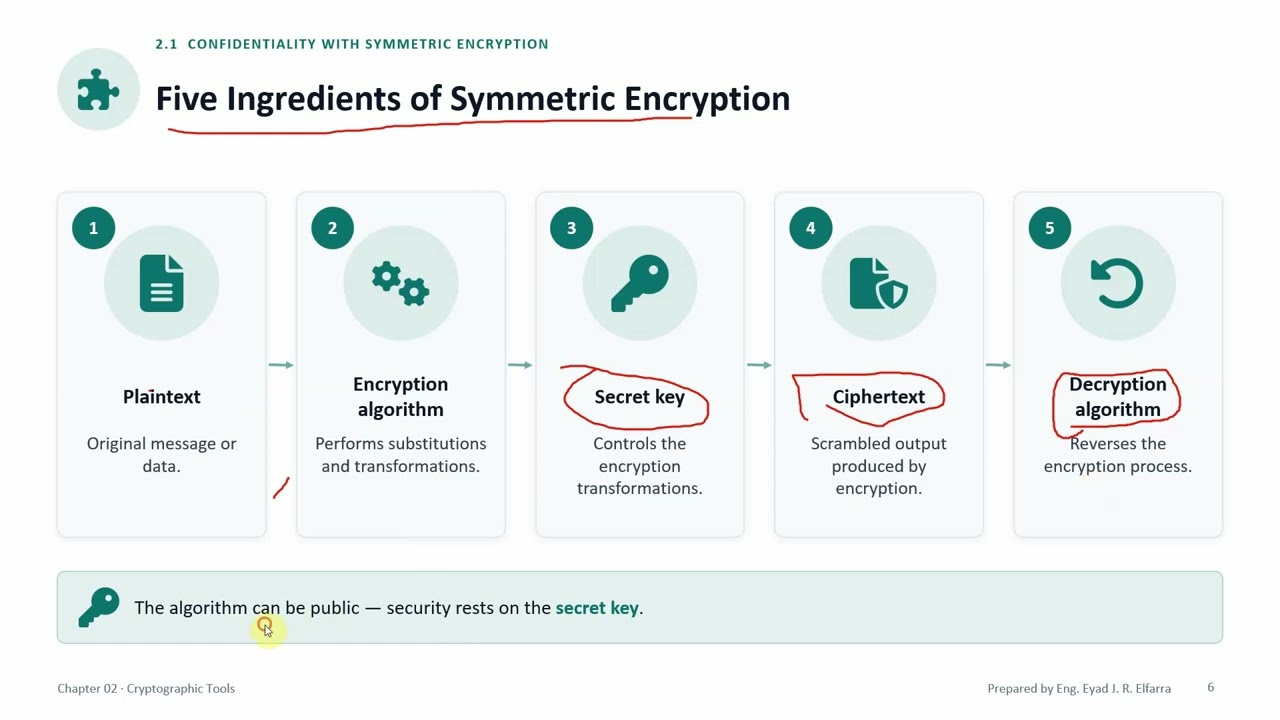
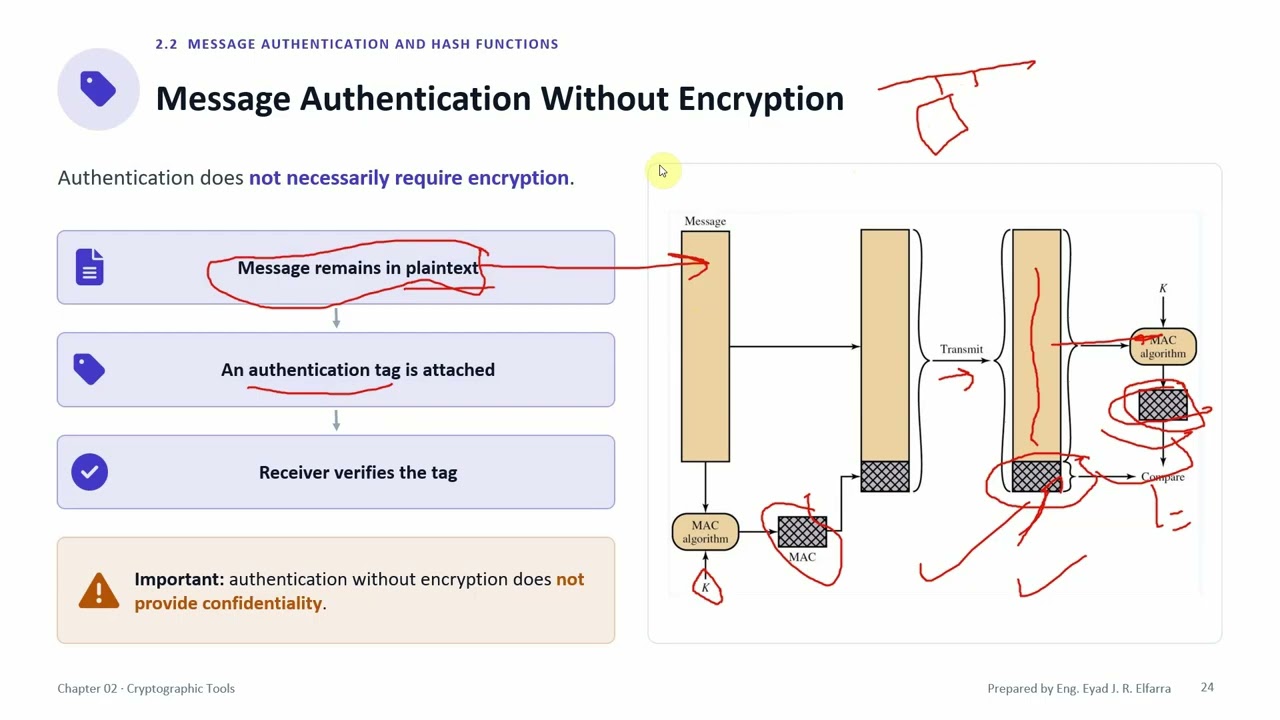
chapter. In section 2.1, we discussed the Data Encryption Standard, Triple DES, and the Advanced Encryption Standard. We talked about encryption modes, whether block or stream. We discussed section 2.2. About authentication and hashing. We talked about MAC and HMAC. HMAC with SHA-1, 2,
12:44
Speaker A
and 3. In section 2.3, we talked about public-key encryption. We talked about having a public key and a private key.
12:50
Speaker A
We discussed the algorithms used, like Diffie-Hellman, which was the first of them. RSA is strong, but it uses high computation. We mainly use DSS for digital signatures. And ECC, which is Elliptic Curve Cryptography, its security was high. And its computation
13:06
Speaker A
is lower than RSA. Therefore, it was more efficient. We said that in public-key encryption, I use it for confidentiality, which is data obfuscation. Or for data integrity and authentication to ensure. That my data comes from a trusted source. And has
13:23
Speaker A
not been tampered with. In section 2.4, we discussed signatures and key management, okay. We saw how we make a signature. We saw how we distribute keys. We talked about certificates and the Certificate Authority. And we talked about the digital envelope, how
13:36
Speaker A
if I want to encrypt data. And send an encryption key with it at the same time , without any data breach occurring. We also said that in the digital envelope, I can combine public-key encryption with symmetric-key encryption. So that
13:50
Speaker A
I use symmetric encryption for my message, since the size is large and massive. Okay? Because it requires fewer computational operations, then I encrypt my key using the public key and send it with the message to the other party. We also talked about this in
14:06
Speaker A
section 2.5, on random numbers. We said that random numbers are very, very important for our encryption process and for protection against replay attacks, okay. We said we have True Random Number Generation. And we have Pseudo-Random Number Generation. We
14:22
Speaker A
said True Random Number Generation relies primarily on physical properties ; I study a physical phenomenon or monitor it and take the numbers that come out of it, so these are truly random numbers. We said the second type , the pseudo-random number generation,
14:39
Speaker A
is where we talk about not studying natural phenomena because I have a clear, deterministic algorithm that encrypts the data. If I give it the same seed at the beginning, it will give me the same random number at the
14:51
Speaker A
end. Okay. So we said to solve this problem, we combined the two. I started taking the seed from True Random Number Generation. I use a natural phenomenon to read the seed from it. I read a random value from it. I provide it as a
15:03
Speaker A
seed to the deterministic one. We said, well, why did we do this? To solve the problem. Because the physical one, which is the true random number, works on physical phenomena that are slow.
15:14
Speaker A
Right? While the pseudo random number generation is fast. So we want to get, take the true randomness from the true [generator], and give it to the pseudo random number generation. To benefit from its speed. So we combined the two.
15:30
Speaker A
And finally, we talked in section 2.6 about stored data. How do I store data at rest? And we talked about PGP. We talked about how I store the data, to transfer stored data while encrypted, between the server and who? Between the
15:42
Speaker A
storage device. Either I use hardware for it, or I can use programs on my laptop or my PC. Like who? Windows BitLocker or, programs like VeraCrypt.
15:52
Speaker A
Right? This is how we finish chapter two. Which talks about digital, which talks about—blessings upon the Prophet—it talks about cryptographic tools. The next chapter, God willing, we will talk about who? About, that is.
16:10
Speaker A
Access control. Thank you very much.
Topics:data at restencryptionPGPkey managementbackup tape encryptionBitLockerVeraCryptdata wipingback-end encryption appliancecryptography

Get More with the SozAI App

Transcribe recordings, audio files, and YouTube videos — with AI summaries and speaker detection. 30 minutes free.

Or transcribe another YouTube video here →