
AI and your data
What happens to your recordings when SozAI uses AI
Which company runs each AI step, what it receives, how long copies stay, and what we can and can't say about model training.
The short answer
SozAI uses AI in two steps. First, speech recognition turns your audio into text at AssemblyAI in the US; a YouTube link is transcribed from the link by the Google Gemini API. Then summaries, notes, quizzes, flashcards, translation and chat send the transcript text, not the audio, through OpenRouter to a model from Anthropic, Google or xAI. SozAI's own code never uses your recordings to train models, but the providers work under their own terms and our requests do not switch training off for them. Meetings recorded in the SozAI Mac app are transcribed on the Mac, and that audio is never uploaded.
Which AI does what
Each row is one thing you do in the SozAI apps or at web.sozai.app, and the company it sends data to. Every company here is also on our sub-processors page, with a link to its own privacy terms.
| When you | What the AI does | Who runs it | What they receive |
|---|---|---|---|
| Upload a file or record in the app or at web.sozai.app | Speech recognition: text with speaker labels and timestamps | AssemblyAI, United States | The audio |
| Paste a YouTube link | Transcribes the video from its link. Speakers are labelled by the model, not by voice analysis | Google Gemini API | The link and our instructions. No audio from you |
| Ask for notes, a summary, tasks, flashcards, a quiz, a translation of the transcript, or a chat answer | Text tasks on the transcript | OpenRouter, which passes the request to a model from Anthropic, Google or xAI (DeepSeek only if the main model fails) | The transcript text and your chat messages |
| Add a PDF or photos as a source | Reads the text on the pages, including scans | OpenRouter, to a Google model | The page images or photos |
| Record a meeting in the Mac app | Speech recognition on the Mac itself | Nobody. It runs on your Mac | Nothing. Only the finished text is saved to your account |
| Dictate into a note, or use Voice Translate | Speech to text through the device's own system | Apple on iPhone, iPad and Mac; Google on Android | The audio you dictate. The translation itself runs on the device |
Only speech recognition hears your audio. Everything after it works from text.
The model behind a task can change
We pick the model for each task on our side, and we can switch it without shipping an app update. That's why this page names companies and not model versions: a version named here would go stale the first time we switch. When a switch brings in a new provider, we update the sub-processors page and its date and log the change in the changelog.
If your policy needs approval for every new AI provider, write to [email protected] and ask to be emailed when the list changes.
The consent screen, and what happens without it
The apps and the web app show a screen called “How SozAI handles your recordings” before any AI processing starts. It says in plain words where the audio goes and that the text goes to third-party AI models. It has one button, “Accept and continue”, and no decline button, because a transcript can't be made without that processing. If you don't agree, don't upload recordings.
The acceptance is what lets our server send a transcript to a model on its own. An account that has never accepted gets no automatic AI notes and no summary.
To read what you accepted later:
- In the phone or tablet app, open Profile.
- In Help and documents, tap How SozAI processes data.
- At web.sozai.app, open Account and go to Data and privacy.
- Click Read again next to How SozAI handles your recordings. The window also shows the date you accepted.
Mac meetings stay on the Mac
The Meeting mode of SozAI for Mac (macOS 14 or later) records the microphone, the Mac's own sound, or both, so it also hears a call in a desktop Zoom or Teams app. The speech model runs on the Mac. The audio is not uploaded to us or to AssemblyAI, and these meetings don't use your transcription minutes.
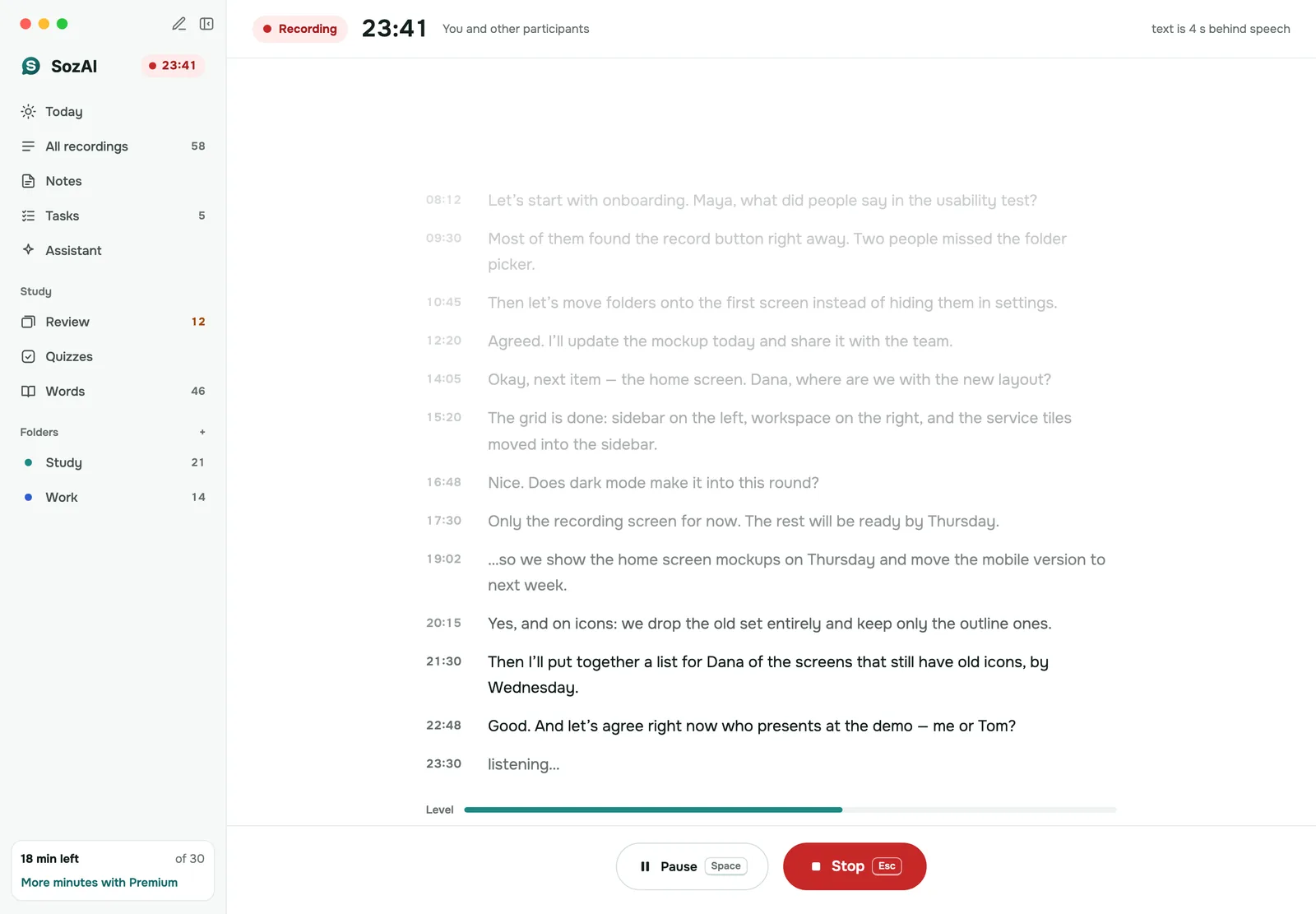
When you stop, the finished text with timestamps is saved to your account, so it shows up on your other devices and is stored on our servers like any other transcript. The app deletes the audio file from the Mac once the text is saved. SozAI doesn't make AI notes automatically for these meetings. If the Mac is offline, the meeting waits on the Mac and is saved to your account later.
Training, and what we can't promise for others
What we can say for ourselves: there is no code in SozAI that sends recordings or transcripts into model training, and we don't sell them. What we can't say for others: each company that receives your data (AssemblyAI, OpenRouter, the model providers) handles it under its own terms. Their terms are linked from /subprocessors/.
The Gemini API is the simple case: for a YouTube link it receives the public link and our instructions, and none of your own content.
The free tools on sozai.app/tools/ are the opposite case. They send the text you paste to free models, whose providers may keep or use it. Don't paste anything confidential there.
How long each copy stays
| Where a copy is | How long it stays |
|---|---|
| Audio and transcripts on our servers in Germany | Transcripts: until you delete the recording or your account. Audio: as long as your audio setting says (keep, 30 days, or delete right after transcription). |
| Encrypted database backups | Up to 12 months after you delete. Audio files are not in them. |
| AssemblyAI's copy of the audio and text | Under AssemblyAI's own retention terms. Deleting in SozAI does not send it a delete request. |
| Text sent to OpenRouter and the model providers | Under each company's own terms, linked from /subprocessors/. |
| Audio of a Mac meeting | Stays on your Mac only until the text is saved to your account; then the app deletes it. |
How deletion works step by step is on the security page, and every other control is on the Trust Center.
When SozAI is not a fit
- Your policy forbids sending audio to a processor in the US. Only Mac meetings avoid that.
- You need a written guarantee from every AI provider that it keeps nothing and trains on nothing. We can't give you one today.
- You want transcription with every AI feature switched off. Speech recognition is itself an AI model, and accepting the consent screen covers the text features too.
Answers
Frequently asked questions
Does SozAI use my recordings to train AI?
SozAI does not: nothing in our code sends recordings or transcripts into model training. AssemblyAI and the model providers behind OpenRouter work under their own terms, and our requests don't switch training off for them, so check their terms on /subprocessors/ if your policy depends on it.
Which AI models does SozAI use?
AssemblyAI for speech recognition, the Google Gemini API for YouTube links, and models from Anthropic, Google and xAI through OpenRouter for text tasks, with DeepSeek as a fallback. We don't publish model versions because the model for a task can change without an app update.
Is it safe to upload confidential meetings to SozAI?
It is if your rules allow a US speech recognition processor and AI providers that work under their own terms. If the audio must not leave your computer, record the meeting with the Mac app's Meeting mode, which transcribes on the Mac.
Does the audio go to the AI that writes summaries and notes?
No. Only speech recognition receives the audio. Everything after it works from the transcript text, plus any PDF pages or photos you add as a source.
What happens if I don't accept the AI processing screen?
You can't get past it in the app or on the web, because it has no decline button: a transcript can't be made without AI processing. An account that has never accepted gets no automatic AI notes or summary.
Does SozAI for Mac upload my meeting audio?
No. In Meeting mode the Mac transcribes the audio itself and saves only the text with timestamps to your account. The app deletes the audio file from the Mac once the text is saved.
Can I find out when SozAI changes an AI provider?
Yes. A new provider appears on /subprocessors/ with a new date and in the changelog. Write to [email protected] if you want an email when the list changes.
Turn your next recording into text
Record, upload a file or paste a link. You get the transcript, speakers and a summary back.
Free on iOS and Android. No account required for YouTube transcripts.