Skip to content

Qwen3.8 Flash: Over 7x Faster First Token | llama.cpp vs SGLang vs FreeToken. Benchmarked!

Benchmarking Qwen3.8 Flash model's first token speed and decoding across llama.cpp, SGLang, and FreeToken engines.

Key Takeaways

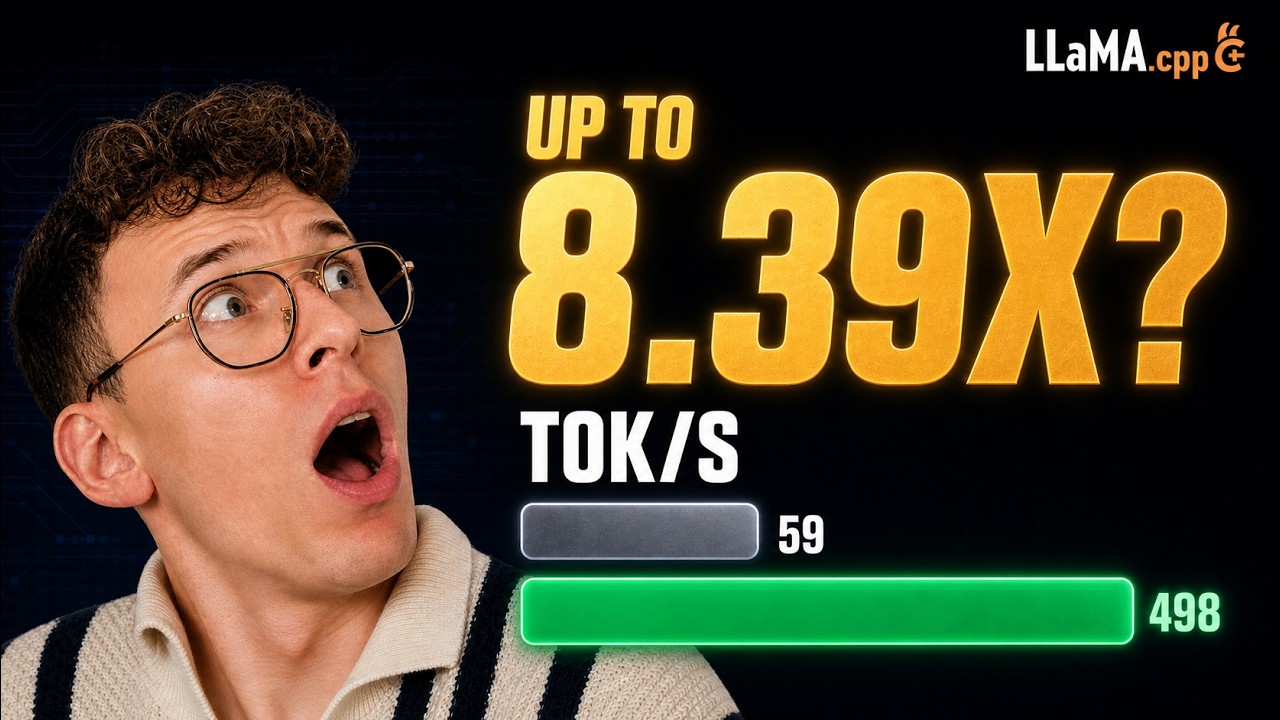
  • Qwen3.8 Flash achieves over 7x faster first token generation compared to baseline implementations.
  • Memory management and byte placement across GPU, CPU, and storage critically affect inference speed.
  • Mixture of experts enables efficient inference by activating only relevant experts per token.
  • Different engines (llama.cpp, SGLang, FreeToken) use distinct strategies for memory and compute distribution.
  • Quantization formats and conversation state management influence model size and runtime performance.

What the video covers

  • The video benchmarks Qwen3.8 Flash model's first token generation speed, showing over 7x improvement compared to baseline.
  • Three inference engines are tested: llama.cpp (Lamascp), SGLang, and FreeToken, with detailed flag and configuration testing.
  • Explains model memory layout including compute weights, engram table, conversation state, and working memory.
  • Discusses how 176B parameter model fits on a single 96GB GPU by activating only 6B parameters per token via mixture of experts.
  • Details the role of the engram lookup table, a large 51B parameter object accessed by row reads rather than matrix multiplication.
  • Describes memory hierarchy and placement strategies across GPU VRAM, CPU RAM, PCIe, and NVMe SSD storage.
  • Compares how each engine places model bytes differently to optimize speed and memory constraints.
  • Highlights the trade-offs between compute on GPU vs CPU and data movement costs over PCIe and storage.
  • Presents real hardware benchmarks including token decode speed, context length handling, and power consumption.
  • Mentions quantization formats (GGF vs NVFP4) and their impact on model size and performance.

Answers

Questions about this video

How does Qwen3.8 Flash achieve faster first token generation?

Qwen3.8 Flash uses a mixture of experts approach that activates only a small subset of the 125 billion parameters per token, significantly reducing computation and enabling over 7x faster first token generation.

What are the main memory components involved in running the Qwen3.8 model?

The main memory components include compute weights (125 billion parameters), the engram lookup table (51 billion parameters), conversation state, and working memory, which are distributed across GPU VRAM, CPU RAM, PCIe, and NVMe SSD.

How do the three engines (llama.cpp, SGLang, FreeToken) differ in handling model memory?

Each engine uses different strategies for placing compute weights and the engram table between GPU and CPU memory, balancing speed and memory constraints. For example, llama.cpp places compute weights on GPU and the table in system RAM, while others may offload some computation to CPU or stream data differently.

Full Transcript — Download SRT & Markdown

00:00
Speaker A
Same model, same card, same prompt. 35 seconds for the first token versus 250. And now let's look at decode. Six times faster than the bottom one.
00:13
Speaker A
Three engines that we'll test today: Lamascp, SGLANK, and Free Token. Today we'll make Quen flash fast on all of these three. We'll test every new flag, including the ones that just landed or are coming in the PRs. I'm Wukash, an AI
00:31
Speaker A
engineer specializing in inference optimization. On this channel, I explain how this stuff works in plain terms, then benchmark it properly on real hardware. Everything will be in the repo as always. First, where the weights actually live. This is what these bars
00:49
Speaker A
are arguing about. Now, this one model can have 176 billion parameters, but we'll fit it in one card. So main parameters are 125. Then we have the active ones which are activated when we run inference, which are only 6
01:07
Speaker A
billion, and then we have the lookup table that we described in my last video in detail. So if you don't know what it is, you can check it out. So this accounts for 51 billion parameters. This is the engram table and we will fit it
01:21
Speaker A
on just one GPU which has 96 GB of VRAM. Now to do it and to understand how we do it, we need to answer these three questions. First, what has to fit? What does the model need in memory? Will it
01:36
Speaker A
run? We have computed weights, engram table, conversation state, working memory, and so on. Then we have the question where bytes can live. We have four places and only two of them can calculate. Yeah. GPU, CPU, then we have
01:53
Speaker A
PCI link, NVMe, SSD, and last question, how each engine places them, the same bytes on the same card with three different ways and how it influences the speed that we get. So we have four kinds of bytes, an empty
02:12
Speaker A
GPU and four kinds of bytes we can put into it. We have the blue one which is the compute weights. These are the layer numbers that get multiplied, expert attentions, gated delta, and so on. Then inside that one region we have the
02:31
Speaker A
engram table. This is the 51 billion table that is never multiplied. It's a few rows that are fetched by address per token.
02:41
Speaker A
And then the green one is what the model keeps from your prompt. So it does not reread it. It's conversation that basically will grow the longer you have it. That's why you need to restart your sessions to get the model to perform
02:56
Speaker A
better. And then the gray one is a scratch space for the tokens currently being processed. Yeah, it grows with how much working memory we basically need for the inference. Now where do the 125 billion parameters actually sit? Well,
03:16
Speaker A
we have 48 layers. Every layer has a mixture of experts and that is where nearly all of the 125 billion parameters live. We have attention and mixture of experts. Then in one layer there are 512 experts. Each is a small block of
03:38
Speaker A
learned weights. And then the router picks a handful of them that are basically necessary for the token we are currently processing. The token we can say a word. So let's say these ones are responsible for a specific word related to law that you ask, for example,
03:59
Speaker A
and the rest sit still. Then new token picks a different set over a long prompt.
04:06
Speaker A
Basically every expert at some point will get used over one token, almost none of them. Yeah. So the router picks a different set for every token and nothing knows what will be the next set in advance.
04:21
Speaker A
And this is the full mixture of expert trick. We only pick the experts that we actually need at the current state to get the token to you as fast as possible.
04:33
Speaker A
So you compute with almost nothing compared to 125 billion parameters. Now the biggest object in this model is the lookup table. The last few words form a pattern and that pattern turns into a row number.
04:51
Speaker A
That row number points at one row of the 51 billion parameters table. That row is just, we just need to read it. Nothing else in the table is touched. This is the engram table. So then we have PL that was also explained in the last video.
05:09
Speaker A
So this is per layer embedding. It decides how strongly that row enters each of the four residual branches because this model spreads the branches there. This is not visible here but it's a layer stack. So this part is small and
05:25
Speaker A
the table is the big part here. So the biggest single object in this model is a lookup and it needs a row number and a read. It does not need high computing like GPU because we will not do big matrix multiplication here. So the
05:42
Speaker A
same table is quantized differently but by different files. So as we see we can have GGF which is 27 GB or NVFP4 checkpoint for that accounts for 47 billion GB files. NVFP4 is used for engines like VLM SG and also Free Token
06:04
Speaker A
and GGF. This is the format that dominates in LMA CCP and related models and so on.
06:12
Speaker A
Now, not every layer pays for the context because the pattern is three gated delta layers that were also explained before and then one sparse attention layer. So, we have 12 blocks over. So, it's 48 layers.
06:31
Speaker A
Now, the three delta layers keep a state of a fixed size. It does not grow however long you will have conversation.
06:39
Speaker A
So this is why the green block is small for this model because as we see we have conversation state and compute weights. So basically this is the weight of the model to be fit and then the conversation typically we have all
06:54
Speaker A
sparse attention layers. So everything grows with the conversation. But because we use gated delta with fixed size to reduce it, then we only need one of these layers here. And this is multiplied by 12 times. That's why it's 48. Yeah,
07:09
Speaker A
because four multiplied by 12 basically. So the two objects and the real file size, the compute weights in this file are around 63 GB. Yeah, this depends on formats and so on. The table is 47 GB.
07:27
Speaker A
It's a lookup. So the file keeps it at 8 bits. In some engines you can regulate it. In some you don't. So together it's 110 GB and the card can only hold 96 GB and we have not added yet any
07:43
Speaker A
conversation state or working memory yet. But look at which part is too big. It's a part that needs no GPU. So that is the full game with this model and this new architecture.
07:57
Speaker A
Now we have four places a byte can sit on at workstation. Our workstation has basically NVMe, SSD, system RAM with CPU, then VRAM with GPU, and we have PCIe between.
08:14
Speaker A
Now VRAM is the fastest, then RAM is fast, the PCIe link between them is slow, and the SSD is slowest.
08:26
Speaker A
The GPU calculates from VRAM, the CPU calculates from RAM. So nothing calculates from the link or the disk but the bytes can be read from the SSD while the server is running, not just at load time. Yeah. So something has to leave
08:42
Speaker A
the card and once it leaves there are only three things you can do with it. So we have the compute weight, the engram table, and so on. So one, keep it in RAM and copy what you need to the GPU when
08:56
Speaker A
you need it. Two, move the work. So keep it in RAM and let the CPU do the part of the calculation.
09:07
Speaker A
Three, for the table, either ask for one row you need and read it from RAM or from the drive.
09:16
Speaker A
Lamascp, SGLANK, and Free Token each pick a different mix of those three same bytes for different objectives basically because each of these engines do it in their own way at this point.
09:30
Speaker A
So RAM is not infinite either. We have two ceilings and not one. First on this machine we have the same amount of RAM as VRAM. So 96 GB for each. Then we know that the compute weight and the table
09:44
Speaker A
will go over it. So we can move it. We can move the compute weights to RAM.
09:52
Speaker A
And then we can move the table to NVMe because this is the third home where we can store things.
09:58
Speaker A
So we have three infinite homes, not just two. Now Lama CCP places by flag one destination at a time. On this card, every compute weight will go on the GPU and no expert layers on the CPU at all.
10:15
Speaker A
Why? Because this will slow things down. Then the table goes to the system RAM.
10:21
Speaker A
One flag will do it in Lamas CP. Without it, it will land on GPU and there will be no room for anything else. So, it'll get crashed.
10:31
Speaker A
So, these flags are here. So, two flags carry the placement, one names the table destination, one sends everything to the GPU. You can all control it and
10:44
Speaker A
And one more flag how the RAM copy is made. We have four values. non-copied interm map page from the file mlocked map and pinned and do direct disc reads.
10:55
Speaker A
So, we tested all of them and you will see results later. On a smaller card, the experts do not fit either. And then you spill the experts to the CPU. That is a different machine. That's not this one. But if you have different hardware,
11:10
Speaker A
you will need to optimize this. Now, one token and everything it has to touch. A token arrives and all 48 of its layers run on the GPU. At every layer, one row of the table is read from RAM by
11:28
Speaker A
address and sent over. We have the engram table and we see we send it over from system RAM to the GPU through PCIe.
11:36
Speaker A
A few kilobytes not like big file. 48 rows will be read and nothing else will be cross here. So no expert weights, no activations, no CPU match.
11:52
Speaker A
So on this card laces nothing per token expect the table rows and this is the approximate size. So this size is like of short text message. Now sglank keeps every compute weight on the card.
12:08
Speaker A
It takes different position. Everything stays on GPU and there is no CPU math at all. For that to feed the file is 4bit.
12:16
Speaker A
It's a format that this GPU multiplies natively. because I use blackwell architecture and it supports FP4. So that's the full trick if you have this hardware no unpacking before the arithmetic will happen. Yeah, because if you have different formats with
12:32
Speaker A
different cars and it needs adjustments between and this all adds overheads. So the table does not go to RAM, it states on the NVME drive and rows are read straight from disk by the address.
12:47
Speaker A
This is a special sg flag. So what is left on the card becomes the conversation state pool. One number that will set the split.
12:57
Speaker A
So that flag is a budget between weights and state. It's not a fraction of the model because if you use VLM these things are means different things. For example, so three things had to be true at once for this to fit. We have 94
13:13
Speaker A
bytes compute weight and 8 bit KV cache value and then the table needs to be on NVME and if we don't fify it it will crash.
13:26
Speaker A
So per token we have no expert transfer no CPU M 48 rows reads from disk. Now let's look how it will work in free token. So we have that's the default case we have all the experts in RAM. So
13:41
Speaker A
free token idea is pretty simple. Every expert lives in system RAM. This is the pool on the GPU. We keep a small set of slots for the experts that we expect to need again. Then we copy them not move
13:57
Speaker A
them from the and the pool is RAM and it stays the same basically. And the experts are 63 GB. Yeah. But we need another table which is engram. So now how when we look at it it will not fit.
14:11
Speaker A
So I tested the default case and then like I try to calculate it but of course there are some differences on engine. So it's a different things. So basically in the system RAM we have 86 GB available.
14:26
Speaker A
Why? Because we loading kit we need to basically you never get the full exact RAM. Yeah, because some processes use the part of it. Yeah. So, this was just on real hardware how it looks like. So, as we
14:42
Speaker A
see, we can't fit all of it because we have 110 GB there and we have only 86 maybe more depending you know how things run and the current point of time.
14:53
Speaker A
So, I did the obvious thing if they cannot soled RAM I will keep them on GPU instant. And this is specific flag which are called fused because I wanted to check multiple options how it could be done in this engine. But it didn't work.
15:09
Speaker A
It was refused. So my configuration that needed to change. So I have option to offload or do the CPU.
15:20
Speaker A
So basically CPU will run it and then both of them keep the experts in RAM which is the thing that was not fitting but the fix was not the back end flank by something else. I send the table to
15:35
Speaker A
drive like in SGN case and then the host only has to hold the experts.
15:41
Speaker A
So here are the two flags and as you see we then have the spare resources.
15:48
Speaker A
So these are the flags that I tested. We have the default one, the ones I use and the ones I still didn't test basically because I was checking constantly with all the PRs and fixes that they have on
16:02
Speaker A
these engines because there was basically big jump in a lot of new models and all the engines now try to keep up and most of the implementations on them is not full or not tested enough. So there is a lot of fixes.
16:16
Speaker A
Now let's look because there is a trick that they use that is quite interesting.
16:23
Speaker A
So a heat will cost us nothing. Yeah. When we have cash but the miss will cost us transfer. So what does it mean? We have GPU here with expert cache and then system RAM here. So a token needs two
16:37
Speaker A
experts and both are already on GPU. In this case nothing is transferred. So we have double hit. But then if we need next token and it needs expert that we didn't have in cash then we need to pay
16:51
Speaker A
by transferring it over for example PCIe and then as we see this is token 390. So then something has to leave the cache to make a room because the pool in RAM will never change. So over the real prompt
17:05
Speaker A
the question is how often will hit the cache and this will depend on prompt and the cache size. So this is something worth measuring.
17:13
Speaker A
Now a missing expert can move but the CPU can also run it. Yeah, as we explained before. So let's say we have this and we are missing it from our cache. So we can move this over PCIe and
17:25
Speaker A
then GPU runs it or we can move the work. So it's the way it states in RAM and then CPU run it. So then both paths will read it from the RAM. Yeah. So kind of the shared bandwidth.
17:40
Speaker A
So the engine measure both path at once. So it's like profiling at the beginning and then it will basically decide at which time it's worth to do it in specific way. Yeah. So let's say moving the bites or moving the work because
17:57
Speaker A
it needs to be decided in real time. Yeah. Now let's look at nice example that we have here. So each square is one expert and a layer have 512 of them. One token selects few experts here. Let's say 10. It can also select one. Yeah. So
18:17
Speaker A
a 4,000 token prompt will make 40,000 expert calls in every mixture of experts layer. And those selections will spread across many of the experts that we have here. So we have 512 for this specific model. Only part of the layer fits in
18:34
Speaker A
the GPU expert cache. So when a needed expert is missing, it has to be loaded from the host memory.
18:42
Speaker A
Now let's look here. Free token starts loading a missing expert with the GPU is still computing. If the copy finishes first, its time is hidden and the GPU never waits. Yeah. So basically we do two things at the same time and this
18:58
Speaker A
finish first. So then the GPU don't need to wait. it finish computed go to another one and if there is missing one we copied over again. Yeah. Now if the GPU finishes first then the expert has not arrived yet and the GPU will wait.
19:14
Speaker A
This is where overlaps stop helping. So overlapping the copy with compute is on by default in free token. We turn it off in the tests and there are separate optimizations that you can try. But this is like interesting example to look
19:31
Speaker A
into. So basically overlap hides transfer time and it does not reduce the bites. Now let's look into three ways to get this one table row. We have here one row and every engine needs the same thing 48 small rows per token at
19:51
Speaker A
addresses know from the recent tokens. So lama CCP hold all of this 47 over 47 GB in RAM and sends the row over PCIe.
20:03
Speaker A
It's simple and it cost you the RAM. SGAN never loads the table at all. It reads row straight out of the original files in the drive. So many requests can be transferred in flight at once. Now free tokens documented default is the
20:20
Speaker A
same as Lass CP pinned in RAM. It's newer. This back end reads from the drive instead. Yeah. So we have same round, same layer, same results and the difference is which resource pays for it basically.
20:34
Speaker A
And this is why the drive can keep up. The addresses do not depend on the model's own computation. So all 48 reads can be issued before the first layer runs and arrive will the GPU is busy.
20:48
Speaker A
Yeah. So it's similar to the graph we saw before. So an expert fetch cannot do that. You do not know which expert layer 40 need it's until until layer 39 has run. Yeah.
21:01
Speaker A
So same device completely different problem. Now let's look when is expert execution placement decided not where the expert weights go.
21:15
Speaker A
We have here load token one token two token three. So we'll narrow this to one thing where the mixture of experts works run. This is the axis that we'll depend on. Solom CP picks its CPU and GPU tensor placement from your flux. Will
21:31
Speaker A
the model loads and it never becomes a per token expert policy that still moves its memory mapped reads table rows runtime cache but the placement itself is static. Yeah. In SGAN single GPU keeps the expert GPU resident and spends its intelligence on batching
21:52
Speaker A
requests not on placing ways. that is not universal. So the table is fetched from host memory or NVMe and so on. Now free token have different approach. It fixes its back end and startup like the others. But what changes is that during
22:09
Speaker A
inference the expert cache. So which expert sits on the cart moves as you generate. This is like additional option. So what a miss costs depends on the back end and that is chosen once offload fetches it CPU computes it and only hybrid splits
22:27
Speaker A
the misses between fetching and CPU compute. So we have this here so static layer residency versus runtime expert cache policy. So basically free token have a dynamic way to control it.
22:46
Speaker A
Now there is the same placements like a summary in one frame. So you understand.
22:51
Speaker A
So lamascp every compute weight is on GPU table in RAM. The drive unused sgank everything computed on GPU and the table is on NVME on the drive. Now the documented default puts all the experts in the table both in RAM. So we can run
23:10
Speaker A
it here. So we move the table to the drive and the experts then fit. So the expert cache can exist at all the two flags are loadbearing together.
23:22
Speaker A
So every engine pays the same for the eight rows. But what differs is where the rows come from and what else it pays on the top. So here we compar token. We run it at the same checkpoint of the
23:34
Speaker A
model at same current revision that I could find also like with experimental flags and PRs and so on. So the only variable is there this how it manage these resources. So we have then three questions that we should ask. Does every
23:50
Speaker A
compute weight fit in your VM? Then SG lang VLM is your go to SG lang from my test perform better or longer context and also I see the tunes of it on my specific card. So that's why I use it.
24:02
Speaker A
But they are the engines that are used for production for high concurrency loads. But you can also use it for single ones. Yeah. And the advantage is that typically the new techniques like speculative decoding and so on is on day
24:14
Speaker A
one because other engines need some time to get it done. Yeah. Because they they have smaller community around them. So it's based on open source support. Then do you want to name every destination yourself? Then you have llama CCP. It
24:32
Speaker A
will place each tensor by flag once and it will run on the widest range of your hardware. Yeah. This is the backbone of lama and all other engines because it basically use any resource to run the model that is possible. So basically
24:47
Speaker A
when you have low resources now you if you would rather not tune it because there there you need to define it then you can take free token it sizes itself from your card measured machine once and will keep keep the expert cash
25:02
Speaker A
moving as you generate at least that's the plan for this engine. Yeah. So fit, choose or adapt. This is the choice before any number is measured. And now we will jump to the results of the test.
25:17
Speaker A
So now to start to make good tests, we should follow few points that I described also in other videos. So I'll just do shortcut. So basically we measure one engine at a time because technically I can measure both but then
25:31
Speaker A
they will compete for the same resources and also we add a cool down because the GPU is heavily used during the test. So if you run them one after another you basically could overheat the GPU especially depending also on the
25:45
Speaker A
temperature when it runs. So then the results could be basically screwed. Now we measure it using one client. So we run exactly same thing for all clients using comp open AAI compatible endpoint.
25:58
Speaker A
So we use AI perf which is the testing and now because we use different quantizations we can see here a comparison for routed experts how much we use. So NVFP4 is of course different than GGF. We have then attention linear
26:17
Speaker A
mamba attention the table and then share the experts embeddings. So we can see here some of this were quantized some of this were excluded. So this is also something to take into account. So here we have speed against context. So we ask
26:33
Speaker A
basically for different input and output and we tested the full range. We use AI perf that will basically generate the Shakespeare as input to f feed it with different tokens. And as we can see we do decode prefill here and thinking mode
26:55
Speaker A
off. Now the results for decode are quite interesting. So as we see there is very big difference depending on engine that you run. So the lowest one it's l CP we go from around 100 to 20 tokens based on context. So it basically
27:11
Speaker A
degrade a lot. The free token is actually quite stable. It provide 95 to 100 tokens across the full run. Now here I tested Lamas CP with MTP. So as we see we get 25 tokens at the start but then
27:25
Speaker A
we also gradually go lower but we keep 61 at the end. And then SGAN we start from 175. It goes very well. Here is a bit suspicious deep but yeah I run it and confirm it that it looks like this.
27:39
Speaker A
And then we go actually to 192. We use very novel speculative method here. So these gains are quite big. And now let's look at even more interesting thing which was pretty low as some of you noticed on my last video.
27:54
Speaker A
So here we have the prefill. And as we see the difference is very high. So llama CP with MTP actually perform worse than normal llama CP. This is probably because MTP boost the decode. But because MTP uses some resources, we lose
28:13
Speaker A
the prefill which actually is the very important especially for long agentic context. So in this case MTP maybe is not the best idea let's say here because it we typically it depends on methods and there's many architectures but
28:31
Speaker A
typically if you have MTP and you get too many users then or like you use too much of your resources then you will have diminishing returns at some point.
28:41
Speaker A
So like the providers like DeepS actually have specific methods that observe all their hardware and adjust it on the fly. the number of heads and so on to mitigate it as much as possible.
28:54
Speaker A
And as we see the SG lang basically have 7,000 which is like two times more than llama CPU with MTP here and around over three uh for this engines and free token actually increase with the higher context here which is also quite
29:14
Speaker A
surprising result comparing to SCP. I actually checked um like reviews of this engine and there was not very like there were mixed opinions. Some people say it's just leasp with some new ideas and it's not worth and so on. But as we see
29:32
Speaker A
here the result is quite clear. So actually this level method help especially in this model but you should test it also on your own models. Now the full window so how long it takes to produce the first token and then the
29:48
Speaker A
decode speed the tokens per second. So we use the full token window and basically we get the first token in sunk in 35 seconds in 80 seconds in free token and here damasc was again longest and as we see MTP help a bit. So we get
30:09
Speaker A
40 seconds here. And here we can see that llama CCP again the decode is slowest MTP help a bit but it's not as fast as free token or SGLAN and we can see it also here in the table
30:27
Speaker A
and here we have real code test and as we see we run the live code bench but there is caveat with this test. So I wanted to run it on restricting the model's output. But what happened then is that model finish the basically
30:45
Speaker A
benchmark and because we wanted to produce specific number of tokens because we want to check the performance it will start putting the same tokens over again. So we have for example it mentioned here like im start and then
30:58
Speaker A
solution double dot. So it depends. So basically it's just putting a fer to fill your request. So if you look at this kind of test it will be bad test and we can see it also here we see that
31:11
Speaker A
we get boost in prefill and decode and this is because you add this filler. So then the model have it in its cache and it's recovering it which is much cheaper and faster. That's why we have this bigger jump here in the output. So we
31:28
Speaker A
will redo this test later taking into account but this is just interesting thing to mention. Now here we can see the speculation and what was decided here. So this is also interesting. So basically different speculation methods are allowed outside of free token. Yeah.
31:46
Speaker A
So I use engram for lamasc. But for example we get boosts of 6% on real code but for example the pros zero times.
31:55
Speaker A
Why? because pros were novel enough that this engram mode which I use with default parameters never trigger because it looks for specific long pattern but because the pros it's novel it never match it but for code we get some
32:10
Speaker A
acceptance rate that's why we see the boost here and here we can see it also for lamasp with MTP so from 94 to 155 at 8k context and then it go actually down with higher context X because we saw
32:26
Speaker A
this degradation before and then we have the next 10 but basically when you are choosing your engine you are also restricted then to these speculative methods that are there and the support to them that's the conclusion that you
32:41
Speaker A
should get two knobs that I needed to tune for SG lang so initially I start with 0.9 KV pool fraction which give me only 166k tokens so I increase it to get basically ally the full context and it
32:56
Speaker A
only cost me 1.3 GB of VRAM. Uh but basically I was maxing hardware at this point. So typically you put it lower.
33:04
Speaker A
Why? Because depending on an engine running processes you start this thing will either start or not because you can for example use GUI or some software that will take your VRAM and then you will not have the same amount when you
33:19
Speaker A
start this engine between restarts of your computer. So that's something to take into account. Yeah. And then I also tested the batch eight and like higher concurrency. But this is like really maxing it. So uh I would run it at one
33:32
Speaker A
and two most. You can get more concurrency if you play with this parameter here. For example, you can lower it to get sorry you can put it a bit higher to try to get more concurrency and so on because yeah most
33:46
Speaker A
people use aentic workload. So you can have two agents speaking between each other. One could be let's say reviewing code and the other one implementing. So then the concurrency is useful. Then we do the accuracy test to compare this
33:59
Speaker A
quantization GGF versus NVFP4. But basically the scores are too close to each other to really make difference. So what we do is we can do magnamemer's test. So this turns this test basically specify a single question given the this
34:16
Speaker A
many disagreements in total. How surprising is the split between them? So it's same reasoning as coin flip. Let's say on one side it's one on the second is zero. So if we do 30 coin flips and we get split 30 uh 16 ones to zero uh to
34:32
Speaker A
14 zeros then that will mean that this is in probability distribution. But if we get 28 ones to two zeros then that means that something is wrong. So small p below 0.05 05 means the imbalance is hard to explain as a luck and a larger P
34:50
Speaker A
means it's entirely ordinary. So as we can see here we compared all of these scores and the score is here. But as we see the verdict is there is not much difference. So they perform similar for this test. But honestly, you should run
35:07
Speaker A
benchmarks on your own load at this point because like all the bench official benchmarks are leaked and also they take days or weeks sometimes to run uh with the speeds uh or thousands of dollars like artificial intelligence that they run on Fable and the all the
35:23
Speaker A
models. Of course, this one is cheaper, but yeah, this is how we should do it.
35:28
Speaker A
And then we do test basically the needle in the haststack. So how this test work?
35:34
Speaker A
So the answer is planted in a known depth and the question ask is asked at different and then a different large request is allowed to occupy and release the server slot and then the identical question is asked again. So what we
35:50
Speaker A
compare is a pair here. So we start with this. We have the answer hidden in the context. Then we we interfere with it in the middle and then we ask again. So basically we recover every needle. So it means that there is
36:06
Speaker A
no big context degraation for this test. So here we have the load mode and we use non but we also tested others and basically we have big gains before because as specified in the actually engine we should use the
36:24
Speaker A
non version if we care about speed. This is when you run the inference but some of you ask so I run this test anyway. I will probably add the two other options that I didn't have time to run but as we
36:35
Speaker A
can see here the difference is not that big. And here we can see it on the table. I choose different input lengths and then tested the possible options and measure the decode speed, prefill and so on. But yeah, this is all kind of within the the
36:57
Speaker A
measure and the we get some boosts of like 4% and so on, but this is not very big. But we use none because yeah, it's the fastest. So here is the parameter that I find out.
37:10
Speaker A
So there was open pull request to add a direct read mode for the lazy PL path.
37:16
Speaker A
So this is something we explained before and basically I tested with the build we have the stable and so on and the only finding is that at low context we get around 40% boost but this is still maybe
37:32
Speaker A
it's already at the time you watch this video. uh but this is just some test I was interested about and run. So as we see by implementing novel techniques we can get boost but at the higher context it diminish so it's not that much but
37:47
Speaker A
it's something here because then we get around 2,300 prefill on LAP and then we have here the MTP. So it's at the time of recording this video was still in implementation.
38:02
Speaker A
So I tested different ones. Here we have addition that was at this point not yet merged. So I wanted to check how much MTP can give us. And as we can see in the higher context we get 2.59x
38:20
Speaker A
uh because the decal speed is so slow and the cost is only I think it's somewhere here. It was 2.6 GB of VRAM.
38:28
Speaker A
So the reported 1.3 to 1.7 it's basically somewhere in between as we see and we can see it here. So we get 69% more decode from a 2.6 GB of MTP model that we add. And here we can also see it
38:48
Speaker A
with the prefill. So in this case it don't drop that much when we do it but we get 155 decodes tokens per second at 8K and at the higher prefill we can see that then actually the MTP start being a problem
39:06
Speaker A
because we reduce it from 2,200 to 2,95 but it's still close but as we see in LA CP case then it's keeps it actually get a bit higher but this could be the error rate Now the interesting questions that
39:23
Speaker A
was for me is how hot actually the GPU get because I run very long test of SG and it crash my PC multiple times. So I test it all to see how hot they run and here is the results. So actually SG lank
39:39
Speaker A
is the coolest but there is a caveat here. Yeah because if the engine is faster then it finish job quicker. So it don't get as heat up as the engine that is slow but it's running for very long
39:50
Speaker A
time. And as we can see adding MTP also added a bit of uh the degrees but of course this test is related to weather the temperature and so on. So it's not apples to apples but I was curious about
40:02
Speaker A
it. Why? Because I also measure the power because first when you measure this test you need to see if you are not thermal throttling and we see here that we don't. We have also peaks. So MTP was actually hottest test we run. So as you
40:19
Speaker A
can see here I measured the time on card the median power energy versus the worst. So as we see with Jank 8.9 times quicker and also something that is important and never mention is that if you run your local model it's constantly
40:36
Speaker A
loaded. So it used some resources but also when you run inference it runs hotter and the hotter you run the longer your GPU the less you can use it because it can burn or overheat. So here we have the
40:53
Speaker A
energy we use. So as we see we multiply it by the median power and the load and the time it takes on the card. And as we see, we use much more energy on the slower engine because it runs so long
41:06
Speaker A
and it heat up the card. And a GPU under load draws lovely. It's working power whatever it's doing. So it's not like it draw less power and so on. It's just because we run it for much longer, it
41:20
Speaker A
starts getting warmer and then also there was this wattage difference. So as we see llamas CP is costliest in this case to run and actually MTP which on hotter don't use uh as much why because the MTP added it a boost. Now there is
41:38
Speaker A
another caveat that is good to mention. So each engine take some time to start.
41:44
Speaker A
Yeah. And SJ VM free token take actually more time to start than CP because you can start it very quickly. So this advantage is quite useful because like 16 seconds it's doable. So what you can do is you don't need to run constantly
42:01
Speaker A
inference engine because when you want to ask request you can just have a script that will turn the docker running model act automatically and then you will save on power and so on. But if you use the different ones like sjank then
42:14
Speaker A
we can see it takes over 100 seconds to start it and free token takes actually more. There is few caveats because it was measured with like a health check but some of this engine return half check before it actually is ready to
42:29
Speaker A
run. So I accounted for this uh this is so explained here if you want to go into more details but for the sake of time we skip it. So there is time until it serves and then first generation. So as
42:41
Speaker A
we see we get then difference here because FTO can do it in two steps and then the first generation takes more time and because yeah and we run multiple attempts. So as we see here it's not like one measure because if you
42:56
Speaker A
measure it once then it's it could yeah it's not very good measurement. So maybe to summarize uh free token basically return 200 on the health check before the model start loading. So yeah, the server is just showing it already. I
43:12
Speaker A
builded everything as docker uh also. So so the results will be as close as possible. And here we can see that the fast fastest engine to run is slowest actually here. So here is the graph with the time and we see that the first
43:32
Speaker A
generation take most on free tokens. So this is just quick visualization. Yeah. Uh the colors get screw up here though.
43:40
Speaker A
But yeah, I think I explained. So there is interesting option in free token that I mentioned. So I wanted to test it. So basically you can use specific parameter.
Topics:Qwen3.8 Flashllama.cppSGLangFreeTokeninference optimizationmixture of expertsengram tableGPU memory managementmodel quantizationAI benchmarking

Get More with the SozAI App

Transcribe recordings, audio files, and YouTube videos — with AI summaries, speaker detection, and unlimited transcriptions.

Or transcribe another YouTube video here →