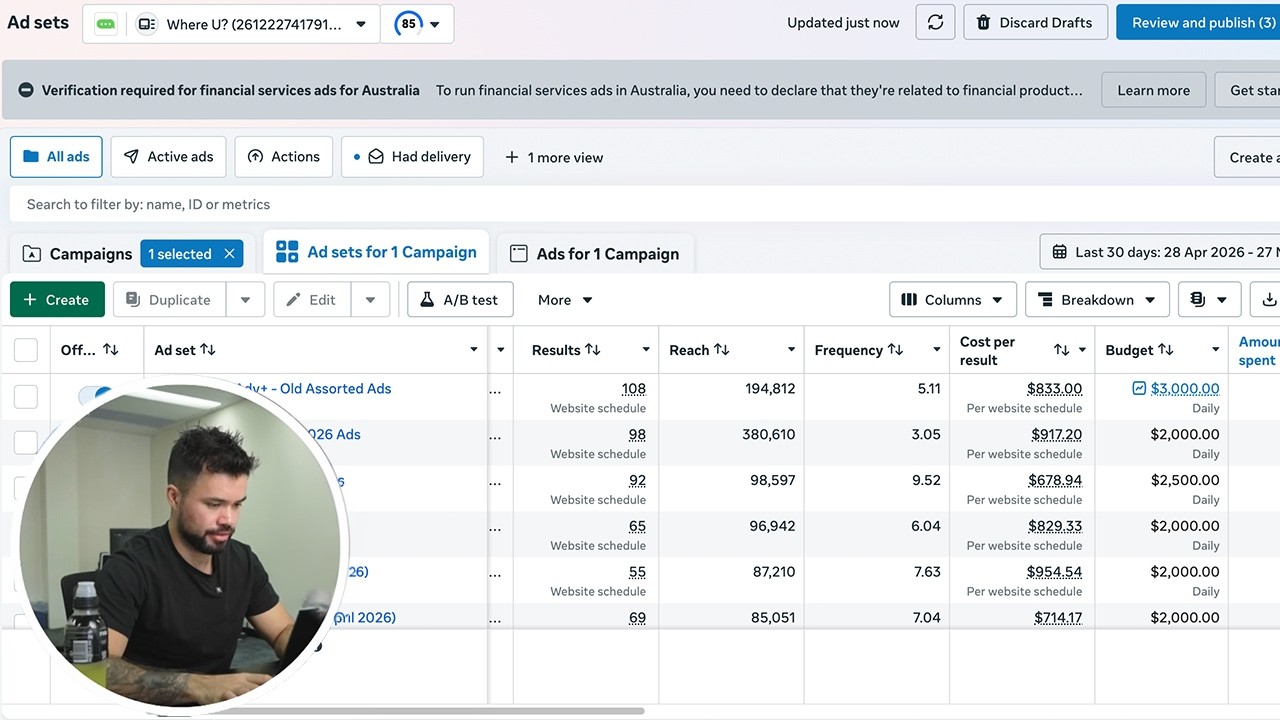
I Automated My Social Media in 5 Minutes with Claude Code — Transcript

Learn how to automate your social media and SEO content creation in minutes using Claude Code, Blotado, and Arvo for massive growth.

Key Takeaways

  • Automating social media and SEO content with Claude Code and complementary tools can drastically save time.
  • Using Visual Studio Code to manage Claude Code assets enhances workflow efficiency.
  • Blotado's API integration enables seamless scheduling and infographic creation for social posts.
  • A comprehensive prompt with clarifying questions ensures the AI understands the brand voice and content needs.
  • Combining competitor analysis, content gap identification, and AI-generated SEO content boosts traffic and sales.

Summary

  • Claude Code is a powerful AI tool for automating social media content creation and scheduling.
  • The video demonstrates setting up Claude Code with Visual Studio Code to manage brand assets and content skills.
  • Integration with Blotado allows automated social media scheduling and infographic creation via API.
  • A detailed prompt guides Claude to build a social media manager that understands brand voice and posts on multiple platforms.
  • The strategy includes a full SEO and content creation system that analyzes competitors and finds content gaps.
  • Arvo is used to generate SEO-optimized blog articles with meta descriptions, images, alt text, and internal links.
  • Content is automatically published as drafts or autopublished to websites, streamlining the workflow.
  • Claude monitors RSS feeds to repurpose blog content into social media posts, maintaining consistent engagement.
  • The workflow saves thousands of hours by automating content creation, scheduling, and SEO optimization.
  • The presenter offers the full prompt and strategy for viewers to replicate the system for their own brands.

Full Transcript — Download SRT & Markdown

00:00
Speaker A
Claude Code is an insanely powerful tool that you need to start learning to use.
00:07
Speaker A
Otherwise, you're going to get left behind. Today, I'm going to show you how to fully automate your social media with Claude Code, which is going to save you thousands of hours. I'm going to show you how to set it up easily in a couple
00:21
Speaker A
of minutes, and I'm going to give you a prompt to be able to do it. Plus, as a bonus, I'm going to give you the full SEO and content creation strategy that I use in Claude to get an amazing boost in
00:35
Speaker A
traffic and in sales with myself and with clients. So, here are some examples. This is a screenshot of one of the clients using it for their Facebook.
00:48
Speaker A
Uh, and you see this kind of growth inside their Facebook. Amazing. But then here are some other clients. Um, these are Hrefs screenshots. Uh, you see literally nothing here as far as traffic. Uh, and this is part of the
01:02
Speaker A
content strategy I'm going to talk about. You see like this kind of crazy hockey stick type growth here. Um, so I'm using Claude Code for this. Uh, I'm using Arvo, which I'm going to talk about. There's a link below. Uh, and
01:15
Speaker A
then I'm using Blotado for social media scheduling. Just makes everything easier paired with Claude. So very few tools uh you're pairing these tools together and this is why this is so powerful. You can use Claude for most of
01:28
Speaker A
it. Um, these tools are already built out for posting and optimization and that's what makes this strategy so powerful. All right. So here, here's what Claude Code does. And basically what we have Claude Code doing via the prompt is
01:45
Speaker A
going out there and building a content system for social media. Um, and it's going to ask you the way that this prompt is set up. It's going to ask you for your brand, your assets, um, you know, your name, all that, all those
01:59
Speaker A
things. You're going to provide it, and then it's going to build out your content system for whatever channels you want to have it built out for. The first thing that you want to do to get this set up and going, and I'm going to give
02:08
Speaker A
you the prompt here in a second, is download Visual Studio Code. So, basically, this just allows you to see what Claude is doing and work natively from your computer. Because once you have Visual Studio Code set up, you want
02:19
Speaker A
to put a file on your desktop, call it whatever you want. Um, and then basically Visual Studio Code is going to work with Claude and basically save all your assets in that file. You're going to create a skill for social media and
02:33
Speaker A
for your content in Claude, and it's going to save everything uh in Claude Code uh the Visual Studio folder, which is going to make it a lot easier. So, this is how it will look. Visual Studio Code looks like this one. I have Claude
02:47
Speaker A
Code on here already. What you're going to have to do when you first uh download it is go into the apps and type in Claude Code. It'll look like this.
02:55
Speaker A
You'll click on it uh and then you'll click on the little uh guy to open up the chat. Close out these other uh extra chats. And then you're going to work from it just like you would normally from Claude Code. The only thing that
03:05
Speaker A
you want to do, you can't see it on the screen, but at the top here you'll see file. Do file and then now you can see it. Open folder. and you'll select the folder that you put on your desktop. And
03:15
Speaker A
this folder is where it's going to save all of your assets. It's going to save everything that you create in here, all the skills. So, Claude allows you to create skills that it will reference later, and it will rebuild the same
03:28
Speaker A
things according to the skills that you built. So, you don't have to reexplain everything and have it do it fresh and new every single time. So, the prompt that you're going to use um that you're literally going to copy and paste is
03:42
Speaker A
this one. Social media prompt. Create a new Claude Scale AI social media manager that knows my brand voice and makes social media posts. LinkedIn, Instagram, Twitter, and Facebook. You can add more if you want. We're using Blato's API.
03:55
Speaker A
So, this is a scheduler that I use that you can do all kinds of really cool stuff in conjunction with Claude. You're giving it the API docs and visuals. And here is where this this is next level as
04:07
Speaker A
far as a prompt goes. Um, this bottom part, ask me clarifying questions one time, one at a time till you're 95% confident you can complete the task successfully. This is what allows the buildout to be so good and so seamless
04:18
Speaker A
according to your brand. It's going to ask you these questions. It's just going to go in and answer each question while it builds up this skill for you. And here's an example of uh Blotado, which you can see my calendar. Here is my
04:31
Speaker A
calendar. And this is like all of this is done from Claude from the the how I have this content set up. So this is this month um you can see you know February same thing all this stuff is
04:44
Speaker A
fully automated and run from Claude and then I just have it sent here via Blotado's API and schedule and post.
04:53
Speaker A
Really really easy to do. The other cool thing is you can use Blotado to create infographics if you want for your posts.
05:01
Speaker A
Um, so it has all of these templates. So literally you can tell Claude, use the whiteboard template to create an infographic to go along with my post.
05:09
Speaker A
It'll send that information to Blotado. Uh, create it, schedule it for you. So really, really powerful. You get started by literally copying and pasting this in Claude. Now, if you want a full SEO system, if you want to replace your
05:25
Speaker A
entire SEO team, your entire content team, or if you're one person show, and you want to save thousands of hours, you can do this for just social media, or you can build out a complete comprehensive buildout, which will be
05:38
Speaker A
for content creation, blogging, and then also SEO. This is what these companies are doing. Uh, this is obviously Hrefs, so this is their website growth. So, they're doing out this full plan. So, I have this full prompt for you guys. Uh,
05:54
Speaker A
if you type prompt below, I'll give it to you. But this is we're using uh we're still using Blotado, we're using Claude uh but then we're using Arvo to generate the information and push it to uh the blog articles to our websites. So, I'm
06:09
Speaker A
going to go through this whole process. So, here is the strategy that this prompt does for you. So, first and foremost, it goes out and analyzes your competition, right? It'll analyze your competition and what they're doing as far as content, their pages, their
06:28
Speaker A
blogging, uh, and it'll find opportunities and gaps in the market, right? According to your competition.
06:35
Speaker A
So, it finds those, it reports back and it gives you like here are opportunities as far as content title and keywords to target on, right? It'll give you these opportunities. You'll basically tell Claude, "Okay, I like all of these or I
06:49
Speaker A
like number two, number three, number four, whatever the case may be." Then basically, it will send that information to Arvo, which you can create and set up for your brand. Sorry, pardon my handwriting here. Include your brand assets. This is where it uses AI, but it
07:06
Speaker A
also uses your brand assets to write. I could have Claude write me blog articles, but it's not going to have a meta description. It's not going to have pictures. It's not going to have alt text, not going to have H1, H3. This is
07:15
Speaker A
a pushback that I get with using another program, but this is optimized solely for the purpose of giving you high ranking SEO content to improve your growth. So, we're sending these blog articles to Arvo. Arvo is creating them
07:29
Speaker A
and automatically publishing them, putting them as a draft on your website. And then you can go in and publish them if you want or you can have it autopublish, whatever you want to do.
07:38
Speaker A
So, that's the first part of this workflow. Then the second part uh of the workflow is Claude is looking at your RSS feed because you're already releasing amazing content that you build out based on gaps and opportunities.
07:52
Speaker A
Claude is looking at your RSS feed of content. Then it's basically pulling out that content to create social
08:09
Speaker A
doing well. It's going to provide that information like okay here's the Facebook here's the Instagram here's the content plan for the week and then all you have to do is be like okay approve claude is then going to send that to
08:22
Speaker A
Blowado to schedule and post and again if you want blow to create infographics to go along it'll create those claude will send the prompt to blow to create the infographics to schedule and post and then literally you just sit back and
08:37
Speaker A
then every day your content is being posted again just like I showed you in as far as the calendar like this is the real deal. I mean this is literally set up to post for me all every day and this
08:50
Speaker A
is publish this is pulling from my RSS feed the the first part of that. Um, now as kind of a side note, you can also have you can do your RSS feed or you can do like a YouTube video transcript if
09:06
Speaker A
you do YouTube uh and it'll pull out information from either of these two. So you can tell claude I I want to pull from RSS feed or I want to pull from my YouTube and then it'll create content
09:16
Speaker A
from from either or which is really really powerful. So here is the prompt and this is where this becomes really really powerful. Here's this full prompt for this entire workflow, not just social media where it connects everything together here. Again, site
09:30
Speaker A
prompt below. I'll give this guy I'll send you a link with has this prompt because it's really, really powerful.
09:34
Speaker A
So, the role, objective, and business context. You're giving it all this information about your business. Um, then you're telling it to analyze your competition to find gaps and opportunities in the market. Then, it's going to generate the blog, bottom of
09:47
Speaker A
the funnel, high search intent, keywords, uh, and titles. Then it's sending that to Arvo, which you're going to create. I'm going to show you Arvo in just a second. You have to share your API for both Blotado. Uh Blotto is you
10:02
Speaker A
just go into settings and copy the API key. Give it the API key, right? Um and then for Arvo, you go in here to blog automation integrations.
10:13
Speaker A
Uh create a new integration, give it the API. So this is where it pushes it. Then the other thing that you want to do is create an integration for your website.
10:20
Speaker A
So if you're on Wix or wherever you're hosting because this allows the information to be sent here via API to Arvo to create the stuff and then Arvo automatically pushes it out to your website. So you never even need to come
10:32
Speaker A
in here. So that's the key there. And then it's going to create visuals depending on how you want to do that.
10:39
Speaker A
Publish it schedule to blotto for your for your social media content. Uh and then it has some quality control stuff built in. But here is Arvo. This is like the type of articles uh cuz I'm going to show you all of the bells and whistles
10:54
Speaker A
uh as far as how this creates uh amazing content. So, I'm going to go into this is like for lawn service. So, if I go into here, you see this is where this is optimized fully for SEO has the me focus
11:08
Speaker A
keyword metad description uh main featured image with alt text um alt text H3 H3. These articles are built out really really good for AI overviews to show up because that's the other thing too. This helps this strategy helps you
11:25
Speaker A
show up really well in AI citations. You know, look at these citations 165 87.
11:33
Speaker A
Um, so that's really really important too that these are written for AI overviews. It has your internal links.
11:39
Speaker A
So when we're setting this up, you can do a configuration and go in here and set this up. You can give it your not so you can give it your knowledge base which is your website if you want or if you have documents that
11:54
Speaker A
you want to put um you can structure it, give it a call to action, book now, buy now, internally link to your site map.
12:01
Speaker A
Uh externally link to trusted sources, it'll do it automatically for you. Include your own images or it'll generate them for you. uh include a relevant YouTube video or it'll generate it for you. [snorts] So, this is the SEO
12:13
Speaker A
juice that I was talking about that it builds and it's built into this already.
12:17
Speaker A
You're not going to have to go back in, copy up an article from Claude, paste it into your website, do the internal linking. This does this all for you. It internally links your pages together to get the SEO juice, includes the alt
12:29
Speaker A
text, all the important uh SEO bells and whistles uh that you won't have to do.
12:36
Speaker A
And this is why this saves so much time. So with these three programs together in conjunction, this is everything you need for your social media content creation and your SEO for your website to get massive, massive growth. And this
12:52
Speaker A
connects everything together. I have this running on the background. Literally, I literally go in uh once a week and just tell Claude to generate my blogs and generate my social media. It's two prompts. It does it all for me.
13:06
Speaker A
Schedules it, posts it. That's it. That's all I have to do. Where this would take me hours and hours and hours before. So, that's all you have to do.
13:12
Speaker A
Start with this prompt, answer the questions in Claude, do the full build out, and then when you're ready to run your content plan for the week, you can just go in and tell it, "Hey, here's my content plan. Uh, go ahead and run it
13:24
Speaker A
and generate my blog articles." Uh, usually it gives you like a a prompt like it does content uh dashw week and then you include you tell it pull from your RSS feed or pull from your YouTube video and it'll run the whole the whole
13:37
Speaker A
workflow and then it'll send it to you. You can tell it to make sure that uh to give it to you in draft mode so you approve everything and then it sends it off to schedule it. Really, really cool
13:48
Speaker A
stuff. Um, let me know if you have any questions below. If you want the prompt, uh, type that below. Again, there's a link, uh, to to Arvo below as well to get that set up. Uh, it's really kind of
13:59
Speaker A
that and Blowado compared with Claude is really what makes this, uh, next level. But this is a gamecher on so many levels.
Topics:Claude Codesocial media automationSEO content creationBlotadoArvoVisual Studio Codecontent strategyAI content automationsocial media schedulingSEO optimization

Frequently Asked Questions

What is Claude Code and how does it help with social media automation?

Claude Code is an AI tool that automates social media content creation by building a content system based on your brand voice and assets, saving thousands of hours.

How do Blotado and Arvo integrate with Claude Code?

Blotado is used for scheduling social media posts and creating infographics via API, while Arvo generates SEO-optimized blog articles and publishes them automatically, both working seamlessly with Claude Code.

What setup is required to start using Claude Code for automation?

You need to download Visual Studio Code to manage Claude Code files and assets locally, then use a specific prompt to create skills and automate social media and SEO content workflows.

Get More with the Söz AI App

Transcribe recordings, audio files, and YouTube videos — with AI summaries, speaker detection, and unlimited transcriptions.

Or transcribe another YouTube video here →