Learn why product design beats pretty UI by focusing on flows, states, and design systems to build real, user-friendly products.
Ask about this video. Answers come from its transcript only — with the timestamp, so you can check them.
Generated from the transcript and can be wrong — check the timestamp.
Key Takeaways
- Product design requires thinking beyond visuals to include user flows, states, and system consistency.
- Handling all user states (empty, loading, success) is crucial for a seamless user experience.
- Design systems create trust and familiarity by maintaining consistent UI elements across the product.
- Small design decisions chained together create natural and intuitive user flows.
- Tools like Dualite Alpha can accelerate turning design prototypes into functional web apps.
What the video covers
- UI design focuses on visuals like landing pages and buttons but often hits a hiring wall due to lack of product thinking.
- Product design involves designing entire user flows, states, and systems, not just isolated screens.
- Effective product design handles all user states such as empty, loading, and success states, enhancing clarity and usability.
- Examples like Linear and Dub.co demonstrate how subtle animations and informative states improve user experience.
- Designing for flow means considering user journeys across multiple screens and chaining small decisions naturally.
- Using tools like Dualite Alpha can help bring Figma designs to life quickly, aiding portfolio building and product launches.
- Design systems ensure consistency in spacing, typography, and color, building user trust and speeding up design processes.
- Consistency in components across different contexts makes new screens feel familiar and intuitive.
- The video emphasizes that product design is about building functional products, not just pretty pages.
- Supporting files and Figma resources are provided to help viewers practice and implement these concepts.
Full Transcript — Download SRT & Markdown
Speaker A
Let's start simple.
Speaker A
You don't need a boot camp, fancy software, or a $3,000 laptop to break into UI UX in 2025.
Speaker A
Here's the road map on how to actually get on the inside.
Speaker A
Most people start by learning UI design.
Speaker A
They learn how to make a landing page, style a button, maybe even design a portfolio.
Speaker A
And then they hit a wall.
Speaker A
Because no matter how polished the visuals are, no one's hiring them just for that.
Speaker A
Think of UI design like learning to decorate a single room.
Speaker A
Product design is more like learning how to design the entire house, the flow, the function, the wiring, and how it all connects.
Speaker A
Let's take Linear as a good example.
Speaker A
It looks beautiful, but that's not why people love it.
Speaker A
The real strength in Linear is its clarity, the states, the flows, and the system make it feel effortless.
Speaker A
Hover over an issue, you get context.
Speaker A
Create a new project, there's an empty state guiding you.
Speaker A
Even the status animations are subtle, but meaningful.
Speaker A
And if you can put together a portfolio with products that solve a problem like this one, you'll be so much more likely to land a job.
Speaker A
And that's the power of product design.
Speaker A
And it really revolves around three key ideas.
Speaker A
First of all, most designers just design the happy path.
Speaker A
The perfect screen.
Speaker A
But real apps need to handle all the states users actually experience.
Speaker A
Empty states, loading states, success messages.
Speaker A
Tiny moments that make or break the experience.
Speaker A
Here's an example from dub.co.
Speaker A
When you land on the dashboard, it doesn't leave you staring at a blank screen.
Speaker A
There's a thoughtful empty state with an animation, a message, and a clear next step.
Speaker A
Or take for sell.
Speaker A
When you deploy a project, you're not just guessing if it worked.
Speaker A
Immediately, you get a notification about the build status, so users are never left guessing.
Speaker A
These aren't just UI details, they're design decisions that keep users informed and in control.
Speaker A
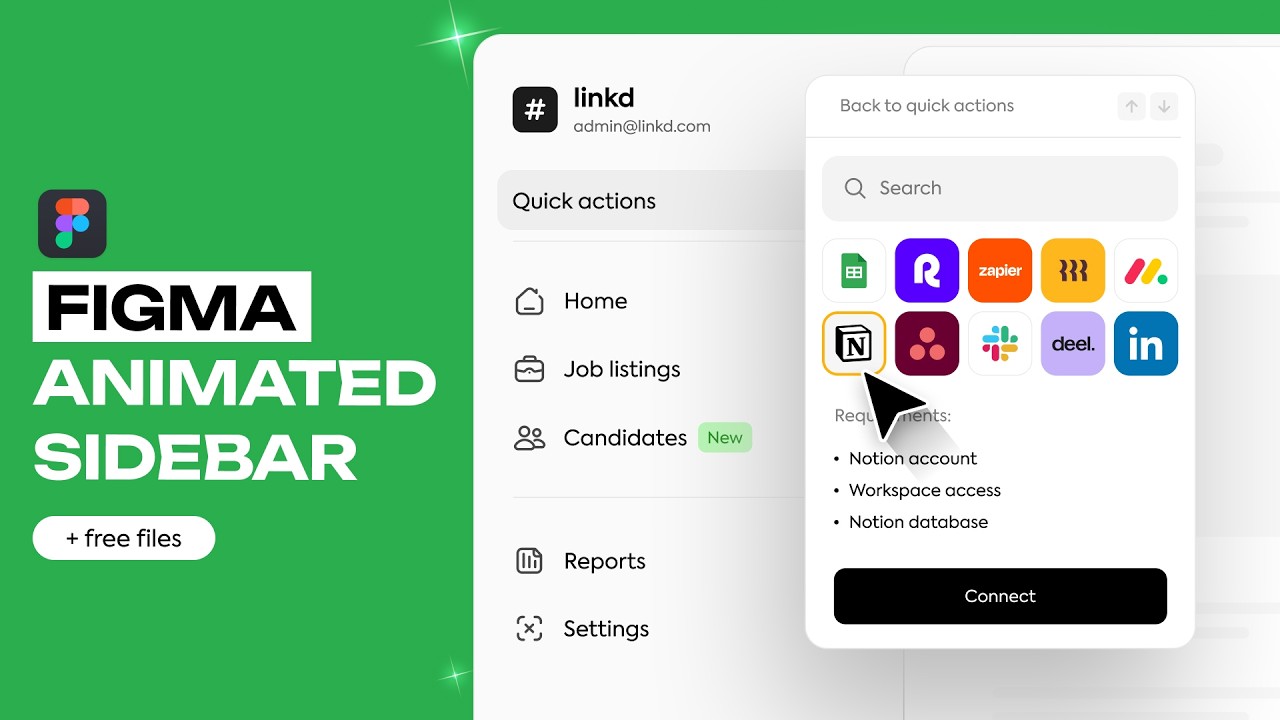
If we were to apply that to our own hiring management tool, we could start with the sidebar.
Speaker A
When the user goes to integrate with the tool like Notion, we could have an informative loading state and either a success message or an error message once finished.
Speaker A
Or, just like Dub, we could have a single empty state if there are no hires to manage and a call to action to start posting job links.
Speaker A
Next, build for flow.
Speaker A
Instead of thinking in sections like you would for a website, think in screens and sequences like you would for a real application.
Speaker A
That might sound obvious when you're looking at a fully built flow, but when you're constructing them, you need to ask how the user got there and what they need next.
Speaker A
For example, in Notion, if a user wants to add a team space, they head to settings, team spaces, and click on new team space.
Speaker A
Then the user is prompted to name it.
Speaker A
Notion could have just closed everything once they hit create.
Speaker A
But of course, what's a team space without team members?
Speaker A
So, they immediately prompt to add team members with the option to skip.
Speaker A
That's a thoughtful user flow.
Speaker A
On our web app, if the employer wants to reach out to an applicant, they can click this.
Speaker A
Then, they'll be prompted to select an email from their templates.
Speaker A
Finally, they'll be asked if they want to add any other applicants before sending.
Speaker A
That's not just one design, that's three tiny decisions all chained together.
Speaker A
And product design is about making these tiny transitions feel natural.
Speaker A
But speaking of that, sometimes the best way to understand product design is to see your designs come to life.
Speaker A
That's where today's sponsor Dualite Alpha comes in.
Speaker A
Just grab your Figma link, paste it in, and Dualite pulls out your layout, styles, and components.
Speaker A
Hit go, and in under two minutes, you've got a fully functional web app.
Speaker A
It's perfect for building your portfolio or launching your first real product.
Speaker A
I used it to bring the hiring dashboard from this video to life, and you can check it out with the first link in the description down below.
Speaker A
And use my code to get 38% off.
Speaker A
Finally, as products get more complex, the need for clarity becomes even more important.
Speaker A
And that's where design systems come in.
Speaker A
A design system isn't just aesthetic, it's how users build trust and speed with the product.
Speaker A
For example, this simple Mac OS pop-up has saved me so many times.
Speaker A
Because the primary color is the non-destructive action, and I trust that it's always that way.
Speaker A
Or open up Linear and you'll see it everywhere.
Speaker A
Whether you're in a settings panel or creating a view, the buttons, spacing, text styles are all exactly the same, even when used in wildly different contexts.
Speaker A
Pulling out some components from our example, we've maintained spacing on buttons, type scales, and color scheme throughout.
Speaker A
Because of this, if we were to create a modal when the user clicks create listing, it would be super easy.
Speaker A
We'd start with some quick template selectors, then add fields for the title, description, and some tags.
Speaker A
Finally, we'd add the actions at the bottom.
Speaker A
Compare that to our other models, and you can see how every new screen starts to feel familiar, even if the content is different.
Speaker A
But it's not about having hundreds of components, it's about making a decision you can stick to.
Speaker A
And when you combine that with strong flows and real states, you're no longer designing pages.
Speaker A
You're building products.
Speaker A
And that is everything I have for you today.
Speaker A
The files for the full web app on Dualite will be the first link in the description, and the Figma files will be down there too.
Speaker A
Other than that, I hope you learned something, and I'll see you in the next one.
Topics:product designUI designUX designuser flowsdesign systemsempty statesloading statesDualite AlphaFigmaportfolio building