You’ve Been Using Claude Wrong — Anthropic’s Own Team J… — Transcript

Anthropic's Applied AI team demonstrates best practices for prompting Claude to accurately analyze car accident reports using structured prompts.

Key Takeaways

  • Clear and structured prompts significantly improve Claude’s understanding and output accuracy.
  • Iterative prompt engineering is an empirical process requiring testing and refinement.
  • Providing examples and explicit instructions helps prevent hallucinations and errors.
  • Tone and task context are critical to ensure Claude remains factual and confident.
  • Using structured data formats and system prompts enhances Claude’s ability to handle complex inputs.

Summary

  • Introduction to prompt engineering and its importance in communicating with language models like Claude.
  • Real-world scenario: analyzing Swedish car insurance accident reports using images and sketches.
  • Initial simple prompt led Claude to misunderstand the context, mistaking the accident for a skiing incident.
  • Iterative prompt refinement is crucial to guide Claude to the correct vehicular accident context.
  • Recommended prompt structure includes task description, content provision, detailed instructions, examples, and emphasis on critical points.
  • Importance of setting tone context to keep Claude factual and confident, avoiding misleading guesses.
  • Demonstration of using Anthropic’s console with Claude 4 solid model, temperature zero, and large token budget for best results.
  • Use of delimiters like XML tags and markdown to help Claude parse complex data such as checkboxes in forms.
  • Examples and few-shot learning are powerful tools to steer Claude’s behavior and prevent hallucinations.
  • Final tips include output formatting (e.g., JSON) for downstream use and reinforcing mechanical behavior through system prompts.

Full Transcript — Download SRT & Markdown

00:00
Speaker A
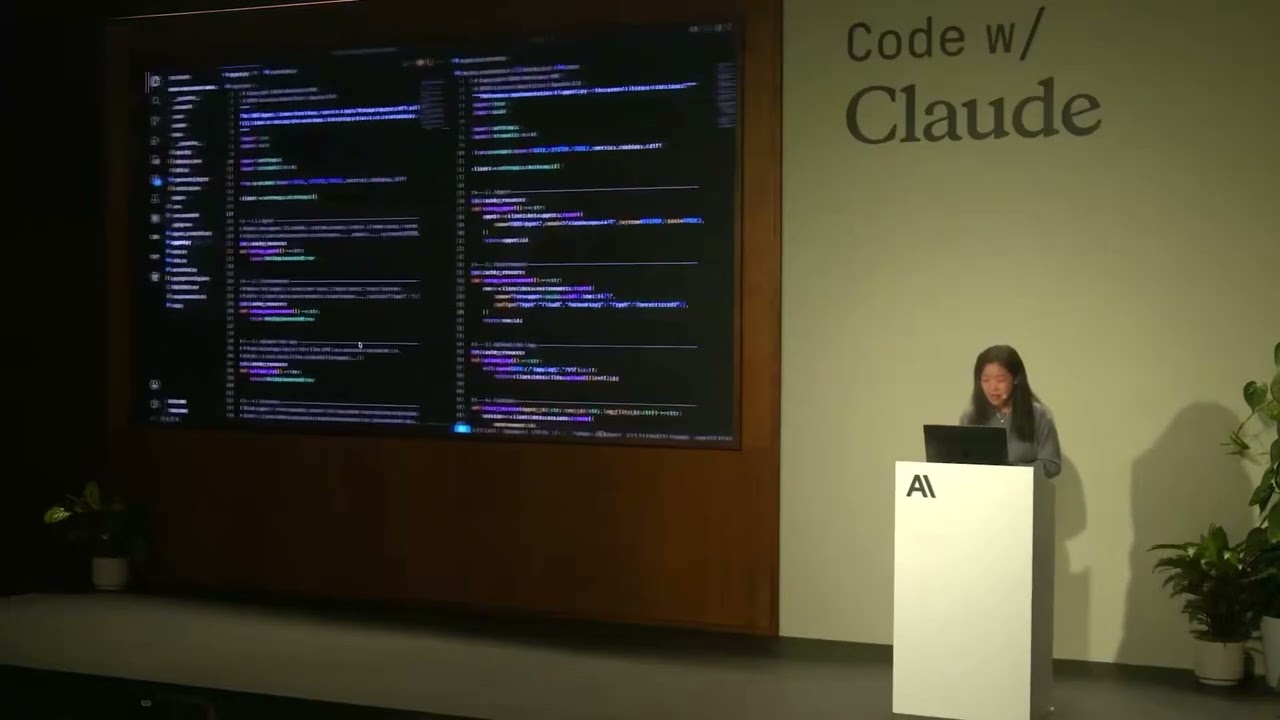
Hi everyone, thank you for joining us today for Prompting 101. Uh, my name's Hannah, I'm part of the Applied AI team here at Anthropic, and with me is Christian, also part of the Applied AI team. And what we're going to do today
00:12
Speaker A
is take you through a little bit of prompting best practices, and we're going to use a real-world scenario and build up a prompt together.
00:20
Speaker A
Uh, so, a little bit about what prompt engineering is. Uh, prompt engineering, you're all probably a little bit familiar with this. This is the way that we communicate with a language model and try to get it to do what we want. So,
00:31
Speaker A
this is the practice of writing clear instructions for the model, giving the model the context that it needs to complete the task, and thinking through how we want to arrange that information in order to get the best result. Um, so,
00:43
Speaker A
there's a lot of detail here, a lot of different ways you might want to think about building out a prompt. Um, and as always, the best way to learn this is just to practice doing it. Um, so, today
00:52
Speaker A
we're going to go through a hands-on scenario. Uh, we're going to use an example inspired by a real customer that we worked with. So, we've modified what the actual customer asked us to do, but this is a really interesting case of trying
01:04
Speaker A
to analyze some images and get, uh, factual information out of the images and have Claude make a judgment about what content it finds there. And I actually do not speak the language that this content is in, but luckily
01:17
Speaker A
Christian and Claude both do. Uh, so, I'm going to pass it over to Christian to talk about the scenario and the content.
01:22
Speaker A
So, for this example that we have here, it's, uh, intended. So, so to set the stage, imagine you're working for a Swedish insurance company, and you deal with, uh, car insurance claims on a daily manner.
01:35
Speaker A
Um, and the purpose of this is that you have two pieces of information. Um, we're going to these in detail as well, but visually you can see on the left-hand side we have a car accident report form, um, just detailing out what transpired
01:47
Speaker A
before the accident actually took place. And then finally, we have a sort of a human-drawn, um, a sketch of how the accident took place as well. So, these two pieces of information is what we're going to try
01:58
Speaker A
to pass on to Claude. And to begin with, we could just take these two and throw them into, uh, console and just see what happens. So, if we transition over to console as well, we can actually do
02:09
Speaker A
this in a real manner. And this case here, you can see we have our shiny beautiful Anthropic console. We're using the new Claude 4 solid model as well. In this case, setting temperature zero and having a huge max token budget as
02:23
Speaker A
well is just helping us make sure that there's no limitations to what Claude can do. In this case, you can see a very simple prompt to setting the stage of what Claude's supposed to do. In this case, mentioning that this is intended
02:34
Speaker A
to review an accident report form and eventually also determine what happened in the accident and who's at fault.
02:42
Speaker A
So, you can see here with this very simple prompt, if I just run this, let me go to preview.
02:47
Speaker A
Uh, we can see here that Claude thinks that this is in relation to a skiing accident that happened on a street called Chapmangatan. It's a very common street in Sweden. Um, and in many ways, you can sort of understand this innocent mistake
03:04
Speaker A
in the sense that in our prompt, we actually haven't done anything to set the stage on what is actually taking place here. So, his sort of first guess is not too bad, but we still notice a lot of intuition that we can bake into
03:16
Speaker A
Claude. So, we switch back to the slides. You can see here that, um, in many ways, prompt engineering is a very iterative empirical science. And in this case here, we could almost have a test case where Claude is supposed to make sure
03:30
Speaker A
that it understands it's in a car or vehicular environment, nothing to do with skiing. And in that way, you iteratively build upon your prompt to make sure it's actually tackling the problem you're intending to solve. Um, and to do so, we go through some best
03:44
Speaker A
practices of how we at Anthropic break this down internally and how we recommend others do so as well.
03:52
Speaker A
So, we're going to talk about some best practices for developing a great prompt. Uh, first, we want to talk a little bit about what a great prompt structure looks like. So, you might be familiar with kind of interacting with a chatbot,
04:02
Speaker A
with Claude, going back and forth, having a more kind of conversational-style interaction. When we're working with a task like this, we're probably using the API, and we kind of want to send one single message to Claude and have it nail the task the
04:15
Speaker A
first time around without needing to, uh, kind of move back and forth. Uh, so, the kind of structure that we recommend is setting the task description up front.
04:24
Speaker A
So, telling Claude, "What are you here to do? What's your role? What task are you trying to accomplish today?" Then we provide content. So, in this case, it's the images that Christian was showing, the form, and the drawing of the
04:35
Speaker A
accident and how they occurred. That's our dynamic content. This might also be something you're retrieving from another system, depending on what your use case is. We're going to give some detailed instructions to Claude. So, almost like a step-by-step list of how we want
04:48
Speaker A
Claude to go through the task and how we want it to tackle the reasoning.
04:52
Speaker A
We may give some examples to Claude. Here's an example of if some piece of content you might receive, here's how you should respond when given that content. And at the end, we usually recommend repeating anything that's really important for Claude to
05:04
Speaker A
understand about this task. Kind of reviewing the information with Claude, emphasizing things that are extra critical, and then telling Claude, "Okay, go ahead and do your work." So, here's another view. This has a little bit more detail, a little bit
05:18
Speaker A
more of a breakdown, and we're going to walk through each of these 10 points individually and show you how we build this up in the console. So, the first couple things Christian's going to talk about the task context and the tone
05:30
Speaker A
context. Perfect. So, yeah, if we begin with the task context, as you realize when I went through the little demo there, um, we didn't have much elaborating what, what, what's the scenario Claude was actually working within. And because of
05:43
Speaker A
that, you can also tell that Claude doesn't necessarily need to guess a lot more on what you actually want from it.
05:48
Speaker A
So, in our case, we really want to break that down, make sure we can give more clear-cut instructions, um, and also make sure we understand what's the task that we're asking Claude to do.
05:57
Speaker A
Um, secondly as well, we also make sure we add a little bit of tone into it all.
06:01
Speaker A
Um, key thing here is we want Claude to stay factual and to stay confident. So, if, uh, Claude can't understand what it's looking at, we don't want it to guess and just sort of mislead us. We want to
06:12
Speaker A
make sure that any assessment and in our case, we want to make sure that we can understand who's at fault here. We want to make sure that assessment is as clear and as confident as possible. If not, we're sort of losing track of what we're
06:23
Speaker A
doing. So, if we transition back to the console, um, we can jump to a V2 that we have here. So, I'll just navigate to V2.
06:33
Speaker A
And you can see here, um, I'll also just illustrate the data 'cause we didn't really do that last time around just to really highlight what we're looking at. So, what we're seeing here, this is the car accident report form and it's just
06:45
Speaker A
17 different check boxes going through what actually happened. You can see there's a vehicle A and vehicle B both on the left and right-hand side. And the main purpose of this is that we want to make sure that Claude can understand
06:55
Speaker A
this manually generated data to assess what's actually going on. And that is, uh, corroborated by if I navigate back here to the sketch that we can highlight here as well. In this case, the form is just a different, um, dat...
07:10
Speaker A
same scenario. Um and in this case here, I want to bake in more of the information into our version two. Uh and by doing so, I'm actually elaborating a lot more on what's going on. So, you can see here
07:20
Speaker A
I'm specifying that uh this AI system is supposed to help a human's claim claims adjuster that's reviewing car accident report forms in Swedish as well. Um you can see here we're also elaborating that there's a human-drawn sketch of the
07:34
Speaker A
incident and that it should not um make an assessment if it's not actually fully confident. And that's really key because if we run this, you'll see that and you can see it's the same settings as well.
07:45
Speaker A
Claude 4, a new shiny model, zero temperature as well. If we run this, we can see here what actually happens.
07:52
Speaker A
In this case, um Claude's able to pick up that uh now it's relating to car accidents, not skiing accidents, which is great. We can see it's able to pick up that vehicle A was marked on on checkbox one, and then
08:05
Speaker A
vehicle B was on 12. Um and if we scroll down though, we can still tell that there's some information missing for Claude to make a fully confident determination of who's at fault here. And this is great. This is
08:16
Speaker A
pertaining to the task we've set. Make sure you don't make anything any claims that aren't um uh factual, and make sure you you only sort of set things when you're when you're confident. But there's a lot of information we're still missing here um
08:29
Speaker A
regarding the form, uh what the form actually entails, and a lot of that information is what we want to want to bake into this LLM application as well.
08:38
Speaker A
And the best way of doing so is actually adding it to the system prompt, which Hannah will elaborate on.
08:43
Speaker A
Um so back in the slides, uh we have the next item we're going to add to the prompt, and this is um background detail data, documents, and images. And here, as Christian was saying, we actually know a lot about this form. The form is
08:56
Speaker A
going to be the same every single time. The form will never change. And so this is a really great type of information to provide to Claude, to tell Claude, "Here's the structure of the form you'll be looking at. We know that will not
09:07
Speaker A
ever alter between different queries." The way the form is filled out will change, but the form itself is not going to change. And so this is a great type of um information to put into the system prompt. Also a great thing to use prompt
09:19
Speaker A
caching for. If you're considering using prompt caching, this will always be the same. And what this will help Claude do is spend less time trying to figure out what the form is the first time it sees the form each time. And it's going to do
09:31
Speaker A
a better job of reading the form because it already knows um what to expect there.
09:36
Speaker A
So, another thing I want to touch on here is how we like to organize information in prompts. So, Claude really loves structure, loves organization. That's why we recommend following kind of a standard structure in your prompts. And there's a couple other tools you can use
09:50
Speaker A
to help Claude understand the information better. I also just want to mention all of this is in our docs with a lot of really great examples. So, definitely take pictures, but if you forget to take a picture, don't worry.
10:01
Speaker A
All of this content is online with lots of examples and definitely encourage you guys to check it out there, too. Um Anyway, the uh so, some things you can use delimiters like XML tags. Also, markdown is pretty useful to Claude, but
10:16
Speaker A
XML tags are nice because you can actually specify what's inside those tags. So, we can tell Claude, "Here's Here's the user preferences. Now, you're going to read some content and these XML tags are letting you know that everything wrapped in those tags is
10:29
Speaker A
related to the user's preferences and it helps Claude refer back to that information maybe at later points in the prompt." Um so, I want to show in the back in the console how we actually do this in this case.
10:42
Speaker A
And Christian's going to pull up our version three. So, we're keeping everything about the other part of the user prompt the same and we've decided in this case to put this information in the system prompt. You can try this
10:52
Speaker A
different ways. We're doing it in the system prompt here. And we're going to tell Claude everything it needs to know about this form. So, this is a Swedish car accident form. The form will be in Swedish. It'll have this title. It'll
11:04
Speaker A
have two columns. The columns represent different vehicles. We'll tell Claude about each of the 17 rows and what they mean.
11:11
Speaker A
You might have noticed when we ran it before, Claude was reading individually each of the lines to understand what they are. We can provide all of that information up front and we're also going to give Claude a little bit of
11:22
Speaker A
information about how this form should be filled out. This is also really useful for Claude. We can tell it things like you know, humans are filling this form out basically. So, it's not going to be perfect. People might put a circle. They
11:34
Speaker A
might scribble. They might not put an X in the box. There could be many types of markings that you need to look for when you're reading this form. Uh we can also give Claude a little bit of information
11:44
Speaker A
about how to interpret this or what the purpose or meaning of this form is. And all of this is context that is hopefully really going to help Claude um do a better job analyzing the form.
11:54
Speaker A
So, if we run it, everything else is still the same. So, we've kept the same user prompt down here. Oh, your scroll is backwards from mine. Uh the you have the same user prompt here, still asking Claude to do the same task,
12:08
Speaker A
same context. And we'll see here that it's spending less time. It's kind of narrating to us a little bit less about what the form is because it already knows what that is, and it's not concerned with kind of bringing us that
12:19
Speaker A
information back. It's going to give us a whole list of what it found to be checked, what the sketch shows. And here, Claude is now becoming much more confident. With this additional context that we gave to Claude, Claude now feels
12:32
Speaker A
it's appropriate to say, "Vehicle B was at fault in this case." based on this drawing and based on this sketch. So, already we're seeing some improvement in the way Claude is analyzing these. I think we could probably all agree if we
12:44
Speaker A
looked at the drawing and at the list that vehicle B is at fault. Um so, we like to see that.
12:50
Speaker A
Uh so, we're going to go back to the slides and talk about a couple of other items that we're not really using in this prompt, um but can be really helpful to building up uh building up your prompt and making it work better.
13:02
Speaker A
Exactly. I think um one thing that we really highlight is examples. I think examples or few shot is a mechanism that really is powerful in steering Claude.
13:13
Speaker A
So, you can imagine this um in in quite a non-trivial way as well. So, imagine you have scenarios, situations, even in this case concrete accidents have happened that are um tricky for Claude to get right, but do you with your human intuition and your
13:28
Speaker A
human level data um is is able to actually get to your right conclusion, then you can bake that information into the system prompt itself by having clear cut examples of A, the data that that is supposed to look at, so you can have visual
13:41
Speaker A
examples, you can just base 64 encode a a an image and have that as part of the data you're passing along into the examples. And then on top of that, you can have the sort of depiction or description rather of how to break that
13:54
Speaker A
down and understand it. This is something we really highlight and and emphasize in how you can sort of push the limits of your LLM application is by baking in these examples into your system prompt. And this again is sort of
14:05
Speaker A
the empirical science of prompt engineering that you sort of always want to push the limits of your application and get that feedback loop in where it's going wrong and try to add that into system prompt so that next time an
14:16
Speaker A
example that sort of mimics that takes place, it's able to actually reference it in its example set. You can see here as well, this is just a little example of how we do this. Again, really emphasizing the sort of XML structure
14:29
Speaker A
that we we we enjoy. It It gives a lot of structure to Claude, that's what it's been fine-tuned on as well.
14:35
Speaker A
And it works perfectly well for this example. And in our case, we're not doing this just because it's a simple demo, but you can realistically imagine if you were building this for an insurance company, you'd have tens, maybe even hundreds of examples that are
14:46
Speaker A
quite difficult, maybe in the gray, that you'd like to make sure that Claude actually has some basis in to make the verdict next time.
14:55
Speaker A
Um another topic we really want to highlight, which we're not doing in this demo, is conversation history. It's in the same vein as examples. We use this to make sure that there enough context-rich information is at Claude's disposal when a when when Claude's
15:09
Speaker A
working on on on your behalf. Um in our case now, this isn't really a user-facing LLM application. It's more something happening in the background.
15:17
Speaker A
You could imagine for this insurance company, they have this automated system, some data is generated out of this, and then you might have a human in the loop uh towards the end. If you were to have to build something much more
15:27
Speaker A
user-facing where you'd have a long conversation history that would be um relevant to bring in, this is a perfect place in the system prompt to include because it enriches the context that Claude Claude works within. Um in our
15:40
Speaker A
case, we haven't done so, but what we do is and the next step is try to make sure we give a concrete reminder of the task at hand.
15:51
Speaker A
So, now we're going to build out the final part of this prompt for Claude, and that's coming back to the reminder of what the immediate task is and giving Claude a reminder about any important guidelines that we want it to follow. Uh
16:02
Speaker A
some reasons that we may do this are a preventing hallucinations. Um so, we want Claude to uh not invent details that it's not finding in this prompt, right? Or not finding in the data. If Claude can't tell which form is checked,
16:16
Speaker A
we don't want Claude to take its best guess or invent the idea that a box might be checked when it's not. If the sketch is unintelligible, the person did a really bad job drawing this drawing and even a human would not be able to
16:28
Speaker A
figure it out, we want Claude to be able to say that. And so, these are some of the things we'll include in this final reminder and kind of wrap-up step for Claude. Uh remind it to do things like
16:38
Speaker A
answer only if it's very confident. We could even ask it to refer back to what it has seen in the form anytime it's making a factual claim. So, if it wants to say, "Vehicle B turned right," it should say, "I know this based on the
16:50
Speaker A
fact that box two is clearly checked," or whatever it might be. We can kind of give Claude some guidelines about that.
16:56
Speaker A
So, if we go back to the console, we can see the next version of the prompt. And we're going to keep uh we're going to keep everything the same here in the system prompt. We're not changing any of
17:08
Speaker A
that background context that we gave to Claude about the form, about how it's going to fill everything out. We're not changing anything else about the context and the role. We're just adding this detailed list of tasks. and this is how
17:19
Speaker A
we want Claude to go about analyzing this. And a really key thing that we found here as we were building this demo and when we were working on the customer example is that the order in which Claude analyzes this information is very
17:30
Speaker A
important. And this is analogous to a you might think about doing this if you were a human. You would probably not look at the drawing first and try to understand what was going on, right?
17:39
Speaker A
It's pretty unclear. It's a bunch of boxes and lines. We don't really know what that drawing is supposed to mean without any additional context. But if we have the form and we can read the form first and understand that we're
17:50
Speaker A
talking about a car accident and that we're seeing some check boxes that indicate what vehicles were doing at certain times, then we know a little bit more about how to understand what might be in the drawing. And so that's the
18:01
Speaker A
kind of detail that we're going to give Claude here is to say, "Hey, first go look at the form. Look at it very carefully. Make sure you can tell what boxes are checked. Make sure you're not missing anything here. Um make a list
18:12
Speaker A
for yourself of what you see in that and then move on to the sketch." So after you've kind of confidently gotten information out of the form and you can say what's factually true, then you can go on and think about what you can gain from
18:26
Speaker A
that sketch. Keeping in mind your understanding of the accident so far. So whatever you've learned from the form, you're trying to match that up with the sketch and that's how you're going to arrive um at your final uh at your final assessment of the
18:39
Speaker A
form. And we'll run it. And here you can see one behavior that this produced for Claude. Because I told it to very carefully examine the form, it's showing me its work as it does that. So it's telling me each individual
18:58
Speaker A
box, is the box checked? Is it not checked? And so this is one thing you'll notice as you do prompt engineering. In our previous prompts, we were kind of letting Claude decide how much it wanted to tell us about what it saw on the
19:09
Speaker A
form. Here, because I've told it carefully examine each and every box. It's very carefully examining each and every box. And that might not be what we want in the end. So, that's something we might change. Um but it's also going to
19:21
Speaker A
give me these other things that I asked for in XML tags. So, a nice analysis of the form, the accident summary so far, it's going to give me a sketch analysis, and it's going to continue to say that
19:32
Speaker A
vehicle B appears to be clearly at fault. In this In this example, it's a pretty simple example. With more complicated drawings, more uh less clarity in the forms, this kind of step-by-step thinking for Claude is really impactful in its ability to make
19:47
Speaker A
a correct assessment here. Uh so, I think we'll go back to the slides, and Christian's going to talk about a last kind of piece that we might add to this um to really make it useful for a real-world task. Indeed. Thank you
20:00
Speaker A
so much. So, as Hannah mentioned, uh we sort of set the stage in this prompt to make sure that Claude's really acting on our behalf in the right right manner. Um and a key step that we also add towards
20:11
Speaker A
the end of this prompt that I'm going to show you in a second is a simple sort of guidelines or reminder part as well. So, just strengthening and reinforcing exactly what we want to get out of it.
20:20
Speaker A
And one important piece is actually output formatting. You can imagine if you're a data engineer working on this LLM application, all this sort of fancy preamble is great, but at the end of the day, you want your piece of information
20:32
Speaker A
to to be stored in, let's say, your SQL database, wherever you want to store that data, and the rest of it that's necessary for Claude to sort of give its verdict isn't really that necessary for your application. You want the
20:43
Speaker A
nitty-gritty information for your application. So, if we transition back to your console, you'll see here that we just added a simple importance guidelines part. And again, this is just reinforcing the sort of mechanical behavior we want out of Claude here.
20:58
Speaker A
Want to make sure that the summary is clear, concise, and accurate. Want to make sure that nothing is sort of impeding in in in Claude's assessment apart from the the it's analyzing and then finally when it comes to output
21:10
Speaker A
formatting in my case here I'm just going to ask Claude to wrap its final verdict. All other stuff I'm actually going to ignore for my application and just look at what it's actually assessing. And that is I can I can use
21:20
Speaker A
this if I want to build some sort of analytics tool after this as well or if I just want a clear cut determination this is a way I can do so.
21:29
Speaker A
So if I just run this here you'll see it's going through the same sort of process that we've seen before in this case it's much more succinct because we've asked it to be to summarize its findings in a a much more
21:38
Speaker A
straightforward manner and then finally towards the end you'll see that it'll wrap my output in these final verdict XML tags. So you can see that during this demo we've gone from a skiing accident to a sort of unconfident
21:53
Speaker A
insecure outputs from perhaps a car accident in the second version to now a much more strictly formatted confident output that we can actually build an alarm application around and actually help you know, a real world um car insurance company for example.
22:10
Speaker A
Um finally if we transition back to the um slides another key way of shaping Claude's output is actually putting words in Claude's mouth or as we call it pre-filled responses. You could imagine that parsing XML tags is nice and all
22:27
Speaker A
but maybe you want a structured JSON output to make sure that uh it's JSON serializable and you can use this in a subsequent subsequent call for example.
22:36
Speaker A
Um this is quite simple to do you could just add that um Claude needs to begin its output with a certain format. This could be for example a uh open square bracket square bracket for example or even in this case
22:49
Speaker A
that we see in front of us this would be an XML tag for itinerary. In our case it could also be a final verdict XML tag.
22:56
Speaker A
Um and this is just a great way of again shaping how Claude is supposed to respond um without all the preamble if you don't want that, even though that is also key in shaping its output to make sure that
23:07
Speaker A
Claude is reasoning through the steps that we want it. So, in our case here, we would just wrap it in the final verdict and then parse it afterwards, but you can use P4 as well.
23:17
Speaker A
Now, finally, one step that I would like to highlight here as well is that both Claude 3.7 and especially Claude 4, of course, is uh has some hybrid reasoning model, meaning that there's extended thinking at your disposal. Um and this
23:30
Speaker A
is something we want to highlight because you can use extended thinking as a crutch for your prompt engineering.
23:36
Speaker A
Basically, you can enable this to make sure that Claude actually has time to think. It adds these thinking tags and the scratch pad. Um and the beauty of that is that you can actually analyze that transcript to understand how Claude
23:46
Speaker A
is going about that data. So, as we mentioned, we have these checkboxes where it goes through step-by-step of the scenario that transpired for the accident. And in many ways there, you can actually try to help Claude in building this into the system prompt
23:58
Speaker A
itself. It's not only more token efficient, but it's a good way of understanding how these intelligent models that don't have our intuition actually go about the data that we provide them. And because of that, it's quite key in actually trying to break
24:11
Speaker A
down how your system prompt can get a lot better. Um and with that said, I think uh I'd like to thank all you for coming today.
24:18
Speaker A
We'll be around as well, so if you have any questions around prompting, please uh please go ahead. I know there's a prompting You want to learn more about prompting? In an hour, we have prompting for agents. And right now, we have an
24:29
Speaker A
amazing demo of Claude playing Pokémon, so don't go anywhere for that. And as Christian said, we'll be around all day, so I know we didn't have time for Q&A in this session, but uh please come find us if you want to chat. And thank you guys
24:40
Speaker A
for coming. Thank you so much.
Topics:ClaudeAnthropicprompt engineeringlanguage modelcar accident reportinsurance claimsAI prompting best practicesfew-shot learningstructured promptsAI model tuning

Frequently Asked Questions

What is the main purpose of the video?

The video demonstrates best practices for prompt engineering with Anthropic's Claude, using a real-world example of analyzing car accident reports to improve accuracy and reliability.

Why did Claude initially mistake the accident for a skiing incident?

Because the initial prompt lacked clear task context and detailed instructions, Claude made an incorrect assumption based on limited information, highlighting the need for structured prompts.

How can prompt engineering prevent hallucinations in Claude's responses?

By providing clear instructions, examples, and emphasizing factual and confident tone, prompt engineering helps Claude avoid guessing or inventing details not present in the input data.

Get More with the Söz AI App

Transcribe recordings, audio files, and YouTube videos — with AI summaries, speaker detection, and unlimited transcriptions.

Or transcribe another YouTube video here →