Soz AI

Soz AI for macOS

Transform your Mac into a powerful AI transcription workstation. Record, transcribe, and organize your audio with desktop-class features.

Download

Free to download. 30 minutes included.

System Requirements

  • macOS 12.0 (Monterey) or later
  • 4GB RAM minimum, 8GB recommended
  • Internet connection for transcription
  • Microphone for audio recording
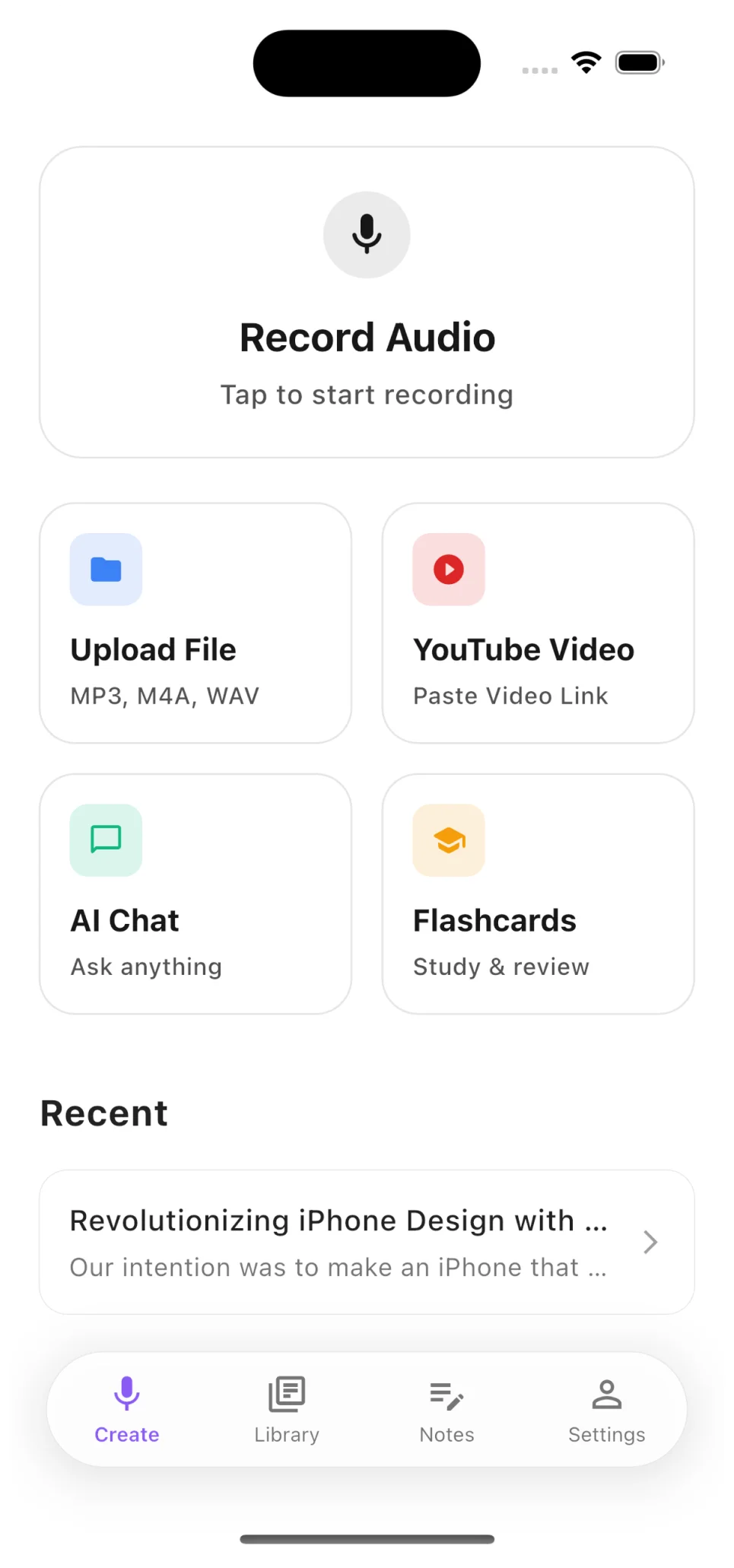
Soz AI home screen

Record, Upload, or Paste a YouTube Link

Start transcribing in seconds. Record audio directly, upload files from your device, or paste any YouTube video URL — the app handles the rest.

  • Record meetings, lectures, and interviews live
  • Upload MP3, M4A, WAV, MP4 and more
  • Paste YouTube links for instant transcription
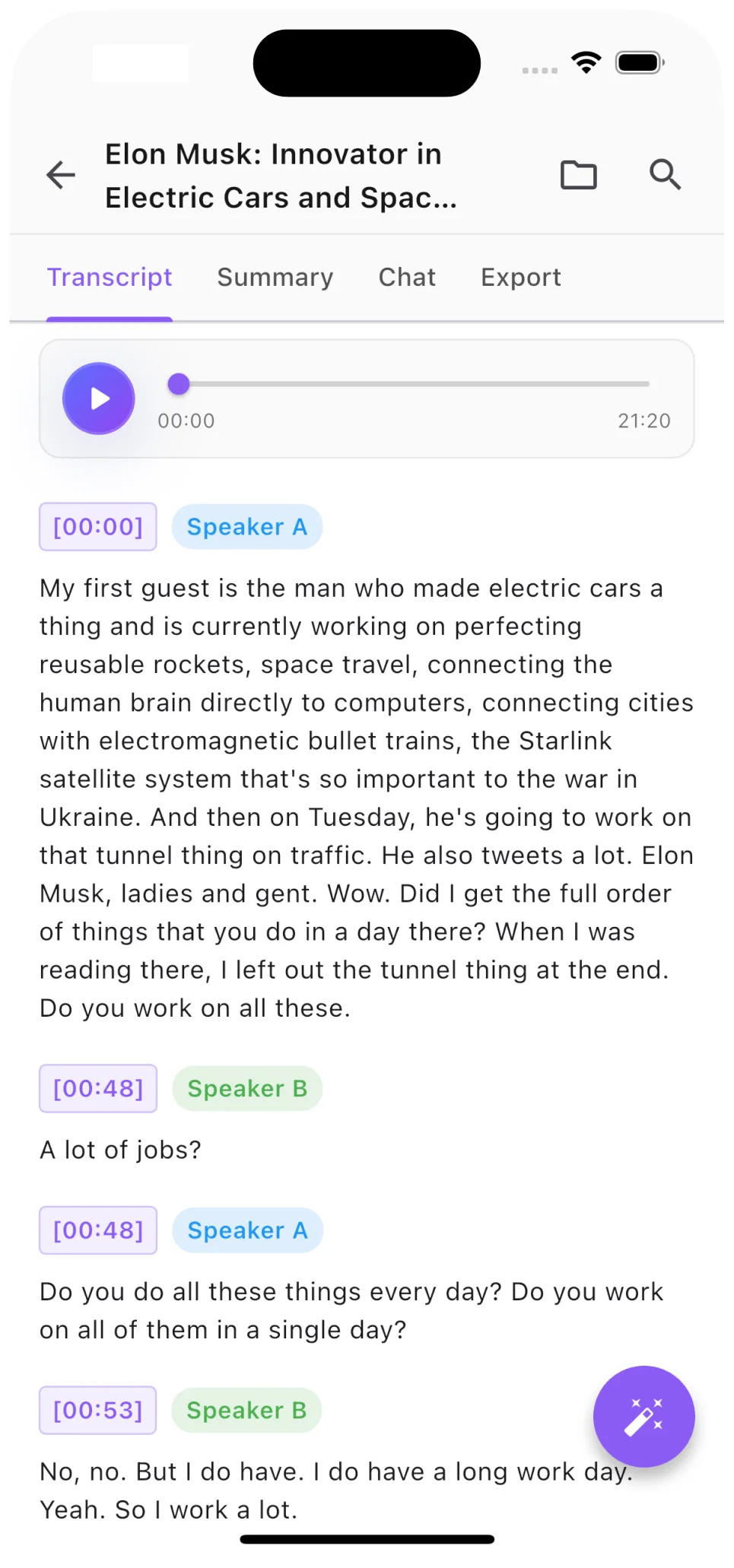
Transcript with speaker labels

Speaker Labels and Timestamps

Every transcript includes automatic speaker diarization. See exactly who said what, jump to any moment with precision timestamps.

  • AI identifies different speakers automatically
  • Click any timestamp to jump to that moment
  • Export with or without speaker labels
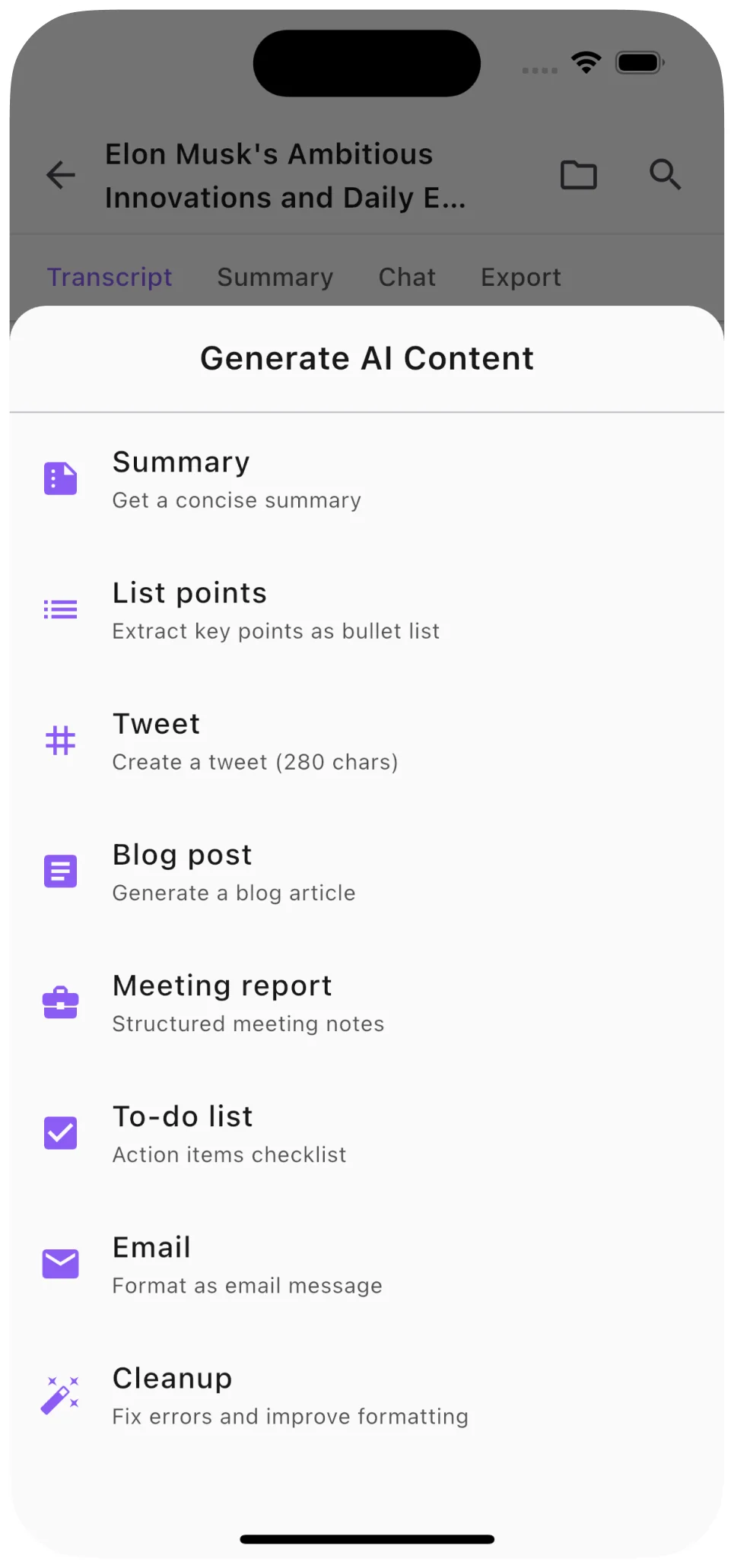
AI summary and content generation

AI Summaries, Notes, and More

Go beyond raw transcription. Generate concise summaries, structured notes, blog posts, and social media content from any audio or video.

  • One-tap AI summaries of any length
  • Generate blog posts, tweets, and study notes
  • Ask questions about your transcript with AI Chat

Powerful Features for macOS

Desktop Recording

Record system audio and microphone with professional quality

File Import

Import audio and video files from anywhere on your Mac

100+ Languages

Transcribe in any major language with high accuracy

Speaker Detection

Automatically identify and label different speakers

Export Options

Export as PDF, DOCX, TXT, or SRT subtitle files

iCloud Sync

Sync transcriptions across all your Apple devices

Download Soz AI for Mac

Available now on the Mac App Store

Download

Start with 30 free minutes. No credit card needed.