How To Make lofi Beats (3 Tips!) — Transcript

Learn 3 essential tips to make your lofi beats sound full and professional by mastering texture density and sound shaping techniques.

Key Takeaways

  • Texture density is key to making lofi beats sound full and complete.
  • Choosing the right, dense sounds fills space better than just louder sounds.
  • Playing samples in lower keys increases their length and density, enhancing fullness.
  • Transient shaping tools allow precise control over sound density via attack and sustain adjustments.
  • Applying these tips can transform amateur beats into professional-sounding productions.

Summary

  • Many lofi beats sound incomplete due to lack of texture density, which is the fullness and space sounds occupy in a beat.
  • Tip 1: Choose the right sounds that are dense and wide to fill up space and make the beat sound complete.
  • Tip 2: Play sounds in a lower key to increase their length and density, filling more space in the beat.
  • Be cautious of DAWs that re-pitch without changing note length, as this reduces the effectiveness of this technique.
  • Tip 3: Use transient shaping tools to control attack and sustain, making sounds denser and fuller.
  • Transient shaping can make snares and other elements thicker or thinner by adjusting sustain.
  • The concept of texture density is crucial for turning weak, thin beats into full, professional-sounding tracks.
  • The video includes a free drum kit download link to help viewers apply these tips.
  • The creator encourages engagement through comments, likes, subscriptions, and notifications.
  • Practical demonstrations compare the same beat with different sound choices to highlight the impact of texture density.

Full Transcript — Download SRT & Markdown

00:00
Speaker A
If you've ever made a low-fi beat, you've probably run into the problem of the beat not sounding full or complete. You've chopped up the sample, you've added your drums, your bass, you created the melody, and yet it still doesn't feel like everything's there. It sounds like it's still not finished.

00:14
Speaker A
If you've run into this problem, it's usually because of a simple idea that I call texture density. The good news is, I have three tips for you that will help you with this problem and make your beats sound better.
00:34
Speaker A
So if you've ever made a low-fi beat or are wondering how to make a low-fi beat, this video is for you.
00:38
Speaker A
When I first started making beats, I thought it was going to be very simple, just find a cool sample, add some drums on top, and then you're done. But what kept happening was my beats never sounded full, they never sounded professional like everyone else's. Now after making thousands of beats, I realized where I was going wrong, I wasn't keeping in mind this idea that I call texture density.
00:57
Speaker A
So I'm going to be using the beat that you guys are listening to right now and show you guys why this concept is so important and how it can help you make better beats.
01:05
Speaker A
Once again, if you like the drums from this beat, I've created a free drum kit for you guys to download.
01:11
Speaker A
The download link is down in the description below.
01:52
Speaker A
So I have this low-fi beat that I made, first, what I want to do is play it for you guys so you can hear how it sounds.
02:10
Speaker A
Now what I want to do is play the exact same beat but change a couple of the layers.
02:16
Speaker A
So you guys can hear the difference.
02:30
Speaker A
So it's the exact same beat, it's got all the same elements in it, all I did was change the high hats and the snares around.
02:38
Speaker A
And you can hear just such a big difference.
03:18
Speaker A
One beat sounds a lot more full and complete, while the other one sounds a lot weaker and just more amateur.
03:24
Speaker A
So this is tip number one, choosing the right sounds, what we're looking for are sounds that make the beat sound complete and full.
03:33
Speaker A
A lot of times I hear producers just use the wrong sounds and it ends up just not making the beat sound full or complete. What we're trying to do is fill up space in the beat using the right sounds.
03:43
Speaker A
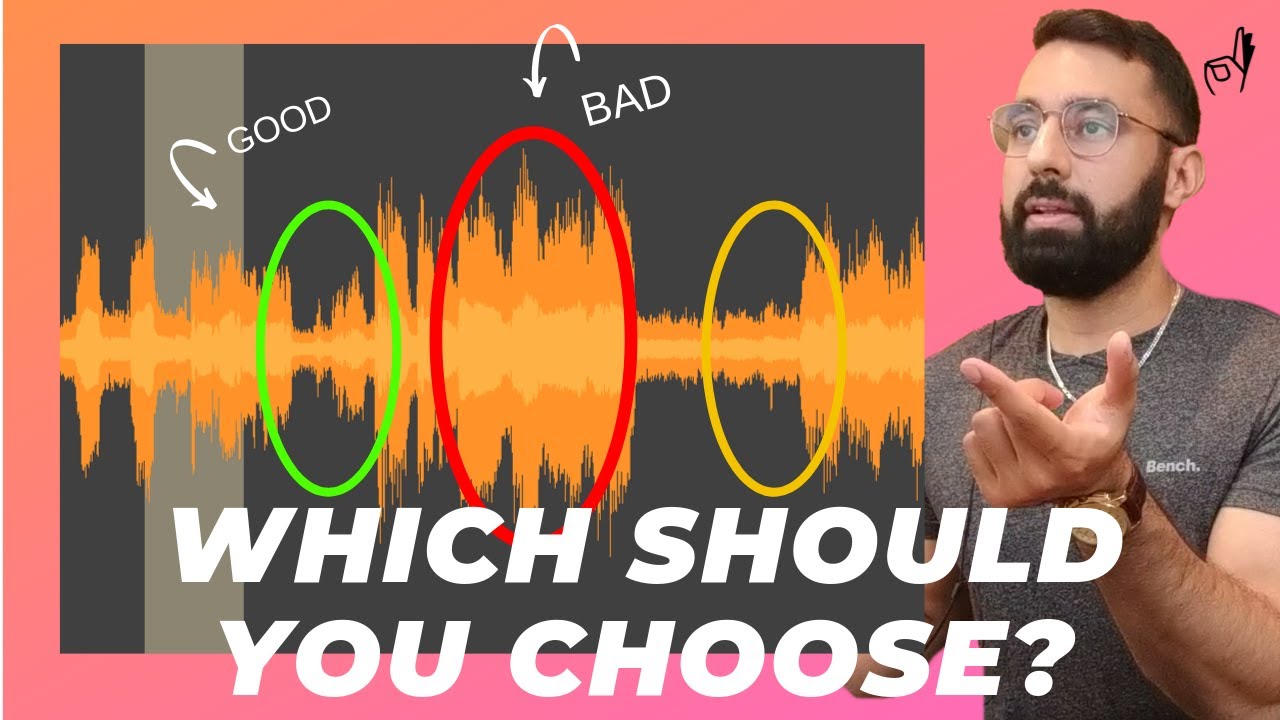
So let's take a deeper look into exactly what I mean, here we can look at what my high hat loop looks like when I choose the right sample.
03:50
Speaker A
And here's how my high hat loop looks when I choose the wrong sample.
03:55
Speaker A
So as you can see, the wrong loop is louder than the right sample, but that's not what's causing the problem here. When I look at the right sample, these high hats just look like they take up a lot more space just visually as well.
04:09
Speaker A
They're wider and they're just a lot more dense.
04:10
Speaker A
Same thing with the snare.
04:11
Speaker A
Here is what the wrong snare looks like.
04:14
Speaker A
And here's what the right snare looks like.
04:16
Speaker A
As you can see, it's just a lot more dense and a lot more wide.
04:20
Speaker A
It's just going to end up taking a lot more space up in the beat.
04:23
Speaker A
And this is going to end up making the beat sound a lot more full and just more complete.
04:26
Speaker A
And this is why texture density is just such an important idea, it's going to be the difference between making your beat sound thin and frail and just incomplete.
04:32
Speaker A
And actually sounding like a full beat if you choose the right sound.
04:35
Speaker A
So now tip number two is a technique that I like to use to shape a sound into becoming more dense.
04:40
Speaker A
And filling up more space in the beat.
04:42
Speaker A
So what I end up doing is I'll take a sound that I like and I'll play it in a different key.
04:47
Speaker A
So for example, in this beat, I took the high hats and I played them a couple keys lower than the original sound.
04:53
Speaker A
What I mean is instead of playing them up here, I ended up playing them down here.
05:00
Speaker A
So that's an extreme example, I'll show you guys how the loop looks like if I were to play it in an octave higher.
05:05
Speaker A
That would be 12 keys higher than the original sound.
05:08
Speaker A
As you can see, once again, the sounds are just less dense and take up less room.
05:15
Speaker A
Here's how the waveform looks when I play it an octave higher.
05:20
Speaker A
And here's how it looks when I play it an octave lower.
05:23
Speaker A
As you can see, it's just a lot more dense and it's just going to take up a lot more room in the beat.
05:27
Speaker A
The reason for this is because when you play a sound at a different key, the sound plays at a lower speed as well.
05:30
Speaker A
Not only do you change the pitch of the sound, but you also change the length of the note.
05:35
Speaker A
So a sound that may have been one second long, if you were to play it in a lower key, it might end up being one and a half seconds long, for example.
05:43
Speaker A
Now, this is good for us because what we're trying to do is fill up as much space in this beat as possible.
05:47
Speaker A
So if we were to play certain sounds at a lower key, it'll end up taking up more room in the beat.
05:54
Speaker A
And in the end, the beat's just going to sound a lot more full because of that.
05:57
Speaker A
One thing that I should mention though is that I'm not talking about re-pitching.
06:02
Speaker A
Certain DAWs when you re-pitch a sound, what it will do is just change the pitch, but it won't change the actual length of the note.
06:10
Speaker A
So be careful and look out for that when you're trying to use this technique, make sure you're playing in a lower key and it actually does change the length of the note.
06:17
Speaker A
And won't just change the pitch and leave the note length the same.
06:20
Speaker A
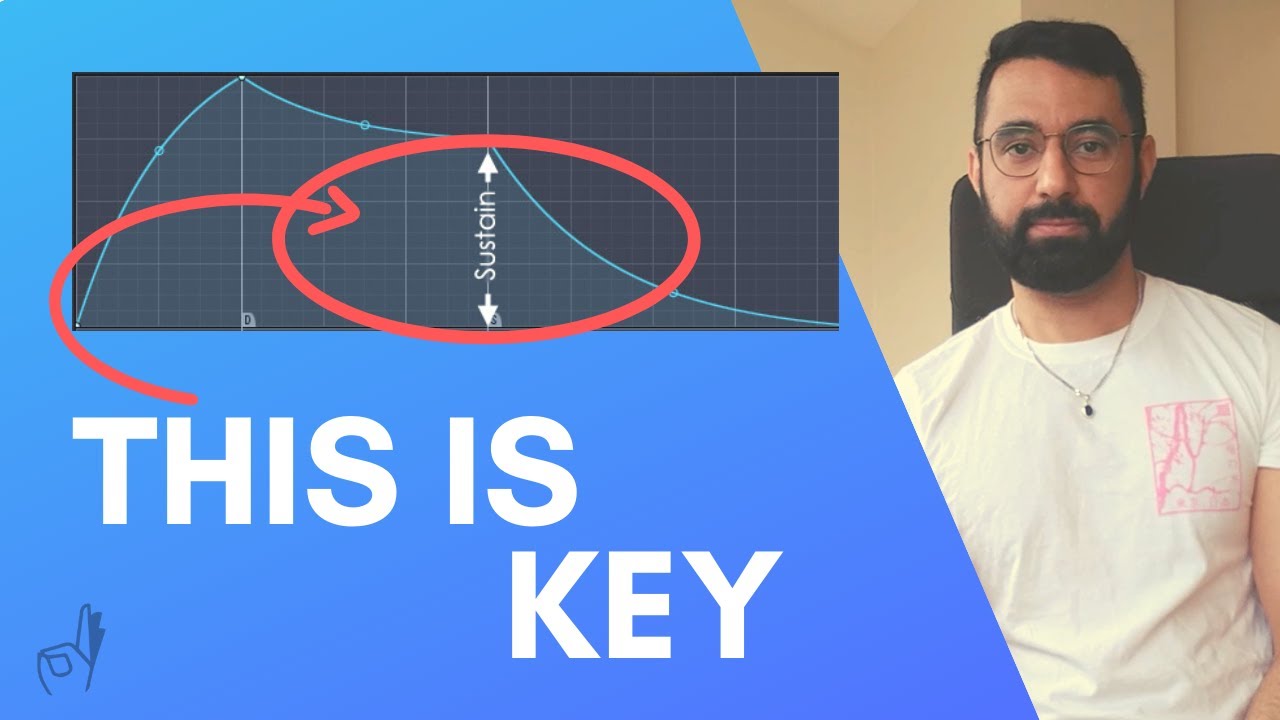
Now tip number three to make your beat sound a lot more full is using transient shaping tools.
06:25
Speaker A
This is a tool that I like to use a lot.
06:29
Speaker A
Basically, it allows you to change the shape of a sound.
06:35
Speaker A
What you can do is control how long the sound plays for, or you can change the attack.
06:40
Speaker A
You can make it hit a lot harder or softer.
06:42
Speaker A
Basically, it allows us to control how dense we want the sound in this instance.
06:46
Speaker A
Most transient shaping tools are pretty simple, they only have a few things you can control.
06:50
Speaker A
For example, this one here, you can control the gain, the attack, the sustain.
06:54
Speaker A
There are a bunch of free ones that you can download online for free, I've included a link to a few of them down below in the description box.
07:00
Speaker A
So all you're looking for is the sustain option here.
07:02
Speaker A
So as an example, to show you guys why this tool is so powerful, here's how the snare looks originally.
07:07
Speaker A
Here's how the snare looks when the sustain is set to super low.
07:12
Speaker A
As you can see, it doesn't take as much space up compared to the original.
07:15
Speaker A
And here's how the snare looks when the sustain is set to super high.
07:20
Speaker A
It's just super dense, super thick compared to our original.
07:23
Speaker A
So as you can see, this is a tool that we can use to shape the sounds that we have in the beat to make them fill up a lot more space.
07:29
Speaker A
So this is exactly what we're looking for and this tool can really help you out with your texture density.
07:33
Speaker A
And making your beat sound a lot more full.
07:36
Speaker A
So if you're trying to learn how to make low-fi beats, this idea of texture density is just going to be a very powerful tool to help you out.
07:42
Speaker A
If you've been running into the problem of your beats just not sounding finished ever or not sounding full, this may be the reason why.
07:48
Speaker A
Using these tips and tools that I've shown you guys right now, can be the difference between your beat sounding weak and unfinished or complete and full.
07:56
Speaker A
Once again, guys, the download link to the free drum kit is in the description below.
08:01
Speaker A
Let me know in the comments if these tips were helpful at all and if you plan on using them in the future.
08:06
Speaker A
Please hit the like button, subscribe and bell.
08:09
Speaker A
See you guys next Tuesday.
Topics:lofi beatsmusic productiontexture densitybeat making tipstransient shapingsound designmusic mixingsample manipulationdrum kitNavie D

Frequently Asked Questions

What is texture density in lofi beat making?

Texture density refers to how full and complete a beat sounds by how much space the sounds occupy. Higher texture density makes beats sound professional and less thin.

How can playing sounds in a lower key improve my beat?

Playing sounds in a lower key increases their length and density, filling more space in the beat and making it sound fuller and more complete.

What role do transient shaping tools play in making lofi beats?

Transient shaping tools let you adjust the attack and sustain of sounds, allowing you to control how dense or full they sound, which helps improve the overall texture density of your beat.

Get More with the Söz AI App

Transcribe recordings, audio files, and YouTube videos — with AI summaries, speaker detection, and unlimited transcriptions.

Or transcribe another YouTube video here →