How I Use Obsidian + Claude Code to Run My Life — Transcript

Greg Isenberg explains how to use Obsidian with Claude Code to enhance productivity and manage projects efficiently with AI-powered context.

Key Takeaways

  • Obsidian and Claude Code together create a powerful AI-assisted productivity system.
  • Passing project context as files to Claude Code saves time and improves AI understanding.
  • Obsidian's vault system allows for unique interconnections between notes, enhancing knowledge management.
  • Using AI as a thinking partner can reveal new insights about your own thought processes.
  • Proper use of these tools can lead to improved life outcomes through better idea generation and task management.

Summary

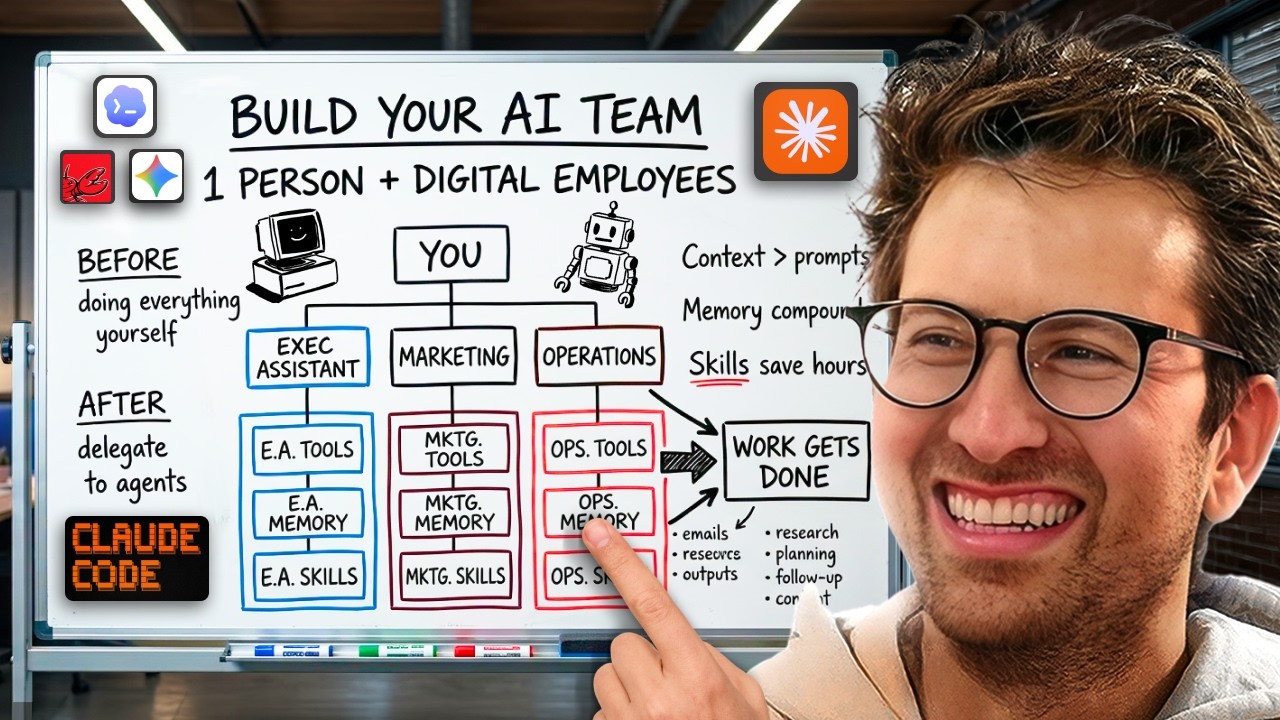
  • Obsidian is a tool used as a 'second brain' that manages markdown files and creates interlinked notes.
  • Claude Code is an AI agent controlled via command line that can perform tasks on your computer using natural language.
  • Pairing Obsidian with Claude Code allows users to pass contextual files to the AI, avoiding repetitive explanations.
  • This combination enables more complex and efficient project management by feeding the AI relevant context quickly.
  • Obsidian's unique feature is its ability to visualize and create interrelationships between notes, unlike regular folders.
  • Claude Code can read, create, and manipulate files, making it a powerful assistant for managing projects and tasks.
  • Using these tools together helps users gain insights into their thinking patterns and improves decision-making.
  • The episode includes a detailed explanation from Internet Vin on setting up and using these tools effectively.
  • The approach aims to help users live happier, healthier, and wealthier lives by providing timely and relevant ideas.
  • The video emphasizes the importance of feeding the AI good context to maximize its usefulness and impact.

Full Transcript — Download SRT & Markdown

00:00
Speaker A
This is Obsidian. And Obsidian is this little tool that people are using as their second brain. But what's really cool about it is they're pairing it with Claude Code and they're getting crazy results out of it. It's literally a game changer. Now, I've been slow to adopt Obsidian because to me, it's been a little daunting to look at. So I had my friend Vin and he clearly explains what Obsidian is, how to use it with Claude Code, how to set up these commands that really drive the most out of Claude and all the LLMs. And it's an incredible episode, like a really game-changing episode because I think that people who understand how to use Obsidian and how to use Claude Code together, they're going to be able to live happier, healthier, and wealthier lives. Why? Because it gives incredible ideas to you on tap. So I know that the people that stick around to the end of this episode, I think that for a lot of them, it's going to absolutely change how they use AI and it's going to be a super impactful way because you're going to get better ideas at the right time, the right moment, and it's going to make you happier, healthier, and wealthier. Enjoy the episode.

02:01
Speaker A
I've got my dear friend Vin, also known as Internet Vin, on the podcast. I literally begged him to come on. I begged him. I begged this man to come on and to teach us a very specific thing. Vin, by the end of this podcast episode, what are people going to learn?
02:20
Speaker B
I want you to have an understanding of how you can use Claude Code and Obsidian as a thinking partner. I want you to have an understanding of how you can stop having to explain things to agents over and over again and just pass specific files in. And I want you to understand how you can use Obsidian and Claude Code to notice things about the way you think that you would not have noticed on your own without these tools.
03:24
Speaker A
All right, from your lips to God's ears. Let's get into it.
03:29
Speaker B
Okay, so first is like what is Claude Code? So Claude Code is this like agent that you can use in a command line interface. So it's just basically this tool you can use that you can control your computer and you can use it through natural language, right? So I can say make a file or make a file on my desktop that says hello Greg in plain text, right? And it's going to go and do this.
04:00
Speaker B
That's really cool. That's that's something that's that's new. That wasn't possible before.
04:15
Speaker B
Before this, I had to go to the desktop, open some text editor, and then like create that file, right?
04:20
Speaker B
And now this file is on my desktop.
04:24
Speaker B
So I can say open the file.
04:28
Speaker B
There we go.
04:30
Speaker B
Hello Greg.
04:33
Speaker B
That's crazy, right?
04:36
Speaker B
Um, now what's interesting about this is if you have this agent that can like control and do things on your computer, that means that whatever you can describe to it, like it can start to do. And so when you if you describe a project to it or you get into these long conversations with an agent, um, it can do more and more complex things. The more information it has, the more complex things it can do. But the problem is that if you have to, let's say, you know, like I write some super long description about a particular project, or I have like an hour conversation with this agent about a particular project, it's like, I don't want to have to create a new session to explain that all I don't want to have to explain that over and over and over again.
05:44
Speaker B
Um, a lot of people are using like Claude or ChatGPT on the web and it has things like memory, but you you can't like control, you don't know what's in that memory, right? You don't know what it knows and what it doesn't know. And so there needs to be some way of like, you know, passing information into these agents that is easier and faster. And the better information you can give it, and the faster the information you can give it, the more stuff if it can do for you, and the better the faster you can delegate to it. Okay.
06:55
Speaker B
So now, even if I let's say, let's say I had like, you know, let's say I wrote like a big project description here, right? Create a file that describes a project about a to-do list app that is very minimally designed and reads from all of my calendar and messages and Slack and interprets into a task list that it thinks that I should do. I don't know. Some some idea, right?
07:50
Speaker B
So now, this this is a file that could be on my desktop. And what I can do when I use Claude Code is I can reference that file and pass it in whenever I want.
08:23
Speaker A
And why that's important is because it's the context, right? The whole game is feeding the beast good context.
08:35
Speaker B
Yes. Exactly. And I don't want to have to do this over and over again.
08:41
Speaker B
And and when I work on this over days, I I'm not going to remember like what we talked about, right?
08:50
Speaker B
So I want some kind of file that I can like pass in. Oh, sorry, Greg. One sec.
08:56
Speaker A
Yeah, and that's that's sort of the problem that a lot of people are facing with Claude Code is like they're using it and then they're saying, well, it's it's okay.
09:05
Speaker A
It's not like game-changing.
09:10
Speaker A
And the issue is they don't have they're not they're not feeding the right context at the right time.
09:15
Speaker B
Yes, exactly. And so here's so here's like a a project description that it wrote.
09:20
Speaker B
And obviously, I can pass this in.
09:24
Speaker B
And this is like a this is like a general one that I just created, but you you can make these like very complex.
09:30
Speaker B
You can build them into like robust files, right?
09:32
Speaker B
Over time.
09:33
Speaker B
So we know that Claude Code can create files and it can repeat and it can, um, read files, right?
09:40
Speaker B
So now I can say, let's say I created a new session.
09:44
Speaker B
So here's a new session.
09:47
Speaker B
And now I can say like, I want to work on this project and I go here and it's going to be, um, to-do-app-project.md.
09:50
Speaker B
Here it is.
09:52
Speaker B
Boom.
09:53
Speaker B
Now I didn't need to explain the file again.
09:57
Speaker B
I didn't need to explain the project again, right?
10:00
Speaker B
So it's going to read this file and it's going to start like, you know, that saved me a lot of time.
10:06
Speaker B
Great project. Before diving in, a few questions to scope the first session.
10:10
Speaker B
So that'll continue.
10:11
Speaker B
So now, what is Obsidian, right?
10:13
Speaker B
Obsidian is this tool that it's kind of like an interface that sits on top of, um, a collection of markdown files, right?
10:20
Speaker B
So here, like this is reading a markdown file.
10:23
Speaker B
How I use Obsidian story development, right?
10:26
Speaker B
Um, I have a daily notes.
10:28
Speaker B
This is my daily notes.
10:30
Speaker B
This is also, um, a markdown file.
10:32
Speaker B
I should do my own fundamental analysis into things into how things stay pure when they grow and become more mainstream, right?
10:38
Speaker B
This is just a file that I have.
10:40
Speaker B
I have, um, you know, like a file on Greg Isenberg that I haven't put any.
10:43
Speaker A
Oh, that's weird.
10:44
Speaker B
Yeah.
10:45
Speaker A
Oh, that's pretty weird.
10:46
Speaker B
And so I I make files like notes of things that I'm learning from people and stuff like that, too.
10:50
Speaker B
So I have different, um, files for everything, right?
10:53
Speaker B
And the interesting thing that makes a vault, which is Obsidian, what Obsidian interacts with, this whole thing is called a vault.
11:00
Speaker B
What makes it different than a folder?
11:02
Speaker B
Is that Obsidian is not only interacting with just like a, you know, a folder of files, um, but what it does is it also allows you to make inter to connect relationships between files.
11:10
Speaker B
So I can say, today I am on a podcast with Greg Isenberg.
11:13
Speaker B
Now, this file is linked to that Greg Isenberg file.
11:16
Speaker B
Super interesting.
11:18
Speaker B
Super interesting. And so when people like like like people, uh, there's a lot of people who really, really like abusing Obsidian and tools like Obsidian because of this ability to form interrelationships.
11:25
Speaker B
This is unique to just having a folder.
11:30
Speaker B
A folder on your computer cannot show these interrelationships.
11:33
Speaker B
And so it gets really interesting when you start to, um, keep making these like interrelationships over time, right?
11:40
Speaker B
And so what happens is here's a little visualization.
11:45
Speaker B
And so in in here, these are each one of these circles is a file.
11:50
Speaker B
And in and and it's it's showing how it's like connected to all of these other files where I've written things about.
11:56
Speaker B
So here's like personal agent infrastructure.
12:00
Speaker B
Right? And so I could look, you know, and I guess I should also add just to kind of a comment on this and what was difficult about doing this demo.
12:03
Speaker B
There is like so much personal information in here because this is like my personal thing.
12:06
Speaker B
So I don't even know like what's going to show up on the screen here, right?
12:10
Speaker B
Um, but that's part of doing demos like this, which is which are kind of weird and interesting.
12:13
Speaker B
But you can see personal agent infrastructure, like links to like agentic AI.
12:20
Speaker B
There's like a link here to Telegram.
12:22
Speaker B
There's a link here to like Toby, the founder of Shopify.
12:27
Speaker B
There's a link to like presence log, Claude bot, you know.
12:30
Speaker B
And then here's like I I have a podcast, too, called The Other Stuff.
12:36
Speaker B
And like you you can see I'm obviously doing a lot of like thinking about that a lot, right?
12:40
Speaker B
And so, and what a great tool it is for me and like I I can just like now write in here and I'm and I'm, you know, as I'm thinking about things, and it gives me ideas, right?
12:45
Speaker B
About, um, my life and the projects that I'm working on.
12:50
Speaker B
So I can say, you know, it's interesting the way that my relationship with Obsidian has evolved over time.
12:54
Speaker B
It makes me think a lot about the way in which my relationship with computers has evolved over time, since, I was a kid to now.
13:00
Speaker B
It's interesting how these things just happen and compound over time, and we don't really realize it.
13:04
Speaker A
So that's an example of something.
13:06
Speaker A
So I think a part of getting good at Obsidian sounds like, you know, inserting reflection into your everyday life because a lot of people, you know, we're moving from meeting to meeting, we're busy, we're parents, um, you know, we grow up and we, of course, write things down in notebooks and stuff like that, but I feel like as we get older, we actually write and reflect less and less.
13:10
Speaker B
Yes.
13:11
Speaker A
But that's still so amazing, right?
13:12
Speaker A
Because I mean, even when we work with other humans, we have to find a way to explain things to them.
13:16
Speaker A
And I just think it's so cool that now we can work with these agents, and we still have to explain things to them, but we only need to explain them once.
13:20
Speaker A
Because once we get it down on into a file, we can always reference that file, that explanation of a project or a preference or anything, and it's always there and you can pass it in.
13:24
Speaker A
Yeah.
13:25
Speaker A
A file is like essentially perfect, a perfect memory.
13:28
Speaker B
Yes.
13:29
Speaker A
Right?
13:30
Speaker B
Yes.
13:31
Speaker A
Human beings have memories, like we recall things, but there's tons of studies that show that what we remember, in fact, is completely different than reality.
13:37
Speaker A
For example, when we went and got our that haircut in Mississauga, I could have thought that I had the best haircut.
13:40
Speaker B
Yes.
13:41
Speaker A
You know.
13:42
Speaker B
Yeah.
13:43
Speaker A
That's what my memory remembers.
13:45
Speaker A
It was a great haircut.
13:47
Speaker A
But who knows? It could have been the worst haircut I had ever gotten.
13:50
Speaker B
Yeah, it's nuts.
13:51
Speaker A
Now.
13:52
Speaker A
Obsidian or whatever tool you end up using, like remember.
13:53
Speaker A
You know, if I had written like it it the memory, the file, the markdown file is perfect.
13:56
Speaker A
So that when I link that or I recall it, it is going to give me a perfect, uh, you know, data point.
14:00
Speaker A
And the other thing about, you know, these files is that you hope, well, they're not biased, basically.
14:03
Speaker A
There is biased as the human being is in terms of writing the reflections.
14:06
Speaker B
Yes.
14:07
Speaker A
At that moment in time.
14:08
Speaker B
Yes.
14:09
Speaker A
It's crazy, man. And
14:12
Speaker B
Yeah.
14:13
Speaker A
And
14:14
Speaker B
Yeah, it's just crazy.
14:15
Speaker A
And there's all there's all of these different aspects to it.
14:18
Speaker A
There's the privacy of it, and what that means.
14:20
Speaker A
There's the power of it, the fact that now you can just work with these computers in natural language and just delegate to them.
14:22
Speaker A
Um, there's the fact that there's people like me that are that are using these tools and and trying to figure out how to delegate stuff to agents in this way.
14:26
Speaker A
There's people that are like me that are even more hardcore and in in different ways and and pushing them.
14:30
Speaker A
And I just think it's such a crazy time to be alive.
14:34
Speaker A
Because I think we are potentially watching a fundamental shift in the human relationship to computers.
14:39
Speaker A
And it's just.
14:40
Speaker A
I'm just I'm just really happy to be alive while this is happening and I'm curious like how's this all going to unravel?
14:42
Speaker A
Well, what's what's cool about this is 99.99% of people are not going to spend the time to actually set up something like this and make it a part of their daily lives.
14:46
Speaker A
And the alpha, so to speak, in terms of leading a more productive, happier, healthier, better, more money-making career is in in in using something like this with an LLM.
14:50
Speaker B
I think so.
14:51
Speaker A
I'm not saying download Obsidian today.
14:52
Speaker A
And I have no affiliation whatsoever with them.
14:54
Speaker A
But I'm saying like pick a tool, it sounds like what we should all be doing. And I'm I'm talking I'm I'm giving myself this this advice.
15:00
Speaker A
It's like there's no excuse anymore for me not to be writing down and reflecting.
15:04
Speaker B
Yes.
15:05
Speaker A
Into markdown files.
15:07
Speaker B
Yes.
15:08
Speaker A
In a world that where LLMs use markdown files as the oxygen.
15:10
Speaker B
Yes.
15:11
Speaker A
People think tokens are the oxygen.
15:12
Speaker B
Yes.
15:13
Speaker A
But they're not.
15:14
Speaker B
Yes.
15:15
Speaker A
The markdown files are the memories.
15:17
Speaker A
Like think about what a human being is.
15:18
Speaker B
Yes.
15:19
Speaker A
You know.
15:20
Speaker A
Is a human being the the energy of a human being or is it the memories of, you know, what we recall, you know?
15:24
Speaker A
I mean.
15:25
Speaker A
That's like a philosophical question and maybe it's a a bit a, you know, a bit of both, but it's.
15:26
Speaker A
You know, I think that there's something really, really fascinating about MD files as an underrated about them in order to to have a true computer experience in today's day and age.
15:30
Speaker A
Yeah.
15:31
Speaker A
And like I have bad work.
15:32
Speaker A
My work.
15:33
Speaker A
I you know, I'm learning in real time, right?
15:34
Speaker A
Like and I have I don't have the right vocabulary to even explain this.
15:36
Speaker A
Yeah.
15:37
Speaker A
And neither do I, man.
15:38
Speaker A
Neither do I. I'm trying to I'm trying to figure it out in real time.
15:40
Speaker A
That's that's why I think like I know I show something and and for me, I'll I'll do something or I'll see something.
15:41
Speaker A
And my friends are like, they kind of laugh because I'll just be sitting at my computer just tripping out.
15:45
Speaker A
And I think it's because I really like computers and and I cannot believe that this is possible.
15:49
Speaker A
I cannot believe that I can just be making notes on my computer like I have been since I was a kid.
15:53
Speaker A
And then all of a sudden, this agent can scan through it and build things because of it.
15:56
Speaker A
And
15:57
Speaker A
And like connect patterns that I could never see.
16:00
Speaker A
It's nuts, man.
16:01
Speaker A
It's nuts.
16:02
Speaker A
And and at the root of it, you're right, is just a collection of interrelated markdown files.
16:06
Speaker A
Yeah.
16:07
Speaker A
Cool, man.
16:08
Speaker A
I appreciate you.
16:09
Speaker A
I don't know if you can see my mind, but my mind is blown right now.
16:12
Speaker B
Thank God, man.
16:14
Speaker B
I wanted to do right by you.
16:16
Speaker B
I also just like I say this every time, man, but I'm just going to keep always saying it to you all the time.
16:22
Speaker B
I really, really, really, really appreciate everything that you do.
16:26
Speaker B
I think your pattern recognition and your pattern matching is like like really underrated.
16:30
Speaker B
I think there's a lot of things that you do that I don't think it's like difficult to see if you're not really paying attention.
16:35
Speaker B
I I just wanted to say like thank you for for everything that you do.
16:38
Speaker B
You're always putting on like new voices on your show.
16:40
Speaker B
I see it. I really appreciate it.
16:42
Speaker B
And it's just been it's just an honor to know you and yeah, just thanks for the opportunity.
16:45
Speaker B
Thanks for everything, man.
16:47
Speaker A
I appreciate you, Vin. You're a legend.
16:50
Speaker A
I'll include links for where to follow criminally underfollowed Internet Vin on on X, on his YouTube show, uh, podcast in the show notes and description.
16:53
Speaker A
You can go and check him out there.
16:56
Speaker A
Uh, people, please play with some of these tools, uh, and let me know what you think.
16:58
Speaker A
Let Vin know what you think.
17:00
Speaker B
Please.
17:01
Speaker A
And, uh, Vin, I will beg you to come back on the show another time.
17:05
Speaker A
And I hope you come back on again.
17:07
Speaker B
For sure, man.
17:08
Speaker B
Thank you.
17:09
Speaker A
Thank you.
Topics:ObsidianClaude CodeAI productivitysecond brainmarkdown notesproject managementAI assistantknowledge managementtask automationGreg Isenberg

Frequently Asked Questions

What is Claude Code and how does it work?

Claude Code is an AI agent that operates via a command line interface, allowing users to control their computer and perform tasks using natural language commands.

How does Obsidian enhance the use of Claude Code?

Obsidian manages markdown files and creates interlinked notes, which can be passed as context files to Claude Code, enabling the AI to understand projects better without repeated explanations.

Why is feeding context important when using Claude Code?

Providing good context files to Claude Code allows it to perform more complex tasks efficiently and reduces the need to repeatedly explain project details, saving time and improving AI output.

Get More with the Söz AI App

Transcribe recordings, audio files, and YouTube videos — with AI summaries, speaker detection, and unlimited transcriptions.

Or transcribe another YouTube video here →