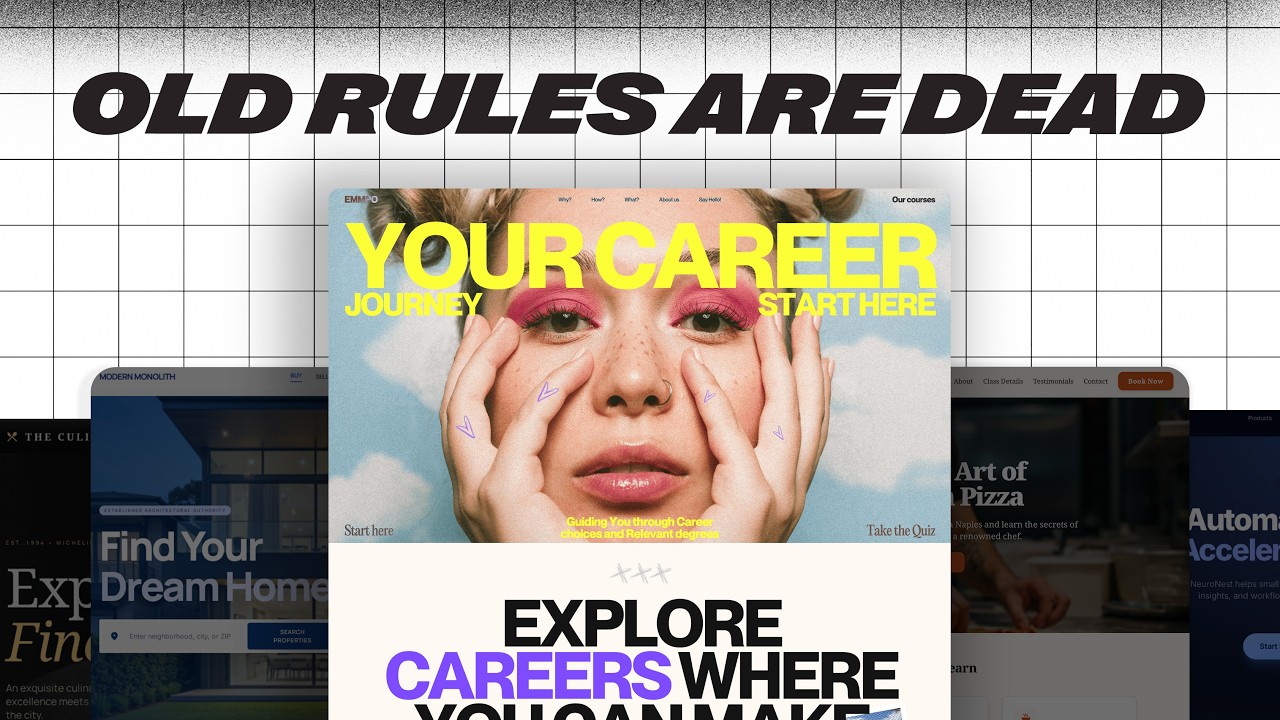
11 Micro Animations That Will Instantly Level Up Your U… — Transcript

Learn 11 micro animations to enhance your UI with easy Figma tutorials and a free file to create sleek, interactive designs.

Key Takeaways

  • Micro animations enhance user experience by making interfaces feel more interactive and polished.
  • Figma can be used effectively to prototype and create these animations with simple techniques like masking, auto layout, and smart animate.
  • Delays and easing functions play a crucial role in making animations feel natural and satisfying.
  • Small UI details like hover states and tooltips improve usability without overwhelming the design.
  • Sharing free Figma files helps designers quickly implement and customize these micro interactions.

Summary

  • Introduction to 11 simple micro animations that improve UI design using Figma.
  • Button hover and click effects using text sliding and scaling animations.
  • Keyboard shortcut animations to help users remember shortcuts with visual feedback.
  • Toast notifications with interactive loading and success animations.
  • Name tag pop-ups on hover for small headshots using auto layout and smart animate.
  • Shimmer stroke effect created with angular gradients and masking for a modern look.
  • Delayed tooltips triggered after hovering for 1 second with custom easing for bounce.
  • Text hover pop-outs to display additional info without cluttering the interface.
  • Progress bar animations that keep users engaged during form completion.
  • Card swipe interactions for notification centers with smooth stacking and movement.

Full Transcript — Download SRT & Markdown

00:00
Speaker A
If you're like me and don't have the talent or patience to make crazy stuff like this.
00:06
Speaker A
Then let me show you how to create sleek, satisfying interactions that make your designs feel high-end and actually fun to use.
00:11
Speaker A
As always, the Figma file is in the description.
00:14
Speaker A
Let's do this.
00:15
Speaker A
One, simple button hover effect.
00:18
Speaker A
First, if you're as unprepared as I am, then this one is perfect for you.
00:22
Speaker A
I'd create a nice button, but of course, forget the hover and click state, so I'd just end up frantically picking some random colors.
00:29
Speaker A
Instead of that, do this.
00:31
Speaker A
Check out what this agency does with the text that slides up as we hover on it and the buttons that get smaller when we click on them.
00:38
Speaker A
To do that on Figma, it's actually really simple, all we have is a mask here with two sets of text that I hope you can see.
00:44
Speaker A
We've got a simple hover effect for the first one, and then for our click animation, we have a while pressing effect here, it works really well and then you don't have to mess around with all sorts of different colors.
00:54
Speaker A
You could even mix it up with some horizontal or diagonal movement like this micro interaction library built for Webflow.
01:01
Speaker A
Two, keyboard shortcuts.
01:03
Speaker A
Now, you probably aren't designing a whole lot of interfaces that require keyboard shortcuts.
01:08
Speaker A
But one thing's for sure, they're really easy to forget.
01:10
Speaker A
Something like this little micro animation from Rainbow Wallet makes it a little harder for them to completely escape from memory.
01:17
Speaker A
Here's what we've mocked up in Figma.
01:21
Speaker A
And for the most part, I think it looks really cool.
01:23
Speaker A
Now, unfortunately, it's not possible to bind the command or shift key, so we had to use X and A as our substitutes instead.
01:30
Speaker A
But once we've got those bound and press them all at the same time, we get a fantastic little success message too.
01:37
Speaker A
Three, toast notifications.
01:41
Speaker A
Toast.
01:42
Speaker A
Something you eat in the morning, something you do at a wedding, and something very important for UX.
01:47
Speaker A
Vercel has some pretty good toast notifications, though I like Linear's a little bit more.
01:51
Speaker A
But I think we can do even better.
01:53
Speaker A
Besides the obvious animation of it sliding up, we can add a lot of interactive bits to these cute little cards from simple loading animations to celebratory success messages with some sexy particle animations.
02:02
Speaker A
All of this is just some simple delay triggers with a single click trigger in here.
02:06
Speaker A
And we're pretty much good to go.
02:08
Speaker A
Four, name tag on hover.
02:11
Speaker A
If you're displaying any sort of small headshot on your website, then when users hover on it, have a teeny name tag pop up.
02:18
Speaker A
Huddle has this effect and typically so do agencies with teams of creatives on them.
02:23
Speaker A
And the best part is, this is super simple to put together in Figma.
02:25
Speaker A
All we need is these two frames here, the first is exactly how you'd expect it to be.
02:30
Speaker A
And the second is where the name tag actually pops out.
02:33
Speaker A
We've just used auto layout here by hitting Shift A, rounding out the corners all the way.
02:40
Speaker A
And then adjusting the spacings ever so slightly.
02:43
Speaker A
And finally, adding a fill, changing it to black.
02:47
Speaker A
And then changing our text color to white.
02:49
Speaker A
After adding a little bit of tilt and getting it positioned well.
02:55
Speaker A
We can come back to our first frame here where I have the exact same name tag.
03:00
Speaker A
Just moved down a little bit.
03:02
Speaker A
And set the opacity to zero.
03:04
Speaker A
To connect these, we just add a hover animation with smart animate and some custom easing that takes 500 milliseconds, has a stiffness of 636 and a dampening of 24.
03:12
Speaker A
This is important and creates the difference between these two animations.
03:18
Speaker A
Five, shimmer stroke.
03:21
Speaker A
The shimmer stroke or gradient stroke is a really modern animation and sites like this microinteraction.co and this Wix site do it really well.
03:29
Speaker A
This is what it ends up looking like in Figma and we had to use a couple tricks to get this to work.
03:34
Speaker A
But I think it ends up looking really nice.
03:37
Speaker A
The basic idea is we create an outline of our stroke using a subtract with two rectangles in it.
03:42
Speaker A
Then we create an angular gradient on a circle like this.
03:46
Speaker A
We can then put these two together and mask them.
03:50
Speaker A
So that we get this stroke effect.
03:53
Speaker A
Lastly, we animate this angular gradient rotating.
03:57
Speaker A
And we get the shimmer effect.
04:00
Speaker A
Because of the way we do things, we get a shimmer that moves faster on the edges here than it does on the top and bottom.
04:06
Speaker A
Personally, I don't mind it, but some people might, so we added in a pause and play button here.
04:12
Speaker A
So the user can toggle that whenever they like.
04:16
Speaker A
Six, delayed tooltips.
04:19
Speaker A
This is both a micro interaction and a massively helpful UX tip.
04:24
Speaker A
When we hover on any icon in this note-taking app, Obsidian, for more than a second.
04:30
Speaker A
We get a pop-up to explain what the icon actually does.
04:34
Speaker A
This is really nice when you have a lot of icons, but not a lot of space to actually label them all.
04:39
Speaker A
Implementing this is very simple if you know what you're doing.
04:41
Speaker A
All we have is a trigger on mouse enter, which you might not have used before.
04:47
Speaker A
And then a trigger on mouse leave to bring us back to our original frame.
04:52
Speaker A
We add a 1,000 millisecond delay, so only if we hover on it for a full second, do we actually get the animation pop up.
05:00
Speaker A
We've also used a custom easing with these settings to get a bit more bounce to it.
05:06
Speaker A
Seven, text hover pop-out.
05:08
Speaker A
Next up is text hovers and Figma's community page is just an awesome example of this.
05:13
Speaker A
It's a really great way to show what you're actually talking about without writing more words or taking up more space with images.
05:20
Speaker A
A Studio actually does something very similar, although their images are a touch more playful than Figma's.
05:26
Speaker A
Regardless, this is a really easy thing to set up in Figma.
05:30
Speaker A
All we have are some hover interactions with our frames with the elements that pop out when we hover.
05:34
Speaker A
And I'm going to be honest, this one might just be my favorite of the whole list, it's just so fun to play with.
05:40
Speaker A
Eight, progress bar.
05:43
Speaker A
Let's be honest, forms are boring.
05:45
Speaker A
But sometimes they're unavoidable and that's why tools like Linear have used some super smooth micro interactions for their progress bar to keep the user engaged.
05:53
Speaker A
We can create a really nice animation in Figma by taking our stroke here and masking it to a purple rectangle.
06:00
Speaker A
So that we can slide along our purple rectangle and it looks like we're drawing in the stroke.
06:05
Speaker A
It works really well around the circles and pretty much everything else is just fading in and out the elements.
06:11
Speaker A
Nine, card swipe.
06:14
Speaker A
This one by dub.co is just such a cool UI idea.
06:19
Speaker A
It kind of reminds me of iMessage images.
06:22
Speaker A
I do like where they have it in the sidebar here, but for ours, we're going to have it in the bottom right as kind of a notification center.
06:30
Speaker A
Once you've got all of your cards like so, we can stack them one on top of the other.
06:34
Speaker A
Just like this.
06:35
Speaker A
And then it's as simple as rotating the card out of the way and setting the opacity to 0%.
06:41
Speaker A
And then scaling up the cards in behind.
06:43
Speaker A
And shifting them down.
06:44
Speaker A
One important detail is to make sure that as you're dragging this card, the other cards move down to fill the space where the first card was.
06:50
Speaker A
That's what really completes this effect and makes it feel like they're moving forward.
06:54
Speaker A
Ten, search bar expansion.
06:58
Speaker A
Search bars.
06:59
Speaker A
They're large, clunky, and definitely can get in the way.
07:02
Speaker A
So we pack them down into the universally accepted search icon, the magnifying glass.
07:06
Speaker A
And by doing that, we have a great opportunity to add some interaction when the user clicks on it.
07:12
Speaker A
Apple themselves have a pretty good interaction when you click on the search icon.
07:16
Speaker A
All we have is this in Figma, it's just three frames with a click interaction on the first one.
07:22
Speaker A
And then a little bit of delay that takes us to the last one here.
07:25
Speaker A
If we try it out, it looks a little something like this and I really like how the magnifying glass disappears into the circle here.
07:30
Speaker A
Eleven, hover for upgrade details.
07:34
Speaker A
This is just another fantastic micro interaction by Dub.
07:38
Speaker A
When we hover on this, we get to see the limits if we upgrade to Pro.
07:42
Speaker A
Although, I'm not a big fan of the crossed out text there.
07:46
Speaker A
So we're going to do things a little differently.
07:48
Speaker A
Moving that over to Figma, all we've done is when we hover on this, we get a nice slide-in effect instead of that cross out and the 20 disappears.
07:55
Speaker A
Very simple interaction, but definitely a thoughtful one.
08:00
Speaker A
And that is it.
08:01
Speaker A
If you enjoyed, consider subscribing.
08:03
Speaker A
The Figma file with all the micro interactions will be in the first link in the description down below.
08:08
Speaker A
And I'll see you in the next one.
Topics:micro animationsUI designFigma tutorialinteraction designbutton hovertoast notificationstooltip delayprogress bar animationcard swipe UIsearch bar animation

Frequently Asked Questions

What is the main focus of the video?

The video focuses on demonstrating 11 micro animations that can instantly improve UI design using Figma, providing practical examples and a free Figma file.

Can these animations be created easily in Figma?

Yes, the video explains how to create each animation using simple Figma features like masking, auto layout, smart animate, and custom easing.

Are there any limitations mentioned for keyboard shortcut animations in Figma?

Yes, the video mentions that binding command or shift keys is not possible, so substitutes like X and A were used instead for the keyboard shortcut animation.

Get More with the Söz AI App

Transcribe recordings, audio files, and YouTube videos — with AI summaries, speaker detection, and unlimited transcriptions.

Or transcribe another YouTube video here →