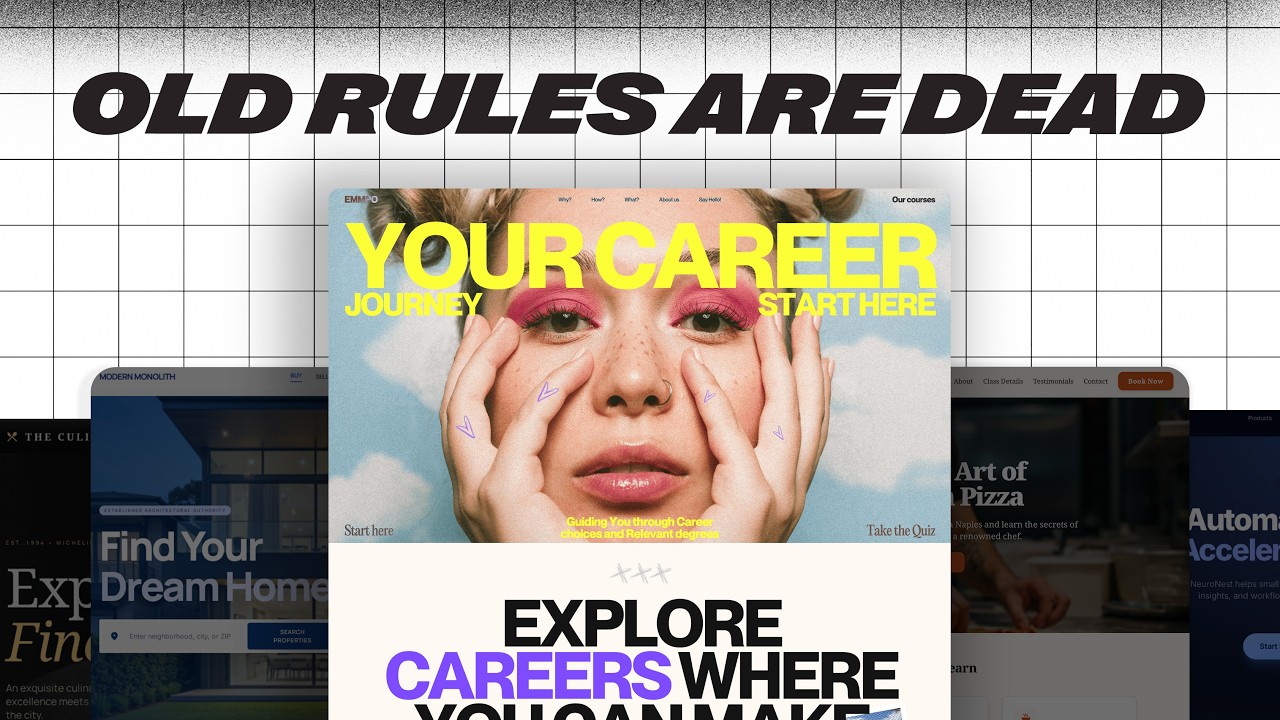
6 EASY Tips to 10x Any Site’s Design — Transcript

Learn 6 easy design tips to dramatically improve any website's look and conversion without needing advanced design skills.

Key Takeaways

  • Typography is a powerful and easy way to improve website design by using thoughtful font combinations.
  • Start font selection with headlines to establish the site’s personality and brand identity.
  • A single standout design element ('star of the show') can anchor user attention and enhance emotional engagement.
  • Design elements should be meaningful and connected to the website’s core message or story.
  • Free resources like Google Fonts and Unsplash make professional design accessible without high costs.

Summary

  • The video presents six simple web design techniques to create visually appealing and high-converting websites.
  • Starts with improving typography by exploring three levels: single fonts, superfamilies, and font combinations.
  • Emphasizes choosing an anchor font starting with headlines to set the website’s personality and brand tone.
  • Demonstrates pairing fonts using resources like Fonts in Use to find complementary font combinations.
  • Shows practical application by selecting Instrument Serif as a headline font and Geist Sans for subheadings to create contrast.
  • Highlights the importance of having a 'star of the show' element that captures attention and emotionally connects with visitors.
  • Advises against choosing decorative elements just because they look cool; instead, they should relate to the website’s story or purpose.
  • Uses the example of a SaaS product site where the star element visually references charts and dashboards to reinforce the product’s value.
  • Demonstrates sourcing abstract, relevant images from Unsplash to enhance the design without overpowering text content.
  • Overall, the tips focus on making websites memorable and engaging while keeping design accessible to beginners.

Full Transcript — Download SRT & Markdown

00:00
Speaker A
There are six very simple design techniques that you can use to make websites that not only convert, but cause someone to stop and go.
00:08
Speaker A
Hey, that's actually awesome.
00:09
Speaker A
The best part is that you can do them right away on any website that you're building without needing a ton of experience or a full degree in web design.
00:16
Speaker A
So let's start with the fastest win, fixing typography.
00:20
Speaker A
You'll often hear people say, only use one font on a website.
00:25
Speaker A
Honestly, I've said that too.
00:27
Speaker A
It's not that it's bad advice, but that's just level one of typography for websites.
00:35
Speaker A
There are two whole other levels.
00:36
Speaker A
Level two is using something called superfamilies.
00:39
Speaker A
These are just massive fonts where you'll have one specific family that's got Sans Serif, Serif, and even mono sometimes, and they're all built to gel seamlessly together.
00:52
Speaker A
Now, level one and level two are great options, you're going to see a lot of awesome websites using these very techniques.
00:59
Speaker A
But level three gives it that extra little push.
01:02
Speaker A
And it's all about using different font families from different foundries that mesh together like they were meant for each other.
01:10
Speaker A
We're talking about font combos.
01:14
Speaker A
And what actually makes combining fonts a lot easier is starting with something called your anchor font.
01:20
Speaker A
Now, most people will tell you that you want to anchor all of your font choices around your body font.
01:25
Speaker A
I actually do the opposite, I start with the headline first.
01:30
Speaker A
And then find everything else to support that guy.
01:33
Speaker A
So why do I start with the headlines first?
01:36
Speaker A
Well, on a website, the headline is the main text that you see.
01:40
Speaker A
And I feel like your anchor should kind of set the whole personality for the page.
01:44
Speaker A
Is it more modern, is it more technical?
01:48
Speaker A
Maybe it's warm and approachable.
01:50
Speaker A
But no matter what, the anchor should always match the brand of the business.
01:54
Speaker A
Once you've got that dialed in, it's it's time to find fonts that just automatically support that anchor.
02:00
Speaker A
So every font that you add after that should feel like it at least came from the same world.
02:06
Speaker A
But hopefully it also adds some contrast to keep things kind of visually interesting.
02:09
Speaker A
But here's where you want to be careful, don't pick fonts that are just way too similar.
02:16
Speaker A
They're they're so close, but at the same time very different.
02:19
Speaker A
So this feels unintentional.
02:20
Speaker A
What you're really going after is something that has enough contrast that it can create some visual interest without making things confusing for the user.
02:28
Speaker A
A great resource that makes this way easier is a website called Fonts in Use.
02:32
Speaker A
You can go there and search for any of your anchor fonts and see what other designers have used to pair with that specific font.
02:39
Speaker A
So let's do this ourselves right now.
02:41
Speaker A
Let's take this website, which is not bad, but it's not super interesting.
02:46
Speaker A
And just kind of spice it up.
02:48
Speaker A
So for our anchor font, I'm going to go with one called Instrument Serif.
02:52
Speaker A
Now, this is a free Google font.
02:55
Speaker A
But it's also pretty cool and because it's super condensed, we can actually make it a lot bigger.
03:00
Speaker A
Which is something that I love about headlines.
03:02
Speaker A
They really command attention when they've got more size.
03:04
Speaker A
So let's take our anchor, let's take Instrument Serif, go over to Fonts in Use.
03:10
Speaker A
And just type that in and see what we get.
03:12
Speaker A
And already, we've got a handful of of really great options.
03:15
Speaker A
Over here, these are all completely free, Mona Sans, Anton, great solid fonts that we're not going to have to pay for.
03:20
Speaker A
Some of these you would have to pay for, but I want to stick with one that we're not going to have to spend a ton of money on.
03:24
Speaker A
So that it can be accessible to everyone.
03:25
Speaker A
So I'm really liking this Geist Sans and look how different it is in comparison to the width of each character.
03:31
Speaker A
Instrument Sans is much more condensed and Geist is much more spread out.
03:35
Speaker A
So this is going to provide that contrast that we're looking for.
03:38
Speaker A
So let's take this Geist font, go over to our Figma file and just change our subheading to kind of see how it works.
03:42
Speaker A
Sometimes you just got to test out a lot of different variations.
03:44
Speaker A
But this is looking pretty good, there's there's a lot of good contrast between our header and our subheading.
03:50
Speaker A
But it doesn't feel like they're coming from totally opposite ends of the spectrum.
03:54
Speaker A
So I think we're going to dial this in with Geist.
03:56
Speaker A
And just with that little change, this is already starting to be a lot more visually appealing.
04:00
Speaker A
It still doesn't have anything that quite makes you stop scrolling.
04:03
Speaker A
That's the next tip.
04:04
Speaker A
You've probably heard a lot of people say that boring or plain sites are way better for business.
04:10
Speaker A
And you always want to keep it simple and as a web designer, you're not trying to impress other designers or win awards.
04:14
Speaker A
And that's not bad advice.
04:17
Speaker A
But a website isn't just a checkout machine.
04:21
Speaker A
It's often the first and only meeting that people are going to have with you or your client's brand.
04:26
Speaker A
And if it doesn't make somebody feel something, you're not going to be remembered.
04:29
Speaker A
And when you start looking at websites for inspiration, you're going to find that every website that really captures your attention.
04:35
Speaker A
There's something that you notice almost right away.
04:38
Speaker A
Maybe it's a certain type of font.
04:41
Speaker A
Maybe it's an image or an object.
04:43
Speaker A
This is what I like to call the star of the show.
04:48
Speaker A
It's it's one thing that makes people feel something.
04:52
Speaker A
And it kind of anchors their attention long enough for them to actually take the action that we want them to.
04:56
Speaker A
Like look at this website here, the first thing that you notice are these gradient elements with some text on top of them.
05:03
Speaker A
And really cool gradients, they've been done really well.
05:06
Speaker A
The movement is neat and then you can go back and forth and interact with it.
05:08
Speaker A
This is something that is definitely the star of the show, it commands your attention and makes me actually care about what the rest of the page is saying.
05:14
Speaker A
But here's where a lot of designers get lost.
05:17
Speaker A
Picking a star just because it looks cool is where this goes way south.
05:21
Speaker A
I am a big fan of Brandon Sanderson.
05:23
Speaker A
Any Sander fans out there?
05:25
Speaker A
Nerds unite.
05:26
Speaker A
If you don't know who he is, he's a pretty prolific fantasy author.
05:30
Speaker A
And I I remember him talking about how a lot of the books that he writes start with what he calls a seed.
05:36
Speaker A
Tress of the Emerald Sea is a perfect example of this.
05:40
Speaker A
His what if on this was, what if the Princess Bride got flipped and the princess went out to save the prince?
05:46
Speaker A
So from that one question, he built this entire world.
05:50
Speaker A
Your star works the same way, it's your seed.
05:53
Speaker A
You pick one thing that's connected to the overall story of the website.
05:58
Speaker A
And you let everything grow around that.
06:00
Speaker A
So for this site that we've been working on, this is a SAS product.
06:05
Speaker A
And reading a little bit about it, this handles operations for service-based businesses.
06:09
Speaker A
The whole point of a product like this is is taking a mess of complex data and making it feel really simple.
06:15
Speaker A
Through things like dashboards and and charts.
06:17
Speaker A
So what if the star actually called back to that, like what if it visually referenced the the charts and the dashboards?
06:23
Speaker A
That the users are going to associate with it.
06:25
Speaker A
Now we're not just trying to put up a chart on here.
06:28
Speaker A
We want it to feel a little bit more abstract.
06:30
Speaker A
So so let's go to Unsplash and see if we can find something that fits.
06:33
Speaker A
I'm just going to type in orange gradient to kind of fit with our button.
06:38
Speaker A
And then vertical lines to match the chart idea that we're looking for.
06:41
Speaker A
So right off the bat, this image right here is pretty cool, it's it looks like a graph.
06:46
Speaker A
Kind of abstractly, but it's also really visually stunning.
06:49
Speaker A
So let's take our image, drop it onto our website.
06:53
Speaker A
And we'll just kind of center it up and bring it underneath all of our elements.
06:58
Speaker A
And because we don't want all this color to compete with our text, let's go ahead and flip this horizontally.
07:05
Speaker A
And then we'll just add a little shape underneath it and mask it out to where it's it's still subtle.
07:10
Speaker A
But making an impact.
07:12
Speaker A
Let's adjust this just a little bit.
07:14
Speaker A
And then I think we should be good to go.
07:17
Speaker A
And already.
07:19
Speaker A
Look at where we've come from.
07:22
Speaker A
We've just done two things.
07:24
Speaker A
And this is looking much better.
07:25
Speaker A
But there's another technique that we can use to kind of tie everything together.
07:28
Speaker A
Adding little design choices or even little design elements that kind of consistently show up in different ways across your website makes the whole thing feel much more cohesive.
07:35
Speaker A
And it can actually strengthen the user experience as well.
07:37
Speaker A
This is where something called visual rhyming comes in.
07:40
Speaker A
Visual rhyming is where you repeat little details across the site so that everything feels like it's kind of from the same universe.
07:45
Speaker A
Like look at this website here.
07:48
Speaker A
They took these curved shapes from their logo, put them in these overlays on their buttons and even in this arrow next to this link.
07:56
Speaker A
This is a lot of cool visual rhyming.
07:58
Speaker A
But it doesn't just have to be shapes, it could be colors like a a bunch of different gradients.
08:03
Speaker A
That kind of all show up in different ways, maybe even different textures.
08:06
Speaker A
It doesn't necessarily mean that you're just repeating visual elements, it's more like you're taking components of a really strong visual element.
08:12
Speaker A
Like the star of the show and using them throughout the whole site on other different elements.
08:18
Speaker A
Check out this website right here.
08:20
Speaker A
They clearly have made the star of the show this key element right here.
08:26
Speaker A
Which is really cool because it's all about unlocking your rental business.
08:28
Speaker A
But as you scroll down, you kind of see different elements from that key show up in different ways.
08:35
Speaker A
Like look at all of these text cards that are showing up around this.
08:38
Speaker A
Even the background of this element.
08:40
Speaker A
This they have done just such a great job on this visual rhyming.
08:45
Speaker A
This is the kind of website that makes you simultaneously inspired and want to quit all at the same time.
08:50
Speaker A
So it's really good.
08:52
Speaker A
Good job to whoever did this.
08:53
Speaker A
On our site, I think we can do something with these triangles in the logo.
08:57
Speaker A
First, let's take these plus icons and trade them out with a good old drop down icon.
09:01
Speaker A
Which is already feeling a lot more cohesive.
09:04
Speaker A
Then let's add them almost like an arrow in our main call to action.
09:07
Speaker A
And then something that I think is going to make an even bigger impact is changing out these rectangles with our triangles.
09:13
Speaker A
Using the triangles to mask over our image and then the triangle for the call out box.
09:18
Speaker A
And because we've got this chart motif, I don't think we need the chart in this little card right here anymore.
09:22
Speaker A
Cool.
09:23
Speaker A
We've got a whole lot of rhyming going on now.
09:26
Speaker A
But even with all of that, a lot of websites are standing out because you kind of feel like you're walking into them.
09:32
Speaker A
Rather than just scrolling up and down.
09:34
Speaker A
So in order for users not to check out on our website because everything just kind of seems business as usual.
09:40
Speaker A
You need to make the site feel a bit more tangible.
09:43
Speaker A
Like like it kind of exists in the real world.
09:46
Speaker A
And a really simple way to do that is using what I like to call depth.
09:50
Speaker A
Depth is something that kind of bridges the gap between the tangible and the online.
09:55
Speaker A
So think things like textures on the main background or maybe 3D elements that feel like you can almost touch them on the site.
10:00
Speaker A
Instead of just scrolling through it.
10:01
Speaker A
But here's the key in all of this.
10:04
Speaker A
All of these textures, all of this depth needs to be subtle.
10:09
Speaker A
We don't want to compete with the star of the show.
10:10
Speaker A
So think of it like real world details that are just kind of there, you notice them.
10:16
Speaker A
But they are not asking for your attention.
10:18
Speaker A
So let's go ahead and do that with the example that we've been working on.
10:22
Speaker A
First, let's add some texture to the star of the show.
10:26
Speaker A
We'll just add a little bit of noise to it.
10:27
Speaker A
There's this really cool plugin called Noise and Texture that allows you to do that straight within Figma.
10:32
Speaker A
Rather than having to open up Photoshop.
10:34
Speaker A
There's just a few settings you got to select and then bam, you're good to go.
10:37
Speaker A
Then I think there's an opportunity to kind of rhyme with the glass feel of the star of the show.
10:42
Speaker A
And then add a little bit more depth to it by taking these cards and some of the elements on our navigation.
10:49
Speaker A
And just adding some glass effect.
10:51
Speaker A
And now it's definitely starting to feel like just more than code and pixels on a floating page.
10:56
Speaker A
Our next tip is actually even more subtle, if you can believe it, but it can make a pretty big difference.
11:00
Speaker A
Early on in my web design journey, I got really into reading other businesses design systems.
11:06
Speaker A
Kind of nerdy, I know, but helpful.
11:08
Speaker A
And when I was reading Google's material design, I noticed something.
11:13
Speaker A
They don't just use 100% opacity on all of their text.
11:17
Speaker A
They've literally spell out 87% opacity for text that's high emphasis or the important stuff.
11:23
Speaker A
And then 60% for the medium emphasis.
11:25
Speaker A
There's a little bit of debate about why they do this, but regardless of where you land.
11:30
Speaker A
Using opacity is a massive win for hierarchy.
11:34
Speaker A
Your eye immediately knows what to read first, what you can skim through and then maybe what to ignore unless you really need it.
11:39
Speaker A
And you can steal that exact idea on your own website.
11:42
Speaker A
Now, let's keep this headline at 100% opacity.
11:46
Speaker A
This is actually what we want people to pay attention to the most when they first visit our website.
11:51
Speaker A
But we can take this subheading and drop that puppy all the way down to 70%.
11:55
Speaker A
And here's a little bit of the before and after.
11:58
Speaker A
The one on top, 100% opacity on all the text.
12:02
Speaker A
The one on the bottom has a few levels.
12:04
Speaker A
Like I mentioned before, it's pretty subtle, but man, it really makes this page feel intentional.
12:08
Speaker A
This final tip is one that most web designers aren't going to do, but it's going to make a huge difference in the outcome of the websites that you're working on.
12:14
Speaker A
I got this idea from a concept that I learned when I was doing music for a living.
12:19
Speaker A
And I was producing people's albums and I learned that the best producers will hear an artist's song.
12:25
Speaker A
And then have them speed it up a lot and then slow it way down a lot.
12:30
Speaker A
Maybe sing the octave up or sing the octave down.
12:32
Speaker A
Maybe change the keys.
12:33
Speaker A
Doing that forces the musicians out of their original thought so that they can finally find something that is the absolute best version of the song.
12:39
Speaker A
But you can't do that if you're just taking the first version and then trying to adjust it until it's better and better.
12:45
Speaker A
You got to just do something completely different.
12:47
Speaker A
The same is true with web design.
12:49
Speaker A
Take your first thought and then try something totally different.
12:52
Speaker A
Maybe make a light mode.
12:54
Speaker A
Maybe change the layout.
12:55
Speaker A
Try a different star of the show.
12:57
Speaker A
This one example that I showed you throughout the video had 12 different versions of the same star.
13:04
Speaker A
The first version would have probably been fine.
13:07
Speaker A
But if I hadn't kept going, it wouldn't have been nearly as good.
13:10
Speaker A
So play around, have fun with your ideas until that angel gets carved out of the rock.
13:15
Speaker A
Like Michelangelo used to say.
13:17
Speaker A
These tips can instantly level up almost any website that you're working on.
13:21
Speaker A
But there are still just that.
13:23
Speaker A
Tips, if you want to become the kind of designer who can walk into absolutely any project and know exactly what to do.
13:29
Speaker A
You have to move past tips and build the underlying skills.
13:33
Speaker A
That's why I made this video.
13:34
Speaker A
The only five web design skills that actually matter.
13:38
Speaker A
Check that out next and go design something great.
13:40
Speaker A
Don't forget, if you don't quit, you win.
Topics:web designtypographyfont pairingwebsite design tipsSaaS website designFonts in Usedesign contrastuser engagementvisual hierarchyfree design resources

Frequently Asked Questions

What is the best way to choose fonts for a website according to the video?

The video suggests starting with the headline font as the anchor to set the website’s personality, then selecting supporting fonts that complement it with enough contrast to maintain visual interest.

Why is having a 'star of the show' important in web design?

A 'star of the show' is a standout design element that captures attention and emotionally engages visitors, making the website memorable and encouraging users to take action.

Can these design tips be applied without professional web design experience?

Yes, the video emphasizes that these six easy design techniques can be implemented on any website quickly and effectively without needing extensive experience or a formal design degree.

Get More with the Söz AI App

Transcribe recordings, audio files, and YouTube videos — with AI summaries, speaker detection, and unlimited transcriptions.

Or transcribe another YouTube video here →