Soz AI

โซซ AI สำหรับ macOS

เปลี่ยน Mac ของคุณให้เป็นสถานีงาน AI ถอดความที่ทรงพลัง บันทึก ถอดความ และจัดระเบียบเสียงของคุณด้วยฟีเจอร์ระดับเดสก์ท็อป

Download

Free to download. 30 minutes included.

ความต้องการของระบบ

  • macOS 12.0 (Monterey) หรือเวอร์ชันที่ใหม่กว่า
  • แรมขั้นต่ำ 4GB, แนะนำ 8GB
  • การเชื่อมต่ออินเทอร์เน็ตสำหรับการถอดความ
  • ไมโครโฟนสำหรับการบันทึกเสียง
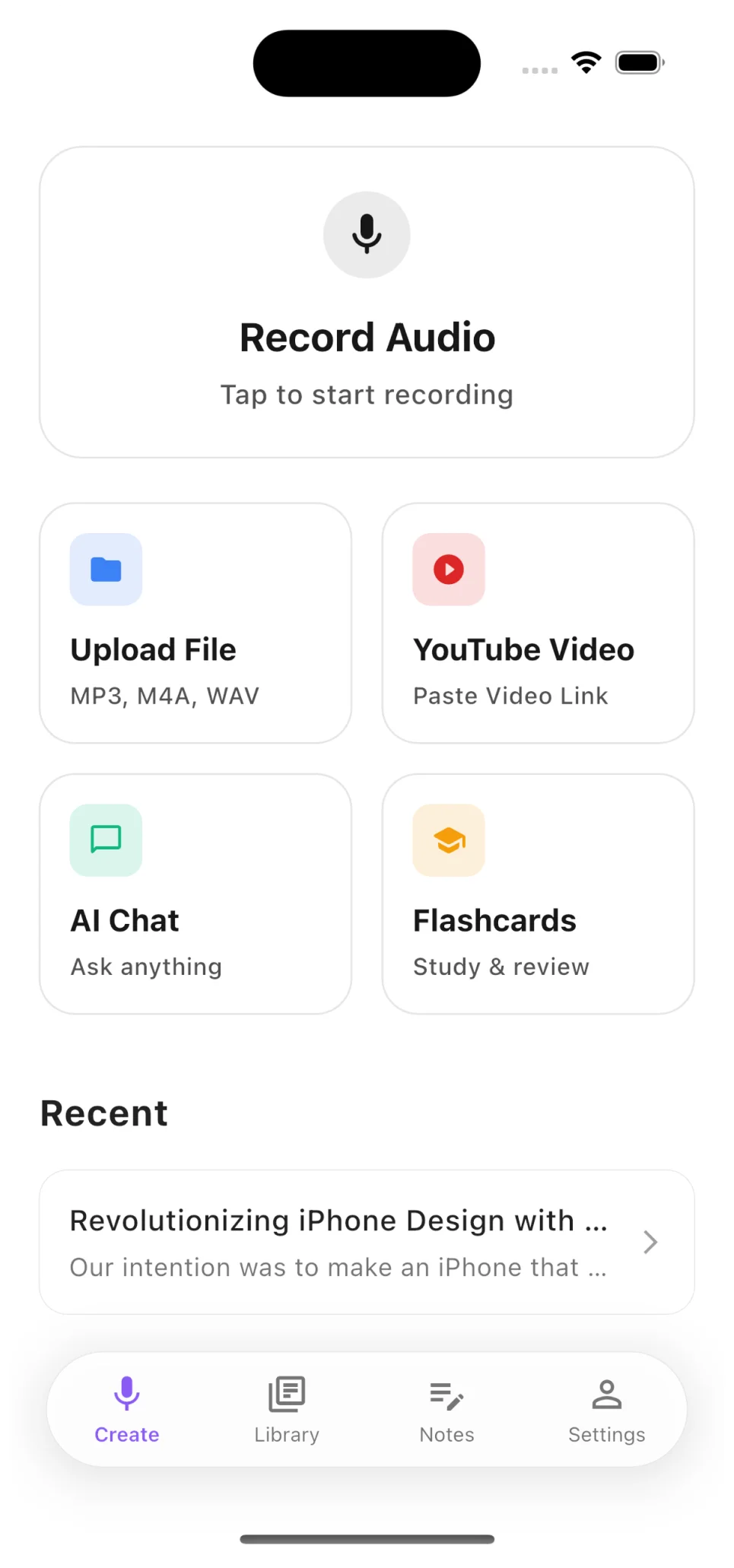
Soz AI home screen

Record, Upload, or Paste a YouTube Link

Start transcribing in seconds. Record audio directly, upload files from your device, or paste any YouTube video URL — the app handles the rest.

  • Record meetings, lectures, and interviews live
  • Upload MP3, M4A, WAV, MP4 and more
  • Paste YouTube links for instant transcription
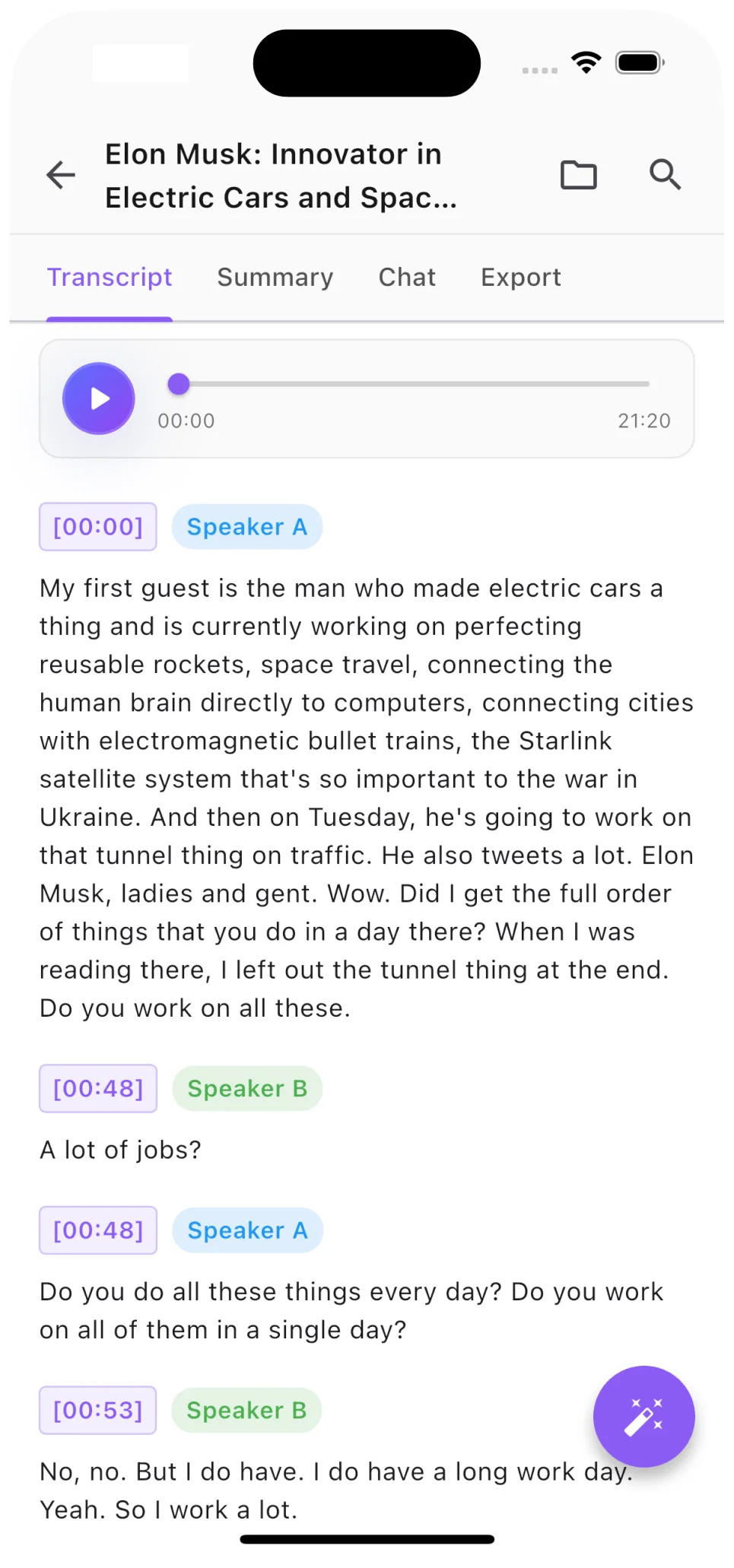
Transcript with speaker labels

Speaker Labels and Timestamps

Every transcript includes automatic speaker diarization. See exactly who said what, jump to any moment with precision timestamps.

  • AI identifies different speakers automatically
  • Click any timestamp to jump to that moment
  • Export with or without speaker labels
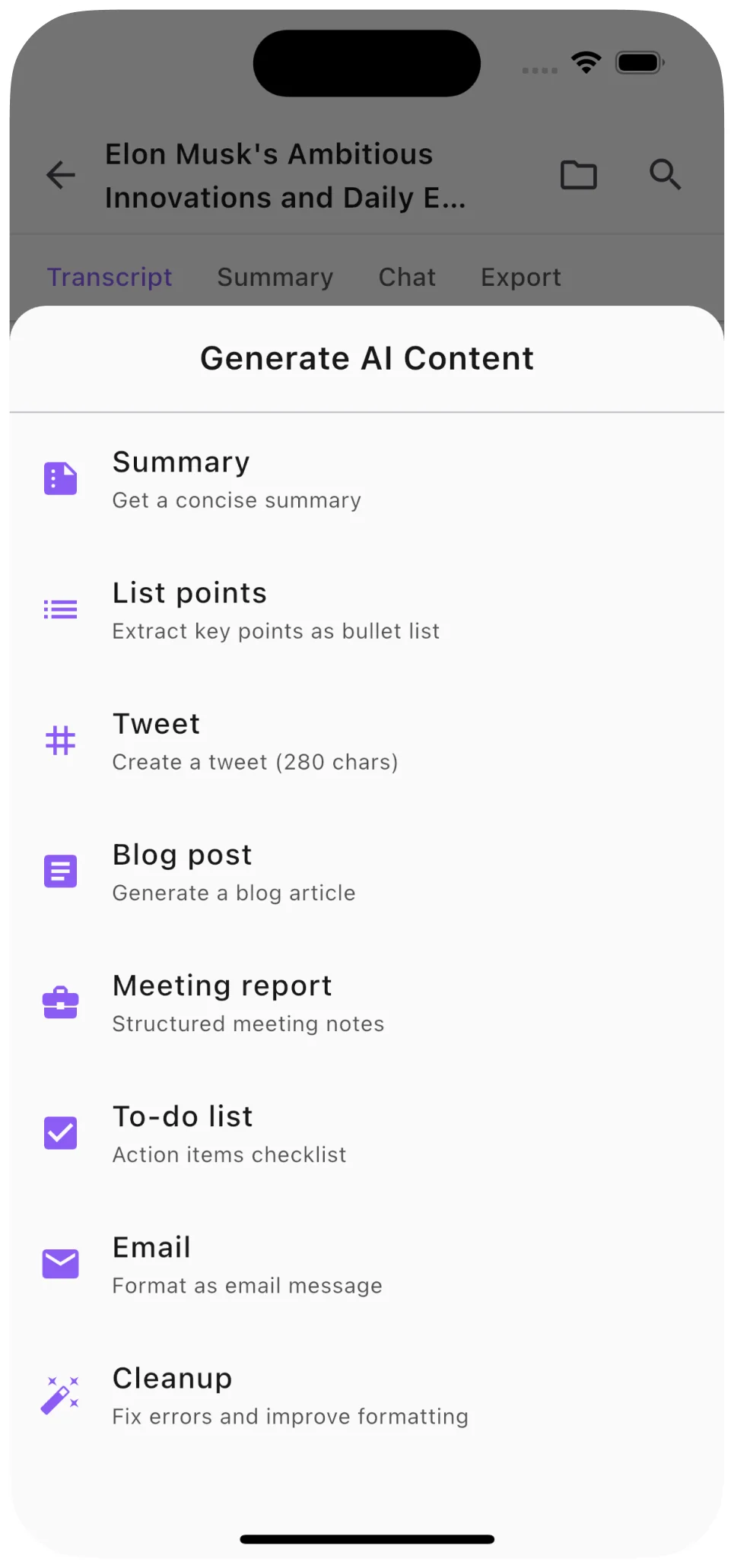
AI summary and content generation

AI Summaries, Notes, and More

Go beyond raw transcription. Generate concise summaries, structured notes, blog posts, and social media content from any audio or video.

  • One-tap AI summaries of any length
  • Generate blog posts, tweets, and study notes
  • Ask questions about your transcript with AI Chat

ฟีเจอร์ที่ทรงพลังสำหรับ macOS

การบันทึกหน้าจอ

บันทึกเสียงระบบและไมโครโฟนด้วยคุณภาพระดับมืออาชีพ

นำเข้าไฟล์

นำเข้าฟайлเสียงและวิดีโอจากที่ใดก็ได้บน Mac ของคุณ

100+ ภาษา

ถอดความในภาษาหลักใด ๆ ด้วยความแม่นยำสูง

การตรวจจับผู้พูด

ระบุและติดป้ายผู้พูดที่แตกต่างกันโดยอัตโนมัติ

ตัวเลือกการส่งออก

ส่งออกเป็นไฟล์ PDF, DOCX, TXT หรือไฟล์คำบรรยาย SRT

ซิงค์ iCloud

ซิงค์การถอดความข้ามอุปกรณ์ Apple ของคุณทั้งหมด

ดาวน์โหลด Soz AI สำหรับ Mac

ตอนนี้มีให้บริการแล้วใน Mac App Store

Download

Start with 30 free minutes. No credit card needed.