The explosion of video content on YouTube has created an unprecedented need for efficient text conversion solutions. Content creators, researchers, and professionals are discovering that a reliable youtube video to text converter isn’t just a convenience—it’s becoming essential for maximizing content reach and accessibility. Whether you’re repurposing video content for blogs, creating subtitles for international audiences, or conducting research analysis, the ability to convert youtube video to text opens doors to enhanced productivity and broader content distribution.
Beyond simple convenience, youtube transcription serves multiple strategic purposes. Search engines can’t index video content directly, making text conversion crucial for SEO optimization. Accessibility requirements for hearing-impaired audiences have made transcripts not just helpful but often legally necessary. Additionally, text versions enable rapid content scanning, quote extraction, and translation workflows that would be impossible with video-only formats.
This comprehensive guide explores proven methods to transform youtube to text efficiently, covering everything from free built-in tools to professional transcription platforms. You’ll discover step-by-step conversion processes, accuracy optimization techniques, and solutions to common transcription challenges that can streamline your content workflow.
Why Convert YouTube Videos to Text
Converting YouTube videos to text has become an essential practice for content creators, businesses, and professionals who want to maximize their content’s reach and impact. Whether you’re looking to improve accessibility, boost your SEO performance, or repurpose your video content across multiple platforms, a reliable youtube video to text converter opens up countless opportunities for growth and engagement.
Content Accessibility and Compliance
Converting youtube video to text serves a critical role in making content accessible to everyone, including individuals who are deaf or hard of hearing. The Americans with Disabilities Act (ADA) requires many organizations to provide accessible digital content, and video transcriptions are a fundamental component of compliance. Educational institutions, government agencies, and businesses serving the public must ensure their video content includes accurate text alternatives.
Beyond legal requirements, transcriptions significantly improve the user experience for viewers in various situations. People watching videos in quiet environments, non-native speakers learning a new language, and individuals with processing disorders all benefit from having text accompaniment. When you convert youtube video to text, you’re creating an inclusive experience that demonstrates your commitment to serving diverse audiences.
Professional transcription also helps viewers follow along with complex technical content, medical discussions, or detailed tutorials where precise terminology matters. The ability to read along while listening reinforces comprehension and allows viewers to pause and review specific points without rewinding the entire video.
SEO Benefits and Search Optimization
Search engines cannot directly index the spoken content within videos, which means your valuable insights and information remain invisible to potential viewers searching for relevant topics. A youtube to text conversion strategy transforms your video content into searchable, indexable text that search engines can analyze and rank.
Video transcriptions provide search engines with rich context about your content, helping them understand the topics, themes, and specific information covered in your videos. This enhanced understanding can lead to improved rankings for relevant keywords and phrases that appear naturally in your spoken content. The additional text content also increases the overall word count on your pages, which can contribute to better search performance when the content is high-quality and relevant.
Transcriptions enable you to optimize your content for long-tail keywords that viewers might use when searching for specific information covered in your videos. These detailed search queries often have less competition and higher conversion rates, making them valuable targets for your content strategy.
Content Repurposing Opportunities
When you youtube transcription into your workflow, you unlock numerous opportunities to extend your content’s lifecycle and reach new audiences across different platforms. Video transcripts serve as the foundation for creating blog posts, social media content, email newsletters, and downloadable resources that complement your original video content.
Blog posts derived from video transcriptions often perform well in search results because they contain natural, conversational language that mirrors how people actually speak and search. You can transform a single video into multiple blog posts by focusing on different segments or topics covered in the original content. This approach maximizes your content investment while providing value to audiences who prefer reading over watching videos.
Social media managers can extract compelling quotes, statistics, and key insights from transcriptions to create engaging posts across platforms like LinkedIn, Twitter, and Instagram. These text-based social posts can drive traffic back to your original video content while serving audiences who discover your content through different channels.
Educational institutions and training organizations particularly benefit from youtube video to text conversion because transcripts can be transformed into study guides, course materials, and reference documents. Students and trainees can search through transcribed content to find specific information, create notes, and review material at their own pace.
For content creators managing multiple projects, having searchable text versions of all video content creates a valuable knowledge base. You can quickly reference previous discussions, avoid repeating topics, and identify content gaps in your overall strategy. This systematic approach to content management becomes increasingly valuable as your video library grows over time.
Methods for YouTube Video to Text Conversion
Converting YouTube videos to text can be accomplished through several distinct approaches, each offering different levels of accuracy, cost, and time investment. Understanding these methods will help you choose the most effective solution for your specific needs and budget constraints.
Automated AI Transcription Tools
AI-powered transcription services represent the fastest and most cost-effective way to convert YouTube video to text. Modern artificial intelligence algorithms can process hours of audio content in minutes, delivering transcripts with accuracy rates between 85-95% for clear audio with minimal background noise.
Leading AI transcription platforms analyze speech patterns, context clues, and linguistic structures to produce coherent text output. These tools excel at handling standard accents, clear pronunciation, and well-structured content like presentations, interviews, and educational videos. The technology continuously improves through machine learning, becoming more adept at recognizing technical terminology, proper nouns, and industry-specific language.
When selecting a youtube video to text converter, consider factors like supported file formats, processing speed, and integration capabilities. Many platforms accept direct YouTube URLs, eliminating the need to download video files locally. Some services also offer speaker identification, timestamp insertion, and automatic paragraph formatting to enhance readability.
The primary advantage of AI transcription lies in scalability. Content creators managing multiple channels or processing extensive video libraries can convert dozens of videos simultaneously without manual intervention. This efficiency makes AI tools particularly valuable for businesses creating searchable content archives or generating closed captions for accessibility compliance.
Manual Transcription Techniques
Manual transcription involves human transcribers listening to audio content and typing out every spoken word. This approach delivers the highest accuracy levels, typically achieving 98-99% precision when performed by experienced professionals. Manual transcription excels in challenging scenarios where AI tools struggle, including heavy accents, multiple speakers, poor audio quality, and specialized terminology.
Professional transcribers possess contextual understanding that allows them to interpret ambiguous phrases, correct grammatical errors, and maintain consistent formatting throughout lengthy documents. They can also add speaker labels, identify non-verbal sounds, and include relevant timestamps for reference purposes.
The manual approach requires significantly more time investment, with experienced transcribers typically processing one hour of audio in four to six hours. This timeline extends further for complex content featuring technical discussions, multiple speakers, or challenging audio conditions. Cost considerations also factor prominently, as professional transcription services charge between $1-4 per audio minute depending on turnaround time and complexity requirements.
For content creators working with limited budgets, self-transcription represents a viable alternative. While time-intensive, personally transcribing your own content ensures complete accuracy and familiarizes you with your material for future reference. This method works particularly well for creators producing regular content who can develop efficient transcription workflows over time.
Hybrid Approaches for Best Results
Combining automated AI transcription with human editing delivers optimal results for most youtube transcription projects. This hybrid methodology leverages AI speed and efficiency while incorporating human judgment for accuracy refinement and quality assurance.
The typical hybrid workflow begins with AI transcription to generate an initial draft transcript. Human editors then review the output, correcting recognition errors, improving punctuation, and ensuring proper formatting. This approach reduces manual transcription time by 60-70% while maintaining accuracy standards comparable to fully manual processes.
Hybrid approaches prove especially effective for content featuring clear primary speakers with occasional challenging segments. Educational videos, podcasts, and business presentations often benefit from this method, as AI handles straightforward portions while human editors focus on complex technical terms, proper nouns, or sections with background noise.
Cost analysis reveals hybrid methods typically cost 40-60% less than full manual transcription while delivering superior results compared to AI-only approaches. The time savings allow content creators to process larger volumes of material without sacrificing quality, making this approach ideal for scaling content operations.
When implementing hybrid workflows, establish clear editing guidelines to maintain consistency across multiple transcripts. Define standards for speaker identification, timestamp placement, and formatting conventions to ensure professional presentation regardless of which team member performs the editing phase.
Modern transcription platforms increasingly offer built-in editing interfaces that streamline the hybrid process. These tools highlight low-confidence words, provide audio playback synchronized with text, and include collaborative features for team-based editing workflows. Such capabilities make the transition from automated output to polished transcript more efficient and less prone to oversight errors.
Step-by-Step Conversion Process
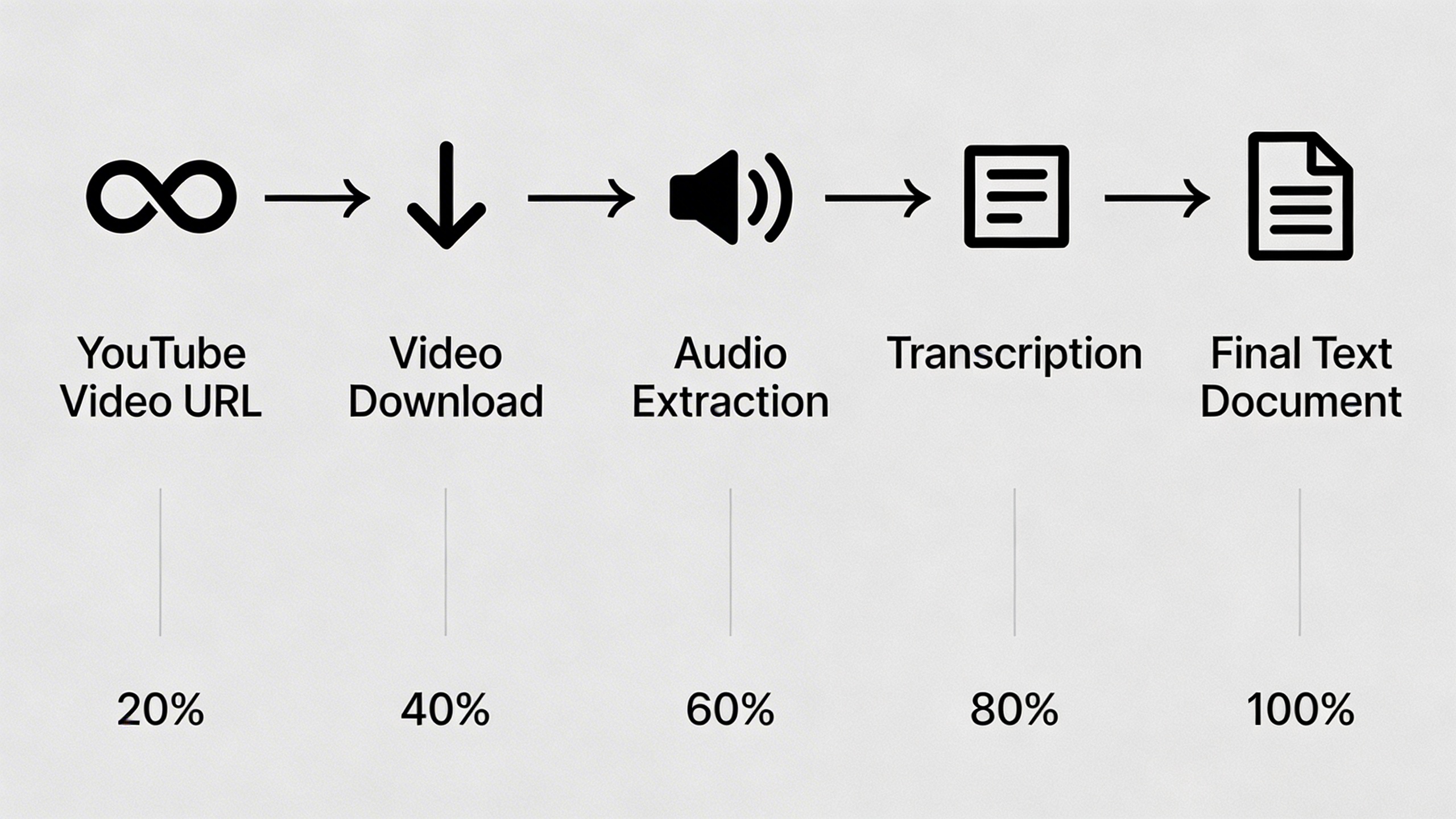
Converting YouTube videos to text requires a systematic approach to ensure accuracy and professional results. Whether you’re working with educational content, interviews, or marketing videos, following these structured steps will help you achieve high-quality transcriptions that serve your content creation and professional needs.
Preparing Your YouTube Video
Before beginning any youtube video to text conversion, proper preparation sets the foundation for success. Start by copying the complete YouTube URL from your browser’s address bar or using the share button beneath the video. Ensure you’re working with the highest quality version available, as audio clarity directly impacts transcription accuracy.
Check the video’s audio settings and consider whether closed captions are already available. While YouTube’s automatic captions provide a starting point, they often contain errors that require significant editing. Note the video duration, as longer content may need to be processed in segments depending on your chosen conversion method.
If you’re working with your own uploaded content, verify that the original audio was recorded with minimal background noise and clear speech patterns. For third-party videos, assess the audio quality by listening to the first few minutes to identify potential challenges such as heavy accents, technical terminology, or overlapping speakers.
Choosing the Right Conversion Method
Selecting an appropriate youtube video to text converter depends on your specific requirements, budget, and quality expectations. Professional transcription services offer the highest accuracy for complex content but require longer turnaround times and higher costs. These services excel with technical presentations, medical content, or videos featuring multiple speakers.
AI-powered transcription tools provide an excellent balance of speed, accuracy, and cost-effectiveness for most content creators. Modern solutions can handle various accents and speaking styles while delivering results within minutes. Sozai offers reliable AI transcription capabilities that work seamlessly with YouTube content, supporting multiple languages and providing editable text output.
Manual transcription remains valuable for content requiring perfect accuracy or when working with challenging audio conditions. This method takes significantly longer but allows for real-time context interpretation and formatting decisions. Consider hybrid approaches where AI handles initial conversion and human editors refine the results.
When evaluating youtube transcription options, test different tools with sample content to compare accuracy rates, processing speeds, and output formats. Some platforms specialize in specific content types, such as educational videos or business presentations, while others offer general-purpose conversion capabilities.
Quality Control and Editing
Effective quality control transforms raw youtube to text output into polished, professional content. Begin by reading through the entire transcription while listening to the original audio, marking areas that require attention. Focus on technical terms, proper nouns, and numbers, as these elements commonly contain errors in automated transcriptions.
Structure your text with appropriate formatting to enhance readability. Add paragraph breaks at natural speech pauses, insert speaker labels for interviews or discussions, and include timestamps for reference points. Consider your intended use when formatting—blog posts require different structure than meeting notes or academic research.
Implement a systematic proofreading approach by reviewing the transcription multiple times with different focus areas. First, check for obvious errors and missing words. Second, verify technical accuracy and proper spelling of specialized terms. Finally, ensure the text flows naturally and maintains the speaker’s intended meaning.
Pay special attention to punctuation, as it significantly impacts comprehension. Add commas, periods, and question marks based on speech patterns and intonation rather than relying solely on automated suggestions. When speakers use informal language or incomplete sentences, decide whether to clean up the text or preserve the original speaking style based on your project’s requirements.
Create a standardized editing checklist to maintain consistency across multiple youtube video to text projects. Include items such as speaker identification, timestamp placement, technical term verification, and final formatting review. This systematic approach reduces errors and improves efficiency for ongoing transcription work.
Before finalizing your transcription, consider having a colleague review the content for clarity and accuracy. Fresh eyes often catch errors that become invisible after extended editing sessions, ensuring your final text meets professional standards for whatever purpose you intend to convert youtube video to text.
Best Tools and Platforms for YouTube Transcription
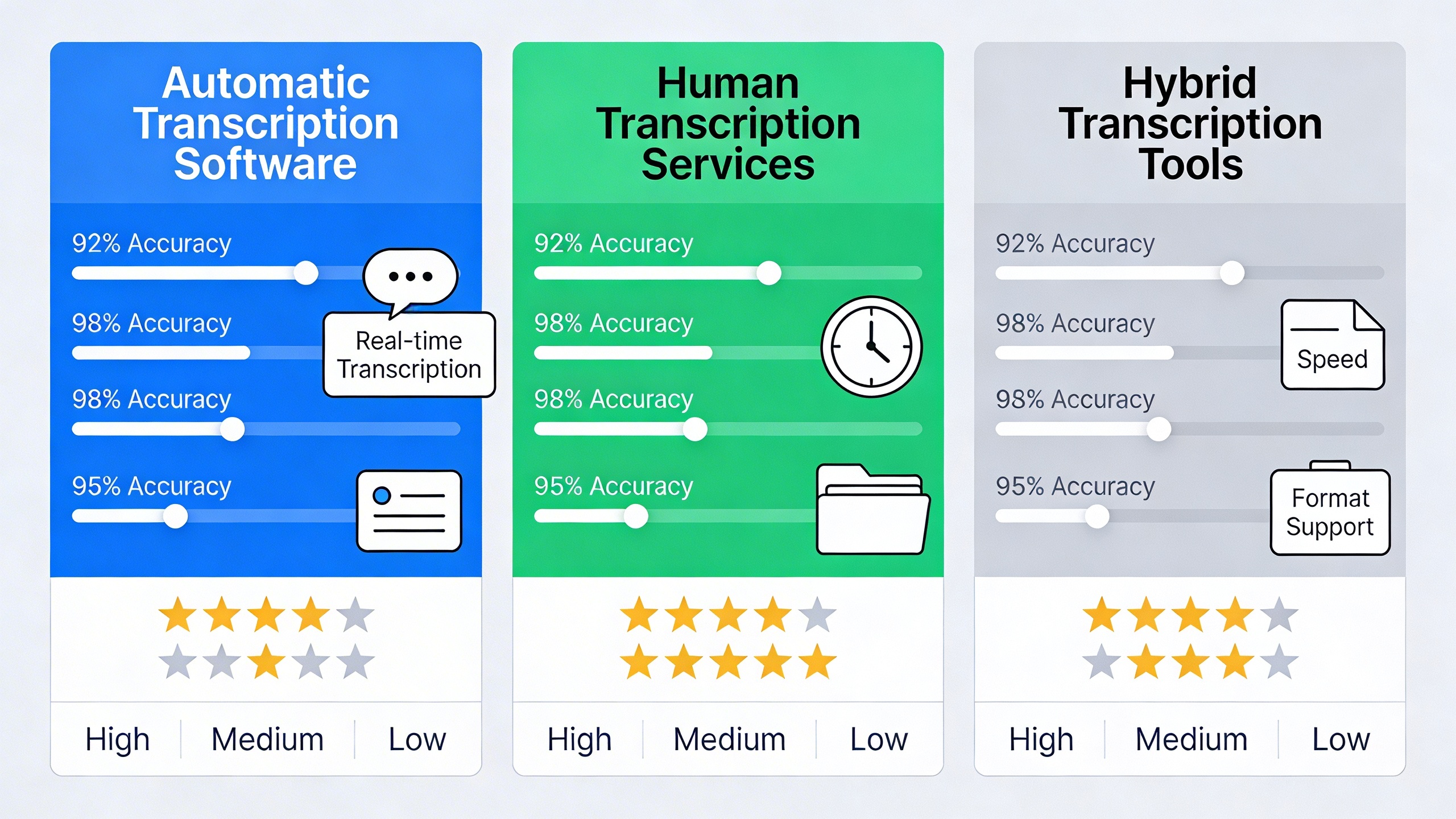
Choosing the right youtube video to text converter depends on your specific needs, budget, and accuracy requirements. The transcription landscape offers everything from free browser extensions to enterprise-grade professional services, each with distinct advantages for different use cases.
Professional Transcription Services
Professional transcription services deliver the highest accuracy rates, typically achieving 95-99% precision for clear audio content. These services employ human transcribers who understand context, speaker identification, and industry-specific terminology that automated tools often miss.
Rev.com leads the professional space with turnaround times of 12-24 hours and pricing around $1.25 per audio minute. Their transcribers handle complex content including technical discussions, interviews, and presentations with multiple speakers. GoTranscript offers similar quality at slightly lower rates, while TranscribeMe specializes in shorter clips with faster delivery.
The main advantage of professional services lies in their ability to convert youtube video to text with proper punctuation, speaker labels, and contextual understanding. However, costs can accumulate quickly for content creators processing large volumes of video content regularly.
Free and Paid Software Options
Desktop and mobile applications provide a middle ground between cost and functionality. Otter.ai stands out for its real-time transcription capabilities and speaker identification features, making it ideal for converting youtube to text from interviews or panel discussions. The free tier offers 600 minutes monthly, while paid plans start at $10 monthly for extended usage.
For creators seeking comprehensive voice technology solutions, Sozai combines AI-powered transcription with advanced editing features across iOS, Android, and macOS platforms. The app excels at handling various audio qualities and provides seamless integration with content workflows.
| Software | Accuracy Rate | Free Tier | Paid Plans | Key Features |
|---|---|---|---|---|
| Otter.ai | 85-90% | 600 min/month | $10-30/month | Speaker ID, real-time sync |
| Trint | 80-85% | 30 min trial | $15-80/month | Multi-language, editing tools |
| Happy Scribe | 85% | 10 min trial | $12-29/month | 120+ languages, API access |
Descript offers unique video editing integration, allowing users to edit video content by modifying the transcribed text. This feature proves invaluable for content creators who need to remove filler words or reorganize content structure after converting their youtube video to text.
Browser-Based Solutions
Browser-based tools provide immediate access without software installation, making them perfect for occasional transcription needs. YouTube’s built-in auto-generated captions serve as a starting point, though accuracy varies significantly based on audio quality and speaker clarity.
Notta’s web platform processes youtube transcription directly through URL input, supporting over 100 languages with decent accuracy for clear audio. The service offers 120 minutes free monthly, with paid tiers providing enhanced features like custom vocabulary and team collaboration tools.
Chrome extensions like Transkriptor and Speechify work directly within YouTube’s interface, capturing audio in real-time as videos play. These solutions excel for educational content, webinars, and lectures where immediate text conversion enhances comprehension and note-taking.
For bulk processing, browser-based APIs like AssemblyAI and Deepgram offer developer-friendly solutions. These platforms provide high accuracy rates comparable to professional services while maintaining the flexibility of automated processing. Integration capabilities make them suitable for businesses processing large volumes of video content systematically.
The choice between these platforms ultimately depends on balancing accuracy requirements, processing volume, budget constraints, and integration needs within your existing content creation workflow.
Accuracy and Quality Considerations
The quality of your YouTube transcription depends on several critical factors that can make the difference between a polished, professional document and a frustrating editing marathon. Understanding these variables helps you choose the right youtube video to text converter and optimize your workflow for maximum accuracy.
Factors Affecting Transcription Quality
Audio quality serves as the foundation for accurate transcription results. Clear, well-recorded videos with minimal background interference produce significantly better text output than poorly recorded content. Speaker pronunciation, accent clarity, and speaking pace directly influence how well automated systems can convert youtube video to text.
Content complexity plays an equally important role. Videos featuring technical jargon, industry-specific terminology, or proper nouns challenge most transcription engines. Medical presentations, legal discussions, and scientific lectures often require additional editing regardless of the platform you choose for youtube to text conversion.
Video length and structure also impact accuracy. Longer videos may experience quality degradation over time, while content with frequent topic changes or multiple segments can confuse automated systems. Live recordings typically present more challenges than scripted, studio-produced content.
Improving Audio Clarity
Before beginning the youtube transcription process, consider preprocessing your audio to enhance clarity. YouTube’s automatic captions often struggle with poor audio quality, making this step crucial for optimal results.
Use audio editing software to normalize volume levels, ensuring consistent sound throughout the video. Remove or reduce background music, air conditioning hum, and other ambient noise that can interfere with speech recognition. If working with downloaded audio files, apply noise reduction filters to clean up the signal before uploading to your chosen transcription service.
For content creators planning future videos, invest in quality microphones and recording environments. Close-miking techniques and acoustic treatment dramatically improve transcription accuracy, reducing post-processing time and effort.
Multiple speaker scenarios require special attention. Clearly distinguish between speakers through consistent audio levels and minimal overlap in dialogue. Videos with cross-talk, interruptions, or speakers talking simultaneously will challenge any youtube video to text converter, requiring manual editing to separate and attribute statements correctly.
Post-Processing Best Practices
Even the most advanced transcription tools require human review and editing. Develop a systematic approach to post-processing that ensures accuracy while maintaining efficiency.
Start with a complete read-through to identify obvious errors and missing punctuation. Pay special attention to technical terms, proper nouns, and industry-specific vocabulary that automated systems commonly misinterpret. Create a glossary of frequently used terms to maintain consistency across multiple transcriptions.
Verify speaker identification and dialogue attribution in multi-person videos. Add timestamps for important sections, especially in longer content where specific information may need quick reference. Consider formatting improvements like paragraph breaks, bullet points, and section headers to enhance readability.
For professional applications, implement a quality control checklist covering grammar, spelling, formatting consistency, and factual accuracy. Tools like Sozai can streamline this process by providing high-quality initial transcriptions that require minimal editing, particularly for clear audio content.
Establish version control for transcription projects, especially when multiple team members contribute to editing. Save original transcriptions before making extensive changes, allowing you to revert if necessary. Document any specialized terminology or style preferences to maintain consistency across future youtube to text conversions.
Advanced Features and Customization
Modern YouTube transcription tools offer sophisticated features that go far beyond basic speech-to-text conversion. These advanced capabilities enable content creators and professionals to generate precisely formatted transcripts that meet specific industry requirements and workflow needs.
Timestamp Integration
Time-coded transcripts represent one of the most valuable features in professional YouTube video to text conversion. These timestamps create clickable references that allow readers to jump directly to specific moments in the original video. Most advanced youtube video to text converter tools offer multiple timestamp formats, including standard timecode (00:01:23), seconds-based markers, or custom interval settings.
Professional transcription platforms typically allow users to customize timestamp frequency, ranging from every few seconds to paragraph-based intervals. This flexibility proves essential for different use cases: educational content benefits from frequent timestamps for easy reference, while business presentations may only require timestamps at major topic transitions. Some tools even generate automatic chapter markers based on content analysis, creating natural break points in longer videos.
Speaker Identification
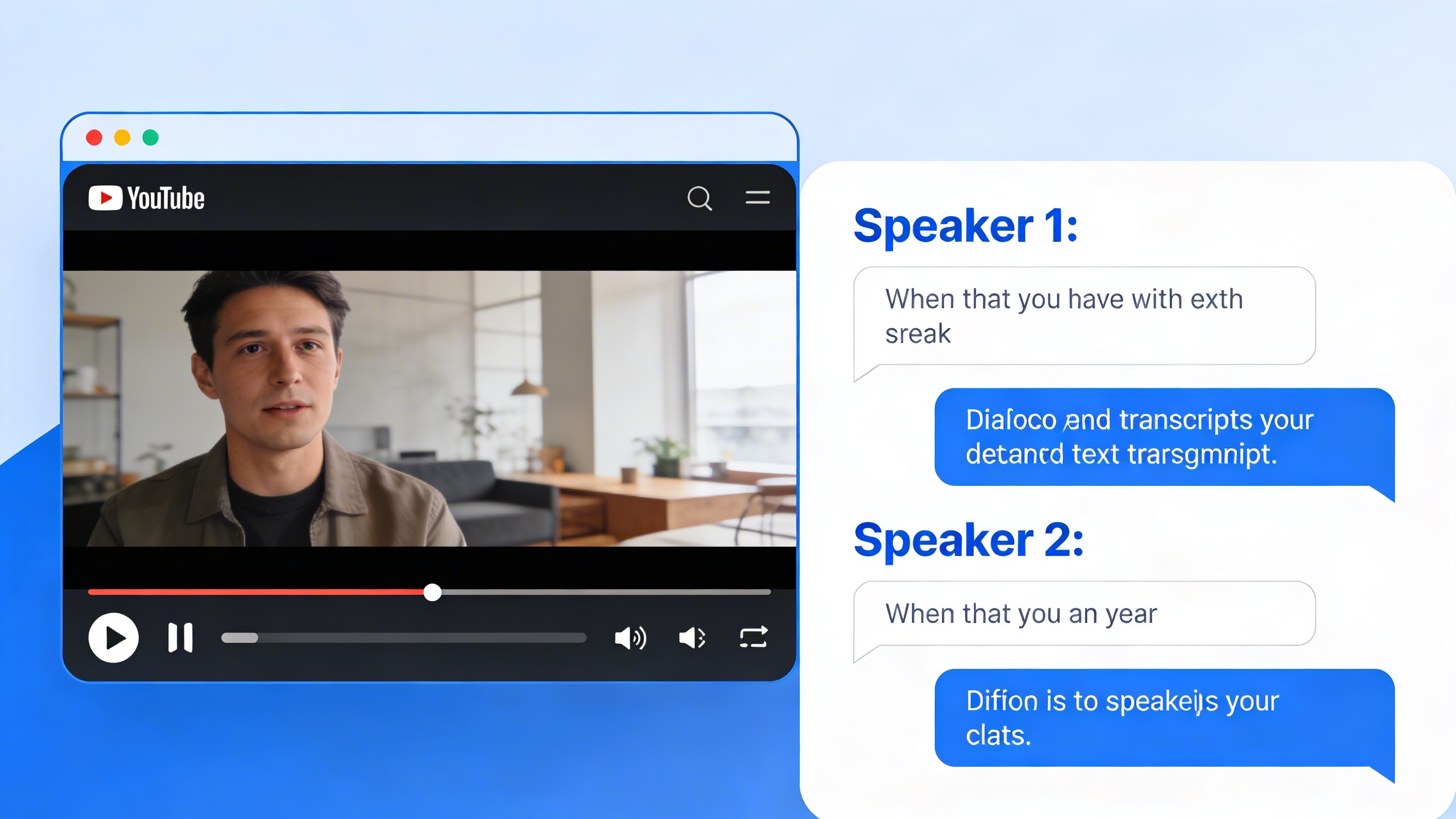
Multi-speaker detection technology has revolutionized how we convert youtube video to text for interviews, podcasts, and panel discussions. Advanced AI algorithms can distinguish between different voices and automatically label speakers throughout the transcript. This feature eliminates the time-consuming manual process of identifying who said what in multi-participant conversations.
The most sophisticated systems learn to recognize recurring speakers across multiple videos, building speaker profiles that improve accuracy over time. Some platforms allow users to assign custom names or labels to identified speakers, replacing generic labels like “Speaker 1” and “Speaker 2” with actual names or roles. This capability proves invaluable for creating professional meeting minutes, interview transcripts, or podcast show notes.
Custom Formatting Options
Industry-specific formatting requirements demand flexible output options from youtube transcription tools. Legal professionals need verbatim transcripts with specific punctuation standards, while content marketers may prefer cleaned-up versions optimized for blog posts or social media content.
Advanced platforms offer multiple formatting templates tailored to different industries and use cases. Academic researchers can generate transcripts with proper citation formatting, while journalists may prefer interview-style layouts with clear speaker attribution. Many tools provide custom style sheets that maintain consistent formatting across multiple projects.
| Export Format | Best Use Case | Key Features |
|---|---|---|
| SRT/VTT | Video subtitles | Time-synced, character limits |
| Word/PDF | Professional reports | Rich formatting, headers, pagination |
| JSON | Developer integration | Structured data, API compatibility |
| Plain text | Content repurposing | Clean copy, no formatting |
Export format diversity ensures seamless integration with existing workflows. Whether you need subtitle files for video editing software, formatted documents for client presentations, or structured data for content management systems, modern youtube to text solutions accommodate virtually any output requirement. Some platforms even offer batch processing capabilities, allowing users to apply consistent formatting rules across multiple video conversions simultaneously.
These advanced customization options transform basic transcription into a powerful content creation and analysis tool, enabling professionals to extract maximum value from their YouTube video content.
Common Challenges and Solutions
Converting YouTube videos to text often presents unique challenges that can significantly impact the quality and accuracy of your transcriptions. Understanding these obstacles and implementing effective solutions ensures you get the most reliable results from your youtube video to text conversion efforts.
Handling Poor Audio Quality
Audio quality remains the primary factor determining transcription accuracy when you convert youtube video to text. Videos with background noise, multiple speakers, or poor recording conditions can drastically reduce the effectiveness of any youtube transcription tool.
Start by identifying common audio issues before processing. Echo, wind noise, music overlays, and distant microphones all create barriers for accurate text conversion. When possible, select videos recorded in controlled environments or those with clear, single-speaker audio for the best results.
Pre-processing techniques can improve outcomes significantly. Use audio editing software to normalize volume levels, reduce background noise, and isolate the primary speaker’s voice. Many youtube video to text converter platforms now include built-in audio enhancement features that automatically filter noise and amplify speech frequencies.
For challenging audio scenarios, consider breaking longer videos into shorter segments. This approach allows you to focus on sections with clearer audio while manually reviewing problematic portions. Some transcription services also offer human review options specifically for poor-quality audio files.
Technical Terminology and Jargon
Industry-specific vocabulary poses another significant challenge when using youtube to text conversion tools. Medical terminology, legal jargon, scientific concepts, and technical acronyms often confuse automated transcription systems, leading to incorrect or nonsensical text output.
Building custom vocabularies addresses this challenge effectively. Most professional transcription platforms allow you to upload glossaries containing domain-specific terms, proper nouns, and technical phrases relevant to your content. This preparation step dramatically improves accuracy for specialized videos.
Context training helps AI systems better understand industry language patterns. When working with technical content regularly, choose transcription services that learn from your corrections and adapt to your specific vocabulary over time. This machine learning approach reduces errors in subsequent transcriptions.
Manual review becomes essential for technical content. Even the most advanced youtube transcription systems require human oversight when processing specialized terminology. Plan additional time for editing and verification, particularly for content that will be published or used in professional settings.
Copyright and Legal Considerations
Legal compliance represents a critical aspect often overlooked when converting youtube videos to text. Understanding copyright law and fair use guidelines protects you from potential legal issues while ensuring ethical content practices.
Fair use provisions typically cover transcription for educational purposes, research, commentary, or personal use. However, commercial applications of transcribed content may require explicit permission from the original creator. Always verify the video’s licensing terms before proceeding with transcription for business purposes.
Permission requirements vary significantly based on your intended use. Educational institutions often have broader fair use protections, while businesses typically need written consent for commercial transcription projects. Contact content creators directly when planning to publish or redistribute transcribed material.
Attribution practices should be consistent and clear. Even when fair use applies, proper crediting of original content creators demonstrates professional ethics and may provide additional legal protection. Include video titles, creator names, upload dates, and original URLs in your transcribed documents.
Documentation of your transcription process can provide valuable legal protection. Maintain records showing your compliance with fair use guidelines, any permissions obtained, and the specific purposes for which you’re using the transcribed content. This documentation becomes crucial if copyright questions arise later.

