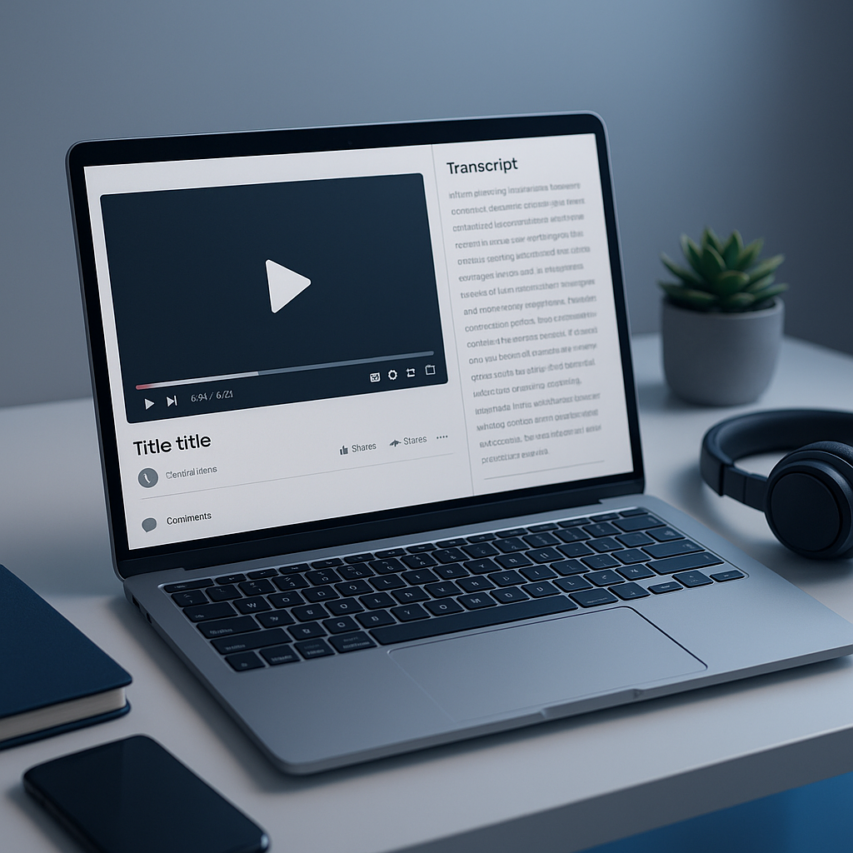
Video content dominates the digital landscape, but without proper transcription, creators miss crucial opportunities for accessibility, search engine optimization, and content repurposing. A reliable youtube transcript generator transforms spoken words into searchable text, making videos accessible to deaf and hard-of-hearing audiences while dramatically improving discoverability across search engines. Whether you’re a content creator looking to expand your reach, an educator sharing knowledge, or a business leveraging video marketing, automated transcription tools have become indispensable for maximizing content impact.
Modern youtube video transcript generator tools use advanced artificial intelligence to convert speech to text with remarkable accuracy, often processing hours of content in minutes rather than the days required for manual transcription. These free youtube transcript generator options range from YouTube’s built-in features to sophisticated third-party platforms that offer enhanced editing capabilities, multiple export formats, and integration with popular content management systems.
This comprehensive guide examines the most effective video transcript generator solutions available today, comparing accuracy rates, features, and real-world performance to help you choose the perfect youtube transcription tool for your specific needs and workflow requirements.
What Are YouTube Transcript Generators and How Do They Work
YouTube transcript generators are specialized software tools that automatically convert spoken audio from YouTube videos into written text. These powerful applications leverage advanced artificial intelligence to analyze video content and produce accurate, timestamped transcripts without manual intervention. Whether you’re a content creator, educator, or researcher, understanding how these tools function can significantly improve your workflow and content accessibility.
The technology behind these generators has evolved dramatically over the past decade, transforming from basic speech recognition systems into sophisticated AI-powered platforms capable of handling multiple languages, accents, and speaking styles with impressive accuracy.
Understanding Automated Speech Recognition Technology
At the core of every youtube transcript generator lies Automated Speech Recognition (ASR) technology, a branch of artificial intelligence that converts spoken language into written text. Modern ASR systems use deep learning neural networks trained on massive datasets of human speech patterns, enabling them to recognize words, phrases, and even contextual meaning with remarkable precision.
The transcription process begins when the youtube video transcript generator extracts audio from the video file. The ASR engine then analyzes the audio waveform, identifying phonemes (basic units of sound) and converting them into recognizable words. Advanced algorithms consider factors like speaker cadence, background noise, and acoustic environment to improve accuracy rates.
Several factors influence transcription accuracy, including audio quality, speaker clarity, background noise levels, and the presence of technical jargon or specialized terminology. High-quality recordings with clear speech typically achieve accuracy rates above 95%, while noisy environments or heavy accents may reduce precision to 80-85%. The best free youtube transcript generator tools continuously improve their models through machine learning, adapting to new speech patterns and vocabulary.
Benefits of Video Transcription for Content Creators
Video transcription offers numerous advantages that extend far beyond simple text conversion. Content creators who utilize a reliable video transcript generator gain significant competitive advantages in today’s digital landscape.
Search engine optimization represents one of the most compelling benefits. Transcripts provide search engines with indexable text content, dramatically improving video discoverability. Videos with transcripts often rank higher in search results because search algorithms can better understand and categorize the content.
Accessibility compliance becomes effortless with automated transcription. Transcripts make content accessible to deaf and hard-of-hearing audiences, ensuring compliance with accessibility standards while expanding your potential viewer base. Many creators discover that adding transcripts increases engagement rates by 12-15% across all demographics.
Content repurposing opportunities multiply when you have accurate transcripts. Blog posts, social media snippets, email newsletters, and podcast episodes can all be derived from video transcripts, maximizing the value of your original content investment. A single video transcript can generate weeks of additional content across multiple platforms.
International audience expansion becomes possible through transcript translation. Once you have English transcripts, translating them into other languages costs significantly less than hiring multilingual voice actors or subtitle creators.
Key Features to Look for in Transcript Generators
When evaluating youtube transcription tool options, several essential features distinguish professional-grade solutions from basic alternatives. Understanding these capabilities helps you select the most appropriate tool for your specific needs.
Accuracy and language support should top your priority list. Look for tools that offer accuracy rates above 90% for clear audio and support multiple languages if you work with international content. The best platforms continuously update their language models to handle evolving vocabulary and slang.
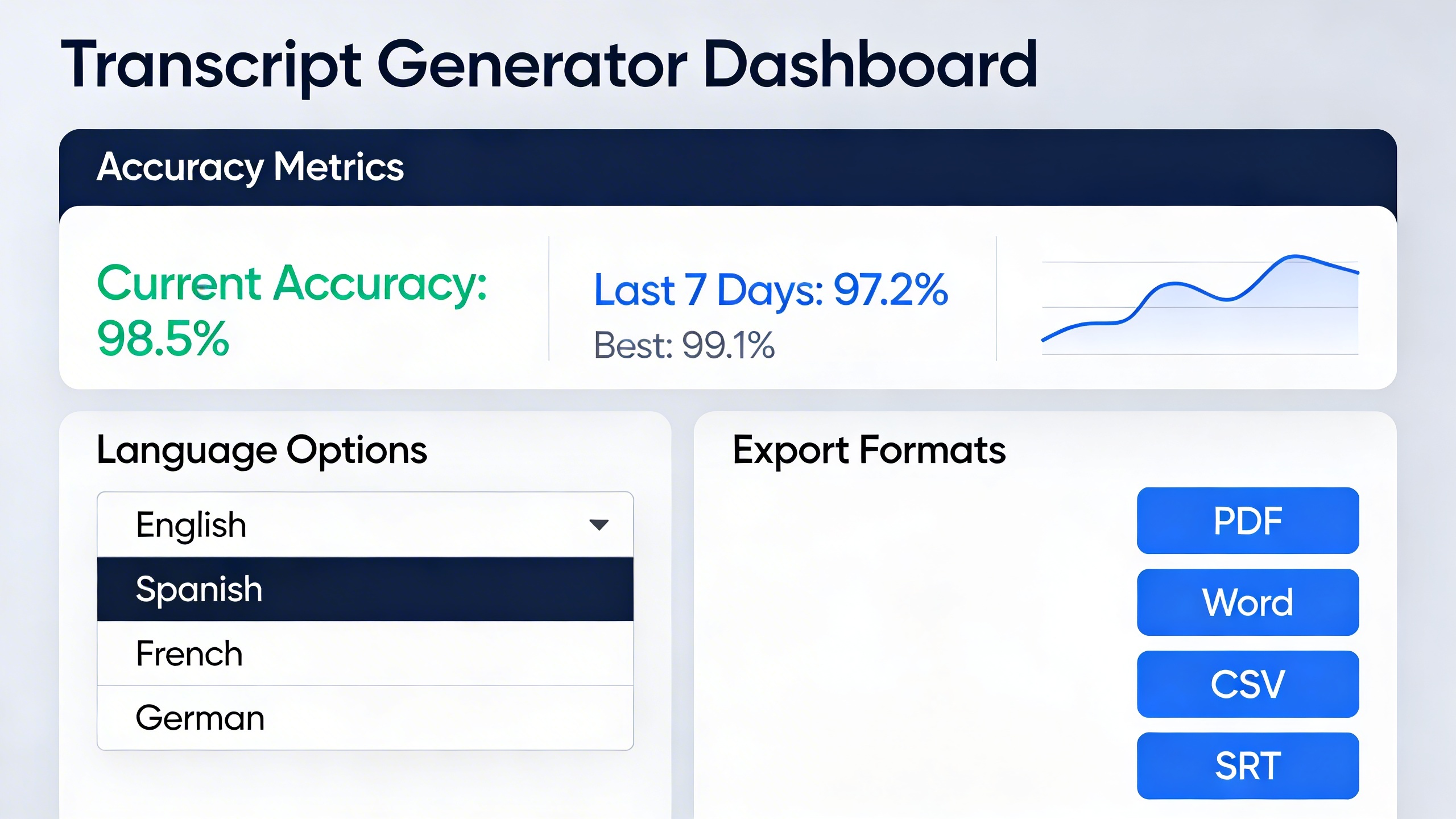
Export format flexibility ensures compatibility with your existing workflow. Quality transcript generators provide multiple output formats including SRT, VTT, TXT, and DOCX files. This versatility allows seamless integration with video editing software, content management systems, and subtitle platforms.
Timestamp precision enables easy navigation and editing. Detailed timestamps help you locate specific sections quickly, making the transcript useful for creating video chapters, highlights, or social media clips.
Batch processing capabilities save significant time for creators managing multiple videos. Advanced tools can process entire playlists or channels simultaneously, generating transcripts for dozens of videos overnight.
Integration options with popular platforms streamline your workflow. The most effective solutions integrate directly with YouTube, Vimeo, and major video hosting platforms, eliminating the need for manual file uploads or downloads.
Top Free YouTube Transcript Generator Tools
The landscape of youtube transcript generator tools has evolved dramatically, offering content creators, researchers, and professionals multiple pathways to convert video content into text. Understanding the strengths and limitations of each tool category helps you choose the right solution for your specific transcription needs.
Browser-Based Transcript Generators
Browser-based solutions offer the convenience of immediate access without software installation, making them ideal for quick transcription tasks and users who work across multiple devices.
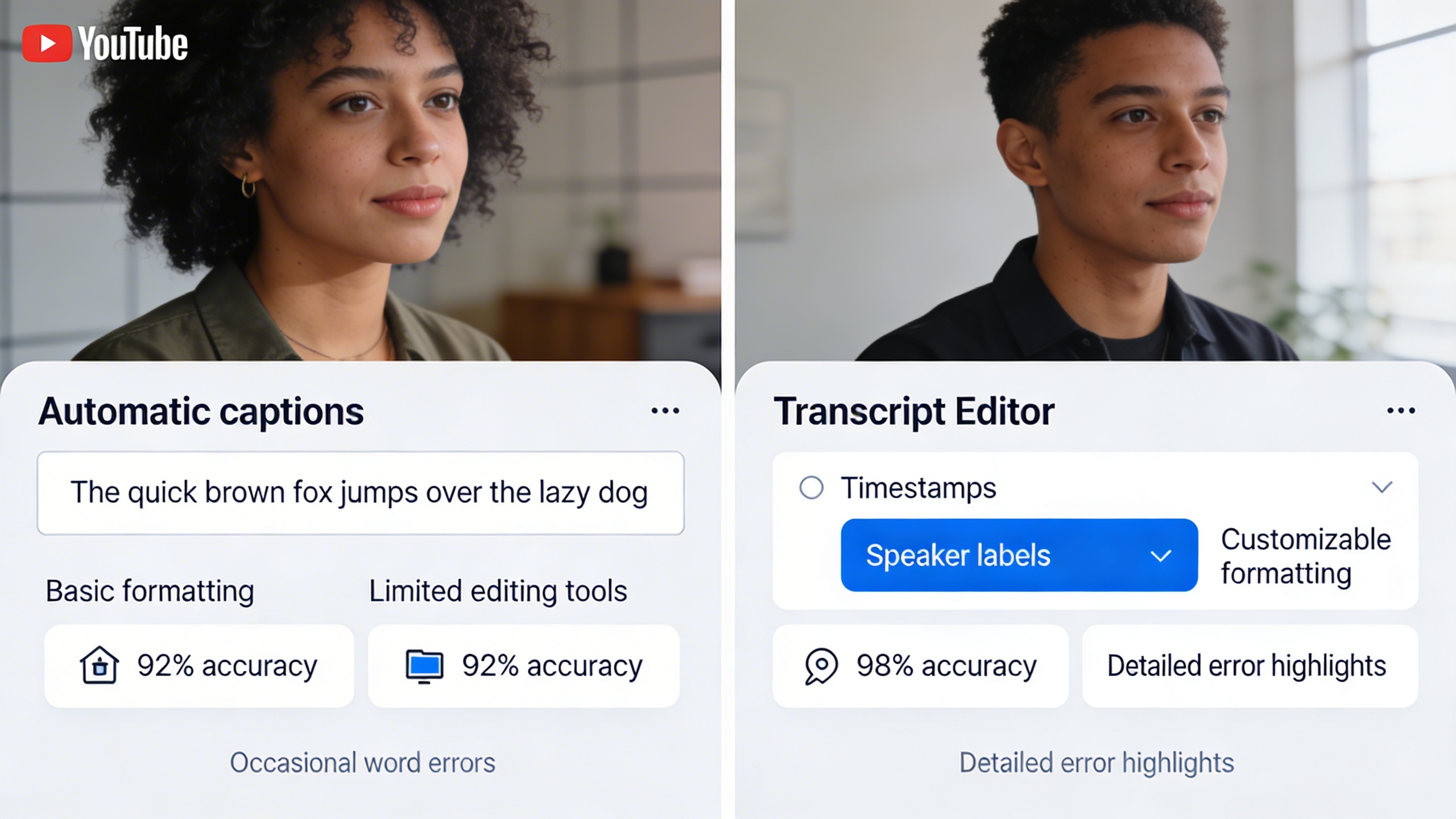
YouTube’s Native Auto-Generated Captions remain the most accessible starting point for any youtube video transcript generator workflow. These automatically generated transcripts appear on most videos and provide a foundation that typically achieves 70-85% accuracy for clear English audio. The transcripts include timestamps and can be downloaded as SRT files, though formatting options are limited.
Free online platforms like Kapwing and VEED offer enhanced browser-based transcription services. These tools typically allow you to paste YouTube URLs directly and generate transcripts with improved formatting options. Most provide 30-60 minutes of free transcription monthly, with accuracy rates ranging from 80-90% depending on audio quality and speaker clarity.
The primary advantage of browser-based youtube transcription tool options lies in their universal accessibility and zero setup requirements. However, processing times can be slower during peak usage, and file size limitations often restrict longer video content.
Desktop Applications for Video Transcription
Desktop applications provide more robust processing power and advanced features for users who regularly handle large volumes of video content or require professional-grade accuracy.
Otter.ai Desktop stands out for its real-time transcription capabilities and speaker identification features. While primarily designed for live meetings, it effectively processes YouTube audio with accuracy rates reaching 90-95% for high-quality recordings. The free tier includes 600 minutes monthly, making it suitable for regular users who need reliable transcription services.
Whisper by OpenAI, available through various desktop implementations, represents cutting-edge AI transcription technology. This free youtube transcript generator achieves exceptional accuracy across multiple languages and handles challenging audio conditions like background noise and multiple speakers. Technical users can run Whisper locally for unlimited processing, though setup requires some technical knowledge.
Traditional video editing software like DaVinci Resolve now includes built-in transcription features. These tools excel when you need both transcription and video editing capabilities, offering seamless integration between transcript generation and content creation workflows.
| Tool | Accuracy Rate | Free Limit | Best For |
|---|---|---|---|
| YouTube Native | 70-85% | Unlimited | Quick reference |
| Otter.ai | 90-95% | 600 min/month | Professional use |
| Whisper AI | 85-95% | Unlimited* | Technical users |
| Kapwing | 80-90% | 30 min/month | Casual users |
Mobile Apps for On-the-Go Transcription
Mobile transcription solutions cater to users who need flexibility and immediate access to youtube video transcript generator capabilities while away from their primary workstation.
Rev Voice Recorder offers a mobile-first approach to transcription with both free automated and paid human transcription options. The app handles YouTube audio effectively when you download the audio file first, achieving accuracy rates of 80-85% for automated transcription. The interface prioritizes ease of use, making it accessible for users who aren’t technically inclined.
For users seeking comprehensive voice technology solutions, Sozai provides AI-powered transcription capabilities across iOS, Android, and macOS platforms. The app excels at handling various audio sources and offers features designed for both casual note-taking and professional transcription workflows.
Google’s Live Transcribe and similar built-in mobile solutions offer real-time transcription that works well when playing YouTube videos through your device speakers. While not specifically designed as a video transcript generator, these tools provide immediate results for shorter content segments and support multiple languages with varying accuracy levels.
Mobile apps shine in scenarios where immediate transcription is needed, such as capturing key quotes during research or creating quick notes from educational content. However, processing longer videos often requires premium subscriptions, and accuracy can suffer in noisy mobile environments.
The choice between browser-based, desktop, and mobile youtube transcription tool options ultimately depends on your usage patterns, technical requirements, and accuracy expectations. Browser tools excel for occasional use, desktop applications provide power and precision for regular workflows, while mobile apps offer unmatched convenience for spontaneous transcription needs. Consider testing multiple options to identify which combination best serves your specific content creation or research objectives.
YouTube’s Built-in Transcript Features vs Third-Party Tools
While YouTube provides automatic captions for most videos, understanding when to rely on the platform’s native features versus external youtube transcript generator tools can significantly impact your transcription quality and workflow efficiency.
How to Access YouTube’s Auto-Generated Captions
YouTube automatically generates captions for videos in multiple languages using machine learning algorithms. To access these transcripts, click the three-dot menu below any video and select “Show transcript.” The transcript panel displays timestamped text that syncs with the video playback, allowing you to jump to specific moments by clicking on text segments.
You can also enable captions during playback by clicking the “CC” button in the video player. YouTube’s system works particularly well for videos with clear audio, standard accents, and minimal background noise. The platform supports transcript generation in over 50 languages, making it accessible for international content creators and viewers.
Limitations of YouTube’s Native Transcription
YouTube’s built-in transcription system has several notable constraints that may impact your workflow. The accuracy varies significantly based on audio quality, speaker accents, technical terminology, and background noise levels. Videos featuring multiple speakers, heavy accents, or industry-specific jargon often produce transcripts with substantial errors.
The platform provides limited editing capabilities within the YouTube Studio interface. Content creators can manually correct auto-generated captions, but this process is time-intensive and requires navigating YouTube’s editing tools. Additionally, YouTube doesn’t offer direct download options for transcripts in common formats like TXT, SRT, or DOCX files.
Another significant limitation involves processing time. YouTube may take several hours or even days to generate captions for newly uploaded videos, particularly for longer content or during peak platform usage periods.
When to Choose External Transcript Generators
External youtube video transcript generator tools become essential when you need higher accuracy, faster processing, or enhanced formatting options. Professional transcription services and AI-powered tools often deliver superior results for challenging audio conditions, technical content, or multi-speaker scenarios.
Consider third-party solutions when you require immediate transcript access, batch processing capabilities, or integration with other productivity tools. Many free youtube transcript generator options provide downloadable files in multiple formats, making them ideal for content repurposing, SEO optimization, or accessibility compliance.
External tools also excel in specialized use cases such as academic research, legal documentation, or medical content where precision is paramount. Some video transcript generator platforms offer advanced features like speaker identification, custom vocabulary training, and automated punctuation that surpass YouTube’s standard offerings.
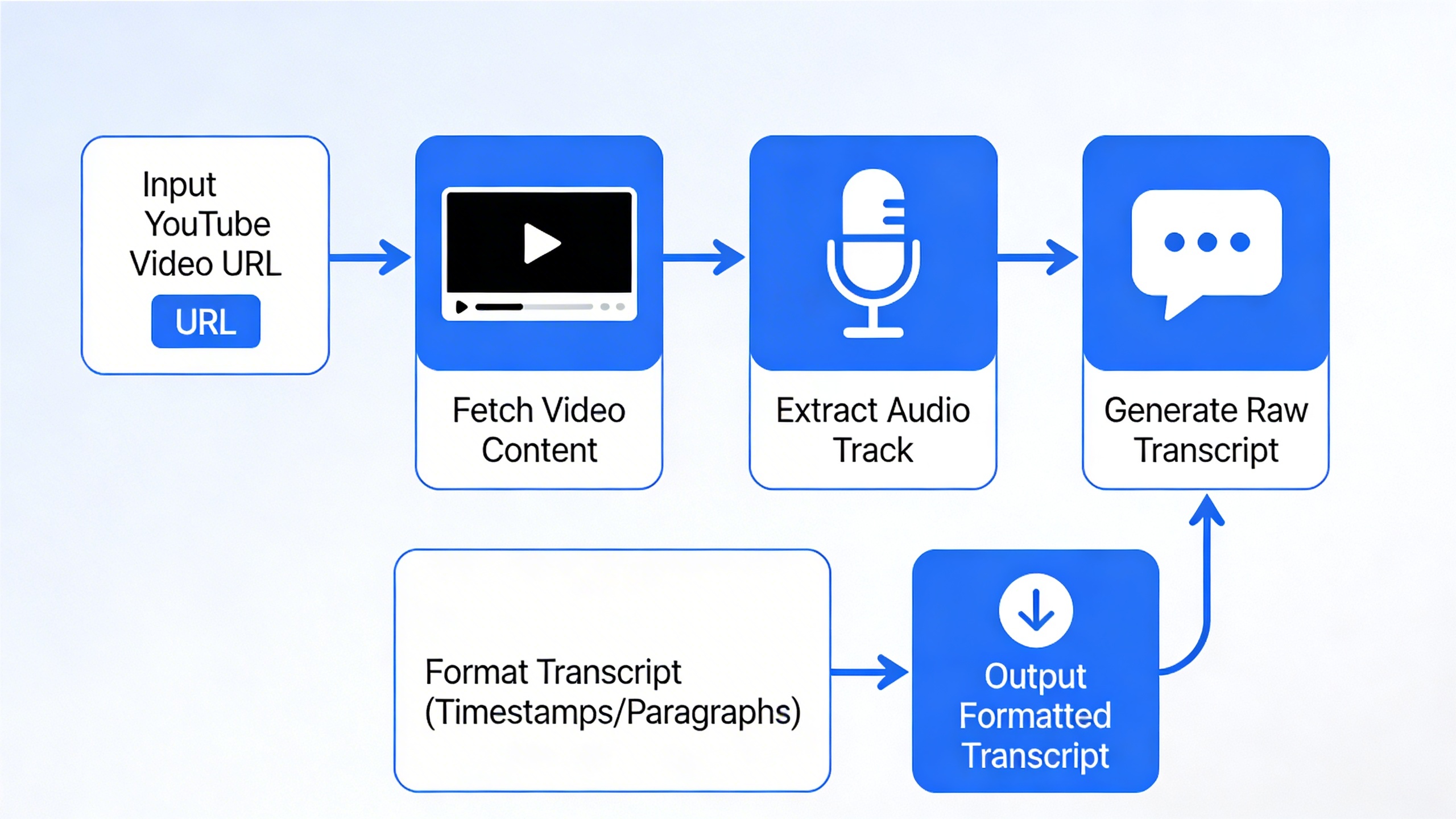
For content creators managing multiple channels or requiring consistent transcript quality across various platforms, dedicated youtube transcription tool solutions provide better workflow integration and quality control. These tools often support direct video URL imports, eliminating the need to download and re-upload content for transcription processing.
The choice between YouTube’s native features and external generators ultimately depends on your accuracy requirements, time constraints, and intended transcript usage. While YouTube’s built-in system works adequately for basic accessibility needs, professional applications typically benefit from specialized transcription solutions.
Accuracy and Quality Comparison of Free Tools
The effectiveness of any youtube transcript generator depends heavily on several technical and environmental factors that directly impact transcription quality. Understanding these variables helps you choose the right tool and optimize your results for better accuracy across different video types and recording conditions.
Factors Affecting Transcription Accuracy
Audio quality serves as the foundation for successful automated transcription. Videos recorded with professional microphones in controlled studio environments typically achieve 90-95% accuracy rates with leading free youtube transcript generators, while smartphone recordings in noisy environments may drop to 60-70% accuracy. The bit rate, sample frequency, and compression level of your source audio all influence how well AI algorithms can distinguish individual words and phrases.
Speaker clarity plays an equally critical role in transcription success. Clear articulation, consistent speaking pace, and minimal accent variation produce the most reliable results. Videos featuring multiple speakers with overlapping dialogue, heavy accents, or rapid speech patterns challenge even advanced youtube video transcript generators. Technical jargon, proper nouns, and industry-specific terminology often require manual correction regardless of the tool used.
Background noise significantly impacts transcription accuracy across all free platforms. Music, ambient sounds, echo, and audio interference force algorithms to work harder to isolate speech patterns. Videos recorded in quiet, acoustically treated spaces consistently outperform those with competing audio elements. Wind noise, traffic sounds, and electronic interference create particular challenges for automated systems.
Language support varies dramatically between different youtube transcription tools. While English generally receives the most development attention and achieves highest accuracy rates, support for other languages ranges from excellent to barely functional. Regional dialects, colloquialisms, and code-switching between languages can reduce accuracy significantly.
Testing Methodology for Transcript Quality
Evaluating video transcript generator performance requires systematic testing across diverse content types. Professional evaluations typically measure word error rate (WER), which calculates the percentage of incorrectly transcribed words compared to human-verified reference transcripts. A WER below 10% indicates excellent performance, while rates above 25% suggest significant accuracy issues.
Effective testing involves sampling videos with varying characteristics: different speakers, audio qualities, content types, and recording environments. Testing should include educational content, interviews, presentations, casual conversations, and technical discussions to assess how well each free youtube transcript generator handles different speaking styles and vocabulary complexity.
Punctuation accuracy, speaker identification, and timestamp precision represent additional quality metrics beyond basic word recognition. Some tools excel at capturing spoken content but struggle with proper sentence structure, while others maintain good formatting but miss subtle speech nuances.
Best Practices for Improving Results
Optimizing your source material before transcription significantly improves output quality. Clean audio preprocessing, including noise reduction and volume normalization, helps youtube transcript generators perform more accurately. When possible, use videos recorded with external microphones rather than built-in camera audio.
Selecting appropriate content for automated transcription maximizes success rates. Videos with single speakers, clear pronunciation, and minimal background activity produce the most reliable results. Avoid heavily edited content with rapid cuts, overlapping audio tracks, or complex soundscapes that confuse transcription algorithms.
Post-processing workflows enhance transcript quality regardless of the initial tool performance. Systematic proofreading, spell-checking, and formatting corrections transform rough automated output into professional-quality transcripts. Many users find that combining multiple free tools and cross-referencing results improves overall accuracy.
For users requiring consistently high-quality transcripts, professional tools like Sozai offer advanced AI processing capabilities that often surpass free alternatives, particularly for challenging audio conditions or specialized content types. However, understanding the limitations and optimization techniques for free youtube video transcript generators enables effective use of these accessible tools for many transcription needs.
Step-by-Step Guide to Using YouTube Transcript Generators
Getting accurate transcripts from your YouTube videos requires more than just clicking a generate button. The quality of your output depends heavily on proper preparation, understanding the workflow, and knowing how to refine the results. This comprehensive guide walks you through each stage of the transcription process to maximize accuracy and save time.
Preparing Your Video for Transcription
Before running your content through any youtube transcript generator, take time to optimize your video for the best possible results. Audio quality serves as the foundation for accurate transcription, so ensure your video has clear speech with minimal background noise. Videos recorded in quiet environments with good microphones consistently produce better transcripts than those with echo, music, or multiple speakers talking simultaneously.
Check that your video is publicly accessible or unlisted rather than private, as most free youtube transcript generator tools require the ability to access the video URL. If you’re working with longer content, consider breaking it into shorter segments of 30-60 minutes, as some tools have processing limits that can affect performance on extended videos.
Review your video’s spoken content beforehand to identify potential challenges. Technical terminology, proper nouns, acronyms, and heavy accents may require additional editing later. Make note of timestamps where speakers change or where important information is discussed, as this will help during the editing phase.
Generating and Downloading Transcripts
The actual generation process varies depending on which youtube video transcript generator you choose, but most follow a similar workflow. Start by copying your YouTube video URL and pasting it into your chosen tool’s input field. Some platforms require you to create a free account, while others allow immediate processing.
Select your preferred output format during setup. Most youtube transcription tool options offer plain text, SRT subtitle files, VTT web video text tracks, or structured formats like JSON. Choose based on your intended use – SRT works well for adding subtitles, while plain text suits blog posts or documentation.
Processing times typically range from a few minutes for short videos to 30-60 minutes for hour-long content. Avoid refreshing the page or closing your browser during generation, as this can interrupt the process and force you to start over. Many tools send email notifications when transcription completes, allowing you to work on other tasks meanwhile.
Once processing finishes, download your transcript immediately. Some free services only store results for 24-48 hours before deletion. Save multiple formats if available – having both a clean text version and a timestamped SRT file provides flexibility for different applications.
Editing and Formatting Your Transcripts
Raw output from any video transcript generator requires editing to achieve professional quality. Start by reading through the entire transcript while listening to your video, noting obvious errors, missing punctuation, and formatting inconsistencies. Pay special attention to speaker transitions, technical terms, and proper nouns that automated systems commonly misinterpret.
Address common formatting issues systematically. Most tools struggle with paragraph breaks, often creating one continuous block of text. Add natural breaks where topics shift or speakers pause. Insert speaker labels if your video features multiple people, using consistent formatting like “Speaker 1:” or actual names when known.
Correct capitalization errors, particularly for proper nouns, company names, and technical terminology specific to your industry. Many free tools default to lowercase or inconsistent capitalization that makes transcripts appear unprofessional. Remove filler words like “um,” “uh,” and “you know” unless they’re essential for context or authenticity.
For content creators who frequently work with video transcripts, consider using dedicated transcription and editing tools like Sozai, which combines AI-powered transcription with built-in editing features designed specifically for content workflows.
Proofread your final transcript by reading it aloud or using text-to-speech software. This catches errors that silent reading might miss, particularly awkward phrasing or missing words. For professional or educational content, consider having a second person review the transcript for accuracy and clarity.
Save your edited transcript in multiple formats and create a backup copy. Export timestamped versions for subtitle creation and clean versions for blog posts, documentation, or accessibility compliance. Proper organization of your transcript files saves significant time when you need to reference or repurpose content later.
Remember that editing quality directly impacts your transcript’s usefulness. Investing time in thorough editing transforms raw automated output into polished, professional content that serves your audience effectively while maintaining the authentic voice and message of your original video.
Advanced Features and Use Cases
While basic transcription serves most content creators well, advanced YouTube transcript generators unlock powerful capabilities that transform how you work with video content. These sophisticated features extend far beyond simple speech-to-text conversion, offering solutions for international audiences, professional video production, and strategic content marketing.
Multi-Language Support and Translation
Modern free youtube transcript generators excel at handling multilingual content, making them invaluable for creators targeting global audiences. Many tools automatically detect the spoken language and generate accurate transcripts in the original language, while others offer real-time translation capabilities that convert English speech into dozens of target languages.
Content creators working with international material benefit significantly from these features. A youtube video transcript generator with robust language support can process videos in Spanish, French, German, Japanese, and many other languages with impressive accuracy. Some platforms even handle code-switching scenarios where speakers alternate between multiple languages within the same video.
Translation features prove especially valuable for educational content, business presentations, and tutorial videos. When you generate a transcript in the original language, many youtube transcription tools allow you to export translated versions, creating subtitles for multiple markets simultaneously. This approach dramatically reduces the time and cost associated with manual translation services.
Timestamp Integration and Video Editing
Professional video editors rely heavily on timestamp-enabled transcripts to streamline their workflows. Advanced video transcript generators include precise timecodes that correspond exactly to spoken words, enabling editors to locate specific moments in lengthy recordings instantly.
These timestamps serve multiple purposes in post-production environments. Editors can quickly jump to specific quotes, identify sections requiring cuts or enhancements, and create highlight reels without scrubbing through hours of footage. The timestamp data also facilitates automated subtitle generation, where the transcript syncs perfectly with the video timeline.
For podcast creators and interview-based content, timestamp integration becomes essential for creating chapter markers and show notes. A youtube transcript generator with detailed timing information allows creators to segment long-form content into digestible sections, improving the viewer experience and increasing engagement rates.
Many professional workflows now incorporate AI-powered tools that can handle both transcription and additional voice processing tasks. For creators who frequently work with spoken content across multiple platforms, specialized applications like Sozai offer comprehensive voice-to-text capabilities that extend beyond YouTube, supporting various audio formats and providing enhanced accuracy for professional use cases.
SEO Benefits and Content Repurposing
Search engine optimization represents one of the most compelling use cases for youtube video transcript generators. Video content remains largely invisible to search engines without accompanying text, but transcripts provide rich, keyword-dense content that significantly improves discoverability.
Transcripts enable search engines to understand video content at a granular level, indexing specific phrases and topics discussed throughout the presentation. This enhanced indexing leads to improved rankings for long-tail keywords and topic-specific searches that might otherwise miss your video content entirely.
Content repurposing strategies leverage transcripts as foundational material for multiple content formats. A single video transcript can become blog posts, social media snippets, email newsletters, and podcast episodes. Marketing teams frequently use free youtube transcript generators to extract quotes, statistics, and key insights that support broader content campaigns.
The efficiency gains prove substantial when scaling content operations. Instead of manually reviewing hours of video to identify quotable moments or key takeaways, content managers can quickly scan transcripts, identify valuable segments, and repurpose them across multiple channels. This approach maximizes the return on investment for video production while maintaining consistent messaging across all platforms.
Advanced analytics integration allows content creators to correlate transcript keywords with viewer engagement metrics, identifying which topics resonate most strongly with their audience. This data-driven approach to content optimization helps creators refine their messaging and improve future video performance based on concrete evidence rather than assumptions.
Choosing the Right YouTube Transcript Generator for Your Needs
Selecting the ideal youtube transcript generator requires understanding your specific use case, technical requirements, and growth trajectory. Different users have varying needs for accuracy, speed, and integration capabilities, making it essential to match tool features with your workflow demands.
Factors to Consider for Different User Types
Content creators typically prioritize speed and ease of use when generating transcripts for accessibility compliance or content repurposing. A free youtube transcript generator with batch processing capabilities serves creators who publish multiple videos weekly, while those focusing on high-quality educational content may need tools offering manual editing interfaces.
Researchers and academics require youtube video transcript generator tools with superior accuracy for citation purposes and detailed analysis. These users benefit from platforms that preserve speaker identification, timestamps, and formatting nuances essential for scholarly work.
Business professionals conducting market research or competitive analysis need video transcript generator solutions that handle various audio qualities and accents reliably. Integration with existing research tools and export capabilities become critical factors for this user group.
Students and educators often work within budget constraints, making free options with reasonable accuracy their primary consideration. However, they may require features like keyword search within transcripts or easy sharing capabilities for collaborative projects.
Free vs Premium Feature Comparison
Free youtube transcription tool options typically provide basic transcript generation with standard accuracy rates and limited customization. These tools usually include essential features like automatic punctuation and paragraph breaks, making them suitable for general content consumption and basic accessibility needs.
| Feature Category | Free Tools | Premium Tools |
|---|---|---|
| Accuracy Rate | 85-90% | 95-98% |
| Processing Speed | Real-time to 2x speed | Up to 10x speed |
| File Formats | Basic (TXT, SRT) | Multiple (DOCX, PDF, VTT) |
| Editing Interface | Limited | Advanced with collaboration |
Premium versions offer enhanced accuracy through advanced AI models, faster processing times, and comprehensive editing suites. They frequently include speaker identification, custom vocabulary training, and API access for workflow automation.
Future-Proofing Your Transcription Workflow
Scalability considerations become crucial as content production increases. Choose a youtube transcript generator that offers API integration or bulk processing capabilities to accommodate growing video libraries without manual intervention for each file.
Integration requirements with existing content management systems, video editing software, or collaboration platforms should influence your tool selection. Tools that support multiple export formats and offer webhook notifications provide flexibility for evolving technical needs.
Consider the long-term sustainability of your chosen solution, including the provider’s update frequency, customer support quality, and roadmap transparency. Free tools may discontinue services or change terms, making it valuable to have backup options or migration plans.
For users requiring consistent, high-quality transcription across multiple platforms beyond YouTube, exploring comprehensive solutions like Sozai can provide unified transcription capabilities across various audio and video sources while maintaining workflow efficiency.

