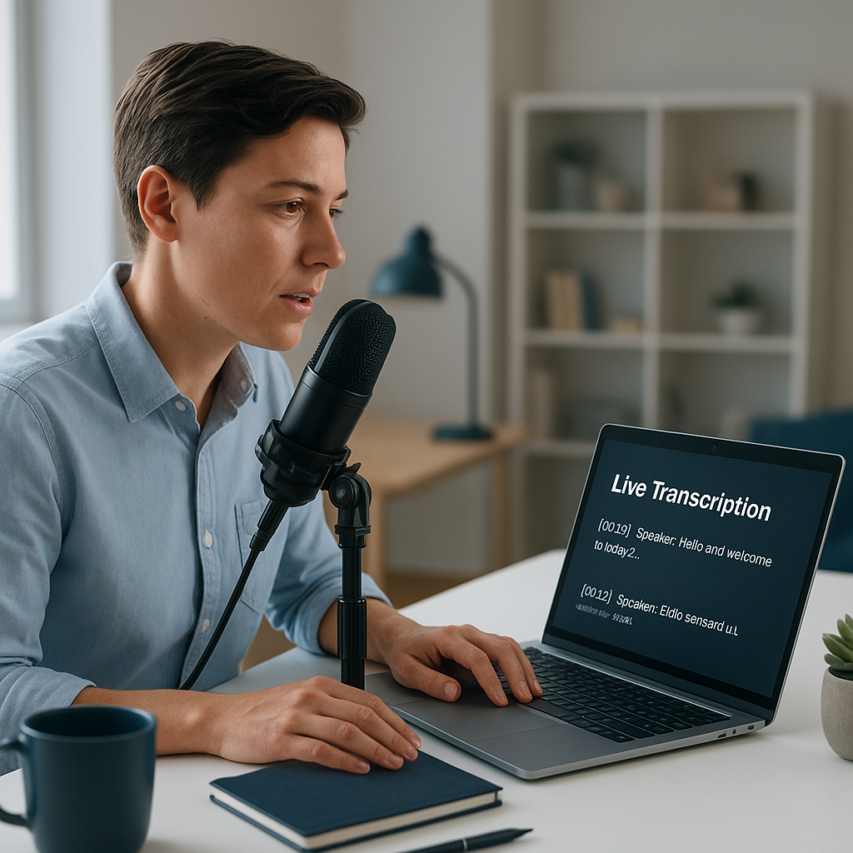
The digital transformation of communication has fundamentally changed how we create content, and voice to text online technology stands at the forefront of this revolution. What once required expensive software or specialized equipment is now accessible through your web browser, enabling anyone to convert spoken words into written text with remarkable accuracy. From busy professionals dictating emails during commutes to students capturing lecture notes in real time, voice text online tools have become indispensable for boosting productivity and breaking down accessibility barriers.
The evolution from simple voice typing online features to sophisticated AI-powered platforms has opened new possibilities for content creators, journalists, researchers, and individuals with disabilities. Modern voice transcription online services can handle multiple languages, adapt to different accents, and provide voice to text real time processing that rivals human transcription speed. These tools are reshaping workflows across industries, making content creation more efficient and inclusive than ever before.
This comprehensive guide will walk you through everything you need to know about selecting and maximizing voice-to-text technology. You’ll discover the key features that separate excellent tools from mediocre ones, explore both free and premium options, learn specialized applications for different use cases, and master best practices that ensure consistently accurate results.
Understanding Voice to Text Technology
Voice to text technology has evolved from simple pattern matching systems to sophisticated artificial intelligence platforms that can understand natural speech with remarkable accuracy. Modern voice to text online solutions leverage advanced machine learning algorithms to convert spoken words into written text, making digital communication more accessible and efficient than ever before.
How Speech Recognition Works
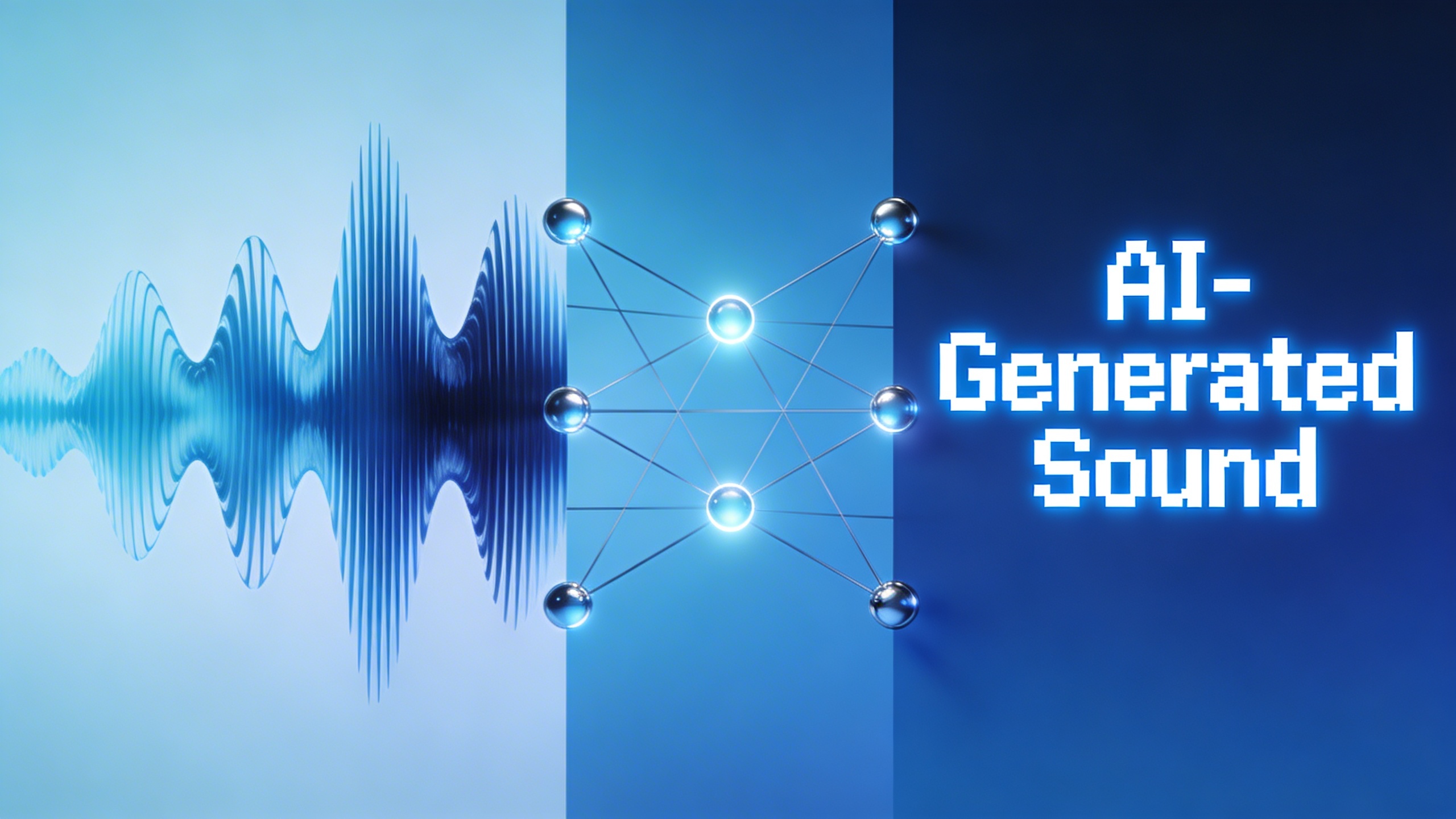
At its core, speech recognition technology breaks down audio signals into manageable components that computers can analyze. When you speak into a voice text online system, the process begins with acoustic analysis, where the software identifies phonemes—the smallest units of sound in language. These phonemes are then mapped to potential words using statistical models trained on vast datasets of human speech.
Modern systems employ deep neural networks that process multiple layers of audio features simultaneously. The technology analyzes speech patterns, intonation, and context to make intelligent predictions about what words you’re saying. This multi-layered approach allows voice typing online tools to handle various accents, speaking speeds, and background noise conditions with increasing sophistication.
The process happens in milliseconds, with algorithms continuously refining their predictions based on surrounding words and grammatical context. Advanced systems also incorporate natural language processing to understand sentence structure and meaning, which significantly improves transcription quality compared to earlier word-by-word recognition methods.
Types of Voice to Text Systems
Voice transcription online systems fall into two primary categories: cloud-based and local processing solutions. Cloud-based systems send your audio data to remote servers where powerful computing resources perform the transcription. These platforms typically offer superior accuracy because they can access extensive language models and processing power that would be impractical on individual devices.
Local processing systems, conversely, perform all computations on your device. While this approach offers enhanced privacy and works without internet connectivity, the accuracy may be lower due to hardware limitations. However, recent advances in mobile processors have narrowed this gap considerably.
Real-time systems process speech as you speak, providing immediate transcription feedback. Voice to text real time applications are essential for live captioning, virtual meetings, and interactive applications. Batch processing systems, meanwhile, analyze complete audio files after recording finishes, often achieving higher accuracy by considering the entire context of the conversation.
Hybrid systems combine multiple approaches, using local processing for immediate feedback while simultaneously sending data to cloud services for refined, high-accuracy transcription. This dual-layer approach provides the best user experience by balancing speed and precision.
Accuracy Factors and Limitations
Several factors significantly impact voice recognition accuracy. Audio quality remains the most critical element—clear recordings with minimal background noise produce substantially better results than poor-quality audio. Microphone placement, room acoustics, and speaking distance all influence transcription quality.
Speaker characteristics also play a crucial role. Systems typically perform better with native speakers of the target language, though modern platforms have improved dramatically in handling accents and dialects. Speaking pace affects accuracy as well—moderate, clear speech generally yields better results than rapid or mumbled delivery.
Language models represent another crucial factor. Systems trained on diverse datasets that include technical terminology, colloquialisms, and domain-specific vocabulary perform better across various use cases. However, highly specialized jargon or proper nouns may still challenge even advanced systems.
Current limitations include difficulty with overlapping speech in multi-speaker environments, challenges with very quiet or very loud audio, and occasional struggles with homophones—words that sound identical but have different meanings. Punctuation and formatting also require intelligent interpretation, as speakers rarely verbalize punctuation marks naturally.
Despite these challenges, modern voice to text technology achieves accuracy rates exceeding 95% under optimal conditions. Continuous improvements in artificial intelligence and machine learning ensure that these systems become more capable and reliable with each iteration, making voice transcription an increasingly practical solution for diverse communication needs.
Key Features to Look for in Voice to Text Tools
Selecting the right voice to text online solution requires careful consideration of several critical features that directly impact your productivity and user experience. The best tools combine advanced speech recognition technology with practical functionality that adapts to your specific workflow needs.
Real-Time Transcription Capabilities
The ability to convert speech to text instantly sets apart professional-grade tools from basic alternatives. Voice to text real time functionality eliminates the waiting period between speaking and seeing your words appear on screen, creating a seamless dictation experience that mirrors natural conversation flow.
Look for tools that maintain consistent accuracy even during rapid speech or when processing multiple speakers simultaneously. The most effective voice typing online platforms handle interruptions gracefully, allowing you to pause, restart, or correct mistakes without losing context. Some advanced systems even learn your speaking patterns over time, improving their real-time performance through machine learning algorithms.
Consider tools that offer adjustable processing speeds to match your speaking pace. Whether you prefer deliberate dictation or rapid-fire brainstorming sessions, the transcription engine should adapt accordingly without sacrificing accuracy or introducing significant delays.
Language Support and Accuracy
Comprehensive language support extends far beyond simply recognizing different languages—it encompasses dialects, accents, and regional variations that affect transcription quality. Premium voice text online tools typically support dozens of languages with specialized models trained on diverse speech patterns from native speakers.
Accuracy rates become particularly important when working with technical terminology, proper nouns, or industry-specific jargon. The best platforms allow you to create custom vocabularies or glossaries that improve recognition of specialized terms relevant to your field. This feature proves invaluable for medical professionals, legal practitioners, or technical writers who frequently use domain-specific language.
Smart punctuation insertion represents another crucial accuracy feature. Advanced systems automatically detect sentence boundaries, add appropriate punctuation marks, and even format common structures like phone numbers, dates, and addresses without manual intervention.
Integration and Export Options
Modern voice transcription online tools must seamlessly integrate with existing workflows and popular productivity applications. Look for platforms that offer direct connections to cloud storage services, document editors, and project management systems you already use daily.
File format compatibility ensures your transcribed content works across different platforms and applications. Essential export options include standard formats like TXT, DOCX, and PDF, while advanced tools may offer structured formats like JSON or XML for developers and power users.
API access opens possibilities for custom integrations and automated workflows. Organizations with specific requirements can build voice to text capabilities directly into their existing systems, creating tailored solutions that match their operational needs. Some platforms provide webhook support for real-time data synchronization with external applications.
Consider tools that maintain formatting consistency across different export formats, preserving speaker labels, timestamps, and paragraph structures regardless of your chosen output method. For teams requiring collaborative features, look for platforms that support shared workspaces and real-time editing capabilities.
Cloud synchronization ensures your transcriptions remain accessible across multiple devices while maintaining security standards appropriate for sensitive content. The most reliable solutions offer offline capabilities as backup options when internet connectivity becomes unreliable.
Top Free Voice to Text Online Platforms
Finding reliable voice to text online solutions without breaking the budget is entirely possible, thanks to numerous free platforms that offer impressive transcription capabilities. While these no-cost options may have certain limitations compared to premium services, many provide excellent accuracy and functionality for everyday users, students, and professionals looking to convert speech into written content efficiently.
Browser-Based Solutions
Modern web browsers have revolutionized voice text online accessibility by integrating speech recognition directly into their platforms. Chrome’s Web Speech API powers numerous browser-based transcription tools that require no downloads or installations. These solutions work entirely within your web browser, making them instantly accessible from any device with an internet connection.
Popular browser-based platforms like SpeechTexter and Voice Note offer real-time transcription with support for multiple languages. These tools typically provide accuracy rates between 85-95% for clear speech in quiet environments. However, performance can vary significantly based on your internet connection speed, microphone quality, and background noise levels.
The main advantage of browser-based voice typing online tools lies in their universal compatibility and zero setup requirements. Users can simply navigate to the website, grant microphone permissions, and begin dictating immediately. Most platforms support basic punctuation commands and offer simple editing features, though advanced formatting options are usually limited in free versions.
Google’s Voice Typing Features
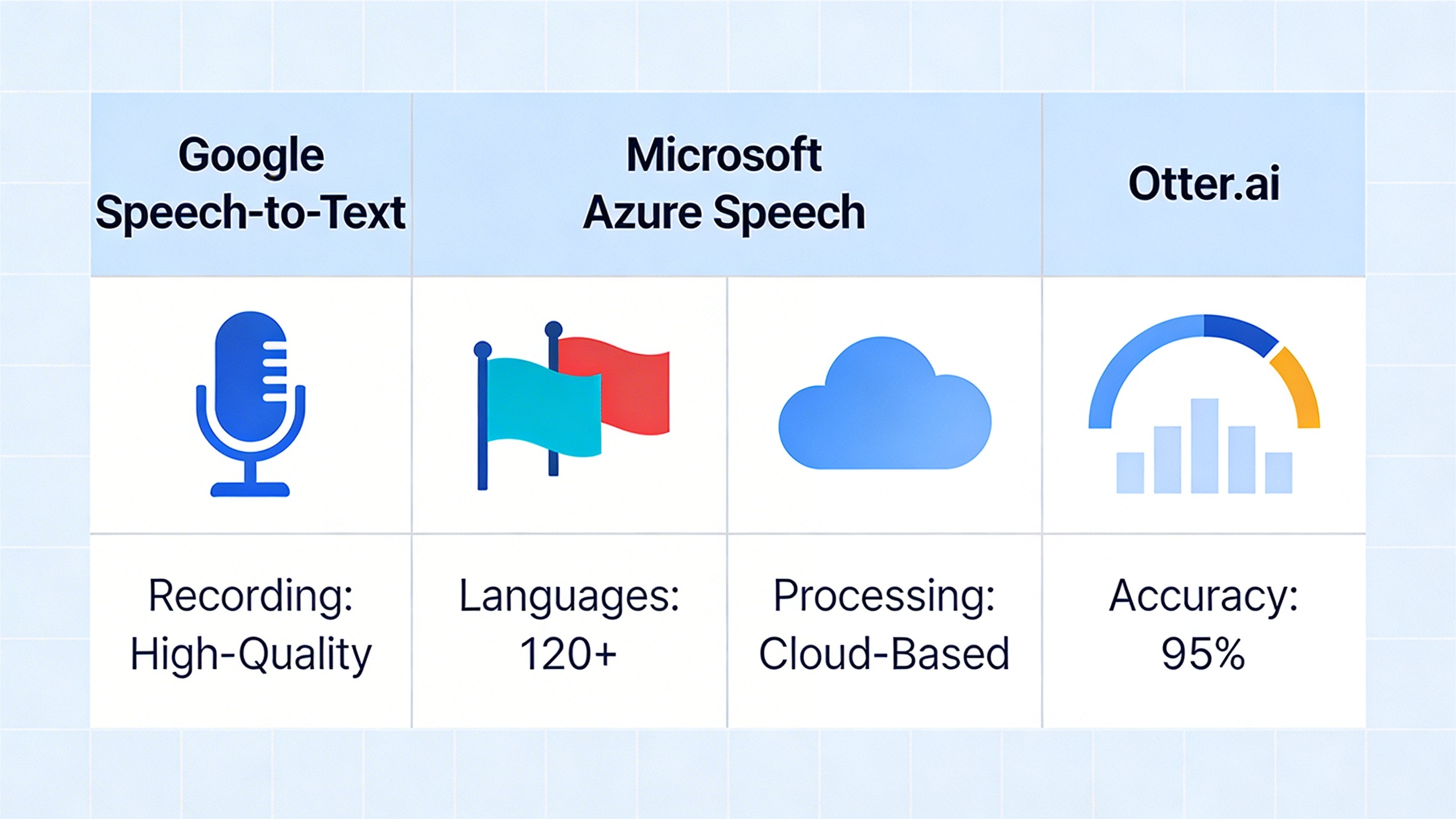
Google provides several powerful voice transcription online options that seamlessly integrate across their ecosystem. Google Docs voice typing stands out as one of the most accurate free solutions available, leveraging the same speech recognition technology that powers Google Assistant and Android devices.
To access Google’s voice typing, users simply open a Google Docs document, navigate to Tools > Voice typing, and click the microphone icon. The system supports over 100 languages and dialects, with voice to text real time processing that displays words as you speak. The accuracy is remarkably high for clear speech, often exceeding 95% in optimal conditions.
Google’s mobile keyboard (Gboard) extends voice typing capabilities to smartphones and tablets, allowing users to dictate text in any app that accepts keyboard input. This feature works offline on many devices, providing consistent voice transcription online functionality even without internet access. The system learns from your speech patterns over time, gradually improving accuracy for your specific voice and vocabulary.
Privacy considerations with Google’s services include data processing on their servers for improving speech recognition algorithms. While Google states that voice data isn’t permanently stored when using voice typing in Docs, users should review privacy policies carefully if handling sensitive information.
Open Source Alternatives
Open source voice to text online platforms offer transparency and customization options that proprietary solutions cannot match. Mozilla’s DeepSpeech provides a completely free, privacy-focused alternative that processes speech locally rather than sending audio data to external servers.
Wav2Vec2, developed by Facebook AI Research, offers another open source option with impressive accuracy rates. While primarily designed for developers, several web-based implementations make this technology accessible to general users. These platforms typically require more technical knowledge to set up but provide complete control over data processing and storage.
The trade-off with open source solutions often involves setup complexity and potentially lower accuracy compared to commercial alternatives. However, for users prioritizing privacy or requiring specialized customization, these platforms offer valuable alternatives to mainstream voice text online services.
Performance comparisons between free platforms reveal significant variations in accuracy, language support, and feature availability. While Google’s solutions generally provide the highest accuracy, browser-based tools offer better privacy protection, and open source alternatives deliver complete transparency and customization potential.
When selecting a free voice typing online platform, consider factors like required accuracy levels, privacy requirements, language needs, and technical expertise. For users seeking a balance of accuracy and convenience, Sozai offers advanced transcription features with robust privacy protection, making it an excellent choice for both casual users and professionals who need reliable voice-to-text functionality.
Most free platforms impose usage limitations such as session time limits, file size restrictions, or reduced accuracy for longer audio segments. Understanding these constraints helps users choose the most appropriate solution for their specific voice transcription online needs.

Premium Voice to Text Services
While free voice to text online platforms serve basic needs effectively, premium services deliver the accuracy, customization, and security features that professionals and enterprises require. These advanced solutions transform voice text online capabilities from simple transcription tools into powerful business assets that can handle complex audio scenarios with remarkable precision.
Premium services distinguish themselves through sophisticated machine learning models trained on vast datasets, enabling them to understand context, industry jargon, and speaker nuances that often confuse standard voice typing online tools. The investment in these platforms typically pays dividends through time savings, improved accuracy, and enhanced workflow integration.
Professional-Grade Accuracy
The hallmark of premium voice to text real time services lies in their exceptional accuracy rates, often exceeding 95% even in challenging audio conditions. These platforms employ advanced noise reduction algorithms and multiple acoustic models that work together to deliver consistent results across various recording environments.
Professional-grade accuracy stems from several technical advantages. Premium services utilize larger neural networks trained on millions of hours of diverse audio data, including accented speech, technical terminology, and industry-specific language patterns. This extensive training enables the systems to handle complex sentence structures, proper nouns, and specialized vocabulary that frequently trip up basic voice transcription online tools.
Many premium platforms also offer confidence scoring, which indicates the system’s certainty about each transcribed word. This feature proves invaluable for quality control, allowing users to quickly identify and review sections that may require manual verification. Some services even provide alternative word suggestions for low-confidence segments, streamlining the editing process.
Advanced Features and Customization
Premium voice to text online services excel in their customization capabilities, allowing organizations to train systems on their specific terminology, acronyms, and speaking patterns. Custom vocabulary training represents one of the most powerful features, enabling users to upload glossaries of industry terms, product names, or technical jargon that the system should recognize accurately.
Speaker identification technology adds another layer of sophistication to premium platforms. This feature can distinguish between multiple speakers in meetings or interviews, automatically labeling each speaker’s contributions in the transcript. Advanced systems can even learn to recognize specific individuals over time, creating personalized voice profiles that improve accuracy for frequent users.
Real-time processing capabilities in premium services often include live punctuation insertion, automatic paragraph breaks, and even sentiment analysis. These features transform raw voice typing online output into polished, readable documents that require minimal post-processing. Some platforms also offer integration with popular business tools like CRM systems, project management software, and documentation platforms.
| Feature Category | Standard Services | Premium Services |
|---|---|---|
| Accuracy Rate | 85-90% | 95-98% |
| Custom Vocabulary | Limited | Unlimited training |
| Speaker ID | Not available | Multi-speaker recognition |
| Real-time Processing | Basic | Advanced formatting |
Enterprise Solutions
Enterprise-level voice transcription online platforms prioritize security, scalability, and compliance with industry regulations. These solutions often feature on-premises deployment options, ensuring that sensitive audio data never leaves the organization’s secure environment. This approach addresses concerns about confidentiality and regulatory compliance that prevent many businesses from adopting cloud-based voice text online services.
Compliance certifications represent a critical consideration for enterprise adoption. Premium platforms typically maintain certifications for healthcare (HIPAA), financial services (SOX), and government contracts (FedRAMP), ensuring that voice to text real time processing meets stringent security standards. These certifications require regular audits and continuous monitoring of data handling practices.
For organizations requiring sophisticated voice processing capabilities, platforms like Sozai offer enterprise-grade features including batch processing, API integration, and custom model training while maintaining user-friendly interfaces suitable for both technical and non-technical team members.
Enterprise solutions also provide detailed analytics and usage reporting, enabling organizations to track adoption rates, identify training needs, and optimize their voice to text workflows. These insights help justify the investment in premium services by demonstrating measurable productivity improvements and cost savings across the organization.
Specialized Use Cases and Applications
Voice to text online tools have evolved beyond simple dictation, becoming essential components in diverse professional and personal workflows. Understanding these specialized applications helps users maximize the potential of voice transcription technology across different industries and scenarios.
Content Creation and Blogging
Content creators and bloggers increasingly rely on voice typing online to accelerate their writing processes. Speaking naturally often produces more conversational and engaging content compared to traditional typing, allowing creators to capture their authentic voice and maintain better flow. Professional bloggers report productivity increases of 200-300% when using voice text online for initial drafts.
The key to successful content creation lies in developing a structured approach. Start by outlining your main points verbally, then expand each section through voice dictation. This method works particularly well for storytelling, personal anecdotes, and explanatory content where natural speech patterns enhance readability. Many successful YouTubers and podcasters use voice transcription online to convert their spoken content into blog posts, maximizing their content’s reach across multiple platforms.
Meeting and Interview Transcription
Business professionals and journalists have transformed their documentation processes using voice to text real time capabilities. Live meeting transcription eliminates the need for dedicated note-takers and ensures comprehensive record-keeping. This technology proves invaluable during client consultations, team brainstorming sessions, and stakeholder interviews where participants can focus entirely on the conversation rather than manual note-taking.
For optimal results in meeting scenarios, position recording devices strategically to capture all speakers clearly. Many professionals use dedicated apps like Sozai for high-quality meeting transcription, which offers real-time processing and speaker identification features. Legal professionals particularly benefit from accurate transcription services for depositions, client interviews, and court proceedings, where precision and completeness are critical.
Interview-based research becomes significantly more efficient with voice transcription technology. Researchers can conduct longer, more natural conversations without the distraction of constant note-taking, leading to richer data collection and more authentic responses from subjects.
Accessibility and Assistive Technology
Voice to text online tools serve as crucial accessibility solutions for individuals with various physical limitations. People with mobility impairments, repetitive strain injuries, or conditions affecting fine motor control find voice typing online essential for maintaining productivity and independence in digital communication.
Educational institutions leverage these tools to support students with learning differences, including dyslexia and dysgraphia. Students can express complex ideas verbally without the barrier of written composition, allowing educators to assess understanding more accurately. This application extends to standardized testing accommodations, where voice transcription online provides equal access to assessment opportunities.
The technology also supports multilingual learners who may struggle with typing in non-native languages but can express themselves fluently through speech. Voice to text real time processing helps these users participate more fully in digital communications and academic work.
Healthcare applications represent another critical accessibility use case. Medical professionals use voice transcription for patient documentation, reducing administrative burden and improving patient interaction time. Physical therapists and occupational therapists often recommend voice typing solutions as part of comprehensive treatment plans for patients recovering from injuries affecting their ability to type.
These specialized applications demonstrate how voice transcription technology extends far beyond convenience, becoming an essential tool for professional efficiency, educational equity, and accessibility support across diverse user populations.
Best Practices for Voice to Text Success
Achieving optimal results with voice to text online tools requires more than just speaking into your device. The quality of your transcription depends heavily on your recording setup, speaking technique, and post-processing workflow. By implementing these proven strategies, you can dramatically improve accuracy rates and reduce editing time.
Optimizing Your Recording Environment
Audio quality forms the foundation of successful voice transcription online. Choose a quiet space away from traffic noise, air conditioning units, and other people’s conversations. Hard surfaces like bare walls and glass windows create echo that confuses transcription algorithms, so consider using a room with carpets, curtains, or furniture that naturally absorbs sound.
Position yourself 6-12 inches from your microphone or device to maintain consistent volume levels. External microphones typically outperform built-in laptop or phone microphones, especially for longer dictation sessions. USB headset microphones offer an affordable upgrade that significantly improves voice to text real time accuracy.
Close windows and doors to minimize background noise. Even seemingly quiet sounds like keyboard typing, paper rustling, or distant conversations can interfere with voice text online processing. If you must work in a noisy environment, consider using noise-canceling software or apps that filter background audio before transcription.
Speaking Techniques for Better Accuracy
Consistent speaking pace and clear articulation directly impact transcription quality. Speak at roughly 150-160 words per minute—fast enough to maintain natural flow but slow enough for the algorithm to process each word accurately. Avoid rushing through sentences or speaking so slowly that your natural speech patterns become artificial.
Pronounce each word distinctly, especially endings like “ed,” “ing,” and “s.” Many voice typing online errors occur when speakers mumble word endings or run words together. Practice enunciating consonants clearly, as these provide crucial context clues for transcription algorithms.
Include punctuation verbally by saying “comma,” “period,” or “question mark” when appropriate. Most modern voice to text online platforms recognize these verbal cues and insert punctuation automatically. This technique saves significant editing time and maintains proper sentence structure from the start.
Spell out unusual names, technical terms, or acronyms the first time you use them. For example, say “John spelled J-O-H-N Smith” or “API spelled A-P-I” to ensure accurate recognition of specialized vocabulary.
Post-Processing and Editing Tips
Review your transcribed content immediately while the spoken context remains fresh in your memory. Real-time editing during dictation often disrupts your flow of thought, so complete full sentences or paragraphs before making corrections.
Develop a systematic editing workflow that addresses common transcription errors first. Start by scanning for obvious mistakes like incorrect homophones (“there” vs “their”), then review punctuation and capitalization. Many professionals use text-to-speech playback to catch errors their eyes might miss during silent reading.
Create custom vocabularies or user dictionaries for frequently used terms, names, or industry-specific language. Most voice transcription online tools allow you to train the system on your unique vocabulary, improving accuracy over time. For users who frequently dictate meeting notes or professional content, apps like Sozai offer specialized features for business transcription workflows.
Maintain backup copies of both your audio files and transcribed text. Technical glitches or accidental deletions can destroy hours of work, so save your progress frequently and consider cloud storage for important dictation projects.
Future of Voice to Text Technology
The landscape of voice to text online technology continues evolving at an unprecedented pace, driven by breakthrough artificial intelligence developments and changing user expectations. As speech recognition accuracy approaches human-level performance, the future promises more sophisticated, secure, and seamlessly integrated voice transcription solutions.
Emerging AI Developments
Next-generation neural networks are revolutionizing voice text online accuracy through contextual understanding and emotional intelligence. Advanced models now recognize speaker intent, detect sarcasm, and maintain conversation context across extended sessions. Real-time processing improvements enable voice to text real time applications with latency under 100 milliseconds, making natural conversation flow possible during live meetings and collaborative work.
Multimodal AI integration represents another significant leap forward. Future voice typing online systems will combine audio analysis with visual cues, environmental context, and user behavior patterns to deliver unprecedented transcription accuracy. These systems will automatically adjust for background noise, speaker accents, and technical terminology without manual configuration.
Integration with Other Technologies
Cross-platform compatibility is becoming the industry standard, with voice transcription online tools seamlessly syncing across smartphones, tablets, computers, and emerging devices like smart glasses and automotive systems. API-first architectures enable developers to embed sophisticated speech recognition into any application, from healthcare management systems to creative writing platforms.
Internet of Things integration opens new possibilities for ambient voice capture and processing. Smart office environments will automatically transcribe meetings, while connected vehicles will convert spoken notes into organized task lists. Augmented reality applications will overlay voice-generated text directly onto physical environments, transforming how we interact with digital information.
Privacy and Security Considerations
Data protection frameworks are evolving to address growing privacy concerns around voice data collection and processing. Edge computing solutions now enable local voice processing without transmitting sensitive audio to remote servers, ensuring confidential conversations remain private while maintaining transcription quality.
Blockchain-based verification systems are emerging to authenticate voice transcriptions for legal and compliance purposes. These technologies create immutable records of who spoke what and when, addressing concerns about deepfake audio and transcript manipulation in professional settings.
Ethical AI development focuses on eliminating bias in speech recognition systems, ensuring accurate transcription regardless of speaker accent, gender, or linguistic background. Industry leaders are implementing transparent algorithms and diverse training datasets to create more inclusive voice technology.
The convergence of these technological advances points toward a future where voice to text online tools become invisible yet essential infrastructure, seamlessly capturing and organizing human communication across all digital touchpoints while maintaining the highest standards of privacy and accuracy.

