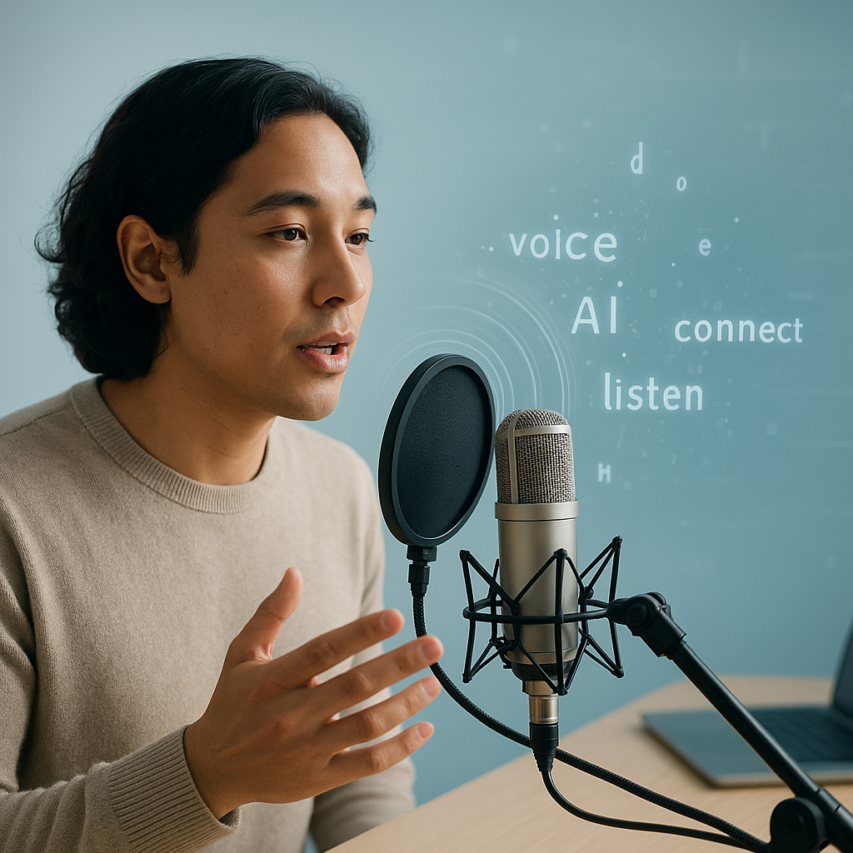
Voice to text conversion has become an indispensable tool in our increasingly connected world, enabling millions of people to convert voice to words with remarkable speed and accuracy. Whether you’re dictating emails during your commute, capturing meeting notes in real-time, or creating content hands-free, this technology transforms the way we interact with our devices and process information. From basic smartphone dictation to sophisticated AI-powered platforms that translate voice to text across multiple languages, these tools have revolutionized how we communicate, work, and stay productive.
The ability to convert talk to text has evolved far beyond simple dictation software. Modern online voice to text solutions leverage advanced artificial intelligence and machine learning algorithms to understand context, recognize different accents, and even filter background noise for crystal-clear transcriptions. This comprehensive guide will walk you through everything you need to master voice into text conversion, from understanding the underlying technology to implementing best practices that ensure accurate results every time.
You’ll discover the most effective conversion methods, explore essential tools and platforms, learn optimization techniques, and uncover advanced features that can streamline your workflow and boost your productivity across personal and professional applications.
What is Voice to Text Conversion and How Does It Work
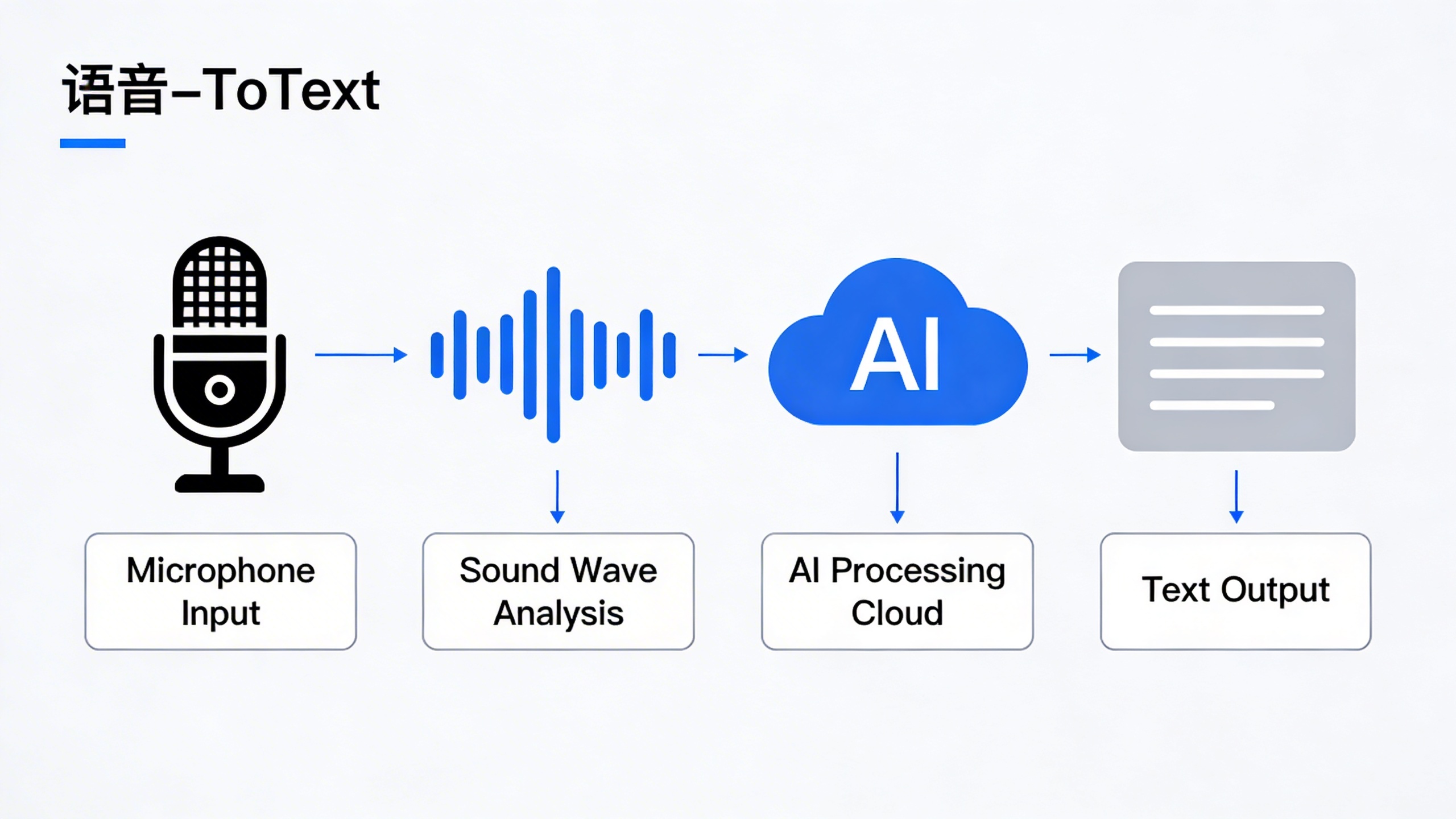
Voice to text conversion is the technological process of transforming spoken language into written text using automatic speech recognition (ASR) systems. This powerful technology captures audio input through a microphone, processes the sound waves through sophisticated algorithms, and outputs accurate written transcriptions in real-time or near real-time. Whether you need to convert voice to words for meeting notes, dictate emails, or create written content from audio recordings, modern voice recognition systems have revolutionized how we interact with digital devices.
The fundamental principle behind voice to text technology lies in pattern recognition and linguistic modeling. When you speak into a device, the system analyzes the acoustic properties of your speech, identifies phonemes (the smallest units of sound), and matches these patterns against vast databases of language models to determine the most likely word combinations. This process happens so quickly that users can translate voice to text almost instantaneously, making it practical for real-world applications.
Understanding Speech Recognition Technology
Automatic speech recognition operates through a multi-layered approach that combines acoustic modeling, language modeling, and pronunciation dictionaries. The acoustic model analyzes the relationship between audio signals and phonetic units, while the language model predicts word sequences based on statistical probabilities of word combinations in natural language. These components work together to ensure that when you convert talk to text, the system produces coherent and contextually appropriate results.
Modern ASR systems have evolved far beyond simple command recognition. They now handle continuous speech, multiple speakers, various accents, and background noise with remarkable accuracy. The technology distinguishes between similar-sounding words by considering context, grammar rules, and semantic relationships. For instance, the system can differentiate between “there,” “their,” and “they’re” based on the surrounding words and sentence structure.
Online voice to text services have made this technology accessible to millions of users without requiring specialized hardware or software installations. These cloud-based solutions leverage powerful server infrastructure to process speech data, enabling even basic devices to access sophisticated voice recognition capabilities.
The Science Behind Voice Processing
Voice processing begins with signal acquisition, where microphones convert sound waves into digital audio signals. The system then applies preprocessing techniques to enhance audio quality, remove background noise, and normalize volume levels. Feature extraction follows, where the algorithm identifies key acoustic characteristics such as frequency patterns, pitch variations, and temporal dynamics that distinguish one phoneme from another.
The core of modern voice recognition lies in deep learning neural networks, particularly recurrent neural networks (RNNs) and transformer architectures. These networks process sequential audio data and learn complex patterns in speech that traditional algorithms couldn’t detect. The training process involves exposing these networks to millions of hours of speech data across different languages, accents, and speaking styles.
Neural networks excel at handling the variability inherent in human speech. They adapt to individual speaking patterns, learn from context, and continuously improve their accuracy through machine learning techniques. This adaptive capability allows voice to text systems to become more accurate over time as they process more data from diverse users.
Key Components of Voice Conversion Systems
A complete voice conversion system consists of several integrated components working in harmony. The audio input layer captures and digitizes speech signals, while the preprocessing module applies noise reduction, echo cancellation, and audio enhancement techniques. The feature extraction component identifies relevant acoustic properties, and the acoustic model maps these features to phonetic units.
The language model serves as the linguistic intelligence of the system, incorporating grammar rules, vocabulary databases, and contextual understanding to convert voice into text accurately. Modern systems also include confidence scoring mechanisms that evaluate the reliability of transcriptions and flag uncertain segments for review.
Post-processing components handle punctuation insertion, capitalization, and formatting to produce readable text output. Advanced systems incorporate speaker identification, emotion detection, and even real-time translation capabilities. The integration of these components determines the overall performance, speed, and accuracy of the voice to text conversion process.
Understanding these fundamental principles helps users appreciate both the capabilities and limitations of current voice recognition technology, enabling them to choose appropriate tools and set realistic expectations for their specific use cases.
Types of Voice to Text Conversion Methods
Voice to text technology offers multiple approaches to convert voice into text, each designed for specific use cases and workflow requirements. Understanding these different methods helps you choose the most effective solution for transforming speech into written content.
Real-Time Live Transcription
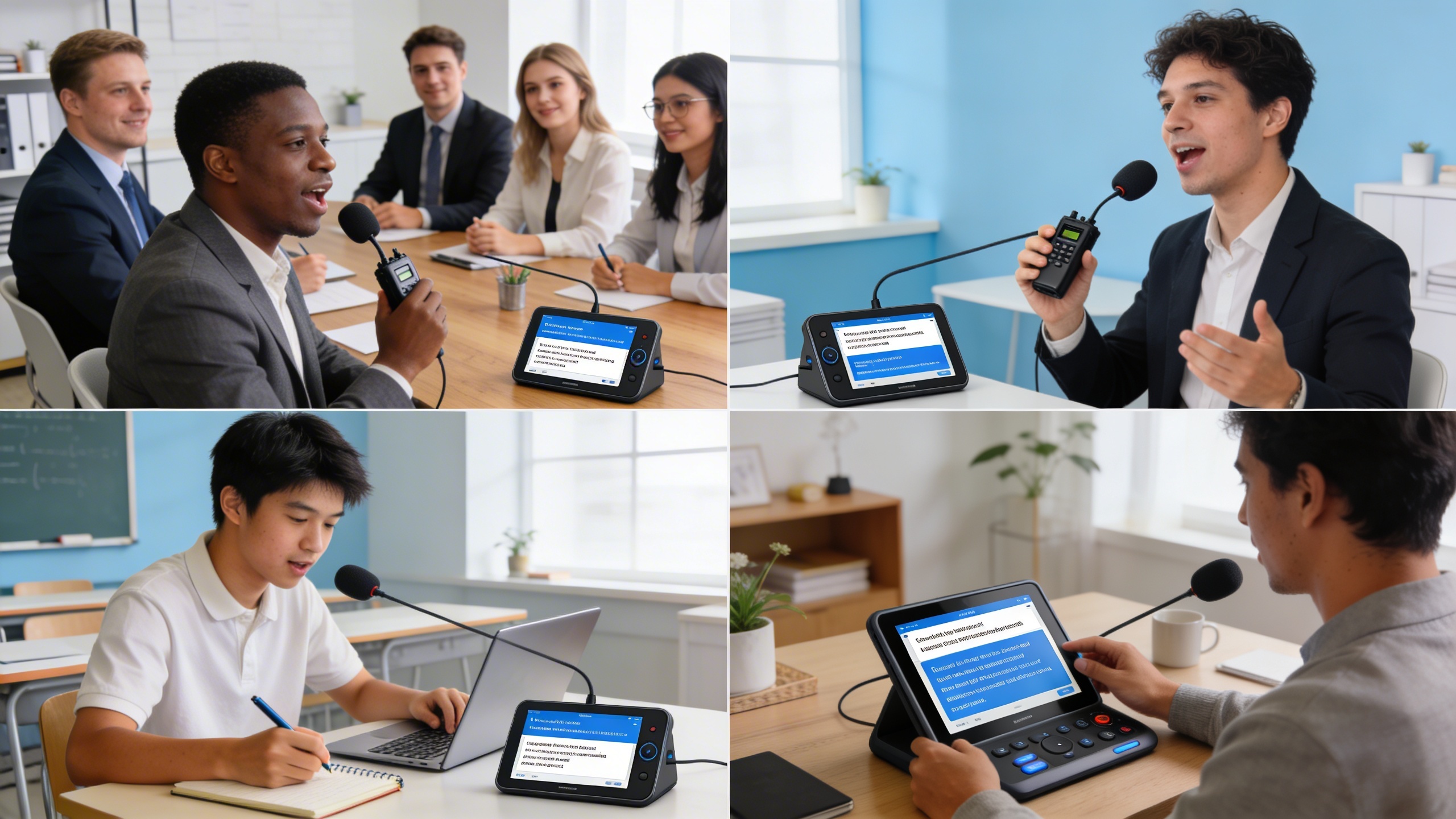
Live transcription processes speech as it happens, delivering immediate text output while someone speaks. This method excels in dynamic environments like meetings, lectures, or interviews where instant access to written content is essential. Real-time systems analyze audio streams continuously, applying advanced algorithms to convert talk to text with minimal delay.
The accuracy of live transcription depends heavily on audio quality, speaker clarity, and background noise levels. Professional applications often achieve 85-95% accuracy under optimal conditions, though performance may decrease in challenging acoustic environments. Many modern platforms integrate noise reduction and speaker identification features to enhance real-time processing quality.
Live transcription proves particularly valuable for accessibility purposes, enabling hearing-impaired individuals to follow conversations in real-time. Educational institutions and corporate environments frequently rely on this technology to create instant meeting notes and lecture transcripts.
Audio File Conversion
Batch processing methods handle pre-recorded audio files, offering more thorough analysis compared to real-time alternatives. This approach supports various file formats including MP3, WAV, M4A, and FLAC, providing flexibility for different recording sources and quality levels.
Audio file conversion typically delivers higher accuracy rates because the system can analyze the entire recording context before generating text output. Advanced algorithms can identify speech patterns, adjust for varying audio quality, and apply contextual understanding to improve transcription precision. Many online voice to text services process files in minutes rather than hours, making this method efficient for large-scale content creation.
File-based conversion handles longer recordings more effectively than real-time systems, processing hours of content without the memory limitations that affect live transcription. This makes it ideal for podcast transcription, interview documentation, and archival content digitization.
Multilingual Voice Translation
Modern voice to text systems increasingly incorporate translation capabilities, allowing users to translate voice to text across multiple languages simultaneously. These systems first transcribe speech in the original language, then apply neural translation models to convert voice to words in the target language.
Language detection algorithms automatically identify the spoken language, eliminating manual selection requirements. Leading platforms support 50+ languages with varying accuracy levels depending on the language pair and available training data. Popular language combinations like English-Spanish or English-French typically achieve higher accuracy than less common pairs.
Translation accuracy varies significantly between direct transcription and translated output. While same-language transcription might achieve 90%+ accuracy, translated results often range from 75-85% depending on linguistic complexity and cultural context. Technical terminology and idiomatic expressions present particular challenges for multilingual conversion systems.
The processing time for multilingual conversion typically exceeds single-language transcription due to the additional translation step. However, this trade-off provides valuable functionality for international business communications, multilingual content creation, and cross-cultural documentation needs.
Each conversion method serves distinct purposes within the broader voice to text ecosystem. Real-time transcription prioritizes speed and immediate access, file conversion emphasizes accuracy and comprehensive analysis, while multilingual systems focus on breaking down language barriers in global communication.
Essential Tools and Platforms for Voice Conversion
The landscape of voice conversion technology offers diverse solutions across multiple platforms, each designed to meet specific user needs and workflows. Understanding the strengths and limitations of different tool categories helps you choose the most effective solution for your voice into text requirements.
Online Voice to Text Services
Web-based platforms provide immediate accessibility without software installation, making them ideal for occasional users and cross-platform compatibility. Leading online voice to text services typically offer real-time transcription with accuracy rates between 85-95% for clear speech in quiet environments.
These platforms excel in convenience and universal access. Users can convert voice to words directly through their browser on any device with an internet connection. Most services support multiple languages and dialects, with some offering specialized vocabularies for medical, legal, or technical terminology.
However, online services require stable internet connectivity and raise privacy considerations since audio data travels to external servers for processing. Users handling sensitive information should verify the platform’s data retention policies and encryption standards before uploading confidential content.
Mobile Applications and Features
Smartphone apps represent the fastest-growing segment in voice conversion technology, leveraging device-specific optimizations and on-device processing capabilities. Modern mobile applications can translate voice to text with remarkable accuracy while offering features like offline functionality and seamless integration with other apps.
The most effective mobile solutions combine cloud-based accuracy with local processing options. This hybrid approach ensures reliable performance even in areas with poor connectivity while maintaining privacy for sensitive recordings. Advanced apps include features like speaker identification, automatic punctuation, and real-time editing capabilities.
For users seeking comprehensive transcription capabilities with robust mobile functionality, Sozai offers AI-powered voice conversion across iOS, Android, and macOS platforms. The application provides high-accuracy transcription with intelligent formatting and seamless synchronization across devices.
Mobile apps particularly shine in scenarios like recording lectures, capturing meeting notes, or creating quick voice memos that automatically convert talk to text. The integration with device features like contacts, calendars, and note-taking apps creates streamlined workflows for productivity-focused users.
Desktop Software Solutions
Professional desktop applications offer the most comprehensive feature sets and highest accuracy rates, particularly for users requiring extensive customization and advanced processing capabilities. These solutions typically provide superior performance for long-form content and specialized use cases.
Desktop software excels in handling large files, batch processing multiple recordings, and offering detailed editing tools for refining transcriptions. Professional versions often include advanced features like custom vocabulary training, speaker diarization, and integration with popular productivity suites.
Privacy advantages of desktop solutions include local processing options that keep sensitive data on your device. This approach particularly benefits legal professionals, healthcare workers, and business users who must maintain strict confidentiality standards while converting voice to words.
| Platform Type | Best For | Accuracy Range | Privacy Level |
|---|---|---|---|
| Online Services | Quick, occasional use | 85-95% | Variable |
| Mobile Apps | On-the-go transcription | 90-96% | Good to Excellent |
| Desktop Software | Professional workflows | 92-98% | Excellent |
Integration capabilities vary significantly across platforms. Online services typically offer API access for developers, mobile apps focus on ecosystem integration with device features and cloud services, while desktop solutions provide deep integration with professional software suites and enterprise systems.
When selecting voice conversion tools, consider your primary use cases, required accuracy levels, privacy requirements, and existing workflow integration needs. The most effective approach often involves using different platforms for different scenarios rather than relying on a single solution for all voice into text conversion needs.
Best Practices for Accurate Voice to Text Results
Achieving high accuracy when you convert voice to words requires careful attention to both your recording setup and speaking technique. Even the most advanced voice into text systems can struggle with poor audio quality or unclear speech patterns. By following proven best practices, you can significantly improve transcription accuracy and reduce the time spent on post-conversion editing.
Optimizing Audio Quality and Environment
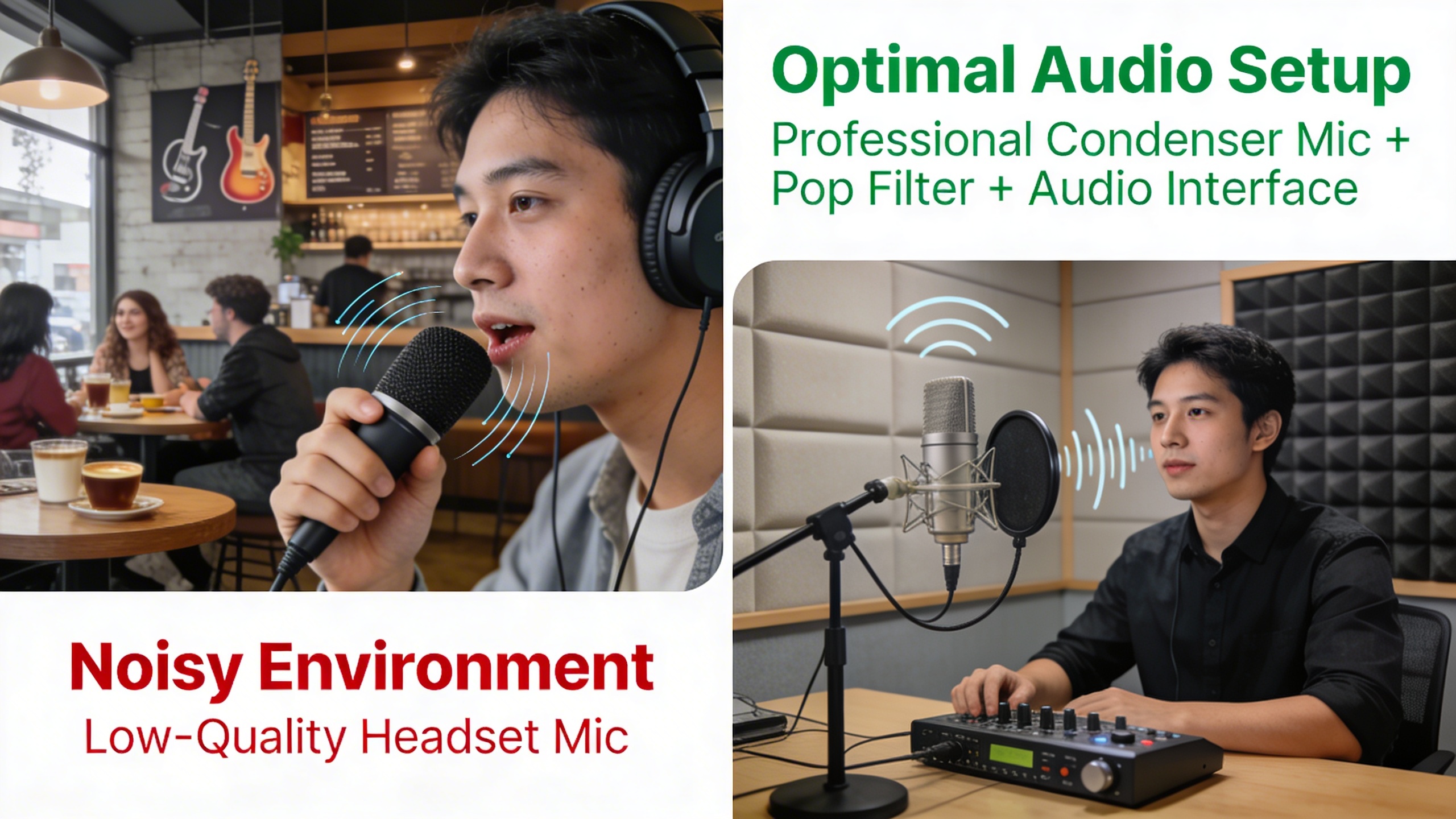
Your recording environment plays a crucial role in how effectively systems can translate voice to text. Start by choosing a quiet location with minimal background noise, as even subtle sounds like air conditioning or traffic can interfere with recognition algorithms. Hard surfaces create echo and reverberation, so recording in rooms with carpeting, curtains, or acoustic panels will produce cleaner audio.
Microphone selection and positioning make a dramatic difference in transcription quality. Position your microphone 6-8 inches from your mouth at a slight angle to avoid breathing sounds directly hitting the diaphragm. USB condenser microphones typically outperform built-in laptop microphones for online voice to text applications. If using a headset, ensure the boom microphone sits close to the corner of your mouth rather than directly in front.
Before starting any lengthy dictation session, test your audio levels. Your voice should register in the green zone of recording software meters, avoiding both whisper-quiet levels and distortion-causing peaks. Many recording applications include automatic gain control, but manual level adjustment often produces more consistent results for convert talk to text workflows.
Speaking Techniques for Better Recognition
Clear articulation significantly impacts transcription accuracy across all voice into text platforms. Speak at a moderate pace, approximately 150-180 words per minute, which allows recognition systems adequate processing time while maintaining natural speech flow. Rushing through sentences often results in dropped words or misinterpreted phrases that require extensive editing later.
Pronunciation consistency helps algorithms learn your speech patterns more effectively. Avoid mumbling, maintain steady volume levels, and fully pronounce word endings. When dictating technical terms, proper nouns, or industry-specific vocabulary, spell them out on first use to establish recognition patterns for subsequent mentions.
Strategic pausing enhances transcription accuracy when you convert voice to words. Brief pauses between sentences allow systems to process complete thoughts and apply appropriate punctuation. For longer documents, pause every few paragraphs to let the software catch up and reduce processing lag that can cause accuracy degradation.
Voice training features available in many platforms can dramatically improve personalized recognition. Spend 10-15 minutes reading provided training passages to help systems adapt to your accent, speaking style, and vocabulary preferences. This investment pays dividends in reduced editing time for future transcription projects.
Post-Conversion Editing and Proofreading
Effective editing workflows begin during the transcription process itself. When using online voice to text tools, monitor the real-time output for obvious errors and make immediate corrections when possible. This prevents small mistakes from compounding into larger transcription problems that become harder to fix later.
Common transcription errors follow predictable patterns that you can quickly identify and correct. Homophones like “there,” “their,” and “they’re” frequently appear incorrectly and require careful proofreading. Numbers often transcribe as words rather than digits, while proper nouns may appear as common words with similar sounds.
Develop a systematic proofreading approach by reading through your transcribed text multiple times with different focuses. First, read for overall meaning and flow to catch major errors or missing sections. Then review for grammatical accuracy, punctuation, and formatting consistency. Finally, verify technical terms, names, and specific details against your original audio if needed.
For users who frequently translate voice to text for professional purposes, tools like Sozai offer advanced editing features and customizable workflows that streamline the post-conversion process. Building consistent editing habits will improve both the speed and quality of your final transcribed documents, regardless of which platform you choose for your voice conversion needs.
Common Use Cases and Applications
Voice to text technology has revolutionized how professionals, creators, and individuals with accessibility needs interact with digital content. From capturing important business discussions to enabling creative workflows, the ability to convert voice to words has become an essential tool across industries and personal use cases.
Meeting Notes and Business Documentation
Professional environments have embraced voice into text solutions to streamline documentation processes and improve meeting efficiency. Sales teams use voice conversion during client calls to capture key requirements and action items without breaking conversation flow. Project managers rely on real-time transcription during sprint planning sessions to ensure all team input is accurately recorded.
Legal professionals particularly benefit from voice to text conversion when conducting depositions, client interviews, and case preparation sessions. The technology allows lawyers to maintain eye contact with clients while ensuring comprehensive documentation. Similarly, healthcare providers use voice transcription for patient notes, reducing administrative burden and improving accuracy in medical records.
Remote work environments have accelerated adoption of online voice to text tools for virtual meetings. Teams can generate searchable transcripts of brainstorming sessions, making it easier to reference decisions and track project evolution over time. This capability proves especially valuable for international teams where language barriers might cause important details to be missed during live discussions.
Content Creation and Journalism
Content creators and journalists leverage voice conversion technology to accelerate their writing processes and capture ideas on the go. Podcasters use automated transcription to create show notes, blog posts, and social media content from their audio recordings. This approach transforms a single podcast episode into multiple content formats, maximizing reach and engagement.
Field journalists benefit from mobile voice to text applications when reporting from locations where typing isn’t practical. Breaking news scenarios often require rapid content creation, and the ability to convert talk to text enables reporters to draft articles while traveling or in challenging environments. Travel writers similarly use voice conversion to capture impressions and observations while exploring new destinations.
Authors and screenwriters increasingly rely on voice transcription for first drafts and creative brainstorming. Speaking ideas aloud often feels more natural than typing, allowing creators to maintain their flow of thought without the mechanical interruption of keyboard input. Many writers use voice conversion during walks or commutes, turning idle time into productive writing sessions.
Accessibility and Assistive Technology
Voice to text conversion serves as a crucial accessibility tool for individuals with physical disabilities, motor impairments, or conditions that make traditional typing difficult. People with arthritis, carpal tunnel syndrome, or repetitive strain injuries can maintain their digital communication and work productivity through speech-based input methods.
Students with learning differences, including dyslexia and dysgraphia, often find that speaking their thoughts produces better results than struggling with written composition. Voice conversion allows these learners to focus on content and ideas rather than the mechanics of spelling and handwriting. Educational institutions increasingly integrate translate voice to text tools into their assistive technology programs.
The elderly population benefits significantly from voice conversion technology, as age-related changes in dexterity and vision can make traditional computer interfaces challenging. Voice to text enables seniors to maintain independence in digital communication, from sending emails to family members to managing online accounts and services.
For users seeking reliable voice transcription capabilities, platforms like Sozai offer accurate conversion across multiple devices, making it easier to maintain consistent documentation workflows regardless of location or device preference.
Advanced Features and AI-Powered Enhancements
Modern voice to text technology has evolved far beyond simple word recognition, incorporating sophisticated AI algorithms that understand context, speakers, and specialized terminology. These advanced features transform basic speech recognition into intelligent document creation systems that rival human transcription quality.
Speaker Identification and Diarization
Speaker diarization represents one of the most significant breakthroughs in voice into text technology. This advanced feature automatically identifies and separates different speakers in multi-person conversations, creating clearly labeled transcripts that show who said what and when.
The AI analyzes vocal characteristics including pitch, tone, speaking patterns, and acoustic signatures to distinguish between speakers. Modern systems can handle overlapping speech, background noise, and even identify speakers who rejoin conversations after periods of silence. This capability proves invaluable for meeting transcriptions, interviews, and conference calls where multiple participants contribute to discussions.
Professional platforms often support unlimited speaker identification, while some consumer applications limit recognition to 2-4 speakers. The accuracy of speaker separation typically improves when participants have distinct vocal characteristics and speak clearly without significant overlap.
Punctuation and Formatting Intelligence
Automatic punctuation insertion has revolutionized how we convert voice to words by eliminating the need to verbally dictate commas, periods, and question marks. Advanced AI systems analyze speech patterns, pauses, intonation, and context to determine appropriate punctuation placement.
These intelligent systems recognize natural speech cues that indicate sentence boundaries, questions, exclamations, and list structures. They can differentiate between meaningful pauses and hesitations, ensuring that natural speech flows are converted into properly formatted text without unnecessary interruptions or missing punctuation.
Modern formatting intelligence extends beyond basic punctuation to include paragraph breaks, capitalization of proper nouns, and even basic document structure recognition. Some systems can identify when speakers are reading emails, addresses, or phone numbers and format these elements appropriately.
Custom Vocabulary and Industry Terminology
Professional voice recognition systems excel at handling specialized terminology through custom vocabulary features. Users can create personalized dictionaries containing industry-specific terms, proper nouns, technical jargon, and frequently used phrases that standard dictionaries might not recognize.
Medical professionals can add pharmaceutical names, procedure terms, and anatomical references. Legal practitioners can include case names, legal terminology, and court-specific language. Business users can incorporate company names, product terminology, and industry acronyms to ensure accurate transcription of specialized content.
The most advanced systems learn from user corrections and automatically expand their custom vocabularies. When you correct a misrecognized term, the AI remembers this correction and applies it to future transcriptions. This adaptive learning significantly improves accuracy over time, particularly for users who frequently discuss specialized topics.
Some platforms allow vocabulary sharing across teams or organizations, enabling standardized terminology recognition for entire departments. This collaborative approach ensures consistent transcription quality when multiple team members use the same online voice to text system for similar content types.
These advanced AI enhancements work together to create transcription systems that understand not just individual words, but the context, structure, and specialized nature of professional communications, making voice-to-text conversion a powerful tool for serious business applications.
Troubleshooting and Optimization Tips
Even the most advanced voice to text systems encounter challenges that can impact accuracy and performance. Understanding how to troubleshoot common issues and optimize your setup ensures consistent, high-quality results when you convert voice to words across different scenarios and environments.
Solving Common Accuracy Issues
Poor transcription accuracy often stems from environmental factors and audio quality problems. Background noise represents the most frequent culprit, causing systems to misinterpret speech patterns. Position your microphone 6-8 inches from your mouth and eliminate competing sounds like air conditioning, traffic, or conversations nearby.
Speaking pace significantly affects how well systems translate voice to text. Rapid speech causes word boundaries to blur, while extremely slow delivery can fragment natural language flow. Maintain a conversational pace with clear enunciation, pausing briefly between sentences to allow processing buffers to catch up.
Technical jargon and specialized terminology require additional attention. Most online voice to text platforms struggle with industry-specific language, medical terms, or proper nouns. Create custom vocabularies or dictionaries within your chosen platform, and consider spelling out complex terms phonetically during initial recordings.
Improving Performance for Different Accents
Accent recognition has improved dramatically, but regional dialects and non-native speakers still face unique challenges. Train your voice recognition system by reading sample texts aloud, allowing the AI to learn your specific pronunciation patterns and speech rhythms.
Articulation becomes crucial for accented speech. Focus on consonant clarity, particularly with sounds that don’t exist in your native language. Practice pronouncing challenging letter combinations slowly, then gradually increase speed while maintaining precision.
When working with heavily accented audio, consider using multiple platforms to compare results. Different engines excel with specific accent types, and cross-referencing outputs can reveal the most accurate transcription. Some systems allow accent selection in settings, which can dramatically improve recognition rates.
Managing Large File Conversions
Extended audio files present processing and accuracy challenges that require strategic approaches. Break lengthy recordings into 10-15 minute segments to maintain optimal performance and reduce processing errors that compound over time.
Quality versus speed trade-offs become apparent with large files. Real-time convert talk to text processing sacrifices some accuracy for immediate results, while offline processing typically delivers superior precision but requires longer wait times. Choose based on your immediate needs and deadline constraints.
File format optimization can significantly impact processing success. Convert compressed audio to uncompressed formats like WAV before transcription, and ensure consistent sample rates throughout your recording. Monitor your internet connection stability for cloud-based services, as interrupted uploads can corrupt large file processing.
Memory management becomes critical during bulk conversions. Close unnecessary applications, clear browser caches, and consider upgrading your internet plan if you regularly process substantial audio volumes through online platforms.

