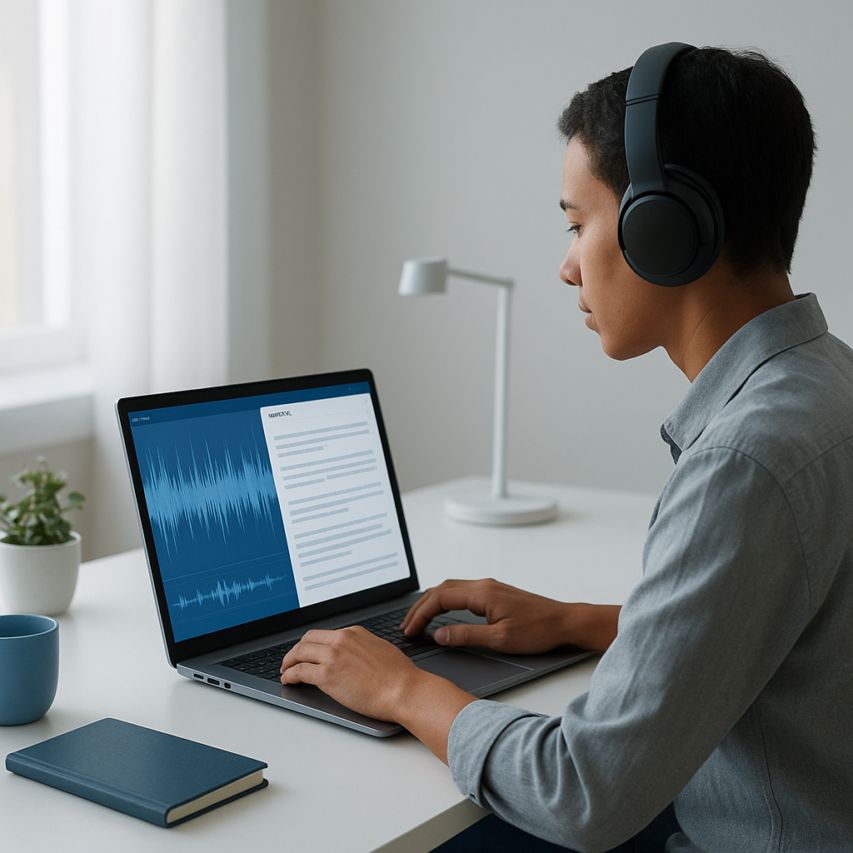
Voice recordings have become the backbone of modern communication, from business meetings and interviews to personal notes and creative brainstorming sessions. Whether you’re a journalist capturing interviews, a student reviewing lecture recordings, or a professional documenting important conversations, the ability to transcribe a voice recording efficiently can transform hours of audio into searchable, editable text within minutes. The challenge lies not just in converting speech to text, but in doing so accurately, quickly, and cost-effectively.
Today’s transcription landscape offers multiple pathways to transcribe recording content, ranging from AI-powered automated solutions to manual typing and hybrid approaches that combine human expertise with machine efficiency. Each method brings distinct advantages depending on your specific needs, audio quality, and accuracy requirements. The key is understanding which approach works best for your particular use case and workflow.
This comprehensive guide walks you through everything you need to know about voice recording transcription in 2026. You’ll discover the most effective methods to record and transcribe audio, learn how to choose the right tools for your needs, master step-by-step transcription processes, and implement proven techniques to maximize accuracy while minimizing time investment.
Understanding Voice Recording Transcription
What is Voice Recording Transcription
Voice recording transcription is the process of converting spoken audio content into written text format. When you transcribe a voice recording, you’re essentially creating a readable document that captures every word, phrase, and meaningful sound from the original audio file. This transformation makes audio content searchable, editable, and accessible to a much wider audience.
The transcription process involves analyzing audio waves, identifying speech patterns, and converting these acoustic signals into corresponding text characters. Modern transcription can be performed manually by human transcribers, automatically using AI-powered software, or through a hybrid approach that combines both methods for optimal accuracy.
Professional transcription services and advanced AI tools can now transcribe recording content with remarkable precision, often achieving accuracy rates above 95% for clear audio with minimal background noise. The technology has evolved significantly, making it possible to record and transcribe conversations, lectures, interviews, and meetings in real-time or from pre-recorded files.
Types of Audio Files You Can Transcribe
Modern transcription tools support a wide variety of audio formats, ensuring compatibility with virtually any recording device or platform. The most commonly supported formats include:
| Format | Quality | File Size | Best Use Case |
|---|---|---|---|
| MP3 | Good | Small | General recordings, podcasts |
| WAV | Excellent | Large | Professional interviews, music |
| M4A | Very Good | Medium | Voice memos, mobile recordings |
| FLAC | Lossless | Large | High-fidelity archival content |
| AAC | Good | Small | Streaming, mobile apps |
Most transcription platforms automatically detect and process these formats without requiring manual conversion. Whether you’re working with a quick voice memo recorded on your smartphone or a high-quality studio recording, you can typically transcribe from recording files without technical complications.
Video files containing audio tracks can also be processed for transcription, including MP4, AVI, and MOV formats. This capability proves invaluable for content creators who need to extract dialogue from video content or create captions for accessibility purposes.
Common Use Cases and Applications
Voice recording transcription serves countless practical applications across personal and professional contexts. In business environments, teams frequently recording transcribe meeting discussions to create accurate minutes, ensure nothing important gets overlooked, and provide documentation for absent team members.
Students and researchers rely heavily on transcription for converting lecture recordings, interview data, and research conversations into analyzable text. This process enables easier note-taking, quote extraction, and content analysis for academic projects and publications.
Content creators use transcription to repurpose audio content across multiple formats. Podcast hosts can transform episodes into blog posts, while video creators generate captions and subtitles to improve accessibility and search engine optimization.
Legal professionals depend on precise transcription for depositions, court proceedings, and client consultations. Medical practitioners use voice-to-text technology for patient notes, dictating observations, and maintaining detailed records without interrupting patient care.
For personal use, individuals often transcribe recording content such as family interviews, oral histories, or important conversations they want to preserve in written form. Voice journaling has become increasingly popular, with people speaking their thoughts aloud and converting them to text for easier reflection and organization.
The accessibility benefits cannot be overstated. Transcription makes audio content available to individuals with hearing impairments and creates searchable archives of spoken information. Tools like Sozai have made this process more accessible than ever, offering real-time transcription capabilities that work seamlessly across different devices and use cases.
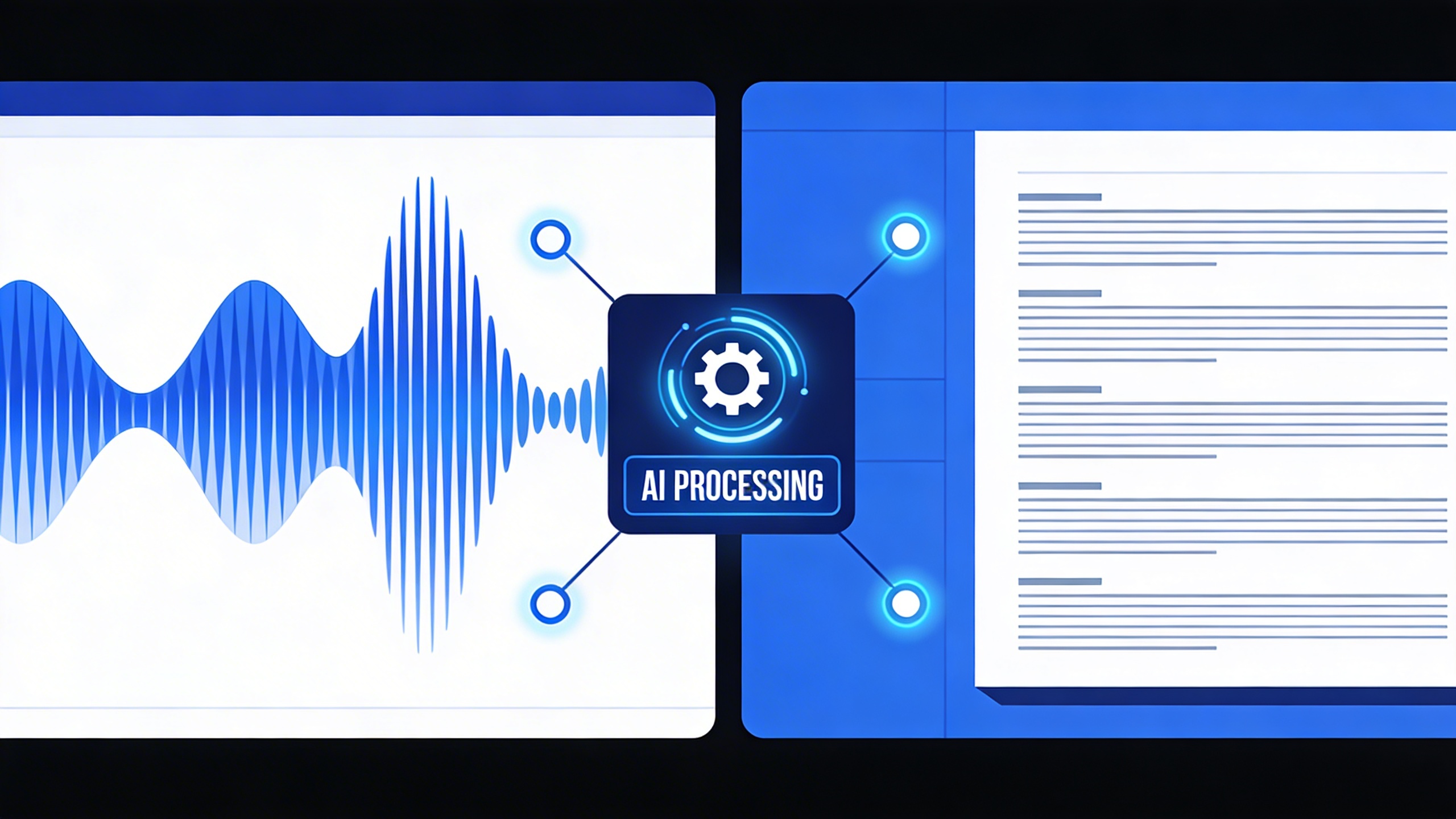
Methods to Transcribe Voice Recordings
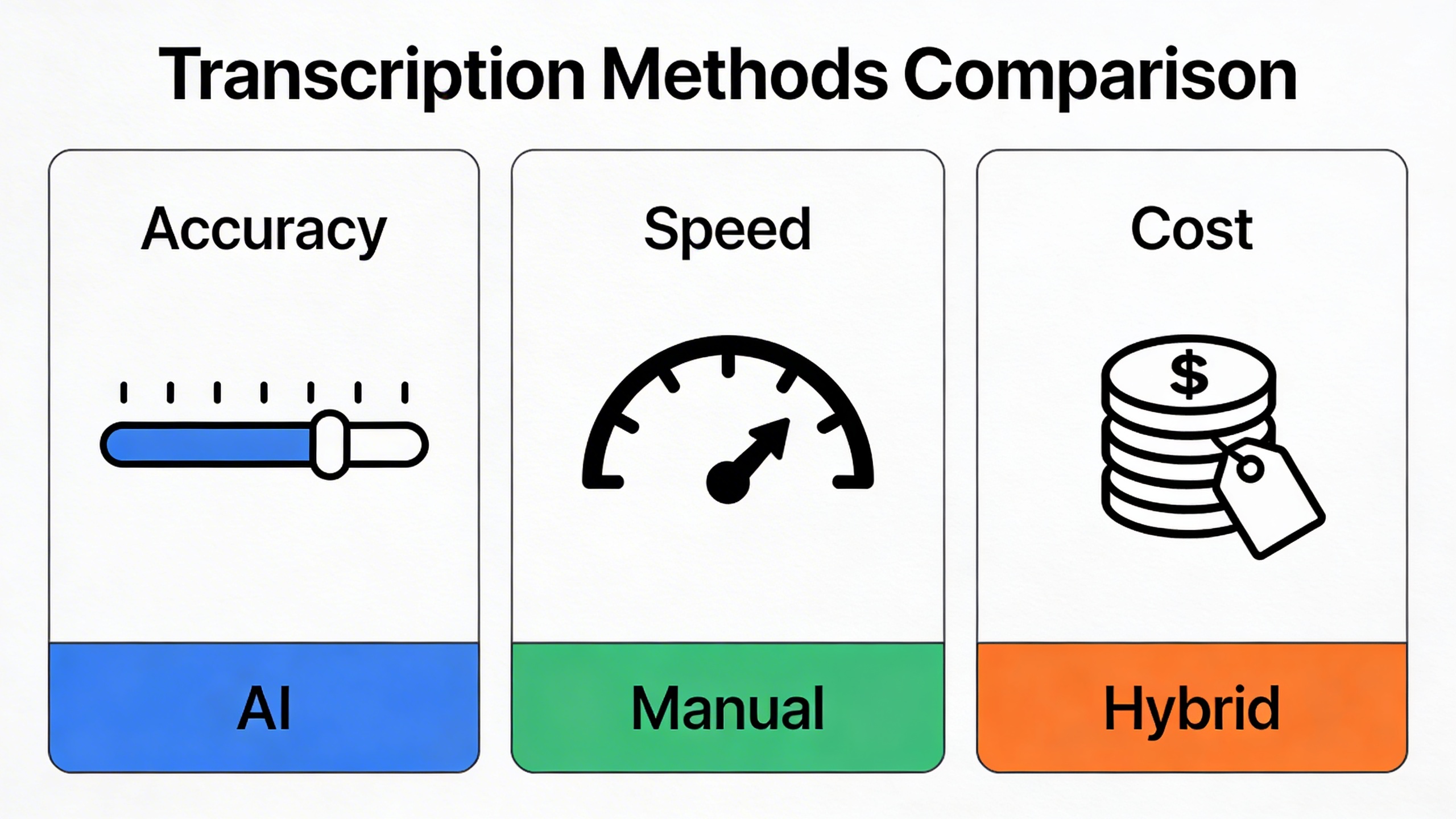
When you need to transcribe a voice recording, choosing the right method can dramatically impact both the quality of your results and the time investment required. Today’s transcription landscape offers three primary approaches, each with distinct advantages depending on your specific needs, budget, and accuracy requirements.
AI-Powered Automatic Transcription
Automatic speech recognition technology has revolutionized how we transcribe recording content, offering unprecedented speed and convenience. Modern AI transcription tools can process hours of audio in minutes, making them ideal for time-sensitive projects and high-volume transcription needs.
The strength of AI transcription lies in its efficiency and consistency. When you record and transcribe using automated tools, the software analyzes audio patterns, identifies speech segments, and converts spoken words into text using sophisticated machine learning algorithms. These systems excel at handling clear audio with standard accents and minimal background noise.
For professionals who regularly transcribe from recording files, AI solutions offer significant cost savings compared to human transcription services. Tools like Sozai provide accurate AI-powered transcription across multiple platforms, allowing you to transcribe a voice recording directly from your mobile device or computer with minimal setup required.
However, automatic transcription does have limitations. Technical jargon, heavy accents, multiple speakers, and poor audio quality can reduce accuracy rates. The technology also struggles with context-dependent homophones and may miss subtle nuances that human transcribers would catch.
Manual Transcription Techniques
Human transcription remains the gold standard for accuracy, particularly when dealing with complex audio content. Professional transcribers bring contextual understanding, cultural knowledge, and the ability to interpret unclear speech that AI systems cannot match.
When you choose to manually transcribe recording content, the process typically involves repeated listening, careful attention to speaker identification, and meticulous formatting. Experienced transcribers use specialized software with playback controls, allowing them to slow down audio, repeat sections, and insert timestamps as needed.
Manual transcription proves essential for legal proceedings, medical documentation, academic research, and any situation where perfect accuracy is non-negotiable. Human transcribers can distinguish between similar-sounding words based on context, accurately capture emotional tone, and properly format complex documents with multiple speakers.
The main drawbacks include higher costs and longer turnaround times. Professional human transcription typically costs $1-4 per audio minute and may take 24-48 hours for delivery, making it less practical for urgent projects or large volumes of content.
Hybrid Approaches for Best Results
The most effective strategy often combines AI efficiency with human precision through a hybrid approach. This method leverages automatic transcription for the initial draft, followed by human editing to correct errors and refine the final output.
A typical hybrid workflow begins with AI transcription to quickly convert speech to text, capturing approximately 85-95% accuracy depending on audio quality. Human editors then review the automated transcript, correcting misidentified words, adding proper punctuation, and ensuring speaker identification accuracy. This approach can reduce transcription time by 60-70% compared to purely manual methods while maintaining high accuracy standards.
When implementing hybrid transcription, consider using AI tools that provide confidence scores for each word or phrase. This feature helps editors focus their attention on sections where the AI expressed uncertainty, streamlining the review process and improving overall efficiency.
For organizations processing regular transcription volumes, establishing standardized hybrid workflows creates consistent results while managing costs effectively. Training staff to efficiently review and edit AI-generated transcripts becomes a valuable skill that combines technological leverage with human oversight.
Choosing the Right Method
Your choice of transcription method should align with specific project requirements:
- Use AI transcription for internal meetings, personal notes, content creation drafts, and situations where speed matters more than perfection
- Choose manual transcription for legal documents, medical records, academic research, and any content requiring verbatim accuracy
- Implement hybrid approaches for business documentation, interview transcripts, podcast episodes, and projects balancing accuracy with efficiency
Consider factors like audio quality, speaker accents, technical terminology, and final use case when deciding how to transcribe a voice recording. Projects with tight deadlines and clear audio often benefit from AI solutions, while sensitive or complex content may justify the investment in human transcription services.
Choosing the Right Transcription Tools
Selecting the appropriate transcription tool can dramatically impact your productivity and the quality of your final transcripts. With dozens of options available, understanding what to prioritize will help you transcribe a voice recording efficiently while meeting your specific requirements.
Essential Features to Look For
Accuracy stands as the most critical factor when evaluating transcription tools. Modern AI-powered solutions achieve 85-95% accuracy under optimal conditions, but this varies significantly based on audio quality, speaker accents, and background noise. Look for tools that offer speaker identification, punctuation automation, and the ability to handle multiple speakers seamlessly.
Speed requirements differ based on your use case. Real-time transcription works well for live meetings and interviews, while batch processing suits recorded content where immediate results aren’t necessary. The best tools allow you to transcribe recording files in various formats including MP3, WAV, M4A, and MP4.
Editing capabilities separate professional-grade tools from basic converters. Advanced platforms provide timestamp synchronization, allowing you to click on text and jump to that exact moment in the audio. This feature proves invaluable when you need to verify accuracy or make corrections while reviewing the transcript.
Security and privacy considerations become paramount when dealing with sensitive content. Enterprise-grade tools offer end-to-end encryption, local processing options, and compliance with regulations like GDPR and HIPAA. Always verify where your audio files are processed and stored, especially for confidential business meetings or legal proceedings.
Free vs Premium Transcription Services
Free transcription tools typically impose limitations on file length, processing time, or monthly usage quotas. While suitable for occasional use, these restrictions can hinder productivity for regular transcription needs. Most free services process files up to 30 minutes and may include watermarks or require account registration.
Premium services justify their cost through enhanced accuracy, faster processing speeds, and advanced features. Professional tools often include custom vocabulary training, multiple export formats, and priority customer support. When you frequently record and transcribe content, the time savings alone often offset subscription costs.
Consider hybrid approaches that offer both free and paid tiers. Many platforms provide generous free quotas that cover light usage while offering seamless upgrades for increased capacity. This flexibility allows you to test the service quality before committing to a subscription.
For users seeking a balance of features and reliability, Sozai offers AI-powered transcription with strong accuracy rates and intuitive editing tools across iOS, Android, and macOS platforms.
Platform Compatibility and Integration
Cross-platform availability ensures you can transcribe from recording files regardless of your device. Cloud-based solutions synchronize your transcripts across smartphones, tablets, and computers, enabling seamless workflow transitions. Native mobile apps often provide better performance and offline capabilities compared to web-based alternatives.
Integration capabilities extend the value of transcription tools beyond simple conversion. Look for services that connect with popular productivity platforms like Google Workspace, Microsoft Office, Slack, or Zoom. These integrations automate workflow steps, such as automatically transcribing meeting recordings or importing transcripts into document templates.
API availability becomes crucial for businesses requiring custom integrations or automated processing workflows. Developer-friendly platforms offer robust APIs that allow you to embed transcription functionality directly into existing applications or create automated pipelines for handling large volumes of audio content.
Export format flexibility ensures compatibility with your existing tools and workflows. Standard formats include plain text, Microsoft Word documents, PDF files, and subtitle formats like SRT or VTT. Some advanced tools also support structured formats like JSON, making it easier to recording transcribe content for further analysis or integration with other systems.
Consider the long-term scalability of your chosen solution. Tools that grow with your needs prevent the disruption and cost of switching platforms as your transcription requirements evolve. Evaluate factors like storage limits, processing capacity, and feature availability across different subscription tiers to ensure your selected tool can accommodate future growth.
Step-by-Step Transcription Process
Successfully transcribing voice recordings requires a systematic approach that ensures accuracy and efficiency. Whether you’re working with interview recordings, meeting notes, or personal memos, following a structured process will help you transcribe a voice recording with professional results. This comprehensive workflow covers everything from initial file preparation to final formatting.
Preparing Your Audio Files
Audio quality directly impacts transcription accuracy, making preparation a critical first step. Begin by reviewing your recording’s clarity and identifying any sections with background noise, multiple speakers, or unclear speech. If possible, enhance the audio using basic editing software to reduce noise and normalize volume levels.
Check that your file format is compatible with your chosen transcription tool. Most modern platforms accept common formats like MP3, WAV, M4A, and MP4, but converting to WAV often provides the best results for automated transcription. Ensure your recording is properly segmented—long files exceeding two hours may need to be split into smaller chunks for optimal processing.
Before uploading, create a backup copy of your original recording. This protects against data loss and allows you to return to the source material if needed. Organize your files with clear, descriptive names that include dates and topics, making it easier to manage multiple transcription projects.
Using Transcription Software
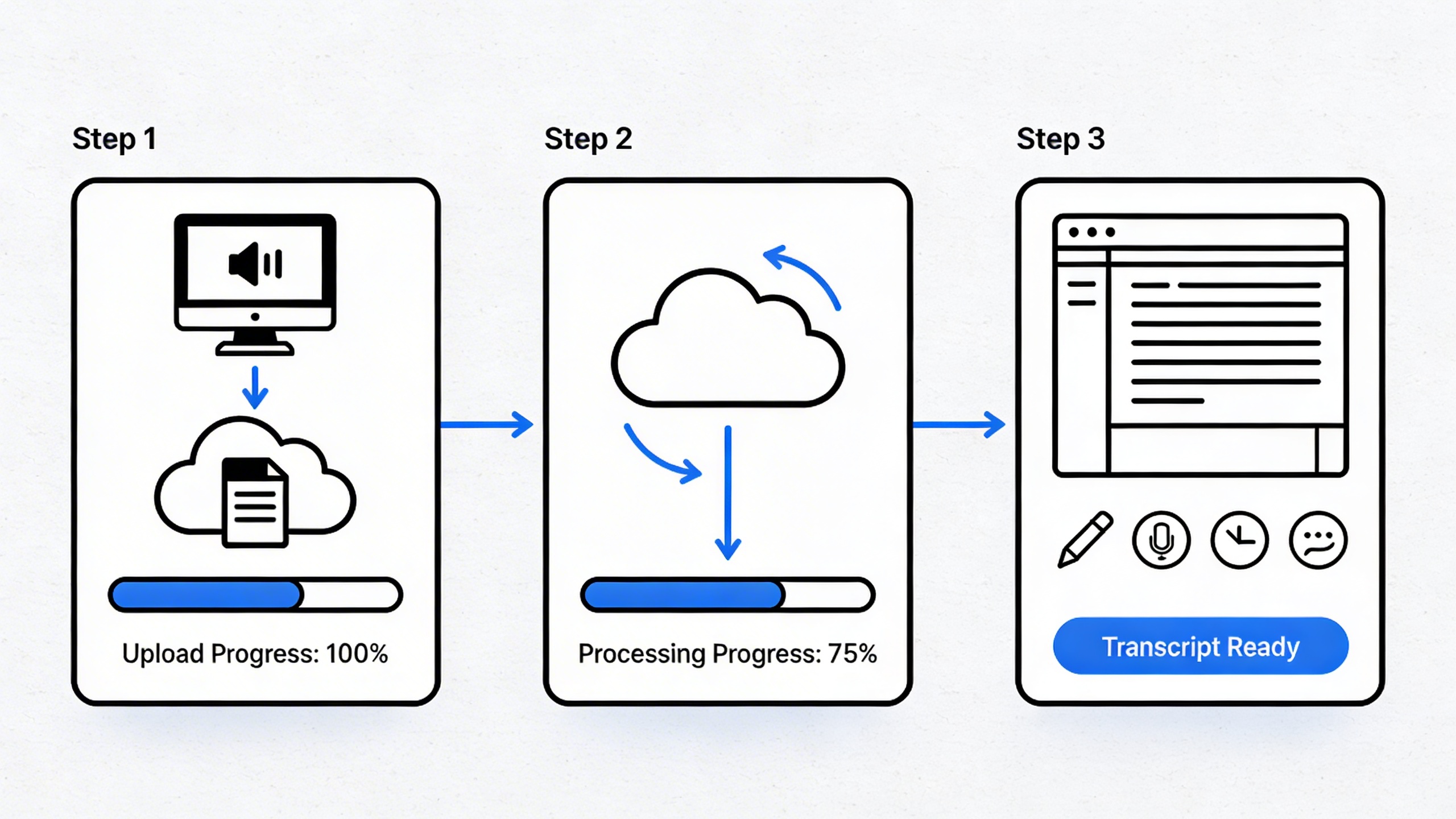
The upload and processing phase varies depending on your chosen method, but most modern transcription platforms follow similar workflows. Start by creating an account or logging into your transcription service, then locate the upload function—typically a prominent button or drag-and-drop area on the dashboard.
When you upload your file to transcribe recording content, most AI-powered tools will display estimated processing times based on file length and quality. During this phase, many platforms allow you to specify speaker labels, add context about technical terminology, or select language dialects for improved accuracy.
For those who prefer to record and transcribe simultaneously, many applications offer real-time transcription features. This approach works particularly well for live meetings, interviews, or dictation sessions where immediate text output is valuable. Tools like Sozai excel in this area, providing accurate real-time transcription across multiple devices and platforms.
Monitor the processing status and be prepared to wait—high-quality transcription takes time, especially for longer recordings or files with multiple speakers. Most services will send notifications when processing is complete, allowing you to focus on other tasks while the system works.
Editing and Reviewing Your Transcript
Raw transcription output requires careful review and editing to meet professional standards. Begin your review process by reading through the entire transcript while listening to the original recording. This dual approach helps identify transcription errors, missed words, and sections where context clarification is needed.
Focus on common transcription challenges during your initial review. Homophones—words that sound alike but have different meanings—frequently appear incorrectly in automated transcripts. Technical terms, proper names, and industry-specific jargon also require careful verification. When you transcribe from recording sources with multiple speakers, ensure speaker labels are accurate and consistently applied throughout the document.
Implement a systematic proofreading approach by reviewing the transcript in multiple passes. First, focus on accuracy by comparing the text directly to the audio. Second, review for readability and flow, ensuring sentences are complete and properly punctuated. Finally, check formatting consistency and apply any required style guidelines.
Professional transcripts follow specific formatting standards that enhance readability and usability. Use consistent speaker identification methods, whether through labels like “Speaker 1” or actual names when known. Include timestamps at regular intervals or for significant topic changes, making it easier for readers to reference specific portions of the recording.
Apply proper punctuation and paragraph breaks to improve readability. Remove filler words like “um,” “uh,” and excessive repetition unless they’re specifically relevant to your purpose. However, maintain the speaker’s authentic voice and meaning—avoid over-editing that changes the original intent.
For recordings with technical content or specialized terminology, create a glossary of terms used throughout the transcript. This addition proves valuable for readers unfamiliar with the subject matter and demonstrates attention to detail in your transcription work.
Before finalizing your transcript, conduct a final quality check by reading the document aloud. This technique helps identify awkward phrasing, missing punctuation, and areas where the text doesn’t flow naturally. When you recording transcribe following this thorough process, the result is a polished, accurate document that serves its intended purpose effectively.
Improving Transcription Accuracy
Achieving high-quality transcription results depends heavily on the preparation and optimization steps you take before and during the recording process. Whether you’re using AI-powered tools or manual transcription services, the quality of your source audio directly impacts how accurately you can transcribe a voice recording.
Audio Quality Best Practices
The foundation of accurate transcription starts with creating optimal recording conditions. Choose a quiet environment with minimal background noise, such as a closed office, library, or dedicated recording space. Hard surfaces like concrete walls and glass windows create echo and reverberation that interfere with speech recognition algorithms.
Position your microphone 6-8 inches from the speaker’s mouth and use a pop filter to reduce plosive sounds from letters like “P” and “B.” External microphones consistently outperform built-in device microphones when you need to transcribe recording content with professional accuracy. USB condenser microphones offer excellent quality for most transcription projects without requiring expensive audio interfaces.
Record at a sample rate of 44.1 kHz or higher with 16-bit depth as the minimum standard. Higher bit rates preserve more audio detail, making it easier for transcription software to distinguish between similar-sounding words and phrases. Test your recording setup beforehand with a short sample to identify any technical issues before capturing important content.
Speaker Identification and Multiple Voices
Multi-speaker scenarios present unique challenges when you record and transcribe conversations, interviews, or meetings. Seat participants at different distances from the microphone or use individual lapel microphones to create distinct audio signatures for each speaker. This separation helps both human transcribers and AI systems distinguish between different voices.
Encourage speakers to avoid talking over each other and to pause briefly between speakers. When overlapping speech occurs, transcription accuracy drops significantly because algorithms struggle to separate simultaneous audio streams. Assign speaker roles beforehand and remind participants to state their names when joining the conversation.
For complex multi-speaker recordings, consider using transcription tools that offer speaker diarization features. These systems automatically detect when different people are speaking and can label segments accordingly. Advanced platforms like Sozai use AI to identify speaker changes and maintain conversation flow, making it much easier to transcribe from recording sources with multiple participants.
Handling Technical Terms and Jargon
Industry-specific terminology and technical jargon often cause transcription errors because these words may not exist in standard language models. Create a custom vocabulary list before you begin to transcribe recording content that contains specialized terms. Include proper nouns, brand names, technical acronyms, and industry-specific phrases that appear frequently in your content.
Many professional transcription tools allow you to upload custom dictionaries or train the system on your specific vocabulary. Spell out acronyms during recording when possible, or provide pronunciation guides for unusual terms. For medical, legal, or technical recordings, brief your transcription service about the subject matter so they can prepare appropriate reference materials.
Consider creating standardized pronunciation guides for commonly used terms in your organization. When team members consistently pronounce technical terms the same way, transcription accuracy improves across all your recording transcribe workflows. This approach proves especially valuable for companies that regularly transcribe training materials, product demonstrations, or technical documentation.
Noise reduction techniques can salvage recordings made in less-than-ideal conditions. Use audio editing software to apply high-pass filters that remove low-frequency rumble and low-pass filters to eliminate high-frequency hiss. Gentle noise reduction algorithms can clean up background sounds without affecting speech clarity, but avoid over-processing as this can introduce artifacts that actually harm transcription accuracy.
The investment in proper recording preparation pays dividends in transcription quality and reduces the time needed for manual editing and correction. These foundational practices ensure that whether you’re working with automated tools or human transcribers, your source material provides the best possible foundation for accurate text conversion.
Advanced Transcription Features
Modern transcription tools offer sophisticated features that go far beyond basic voice-to-text conversion. These advanced capabilities can transform how you transcribe a voice recording, making the process more efficient and the results more professional. Understanding these features helps you extract maximum value from your transcription workflow.
Timestamps and Speaker Labels
Time-coded transcripts represent one of the most valuable advanced features available today. When you transcribe recording content with timestamps, every segment becomes searchable and navigable. This functionality proves essential for legal depositions, research interviews, and lengthy business meetings where specific moments need quick reference.
Speaker identification takes this concept further by automatically distinguishing between different voices in your recording. Advanced systems can learn to recognize individual speakers throughout a session, maintaining consistent labeling even when conversation flows naturally between participants. This eliminates the tedious manual work of sorting through dialogue after you transcribe from recording files.
Professional transcription platforms often allow custom speaker names, replacing generic labels like “Speaker 1” with actual names or roles. This personalization makes transcripts immediately usable for meeting minutes, interview analysis, or content creation without additional editing steps.
Custom Formatting and Export Options
Export flexibility determines how easily you can integrate transcribed content into existing workflows. Modern tools support multiple output formats including Microsoft Word documents, PDF files, plain text, and structured data formats like JSON or CSV for further analysis.
| Format Type | Best Use Case | Key Benefits |
|---|---|---|
| Word Document | Meeting minutes, reports | Easy editing, formatting options |
| Final documents, sharing | Consistent appearance, professional presentation | |
| SRT/VTT | Video subtitles | Direct video platform integration |
| JSON | Data analysis, automation | Machine-readable, API integration |
Custom formatting options let you control paragraph breaks, punctuation styles, and text structure. Some platforms offer templates for specific industries, automatically formatting legal transcripts differently from medical dictations or academic interviews.
Real-Time Transcription Capabilities
Live transcription transforms how teams collaborate during meetings and presentations. Instead of waiting to record and transcribe content later, participants can follow along with real-time text generation, improving comprehension and engagement.
This technology particularly benefits hybrid meetings where remote participants might struggle with audio quality. Real-time transcripts provide an additional communication channel, ensuring everyone stays connected to the discussion regardless of technical limitations.
Advanced platforms like Sozai combine real-time processing with post-meeting refinement, giving you immediate access to rough transcripts while continuing to improve accuracy in the background. This dual approach means you can reference key points immediately while receiving a polished final version later.
Collaboration features extend real-time capabilities by allowing multiple users to access, edit, and annotate transcripts simultaneously. Team members can highlight important sections, add comments, or assign action items directly within the transcript interface. These collaborative tools bridge the gap between transcription and project management, creating a seamless workflow from recording transcribe operations through task completion.
Integration capabilities with popular productivity platforms mean your transcribed content can automatically flow into project management systems, customer relationship management tools, or content creation workflows without manual data entry.
Best Practices and Tips
Implementing proven strategies when you transcribe a voice recording can dramatically improve both efficiency and accuracy. These best practices help streamline your workflow while maintaining professional standards for data handling and quality control.
Workflow Optimization
Creating an efficient process to transcribe recording content begins with proper organization. Establish a consistent file naming convention that includes date, speaker, and topic information. This system prevents confusion when managing multiple recordings and makes it easier to locate specific files later.
Batch processing similar recordings together maximizes efficiency. When you need to record and transcribe multiple sessions, group them by speaker type, audio quality, or subject matter. This approach allows you to maintain consistent settings and terminology across related content.
Consider using keyboard shortcuts and text expansion tools to speed up common corrections. Create shortcuts for frequently used phrases, technical terms, or speaker identifications. Many transcription professionals save hours weekly by automating repetitive elements of their workflow.
Time management plays a crucial role in productivity. Schedule transcription work during your peak concentration hours, and take regular breaks to maintain accuracy. Most professionals find they can transcribe from recording more effectively in focused 45-60 minute sessions rather than marathon editing periods.
Quality Control Measures
Implementing systematic quality checks ensures consistent accuracy across all transcribed content. Always perform a complete playback review after initial transcription, focusing on speaker identification, technical terminology, and punctuation accuracy.
Develop a standardized proofreading checklist that covers common error types: misheard words, incorrect speaker labels, missing punctuation, and formatting inconsistencies. This systematic approach catches errors that might otherwise slip through during casual review.
For critical documents, consider implementing a two-pass review system. Complete the initial transcription, then return after a break for fresh perspective. This separation often reveals errors that weren’t apparent during the initial transcribe recording session.
Maintain accuracy benchmarks based on your specific needs. Medical and legal transcriptions typically require 99% accuracy, while general business content might accept 95-98% accuracy. Establish clear standards and measure your performance against these targets.
Privacy and Security Considerations
Protecting sensitive information during the transcription process requires careful attention to data handling protocols. Always verify that your chosen transcription tools comply with relevant privacy regulations such as HIPAA, GDPR, or industry-specific requirements.
When handling confidential recordings, ensure that audio files and transcripts are stored on encrypted devices or secure cloud platforms. Avoid using public Wi-Fi networks when uploading sensitive content, and regularly update passwords for all transcription-related accounts.
Consider the data retention policies of any third-party services you use. Some platforms automatically delete recordings after processing, while others may retain copies for extended periods. Understanding these policies helps ensure compliance with your organization’s data governance requirements.
For organizations with strict security requirements, evaluate on-premises transcription solutions that keep all data within your controlled environment. While cloud-based tools offer convenience, local processing eliminates concerns about data transmission and third-party access.
Document your transcription procedures and security measures to demonstrate compliance during audits. This documentation should cover file handling protocols, access controls, and data retention schedules to ensure consistent application across your organization.

