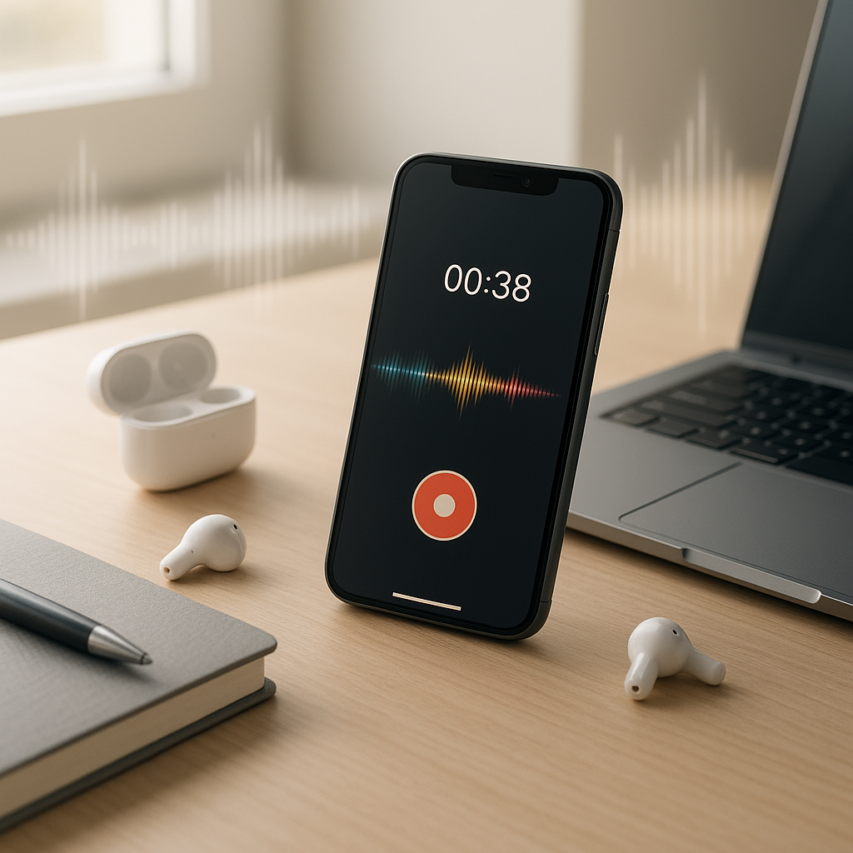
The modern workplace demands efficiency at every turn, and nowhere is this more evident than in how we capture and process spoken information. Whether you’re conducting interviews, attending meetings, recording lectures, or brainstorming ideas on the go, a voice recorder with transcription capabilities has become an indispensable tool for professionals, students, and content creators alike. These innovative applications eliminate the tedious task of manually converting audio to text, transforming hours of playback and typing into minutes of automated processing.
The best voice recorder to transcript solutions combine crystal-clear audio recording with intelligent speech recognition technology, creating a seamless workflow from spoken word to written document. Rather than juggling separate recording devices and transcription services, a comprehensive record and transcribe app streamlines your entire process within a single interface. This integration not only saves valuable time but also reduces the risk of losing important audio files or dealing with compatibility issues between different platforms.
In this complete guide, we’ll explore the essential features that separate exceptional voice memo transcription apps from basic recording tools, review the top-performing solutions across different use cases, and provide actionable strategies for choosing and optimizing the right app for recording and transcribing that matches your specific workflow requirements.
What Are Voice Recorder Transcription Apps and Why You Need Them
Voice recorder transcription apps represent a revolutionary leap from traditional audio recording tools, combining the ability to capture high-quality audio with intelligent AI-powered transcription services. These sophisticated applications automatically convert spoken words into written text, eliminating the time-consuming process of manual transcription that once required hours of painstaking work.
Understanding Voice Recorder Transcription Technology
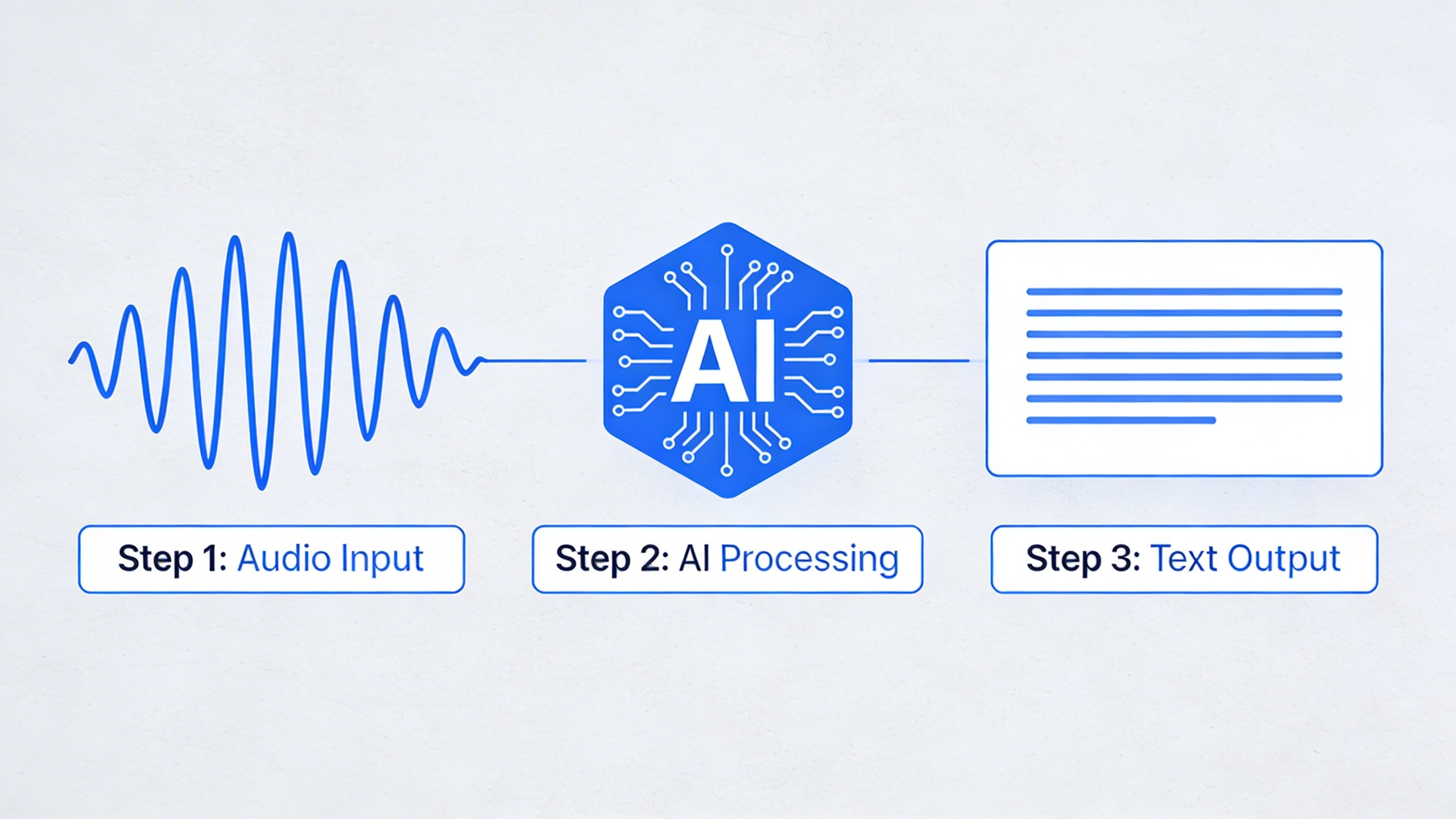
Modern voice recorder with transcription capabilities leverage advanced artificial intelligence and machine learning algorithms to process audio in real-time or after recording completion. The technology works by analyzing audio waveforms, identifying speech patterns, and converting acoustic signals into digital text with remarkable accuracy.
Recent advances in neural networks have dramatically improved transcription accuracy rates, with leading platforms now achieving 95% or higher accuracy under optimal conditions. These systems can distinguish between multiple speakers, handle various accents and dialects, and even process technical terminology when properly trained. The technology continuously learns from corrections and feedback, becoming more precise over time.
Unlike basic voice memo transcription app solutions that rely on simple speech recognition, modern applications incorporate contextual understanding, punctuation inference, and noise reduction capabilities. This means they can produce coherent, readable transcripts even from recordings made in challenging acoustic environments.
Key Benefits for Different User Types
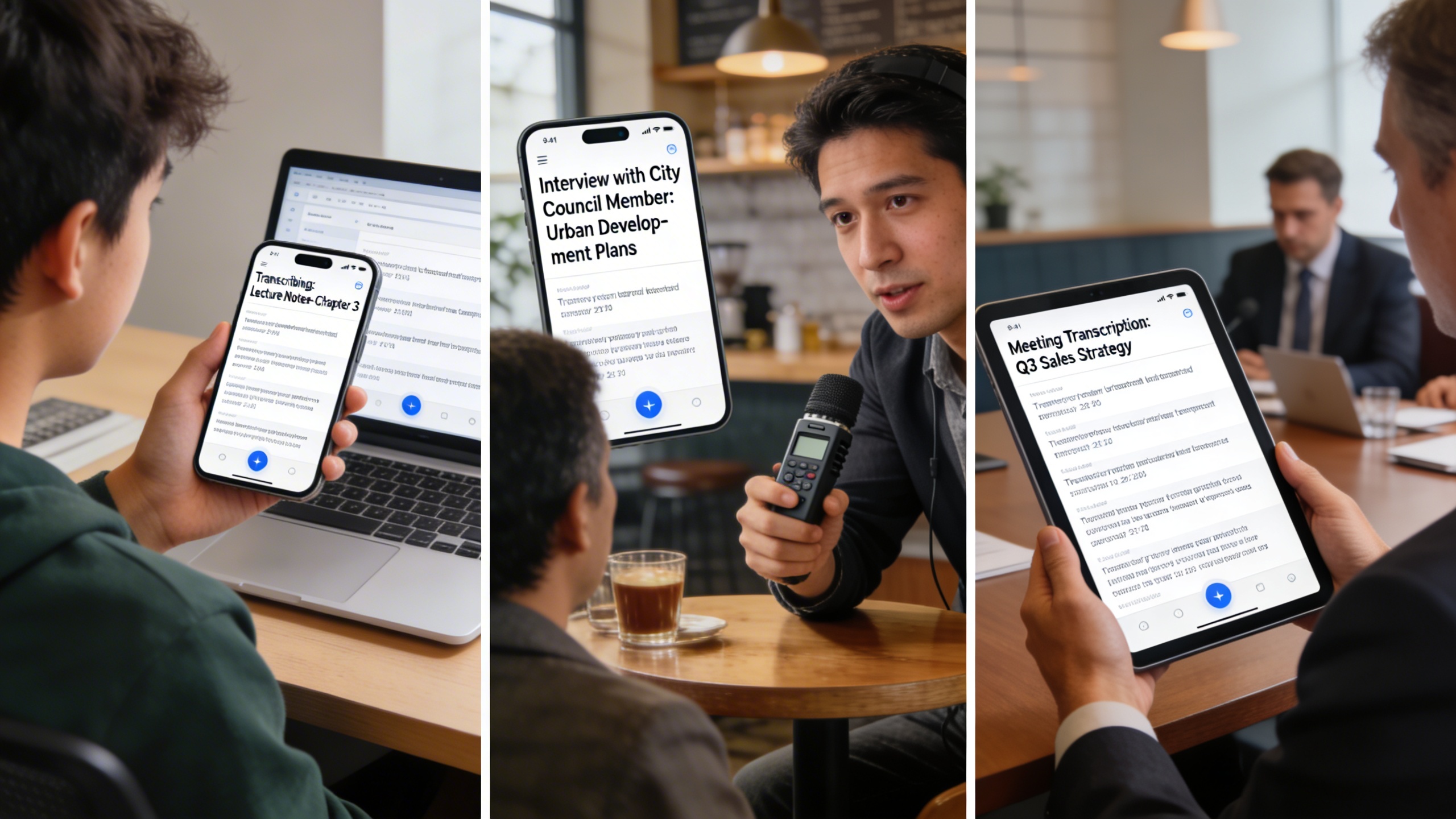
Students benefit enormously from voice recorder to transcript functionality during lectures, study sessions, and research interviews. Rather than frantically scribbling notes and missing important details, students can focus entirely on understanding concepts while their app for recording and transcribing captures every word. The resulting transcripts become invaluable study materials that can be searched, highlighted, and reviewed multiple times.
Business professionals find these tools indispensable for meeting documentation, client calls, and brainstorming sessions. A reliable record and transcribe app ensures that critical decisions, action items, and strategic discussions are accurately preserved without requiring dedicated note-takers. This capability proves especially valuable for remote teams where clear communication documentation becomes essential.
Journalists and content creators rely on transcription apps to streamline their interview processes and content development workflows. Instead of spending hours transcribing recorded interviews manually, they can focus their energy on analysis, fact-checking, and storytelling. The ability to quickly search through transcripts for specific quotes or topics significantly accelerates the writing process.
Healthcare professionals, legal practitioners, and researchers also leverage these tools for patient consultations, depositions, and field research documentation. The combination of audio backup and searchable text creates comprehensive records that support both immediate needs and long-term reference requirements.
How They Differ from Traditional Recording Apps
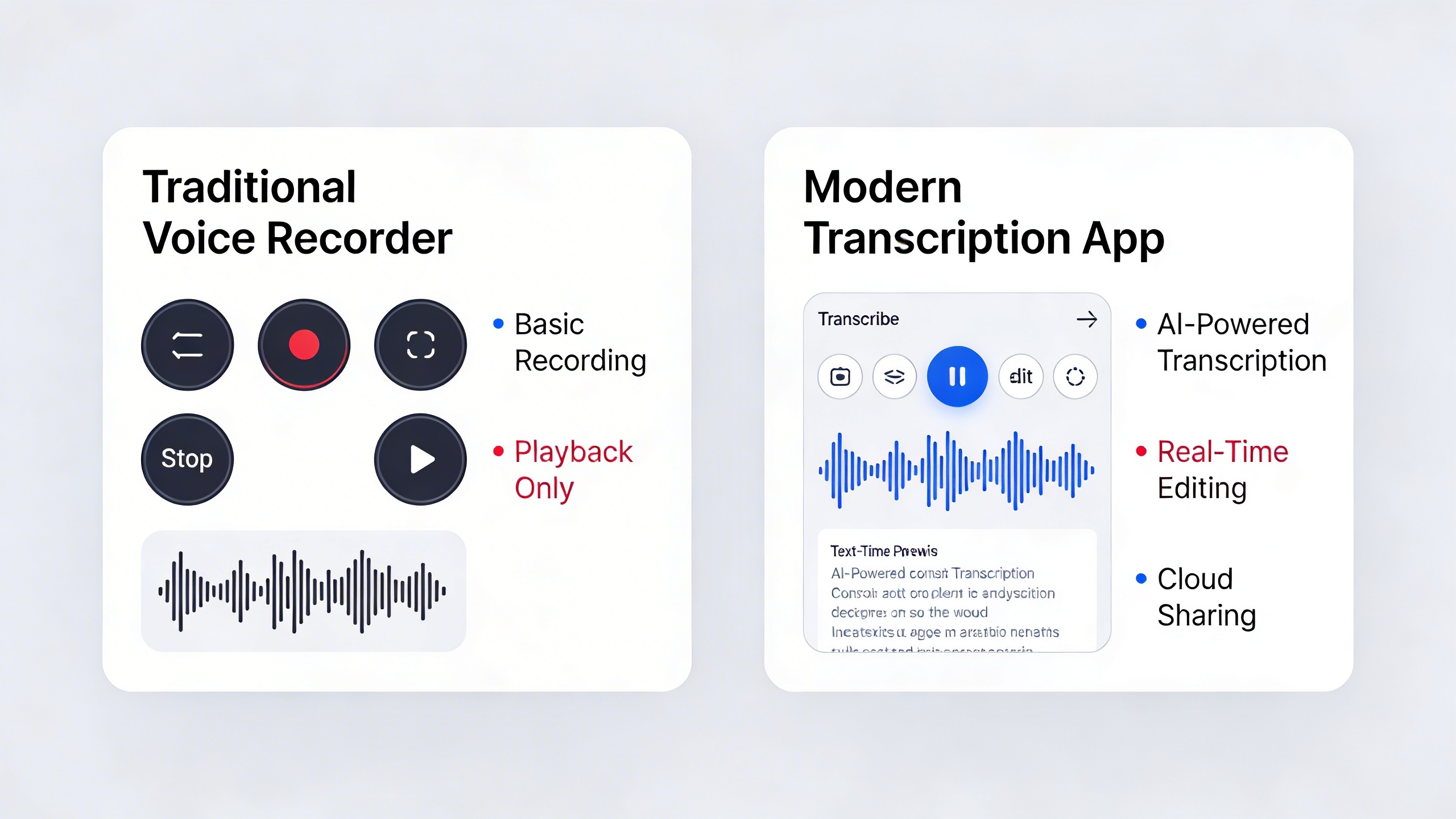
Traditional audio recording applications simply capture and store sound files, requiring users to manually replay recordings to extract information. This approach creates significant time barriers and makes content discovery nearly impossible without listening to entire recordings.
Modern transcription-enabled applications transform this paradigm entirely. They provide immediate text output that users can read, edit, and search within minutes of completing a recording. Advanced features include speaker identification, timestamp synchronization, and integration with productivity tools like calendars and task managers.
The accessibility advantages cannot be overstated. Individuals with hearing impairments gain equal access to audio content through written transcripts, while those with learning differences can process information through their preferred modality. Additionally, non-native speakers benefit from seeing written versions of spoken content, improving comprehension and language learning outcomes.
Time-saving represents perhaps the most compelling advantage. Manual transcription typically requires three to four times the original recording length, meaning a one-hour meeting would demand four hours of transcription work. Automated solutions like Sozai reduce this to mere minutes, allowing users to review, edit, and distribute transcripts almost immediately.
These applications also offer superior organization capabilities, with features like automatic categorization, cloud synchronization, and collaborative sharing that traditional recording apps cannot match.
Essential Features to Look for in Voice Recording and Transcription Apps
Choosing the right voice recorder with transcription capabilities requires careful consideration of several key features that directly impact your productivity and user experience. The best apps seamlessly combine high-quality audio recording with accurate transcription, while offering the flexibility and security features modern users demand.
Understanding these essential features will help you select an app for recording and transcribing that matches your specific needs, whether you’re a student capturing lectures, a journalist conducting interviews, or a business professional documenting meetings.
Transcription Accuracy and Language Support
The cornerstone of any effective voice recorder to transcript solution is transcription accuracy. Modern AI-powered apps achieve accuracy rates between 85-95% under optimal conditions, but this can vary significantly based on audio quality, speaker accents, and background noise levels.
Real-time transcription offers immediate text output as you speak, making it ideal for live note-taking during meetings or lectures. This feature allows you to catch and correct errors on the spot while maintaining the flow of conversation. Post-recording transcription, while requiring a brief processing delay, often delivers higher accuracy as the AI can analyze the entire audio file for context and make corrections based on complete sentences and phrases.
Multi-language support has become increasingly important in our globalized world. Look for apps that support automatic language detection and can handle code-switching within the same recording. Premium voice memo transcription app options typically support 50+ languages and dialects, with some offering specialized vocabulary for technical fields like medical or legal terminology.
Speaker identification and separation capabilities distinguish between multiple voices in group conversations, automatically labeling different speakers in the transcript. This feature proves invaluable for interview transcription and meeting documentation.
Recording Quality and File Format Options
Audio quality directly influences transcription accuracy, making recording specifications a critical consideration. Professional-grade record and transcribe app solutions offer multiple quality settings, typically ranging from compressed formats suitable for basic voice memos to uncompressed formats ideal for music or detailed audio analysis.
Sample rates of 44.1 kHz or higher ensure crisp audio capture, while bit depths of 16-bit or 24-bit provide sufficient dynamic range for most recording scenarios. Many apps automatically adjust recording quality based on available storage space and intended use, optimizing the balance between file size and audio fidelity.
File format compatibility affects both storage efficiency and sharing capabilities. Common formats include MP3 for compressed audio, WAV for uncompressed quality, and M4A for Apple ecosystem integration. Advanced apps support multiple export formats, allowing you to choose the most appropriate option for your specific workflow or sharing requirements.
Noise reduction and audio enhancement features can significantly improve transcription accuracy by filtering out background noise, echo, and other audio artifacts. Some apps apply these enhancements in real-time during recording, while others offer post-processing options.
Cloud Storage and Synchronization Capabilities
Modern voice recorder with transcription apps must seamlessly integrate with cloud storage services to ensure your recordings and transcripts remain accessible across all devices. Cross-platform synchronization allows you to start a recording on your smartphone and continue editing the transcript on your computer without missing a beat.
Automatic backup functionality protects against data loss while providing the flexibility to access your content from anywhere. Leading apps integrate with popular cloud services like Google Drive, Dropbox, and iCloud, while some offer proprietary cloud solutions with enhanced security features.
Offline functionality ensures productivity even without internet connectivity. The best apps allow you to record and perform basic transcription offline, then sync and enhance the results when connectivity returns. This capability proves essential for field work, travel, or areas with unreliable internet access.
Privacy and security features deserve special attention, particularly for sensitive recordings. End-to-end encryption protects your data during transmission and storage, while local processing options keep sensitive information on your device. Look for apps that offer granular privacy controls, allowing you to choose between cloud-based AI processing for maximum accuracy or on-device processing for enhanced security.
Export and sharing options should accommodate various workflows, from simple text files to formatted documents with timestamps and speaker labels. Integration with productivity apps like note-taking platforms, document editors, and project management tools streamlines your workflow and maximizes the value of your transcribed content.
Top Voice Recorder with Transcription Apps: Comprehensive Reviews
Choosing the right voice recorder with transcription capabilities can transform how you capture and process audio content. After extensive testing across multiple platforms and use cases, we’ve identified the leading solutions that excel in accuracy, usability, and value. This comprehensive analysis covers apps that serve different user segments, from enterprise professionals to budget-conscious students.
Professional-Grade Solutions for Business Users
Business environments demand voice recorder to transcript solutions that prioritize security, integration capabilities, and enterprise-level features. Professional apps typically offer advanced noise cancellation, speaker identification, and seamless workflow integration.
Enterprise-focused applications excel in meeting transcription scenarios where multiple speakers need identification and timestamps. These platforms often include cloud storage with encryption, administrative controls, and API access for custom integrations. Professional users benefit from features like custom vocabulary training, which improves accuracy for industry-specific terminology.
Security remains paramount for business applications. Leading professional solutions offer end-to-end encryption, compliance certifications, and on-premises deployment options. Integration with popular business tools like Microsoft Teams, Slack, and CRM systems streamlines workflows and eliminates manual file transfers.
| Feature Category | Professional Tier | Mid-Range Business | Basic Business |
|---|---|---|---|
| Transcription Accuracy | 95-98% | 90-95% | 85-90% |
| Speaker Identification | Up to 10 speakers | Up to 5 speakers | 2-3 speakers |
| Cloud Storage | Unlimited | 100GB-1TB | 10-50GB |
| Integration Options | Full API access | Popular platforms | Basic exports |
Student-Friendly Apps for Academic Use
Academic users require record and transcribe app solutions that balance affordability with essential features for lecture capture and study enhancement. Student-oriented applications focus on ease of use, educational discounts, and features that support learning workflows.
The most effective academic voice recorder with transcription apps offer lecture-specific features like bookmark insertion during recording, highlighting capabilities within transcripts, and export options compatible with note-taking platforms. Many provide organizational tools that help students categorize recordings by subject, date, or professor.
Cross-platform synchronization proves essential for students who switch between devices throughout their day. The ability to start recording on a smartphone during lecture and continue editing on a laptop later streamlines the study process significantly.
For students seeking a reliable app for recording and transcribing lectures, Sozai offers an intuitive interface with accurate transcription capabilities across iOS, Android, and macOS platforms. Its seamless synchronization ensures students can access their recordings and transcripts from any device.
Free and Budget-Friendly Options
Budget-conscious users can find capable voice memo transcription app solutions without compromising essential functionality. Free tiers typically include basic transcription with limitations on recording length, monthly usage, or advanced features.
Free applications often provide sufficient capability for casual users who need occasional transcription services. These solutions work well for personal voice memos, brief interviews, or simple note-taking scenarios. However, users should expect reduced accuracy compared to premium alternatives and may encounter advertisements or usage restrictions.
Budget-friendly paid options bridge the gap between free limitations and professional pricing. These mid-tier solutions typically offer improved accuracy, longer recording capabilities, and basic organizational features at accessible price points.
Many free applications use a freemium model where basic transcription remains available indefinitely, while advanced features require subscription upgrades. This approach allows users to test functionality before committing to paid plans.
| Pricing Tier | Monthly Cost | Recording Limit | Accuracy Range | Best For |
|---|---|---|---|---|
| Free | $0 | 5-30 minutes/month | 80-85% | Casual users, testing |
| Budget | $5-15 | 5-10 hours/month | 85-92% | Regular personal use |
| Professional | $20-50 | Unlimited | 92-98% | Business, academic |
| Enterprise | $50+ | Unlimited | 95-98% | Large organizations |
When evaluating any voice recorder with transcription solution, consider your specific use case requirements alongside budget constraints. Professional users benefit from investing in higher-tier solutions that offer superior accuracy and integration capabilities, while students and casual users often find excellent value in mid-range options that provide essential features without enterprise-level complexity.
The transcription accuracy benchmarks vary significantly based on audio quality, speaker clarity, and background noise levels. Even premium applications struggle with poor audio conditions, making proper recording technique as important as app selection for optimal results.
How to Choose the Right Voice Recording Transcription App for Your Needs
Selecting the perfect voice recorder with transcription capabilities requires careful evaluation of your specific requirements, workflow demands, and budget constraints. The right app for recording and transcribing audio should seamlessly integrate into your daily routine while delivering the accuracy and features you need most.
Assessing Your Recording and Transcription Requirements
Start by analyzing your typical usage patterns and accuracy expectations. If you record lengthy interviews or meetings daily, prioritize apps with robust background noise reduction and speaker identification features. For quick voice memo transcription app needs, focus on tools that offer instant processing and easy editing capabilities.
Consider your recording environments carefully. Office workers benefit from apps optimized for conference room acoustics, while journalists need solutions that excel in varied outdoor conditions. Medical professionals require specialized terminology recognition, while students might prioritize lecture-specific features like timestamp marking and keyword highlighting.
Accuracy requirements vary significantly across use cases. Legal professionals need near-perfect transcription quality for depositions, while casual note-takers can accept minor errors in exchange for speed. Evaluate whether you need real-time transcription or if post-recording processing meets your timeline requirements.
Comparing Pricing Models and Value Propositions
Voice recorder to transcript apps typically offer three pricing structures: freemium models with limited monthly minutes, subscription plans with unlimited usage, and one-time purchase options. Calculate your monthly transcription volume to determine which model provides the best value.
| Pricing Model | Best For | Typical Cost Range | Key Considerations |
|---|---|---|---|
| Freemium | Occasional users | Free with limits | Monitor usage caps |
| Subscription | Regular users | $10-30/month | Ongoing commitment |
| One-time purchase | Privacy-conscious users | $50-200 | No cloud dependency |
Examine what each pricing tier includes beyond basic transcription. Premium features like cloud storage, team collaboration tools, advanced export formats, and API access can justify higher costs for professional users. Some record and transcribe app solutions offer educational discounts or nonprofit pricing that significantly reduces expenses.
Testing Apps Before Making a Decision
Most reputable voice recorder with transcription providers offer trial periods ranging from seven to thirty days. Use this time strategically by testing with your actual content types and recording conditions rather than perfect scenarios.
Create a standardized testing framework that includes recording samples from your typical environments. Test phone calls, in-person meetings, outdoor recordings, and any specialized scenarios relevant to your work. Compare transcription accuracy across different speakers, accents, and technical terminology specific to your field.
During trials, evaluate the complete workflow from recording through final output. Test export options, editing capabilities, and integration with your existing tools. For teams, assess collaboration features and user management options. Pay attention to processing speed, especially if you need immediate results.
Document your findings systematically, noting accuracy percentages, feature usability, and any technical issues. This data-driven approach ensures your final choice aligns with actual performance rather than marketing promises. Consider testing multiple apps simultaneously to make direct comparisons using identical audio samples.
Remember that the most expensive option isn’t always the best fit. Focus on finding the voice memo transcription app that delivers the specific features and accuracy levels your workflow demands while staying within your budget constraints.
Best Practices for Recording Audio That Transcribes Accurately
The quality of your audio recording directly impacts transcription accuracy. Even the most advanced voice recorder with transcription capabilities can struggle with poor audio quality, making it essential to follow proven recording techniques that maximize the effectiveness of your chosen app for recording and transcribing.
Optimizing Recording Environment and Setup
Your recording environment plays a crucial role in transcription success. Choose quiet spaces with minimal echo, such as carpeted rooms or areas with soft furnishings that absorb sound. Position yourself 6-12 inches from your device’s microphone for optimal pickup while avoiding breath sounds that can interfere with speech recognition algorithms.
Close windows and doors to eliminate outside noise, and turn off fans, air conditioners, or other mechanical devices during recording sessions. If you’re using a dedicated microphone with your voice recorder to transcript app, ensure it’s positioned at mouth level and angled slightly away from your breathing path. This setup prevents plosive sounds from overwhelming the audio signal.
Consider using airplane mode on nearby devices to prevent notification sounds from interrupting your recording. Many voice memo transcription apps work offline, allowing you to maintain this distraction-free environment throughout your session.
Speaking Techniques for Better Transcription
Consistent speaking pace significantly improves transcription accuracy across all record and transcribe app platforms. Aim for a moderate speed of approximately 150-160 words per minute, which allows AI algorithms sufficient time to process each word while maintaining natural conversation flow.
Articulate clearly by opening your mouth fully and emphasizing consonants, particularly at word endings. Avoid mumbling or trailing off at the end of sentences, as this often results in incomplete transcriptions. When discussing technical terms, spell them out phonetically on first use to help the transcription engine learn your specific vocabulary.
Learn basic voice commands for punctuation to improve transcript formatting. Most apps recognize phrases like “comma,” “period,” “question mark,” and “new paragraph.” Practice these commands until they become natural parts of your speaking rhythm, eliminating the need for extensive post-recording editing.
Pause briefly between distinct topics or ideas to create clear separation in your transcript. These natural breaks help transcription algorithms recognize context changes and improve overall accuracy.
Post-Recording Editing and Review Process
Immediate review while the content remains fresh in your memory yields the best editing results. Most voice recorder with transcription apps provide real-time or near-instant transcripts, allowing you to catch errors while recording context is still clear.
Focus first on correcting proper nouns, technical terminology, and industry-specific jargon that may have been misinterpreted. These corrections often require manual input but significantly improve transcript usefulness. Create custom vocabularies within your chosen app to improve future recognition of frequently used terms.
Establish a systematic proofreading approach: scan for obvious errors first, then read through for context and flow. Pay special attention to homophones—words that sound alike but have different meanings—as these commonly create transcription errors that spell-check won’t catch.
Develop quality assurance checkpoints by comparing transcript sections with original audio when accuracy is critical. This verification process helps you understand your app’s strengths and limitations, enabling you to adjust your recording techniques for consistently better results.
Advanced Features and Integration Options
Modern voice recorder with transcription apps go far beyond basic recording and text conversion. These advanced capabilities transform simple audio capture into powerful productivity tools that integrate seamlessly with your existing workflows and enhance team collaboration.
AI-Powered Enhancement Features
Today’s leading record and transcribe apps leverage artificial intelligence to provide sophisticated analysis beyond text conversion. Speaker identification automatically labels different voices in multi-person recordings, making meeting transcripts and interviews significantly easier to follow. This feature proves invaluable for journalists conducting interviews or teams recording brainstorming sessions.
Sentiment analysis takes transcription further by detecting emotional tone and context within conversations. Business professionals can identify customer satisfaction levels from support calls, while researchers can analyze interview responses for emotional indicators. Some voice memo transcription apps also offer topic detection, automatically categorizing conversations by subject matter and creating searchable tags.
Real-time language translation represents another breakthrough feature, allowing users to record conversations in one language and receive transcripts in multiple languages simultaneously. This capability opens doors for international collaboration and cross-cultural communication.
Workflow Integration and Automation
Professional-grade voice recorder to transcript solutions offer robust API integrations that connect with popular productivity platforms. Direct integration with customer relationship management systems enables sales teams to automatically log call summaries and action items. Project management platforms can receive meeting transcripts with extracted tasks and deadlines.
Export automation streamlines post-recording workflows by automatically formatting transcripts for specific use cases. Legal professionals can generate formatted depositions, while content creators can produce podcast show notes with timestamps and chapter markers. Custom export templates ensure consistent formatting across teams and projects.
Calendar integration allows apps to automatically start recordings for scheduled meetings, while cloud storage connections ensure transcripts sync across devices and team members instantly. These automations eliminate manual steps and reduce the risk of losing important conversations.
Collaboration and Sharing Capabilities
Modern app for recording and transcribing solutions prioritize team collaboration through shared workspaces and permission controls. Team members can access, edit, and comment on transcripts in real-time, creating a collaborative editing environment similar to document sharing platforms.
Advanced sharing features include password-protected links, expiration dates, and download restrictions for sensitive recordings. Legal and healthcare professionals benefit from HIPAA-compliant sharing options that maintain strict privacy standards while enabling necessary collaboration.
Version control systems track changes to transcripts over time, allowing teams to revert to previous versions or see editing history. Integration with communication platforms like Slack or Microsoft Teams enables automatic sharing of completed transcripts to relevant channels, keeping entire teams informed without manual distribution efforts.
Future Trends in Voice Recording and Transcription Technology
The voice recording and transcription industry continues to evolve rapidly, driven by advances in artificial intelligence and changing user demands for more sophisticated audio processing capabilities. These emerging trends will reshape how we interact with voice recorder with transcription technology in the coming years.
Emerging AI Capabilities and Accuracy Improvements
Next-generation AI models are pushing transcription accuracy beyond 95% for clear audio, with significant improvements in handling multiple speakers, accents, and technical terminology. Real-time translation features are becoming standard in premium voice recorder to transcript applications, enabling users to record conversations in one language and receive instant transcripts in another. These systems now recognize context better, distinguishing between homophones and adapting to industry-specific jargon automatically.
Advanced noise cancellation algorithms powered by machine learning can isolate speech from complex background environments, making any record and transcribe app more effective in challenging acoustic conditions. Voice emotion detection is also emerging, allowing applications to capture not just words but the speaker’s emotional state and intent.
Integration with Smart Devices and IoT
Modern voice recording solutions are expanding beyond traditional smartphones and computers. Smart home devices, wearables, and automotive systems now offer seamless recording capabilities that sync across multiple platforms. An app for recording and transcribing can now trigger automatically when specific keywords are detected, creating ambient recording systems for meetings and lectures.
Cross-device continuity allows users to start recording on one device and continue on another, with transcriptions updating in real-time across all connected platforms. This ecosystem approach transforms individual apps into comprehensive voice capture networks.
Privacy and Security Developments
Privacy-first architectures are becoming the industry standard, with edge computing enabling local processing that keeps sensitive audio data on user devices. Voice biometric security features now authenticate users through their unique vocal characteristics, adding an extra layer of protection to recorded content.
End-to-end encryption is standard in enterprise-grade voice memo transcription app solutions, while zero-knowledge architectures ensure that service providers cannot access user recordings even during processing. Regulatory compliance frameworks like GDPR and CCPA are driving development of granular privacy controls, allowing users to specify exactly how their voice data is handled and stored.
These technological advances are accelerating adoption across industries, from healthcare documentation to legal proceedings, making professional-grade voice recording and transcription accessible to everyday users.

