The digital landscape has fundamentally shifted how we consume and create content, with video becoming the dominant medium across platforms from YouTube to corporate training portals. As video content explodes in volume, the need for accurate video transcription has evolved from a nice-to-have feature into an absolute necessity. Content creators need searchable text for SEO optimization, businesses require meeting transcripts for compliance and productivity, and educators must provide accessible materials for diverse learning needs.
Artificial intelligence has revolutionized the transcript from video process, delivering accuracy rates that rival human transcriptionists while processing hours of content in minutes rather than days. Modern AI video transcription tools can handle multiple speakers, technical jargon, and various audio qualities with remarkable precision. These advances have democratized access to professional-grade video to transcript capabilities, enabling solo creators and Fortune 500 companies alike to transform their audio-visual content into searchable, accessible text.
This comprehensive guide explores everything you need to know about video text transcription technology, from understanding core features and comparing AI-powered versus traditional methods to selecting the perfect tool for your specific needs and maximizing transcription accuracy through proven best practices.
What Are Video Transcription Tools and Why You Need Them
Understanding Video Transcription Technology
Video transcription tools convert spoken words in video files into written text, creating searchable, editable documents from your multimedia content. Modern video transcription technology leverages artificial intelligence and machine learning algorithms to automatically recognize speech patterns, distinguish between speakers, and generate accurate transcripts from video files.
These sophisticated systems work by analyzing audio tracks within video files, breaking down speech into phonetic components, and matching them against vast language databases. The most advanced ai video transcription platforms can handle multiple languages, accents, and technical terminology while maintaining impressive accuracy rates often exceeding 95% for clear audio recordings.
The process typically involves uploading your video file to a cloud-based platform, where AI engines process the audio in real-time or near real-time. The resulting video to transcript conversion produces time-stamped text that can be edited, formatted, and exported in various formats including SRT, VTT, or plain text documents.
Key Benefits for Content Creators and Businesses
Content creators and businesses implementing video text transcription solutions experience significant productivity gains and expanded reach for their content. The most immediate benefit involves time savings—what once required hours of manual transcription now takes minutes with automated tools.
For content creators, having a transcript from video opens new content repurposing opportunities. Blog posts, social media snippets, email newsletters, and podcast show notes can all be derived from a single video’s transcript. This multiplies content output without proportional increases in production time or costs.
Businesses benefit from improved internal communications and knowledge management. Meeting recordings, training videos, and webinars become searchable resources when converted to text. Team members can quickly locate specific information without watching entire videos, dramatically improving workflow efficiency.
Search engine optimization represents another crucial advantage. Video content alone provides limited SEO value since search engines cannot index spoken words. However, transcribed content becomes fully searchable, helping videos rank for relevant keywords and driving organic traffic to your content.
The return on investment for video transcription tools often becomes apparent within the first month of implementation. Companies report 40-60% reductions in time spent on content creation and documentation tasks, while simultaneously improving content accessibility and reach.
Accessibility and Legal Compliance Advantages
Video transcription serves as a cornerstone of digital accessibility, ensuring content reaches audiences with hearing impairments or those who prefer reading to listening. The Americans with Disabilities Act (ADA) requires many organizations to provide accessible content, making transcript from video conversion not just beneficial but legally necessary.
Educational institutions, government agencies, and businesses serving the public must often provide closed captions and transcripts for their video content. Failure to comply can result in legal challenges and significant financial penalties. Automated video transcription tools help organizations maintain compliance while reducing the costs associated with manual transcription services.
Beyond legal requirements, accessible content demonstrates social responsibility and expands market reach. Approximately 15% of the global population experiences some form of hearing difficulty, representing a substantial audience that benefits from transcribed content.
International audiences also benefit significantly from video transcription. Non-native speakers often find reading easier than listening, especially for technical or educational content. Transcripts enable translation into multiple languages, further expanding global reach for video content.
For professionals who frequently work with recorded meetings, interviews, or presentations, tools like Sozai provide reliable ai video transcription capabilities that streamline the conversion of spoken content into actionable text documents. This technology transforms how teams collaborate and share knowledge across organizations.
Essential Features to Look for in Video Transcription Software
Selecting the right video transcription software requires understanding which features directly impact your workflow efficiency and output quality. The best tools combine advanced AI capabilities with practical usability features that streamline the entire process from upload to final transcript delivery.
Accuracy Rates and Language Support
Modern AI video transcription platforms should deliver accuracy rates between 85-95% for clear audio content. However, accuracy depends heavily on audio quality, speaker clarity, and background noise levels. Look for services that provide detailed accuracy metrics and offer human review options for mission-critical content.
Multilingual support has become essential for global organizations. Premium video transcription tools now support 50+ languages and can automatically detect the spoken language within your content. Some platforms excel at handling code-switching scenarios where speakers alternate between languages mid-conversation, which is particularly valuable for international business meetings or educational content.
Consider tools that offer specialized vocabulary training for industry-specific terminology. Medical, legal, and technical fields often require custom dictionaries to achieve optimal transcript from video accuracy for specialized jargon and acronyms.
File Format Compatibility and Integration Options
Comprehensive file format support eliminates conversion headaches and workflow bottlenecks. Professional video text transcription software should handle standard formats including MP4, MOV, AVI, WMV, and WebM, along with audio-only formats like MP3, WAV, and FLAC.
Cloud storage integration streamlines content management by connecting directly with Google Drive, Dropbox, OneDrive, and Box. This allows teams to automatically process videos stored in existing workflows without manual downloading and uploading steps.
API access enables custom integrations with content management systems, learning management platforms, and video hosting services. Organizations processing large volumes of content benefit from automated workflows that trigger video to transcript conversion upon file upload or publishing.
Real-time transcription capabilities support live streaming and virtual meetings, providing immediate closed captions and searchable transcripts for ongoing events. This feature proves invaluable for webinars, conferences, and remote team collaboration.
Editing Tools and Export Capabilities
Post-transcription editing tools significantly impact final output quality and team productivity. Look for platforms offering intuitive text editors with timestamp synchronization, allowing editors to make corrections while maintaining precise timing alignment with the original video content.
Speaker identification and labeling features automatically distinguish between different voices in multi-speaker scenarios. Advanced tools can learn to recognize recurring speakers across multiple files, maintaining consistent labeling for regular participants in meetings or podcast series.
Flexible export options accommodate diverse downstream applications. Standard formats include plain text, Word documents, PDF files, and subtitle formats like SRT and VTT. Some platforms offer custom formatting templates for specific use cases such as legal depositions, academic research, or content creation workflows.
Collaboration features enable team-based editing with version control and comment systems. Multiple team members can review and refine transcripts simultaneously while tracking changes and maintaining audit trails for quality assurance processes.
Time-stamped exports provide detailed timing information for each sentence or paragraph, enabling precise video editing and content analysis. This granular timing data proves essential for creating highlight reels, extracting key quotes, or developing searchable video archives.
The most effective video transcription solutions combine these technical capabilities with user-friendly interfaces that reduce training time and increase adoption across your organization.
AI-Powered vs Traditional Transcription Methods
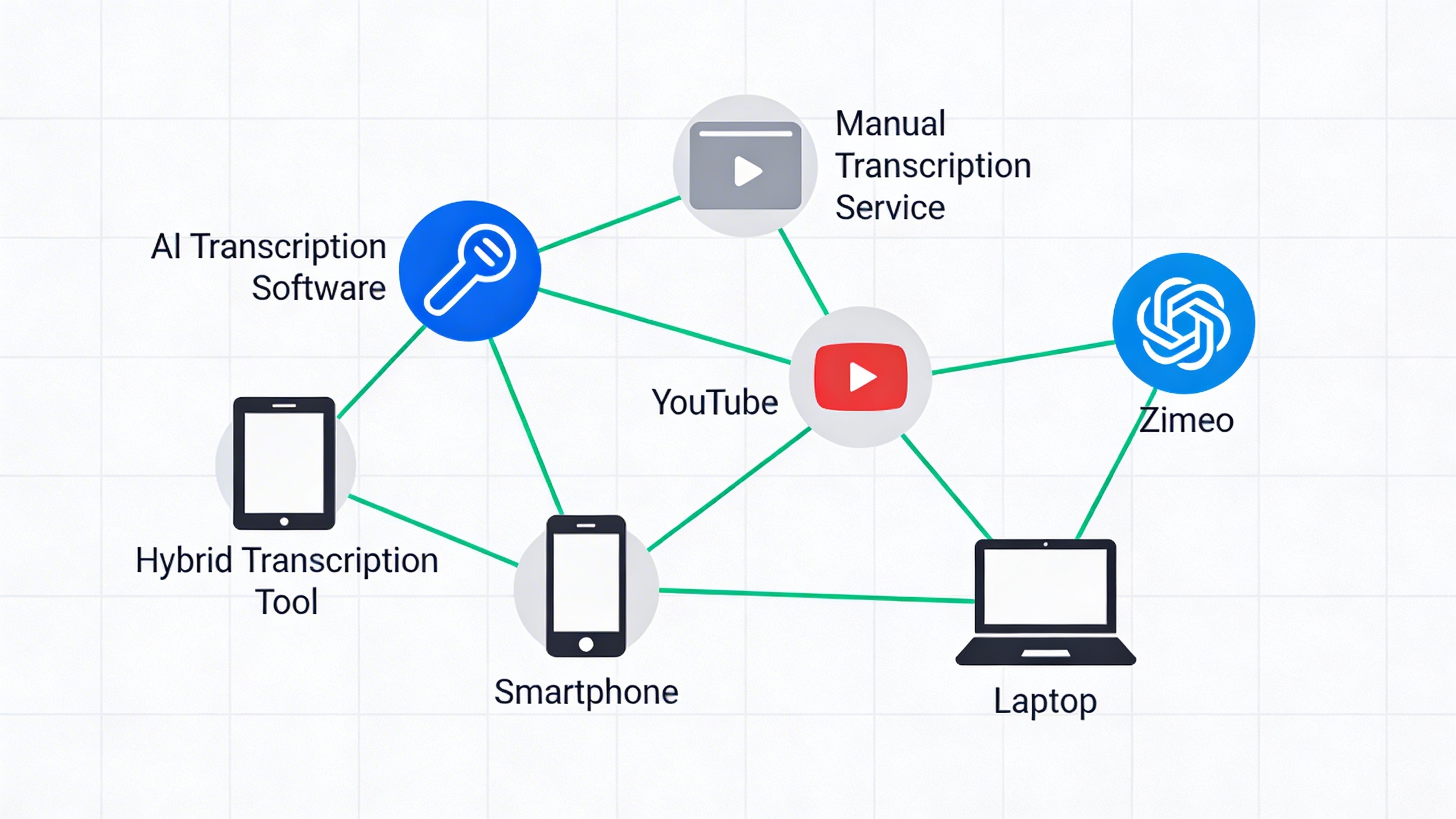
The landscape of video transcription has evolved dramatically with the introduction of artificial intelligence, creating distinct pathways for converting video content into accurate text. Understanding the differences between AI-powered and traditional methods helps you choose the most effective approach for your specific needs and budget constraints.
Automated AI Transcription Advantages
AI video transcription delivers unprecedented speed and cost efficiency for most content creators and businesses. Modern algorithms can process hours of video content in minutes, generating a transcript from video at a fraction of traditional costs. This automation proves particularly valuable for high-volume content producers, educational institutions, and organizations requiring rapid turnaround times.
The accuracy of AI systems has reached impressive levels, with leading platforms achieving 85-95% accuracy rates for clear audio in standard conditions. These systems excel at recognizing common vocabulary, proper nouns, and technical terminology when properly trained. Additionally, AI transcription operates 24/7 without scheduling constraints, making it ideal for urgent projects or international teams working across time zones.
Cost benefits become especially apparent with large-scale projects. While human transcription typically costs $1-3 per minute of audio, AI solutions often charge $0.10-0.50 per minute, representing savings of 80-90% for bulk processing needs.
Human-Assisted Hybrid Solutions
Hybrid approaches combine AI efficiency with human expertise to deliver superior accuracy and nuanced understanding. In this model, AI generates the initial video to transcript conversion, then human editors review and refine the output to ensure contextual accuracy, proper punctuation, and speaker identification.
Human reviewers excel at interpreting industry-specific jargon, correcting misheard words that AI might struggle with, and understanding context-dependent meanings. They can also format transcripts according to specific style guides, add meaningful paragraph breaks, and identify non-verbal communication elements that enhance comprehension.
This approach typically achieves 98-99% accuracy while maintaining faster turnaround times than fully manual transcription. The cost falls between pure AI and human-only services, making it an attractive middle-ground option for professional content requiring high accuracy standards.
When to Choose Each Approach
Select pure AI transcription for high-volume content with clear audio quality, such as webinars, podcasts with single speakers, or educational videos. This method works best when speed and cost efficiency outweigh the need for perfect accuracy, particularly for internal documentation or draft purposes.
Choose hybrid solutions for professional content requiring publication-ready accuracy, such as legal depositions, medical consultations, or marketing materials. This approach suits scenarios where brand reputation depends on transcript quality, or when dealing with technical terminology and multiple speakers.
Traditional human-only transcription remains necessary for highly sensitive content, poor audio quality situations, or when dealing with specialized vocabularies that AI hasn’t been trained to recognize. Consider this method for court proceedings, confidential business meetings, or content featuring heavy accents or background noise.
The decision often comes down to balancing three factors: required accuracy level, available budget, and deadline constraints. Most organizations find success using AI for initial drafts and human review for final polish, creating an efficient workflow that maximizes both speed and quality in their video text transcription processes.

Top Video Transcription Tools for Different Use Cases
Choosing the right video transcription solution depends heavily on your specific workflow, budget, and technical requirements. Whether you’re creating content for social media, managing enterprise communications, or working with a lean startup team, understanding which tools excel in different scenarios will help you make an informed decision that maximizes both efficiency and return on investment.
Best Tools for YouTube Content Creators
YouTube creators need video transcription tools that integrate seamlessly with their content creation workflow while delivering accurate results for accessibility and SEO benefits. The platform’s built-in automatic captions provide a starting point, but creators serious about quality often require more sophisticated solutions.
Rev offers exceptional accuracy for YouTube creators who prioritize professional-grade transcripts. Their human-powered service delivers 99% accuracy rates, making it ideal for educational channels or business content where precision matters most. The platform’s quick turnaround times and competitive pricing structure work well for creators with consistent upload schedules.
Descript stands out for creators who want to edit their videos through text manipulation. This innovative approach allows you to cut, rearrange, and modify video content by simply editing the transcript from video, streamlining the entire post-production process. The tool’s overdub feature can even generate synthetic speech to replace mistakes without re-recording.
For creators working across multiple platforms, Sozai provides excellent ai video transcription capabilities with support for various video formats and languages. Its mobile-first approach makes it particularly valuable for creators who need to generate quick transcripts while on the go or during live streaming preparation.
Otter.ai excels for creators who frequently conduct interviews or panel discussions. Its speaker identification technology automatically separates different voices in the transcript, making it easier to create show notes, blog posts, or social media content from longer-form video discussions.
Enterprise-Grade Solutions for Businesses
Enterprise organizations require video transcription platforms that can handle large-scale operations while maintaining strict security standards and compliance requirements. These solutions must integrate with existing business systems and provide robust administrative controls.
Microsoft Speech Services offers enterprise-grade video to transcript capabilities with deep integration into the Microsoft ecosystem. Organizations already using Teams, SharePoint, or Azure find this solution particularly attractive due to its seamless workflow integration and enterprise-level security features including data residency controls and compliance certifications.
Amazon Transcribe provides highly scalable ai video transcription through AWS infrastructure. Large enterprises benefit from its ability to process thousands of hours of video content simultaneously while maintaining consistent quality. The service includes custom vocabulary features that help improve accuracy for industry-specific terminology and proper nouns.
| Feature | Microsoft Speech | Amazon Transcribe | IBM Watson |
|---|---|---|---|
| Security Compliance | SOC 2, HIPAA, FedRAMP | SOC 1/2/3, PCI DSS | SOC 2, HIPAA, GDPR |
| Custom Models | Yes | Yes | Yes |
| Real-time Processing | Yes | Yes | Yes |
| Multi-language Support | 60+ languages | 35+ languages | 20+ languages |
IBM Watson Speech to Text distinguishes itself through advanced customization options and industry-specific models. Financial services, healthcare, and legal organizations particularly value its ability to understand specialized terminology and maintain audit trails for compliance purposes.
Google Cloud Speech-to-Text provides exceptional accuracy for video text transcription with automatic punctuation and formatting. Its integration with Google Workspace makes it attractive for organizations already invested in Google’s productivity suite, while its global infrastructure ensures reliable performance across different geographic regions.
Budget-Friendly Options for Small Teams
Small teams and startups need video transcription solutions that deliver professional results without enterprise-level pricing. These tools focus on core functionality while maintaining affordability and ease of use.
Trint offers an excellent balance of accuracy and affordability for small teams. Its collaborative editing features allow multiple team members to review and refine transcripts simultaneously, making it ideal for content teams working on podcasts, webinars, or training videos. The platform’s search functionality helps teams quickly locate specific content within their video archives.
Happy Scribe provides competitive pricing with both automatic and human transcription options. Small teams appreciate the flexibility to choose between faster, budget-friendly ai video transcription for internal use and higher-accuracy human transcription for client-facing content. Their subscription model scales naturally with growing content volumes.
Sonix delivers impressive accuracy rates at startup-friendly prices while supporting over 35 languages. The platform’s automated translation features help small teams reach global audiences without additional costs, making it particularly valuable for businesses expanding internationally.
Temi focuses on simplicity and speed, offering five-minute turnaround times for most video files. While accuracy may not match premium services, the combination of low cost and quick delivery makes it suitable for internal meetings, brainstorming sessions, or rough draft creation where perfect accuracy isn’t critical.
For teams requiring occasional high-quality transcripts, Rev’s pay-per-minute model eliminates subscription commitments while providing access to professional human transcribers. This approach works well for small teams with irregular transcription needs who want to avoid monthly fees during slower periods.
How to Choose the Right Video Transcription Tool
Selecting the ideal video transcription solution requires a systematic approach that balances your specific requirements with available technology. The right choice can transform your workflow efficiency while the wrong one can waste valuable time and resources.
Evaluating Your Specific Needs and Volume
Begin by conducting a thorough needs assessment to determine your transcription requirements. Consider the types of videos you process most frequently—whether they’re educational lectures, business meetings, interviews, or marketing content. Each content type presents unique challenges for video text transcription accuracy.
Volume analysis plays a crucial role in tool selection. Calculate your monthly video processing hours and identify peak usage periods. If you transcribe fewer than 10 hours monthly, a pay-per-use model might prove most economical. However, organizations processing 50+ hours should explore subscription plans that offer better per-hour rates.
Audio quality and speaker characteristics significantly impact transcript from video accuracy. Teams dealing with multiple speakers, accented speech, or technical terminology need tools specifically designed for these scenarios. Test potential solutions with samples representing your typical content to ensure reliable performance.
Comparing Pricing Models and Value
Video transcription tools typically offer three pricing structures: pay-per-minute, monthly subscriptions, or annual plans. Calculate the total cost of ownership by factoring in your volume projections and any additional features you require.
| Pricing Model | Best For | Typical Cost Range |
|---|---|---|
| Pay-per-minute | Occasional users | $0.10-$0.25/minute |
| Monthly subscription | Regular users | $15-$50/month |
| Enterprise plans | High-volume teams | Custom pricing |
Consider hidden costs such as editing time for inaccurate transcripts, integration fees, or charges for premium features. The cheapest ai video transcription service may require extensive manual corrections, ultimately costing more in labor hours.
Testing Accuracy with Your Content Type
Implement a structured testing methodology before committing to any video to transcript service. Upload representative samples of your actual content rather than relying solely on marketing claims or generic demos.
Create a scoring system that evaluates accuracy across different criteria: proper nouns, technical terms, speaker identification, and timestamp precision. Run identical test files through multiple platforms to establish baseline comparisons.
Most reputable providers offer free trials or money-back guarantees. Use this period strategically by testing edge cases—videos with background noise, multiple speakers, or domain-specific vocabulary that your organization frequently encounters.
Document your findings systematically, noting not just accuracy percentages but also the types of errors each tool makes. Some platforms excel at general conversation but struggle with technical presentations, while others handle specialized terminology better but may miss conversational nuances.
Best Practices for Maximizing Transcription Accuracy
Achieving high-quality video transcription results requires more than just selecting the right tool. Your approach to audio preparation, file handling, and post-processing directly impacts the accuracy of your final transcript. These proven strategies will help you consistently produce professional-grade transcriptions that require minimal editing.
Optimizing Audio Quality for Better Results
Audio quality serves as the foundation for accurate video transcription. Start by recording in quiet environments whenever possible, as background noise significantly reduces transcription accuracy. Position microphones close to speakers—ideally within 6-12 inches—to capture clear, direct audio that AI systems can process effectively.
When working with existing video content, consider these audio enhancement techniques before generating your transcript from video. Normalize audio levels to ensure consistent volume throughout the recording. Remove excessive background noise using audio editing software, but avoid over-processing that might distort speech patterns. If your video contains multiple speakers, ensure each voice is clearly distinguishable with adequate separation between dialogue.
For video conference recordings or interviews, use dedicated microphones rather than built-in computer audio. External microphones capture cleaner sound that dramatically improves ai video transcription accuracy, especially when dealing with technical terminology or accented speech.
Pre-Processing Tips and File Preparation
Proper file preparation streamlines the video to transcript conversion process and reduces processing errors. Convert your video files to widely supported formats like MP4 or MOV before uploading to transcription services. These formats ensure compatibility and faster processing times across different platforms.
Segment lengthy videos into smaller chunks when possible. Most transcription tools handle files under two hours more effectively than extended recordings. This approach also makes the review process more manageable and allows you to identify and correct issues in specific sections without reprocessing entire files.
Create speaker identification notes before starting video text transcription for multi-speaker content. Document who speaks when, along with any unique pronunciation guides for names, technical terms, or industry-specific vocabulary. This preparation helps you quickly verify accuracy during the editing phase.
Post-Transcription Review and Editing Workflow
Establish a systematic review process to ensure transcript quality meets your standards. Begin with a complete read-through while listening to the original audio, focusing on context and overall accuracy rather than minor punctuation errors. This initial pass helps identify sections requiring detailed attention.
Pay special attention to technical terminology, proper nouns, and numerical data during your review. These elements often require manual correction even with advanced AI transcription systems. Cross-reference any statistics, dates, or specific claims mentioned in the video to ensure accuracy in your final transcript.
Implement a two-stage editing workflow for professional results. First, correct obvious errors and unclear sections. Then, perform a final polish focusing on formatting, punctuation, and readability. Tools like Sozai streamline this process by providing clean, well-formatted transcripts that require minimal post-processing, allowing you to focus on content verification rather than extensive formatting corrections.
Consider creating templates for different types of content, such as interviews, presentations, or educational videos. Standardized formatting saves time and ensures consistency across your transcription projects.
Future of Video Transcription Technology
The video transcription landscape is evolving rapidly, driven by breakthrough advances in artificial intelligence and changing user expectations for seamless content workflows. As organizations increasingly rely on video content for communication, training, and marketing, the demand for sophisticated transcription solutions continues to accelerate.
Emerging AI Capabilities and Improvements
Next-generation AI video transcription systems are achieving remarkable accuracy improvements through advanced neural networks and contextual understanding. Modern algorithms now recognize speaker emotions, detect sarcasm, and maintain context across lengthy conversations, producing transcripts that capture not just words but meaning and intent.
Real-time processing capabilities are becoming standard, enabling live video transcription during virtual meetings, webinars, and broadcasts. These systems can simultaneously handle multiple languages, automatically detect code-switching between languages, and provide instant translations alongside the original transcript from video content.
Machine learning models are also developing specialized knowledge domains, allowing video text transcription tools to accurately handle technical terminology in fields like medicine, law, and engineering. This specialization dramatically reduces the need for manual corrections and post-processing.
Integration with Content Management Systems
The future of video transcription lies in seamless integration with existing content ecosystems. Modern platforms are developing native connections with popular content management systems, automatically generating searchable transcripts that enhance SEO performance and content discoverability.
Automated workflow triggers will soon enable video to transcript processes that immediately categorize content, extract key insights, and distribute summaries to relevant stakeholders. These integrations eliminate manual file transfers and reduce the time between video creation and content publication.
Cloud-based APIs are enabling custom integrations that allow organizations to embed transcription capabilities directly into their existing video platforms, learning management systems, and collaboration tools.
Industry Trends and Predictions
The transcription industry is moving toward predictive analytics that can identify trending topics, sentiment patterns, and engagement metrics directly from video content. These insights will help content creators optimize their messaging and improve audience retention.
Accessibility compliance is driving innovation in multi-modal outputs, with future systems generating not just text but also audio descriptions, sign language translations, and simplified summaries for different audiences. Regulatory requirements are pushing accuracy standards higher while demanding faster processing times.
Edge computing integration will enable offline video transcription capabilities, allowing users to process sensitive content without cloud dependencies. This trend addresses privacy concerns while maintaining the speed and accuracy users expect from modern AI-powered solutions.

