The demand to convert video to text has skyrocketed as digital content consumption reaches unprecedented levels. Whether you’re a content creator repurposing YouTube videos into blog posts, an educator making lectures accessible to hearing-impaired students, or a business professional documenting important meetings, video transcription has become an essential skill in today’s multimedia landscape. What once required expensive professional services can now be accomplished using sophisticated AI-powered tools that deliver remarkable accuracy at a fraction of the cost.
Modern video to text converter technology has transformed how we extract valuable information from audiovisual content. From automatic speech to text algorithms that process hours of footage in minutes to specialized software that handles multiple speakers and background noise, the options available today cater to every need and budget level. This comprehensive guide explores the most effective methods for video transcription, helping you choose the right approach whether you’re working with a single interview or processing hundreds of training videos.
You’ll discover proven techniques for maximizing transcription accuracy, learn about the latest tools and software solutions, and master step-by-step processes that streamline your workflow from upload to final edited transcript.
Understanding Video to Text Conversion Technology
Video to text conversion has evolved from a complex, time-consuming process requiring specialized equipment to an accessible technology that anyone can use. Modern video transcription relies on sophisticated artificial intelligence algorithms that can analyze audio tracks within video files and convert spoken words into written text with remarkable accuracy.
The foundation of any video to text converter lies in its ability to process multiple data streams simultaneously. While extracting audio from video files, these systems must also handle various compression formats, background noise, and speaker variations. Understanding how this technology works helps users make informed decisions about which tools best suit their transcription needs.
How Automatic Speech Recognition Works
Automatic Speech Recognition (ASR) forms the core of modern video transcription technology. The process begins when the system extracts audio data from your video file and converts sound waves into digital signals. These signals are then analyzed through multiple layers of machine learning models that have been trained on vast datasets of human speech patterns.
The ASR engine breaks down audio into small segments, typically lasting milliseconds, and compares these segments against learned patterns to identify phonemes—the basic units of speech sounds. Advanced neural networks then combine these phonemes into words, considering context and grammar rules to improve accuracy. This process happens in real-time or near real-time, depending on the complexity of the audio and the processing power available.
Modern speech to text systems employ deep learning techniques that continuously improve their performance. They analyze factors such as speaker accent, speaking pace, and pronunciation variations to deliver increasingly accurate results. The most sophisticated systems can even distinguish between multiple speakers and adapt to individual vocal characteristics throughout longer recordings.
Types of Video Content Suitable for Conversion
Not all video content performs equally well when you convert video to text. Educational videos, webinars, and presentations typically yield the highest accuracy rates because speakers often use clear pronunciation and standard vocabulary. Corporate meetings and interviews also work well, especially when participants speak directly into microphones.
Documentary content and news broadcasts generally produce excellent transcription results due to professional audio recording standards and trained speakers. Podcast recordings embedded in video format are particularly well-suited for conversion, as they prioritize clear audio quality and minimal background interference.
However, certain video types present challenges for transcription technology. Movies and TV shows with dramatic music scores, sound effects, or multiple overlapping conversations can reduce accuracy significantly. Social media videos recorded in noisy environments or with poor audio equipment may require additional processing steps to achieve usable results.
Accuracy Factors and Limitations
Audio quality remains the most critical factor affecting video transcription accuracy. Videos recorded with professional microphones in controlled environments can achieve accuracy rates exceeding 95%, while content recorded on mobile devices in noisy settings may drop to 70% or lower. Background noise, echo, and audio compression all impact the final transcription quality.
Speaker characteristics significantly influence conversion results. Clear, standard pronunciation yields better outcomes than heavily accented speech or rapid delivery. The technology performs best with adult voices speaking at moderate speeds, while children’s voices or elderly speakers with speech variations may present additional challenges.
Multi-language support capabilities vary widely among different video to text converter platforms. While major languages like English, Spanish, and Mandarin typically receive robust support with high accuracy rates, less common languages or regional dialects may have limited functionality. Some systems can detect language automatically, while others require manual selection before processing begins.
Technical limitations include processing time constraints for very long videos, file size restrictions, and format compatibility issues. Most modern systems handle common video formats including MP4, AVI, and MOV, but proprietary or unusual formats may require conversion before transcription. Additionally, videos with extremely poor audio quality may benefit from audio enhancement preprocessing to improve final transcription results.
Methods for Converting Video to Text
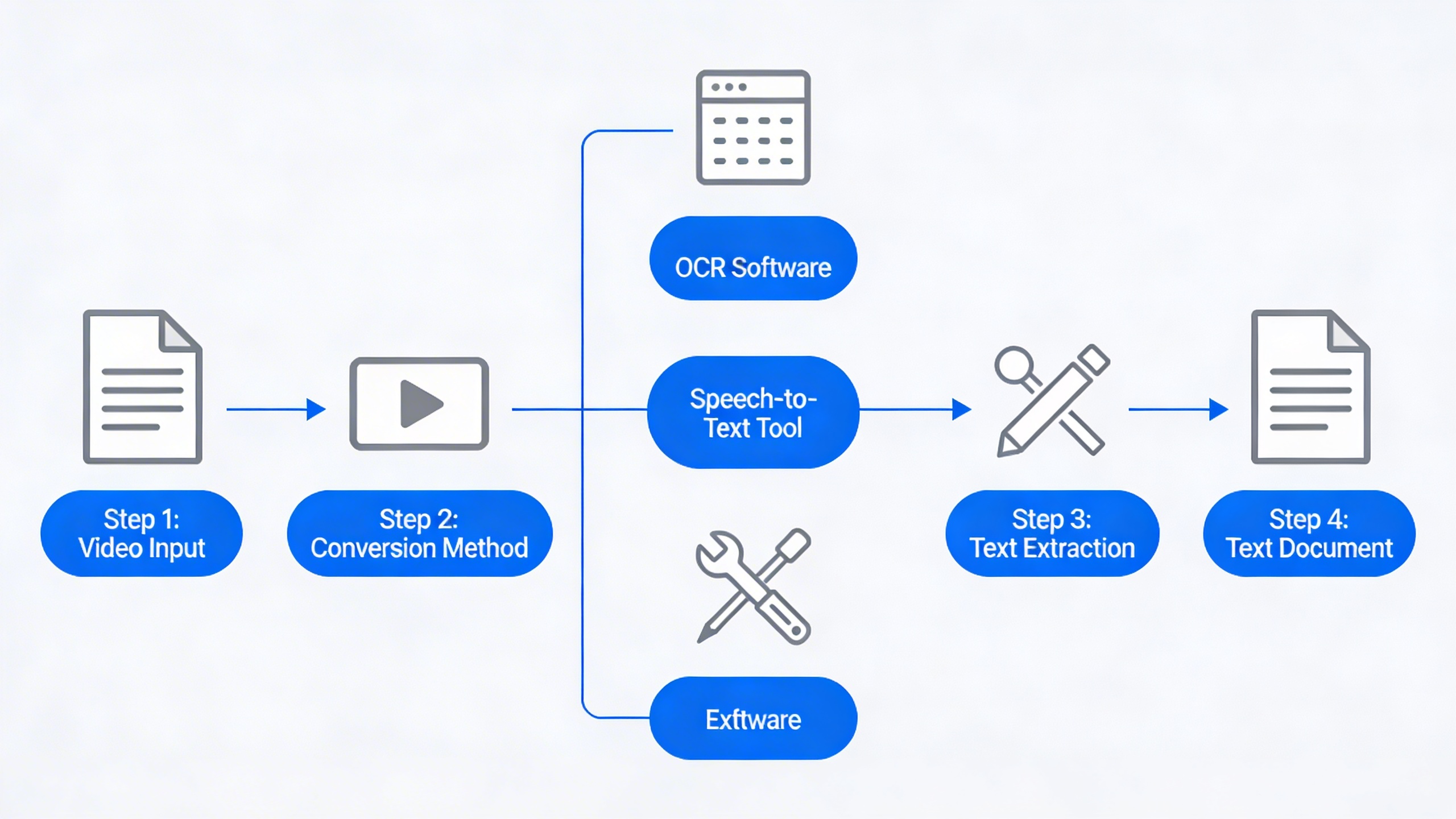
Converting video to text has evolved significantly with technological advances, offering multiple approaches to suit different needs, budgets, and accuracy requirements. Understanding the various methods available helps you choose the most effective solution for your specific video transcription project.
Automated Transcription Services
AI-powered transcription platforms represent the fastest and most cost-effective method to convert video to text for most users. These services leverage advanced speech recognition algorithms and machine learning models to automatically process audio from video files and generate written transcripts.
Modern video to text converter tools can handle multiple languages, identify different speakers, and adapt to various audio qualities. Popular platforms like Rev AI, Otter.ai, and Descript offer accuracy rates between 85-95% for clear audio recordings. For mobile users seeking a reliable solution, Sozai provides excellent AI transcription capabilities across iOS, Android, and macOS devices.
The primary advantages of automated services include rapid processing times, typically delivering results within minutes rather than hours. Most platforms support common video formats including MP4, MOV, and AVI files up to several gigabytes in size. Pricing typically ranges from $0.25 to $2.50 per minute of audio, making this method highly scalable for large projects.
However, automated transcription may struggle with heavy accents, background noise, technical terminology, or overlapping speakers. The accuracy decreases significantly when dealing with poor audio quality or specialized vocabulary that falls outside the training data.
Manual Transcription Approaches
Professional transcription services employ human transcribers who manually listen to video content and type out every spoken word. This method delivers the highest accuracy rates, typically 98-99%, making it ideal for legal proceedings, medical documentation, academic research, and other contexts where precision is paramount.
Professional services often provide additional features beyond basic video transcription, including speaker identification, timestamp insertion, formatting for specific industries, and handling of complex audio scenarios. Turnaround times usually range from 24 hours to one week, depending on video length and complexity.
For budget-conscious users, DIY manual transcription remains an option. This approach involves using basic playback software to repeatedly pause, rewind, and type out the spoken content. While time-intensive, requiring approximately 4-6 hours per hour of video content, manual transcription gives complete control over accuracy and formatting.
The main drawbacks include significantly higher costs for professional services ($1-4 per minute) and substantial time investment for self-transcription. Additionally, manual approaches may not be practical for large-scale projects or tight deadlines.
Hybrid Solutions for Best Results
Combining automated and manual editing approaches often produces the optimal balance of speed, accuracy, and cost-effectiveness. This hybrid methodology starts with AI-powered speech to text conversion, followed by human review and correction of the initial transcript.
The typical workflow involves uploading your video to an automated video to text converter, receiving the initial transcript within minutes, then systematically reviewing and editing the output. Focus areas for manual editing include proper nouns, technical terms, punctuation, speaker identification, and sections where background noise affected accuracy.
This approach can reduce manual transcription time by 60-80% while achieving accuracy levels comparable to fully manual methods. Many transcription platforms now offer built-in editing interfaces that streamline this review process, allowing users to play back specific sections while making corrections.
| Method | Accuracy | Speed | Cost Range | Best For |
|---|---|---|---|---|
| Automated | 85-95% | Minutes | $0.25-$2.50/min | High-volume, clear audio |
| Manual Professional | 98-99% | 24-168 hours | $1-$4/min | Critical accuracy needs |
| Hybrid | 95-98% | Hours | $0.50-$3/min | Balanced requirements |
For most business applications, educational content, and content creation projects, hybrid solutions provide the sweet spot between efficiency and quality. The key lies in selecting the right automated platform as your foundation, then developing an efficient editing workflow that addresses the specific challenges in your video content.
Essential Tools and Software Solutions
Selecting the right video to text converter depends on your specific needs, budget, and workflow requirements. Modern transcription solutions span across cloud platforms, desktop applications, and mobile apps, each offering distinct advantages for different use cases.
Cloud-Based Transcription Platforms
Cloud-based platforms dominate the video transcription landscape due to their powerful AI engines and seamless accessibility. These services typically offer the most accurate speech to text conversion, handling multiple speakers, background noise, and various audio qualities with sophisticated algorithms.
Leading cloud platforms process video files through advanced neural networks that continuously improve through machine learning. Most services support batch processing, allowing you to convert video to text for multiple files simultaneously. Popular features include real-time collaboration, automated speaker identification, and custom vocabulary training for industry-specific terminology.
Pricing models vary significantly among cloud providers. Pay-per-minute structures work well for occasional users, while monthly subscription plans offer better value for regular transcription needs. Enterprise solutions typically include volume discounts, dedicated support, and enhanced security features that comply with industry regulations.
Desktop Software Options
Desktop video transcription software provides greater control over your data and processing environment. These applications excel in scenarios requiring offline functionality or when handling sensitive content that cannot be uploaded to external servers.
Professional desktop solutions often integrate directly with video editing workflows, allowing seamless transitions between transcription and content creation. Many programs support custom hotkeys, automated file organization, and export formats compatible with popular editing suites and subtitle creation tools.
The main advantage of desktop software lies in data security and processing speed for local files. However, accuracy may vary compared to cloud-based alternatives, as desktop applications typically rely on smaller, locally-stored language models rather than continuously updated cloud AI systems.
Mobile Apps for On-the-Go Conversion
Mobile video to text applications have revolutionized field recording and immediate transcription needs. These apps leverage smartphone processing power and cloud connectivity to deliver surprisingly accurate results for interviews, lectures, and spontaneous content capture.
Modern mobile transcription apps support real-time processing, allowing you to see text appear as video plays. This immediate feedback proves invaluable for journalists, researchers, and students who need quick access to spoken content. Many applications also offer offline modes for situations with limited internet connectivity.
For professionals requiring reliable mobile transcription capabilities, Sozai provides comprehensive video to text conversion across iOS, Android, and macOS platforms. The app combines advanced AI processing with intuitive mobile interfaces, making it easy to convert video to text whether you’re in the office or traveling.
When evaluating mobile solutions, consider battery usage, storage requirements for temporary files, and synchronization capabilities with desktop workflows. The best mobile apps seamlessly integrate with cloud storage services and offer export options that maintain formatting and timing information.
| Platform Type | Best For | Key Advantages | Considerations |
|---|---|---|---|
| Cloud-Based | High-volume processing | Superior accuracy, collaborative features | Internet dependency, subscription costs |
| Desktop Software | Sensitive content, offline work | Data control, workflow integration | Limited AI capabilities, higher upfront costs |
| Mobile Apps | Field recording, quick conversion | Portability, real-time processing | Battery usage, smaller screen interface |
Integration capabilities play a crucial role in tool selection. Look for solutions that connect with your existing content management systems, video editing software, and collaboration platforms. APIs and webhook support enable automated workflows, while standard export formats ensure compatibility across different applications and team members.
Security considerations become paramount when handling confidential content. Evaluate encryption standards, data retention policies, and compliance certifications relevant to your industry. Many organizations require on-premises solutions or cloud services with specific security attestations to meet regulatory requirements.
Step-by-Step Video to Text Conversion Process
Converting video to text requires a systematic approach that ensures accuracy and efficiency throughout the transcription workflow. Following a structured process helps minimize errors while maximizing the quality of your final transcript, regardless of which video to text converter you choose to use.
Preparing Your Video Files
Proper file preparation significantly impacts the accuracy of your video transcription results. Start by examining your video’s audio quality, as clear speech recognition depends heavily on sound clarity. If your original video contains background noise, consider using audio enhancement software to reduce interference before beginning the conversion process.
File format optimization plays a crucial role in successful video to text conversion. Most transcription tools perform best with common formats like MP4, MOV, or AVI. However, some specialized tools may require specific codecs or bitrates. Convert your files to the recommended format using video editing software if necessary, ensuring the audio track remains uncompressed to preserve speech clarity.
Check your video’s duration and file size limitations. Many online video to text converters impose restrictions on file length or storage capacity. For longer recordings, consider splitting them into smaller segments of 10-15 minutes each, which also makes the review process more manageable and reduces the risk of losing work due to connection issues.
Choosing the Right Conversion Method
Selecting the appropriate conversion method depends on your specific requirements for accuracy, speed, and budget. Automated speech to text solutions work well for clear audio with minimal background noise and standard accents. These tools can process hours of content in minutes, making them ideal for initial drafts or when working with tight deadlines.
For content requiring higher accuracy, such as legal depositions or medical consultations, hybrid approaches combining automated transcription with human review deliver superior results. Professional transcription services typically guarantee 95-99% accuracy rates but require longer turnaround times and higher costs.
Consider the technical complexity of your content when making this decision. Videos containing specialized terminology, multiple speakers, or heavy accents may benefit from tools that allow custom vocabulary training or speaker identification features. Sozai offers advanced AI transcription capabilities that can handle complex audio scenarios while maintaining high accuracy rates across different content types.
Post-Processing and Editing
Raw transcripts from any video to text converter require careful review and editing to ensure professional quality. Begin by listening to the original audio while reading through the transcript, marking sections that need correction or clarification. Pay special attention to proper nouns, technical terms, and numbers, as these elements often require manual verification.
Implement a quality assurance workflow that includes multiple review passes. During the first pass, focus on factual accuracy and missing content. The second pass should address formatting, punctuation, and readability improvements. For collaborative projects, consider using track changes or comment features in word processing software to facilitate team review processes.
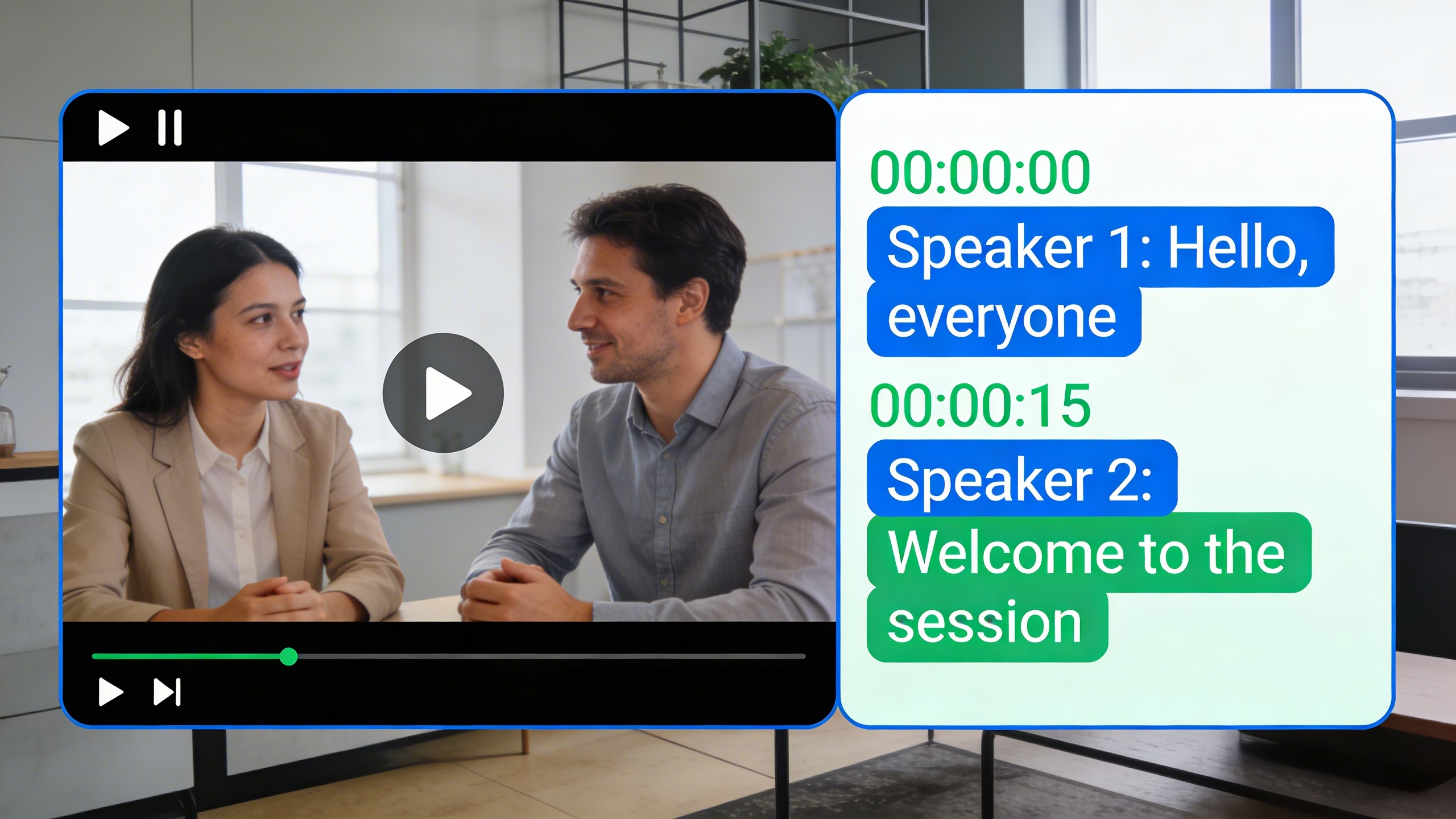
Text formatting and styling enhance the usability of your final transcript. Add speaker labels, timestamps, and paragraph breaks to improve readability. Remove filler words like “um” and “uh” unless they serve a specific purpose in your documentation. Consider creating a style guide for consistent formatting across multiple video transcription projects, especially when working with recurring content types or multiple team members.
Finally, export your completed transcript in the required format, whether that’s a simple text document, formatted PDF, or structured data file for further processing or integration with other systems.
Optimizing Accuracy and Quality
Achieving high-quality video transcription requires strategic preparation and understanding of common challenges that affect accuracy. While modern video to text converter tools have made significant advances, the quality of your input and configuration choices directly impact the final results.
Pre-Conversion Audio Enhancement
Audio quality serves as the foundation for successful video to text conversion. Before processing your content, implement noise reduction techniques to eliminate background interference. Use audio editing software to remove constant background hum, air conditioning noise, or traffic sounds that can confuse speech recognition algorithms.
Normalize audio levels across your entire video to ensure consistent volume throughout the recording. When multiple speakers have varying distances from microphones, this preprocessing step becomes particularly crucial. Consider applying a high-pass filter to remove low-frequency rumble and a gentle compressor to balance dynamic range without creating artifacts.
For videos with poor audio quality, enhance clarity by boosting frequencies in the 1-4 kHz range where human speech intelligibility peaks. However, avoid over-processing, as excessive enhancement can introduce distortions that actually reduce video transcription accuracy.
Speaker Identification and Timestamps
Multi-speaker scenarios present unique challenges for video to text conversion. Modern transcription tools can distinguish between different voices, but optimal results require proper setup and realistic expectations about accuracy rates.
When preparing content with multiple speakers, ensure clear separation between voices whenever possible. Overlapping speech significantly reduces accuracy, so consider editing to minimize simultaneous talking. Speaker diarization works best when participants have distinctly different vocal characteristics in terms of pitch, pace, and accent.
Configure your chosen video to text converter to include timestamps at regular intervals, typically every 30-60 seconds for long-form content. This practice facilitates easier editing and verification while providing reference points for quality control. Some advanced platforms automatically insert speaker labels and can maintain consistent identification throughout lengthy recordings.
Handling Technical Terminology and Accents
Industry-specific vocabulary poses significant challenges for standard speech to text algorithms. Medical terminology, legal jargon, technical specifications, and specialized acronyms often require custom vocabulary training or manual correction during post-processing.
Create custom word lists containing frequently used technical terms specific to your field. Many professional transcription platforms allow vocabulary customization, which dramatically improves accuracy for specialized content. When working with scientific or technical videos, consider using tools that offer domain-specific language models trained on relevant terminology.
Accent and dialect variations require different approaches depending on the severity of deviation from standard pronunciation patterns. Regional accents generally pose fewer challenges than heavy foreign accents or non-native speakers with limited fluency. For challenging accent scenarios, consider using multiple transcription engines and comparing results to identify the most accurate output.
When dealing with heavy accents, slower speech rates often improve recognition accuracy. If possible during recording, encourage speakers to articulate clearly and maintain consistent pacing. For existing content, some video transcription tools offer accent-specific models that perform better with particular linguistic variations.
Professional transcription solutions like Sozai incorporate advanced AI models specifically designed to handle diverse accents and technical terminology, making them valuable tools for challenging conversion scenarios where accuracy is paramount.
Common Use Cases and Applications
Video transcription has become an essential tool across numerous industries, with organizations discovering innovative ways to leverage video to text conversion for improved accessibility, content creation, and documentation. Understanding these practical applications helps identify the most effective approaches for your specific needs.
Content Creation and Marketing
Digital marketers and content creators rely heavily on video transcription to maximize their content’s reach and impact. Converting video to text enables the transformation of webinars, podcasts, and video interviews into comprehensive blog posts, reaching audiences who prefer written content. Marketing teams frequently use video to text converters to create social media captions, email newsletter content, and SEO-optimized articles from existing video assets.
Video transcription also supports multilingual content strategies, where transcripts serve as the foundation for translations into multiple languages. Content creators often repurpose single video recordings into multiple formats: blog posts, infographics, social media snippets, and downloadable guides, significantly expanding their content library without additional filming.
Educational and Training Materials
Educational institutions and corporate training departments have embraced speech to text technology to enhance learning accessibility and compliance. Universities convert lecture recordings into searchable transcripts, enabling students to review specific concepts quickly and accommodating learners with hearing impairments or language barriers.
Corporate training programs benefit from video transcription by creating comprehensive course materials from recorded sessions. Training coordinators can generate study guides, reference documents, and assessment materials directly from video content. Online learning platforms particularly value this capability, as searchable transcripts improve course navigation and student engagement rates.
Professional development webinars and certification courses often require detailed documentation for accreditation purposes, making accurate video to text conversion essential for maintaining educational standards and regulatory compliance.
Legal and Business Documentation
Legal professionals depend on precise video transcription for depositions, court proceedings, and client consultations. Law firms use specialized video to text converters that maintain speaker identification and timestamp accuracy, ensuring transcripts meet legal documentation standards. These transcripts become critical evidence and reference materials for case preparation.
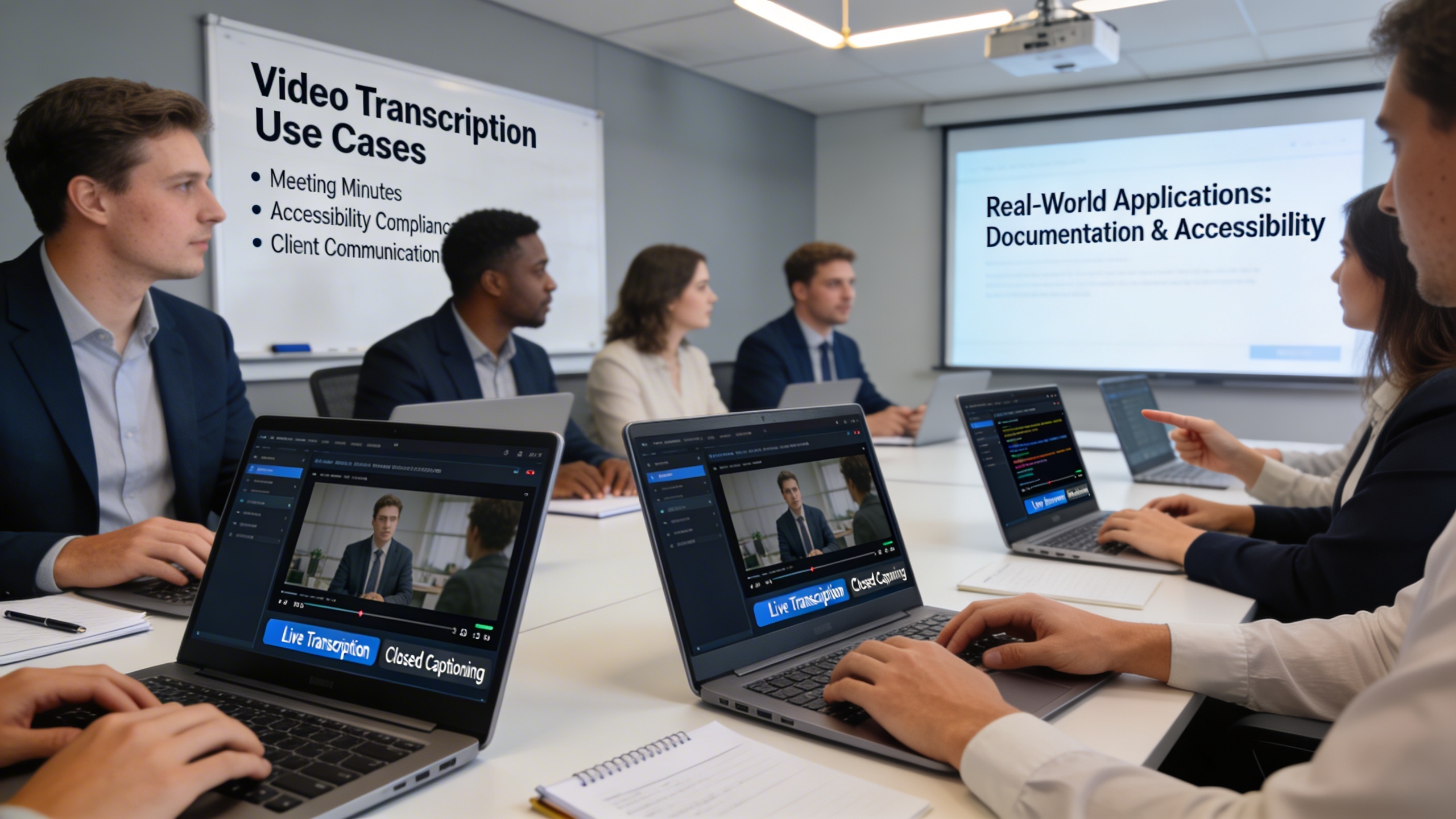
Business meetings, board sessions, and client interviews require detailed documentation for compliance and strategic planning. Companies convert video recordings to text to create official meeting minutes, track decision-making processes, and maintain regulatory compliance records. Remote work environments have particularly increased demand for meeting transcription services, as teams need accessible records of virtual discussions.
Market research firms transcribe focus groups and customer interviews to identify trends and insights, while HR departments document performance reviews and training sessions. These applications demonstrate how video transcription extends beyond simple convenience to become a fundamental business process supporting legal protection, knowledge management, and strategic decision-making.
Best Practices and Troubleshooting
Successful video transcription extends beyond simply running your content through a video to text converter. Implementing systematic quality control measures and anticipating common challenges ensures consistent, professional results across all your transcription projects.
Quality Control Guidelines
Effective proofreading begins during the initial review phase. Listen to your original audio while reading the generated transcript simultaneously, marking sections where the speech to text output doesn’t match the spoken content. Focus on technical terminology, proper nouns, and industry-specific jargon that automated systems commonly misinterpret.
Develop a standardized checklist that includes speaker identification verification, timestamp accuracy, and formatting consistency. When working with multiple video files, maintain a glossary of frequently used terms and their correct spellings to streamline future corrections. This systematic approach reduces proofreading time while improving overall transcript quality.
Common Challenges and Solutions
Audio quality issues represent the most frequent obstacle in video transcription workflows. Background noise, overlapping speakers, and poor recording conditions can significantly impact accuracy. Address these challenges by preprocessing your audio files through noise reduction software before running them through your video to text converter.
Speaker accent variations and rapid speech patterns often cause transcription errors. When encountering these issues, consider breaking longer videos into smaller segments for more focused processing. Many professionals find that 10-15 minute chunks produce better results than attempting to convert video to text for entire hour-long presentations in single batches.
Technical terminology and industry-specific vocabulary frequently appear as garbled text in automated transcriptions. Create custom dictionaries within your transcription software and train the system on domain-specific content to improve recognition rates over time.
Future-Proofing Your Transcription Workflow
Modern video transcription technology evolves rapidly, with new AI capabilities emerging regularly. Structure your workflow around flexible, cloud-based solutions that receive automatic updates rather than legacy desktop software with limited upgrade paths.
Implement automation wherever possible to reduce manual intervention. Set up batch processing for routine transcription tasks, establish automatic file organization systems, and create template workflows for different content types. This preparation ensures your processes remain efficient as transcription technology advances.
Consider investing in platforms that offer API integration capabilities, allowing you to connect your video to text conversion process with other business tools. This integration approach creates scalable workflows that adapt to changing technology requirements while maintaining consistent output quality.

