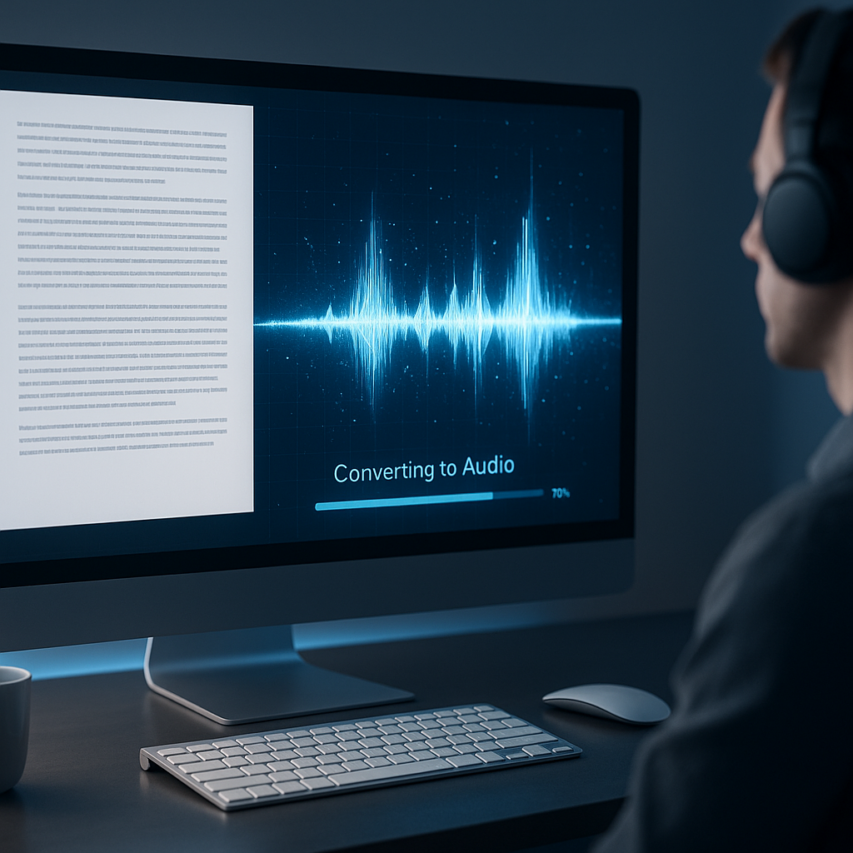
Text to voice technology has revolutionized how we consume written content, transforming static text into dynamic, spoken narratives that reach audiences in entirely new ways. Whether you’re creating audiobooks, making content accessible to visually impaired users, or simply want to multitask while absorbing information, the ability to convert text to voice has become an indispensable tool in our digital toolkit. What once required expensive studio equipment and professional voice actors can now be accomplished with sophisticated AI-powered platforms that produce remarkably natural-sounding speech.
The evolution from mechanical, robotic voices to today’s AI-driven systems represents a quantum leap in quality and accessibility. Modern text to voice conversion technology leverages advanced neural networks and machine learning algorithms to create speech that captures human-like intonation, emotion, and rhythm. These systems can now handle complex pronunciation, adjust pacing naturally, and even adapt tone based on context, making it nearly impossible to distinguish AI-generated speech from human narration.
This comprehensive guide will walk you through everything you need to know about transforming text to voice effectively. You’ll discover the various types of voice conversion solutions available, learn how to choose the right tools for your specific needs, explore professional applications across industries, and master techniques for optimizing voice output quality to achieve professional-grade results.
Understanding Text-to-Voice Technology
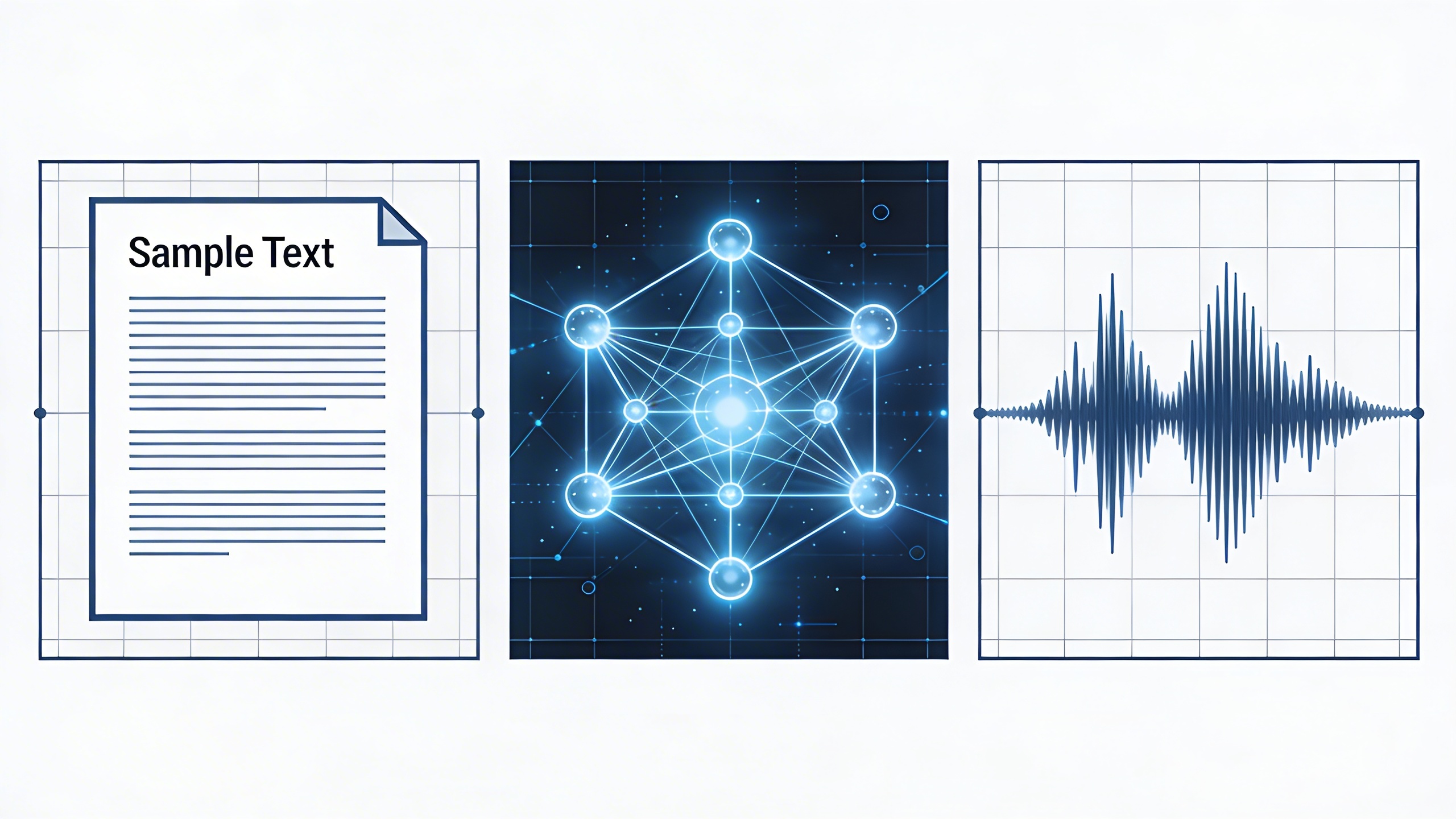
Text-to-voice technology represents one of the most significant advances in human-computer interaction, enabling seamless conversion of written content into natural-sounding speech. This sophisticated process involves multiple layers of linguistic analysis, phonetic interpretation, and audio synthesis to transform text to voice with remarkable accuracy and clarity.
How Text-to-Speech Engines Work
The journey to convert text to voice begins with text analysis, where the engine parses written content to understand context, punctuation, and formatting cues. Modern TTS systems employ natural language processing to identify sentence boundaries, abbreviations, and special characters that influence pronunciation and pacing.
During the linguistic processing phase, the system performs phonetic analysis to determine how each word should sound. This involves breaking down text into phonemes—the smallest units of sound—and applying pronunciation rules based on language patterns and exceptions. The engine also analyzes syntax and semantics to understand emphasis, intonation, and emotional context.
The final stage involves audio synthesis, where the processed linguistic data gets converted into actual sound waves. This process requires precise timing coordination to ensure smooth transitions between phonemes while maintaining natural rhythm and prosody that makes speech intelligible and pleasant to hear.
Neural Networks vs Traditional Synthesis
Traditional concatenative synthesis relied on pre-recorded speech segments stored in extensive databases. These systems would splice together phonemes, syllables, or words to create continuous speech. While functional, this approach often produced robotic-sounding output with noticeable breaks between concatenated segments.
Neural network-based synthesis has revolutionized how we transform text to voice by learning speech patterns from massive datasets of human speech. These deep learning models can generate speech that captures subtle nuances like breathing patterns, emotional inflection, and speaker-specific characteristics that make synthetic voices nearly indistinguishable from human speech.
WaveNet and similar neural architectures process text into voice by modeling the probability distribution of audio waveforms directly. This approach enables the generation of highly natural speech with proper prosody, stress patterns, and contextual understanding that adapts to different content types and speaking styles.
| Technology Type | Voice Quality | Processing Speed | Resource Requirements |
|---|---|---|---|
| Traditional Concatenative | Robotic, segmented | Fast | Low |
| Neural Networks | Natural, fluid | Moderate | High |
| Hybrid Systems | Balanced quality | Variable | Moderate |
Voice Quality and Naturalness Factors
Several key metrics determine the effectiveness of text to voice conversion systems. Intelligibility measures how clearly listeners can understand the synthesized speech, while naturalness evaluates how human-like the voice sounds to the average listener.
Prosody plays a crucial role in voice quality, encompassing rhythm, stress, and intonation patterns that convey meaning beyond individual words. Advanced TTS engines analyze punctuation, sentence structure, and context clues to apply appropriate prosodic features that enhance comprehension and listener engagement.
Voice consistency ensures that the synthetic speaker maintains stable characteristics throughout longer passages. This includes consistent pronunciation of similar words, appropriate pacing for different content types, and maintaining the selected voice persona without unexpected variations that could distract listeners.
Emotional expressiveness has become increasingly important as text to voice conversion systems advance. Modern engines can detect sentiment in written content and adjust vocal delivery accordingly, adding appropriate emotional coloring to match the intended tone of the original text.
The quality of training data significantly impacts final voice output. Systems trained on diverse, high-quality speech datasets from multiple speakers and contexts produce more robust and adaptable voices capable of handling various content types, from technical documentation to creative storytelling, with appropriate vocal styling for each use case.
Types of Text-to-Voice Solutions
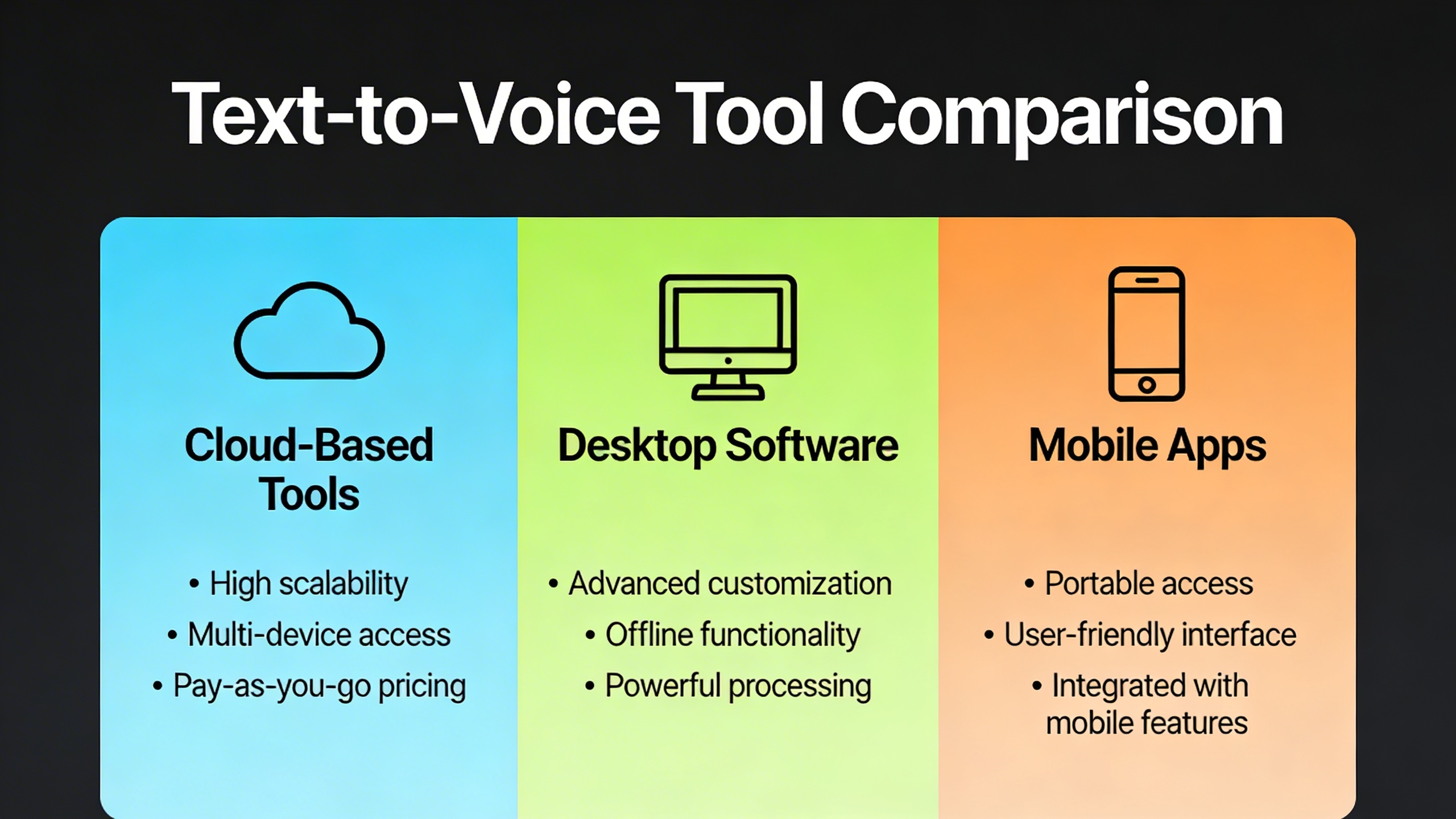
The text to voice landscape offers diverse solutions tailored to different user needs, from individual accessibility requirements to enterprise-scale content creation. Understanding the strengths and limitations of each platform type helps you choose the most effective approach to convert text to voice for your specific use case.
Cloud-Based Voice Services
Cloud-based platforms represent the cutting edge of text to voice conversion technology, leveraging powerful neural networks and machine learning algorithms hosted on remote servers. Services like Amazon Polly, Google Cloud Text-to-Speech, and Microsoft Azure Cognitive Services deliver exceptional voice quality with minimal local resource requirements.
These platforms excel in scalability and voice variety, offering dozens of languages and regional accents. The ability to transform text to voice in real-time makes them ideal for applications requiring immediate speech synthesis, such as customer service chatbots or dynamic content delivery systems. However, they require consistent internet connectivity and typically operate on pay-per-use pricing models that can become expensive for high-volume applications.
Integration capabilities are particularly strong, with robust APIs that allow developers to embed text into voice functionality directly into mobile apps, websites, and enterprise software. Most cloud services also provide SSML (Speech Synthesis Markup Language) support for fine-tuning pronunciation, emphasis, and speaking pace.
Desktop Software Applications
Desktop applications offer a middle ground between cloud services and browser-based tools, providing reliable offline functionality with more advanced features than typical web solutions. These programs store voice models locally, ensuring consistent performance regardless of internet connectivity.
Popular desktop solutions include NaturalReader, Balabolka, and Voice Dream Reader, each offering unique strengths in different scenarios. Many desktop applications excel in document handling, supporting various file formats including PDFs, Word documents, and ePubs. This makes them particularly valuable for students, researchers, and professionals who need to convert lengthy documents into audio format.
The cost structure typically involves one-time purchases or annual subscriptions, making them economical for regular users. Advanced desktop applications often include batch processing capabilities, allowing users to queue multiple documents for text to voice conversion during off-peak hours.
Browser Extensions and Web Tools
Browser extensions and web-based tools provide the most accessible entry point into text to voice technology, requiring no software installation while offering immediate functionality across websites and web applications. Extensions like Read&Write, Voice Dream Reader, and built-in browser accessibility features make it simple to convert any web content into spoken audio.
These solutions particularly shine in educational and accessibility contexts, where users need quick access to text to voice conversion while browsing research materials, news articles, or online documentation. Many extensions integrate seamlessly with popular websites, automatically detecting text content and providing one-click voice conversion.
Web-based tools often operate on freemium models, offering basic text into voice functionality at no cost while charging for premium features like additional voices, faster processing, or extended usage limits. This approach makes them ideal for occasional users or those exploring text to voice conversion before committing to more comprehensive solutions.
The main limitation involves dependency on internet connectivity and potential privacy concerns when processing sensitive text through third-party servers. However, the convenience and immediate availability make browser-based solutions invaluable for quick text to voice conversion needs across diverse online content.
Choosing the Right Voice Conversion Tool
Selecting the optimal text to voice solution requires careful evaluation of your specific needs, budget constraints, and quality expectations. With dozens of platforms available, understanding which features truly matter for your use case will save both time and money while ensuring you get the best possible results when you convert text to voice.
Essential Features to Consider
When evaluating text to voice conversion platforms, prioritize features that directly impact your workflow efficiency. Real-time processing capabilities enable immediate audio generation, while batch conversion tools handle multiple documents simultaneously. Look for platforms that support various input formats including plain text, PDFs, and web content.
Advanced customization options significantly enhance output quality. Voice speed controls let you adjust playback rates for different audiences, while pronunciation dictionaries ensure technical terms and proper names sound accurate. Integration capabilities with existing tools like content management systems or productivity apps streamline your workflow when you need to transform text to voice regularly.
Consider platforms that offer API access if you plan to integrate voice conversion into custom applications or automated workflows. Cloud-based solutions provide scalability and cross-device synchronization, while offline capabilities ensure functionality without internet connectivity.
Voice Quality and Language Support
Voice quality remains the most critical factor in text into voice conversion success. Neural-based voices deliver more natural intonation and emotional expression compared to traditional concatenative synthesis. Test platforms with your actual content to evaluate clarity, pronunciation accuracy, and overall listening experience.
Language support extends beyond simple availability to include regional accents, dialects, and cultural nuances. Platforms offering multiple voice options per language provide flexibility for different content types and target audiences. Some advanced solutions support code-switching for multilingual documents, automatically detecting language changes within the same text.
Evaluate voice customization options such as pitch adjustment, speaking style modification, and emotional tone controls. These features prove invaluable for creating consistent brand voice across different content types or matching specific audience preferences.
Pricing Models and Value Assessment
Text to voice conversion platforms typically offer subscription-based, pay-per-use, or freemium pricing models. Subscription plans work best for regular users with predictable volume needs, while pay-per-use options suit occasional users or those with fluctuating requirements.
Calculate total cost of ownership by considering character limits, voice options included, and additional feature access. Some platforms charge separately for premium voices or advanced features, while others bundle everything into tier-based pricing. Factor in potential overage charges if your usage patterns vary significantly.
Free tiers often provide adequate functionality for basic text to voice conversion needs, but typically include limitations on voice quality, usage volume, or commercial rights. Evaluate whether these restrictions align with your intended use cases before committing to a platform.
Consider the long-term value proposition by assessing platform stability, update frequency, and customer support quality. Platforms with active development cycles and responsive support teams provide better investment protection as your needs evolve over time.
Professional Applications and Use Cases
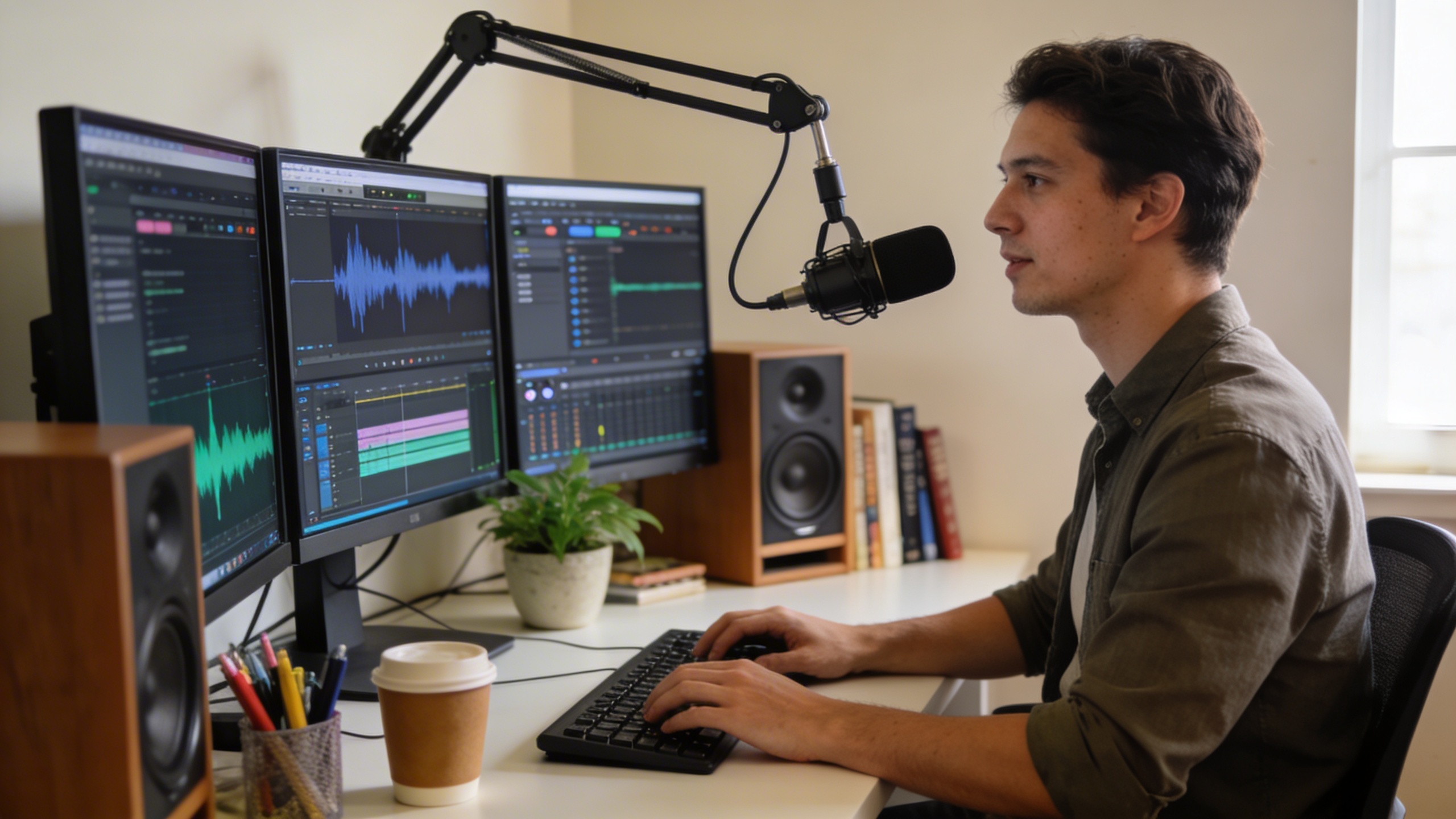
Modern text to voice technology has revolutionized how professionals across industries create, share, and consume content. From marketing campaigns to educational materials, the ability to convert text to voice opens new possibilities for engagement, accessibility, and efficiency in professional environments.
Content Creation and Marketing
Marketing professionals increasingly rely on text to voice conversion to scale their content production and reach broader audiences. Podcasters use these tools to transform written scripts into natural-sounding audio content, while social media managers convert blog posts into engaging audio clips for platforms like Instagram Stories and LinkedIn posts.
Video creators benefit significantly from text into voice technology when producing explainer videos, tutorials, and promotional content. Instead of recording multiple takes or hiring voice talent, content teams can generate consistent, professional narration that maintains brand voice across all materials. E-learning course developers particularly value this capability, as they can quickly update audio content when course materials change without scheduling new recording sessions.
Email marketers are discovering innovative applications by converting newsletters into audio versions, allowing subscribers to consume content during commutes or workouts. This multi-modal approach increases engagement rates and provides additional touchpoints with audiences who prefer audio consumption.
Accessibility and Educational Applications
Educational institutions and corporate training departments leverage text to voice conversion to meet accessibility requirements and enhance learning outcomes. Students with dyslexia, visual impairments, or reading difficulties benefit from having textbooks, research papers, and assignment instructions converted into clear, natural speech.
Universities use these tools to transform text into voice for online course materials, ensuring compliance with accessibility standards like WCAG 2.1. This approach not only supports students with disabilities but also accommodates different learning preferences, as many students retain information better through auditory processing.
Corporate training programs utilize text to voice technology to create consistent training materials across global teams. HR departments can convert policy documents, safety procedures, and onboarding materials into audio formats, making information accessible to employees regardless of their reading proficiency or native language background.
Business Communication Enhancement
Professional service firms are integrating text to voice conversion into their client communication strategies. Legal practices convert complex contract summaries into clear audio explanations, while financial advisors transform market reports into digestible audio briefings for busy clients.
Sales teams use these tools to create personalized audio messages from written proposals, adding a human touch to digital communications. This approach helps build stronger client relationships while maintaining the efficiency of automated outreach systems.
Remote work environments particularly benefit from text to voice technology for meeting preparation and follow-up. Team leaders can convert meeting agendas into audio files for review during commutes, while project managers transform text into voice for status updates that team members can consume hands-free during other tasks.
Customer service departments implement these solutions to create consistent audio responses for frequently asked questions, reducing call volume while providing immediate assistance. Technical support teams convert troubleshooting guides into step-by-step audio instructions, helping customers resolve issues more effectively.
The productivity gains from professional text to voice applications extend beyond individual efficiency. Organizations report improved information retention, increased accessibility compliance, and enhanced communication effectiveness when implementing these technologies strategically across their operations.
Optimizing Voice Output Quality
The difference between robotic-sounding speech and natural, engaging audio lies in how you optimize your text to voice conversion process. Quality output depends on both proper input preparation and strategic use of customization features available in modern voice synthesis tools.
Text Formatting Best Practices
Before you convert text to voice, proper formatting significantly impacts the final audio quality. Start by removing unnecessary formatting elements like excessive punctuation, special characters, and complex abbreviations that confuse voice engines. Break long sentences into shorter, digestible chunks using natural pause points.
Numbers require special attention during text to voice conversion. Write out dates, phone numbers, and measurements in full rather than using numerical shortcuts. For example, use “twenty twenty-four” instead of “2024” and “fifty percent” rather than “50%” to ensure accurate pronunciation. Acronyms should be spelled out on first use, followed by the abbreviated form in parentheses.
Consider your audience when preparing content. Technical jargon and industry-specific terms may need phonetic spelling guides or simplified alternatives. This preprocessing step ensures your text into voice transformation produces clear, understandable speech that resonates with listeners.
Voice Speed and Tone Adjustments
Modern text to voice conversion tools offer extensive customization options that dramatically improve output quality. Speech rate adjustment is crucial for matching your content’s purpose—slower speeds work better for educational content, while faster rates suit casual conversations or summaries.
Tone and emphasis controls allow you to transform text to voice with emotional nuance. Many platforms provide options for adjusting pitch variation, stress patterns, and breathing pauses. Experiment with different voice personalities to find the best match for your content type and target audience.
Advanced systems offer SSML (Speech Synthesis Markup Language) support, enabling granular control over pronunciation, pauses, and emphasis. This markup language helps you fine-tune how specific words or phrases sound when you convert text to voice, ensuring critical information receives appropriate vocal emphasis.
Audio Export and File Management
Selecting appropriate output formats impacts both quality and compatibility across different platforms. WAV files provide the highest audio quality but create larger file sizes, making them ideal for professional applications. MP3 formats offer good quality with smaller file sizes, perfect for web distribution or mobile applications.
Consider your intended use case when choosing audio specifications. Podcast distribution typically requires 44.1 kHz sampling rates, while voice-over work may need higher quality settings. Many text to voice conversion platforms allow bitrate customization, enabling you to balance file size with audio fidelity.
Organize your audio files with descriptive naming conventions that include content type, voice selection, and creation date. This systematic approach becomes invaluable when managing multiple voice projects or when you need to recreate specific audio outputs later.
Batch processing capabilities in professional tools can significantly streamline your workflow when converting large volumes of content. Set up templates with your preferred voice settings, speed adjustments, and export formats to maintain consistency across multiple text to voice conversion projects while saving valuable time.
Advanced Voice Conversion Techniques
Moving beyond basic text to voice conversion, advanced techniques unlock powerful customization and automation capabilities that transform how organizations handle large-scale voice projects. These sophisticated approaches enable businesses to maintain consistency while dramatically improving efficiency across their voice content workflows.
Custom Voice Training and Cloning
Custom voice training represents the pinnacle of text to voice personalization, allowing organizations to create unique vocal identities that align with their brand. This process involves training AI models on specific voice samples to replicate distinctive speech patterns, accents, and tonal qualities. Companies can convert text to voice using a CEO’s actual voice for internal communications or develop signature voices for podcast series and audiobook narrations.
The voice cloning process typically requires 10-30 minutes of high-quality audio samples from the target speaker. Advanced platforms then analyze vocal characteristics including pitch variations, speaking rhythm, and pronunciation patterns. Once trained, these custom models can transform text into voice content that maintains remarkable consistency with the original speaker’s style, even for content they never actually recorded.
Batch Processing and Automation
Efficient text to voice conversion at scale demands robust batch processing capabilities that handle multiple documents simultaneously. Modern automation systems can process hundreds of files overnight, converting entire document libraries into voice content while maintaining quality standards. This approach proves invaluable for educational institutions converting textbooks, publishing companies creating audiobook versions, or corporations developing training materials.
Automated workflows can include intelligent preprocessing that formats text appropriately, applies consistent voice settings across projects, and organizes output files according to predefined naming conventions. Many platforms offer scheduling features that allow organizations to queue conversion jobs during off-peak hours, optimizing resource utilization while ensuring timely delivery of voice content.
Integration with Workflow Tools
API integration capabilities enable seamless incorporation of text to voice conversion into existing business workflows. Content management systems can automatically trigger voice generation when new articles are published, while customer service platforms can convert support documentation into audio format for accessibility compliance. These integrations eliminate manual intervention and ensure consistent voice content delivery.
Popular workflow integrations include connecting with project management tools like Asana or Trello, where task descriptions can automatically convert text into voice updates for team members. Document platforms such as Google Workspace or Microsoft 365 can leverage APIs to transform text to voice content directly within familiar editing environments, streamlining the content creation process for teams that regularly produce both written and audio materials.
Advanced webhook configurations allow real-time processing triggers, ensuring that voice conversion happens automatically as content moves through approval workflows, maintaining project momentum while reducing manual oversight requirements.
Future of Text-to-Voice Technology
The landscape of text to voice technology stands at a transformative crossroads, with artificial intelligence driving unprecedented advances in speech synthesis quality and accessibility. Organizations investing in voice conversion capabilities today must understand both current capabilities and emerging trends to make strategic decisions that will remain relevant as the technology evolves.
Emerging AI Developments
Neural network architectures are revolutionizing how systems convert text to voice, moving beyond traditional concatenative synthesis toward models that understand context, emotion, and speaker characteristics. Large language models now power voice synthesis engines that can adapt speaking styles mid-sentence, adjust emotional tone based on content analysis, and generate speech that captures subtle linguistic nuances previously impossible to achieve.
Real-time voice cloning capabilities are becoming mainstream, allowing users to transform text to voice using personalized vocal characteristics with minimal training data. These developments enable content creators to maintain consistent brand voices across multiple languages and platforms while reducing production costs significantly.
Industry Trends and Predictions
The text to voice conversion market is experiencing rapid consolidation around cloud-based platforms that offer scalable processing power and continuous model improvements. Enterprise adoption is shifting toward integrated solutions that combine transcription, translation, and voice synthesis within unified workflows.
Accessibility regulations are driving widespread implementation of voice technology across digital platforms, creating new opportunities for businesses to enhance user experiences. Educational institutions are increasingly adopting text into voice solutions for personalized learning experiences, while healthcare organizations leverage these tools for patient communication and documentation workflows.
Voice synthesis quality is approaching human-level naturalness, with emerging models capable of generating speech indistinguishable from human speakers in controlled environments. This advancement opens new possibilities for audiobook production, virtual assistants, and interactive media applications.
Preparing for Voice Technology Evolution
Organizations should prioritize flexible integration strategies that accommodate evolving API standards and emerging voice formats. Building workflows around open standards ensures compatibility with future text to voice conversion technologies while avoiding vendor lock-in scenarios.
Investment in voice data management becomes crucial as organizations accumulate large libraries of synthesized content. Establishing clear governance frameworks for voice assets, including quality metrics and usage rights, positions businesses to leverage advanced capabilities as they become available.
Training teams on voice technology fundamentals creates internal expertise necessary for evaluating new solutions and optimizing implementation strategies. Understanding both technical capabilities and creative applications enables organizations to maximize their return on voice technology investments while staying ahead of industry developments.

