The ability to convert sound to text has revolutionized how we capture, process, and share spoken information in our increasingly digital world. Whether you’re recording a business meeting, conducting interviews, creating content, or simply need to transform audio files into searchable documents, audio transcription technology has become an indispensable tool for professionals, students, and content creators alike. This powerful speech recognition capability transforms hours of audio into accurate written text within minutes, eliminating the tedious manual process of typing while listening.
Modern voice to text solutions leverage advanced artificial intelligence to deliver remarkable accuracy across multiple languages, accents, and audio qualities. From automatic meeting transcriptions to podcast subtitles, sound conversion technology now powers everything from accessibility features to professional documentation workflows. The applications span industries, enabling journalists to transcribe interviews, researchers to analyze recorded data, and businesses to create searchable archives of their audio content.
This comprehensive guide explores every aspect of sound to text technology, from understanding the underlying speech recognition principles to selecting the optimal solution for your specific needs. You’ll discover proven methods for preparing audio files, advanced features that enhance accuracy, real-world industry applications, and expert techniques for maximizing transcription quality across any use case.
Understanding Sound to Text Technology
Sound to text technology has revolutionized how we capture, process, and interact with spoken content. From business meetings to academic lectures, this technology transforms audio signals into readable text, making information more accessible and searchable than ever before.
What is Audio Transcription
Audio transcription is the process of converting spoken words from audio recordings into written text. This fundamental technology serves as the backbone for countless applications, from creating meeting minutes to generating subtitles for videos. The process involves analyzing sound waves, identifying speech patterns, and translating these patterns into corresponding written words.
Modern audio transcription extends far beyond simple dictation. Today’s systems can distinguish between multiple speakers, identify different accents and dialects, and even capture contextual nuances like tone and emphasis. The accuracy of transcription depends on several factors including audio quality, speaker clarity, background noise levels, and the sophistication of the underlying technology.
Professional transcription services have traditionally relied on human transcribers who manually listen to recordings and type out the content. However, artificial intelligence has dramatically transformed this landscape, enabling faster processing times and improved accuracy rates that often exceed 95% for high-quality audio.
How Voice Recognition Works
Voice recognition technology operates through a complex multi-stage process that begins the moment sound waves reach a microphone. The system first converts analog audio signals into digital data, creating a detailed representation of the sound’s frequency, amplitude, and timing characteristics.
The core of speech recognition lies in pattern matching algorithms that compare incoming audio against vast databases of known speech patterns. These systems use machine learning models trained on millions of hours of spoken language to identify phonemes—the smallest units of sound that distinguish one word from another. Advanced algorithms then combine these phonemes into words, considering context and grammar rules to ensure accurate interpretation.
Modern voice to text systems employ neural networks that can adapt to individual speaking styles, accents, and vocabulary preferences. This adaptive capability allows the technology to improve accuracy over time as it learns from user interactions and corrections.
Types of Sound to Text Conversion
Sound conversion methods fall into two primary categories, each serving different use cases and requirements. Understanding these distinctions helps users choose the most appropriate solution for their specific needs.
Automatic versus Manual Transcription represents the fundamental divide in transcription approaches. Automatic transcription uses artificial intelligence and machine learning algorithms to process audio without human intervention. These systems excel at handling large volumes of content quickly and cost-effectively, making them ideal for routine tasks like meeting notes or voice memos.
Manual transcription involves human transcribers who listen to audio recordings and type out the content word-by-word. While slower and more expensive, manual transcription often achieves higher accuracy for complex audio with multiple speakers, technical terminology, or poor audio quality. Many organizations use hybrid approaches that combine automatic transcription with human review for optimal results.
Real-time versus Batch Processing defines how quickly transcription occurs relative to the original speech. Real-time transcription processes audio as it happens, enabling live captions for presentations, instant meeting notes, or immediate voice commands. This approach requires significant computational power but provides immediate results that enhance accessibility and user experience.
Batch processing handles pre-recorded audio files, allowing systems to analyze the entire recording before generating transcripts. This method often produces higher accuracy since algorithms can consider the full context of the conversation, including references to earlier topics and speaker identification patterns.
The choice between these approaches depends on specific requirements such as speed, accuracy needs, budget constraints, and technical infrastructure. Many modern platforms offer both options, allowing users to select the most appropriate method for each situation.
Sound to Text Methods and Approaches
Converting sound to text involves several distinct methodologies, each with unique advantages depending on your specific requirements. Understanding these approaches helps you choose the most effective solution for your audio transcription needs, whether you’re processing business meetings, academic lectures, or personal voice notes.
Automatic Speech Recognition (ASR)
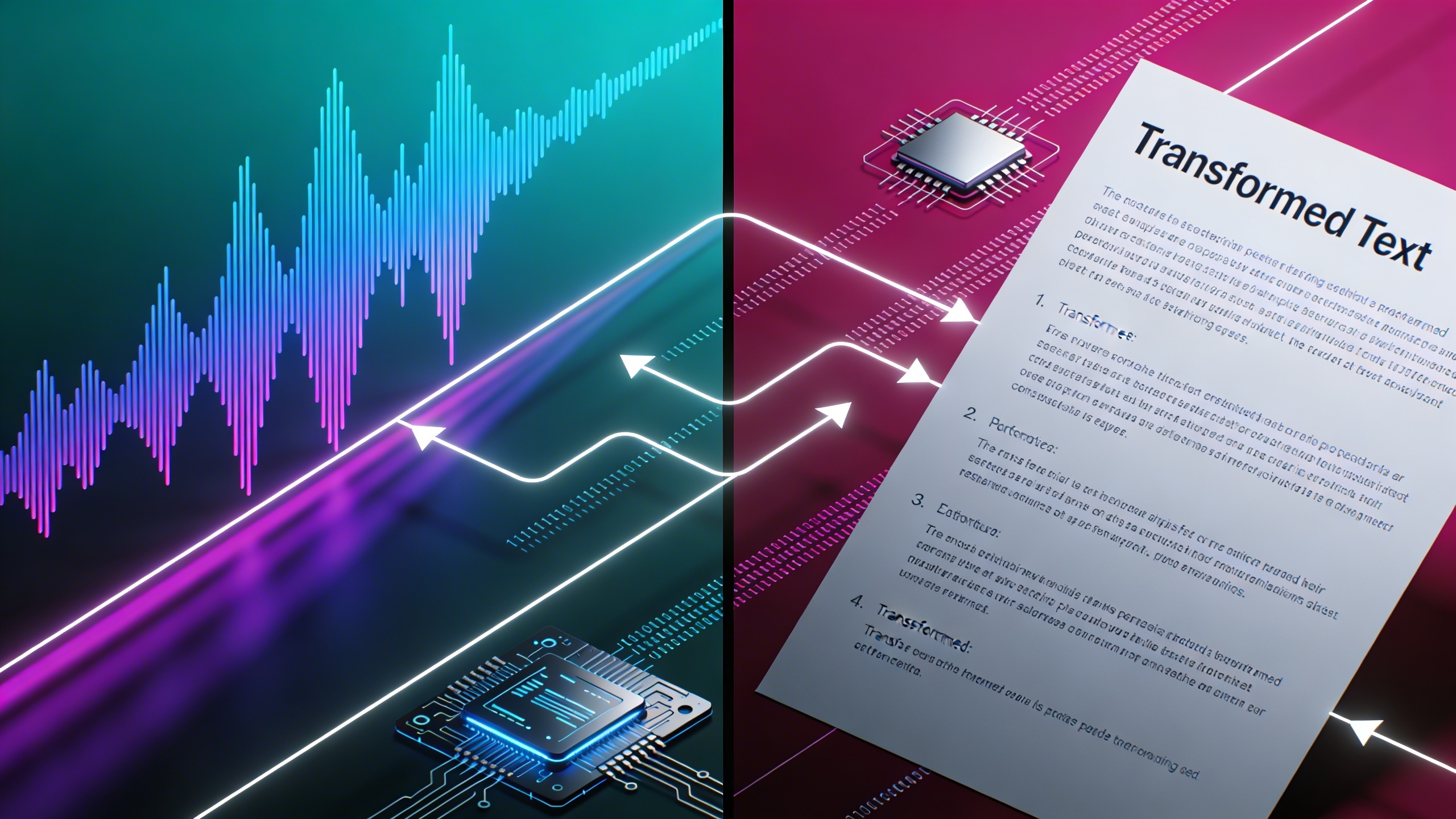
Modern AI-powered transcription systems represent the fastest and most scalable approach to sound conversion. These sophisticated algorithms analyze audio waveforms, identify speech patterns, and convert spoken words into written text within seconds. Leading ASR technologies achieve accuracy rates exceeding 95% under optimal conditions, making them suitable for most professional applications.
The primary advantages of automated speech recognition include real-time processing capabilities, consistent availability, and cost-effectiveness for high-volume transcription tasks. These systems excel at handling clear audio with minimal background noise and standard accents. However, they may struggle with heavily accented speech, technical jargon, or poor audio quality recordings.
For professionals seeking reliable voice to text conversion, tools like Sozai leverage advanced AI algorithms to deliver accurate transcriptions across multiple languages and dialects. These platforms continuously improve through machine learning, adapting to various speaking styles and acoustic environments.
Manual Transcription Services
Human transcriptionists provide unmatched accuracy and contextual understanding, particularly for complex audio content. Professional transcribers can interpret nuanced speech patterns, distinguish between multiple speakers, and accurately transcribe specialized terminology that might confuse automated systems.
Manual transcription services typically deliver accuracy rates between 98-99%, making them ideal for legal proceedings, medical documentation, and academic research where precision is paramount. Human transcribers excel at handling challenging audio conditions, including overlapping speech, strong accents, and poor recording quality.
The main drawbacks include longer turnaround times, typically ranging from several hours to multiple days, and higher costs per minute of audio. However, for critical applications where accuracy cannot be compromised, the investment in professional human transcription often proves worthwhile.
Hybrid Transcription Solutions
Combining automated and manual approaches creates a powerful middle ground that maximizes both efficiency and accuracy. Hybrid solutions typically begin with AI-powered audio transcription to generate an initial draft, followed by human review and correction to ensure precision.
This approach significantly reduces turnaround times compared to purely manual transcription while maintaining higher accuracy than fully automated systems. The AI handles the bulk processing, while human editors focus on correcting errors, formatting, and ensuring contextual accuracy.
| Method | Accuracy | Speed | Cost | Best Use Case |
|---|---|---|---|---|
| ASR/AI | 90-95% | Real-time | Low | High-volume, clear audio |
| Manual | 98-99% | Hours-days | High | Critical accuracy needs |
| Hybrid | 96-98% | Moderate | Medium | Balanced requirements |
The choice between these sound to text methods depends on your specific requirements for accuracy, speed, and budget. Many organizations adopt a tiered approach, using automated systems for routine transcription while reserving manual or hybrid services for high-stakes content requiring maximum precision.

Choosing the Right Sound to Text Solution
Selecting the optimal sound to text solution requires careful evaluation of your specific needs, resources, and quality expectations. The right choice depends on balancing accuracy requirements, processing speed, budget constraints, and long-term scalability goals.
Accuracy Requirements Assessment
Different use cases demand varying levels of transcription precision. Medical professionals and legal teams typically require 99% accuracy or higher, while content creators and journalists may accept 85-95% accuracy for draft transcriptions that undergo editing. Consider your audio quality, speaker accents, technical terminology, and background noise levels when setting accuracy benchmarks.
Evaluate potential solutions using sample audio files from your actual use cases. Test various scenarios including conference calls, interviews, lectures, and dictation sessions. Document accuracy rates for different audio conditions, as speech recognition performance can vary significantly between quiet studio recordings and noisy meeting environments.
Speed vs Quality Considerations
Real-time voice to text conversion offers immediate results but often sacrifices accuracy compared to batch processing methods. Live transcription works well for meeting notes and quick dictation, while complex audio files benefit from slower, more thorough processing approaches.
Consider your workflow requirements when evaluating processing speed. Breaking news scenarios may prioritize rapid turnaround over perfect accuracy, while academic research projects can afford longer processing times for superior quality. Some audio transcription platforms offer multiple processing tiers, allowing you to choose speed or accuracy based on each project’s priorities.
Modern AI-powered solutions like Sozai provide an excellent balance of speed and accuracy, making them suitable for professionals who need reliable sound conversion without lengthy wait times.
Budget and Volume Planning
Transcription costs vary dramatically across different pricing models. Per-minute pricing works well for occasional users, while monthly subscriptions benefit high-volume operations. Enterprise solutions often provide custom pricing based on annual commitments and feature requirements.
| Volume Level | Recommended Model | Typical Cost Range |
|---|---|---|
| Low (0-10 hours/month) | Pay-per-use | $0.10-$3.00 per minute |
| Medium (10-100 hours/month) | Monthly subscription | $10-$100 per month |
| High (100+ hours/month) | Enterprise plans | Custom pricing |
Calculate your return on investment by comparing transcription costs against manual typing expenses, time savings, and productivity gains. Factor in hidden costs such as editing time, storage requirements, and integration expenses when comparing solutions.
Consider scalability requirements for growing organizations. Solutions that handle current volumes efficiently may struggle as your audio transcription needs expand. Evaluate upgrade paths, API limitations, and bulk processing capabilities to ensure your chosen platform can accommodate future growth without requiring costly migrations to new systems.
Best Practices for Audio Preparation
The quality of your audio input directly determines the accuracy of your sound to text conversion results. Whether you’re using automated speech recognition software or professional transcription services, following proper audio preparation techniques can dramatically improve transcription accuracy and reduce post-processing time.
Recording Quality Optimization
Microphone selection forms the foundation of quality audio transcription. USB condenser microphones like the Audio-Technica ATR2100x-USB or Blue Yeti provide excellent voice capture for most applications, while lavalier microphones work best for presentations and interviews. Position your microphone 6-8 inches from the speaker’s mouth to capture clear vocals without breathing sounds.
Maintain consistent recording levels between -12dB and -6dB to prevent clipping while ensuring sufficient signal strength. Most voice to text systems perform optimally with mono recordings at 16-bit depth and 44.1kHz sample rate, which balances quality with file size efficiency.
Audio Format Considerations
Different speech recognition platforms support varying file formats, making format selection crucial for compatibility. WAV files offer the highest quality for audio transcription but create larger files, while MP3 provides good compression with minimal quality loss. FLAC delivers lossless compression, making it ideal for archival purposes.
| Format | Quality | File Size | Compatibility |
|---|---|---|---|
| WAV | Highest | Large | Universal |
| MP3 | Good | Small | Excellent |
| FLAC | Lossless | Medium | Limited |
| M4A | Very Good | Small | Good |
For optimal sound conversion results, avoid heavily compressed formats like low-bitrate MP3s, which can introduce artifacts that confuse speech recognition algorithms.
Environmental Factors
Recording environment significantly impacts transcription accuracy. Choose quiet spaces with minimal echo, such as rooms with carpeting, curtains, or acoustic treatment. Hard surfaces like concrete walls or glass windows create reverb that degrades voice clarity.
Noise reduction techniques include using directional microphones to focus on the primary speaker, enabling noise gates to eliminate background hum, and recording during quieter periods when possible. If background noise is unavoidable, maintain at least a 20dB difference between speech and ambient sound levels.
Multiple speakers require special consideration for sound to text accuracy. Position speakers at similar distances from the microphone when possible, and encourage clear enunciation with natural pauses between speakers. For meetings or interviews, tools like Sozai can help capture and transcribe multi-speaker conversations with improved speaker identification.
Temperature and humidity can affect electronic equipment performance, so allow recording devices to acclimate to room conditions before important sessions. These preparation steps ensure your audio files provide the best possible foundation for accurate transcription results.
Advanced Sound to Text Features
Modern sound to text technology extends far beyond basic speech recognition, offering sophisticated features that transform how we handle complex audio content. These advanced capabilities address real-world challenges like multiple speakers, international communication, and professional formatting requirements that basic voice to text solutions often struggle with.
Speaker Identification and Diarization
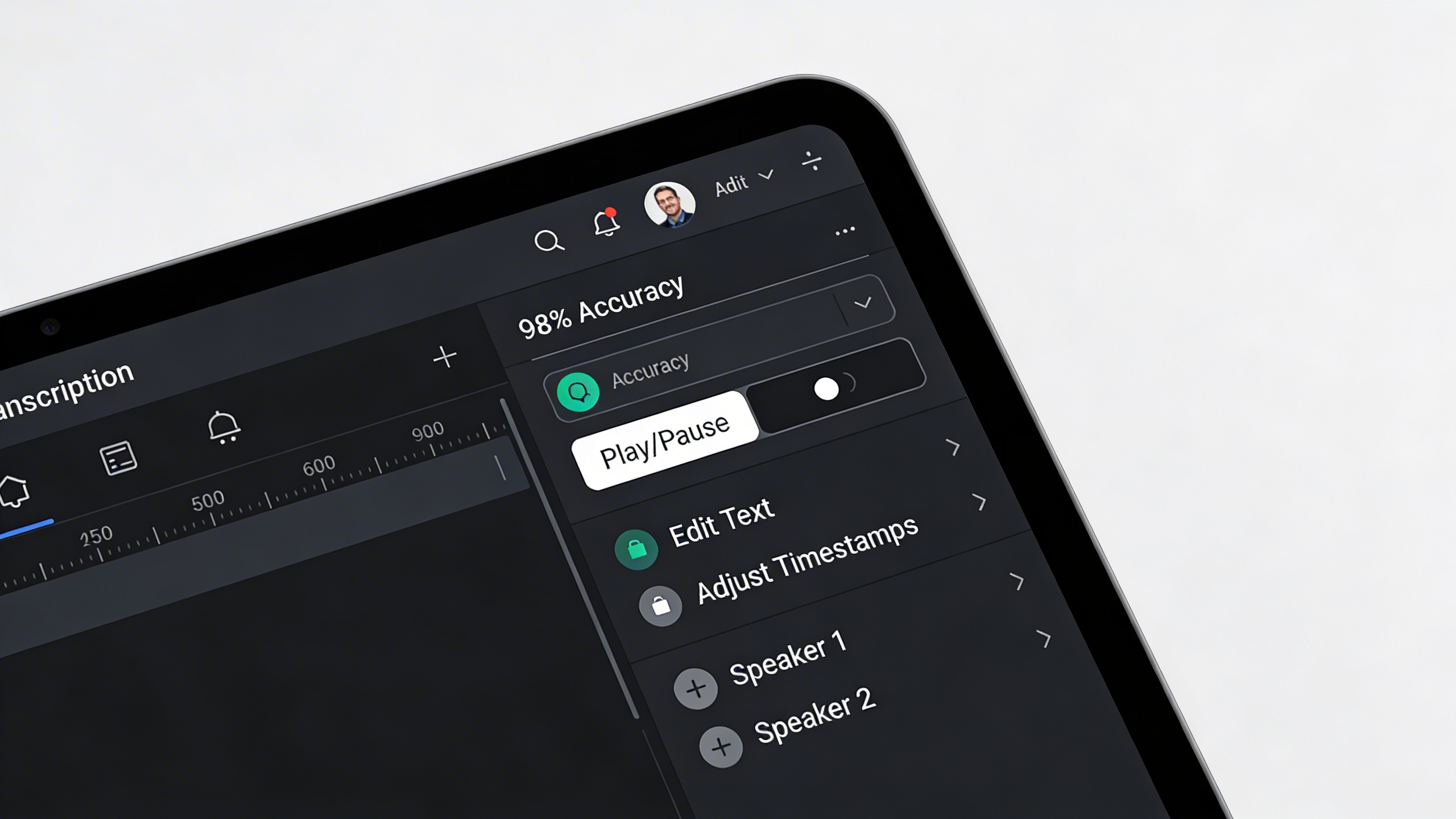
Speaker diarization represents one of the most valuable advances in audio transcription technology. This feature automatically identifies and separates different speakers within a recording, creating clearly labeled sections that show who said what and when. The system analyzes vocal characteristics including pitch, tone, and speaking patterns to distinguish between participants.
Professional meeting recordings benefit enormously from this capability. Instead of receiving a wall of text, users get organized transcripts with speaker labels like “Speaker 1,” “Speaker 2,” or even custom names when the system learns to recognize specific voices. This feature proves particularly valuable for interview transcriptions, conference calls, and panel discussions where multiple participants contribute throughout the conversation.
Advanced diarization systems can handle overlapping speech, background conversations, and even identify when the same speaker returns after periods of silence. Some platforms allow users to train the system on specific voices, improving accuracy for recurring participants in regular meetings or podcast recordings.
Timestamp and Formatting Options
Professional audio transcription requires precise timing information and flexible formatting options. Advanced sound to text platforms provide granular timestamp controls, allowing users to insert time markers at custom intervals or specific moments. These timestamps prove essential for legal depositions, research interviews, and content creation where specific quotes need precise attribution.
Formatting capabilities extend beyond simple paragraph breaks. Users can configure automatic capitalization rules, punctuation preferences, and paragraph structuring based on natural speech patterns. Some systems offer industry-specific formatting templates for medical dictation, legal proceedings, or academic research that follow established professional standards.
Custom export options allow users to generate transcripts in various formats including Word documents, PDFs, subtitle files, or structured data formats. This flexibility ensures compatibility with different workflows and downstream applications without requiring manual reformatting.
Multi-language Support
Global communication demands robust multi-language speech recognition capabilities. Advanced platforms support dozens of languages and dialects, automatically detecting the spoken language or allowing users to specify the target language before processing. This feature proves crucial for international business meetings, multilingual interviews, and content localization projects.
Sophisticated systems handle code-switching scenarios where speakers alternate between languages within the same conversation. Technical terminology handling ensures accurate transcription of specialized vocabulary across different fields and languages. Medical terms, legal jargon, and industry-specific acronyms receive proper recognition and formatting regardless of the source language.
Real-time translation capabilities in some advanced platforms combine voice to text conversion with immediate language translation, enabling cross-language communication during live conversations. These features support global collaboration by breaking down language barriers that traditionally complicate international meetings and conferences.
For users seeking comprehensive sound conversion solutions with these advanced features, platforms like Sozai offer professional-grade capabilities designed to handle complex audio scenarios across multiple languages and speaker configurations.
Industry Applications and Use Cases
Sound to text technology has revolutionized how professionals across industries capture, process, and utilize spoken information. From boardroom meetings to university lectures, audio transcription serves as a critical bridge between verbal communication and written documentation, enabling better accessibility, searchability, and knowledge preservation.
Business and Professional Settings
Modern businesses rely heavily on sound to text solutions to streamline operations and improve productivity. Meeting transcription has become essential for remote and hybrid work environments, allowing teams to focus on discussion rather than note-taking. Professional services firms use voice to text technology to document client consultations, ensuring accurate records while maintaining eye contact and engagement during conversations.
Sales teams leverage audio transcription to analyze customer calls, identifying pain points and successful strategies through searchable transcripts. Human resources departments utilize speech recognition for interview documentation, creating standardized records that support fair hiring practices. For busy executives, dictated emails and reports through sound conversion tools significantly reduce time spent on administrative tasks.
Legal professionals have embraced audio transcription for depositions, court proceedings, and client meetings. The technology enables lawyers to create searchable case files, quickly locate specific testimony, and ensure compliance with documentation requirements. Similarly, financial advisors use voice to text systems to record client meetings while maintaining regulatory compliance and creating detailed interaction logs.
Educational and Academic Uses
Educational institutions have found numerous applications for sound to text technology that enhance both teaching and learning experiences. Lecture transcription provides students with accurate study materials, particularly benefiting those with hearing impairments or non-native speakers who need additional time to process complex concepts.
Researchers conducting interviews or focus groups rely on audio transcription to analyze qualitative data efficiently. Instead of spending hours manually transcribing recordings, academics can focus on analysis and interpretation. Graduate students use voice to text tools for thesis writing, allowing them to capture ideas quickly during research sessions or while reviewing literature.
Language learning programs incorporate speech recognition technology to help students practice pronunciation and improve speaking skills. Teachers use sound conversion tools to create accessible materials from recorded lessons, ensuring all students can review content at their own pace. Distance learning platforms have integrated audio transcription to provide real-time captions during live sessions.
Content Creation and Media
The media industry has embraced sound to text technology as an essential production tool. Podcast creators use audio transcription to generate show notes, improve SEO through searchable content, and create blog posts from episode recordings. Video producers rely on speech recognition to create accurate subtitles, expanding their audience reach and meeting accessibility requirements.
Journalists conducting interviews benefit from real-time voice to text conversion, allowing them to maintain natural conversation flow while ensuring quote accuracy. Documentary filmmakers use sound conversion tools to transcribe hours of footage, making the editing process more efficient by creating searchable interview databases.
Social media managers leverage audio transcription to repurpose video content across platforms, creating quote cards and text-based posts from recorded material. Content creators working with multiple languages use advanced speech recognition systems to generate multilingual subtitles, broadening their global audience reach.
For professionals seeking reliable sound to text capabilities across these diverse applications, tools like Sozai offer comprehensive transcription features designed to meet the demanding requirements of business, educational, and creative workflows.
Maximizing Sound to Text Accuracy
Achieving high-quality audio transcription requires a systematic approach that spans from initial audio preparation through final quality assurance. Professional sound to text workflows typically achieve accuracy rates above 95% when proper techniques are applied consistently throughout the conversion process.
Pre-processing Techniques
Audio enhancement forms the foundation of accurate speech recognition. Before initiating any sound conversion, apply noise reduction filters to eliminate background interference, hum, and static. Normalize audio levels to ensure consistent volume throughout the recording, preventing speech recognition algorithms from struggling with quiet passages or being overwhelmed by sudden volume spikes.
Frequency filtering proves particularly effective for removing low-frequency rumble and high-frequency hiss that can confuse voice to text engines. Many professionals use spectral subtraction techniques to isolate speech frequencies while suppressing environmental noise. For recordings with multiple speakers, consider using audio separation tools to create individual tracks, which significantly improves recognition accuracy for each participant.
Post-transcription Editing
Even the most advanced sound to text systems require human review to achieve professional standards. Develop a structured editing workflow that addresses common transcription errors systematically. Start by reviewing speaker identification and ensuring proper paragraph breaks correspond to natural speech patterns and topic changes.
Focus on homophone corrections first, as these represent the most frequent category of speech recognition errors. Words like “there,” “their,” and “they’re” often require manual verification. Technical terminology and proper nouns demand particular attention, as these frequently appear incorrectly in initial transcriptions. Create custom dictionaries for industry-specific terms to streamline future audio transcription projects.
Punctuation accuracy significantly impacts readability and meaning. Review comma placement, question marks, and period usage to ensure the transcribed text flows naturally when read aloud. Many voice to text applications struggle with complex sentence structures, making human oversight essential for professional results.
Quality Assurance Methods
Implement measurable quality metrics to track transcription accuracy over time. Word Error Rate (WER) provides the industry standard measurement, calculating the percentage of incorrectly transcribed words against the total word count. Professional services typically target WER below 5% for high-quality recordings.
Establish a two-pass review system where different team members handle initial transcription review and final proofreading. This approach catches errors that single reviewers often miss due to familiarity with the content. For critical projects, consider having reviewers listen to audio segments while reading corresponding text sections.
Document common error patterns specific to your audio sources and speakers. This data helps refine preprocessing techniques and guides training for team members handling similar sound to text projects. Regular accuracy assessments ensure consistent quality standards across all transcription work.

