The digital landscape has transformed how we capture and create audio content, with browser-based recording solutions emerging as powerful alternatives to traditional software installations. Whether you’re a podcaster conducting remote interviews, a student recording lectures, or a professional creating voice memos, finding the right sound recorder online has become essential for seamless content creation. Modern web browsers now support sophisticated audio recording capabilities that rival desktop applications, eliminating the need for complex downloads and installations while providing instant access from any device.
Online audio recording tools offer unparalleled convenience and accessibility, allowing users to capture high-quality sound directly through their web browser without consuming valuable storage space or requiring administrative permissions. These free online audio recorder platforms have democratized audio production, making professional-grade recording accessible to everyone from content creators to business professionals. The ability to record, edit, and export audio files in various formats including MP3 directly from your browser has revolutionized how we approach sound capture in our increasingly mobile and cloud-connected world.
This comprehensive guide explores the essential features that distinguish exceptional online recording platforms, compares the top free solutions available today, and provides practical techniques for achieving professional results. You’ll discover how to select the perfect microphone recorder online for your specific needs, troubleshoot common issues, and leverage advanced features that maximize your recording quality and workflow efficiency.
Understanding Online Audio Recording Technology
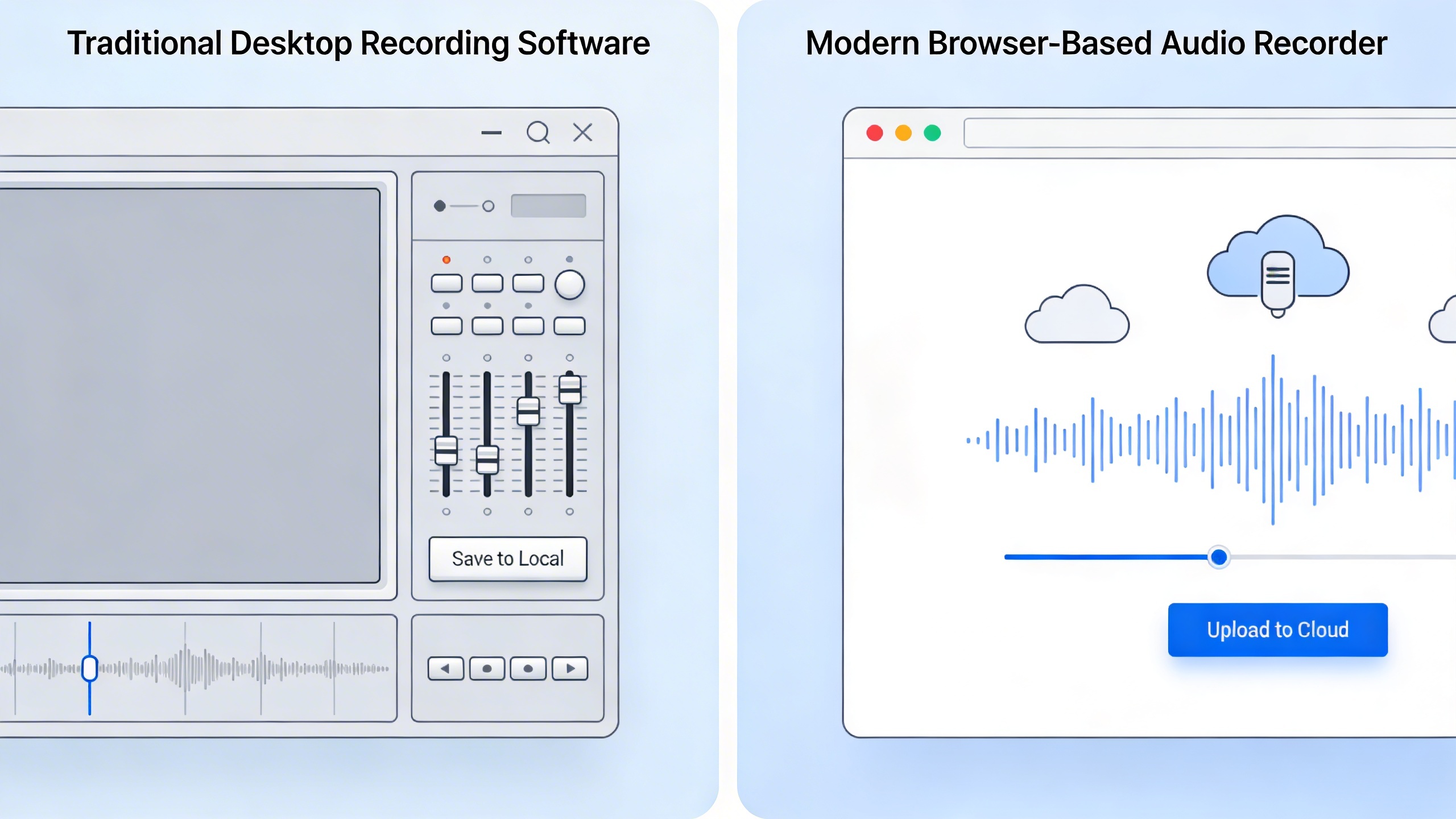
Online audio recording has evolved dramatically over the past decade, transforming from simple Flash-based tools to sophisticated browser-native applications. Modern web technologies now enable high-quality sound capture directly through your browser, eliminating the need for software downloads while maintaining professional recording standards.
How Browser-Based Audio Capture Works
When you use a sound recorder online, your browser accesses your device’s microphone through standardized web APIs. The process begins when you grant microphone permissions, allowing the recording application to capture audio input in real-time. The browser converts analog sound waves from your microphone into digital audio data, which can then be processed, edited, and saved in various formats.
Modern browsers handle this conversion using advanced audio processing engines that maintain signal integrity throughout the recording chain. The captured audio travels from your microphone through your operating system’s audio drivers, into the browser’s audio subsystem, and finally to the recording application’s interface.
Security plays a crucial role in this process. Browsers require explicit user permission before any free online audio recorder can access your microphone, protecting users from unauthorized recording attempts. This permission system ensures that only trusted applications can capture audio, with clear visual indicators showing when recording is active.
Web Audio API and Modern Recording Standards
The Web Audio API serves as the foundation for sophisticated online recording tools. This powerful interface provides precise control over audio processing, enabling features like real-time monitoring, noise reduction, and multi-channel recording. Unlike older recording methods, the Web Audio API offers low-latency audio processing that rivals desktop applications.
WebRTC (Web Real-Time Communication) complements the Web Audio API by providing robust audio capture capabilities originally designed for video conferencing. When combined, these technologies enable a microphone recorder online to deliver professional-grade results without requiring additional software installation.
Browser compatibility remains largely consistent across modern platforms. Chrome, Firefox, Safari, and Edge all support these recording standards, though implementation details may vary slightly. Most free online sound recorder applications automatically detect your browser’s capabilities and adjust their functionality accordingly.
The recording process typically supports multiple audio formats, with MP3 being the most common output due to its universal compatibility and reasonable file sizes. Many platforms also offer WAV, OGG, and AAC formats to meet specific quality or compatibility requirements.
Quality Considerations for Online Recording
Audio quality in browser-based recording depends on several interconnected factors. Sample rate and bit depth determine the fundamental quality ceiling, with most online tools supporting CD-quality 44.1kHz/16-bit recording or higher. However, the actual quality you achieve depends heavily on your microphone, audio interface, and recording environment.
Latency represents another critical consideration. While desktop software often provides near-zero latency monitoring, browser-based tools typically introduce small delays due to additional processing layers. This latency rarely affects simple voice recording but may impact musical applications requiring precise timing.
| Quality Factor | Online Recording | Desktop Software |
|---|---|---|
| Maximum Sample Rate | 48kHz (typical) | 192kHz+ |
| Latency | 10-50ms | 1-10ms |
| Processing Power | Limited by browser | Full system access |
| Plugin Support | Built-in effects only | Unlimited plugins |
File size limitations may also affect longer recordings. While an audio recorder online mp3 tool can handle most standard recording sessions, extended recordings may require chunked processing or automatic file splitting to prevent browser memory issues.
Despite these considerations, modern online recording tools deliver excellent results for most applications, including podcasting, voice memos, interviews, and basic music recording. The convenience and accessibility often outweigh the minor technical limitations for many users.
Essential Features to Look for in Online Audio Recorders
Selecting the right sound recorder online requires careful consideration of several key features that directly impact your recording experience and final output quality. The best free online audio recorder tools share common characteristics that make them reliable, user-friendly, and versatile enough for various recording scenarios.
Audio Quality and Format Options
The foundation of any effective microphone recorder online lies in its ability to capture and export audio in multiple formats with adjustable quality settings. Professional-grade online recorders should support at least three essential formats: MP3 for compressed, shareable files; WAV for uncompressed, high-fidelity recordings; and OGG for open-source compatibility.
Quality settings typically range from 64 kbps for basic voice recordings to 320 kbps for near-CD quality audio. An audio recorder online mp3 tool should offer bitrate options of 128 kbps, 192 kbps, and 256 kbps as standard choices, allowing users to balance file size with audio clarity based on their specific needs. Sample rates of 44.1 kHz and 48 kHz ensure compatibility with most playback devices and editing software.
Advanced online recorders also provide mono and stereo recording options. Mono recordings work perfectly for voice notes, interviews, and podcasts, while stereo capture becomes essential for music recording or capturing ambient soundscapes with spatial depth.
User Interface and Accessibility
The interface design of a free online sound recorder significantly affects productivity and ease of use. Look for tools with large, clearly labeled record, pause, and stop buttons that remain visible and accessible throughout the recording session. Visual feedback through waveform displays helps users monitor input levels and identify potential audio issues in real-time.
Essential accessibility features include keyboard shortcuts for hands-free operation, visual indicators for recording status, and clear error messages when microphone permissions aren’t granted. The best online recorders work seamlessly across different browsers without requiring plugin installations or complex setup procedures.
Mobile responsiveness ensures the recorder functions properly on smartphones and tablets, expanding recording possibilities beyond desktop environments. Touch-friendly controls and optimized layouts for smaller screens make mobile recording sessions just as effective as desktop alternatives.
Export and Sharing Capabilities
Efficient export and sharing options distinguish professional-grade online recorders from basic alternatives. Direct download functionality should allow immediate file access without requiring account creation or email verification. Multiple download formats ensure compatibility with various devices and applications.
Cloud storage integration with services like Google Drive, Dropbox, or OneDrive streamlines workflow for users managing multiple projects or collaborating with team members. Some advanced platforms offer direct sharing via generated links, eliminating the need for manual file transfers.
File naming options and metadata support help organize recordings effectively. The ability to add titles, descriptions, and tags during the export process saves time in post-recording organization tasks.
For users requiring transcription capabilities alongside recording, platforms like Sozai combine high-quality audio capture with AI-powered transcription features, creating comprehensive voice-to-text solutions that extend beyond basic recording functionality.
Security considerations include automatic file deletion options and encrypted storage during the recording process. Reputable online recorders clearly communicate their data handling practices and provide users control over file retention periods.
Top Free Online Audio Recording Platforms
The landscape of free online audio recording tools has evolved dramatically, offering users sophisticated browser-based solutions that rival desktop applications. These platforms eliminate the need for software downloads while providing professional-grade recording capabilities for podcasts, interviews, music, and voice memos.
Browser-Native Recording Solutions
Modern web browsers include built-in recording capabilities that developers leverage to create streamlined recording experiences. Online Voice Recorder represents the simplest approach, utilizing your browser’s native audio API to capture high-quality recordings directly through your microphone. This sound recorder online requires no registration and works instantly across all major browsers.
The platform excels in its minimalist design—users simply click record, speak, and download their audio file in MP3 format. While it lacks advanced features like multi-track recording or effects processing, its reliability and zero-friction experience make it ideal for quick voice memos, language practice, or simple podcast recordings.
Vocaroo offers similar browser-native functionality with added sharing capabilities. Users can record audio directly in their browser and instantly generate shareable links, making it perfect for sending voice messages or creating audio responses for online discussions. The platform automatically optimizes recordings for web playback while maintaining decent audio quality.
Feature-Rich Web Applications
For users requiring more sophisticated recording capabilities, several platforms offer comprehensive audio production tools within the browser environment. TwistedWave Online stands out as a full-featured audio editor with recording capabilities, providing waveform visualization, cut-and-paste editing, and multiple export formats.
This free online audio recorder supports both microphone input and file uploads, allowing users to record new content or edit existing audio files. The platform includes essential editing tools like fade in/out, normalize, and amplify effects. While the free version limits file length to five minutes, it provides sufficient functionality for most casual recording needs.
Soundtrap by Spotify offers a more comprehensive music production environment that includes robust recording features. This microphone recorder online supports multi-track recording, virtual instruments, and collaborative editing. Users can record vocals, instruments, or spoken content while accessing a library of loops and effects.
The platform’s strength lies in its collaborative features—multiple users can work on the same project simultaneously, making it excellent for remote music production or podcast creation. However, the free tier includes limitations on project count and storage space.
| Platform | Best For | Key Features | Limitations |
|---|---|---|---|
| Online Voice Recorder | Quick recordings | Instant recording, MP3 export | No editing features |
| TwistedWave Online | Audio editing | Waveform editing, effects | 5-minute limit (free) |
| Soundtrap | Music production | Multi-track, collaboration | Project limits |
Specialized Recording Tools
Certain platforms focus on specific recording scenarios, offering tailored features for particular use cases. Rev Voice Recorder targets users who need transcription services alongside their recordings. This audio recorder online mp3 platform automatically saves recordings to the cloud and offers optional transcription services, making it valuable for interviews, meetings, or content creation workflows.
For users seeking professional transcription capabilities, tools like Sozai provide advanced AI-powered transcription alongside high-quality recording features, supporting multiple languages and offering real-time transcription for meetings and interviews.
Anchor specializes in podcast creation, providing recording tools specifically designed for episodic content. This free online sound recorder includes features like episode scheduling, automatic distribution to major podcast platforms, and built-in monetization options. The recording interface supports both solo recording and remote guest interviews through browser-based connections.
Performance varies significantly across these platforms, with browser-native solutions offering the most reliable experience across different devices and network conditions. Feature-rich applications may experience occasional latency or compatibility issues, particularly on older devices or slower internet connections.
When selecting a platform, consider your primary use case: simple voice memos work well with basic recorders, while music production or collaborative projects benefit from more sophisticated tools. Most platforms support standard audio formats and offer adequate quality for web-based content, though audiophiles may notice compression artifacts compared to dedicated recording software.
Professional Recording Techniques for Online Tools
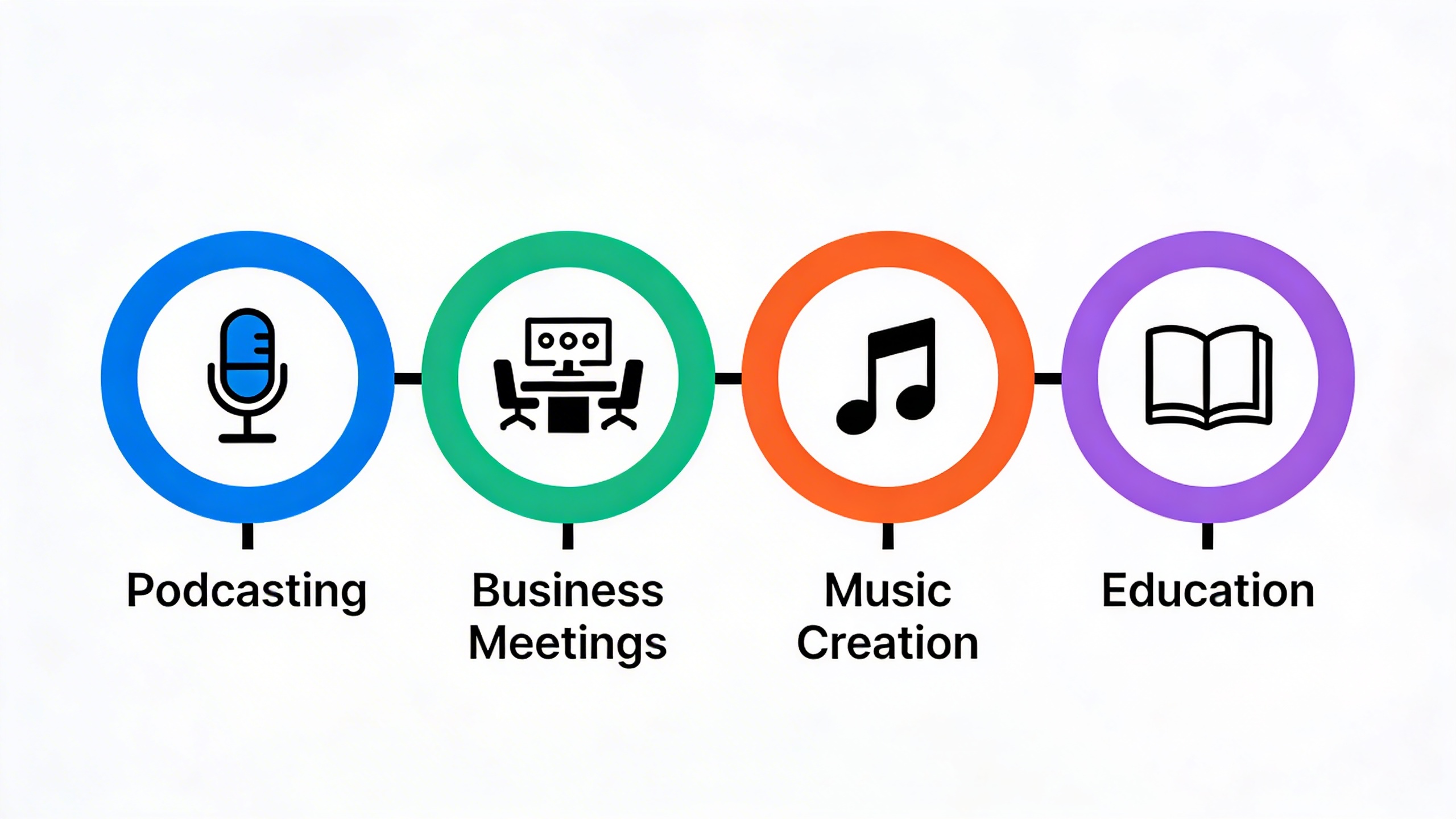
Achieving professional-quality recordings with a sound recorder online requires more than just clicking the record button. The combination of proper environment setup, quality hardware, and post-recording techniques can transform basic browser-based recordings into polished audio content suitable for podcasts, presentations, and professional communications.
Optimizing Your Recording Environment
Your recording environment significantly impacts the quality of any free online audio recorder session. Start by identifying the quietest room in your space, preferably one with minimal hard surfaces that create echo and reverberation. Soft furnishings like carpets, curtains, and upholstered furniture naturally absorb sound reflections and reduce unwanted acoustics.
Position yourself away from potential noise sources such as air conditioning units, computer fans, and traffic. Even the best microphone recorder online will capture background noise that becomes difficult to remove later. Consider recording during quieter times of day when ambient noise levels are naturally lower.
For immediate acoustic improvement, create a simple recording booth using blankets or moving to a walk-in closet filled with clothing. These temporary solutions can dramatically improve the clarity of your recordings without requiring permanent room modifications.
Microphone Setup and Audio Input
While built-in computer microphones work with any audio recorder online mp3 tool, investing in dedicated recording hardware produces noticeably better results. USB microphones offer the best balance of quality and convenience for online recording applications, requiring no additional interfaces or complex setup procedures.
Position your microphone approximately 6-8 inches from your mouth, slightly off to one side to avoid breathing sounds directly into the capsule. Most free online sound recorder platforms work optimally when your input levels peak between -12dB and -6dB, providing clean signal capture without digital clipping or distortion.
Test your microphone setup before important recordings by speaking at your normal volume and monitoring the input meters in your chosen online tool. Consistent microphone positioning throughout your recording session ensures uniform audio quality and reduces the need for extensive post-processing corrections.
Consider using a pop filter or windscreen to minimize plosive sounds from letters like ‘p’ and ‘b’. Even a simple foam windscreen can significantly improve the professional quality of your recordings when using browser-based recording platforms.
Post-Recording Enhancement Tips
Most professional online recording platforms include basic editing capabilities that can enhance your recordings immediately after capture. Start with noise reduction tools to minimize background hiss and ambient sounds that may have been captured during recording.
Apply gentle compression to even out volume variations throughout your recording, making quieter passages more audible while preventing louder sections from overwhelming listeners. A compression ratio of 3:1 or 4:1 typically works well for spoken content without creating an overly processed sound.
Use equalization to enhance vocal clarity by slightly boosting frequencies around 2-4kHz, which correspond to speech intelligibility. Simultaneously, apply a gentle high-pass filter around 80-100Hz to remove low-frequency rumble that doesn’t contribute to speech clarity.
For content creators who frequently record meetings or interviews, tools like Sozai can streamline the entire workflow by combining high-quality recording with automatic transcription, eliminating the need for separate recording and note-taking processes.
Export your finished recordings in appropriate formats for their intended use. MP3 files work well for most web applications and streaming, while WAV files preserve maximum quality for further editing or archival purposes. Many online platforms automatically handle format conversion, but understanding these options helps you make informed decisions about audio quality versus file size.
Establish a consistent workflow that includes backup procedures for important recordings. Cloud-based platforms typically handle this automatically, but maintaining local copies of critical content protects against potential service interruptions or account issues.
Common Use Cases and Applications
Understanding your specific recording needs helps determine which features matter most when choosing a sound recorder online. Different applications require varying levels of quality, functionality, and workflow integration to achieve professional results.
Podcasting and Content Creation
Content creators rely on consistent audio quality and streamlined workflows to maintain regular publishing schedules. A reliable free online audio recorder should offer high-quality MP3 export options, noise reduction capabilities, and simple editing tools for quick post-production adjustments.
Podcast hosts often need to record interviews, solo episodes, and promotional content across different environments. Look for platforms that support multiple input sources and provide real-time monitoring to catch audio issues before they compromise your recording. Many successful podcasters use online tools for quick voice memos and episode planning, then export files directly to their preferred editing software.
For content creators working with tight deadlines, the ability to record, edit, and publish from any device becomes crucial. Modern microphone recorder online tools integrate seamlessly with popular hosting platforms, enabling creators to upload finished episodes directly from their browser without additional software installations.
Business and Educational Recording
Professional environments demand reliable recording solutions for meetings, presentations, training materials, and documentation. Business users typically prioritize ease of use, security features, and compatibility with existing workflow systems over advanced audio manipulation capabilities.
Educational institutions benefit from online recording tools that support lecture capture, student presentations, and remote learning scenarios. Teachers and professors often need to create instructional content quickly, making user-friendly free online sound recorder platforms essential for maintaining consistent educational delivery.
Meeting recordings require clear voice capture for multiple participants, automatic transcription capabilities, and secure file sharing options. The best business-focused platforms offer integration with calendar systems, cloud storage services, and collaboration tools to streamline the entire recording-to-distribution process.
For professionals who frequently conduct interviews or need to document conversations, tools like Sozai provide advanced transcription features that convert speech to text automatically, saving significant time in post-recording processing and note-taking workflows.
Music and Creative Projects
Musicians and audio artists require different capabilities compared to voice-focused applications. Creative projects often demand higher sample rates, multiple track support, and advanced editing features for layering instruments, vocals, and sound effects.
Songwriters frequently use audio recorder online mp3 tools for capturing musical ideas, recording demos, and collaborating with remote band members. The ability to record multiple takes, apply basic effects, and export in various formats becomes essential for creative workflows that span different devices and software platforms.
Sound designers and audio artists need platforms that support longer recording sessions, multiple file formats, and integration with digital audio workstations. While online tools may not replace professional studio software, they excel at capturing initial ideas, field recordings, and collaborative sessions that require immediate sharing capabilities.
Creative professionals often work across multiple projects simultaneously, making organizational features like project folders, tagging systems, and version control valuable additions to basic recording functionality. The most effective platforms balance simplicity with enough depth to support serious creative work without overwhelming casual users.
Troubleshooting and Best Practices
Even the most reliable free online audio recorder can encounter technical hiccups that disrupt your recording sessions. Understanding common issues and implementing proven solutions ensures consistent, professional-quality results every time you use browser-based recording tools.
Resolving Common Recording Issues
Microphone permission problems represent the most frequent obstacle when using any sound recorder online. If your browser blocks microphone access, navigate to your browser’s settings and locate the site permissions section. Manually grant microphone access to your chosen recording platform, then refresh the page completely. For persistent issues, try clearing your browser cache and cookies, as corrupted data can interfere with permission requests.
Audio quality problems often stem from incorrect input device selection or suboptimal recording environments. Before starting any session with your microphone recorder online, verify that your system recognizes the correct audio input device. Background noise can significantly impact recording clarity, so position yourself away from air conditioning units, computer fans, and high-traffic areas. If you notice distorted audio or clipping, reduce your microphone gain settings and maintain consistent distance from the microphone throughout your recording.
Latency issues can disrupt real-time monitoring during recording sessions. Close unnecessary browser tabs and applications to free up system resources, as audio processing requires substantial computational power. If your audio recorder online mp3 tool supports buffer size adjustment, experiment with different settings to find the optimal balance between low latency and stable performance.
Browser Compatibility Solutions
Different browsers handle audio recording with varying levels of efficiency and feature support. Chrome generally provides the most robust performance for free online sound recorder applications, offering superior codec support and consistent API implementation. Firefox delivers excellent privacy features but may require additional configuration for optimal recording quality.
Safari users should enable microphone access through System Preferences on macOS and ensure their browser version supports the latest Web Audio API standards. Edge browsers typically work well with most recording platforms but may require manual codec installation for specialized audio formats.
For maximum compatibility, keep your browser updated to the latest version and enable JavaScript completely. Some recording platforms require specific browser extensions or plugins, so review the technical requirements before beginning important recording sessions.
Security and Privacy Considerations
When selecting any free online audio recorder, prioritize platforms that process audio locally within your browser rather than uploading files to remote servers during recording. This approach minimizes privacy risks and reduces potential data breaches. Always review the privacy policy of your chosen recording tool to understand how your audio data is handled, stored, and potentially shared.
Enable HTTPS connections whenever possible, as encrypted connections protect your audio data during transmission. Avoid using public Wi-Fi networks for sensitive recordings, as these connections lack adequate security protocols. Consider using browser incognito or private mode for confidential recording sessions to prevent local storage of sensitive audio files.
Regularly clear your browser’s download folder and temporary files after completing recording sessions. Many online recording tools temporarily store audio data locally, and failing to clear these files can create security vulnerabilities on shared computers or devices.
Advanced Features and Future Trends
The landscape of browser-based audio recording is rapidly evolving, with cutting-edge technologies transforming how we capture and process sound online. Modern platforms are integrating sophisticated features that were once exclusive to desktop software, making professional-grade recording accessible through any web browser.
AI-Powered Recording Enhancement
Artificial intelligence is revolutionizing the capabilities of every sound recorder online. Advanced algorithms now automatically detect and reduce background noise in real-time, eliminating the need for post-processing. These AI systems analyze audio patterns to distinguish between speech and unwanted sounds, applying targeted noise reduction that preserves vocal clarity while removing distractions like air conditioning hums or keyboard clicks.
Machine learning models are also enabling automatic audio leveling, which maintains consistent volume throughout recordings. This technology proves invaluable for podcast creators and content producers who need professional-sounding results without manual audio engineering. Some platforms now offer AI-powered echo cancellation and reverb reduction, making any microphone recorder online sound studio-quality regardless of room acoustics.
Integration with Transcription Services
The convergence of recording and transcription technologies represents a significant advancement in productivity tools. Modern free online audio recorder platforms are incorporating real-time speech-to-text capabilities, allowing users to see their words appear as they speak. This integration eliminates the traditional workflow of recording first and transcribing later.
Voice recognition accuracy has improved dramatically, with some services achieving over 95% accuracy for clear speech. These systems can identify multiple speakers, add punctuation automatically, and even recognize technical terminology across various industries. For professionals conducting interviews or meetings, this seamless integration between an audio recorder online mp3 format and instant transcription creates unprecedented efficiency.
Emerging Technologies in Web Audio
The future of browser-based recording lies in several emerging technologies that promise to enhance user experience significantly. WebAssembly is enabling more sophisticated audio processing directly in browsers, reducing latency and improving real-time effects. This technology allows free online sound recorder applications to perform complex operations that previously required native software.
Spatial audio recording is becoming accessible through web browsers, with support for 3D soundscapes and immersive audio experiences. Advanced compression algorithms are also being developed to maintain high audio quality while reducing file sizes, making it easier to share and store recordings.
Cloud-based collaborative features are expanding, allowing multiple users to contribute to recordings simultaneously from different locations. These developments indicate that browser-based audio tools will continue to close the gap with professional desktop applications, offering unprecedented accessibility and functionality for users worldwide.

