Soz AI

Soz AI voor macOS

Transformeer je Mac in een krachtige AI-transcriptiewerkplek. Neem op, transcribeer en organiseer je audio met desktop-klasse functies.

Download

Free to download. 30 minutes included.

Systeemvereisten

  • macOS 12.0 (Monterey) of later
  • 4GB RAM minimum, 8GB aanbevolen
  • Internetverbinding voor transcriptie
  • Microfoon voor audiorecording
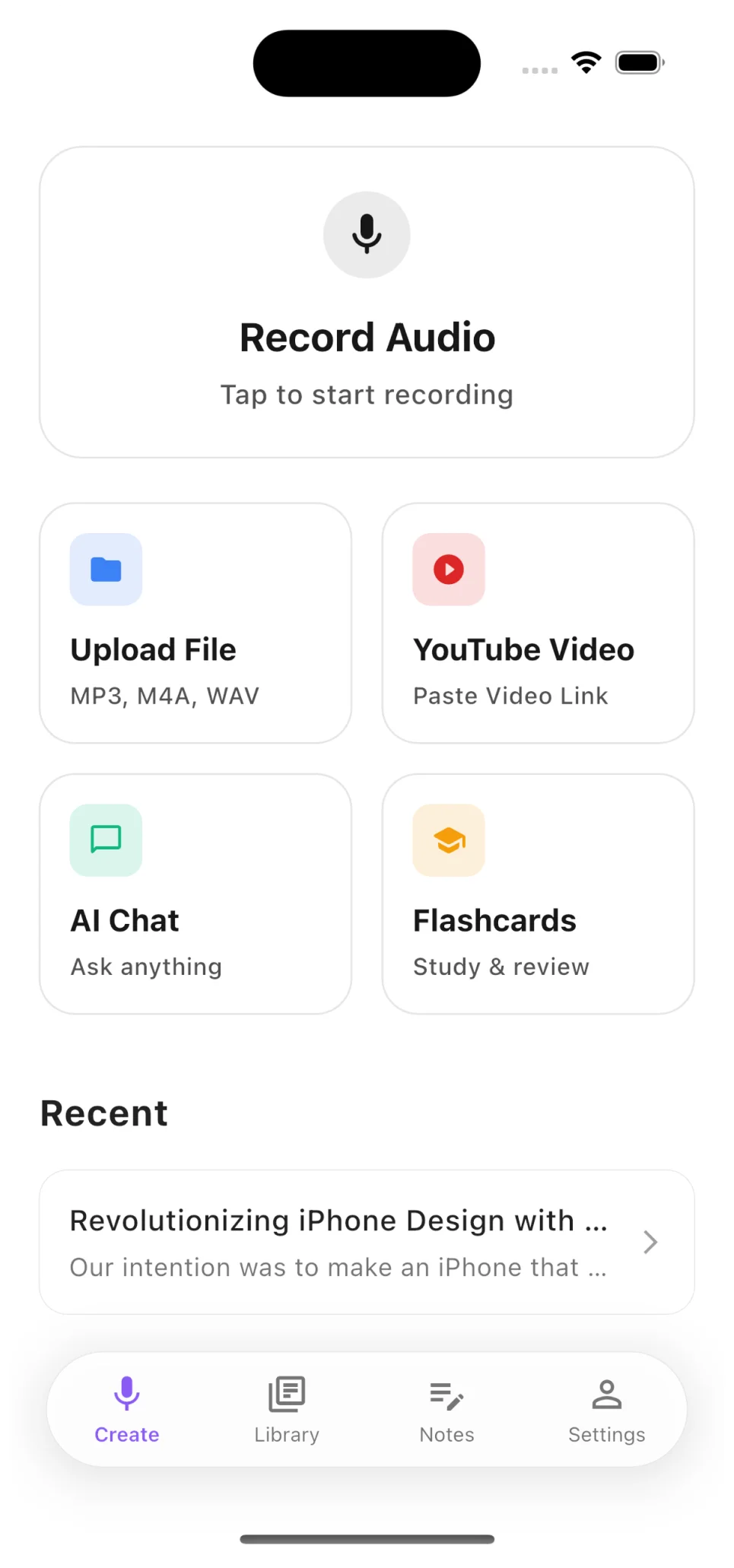
Soz AI home screen

Record, Upload, or Paste a YouTube Link

Start transcribing in seconds. Record audio directly, upload files from your device, or paste any YouTube video URL — the app handles the rest.

  • Record meetings, lectures, and interviews live
  • Upload MP3, M4A, WAV, MP4 and more
  • Paste YouTube links for instant transcription
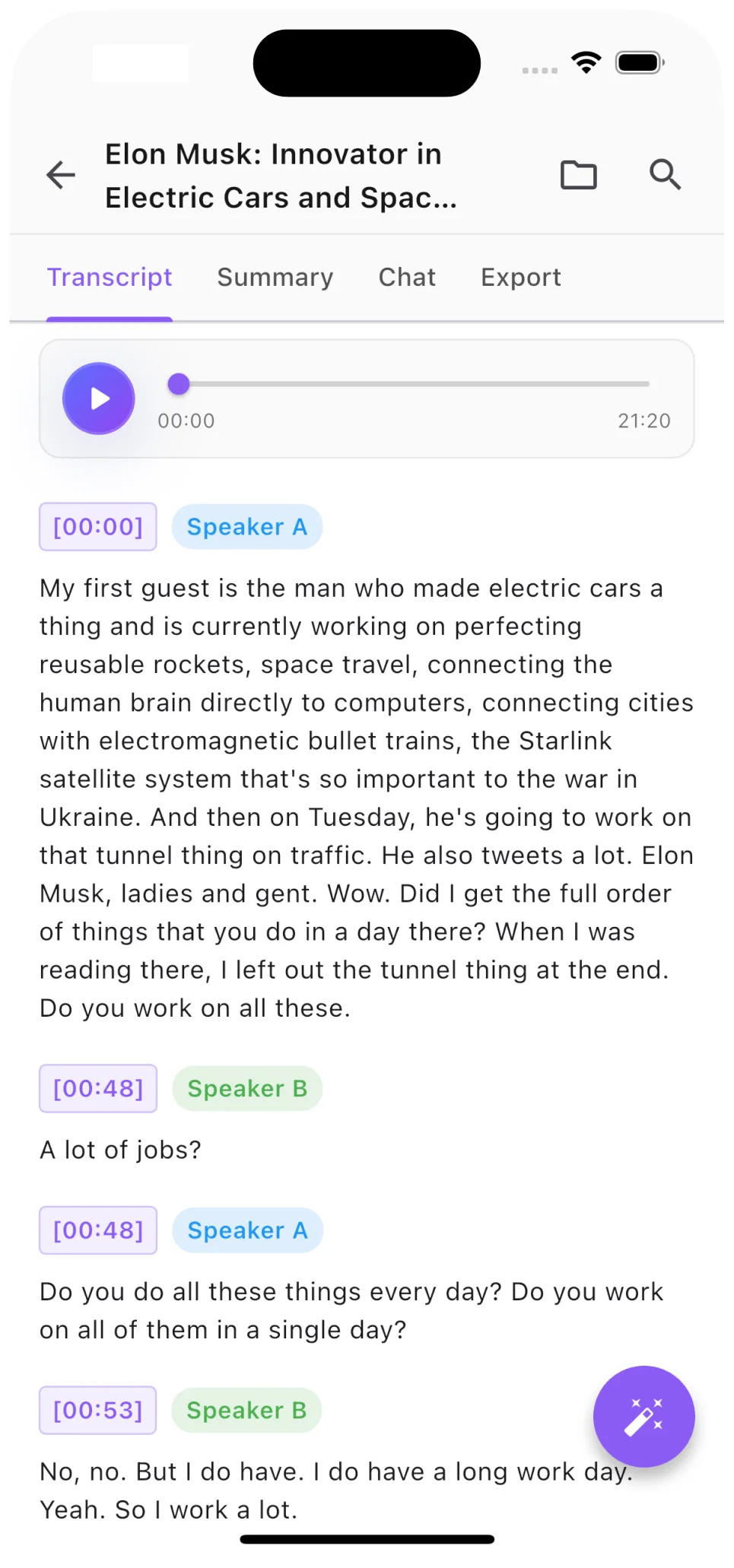
Transcript with speaker labels

Speaker Labels and Timestamps

Every transcript includes automatic speaker diarization. See exactly who said what, jump to any moment with precision timestamps.

  • AI identifies different speakers automatically
  • Click any timestamp to jump to that moment
  • Export with or without speaker labels
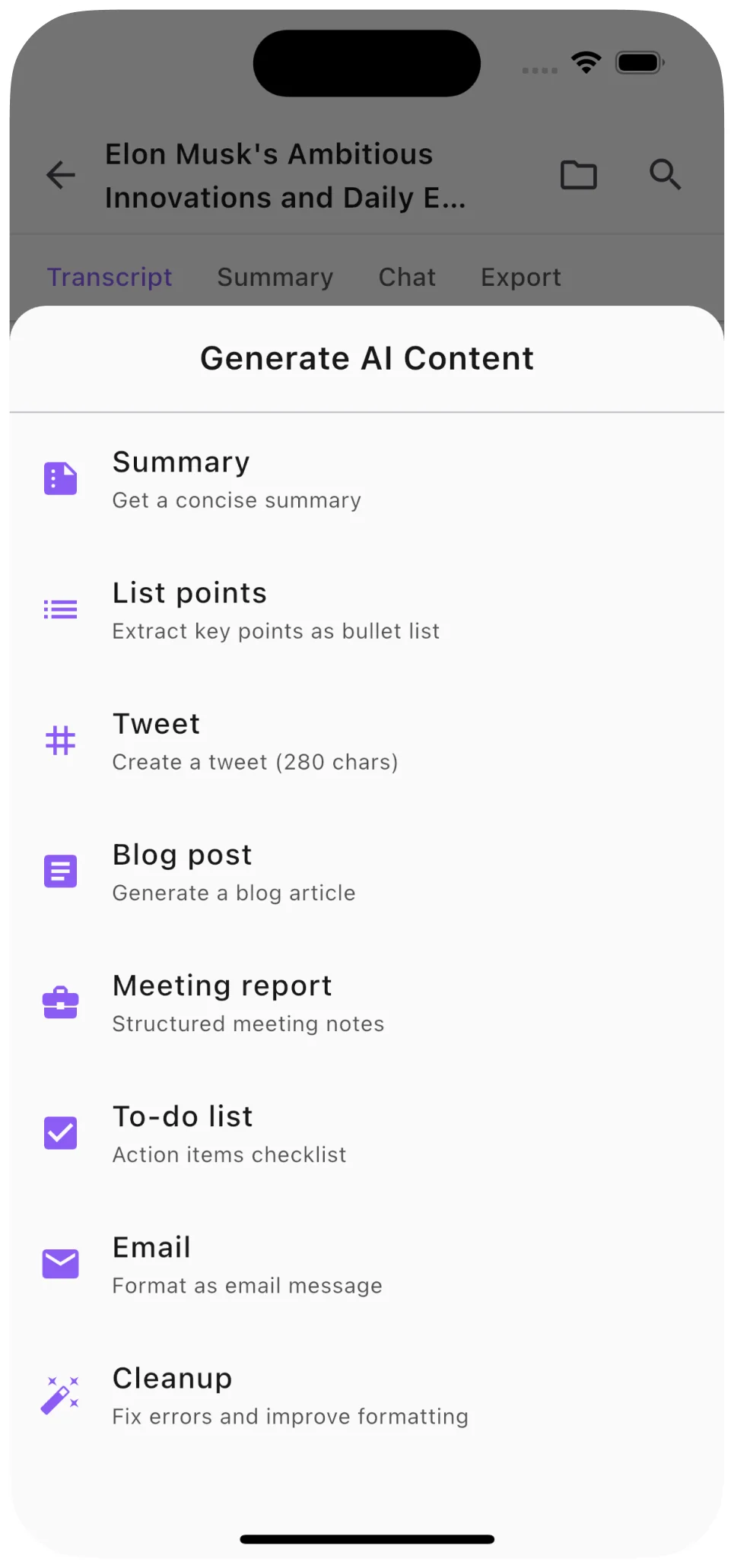
AI summary and content generation

AI Summaries, Notes, and More

Go beyond raw transcription. Generate concise summaries, structured notes, blog posts, and social media content from any audio or video.

  • One-tap AI summaries of any length
  • Generate blog posts, tweets, and study notes
  • Ask questions about your transcript with AI Chat

Krachtige functies voor macOS

Desktop Opname

Neem systeemgeluid en microfoon op met professionele kwaliteit

Bestand Importeren

Importeer audio- en videobestanden vanuit elke locatie op je Mac

100+ Talen

Transcribeer in elke belangrijke taal met hoge nauwkeurigheid

Sprekerdetectie

Identificeer en label automatisch verschillende sprekers

Exportopties

Exporteer als PDF, DOCX, TXT of SRT ondertitelbestanden

iCloud-synchronisatie

Synchroniseer transcripties op al je Apple-apparaten

Download Soz AI voor Mac

Beschikbaar nu in de Mac App Store

Download

Start with 30 free minutes. No credit card needed.