The digital transformation has created an unprecedented demand for converting mp3 to text across industries, from journalists transcribing interviews to students converting lecture recordings into searchable notes. What once required hours of manual typing can now be accomplished in minutes using sophisticated AI-powered transcription tools that deliver remarkable accuracy rates exceeding 95% for clear audio files.
Modern mp3 to text converter technology leverages advanced machine learning algorithms and natural language processing to automatically convert mp3 audio to text with minimal human intervention. These tools can handle multiple speakers, background noise, and various accents while maintaining context and proper formatting. Whether you’re processing podcast episodes, meeting recordings, or personal voice memos, the ability to transform mp3 into text has become essential for maximizing productivity and accessibility.
This comprehensive guide explores the best free online transcription solutions available today, comparing their features, accuracy levels, and ease of use. You’ll discover step-by-step conversion processes, advanced customization options, practical applications across different industries, and expert tips for optimizing transcription accuracy while protecting your privacy and data security.
Understanding MP3 to Text Conversion Technology
Converting MP3 audio files into readable text has become an essential tool for professionals, students, and content creators worldwide. This technology transforms spoken words in your audio files into accurate written transcripts, saving countless hours of manual typing and enabling better accessibility for audio content.
How Audio Transcription Works
When you convert MP3 to text, the process begins with sophisticated automatic speech recognition (ASR) systems that analyze audio waveforms to identify speech patterns. The software first processes your MP3 file by breaking down the audio into small segments, typically measured in milliseconds. These segments are then compared against vast databases of phonetic patterns and linguistic models.
The MP3 to text converter examines various acoustic features including pitch, tone, and frequency to distinguish between different speakers and separate speech from background noise. Advanced algorithms identify word boundaries and apply contextual understanding to determine the most likely word combinations. This multi-layered approach ensures that when you convert MP3 audio to text, the output maintains both accuracy and readability.
Modern transcription systems also incorporate natural language processing to understand grammar, punctuation, and sentence structure. This means the final transcript doesn’t just contain a string of words, but properly formatted text that reflects the natural flow of human speech.
AI vs Traditional Speech Recognition
Traditional speech recognition systems relied heavily on predetermined rules and limited vocabulary databases. These older methods required extensive training for specific voices and struggled with accents, background noise, or conversational speech patterns. Users often needed to speak slowly and clearly for acceptable results.
Today’s AI-powered solutions that convert MP3 into text use deep learning neural networks trained on millions of hours of diverse audio data. These systems continuously improve their accuracy by learning from new speech patterns, accents, and linguistic variations. Machine learning algorithms can now handle multiple speakers, different languages, and even technical terminology with remarkable precision.
The key advantage of AI-driven transcription lies in its adaptability. While traditional systems might struggle with a speaker’s unique accent or speaking style, modern MP3 to text converters adapt in real-time, improving accuracy as they process more of the audio file. This dynamic learning capability makes current transcription tools significantly more reliable for everyday use.
Accuracy Factors and Limitations
Several critical factors determine how accurately a system can convert MP3 to text. Audio quality stands as the most significant influence on transcription accuracy. Clear recordings with minimal background noise, consistent volume levels, and good microphone quality typically yield accuracy rates above 90%. Conversely, poor audio quality with echo, static, or competing sounds can reduce accuracy to 60% or lower.
Speaker characteristics also play a crucial role in transcription quality. Clear pronunciation, moderate speaking pace, and standard accents generally produce better results. Multiple speakers, heavy accents, rapid speech, or mumbled words present ongoing challenges for even the most advanced systems.
| Factor | High Accuracy | Reduced Accuracy |
|---|---|---|
| Audio Quality | Clear recording, no background noise | Static, echo, competing sounds |
| Speaking Style | Moderate pace, clear pronunciation | Rapid speech, mumbling, interruptions |
| Content Type | Standard vocabulary, formal speech | Technical jargon, slang, proper names |
Language support represents another important consideration when selecting tools to convert MP3 audio to text. While English transcription has reached impressive accuracy levels, support for other languages varies significantly. Some systems excel with widely spoken languages like Spanish, French, or Mandarin, while others may struggle with less common languages or regional dialects.
Technical limitations still exist in current transcription technology. Homophones (words that sound identical but have different meanings) can confuse systems, leading to contextually incorrect word choices. Additionally, proper names, brand names, and highly specialized terminology may require manual correction even after automated processing.
Top Free MP3 to Text Converters Compared
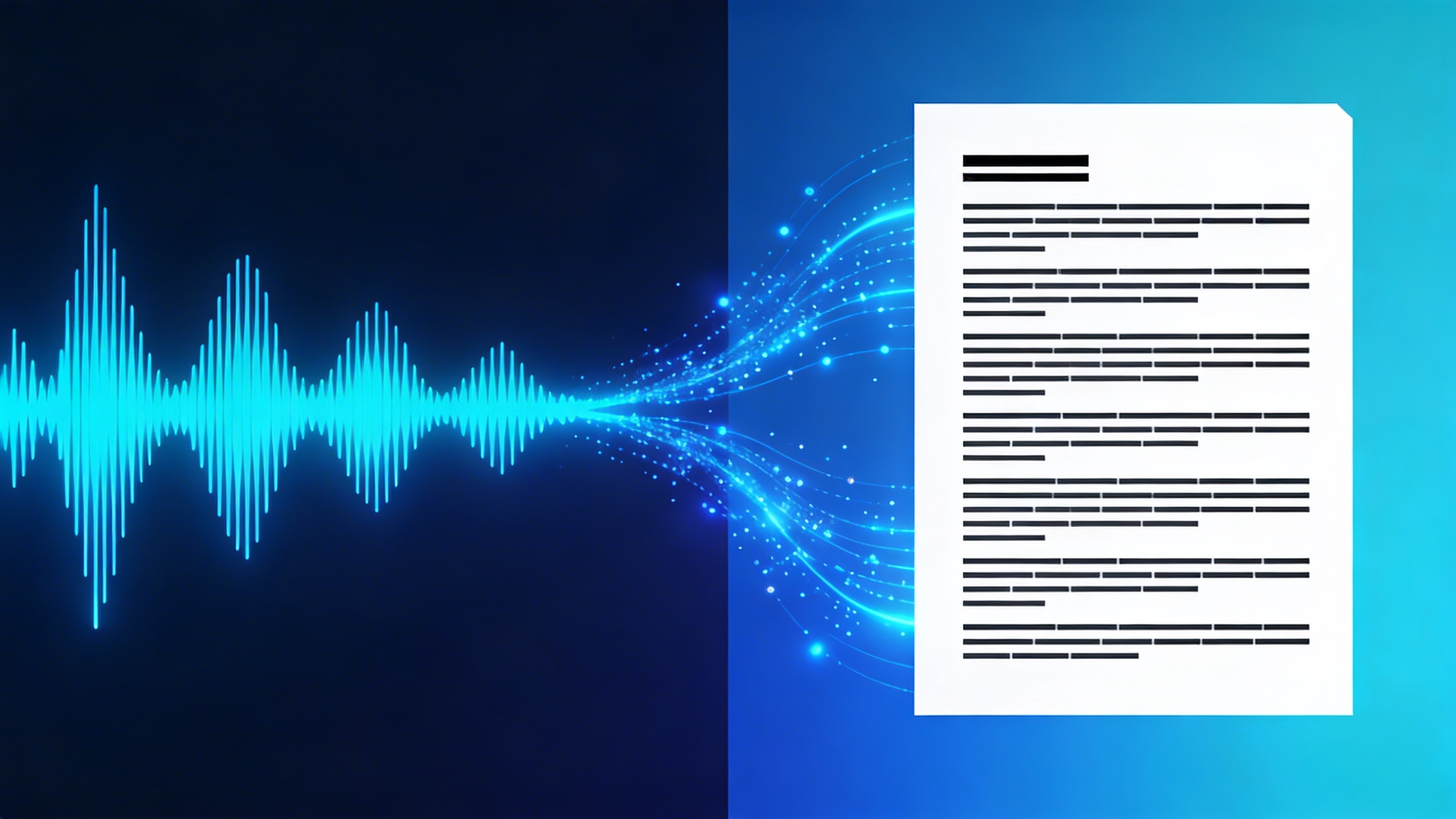
Choosing the right mp3 to text converter depends on your specific needs, technical comfort level, and workflow preferences. This comprehensive comparison examines the leading free solutions across different platforms, helping you make an informed decision based on real-world performance metrics and user experience factors.
Browser-Based Conversion Tools
Web-based platforms offer the convenience of immediate access without software installation. Google’s Speech-to-Text API powers several online services, while OpenAI’s Whisper technology has revolutionized browser-based transcription accuracy. Most browser tools can convert mp3 to text files up to 25MB, though some premium-tier free accounts extend this to 100MB.
Otter.ai leads in accuracy for conversational audio, achieving approximately 85-90% precision with clear recordings. Rev.com’s free tier provides professional-grade results but limits users to one hour monthly. For users seeking reliable transcription with voice technology integration, Sozai offers seamless mp3 to text conversion across multiple platforms with advanced AI processing.
Processing speeds vary significantly among browser-based solutions. Simple uploads typically process at 2-3x real-time speed, meaning a 10-minute audio file converts in 3-4 minutes. However, queue times during peak usage can extend total turnaround to 15-20 minutes.
Desktop Software Solutions
Desktop applications provide greater control over the conversion process and often handle larger files more efficiently. Audacity combined with speech recognition plugins offers a completely free solution, though setup requires technical knowledge. The workflow involves audio cleanup, noise reduction, and export to compatible formats before transcription.
Windows Speech Recognition, built into Windows 10 and 11, can convert mp3 audio to text through real-time playback. This method works best with high-quality recordings and requires manual playback control. macOS users benefit from enhanced dictation features that integrate with audio playback applications.
| Software | Max File Size | Accuracy Rate | Processing Speed | Offline Capability |
|---|---|---|---|---|
| Windows Speech Recognition | Unlimited | 75-80% | Real-time | Yes |
| macOS Dictation | Unlimited | 80-85% | Real-time | Limited |
| Audacity + Plugins | Unlimited | 70-75% | 2x real-time | Yes |
Desktop solutions excel in privacy protection since audio files remain on your local machine. This advantage particularly benefits users handling sensitive content like legal recordings, medical notes, or confidential business meetings.
Mobile App Options
Smartphone applications provide unmatched convenience for on-the-go transcription needs. Most mobile mp3 to text converter apps leverage cloud-based AI engines, requiring internet connectivity but delivering superior accuracy compared to on-device processing.
Google’s Recorder app, available on Pixel devices and some Android phones, offers real-time transcription with impressive accuracy for lectures and meetings. The app automatically converts recorded mp3 into text with speaker identification and basic punctuation. File size limitations typically cap at 50MB per upload.
iOS users benefit from the Voice Memos app’s transcription features, though functionality varies by device generation and iOS version. Third-party applications like Transcribe and Rev Voice Recorder provide more robust features, including timestamp insertion and export options in multiple formats.
Mobile processing speeds generally match browser-based solutions at 2-3x real-time conversion. However, cellular data limitations may affect upload times for larger files. Most apps recommend Wi-Fi connections for files exceeding 10MB.
Battery consumption represents a key consideration for mobile transcription. Cloud-based processing minimizes device strain, while on-device solutions can drain battery life significantly during lengthy conversions. Users frequently converting mp3 to text should consider power management strategies and portable charging options.
Cross-platform synchronization adds substantial value for users working across multiple devices. Apps offering cloud storage integration enable seamless workflow continuation between mobile capture and desktop editing phases.
The optimal choice depends on balancing accuracy requirements, file size constraints, processing speed needs, and privacy considerations. Browser-based tools suit occasional users with standard requirements, while desktop solutions serve power users handling large volumes or sensitive content. Mobile applications excel for immediate transcription needs and field recording scenarios.
Step-by-Step Conversion Process
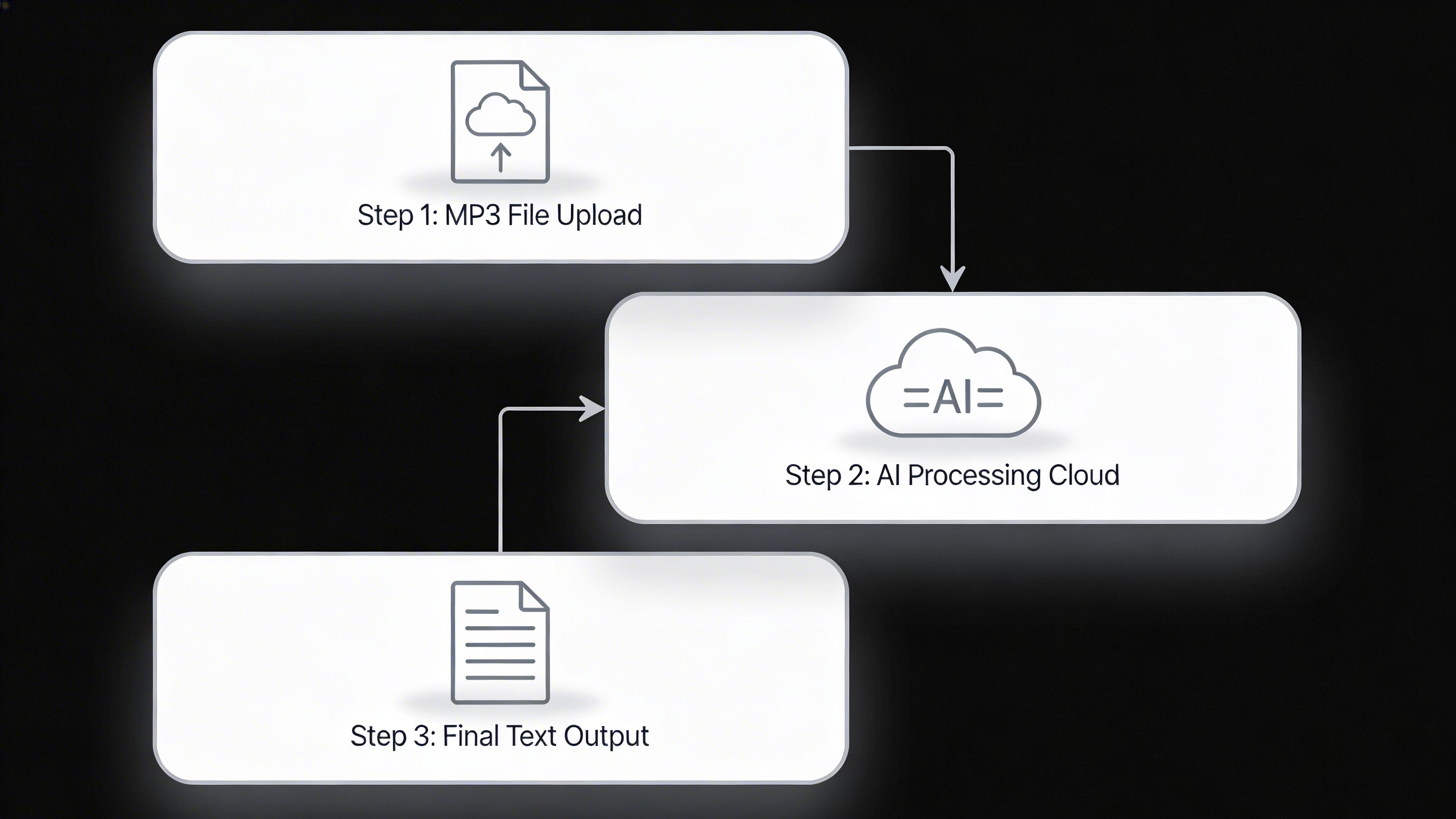
Converting mp3 to text requires careful preparation and understanding of the conversion workflow to achieve optimal results. Whether you’re transcribing interviews, lectures, or voice memos, following these systematic steps will ensure accurate and efficient audio transcription.
Preparing Your MP3 File
Before you convert mp3 to text, optimize your audio file for the best possible transcription accuracy. Start by checking your audio quality settings—most mp3 to text converters perform best with files recorded at 44.1 kHz sample rate and 128 kbps or higher bitrate. Lower quality recordings often result in reduced transcription accuracy due to compression artifacts and background noise.
Clean your audio file by removing excessive background noise, normalizing volume levels, and trimming unnecessary silence at the beginning and end. If your recording contains multiple speakers, consider splitting it into separate segments or clearly identify speaker changes throughout the file. Most converters handle mono and stereo files equally well, but mono recordings typically process faster and consume less bandwidth during upload.
Check file format compatibility before proceeding. While you’re working with MP3 files, ensure your chosen converter supports the specific encoding format. Some platforms accept various audio formats including WAV, M4A, and FLAC, giving you flexibility if you need to convert from other sources.
Upload and Processing Steps
The upload process varies between platforms, but most mp3 to text converter tools follow similar workflows. Begin by selecting your prepared MP3 file through the upload interface—drag-and-drop functionality is common and often faster than browsing for files. Larger files may require patience during upload, especially on slower internet connections.
During processing, many converters display real-time progress indicators showing transcription completion percentage. Advanced platforms offer language detection and selection options, so specify your audio language if it’s not automatically detected. Some services provide speaker identification features that label different voices in multi-person recordings.
Processing time depends on file length, audio quality, and server load. Expect approximately 25-50% of your audio duration for processing time—a 10-minute recording typically takes 2-5 minutes to convert mp3 audio to text. Premium services often provide faster processing speeds and priority queue access.
Editing and Exporting Results
Once your mp3 into text conversion completes, review the transcript carefully for accuracy. Most platforms provide built-in editors allowing you to correct misidentified words, add punctuation, and format speaker labels. Pay special attention to technical terms, proper nouns, and industry-specific vocabulary that automated systems commonly misinterpret.
Take advantage of timestamp features if available—these markers help you quickly locate specific sections in the original audio for verification. Many converters offer confidence scores indicating the system’s certainty about specific words or phrases, helping you prioritize editing efforts on uncertain sections.
Export your finished transcript in your preferred format. Common options include plain text (TXT), Microsoft Word (DOCX), PDF, and subtitle formats (SRT, VTT). Some platforms provide additional formatting options like paragraph breaks, speaker labels, and timestamp inclusion. For professional applications like Sozai, you’ll find advanced export options that maintain formatting consistency across different output types, making it easier to integrate transcripts into your existing workflow.
Advanced Features and Customization Options
Modern mp3 to text converters offer sophisticated features that go beyond basic transcription, enabling users to extract maximum value from their audio content. These advanced capabilities address complex scenarios where standard transcription falls short, particularly in professional and academic environments.
Speaker Identification and Timestamps
Speaker diarization represents one of the most valuable advanced features when you convert mp3 to text from multi-participant recordings. This technology automatically identifies different speakers throughout the audio, labeling each contribution with distinct speaker tags like “Speaker 1” or “Speaker 2.” Premium converters can distinguish between speakers based on vocal characteristics, even when voices overlap or speakers interrupt each other.
Timestamp integration adds another layer of utility, marking specific time intervals throughout the transcription. When you convert mp3 audio to text with timestamp functionality, you receive output that shows exactly when each segment was spoken, typically in formats like [00:02:15] or (2:15). This feature proves invaluable for podcast editing, legal depositions, and research interviews where precise timing matters.
Some advanced mp3 to text converter tools combine both features, providing speaker-specific timestamps that show not only who spoke but exactly when they began and ended their contributions. This granular level of detail transforms raw audio into structured, searchable documents.
Language Detection and Multi-language Support
Automatic language detection eliminates the guesswork when processing international content. Advanced converters analyze audio patterns to identify the primary language before initiating transcription, ensuring optimal accuracy from the start. This feature becomes essential when processing mixed-language content or when the source language is uncertain.
Multi-language transcription capabilities allow users to convert mp3 into text across dozens of languages simultaneously. Some platforms support over 100 languages and dialects, including regional variations like Mexican Spanish versus Peninsular Spanish. The most sophisticated tools can even handle code-switching, where speakers alternate between languages within the same conversation.
Real-time language switching detection represents the cutting edge of this technology. When speakers change languages mid-conversation, advanced systems automatically adjust their processing models to maintain accuracy across linguistic boundaries.
Custom Vocabulary and Industry Terms
Technical terminology poses significant challenges for standard transcription models. Advanced mp3 to text converters address this through custom vocabulary features that allow users to upload industry-specific word lists. Medical professionals can add pharmaceutical names and anatomical terms, while legal teams can include case citations and statutory references.
Domain adaptation goes beyond simple word lists by training models on industry-specific content. Legal transcription models understand courtroom procedures and terminology, while medical models recognize diagnostic language and treatment protocols. This specialization dramatically improves accuracy when processing professional recordings.
Acronym expansion and context-aware formatting represent additional refinements in custom vocabulary handling. Advanced systems can distinguish between “AI” as artificial intelligence versus “eye” based on conversational context, while automatically formatting technical terms according to industry standards.
These customization options transform basic audio conversion into professional-grade documentation tools. Whether processing academic lectures, business meetings, or technical presentations, advanced features ensure that the final text accurately reflects both the content and context of the original audio, making the transcription process more efficient and reliable for specialized use cases.
Use Cases and Applications
Converting MP3 to text serves countless purposes across industries and personal projects. Understanding these applications helps you choose the right converter and optimize your workflow for maximum efficiency.
Business and Professional Applications
Meeting transcription represents one of the most valuable business applications for MP3 to text conversion. Recording and transcribing meetings ensures accurate documentation of decisions, action items, and strategic discussions. Legal professionals frequently convert MP3 audio to text for depositions, client consultations, and court proceedings, where precise documentation is critical for case preparation.
Interview documentation has transformed how human resources departments conduct hiring processes. Converting recorded interviews to text allows for easier comparison between candidates and helps maintain consistent evaluation criteria. Sales teams also benefit by transcribing client calls to identify pain points and refine their approach for future prospects.
Healthcare professionals use MP3 to text converters for patient consultations and medical dictation. This application requires high accuracy levels and often specialized medical terminology recognition. Financial advisors similarly convert client meetings to text for compliance documentation and follow-up communications.
Educational and Research Purposes
Students and researchers rely heavily on lecture transcription services to create searchable study materials. Converting recorded lectures from MP3 into text enables students to review specific concepts quickly and create comprehensive study guides. This proves especially valuable for students with learning disabilities or those studying in non-native languages.
Academic researchers conducting interviews or focus groups benefit significantly from automated transcription. Converting hours of recorded discussions to text accelerates the analysis process and enables researchers to identify patterns and themes more efficiently. Qualitative research projects that once required weeks of manual transcription can now be completed in hours.
Language learning applications have also embraced MP3 to text technology. Students can transcribe foreign language audio to improve comprehension and practice pronunciation by comparing their speech patterns to native speakers.
Content Creation and Media
Podcast creators increasingly convert mp3 to text for multiple content repurposing opportunities. Transcribed episodes become blog posts, social media content, and searchable show notes that improve discoverability. This approach maximizes the value of each recording while improving accessibility compliance for hearing-impaired audiences.
Video content creators use MP3 to text converters to generate subtitles and closed captions efficiently. Extracting audio from video files and converting them to text streamlines the subtitle creation process significantly compared to manual typing.
Journalists and content writers often record interviews and convert the audio to text for article development. This workflow ensures accurate quotes while allowing writers to focus on the conversation rather than note-taking during interviews. Sozai offers particularly strong performance for these professional transcription needs with its advanced AI technology and multi-platform accessibility.
Accuracy Optimization Tips
Achieving high-quality results when you convert mp3 to text requires attention to both your source audio and post-processing workflow. Even the best free converters struggle with poor audio quality, making optimization crucial for professional transcription outcomes.
Audio Quality Best Practices
The foundation of accurate mp3 to text conversion starts with your recording environment. Choose quiet spaces with minimal background noise, as even subtle sounds like air conditioning or traffic can significantly impact transcription accuracy. Position microphones 6-8 inches from speakers to capture clear audio without breathing sounds or plosives.
When working with existing recordings, ensure your MP3 files maintain at least 44.1 kHz sample rate and 128 kbps bitrate. Higher quality audio provides more data for the conversion algorithm to analyze, resulting in better text output. Avoid re-encoding files multiple times, as each compression cycle degrades audio quality and reduces transcription accuracy.
Pre-processing Techniques
Before uploading files to any mp3 to text converter, apply basic audio enhancement techniques. Use noise reduction software to eliminate consistent background sounds like humming or static. Normalize audio levels to ensure consistent volume throughout the recording, preventing quiet sections from being missed during conversion.
Trim silence from the beginning and end of recordings to focus processing power on actual speech content. For longer files, consider splitting them into smaller segments of 10-15 minutes each. Most free converters handle shorter files more effectively, and segmentation allows you to identify and re-process only problematic sections if needed.
Post-conversion Editing Strategies
After you convert mp3 audio to text, implement a systematic proofreading workflow to catch common transcription errors. Read through the entire document first to understand context, then perform a second pass focusing on technical terms, proper nouns, and numbers that algorithms frequently misinterpret.
Pay special attention to homophones and words with similar sounds. Create a personal dictionary of frequently used terms specific to your industry or subject matter. Many professionals find that listening to audio while reading the transcribed text helps identify discrepancies more quickly than text-only review.
Establish quality checkpoints throughout longer documents, verifying accuracy every few paragraphs rather than waiting until the end. This approach prevents small errors from compounding and makes the editing process more manageable. For critical documents, consider having a second person review the final text against the original audio to catch errors you might have missed.
Privacy and Security Considerations
When you convert mp3 to text using online services, protecting your audio data becomes paramount. Understanding the privacy implications and security measures of different mp3 to text converter platforms helps ensure your sensitive information remains protected throughout the transcription process.
Data Protection Standards
Leading mp3 to text converter services implement robust encryption protocols during file upload, processing, and storage phases. End-to-end encryption ensures your audio files remain secure while being converted from mp3 into text. Most reputable platforms use AES-256 encryption standards and secure HTTPS connections to protect data transmission. Additionally, many services offer automatic file deletion within 24-48 hours after conversion, minimizing long-term data exposure risks.
Professional transcription platforms typically provide detailed privacy policies outlining exactly how your audio data is handled, processed, and stored. Look for services that explicitly state they don’t use your content for training AI models or other purposes beyond the immediate transcription task.
Local vs Cloud Processing
The choice between local and cloud-based processing significantly impacts your privacy posture when you convert mp3 audio to text. Cloud-based solutions offer convenience and powerful processing capabilities but require uploading your files to external servers. Local processing tools keep your data entirely on your device, eliminating upload risks but potentially limiting transcription accuracy and speed.
For maximum privacy, consider solutions like Sozai, which offers local processing options alongside cloud capabilities, allowing you to choose the appropriate method based on your content sensitivity.
Compliance Requirements
GDPR compliance has become essential for any mp3 to text converter serving European users. Compliant services must provide clear consent mechanisms, data portability options, and the right to deletion. Healthcare organizations converting medical recordings need HIPAA-compliant solutions, while financial institutions require SOC 2 certified platforms.
Enterprise users should verify that their chosen transcription service maintains appropriate compliance certifications, conducts regular security audits, and provides data processing agreements. Many platforms now offer dedicated enterprise tiers with enhanced security features, including single sign-on integration, audit logs, and custom data retention policies tailored to organizational requirements.

