
Every year, organizations waste millions of hours in unproductive meetings that lack clear documentation and follow-up. The difference between meetings that drive results and those that drain resources often comes down to one critical element: professional meeting minutes. When done correctly, a well-crafted meeting minutes template transforms chaotic discussions into structured action plans, ensuring accountability and maintaining momentum long after participants leave the room.
Creating effective meeting documentation isn’t just about recording what was said—it’s about capturing decisions, tracking commitments, and building a reliable knowledge base for your organization. Whether you’re managing board meetings, project updates, or team brainstorming sessions, the right approach to minute-taking can dramatically improve communication and productivity across your entire team.
This comprehensive guide will equip you with everything needed to master professional meeting documentation. You’ll discover proven templates for different meeting types, learn step-by-step techniques for capturing essential information, explore digital tools that streamline the process, and gain practical strategies for overcoming common documentation challenges. By the end, you’ll have the skills and resources to create meeting minutes that actually drive results.
What Are Meeting Minutes and Why They Matter
Meeting minutes are the official written record of what transpired during a meeting, capturing key decisions, action items, and discussions in a structured format. Unlike casual meeting notes, minutes serve as a formal document that provides accountability, ensures follow-through on commitments, and creates a permanent record for future reference. They transform fleeting conversations into actionable documentation that drives organizational progress.
The primary purpose of meeting minutes extends far beyond simple note-taking. They create a shared understanding among participants about what was decided, who is responsible for specific tasks, and when deliverables are due. A well-crafted meeting notes template ensures consistency across all organizational meetings while capturing the essential elements that make minutes truly effective.
Professional meeting minutes serve multiple stakeholders within an organization. Board members rely on them for governance oversight, project managers use them to track progress against milestones, and team members reference them to clarify their responsibilities. When structured properly using a proven meeting minutes template, these documents become invaluable assets that prevent misunderstandings and keep projects moving forward.
Legal and Compliance Requirements
For many organizations, meeting minutes carry significant legal weight and regulatory importance. Corporate boards must maintain detailed records of their deliberations to satisfy securities regulations and demonstrate proper governance. Nonprofit organizations need comprehensive documentation to maintain their tax-exempt status and prove compliance with their mission statements.
Legal requirements vary by organization type and jurisdiction, but common elements include recording attendance, documenting voting results, and maintaining these records for specific retention periods. Public companies face particularly stringent requirements under regulations like Sarbanes-Oxley, where inadequate documentation can result in substantial penalties and legal liability.
Healthcare organizations, financial institutions, and government agencies operate under additional compliance frameworks that mandate specific documentation standards. A standardized minute notes template helps ensure these organizations capture all required information consistently while meeting their regulatory obligations.
Business Benefits of Proper Documentation
Beyond compliance, well-maintained meeting minutes deliver substantial business value through improved accountability and enhanced productivity. When participants know their commitments will be documented and tracked, they tend to be more thoughtful about the promises they make and more diligent about following through on their responsibilities.
Effective minutes also reduce the time spent in follow-up meetings clarifying what was previously discussed or decided. Teams can reference a meeting minutes example from previous sessions to quickly understand context and avoid rehashing old ground. This efficiency gain compounds over time, freeing up valuable resources for productive work rather than administrative overhead.
Strategic decision-making benefits significantly from historical meeting documentation. Leaders can review past deliberations to understand the reasoning behind previous choices, track the evolution of important initiatives, and identify patterns in organizational decision-making. A comprehensive conference minutes template captures not just decisions but also the context and rationale that informed those choices.
Common Meeting Minutes Mistakes to Avoid
Many organizations undermine the value of their meeting minutes through predictable documentation failures. The most common mistake is treating minutes as a verbatim transcript rather than a strategic summary of key outcomes. Effective minutes focus on decisions made, actions assigned, and important discussion points rather than attempting to capture every word spoken.
Another frequent error involves inconsistent formatting and missing critical information. Without a standardized meeting notes template, different note-takers may emphasize different aspects of the discussion, leading to incomplete or confusing records. Essential elements like action item owners, due dates, and follow-up requirements often get overlooked when documentation lacks structure.
Delayed distribution represents perhaps the most damaging mistake organizations make with their meeting minutes. When participants receive documentation days or weeks after a meeting, the information loses its immediacy and impact. Prompt distribution while discussions remain fresh in everyone’s memory significantly improves the likelihood that action items will be completed and decisions will be properly implemented.
Poor storage and retrieval systems also limit the long-term value of meeting documentation. Organizations that cannot easily locate and reference historical minutes miss opportunities to learn from past experiences and track progress over time.
Essential Components of Professional Meeting Minutes
Creating effective meeting minutes requires a structured approach that captures all critical information while maintaining clarity and accessibility. Professional meeting minutes serve as legal documents and reference materials, making it essential to include specific components that ensure completeness and usefulness for all stakeholders.
Header Information and Meeting Details
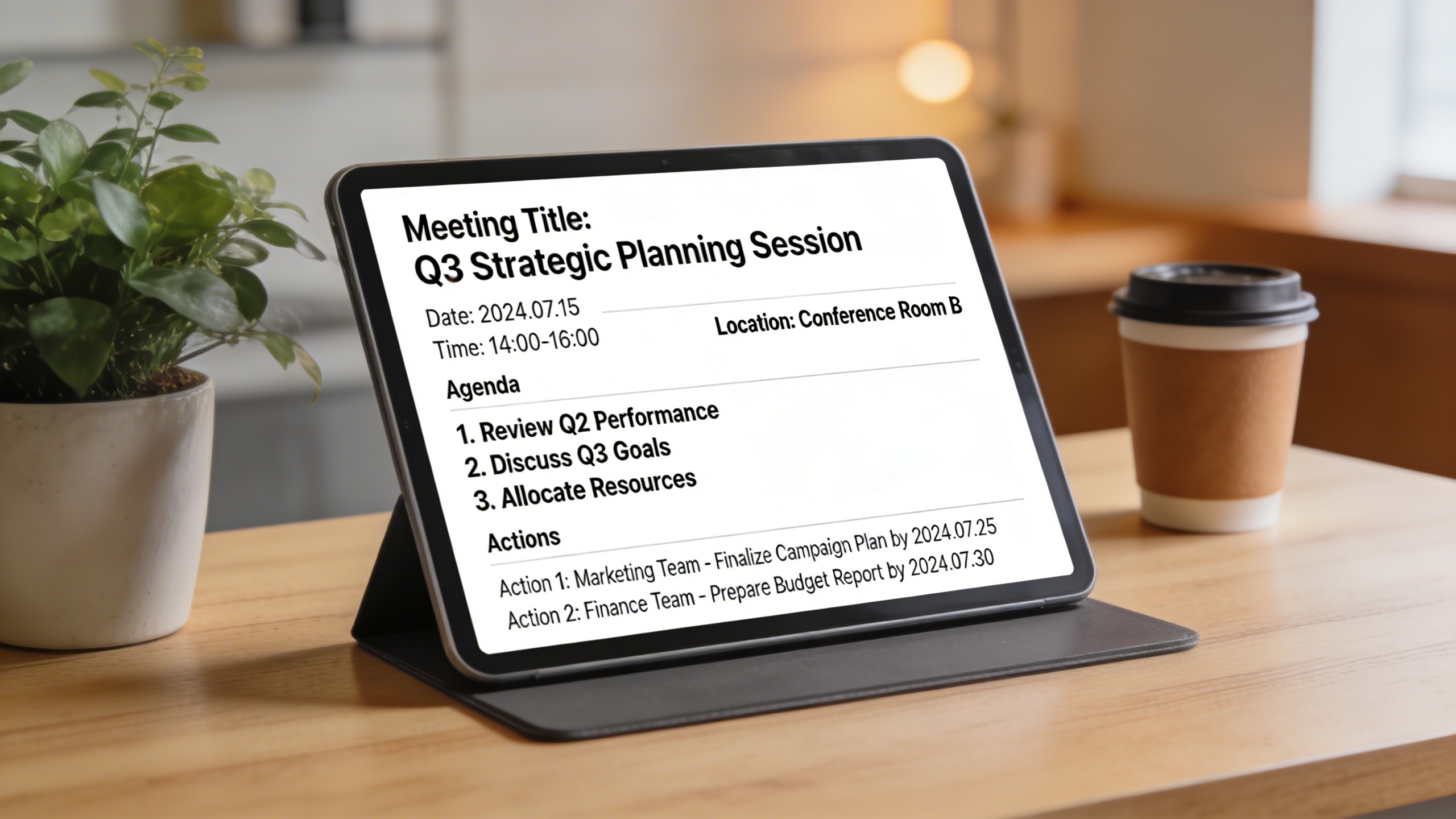
The foundation of any meeting minutes template begins with comprehensive header information that establishes context and legitimacy. This section should include the organization name, meeting type, date, time, and location or platform used for virtual meetings. Additionally, document the meeting facilitator, minute-taker, and all attendees present, including those who joined remotely.
A well-structured header also indicates whether the meeting achieved quorum requirements and notes any conflicts of interest declared by participants. For recurring meetings, reference the previous meeting’s minutes approval status and include relevant document version numbers. This information proves invaluable when referencing decisions months or years later, particularly in legal or compliance situations.
Consider including a brief meeting purpose statement that summarizes the primary objectives. This context helps readers quickly understand the meeting’s scope and importance, especially when reviewing historical records or sharing minutes with stakeholders who weren’t present.
Agenda Items and Discussion Points
The core content of your meeting notes template should follow the established agenda structure while capturing meaningful discussion details. Document each agenda item with sufficient context to understand the topic, key points raised by participants, and the general flow of conversation without creating a verbatim transcript.
Focus on recording different perspectives presented, questions raised, and concerns expressed rather than attributing every comment to specific individuals unless necessary for decision-making purposes. This approach protects participant privacy while preserving the substance of discussions. When documenting technical topics or complex proposals, include enough detail for absent team members to understand the context and rationale behind decisions.
For organizations using digital tools, consider leveraging voice-to-text technology to capture initial discussion points, which can then be refined and structured during the editing process. Sozai offers AI-powered transcription capabilities that can help minute-takers focus on analysis and structure rather than frantically trying to capture every spoken word.
Structure discussion documentation using clear topic headers and bullet points that highlight key themes. This format makes information easily scannable and helps readers quickly locate specific topics during future reference.
Action Items and Decision Tracking
The most critical component of any minute notes template involves clearly documenting decisions made and actions assigned during the meeting. Create a dedicated section or use consistent formatting throughout the document to highlight these elements, ensuring they don’t get lost within general discussion notes.
Each action item should include specific details: the task description, assigned owner, completion deadline, and any dependencies or resources required. Avoid vague language like “John will follow up” and instead specify “John Smith will contact the vendor for pricing information and report findings at the next meeting on March 15th.”
For decision tracking, document the exact motion or proposal, voting results if applicable, and any conditions or limitations attached to the decision. Include information about implementation timelines and responsible parties for execution. This level of detail proves essential when questions arise about decision authority or implementation requirements.
| Element | Required Information | Example Format |
|---|---|---|
| Action Item | Task, Owner, Deadline | Research vendor options – Sarah Johnson – Due: April 1st |
| Decision | Motion, Vote Result, Effective Date | Approved budget increase – 8 Yes, 2 No – Effective immediately |
| Follow-up | Topic, Scheduled Review, Responsible Party | Policy review – Next quarterly meeting – Compliance team |
Consider creating a summary section at the document’s end that lists all action items and decisions in a consolidated format. This conference minutes template approach allows busy executives and team members to quickly review their responsibilities and understand meeting outcomes without reading the entire document.
Maintain consistency in formatting across all meetings to help participants quickly locate relevant information and establish organizational standards that support effective communication and accountability.
Meeting Minutes Templates for Different Scenarios
Different types of meetings require tailored approaches to documentation. A board meeting demands formal structure and legal precision, while a casual team standup needs a more flexible format. Having the right meeting minutes template for each scenario ensures you capture essential information without getting bogged down in unnecessary details.
Board Meeting Minutes Template
Board meetings require the most formal documentation due to legal and regulatory requirements. Your meeting minutes template for board meetings should include specific elements that protect the organization and provide clear records of decisions.
| Section | Required Elements | Purpose |
|---|---|---|
| Header | Organization name, meeting type, date, time, location | Legal identification and context |
| Attendance | Present members, absent members, guests | Quorum verification and accountability |
| Approval of Previous Minutes | Motion, second, vote results | Official record continuity |
| Reports | Financial, executive, committee updates | Organizational oversight and transparency |
| Resolutions and Motions | Exact wording, proposer, seconder, vote count | Legal documentation of decisions |
When documenting board discussions, focus on decisions made rather than detailed debate summaries. Record the substance of motions verbatim, including any amendments. This meeting minutes example shows the level of precision required: “Motion by Director Smith, seconded by Director Jones, to approve the annual budget of $2.4 million as presented. Motion carried 7-2 with Directors Brown and Lee dissenting.”
Team Meeting and Project Updates
Team meetings benefit from a more streamlined minute notes template that emphasizes action items and progress tracking. These sessions often involve rapid-fire updates and collaborative problem-solving that requires a different documentation approach.
Your team meeting notes template should prioritize:
- Action items with clear ownership and deadlines
- Key decisions that affect project direction or resource allocation
- Blockers or challenges that need escalation
- Progress updates on ongoing initiatives
- Next steps and follow-up requirements
For agile teams, consider organizing your meeting notes template around sprint goals and user stories. Include sections for completed work, work in progress, and upcoming priorities. This structure helps maintain momentum between meetings and ensures nothing falls through the cracks.
When team discussions involve technical troubleshooting or brainstorming, capture the key points without getting lost in every detail. Focus on conclusions reached and paths forward rather than documenting every suggestion made during the conversation.
Conference and Training Session Notes
Educational meetings require a conference minutes template designed for knowledge capture and future reference. Unlike decision-focused meetings, these sessions center on information sharing and skill development.
An effective conference minutes template includes:
- Session overview with presenter information and learning objectives
- Key concepts and frameworks presented
- Practical examples and case studies discussed
- Resources mentioned or recommended
- Action items for applying new knowledge
- Follow-up questions or areas for further exploration
For training sessions, organize your notes around learning modules or skill areas. Create sections that mirror the training agenda, making it easier to reference specific topics later. Include any handouts, links, or additional resources mentioned during the session.
When documenting workshops or interactive sessions, capture both the content presented and participant insights. Note any group exercises, their outcomes, and how they relate to broader learning objectives. This approach creates a comprehensive record that serves as both meeting minutes and study material.
Consider using digital tools that can help streamline your note-taking process during these intensive information sessions. Sozai can be particularly valuable for capturing detailed presentations or training content, allowing you to focus on understanding rather than frantically writing.
Technology meetings often blend elements from multiple template types. They may include formal decision-making like board meetings, collaborative problem-solving like team meetings, and knowledge sharing like training sessions. Adapt your minute notes template to emphasize technical specifications, system requirements, and implementation timelines while maintaining clear action items and ownership assignments.
Remember that the best meeting minutes template is one that serves your specific needs and organizational culture. Start with these frameworks and modify them based on your team’s communication style and information requirements.
Step-by-Step Guide to Taking Effective Meeting Minutes
Creating professional meeting minutes requires systematic preparation, focused execution, and thorough follow-through. This comprehensive approach ensures you capture essential information while maintaining accuracy and clarity throughout the documentation process.
Pre-Meeting Preparation Strategies
Effective minute-taking begins well before the meeting starts. Review the agenda thoroughly and familiarize yourself with key topics, anticipated decisions, and participant roles. Create a structured framework using a meeting minutes template that aligns with your organization’s format requirements.
Prepare your documentation tools in advance. Whether using digital note-taking applications, traditional notebooks, or specialized software, ensure your chosen method allows for quick navigation between topics. Set up section headers that mirror the agenda structure, including spaces for attendee names, action items, and decision points.
Coordinate with the meeting organizer to clarify expectations about detail level and distribution requirements. Understand which discussions require verbatim documentation versus summary notes, and identify any confidential topics that need special handling. This preparation phase significantly improves your ability to capture relevant information during the actual meeting.
Real-Time Note-Taking Techniques
During the meeting, focus on capturing key decisions, action items, and significant discussion points rather than attempting to transcribe every word. Use abbreviations and shorthand consistently to maintain pace with the conversation while ensuring your notes remain decipherable later.
Implement active listening strategies by identifying speaker transitions and noting when new topics begin. Pay particular attention to phrases that signal important information, such as “we’ve decided,” “the action item is,” or “by next Friday.” These verbal cues help you prioritize what information requires immediate documentation.
Structure your real-time notes using a minute notes template approach with clear sections for different types of information. Create separate areas for decisions made, tasks assigned, deadlines established, and follow-up items discussed. This organization method streamlines the post-meeting review process and ensures no critical details are overlooked.
For complex meetings or those requiring detailed documentation, consider using AI-powered transcription tools like Sozai to capture complete conversations while you focus on identifying key themes and action items. This dual approach combines comprehensive recording with strategic note organization.
Post-Meeting Review and Distribution
Immediately after the meeting concludes, review your notes while the discussion remains fresh in your memory. Fill in any gaps, clarify unclear abbreviations, and expand on shorthand notes that might confuse readers. This immediate review process significantly improves the accuracy and completeness of your final documentation.
Transform your raw notes into a polished meeting minutes example by organizing content according to your established template structure. Ensure action items include specific assignees, clear deadlines, and measurable outcomes. Verify that all decisions are stated clearly with sufficient context for readers who weren’t present.
Before distribution, conduct a thorough accuracy check by cross-referencing your notes with any recorded materials or comparing details with other attendees when appropriate. Pay special attention to numerical data, dates, and proper names, as these details are frequently misheard or misrecorded during fast-paced discussions.
Establish a consistent distribution timeline that allows participants to receive minutes while the meeting content remains relevant. Most organizations benefit from distributing draft minutes within 24-48 hours, allowing attendees to suggest corrections before final approval. Use a standardized conference minutes template format that recipients can easily scan for their specific action items and responsibilities.
Create a systematic follow-up process that tracks action item completion and deadline adherence. Include progress updates in subsequent meeting agendas and maintain a master list of outstanding tasks across multiple meetings. This accountability system transforms meeting minutes from passive documentation into active project management tools.
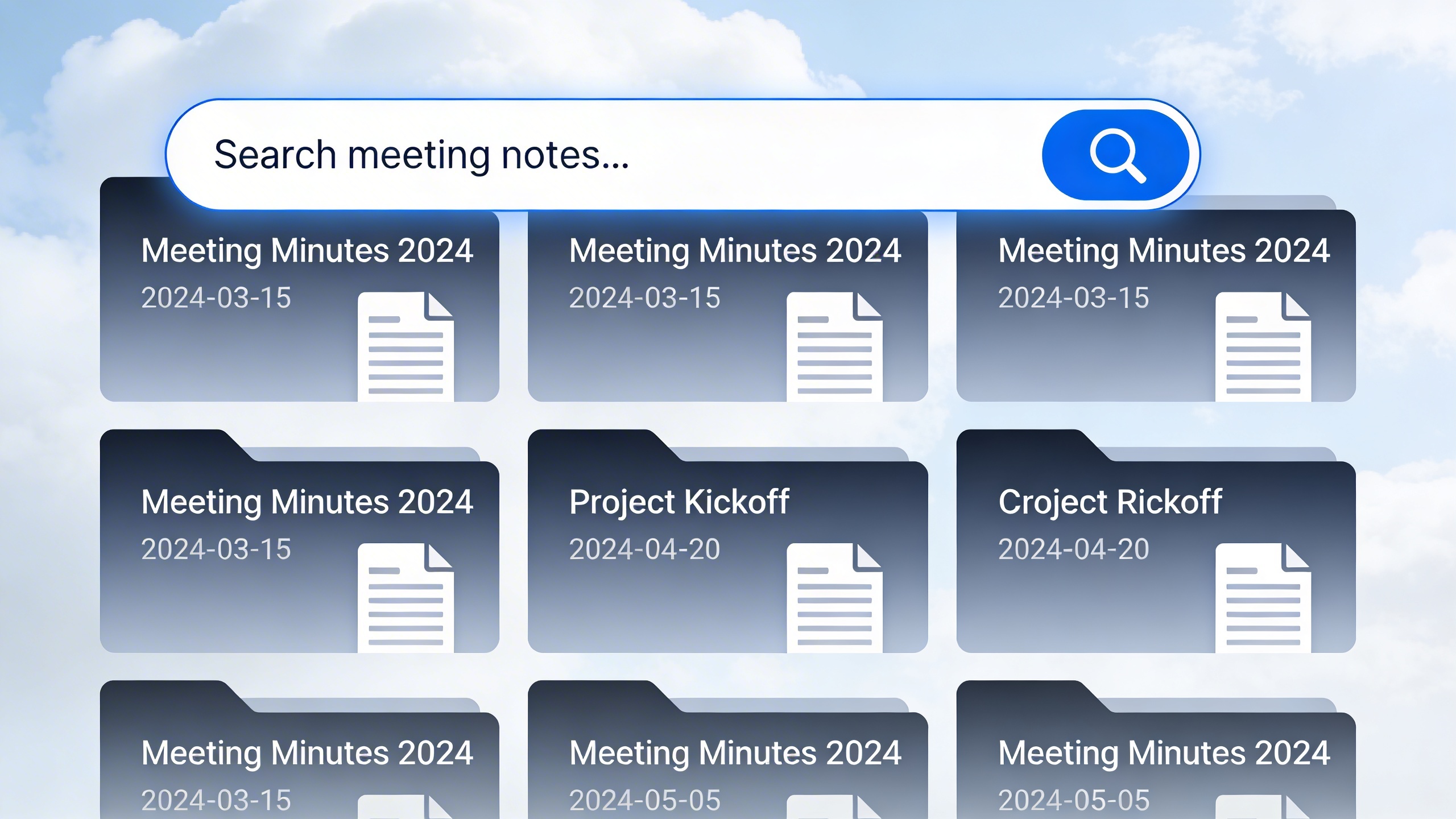
Consider implementing digital distribution methods that allow for easy searching and archiving. Cloud-based platforms enable team members to access historical meeting documentation quickly, supporting long-term project continuity and organizational knowledge management. Regular distribution protocols ensure that meeting minutes serve their intended purpose of maintaining clear communication and accountability across all team members.
Digital Tools and AI-Powered Solutions for Meeting Documentation
Modern meeting documentation has evolved far beyond pen and paper. Today’s digital tools leverage artificial intelligence and advanced transcription technology to transform how organizations capture, process, and distribute meeting information. These solutions not only save time but also improve accuracy and ensure nothing important gets overlooked during fast-paced discussions.
Voice Recording and Transcription Technology
Advanced voice recording and transcription technology has revolutionized meeting documentation by automatically converting spoken words into written text. Modern transcription tools can handle multiple speakers, accents, and industry-specific terminology with remarkable accuracy. This technology eliminates the challenge of trying to write detailed notes while actively participating in discussions.
When selecting transcription technology, look for solutions that offer real-time processing, speaker identification, and the ability to handle background noise effectively. The best platforms provide both live transcription during meetings and post-meeting processing for recorded sessions. Sozai exemplifies this approach with AI-powered transcription that adapts to different speaking styles and can generate structured meeting notes from recorded conversations.
Professional transcription tools also support various audio formats and can integrate with popular video conferencing platforms. This flexibility ensures that whether you’re conducting in-person meetings, virtual conferences, or hybrid sessions, your documentation process remains consistent and reliable.
Automated Meeting Minutes Generation
AI-powered minute generation takes transcription technology several steps further by automatically structuring raw conversation data into professional meeting minutes. These systems can identify key discussion points, action items, decisions made, and follow-up tasks without manual intervention. The result is a polished meeting minutes template that follows professional standards and includes all essential components.
Advanced AI solutions can distinguish between different types of content during meetings. For example, they can automatically categorize agenda items, highlight decisions requiring votes, and extract specific action items with assigned responsibilities and deadlines. This intelligent processing creates a comprehensive meeting notes template that would typically require significant manual effort to produce.
The technology also learns from organizational patterns and preferences. Over time, AI systems can adapt to specific meeting formats, whether you’re documenting board meetings that require a formal conference minutes template or team standups that need a more streamlined minute notes template. This adaptability ensures that generated minutes align with your organization’s documentation standards.
Integration with Project Management Systems
The true power of modern meeting documentation emerges when it integrates seamlessly with existing project management and workflow systems. Leading platforms can automatically sync action items from meeting minutes into task management tools, assign responsibilities to team members, and set deadline reminders based on discussion outcomes.
Integration capabilities extend beyond simple task creation. Advanced systems can link meeting discussions to specific projects, update project timelines based on decisions made during meetings, and even trigger automated workflows when certain types of decisions are documented. This connectivity ensures that meeting outcomes translate directly into actionable work items without manual data entry.
| Integration Feature | Benefit | Example Use Case |
|---|---|---|
| Automatic Task Creation | Eliminates manual entry | Action items become project tasks instantly |
| Calendar Sync | Schedules follow-ups | Next meeting dates set automatically |
| Team Notifications | Keeps stakeholders informed | Relevant team members receive updates |
Modern integration also supports bidirectional data flow. Project updates can inform future meeting agendas, and historical meeting data can provide context for ongoing discussions. This creates a comprehensive documentation ecosystem where meeting minutes serve as both historical records and active project management tools.
When evaluating digital solutions for meeting documentation, prioritize platforms that offer robust API connections, support for multiple project management systems, and customizable workflow automation. The investment in proper integration pays dividends through improved team coordination and more effective follow-through on meeting decisions.
Best Practices for Meeting Minutes Management
Creating professional meeting minutes is only half the battle—effective management ensures these valuable documents remain accessible, organized, and useful over time. A well-structured management system transforms your meeting minutes from scattered notes into a searchable knowledge base that drives organizational efficiency.
Storage and Accessibility Guidelines
Establish a centralized filing system that makes sense for your organization’s structure and workflow. Create a logical folder hierarchy that includes meeting type, date, and department. For example, organize your meeting minutes template files by year, then by committee or department, followed by chronological order.
Use consistent naming conventions across all meeting documentation. A standardized format like “YYYY-MM-DD_MeetingType_Department” ensures easy identification and sorting. This applies whether you’re using a basic meeting notes template for informal gatherings or a comprehensive conference minutes template for board meetings.
Implement access controls that balance transparency with confidentiality. Not every team member needs access to executive-level discussions, but departmental meeting minutes should be readily available to relevant stakeholders. Cloud-based storage solutions offer granular permission settings that allow you to control who can view, edit, or comment on specific documents.
Consider using AI-powered transcription tools like Sozai to automatically generate searchable text from recorded meetings, making it easier to locate specific discussions or decisions months later.
Version Control and Approval Processes
Establish clear approval workflows that prevent confusion about which version represents the official record. Draft minutes should be circulated within 24-48 hours of the meeting for review and feedback. Use track changes or commenting features to maintain transparency in the revision process.
Create a standardized approval timeline that gives participants adequate time to review while maintaining momentum. A typical workflow includes initial distribution, a review period of 3-5 business days, incorporation of feedback, and final approval at the next meeting or via email confirmation.
Maintain version history for accountability and reference purposes. Even when using a minute notes template, different stakeholders may request changes that need to be documented. Save each iteration with clear version numbers and timestamps to track the evolution of the document.
Designate specific roles for the approval process—typically the meeting chair for content accuracy and an administrative assistant for formatting consistency. This dual-review system ensures both substance and presentation meet professional standards.
Long-term Archival and Retrieval
Develop retention policies that comply with legal requirements and organizational needs. Some meeting minutes must be preserved for regulatory compliance, while others serve primarily as reference material. Understanding these distinctions helps optimize storage costs and retrieval efficiency.
Implement robust backup systems that protect against data loss. Cloud storage with automatic synchronization provides redundancy, but consider additional offline backups for critical documents. Regular testing of backup and recovery procedures prevents unpleasant surprises during actual emergencies.
Create searchable metadata tags that go beyond basic file names. Include participant names, key topics, decisions made, and action items as searchable fields. This enhanced indexing transforms your meeting minutes example files into a powerful organizational memory system.
Establish regular archive reviews to identify outdated information and optimize storage efficiency. Quarterly assessments help maintain system performance while ensuring historical documents remain accessible when needed. This systematic approach turns your collection of meeting documentation into a strategic asset that supports informed decision-making across your organization.
Troubleshooting Common Meeting Minutes Challenges
Even experienced minute-takers encounter situations that test their documentation skills. Understanding how to navigate these challenges ensures your meeting minutes remain professional and comprehensive regardless of what unfolds during the session.
Handling Difficult Participants and Situations
Disruptive meeting dynamics can derail your documentation efforts, but strategic approaches help maintain focus. When participants speak over each other, politely request clarification on who made specific statements. Document interruptions by noting “Discussion interrupted” rather than attempting to capture overlapping conversations verbatim.
For participants who dominate conversations, focus on capturing their key points rather than every word. Use your meeting minutes template to structure contributions by topic rather than speaker sequence. When someone goes off-topic, note “Discussion moved to [topic]” to maintain logical flow in your final document.
Hostile or emotional exchanges require diplomatic handling. Document the substance of disagreements without editorializing emotional tone. Instead of writing “John angrily disagreed,” record “John expressed strong opposition to the proposal, citing budget constraints.” This approach maintains professionalism while preserving the meeting’s factual content.
Managing Information Overload
High-information meetings can overwhelm even skilled note-takers. Develop a filtering system that prioritizes decisions, action items, and key discussion points over casual commentary. Your meeting notes template should include designated sections for different information types, allowing you to categorize content in real-time.
When discussions become highly technical, focus on outcomes rather than detailed explanations. For example, instead of documenting a lengthy technical debate, note “Engineering team will research database optimization options and report findings by [date].” This captures the essential decision without unnecessary detail.
Use abbreviations and shorthand consistently throughout your documentation process. Develop a personal system for common terms and phrases, but ensure your final meeting minutes example uses complete, professional language. Consider using AI-powered transcription tools like Sozai to capture detailed conversations while you focus on identifying key themes and decisions.
Ensuring Accuracy and Completeness
Accuracy verification requires multiple validation points throughout the documentation process. During the meeting, repeat back critical decisions or action items for confirmation. This practice prevents misunderstandings and demonstrates your commitment to precision.
Cross-reference your notes with other attendees immediately after the meeting concludes. Send a brief summary of key decisions within 24 hours, requesting corrections or additions. This collaborative approach often reveals missed details or clarifies ambiguous statements.
For sensitive or confidential discussions, establish clear protocols beforehand. Your conference minutes template should include guidelines for handling proprietary information, legal matters, or personnel discussions. Consider creating separate confidential sections or maintaining entirely separate documentation for sensitive topics.
When accuracy concerns arise, contact relevant participants directly rather than making assumptions. Document any post-meeting clarifications with timestamps and attribution. For example, note “Clarified via email on [date]: Budget figure corrected from $50,000 to $500,000 per John Smith.” This transparency maintains credibility while ensuring your minute notes template reflects accurate information.
Implement a final review process that includes spell-checking, fact-verification, and consistency checks across all meeting documentation. This systematic approach prevents errors from reaching stakeholders and maintains your reputation as a reliable meeting documenter.

