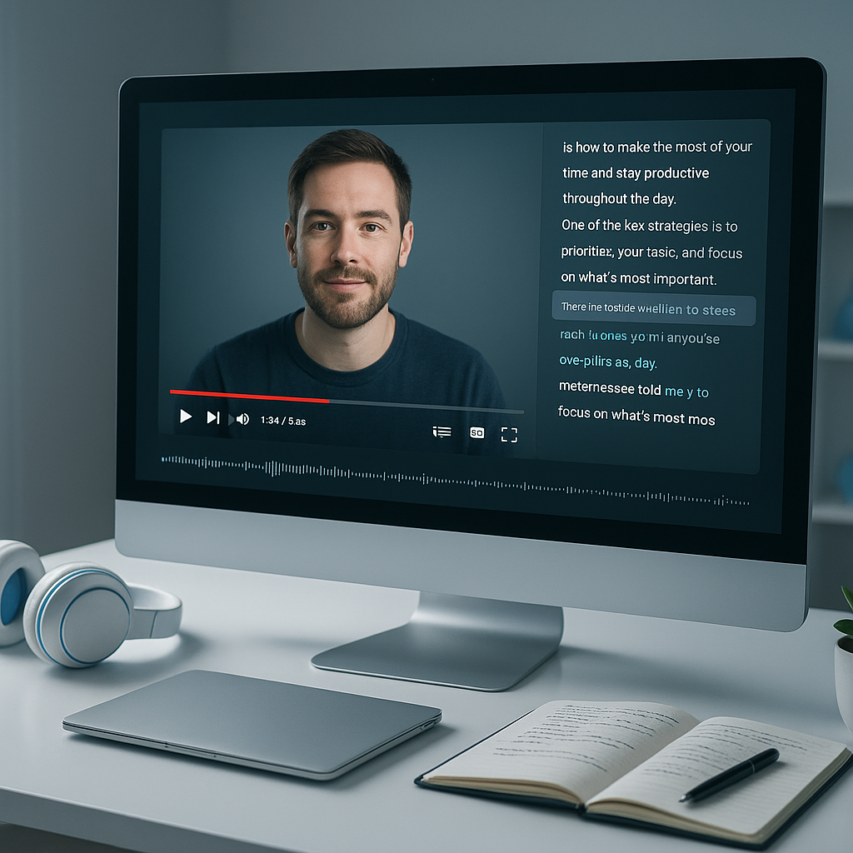
Video content dominates the digital landscape, with YouTube hosting billions of hours of valuable information, entertainment, and educational material. Yet much of this content remains locked away from search engines and inaccessible to viewers with hearing impairments. Learning how to transcribe YouTube videos has become an essential skill for content creators, marketers, and professionals who want to maximize their reach and impact. Transcription transforms spoken words into searchable, readable text that opens doors to better SEO rankings, improved accessibility, and countless content repurposing opportunities.
Whether you’re a content creator looking to boost your video’s discoverability, a business professional needing accurate meeting records, or an educator making content accessible to all students, YouTube video transcription offers powerful benefits. From leveraging YouTube’s built-in features to exploring advanced AI-powered solutions, there are multiple approaches to transcribe from youtube content effectively. The right transcription method can turn your video library into a goldmine of searchable content, blog posts, social media snippets, and educational materials.
This comprehensive guide walks you through every aspect of transcription for YouTube videos, from understanding automatic captions to implementing professional-grade solutions that deliver accuracy and efficiency for your specific needs.
Why YouTube Video Transcription Matters
YouTube video transcription has evolved from a nice-to-have feature into an essential component of modern digital content strategy. Whether you’re a content creator building an audience or a business leveraging video marketing, understanding how to transcribe YouTube video content effectively can dramatically impact your reach, engagement, and legal compliance.
The practice of creating accurate text versions of your video content serves multiple stakeholders simultaneously. Viewers gain better accessibility and comprehension, search engines can properly index your content, and creators unlock new opportunities for content distribution across platforms. This comprehensive approach to transcription for YouTube videos transforms a single video asset into a versatile content foundation.
Accessibility and Legal Compliance
Accessibility requirements have become increasingly stringent across digital platforms, with YouTube video transcription playing a crucial role in meeting these standards. The Americans with Disabilities Act (ADA) mandates that public accommodations, including digital content, must be accessible to individuals with disabilities. For businesses and educational institutions, failing to provide transcriptions can result in legal challenges and significant financial penalties.
Beyond legal obligations, accessibility features benefit a broader audience than initially apparent. Viewers in noisy environments, non-native speakers, and individuals with varying degrees of hearing ability all rely on text alternatives to fully engage with video content. When you transcribe from YouTube effectively, you’re creating an inclusive experience that can increase your total addressable audience by up to 15 percent.
Professional transcription services and tools have made compliance more achievable for creators of all sizes. Many platforms now offer automated solutions that provide a solid foundation, though manual review remains essential for accuracy and context preservation.
SEO Benefits and Content Discovery
Search engines cannot watch videos, but they excel at analyzing text content. YouTube video transcription creates searchable text that dramatically improves your content’s discoverability across both YouTube’s internal search algorithm and broader search engine results pages. This text-based content allows search engines to understand your video’s context, topics, and relevance to user queries.
Videos with accurate transcriptions typically see improved rankings for long-tail keywords that appear naturally in spoken content. These conversational phrases often match how users actually search for information, creating opportunities to capture traffic that might otherwise go to text-based competitors. The additional metadata provided by transcriptions also helps YouTube’s recommendation algorithm understand your content better, potentially increasing suggested video placements.
Furthermore, transcribed content enables rich snippets and enhanced search result displays. When search engines can extract specific quotes or key points from your video transcription, they may feature this content prominently in search results, increasing click-through rates and visibility.
Content Repurposing Opportunities
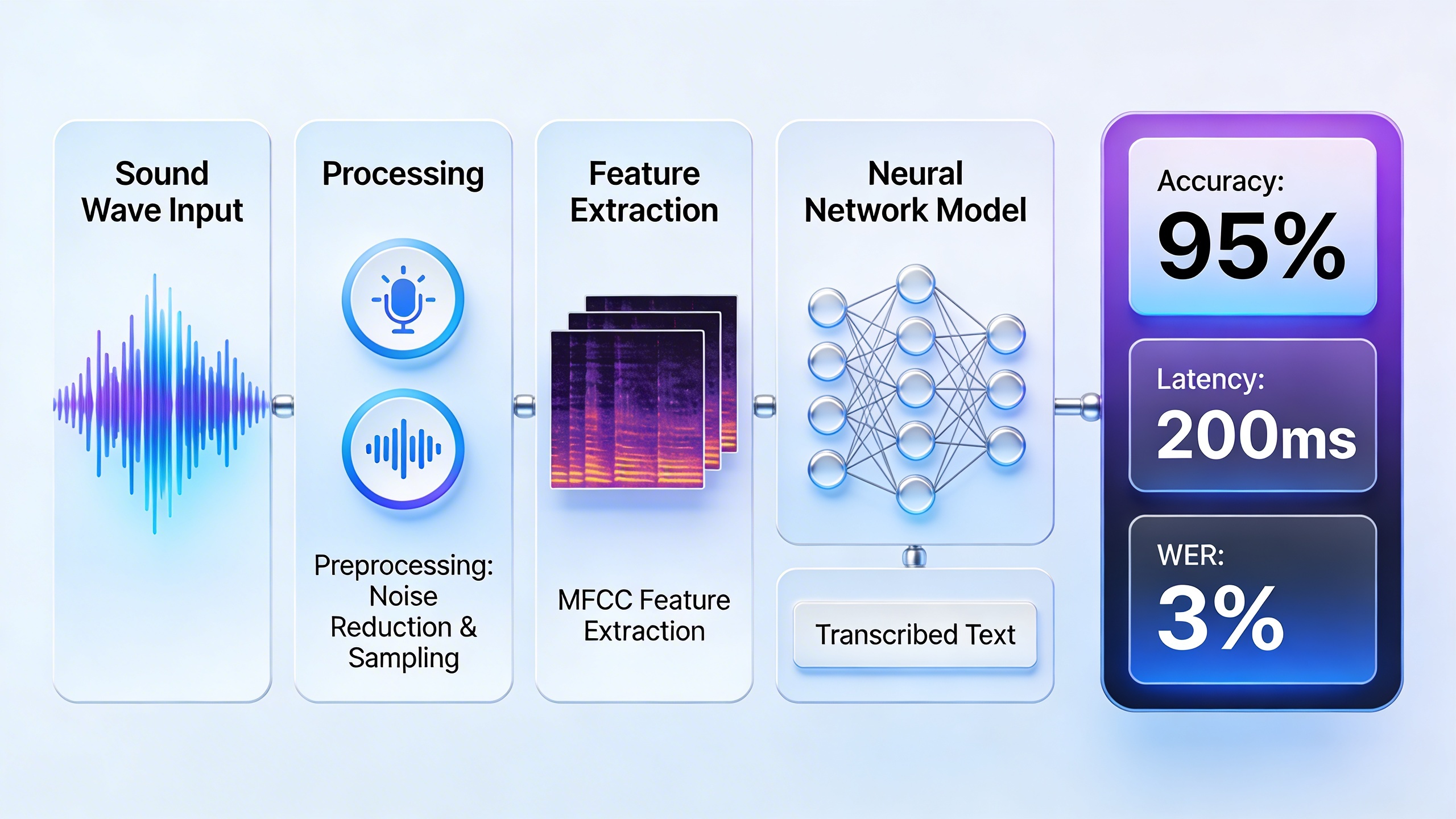
Perhaps the most immediately valuable benefit of learning how to transcribe YouTube video content lies in the content multiplication opportunities it creates. A single video transcript serves as the foundation for blog posts, social media updates, email newsletters, and podcast show notes. This approach maximizes the return on investment for video production while maintaining consistent messaging across platforms.
Transcribed content can be segmented into platform-specific formats with minimal additional effort. Key quotes become social media posts, detailed explanations transform into blog sections, and question-and-answer segments can be repurposed as FAQ content. This systematic approach to content repurposing ensures that valuable insights reach audiences who prefer different content consumption methods.
The process also facilitates content analysis and improvement. Written transcripts make it easier to identify recurring themes, measure speaking pace, and refine messaging for future videos. Content creators can quickly locate specific segments for creating highlight reels or addressing follow-up questions from their audience.
Modern transcription tools have streamlined this entire workflow, making it practical for creators to maintain consistent transcription practices without overwhelming their production schedules. The investment in proper transcription for YouTube videos pays dividends across multiple content channels and audience touchpoints.
Understanding YouTube’s Built-in Transcription Features
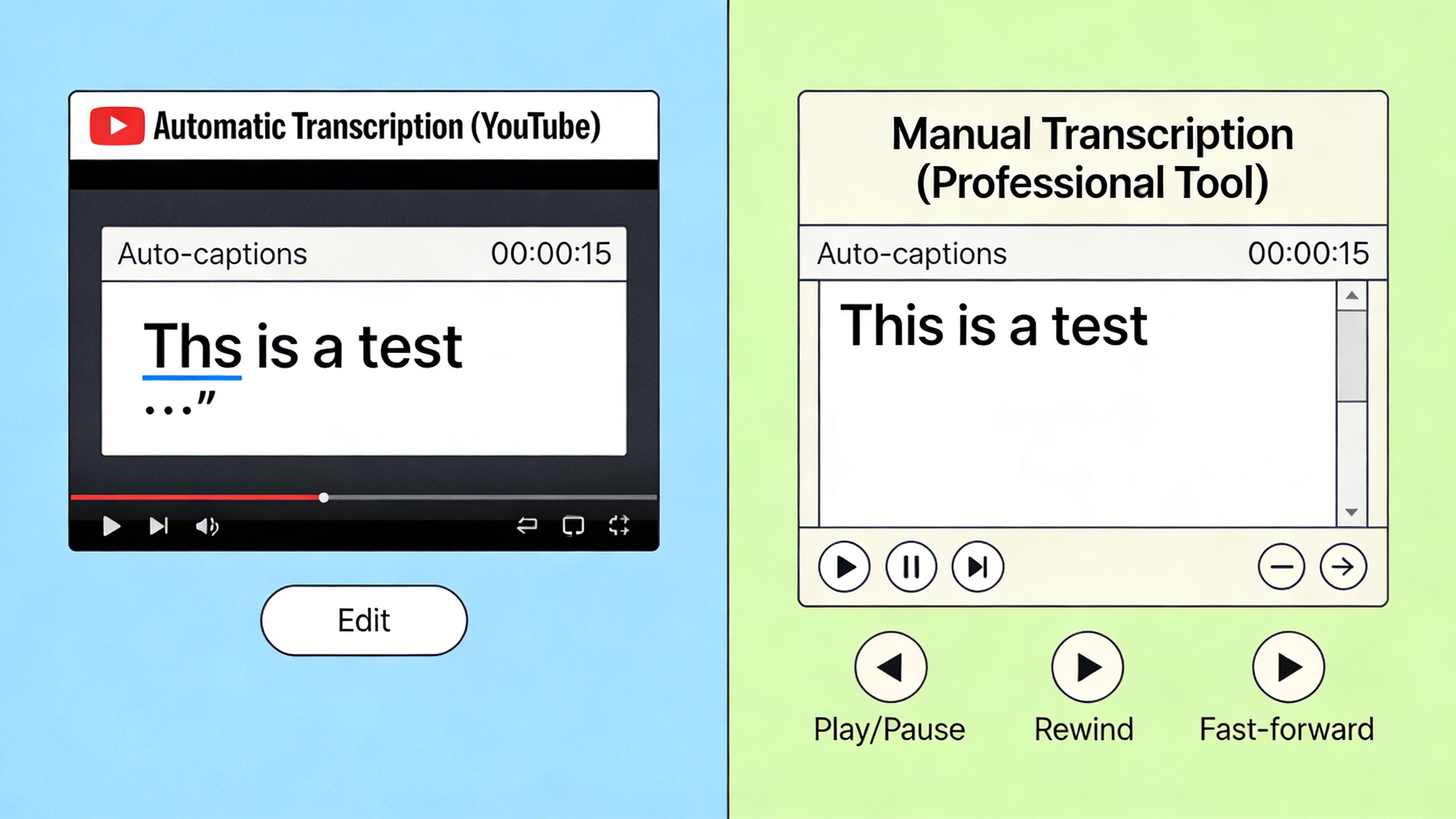
YouTube offers several built-in options to transcribe youtube video content, making it easier for creators to add captions and improve accessibility. These native tools provide a starting point for youtube video transcription, though understanding their capabilities and limitations is essential for achieving professional results.
Auto-Generated Captions Overview
YouTube’s automatic speech recognition technology analyzes audio tracks and generates captions in real-time. This feature works across multiple languages and can transcribe from youtube videos without any manual intervention from creators. The system processes clear speech patterns reasonably well, particularly for content with minimal background noise and standard pronunciation.
However, auto-generated captions frequently struggle with technical terminology, proper nouns, accents, and overlapping speakers. The accuracy typically ranges from 60-80% depending on audio quality and speaking clarity. While this provides a foundation for transcription for youtube videos, creators should expect significant editing requirements to achieve professional standards.
The automatic system also faces challenges with punctuation placement and sentence structure. It often creates run-on sentences or breaks thoughts at awkward points, requiring manual correction to improve readability and comprehension for viewers.
Manual Caption Upload Process
YouTube supports manual caption uploads through its Creator Studio, allowing precise control over how to transcribe youtube video content. The platform accepts several file formats including SRT (SubRip Subtitle), VTT (WebVTT), and SBV (SubViewer) files.
SRT files remain the most widely supported format, containing timestamp information and text in a simple structure. Each caption entry includes start time, end time, and the corresponding text. VTT files offer additional formatting options like positioning and styling, while SBV files provide a simpler alternative for basic captioning needs.
When uploading caption files, YouTube requires specific formatting standards. Timestamps must follow precise formatting (hours:minutes:seconds,milliseconds for SRT), and text should be broken into readable chunks of 32-42 characters per line. The platform also enforces maximum caption duration limits and minimum display times to ensure readability.
Editing and Improving YouTube Captions
YouTube’s caption editor provides tools to refine auto-generated transcripts directly within the platform. Creators can adjust timing, correct spelling errors, and add punctuation to improve caption quality. The editor displays audio waveforms alongside text, making it easier to synchronize captions with speech patterns.
Effective caption editing involves several best practices. First, ensure proper punctuation and capitalization to enhance readability. Second, break long sentences into shorter segments that align with natural speech pauses. Third, use speaker identification when multiple people appear in the video.
The editing interface allows real-time preview of caption timing and positioning. Creators should verify that captions don’t obscure important visual elements and maintain consistent reading speeds throughout the video. YouTube recommends caption display rates between 160-180 words per minute for optimal viewer comprehension.
For creators seeking higher accuracy rates, combining YouTube’s auto-generated captions with professional transcription tools often yields better results. This hybrid approach leverages the platform’s timestamp synchronization while ensuring accurate text content through specialized transcription software.
Understanding these built-in features provides the foundation for effective youtube video transcription workflows, whether using YouTube’s native tools or integrating external solutions for enhanced accuracy and efficiency.
Manual Transcription Methods and Techniques
While automated tools offer convenience, manual transcription remains the gold standard for accuracy when you need to transcribe YouTube video content with precision. This hands-on approach gives you complete control over the final output and ensures every word, pause, and nuance is captured exactly as intended.
Traditional Typing Approach
The foundation of effective YouTube video transcription starts with proper preparation and workspace setup. Begin by creating a new document in your preferred text editor and position it alongside your YouTube video player. This dual-screen approach allows you to maintain visual contact with both the video content and your transcription work.
Start the transcription process by playing the video in short segments of 10-15 seconds. Listen carefully to each phrase, pause the video, then type what you heard. This methodical approach prevents you from falling behind the speaker and reduces errors that occur when trying to transcribe from YouTube at normal speed. Professional transcriptionists recommend focusing on accuracy over speed during your initial pass through the content.
For complex technical content or videos with multiple speakers, consider using a two-pass system. During your first pass, capture the main dialogue and content structure. In your second review, refine the text, add speaker identifications, and correct any missed details.
Using Playback Speed Controls
YouTube’s built-in speed controls become invaluable tools when you transcribe YouTube video content manually. Access these controls by clicking the gear icon in the video player and selecting “Playback speed.” For most transcription work, reducing the speed to 0.75x provides the optimal balance between comprehension and efficiency.
When dealing with fast-paced dialogue or heavy accents, slow the playback to 0.5x speed. This dramatic reduction allows you to catch every word without constantly rewinding. Conversely, for clear, slow-paced content, you might work effectively at normal speed or even 1.25x for preliminary reviews.
The key to successful transcription for YouTube videos lies in adjusting speed based on content complexity. Technical presentations, interviews with multiple speakers, and videos with background noise typically require slower speeds, while single-speaker presentations with clear audio can often be transcribed at near-normal speeds.
Timestamping and Formatting Standards
Professional transcription formatting follows specific industry standards that enhance readability and usability. Begin each transcript with a header containing the video title, date, and total duration. Use consistent speaker identification formats, such as “Speaker 1:” or the person’s actual name when known.
Implement timestamps at regular intervals, typically every 30-60 seconds, using the format [MM:SS] or [HH:MM:SS] for longer content. These markers allow readers to quickly locate specific sections within the original video. For how to transcribe YouTube video projects requiring precise timing, include timestamps for every speaker change or significant topic shift.
Essential keyboard shortcuts can dramatically improve your transcription efficiency. Learn your text editor’s shortcuts for common formatting tasks: paragraph breaks, speaker changes, and timestamp insertion. Many transcriptionists also use foot pedals or specialized software that allows hands-free playback control, keeping both hands available for typing throughout the transcription process.
Maintain consistent formatting for unclear audio by using brackets to indicate [inaudible] or [unclear]. This professional approach ensures your transcript remains useful even when certain portions of the audio prove challenging to decipher.
AI-Powered Transcription Tools and Software
Modern artificial intelligence has revolutionized how we transcribe YouTube video content, offering accuracy rates that often surpass human capabilities while processing content in a fraction of the time. Understanding these AI-powered solutions can help you choose the right approach to transcribe YouTube video content efficiently and cost-effectively.
Automatic Speech Recognition Technology
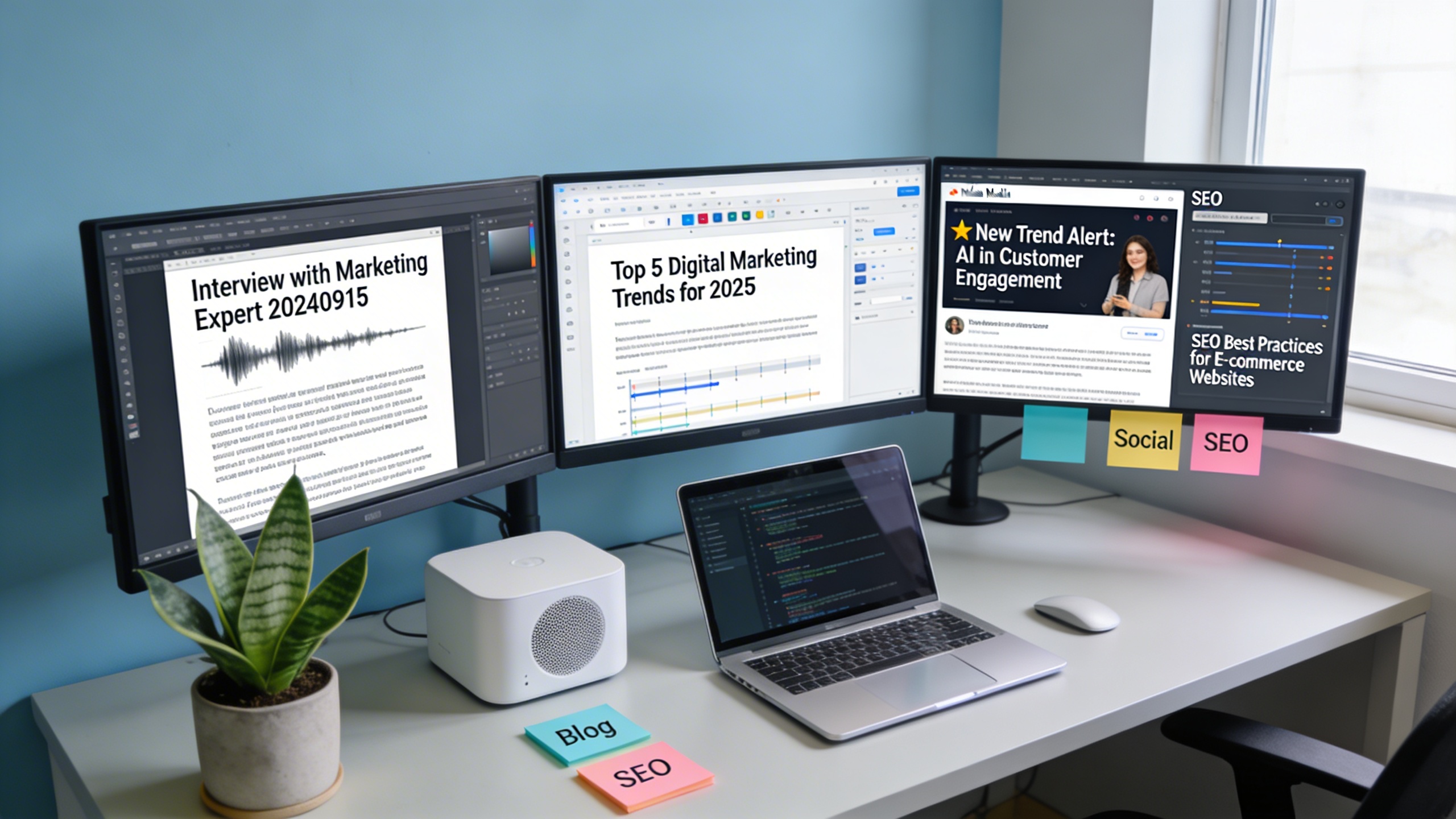
Automatic Speech Recognition (ASR) technology forms the backbone of AI transcription services. These systems analyze audio waveforms, identify speech patterns, and convert spoken words into text using machine learning models trained on millions of hours of human speech. When you need to transcribe from YouTube, ASR technology processes the audio track separately from the video, focusing entirely on extracting accurate textual content.
The most advanced ASR systems employ neural networks that continuously improve their understanding of context, accents, and industry-specific terminology. This means that modern AI tools can handle complex YouTube video transcription tasks, including technical presentations, interviews with multiple speakers, and content featuring specialized vocabulary. The technology works by breaking down audio into small segments, analyzing each segment for phonetic patterns, and then assembling the results into coherent sentences.
For content creators working with diverse audio sources, AI-powered tools like Sozai offer sophisticated transcription capabilities that can process YouTube videos alongside other audio content, providing consistent formatting and accuracy across different media types.
Comparing Accuracy Levels
Accuracy rates for transcription for YouTube videos vary significantly based on several critical factors. High-quality audio with clear speech typically achieves accuracy rates between 85-95%, while poor audio quality, background noise, or heavy accents can reduce accuracy to 60-75%. Understanding these variables helps set realistic expectations for your YouTube video transcription projects.
| Audio Quality | Expected Accuracy | Common Scenarios |
|---|---|---|
| Studio-quality recording | 90-95% | Professional podcasts, scripted content |
| Good microphone, quiet environment | 85-90% | Educational videos, interviews |
| Standard recording conditions | 75-85% | Webinars, conference calls |
| Poor audio quality | 60-75% | Live streams, crowded environments |
Speaker characteristics also significantly impact accuracy. Native speakers with clear pronunciation generally produce higher accuracy rates than non-native speakers or individuals with strong regional accents. Technical terminology, proper nouns, and industry jargon often require manual correction regardless of the AI tool used.
The length of your content affects accuracy as well. Shorter videos typically maintain higher accuracy throughout, while longer content may see slight degradation as the AI processes extended audio streams. Most professional tools maintain consistent performance across various content lengths when you transcribe YouTube video materials.
Integration with Video Platforms
Modern transcription tools offer multiple integration options to streamline your workflow when working with YouTube content. Browser extensions represent the most user-friendly approach, allowing you to transcribe from YouTube directly within your web browser. These extensions typically add a transcription button to the YouTube interface, enabling one-click processing without downloading video files.
Desktop applications provide more robust features for content creators who regularly process multiple videos. These tools often include batch processing capabilities, custom vocabulary training, and advanced editing features. Many desktop solutions can automatically detect when you’re viewing a YouTube video and offer instant transcription options.
API integrations serve professionals and businesses requiring bulk processing capabilities. These solutions allow you to programmatically submit YouTube URLs for transcription, making them ideal for educational institutions, media companies, or research organizations processing large volumes of content. API-based tools typically offer the highest accuracy rates and most customization options.
Cloud-based platforms combine the convenience of browser access with the power of desktop applications. These solutions often provide real-time collaboration features, allowing teams to work together on transcription projects. They typically offer seamless integration with popular video platforms, making it simple to import YouTube content and export finished transcripts in various formats.
When selecting integration options, consider your typical workflow, volume requirements, and accuracy needs. Simple browser extensions work well for occasional use, while API integrations better serve high-volume professional applications requiring consistent formatting and automated processing workflows.
Professional Transcription Services
While AI tools have revolutionized how we transcribe YouTube videos, certain scenarios demand the precision and contextual understanding that only human transcribers can provide. Professional transcription services bridge the gap between automated efficiency and human expertise, offering solutions for content creators who require the highest accuracy standards.
When to Use Human Transcribers
Human transcribers excel in complex audio scenarios where automated tools struggle. If your YouTube video contains multiple speakers with overlapping dialogue, heavy accents, or technical jargon specific to your industry, professional services deliver superior results. Medical professionals, legal experts, and academic researchers often require transcription for YouTube videos that capture nuanced terminology and context that AI might misinterpret.
Background noise, poor audio quality, and non-standard speech patterns also warrant human intervention. When your video includes emotional content, sarcasm, or cultural references that require interpretation beyond literal words, experienced transcribers provide the contextual accuracy your content demands. Additionally, videos requiring time-coded transcripts for compliance or accessibility purposes benefit from human attention to detail.
Cost vs Quality Considerations
Professional transcription services typically operate on three pricing models when you need to transcribe from YouTube. Standard transcription ranges from $1.00 to $3.00 per audio minute, while verbatim transcription capturing every utterance costs $1.50 to $4.00 per minute. Rush orders and specialized content command premium rates of $3.00 to $6.00 per minute.
Quality tiers directly impact pricing structures. Basic services offer 95-98% accuracy suitable for general content, while premium services guarantee 99%+ accuracy with multiple quality checks. Consider your budget against your accuracy requirements—marketing videos may accept standard quality, while legal depositions or medical content require premium precision.
| Service Level | Accuracy Rate | Price Range (per minute) | Best For |
|---|---|---|---|
| Standard | 95-98% | $1.00-$3.00 | General content, blogs |
| Premium | 99%+ | $2.50-$4.50 | Professional, technical content |
| Specialized | 99.5%+ | $4.00-$6.00 | Legal, medical, academic |
Turnaround Times and Delivery
Standard turnaround times for youtube video transcription range from 24 to 72 hours, depending on audio length and complexity. Most services offer expedited options with 12-24 hour delivery for urgent projects at premium rates. When planning your content schedule, factor in revision time if your transcripts require specific formatting or corrections.
Professional services typically deliver transcripts in multiple formats including Microsoft Word, plain text, SRT subtitle files, and PDF documents. Many providers offer cloud-based delivery systems with secure download links and automated notifications when your transcription is complete. Establish clear formatting requirements upfront to ensure the final deliverable matches your workflow needs.
Best Practices for Accurate Transcription
Achieving professional-quality results when you transcribe YouTube video content requires attention to detail and systematic preparation. Whether you’re working with automated tools or manual methods, these proven strategies will significantly improve your transcription accuracy and reduce editing time.
Audio Quality Optimization
Before you begin any transcription for YouTube videos, invest time in audio preprocessing to maximize accuracy. Download the video at the highest available quality setting, as YouTube’s compression can degrade audio clarity. Use audio editing software to normalize volume levels, reduce background noise, and enhance vocal frequencies between 300-3000 Hz where human speech is most concentrated.
Consider adjusting playback speed during transcription. Slowing audio to 0.75x or 0.5x speed allows you to catch nuanced pronunciations and reduces the likelihood of missing words. For videos with poor audio quality, apply noise reduction filters before transcription, but avoid over-processing that might distort speech patterns.
Handling Multiple Speakers
Multi-speaker scenarios present unique challenges when you transcribe from YouTube content. Establish a consistent speaker identification system from the start, using clear labels like “Speaker 1,” “Moderator,” or actual names when known. Create a reference document listing each speaker’s vocal characteristics, speaking patterns, and any distinctive phrases they use.
For panel discussions or interviews, note timestamp markers where speakers change to maintain context during editing. Pay special attention to overlapping speech segments, which often require multiple listening passes to transcribe accurately. When speakers interrupt each other, use standard notation like “[interrupting]” or “[overlapping speech]” to preserve the conversation flow.
Tools like Sozai can help identify speaker changes automatically, streamlining the process for complex multi-speaker content while maintaining high accuracy standards.
Technical Terminology and Jargon
Industry-specific content requires specialized preparation to ensure accurate youtube video transcription. Research the subject matter beforehand, creating a glossary of likely technical terms, acronyms, and proper nouns. This preparation prevents common transcription errors where automated tools might substitute similar-sounding but incorrect words.
For medical, legal, or scientific content, verify terminology spelling using authoritative sources. Many transcription tools allow custom dictionaries where you can add specialized vocabulary, improving recognition accuracy for subsequent projects in the same field.
When encountering unfamiliar terms, mark them with timestamps for later verification rather than guessing. This approach maintains transcription flow while ensuring accuracy during the review process.
Quality control forms the foundation of professional transcription work. Implement a systematic proofreading process that includes reading the transcript while listening to the original audio at normal speed. This dual-sensory approach catches errors that text-only review might miss.
Check for common transcription errors including homophones, missing punctuation, and incorrect capitalization of proper nouns. Verify that numbers, dates, and statistics match the spoken content exactly. For critical applications, consider having a second person review the transcript, as fresh eyes often catch overlooked mistakes.
Maintain consistent formatting throughout the document, including speaker labels, timestamp placement, and paragraph breaks. This attention to detail reflects professionalism and makes the final transcript more usable for its intended purpose.
Using Transcripts for Content Strategy
Once you’ve learned how to transcribe YouTube videos effectively, the real value emerges in leveraging these transcripts as powerful content strategy assets. Professional content creators understand that transcription for YouTube videos extends far beyond simple text conversion—it becomes the foundation for comprehensive content marketing campaigns that maximize reach and engagement across multiple platforms.
SEO Optimization Techniques
YouTube video transcription creates immediate SEO opportunities through keyword-rich content that search engines can crawl and index. When you transcribe YouTube video content, you’re essentially creating searchable text that helps your videos rank for relevant queries. Include your primary keywords naturally throughout the transcript, focusing on long-tail phrases that viewers actually search for.
Upload your completed transcripts as subtitle files to YouTube, which signals to the platform that your content is accessible and comprehensive. This practice often results in improved video rankings within YouTube’s search algorithm. Additionally, hosting full transcripts on your website creates valuable blog content that can rank independently in Google search results, driving traffic back to your original videos.
Creating Derivative Content
Transcripts serve as content goldmines for creating derivative materials across multiple channels. Transform key insights from your transcribed videos into blog posts, social media snippets, email newsletters, and podcast episodes. A single comprehensive video transcript can generate weeks of social media content when broken into quotable segments and key takeaways.
Consider creating infographics from statistical data mentioned in your videos, or developing downloadable guides based on tutorial content. When you transcribe from YouTube systematically, you build a searchable content library that reveals trending topics and audience interests, informing future content creation decisions.
Accessibility Implementation
Implementing transcripts as closed captions transforms your content strategy into an inclusive experience that reaches broader audiences. Proper closed caption implementation involves timing synchronization, speaker identification, and formatting that enhances viewer comprehension rather than distracting from the visual content.
Beyond accessibility compliance, captions significantly improve viewer retention rates and engagement metrics. Studies consistently show that videos with accurate captions maintain viewer attention longer and generate more comments and shares. For content creators targeting global audiences, transcripts enable efficient translation workflows, allowing you to expand into international markets with localized subtitle tracks.
Professional transcription tools like Sozai streamline this process by providing accurate transcripts that can be easily formatted for various platforms and translated into multiple languages, maximizing your content’s global reach and accessibility impact.
The strategic use of YouTube video transcription transforms single video investments into multi-platform content ecosystems that continue generating value long after initial publication, making transcription an essential component of modern content marketing strategies.

