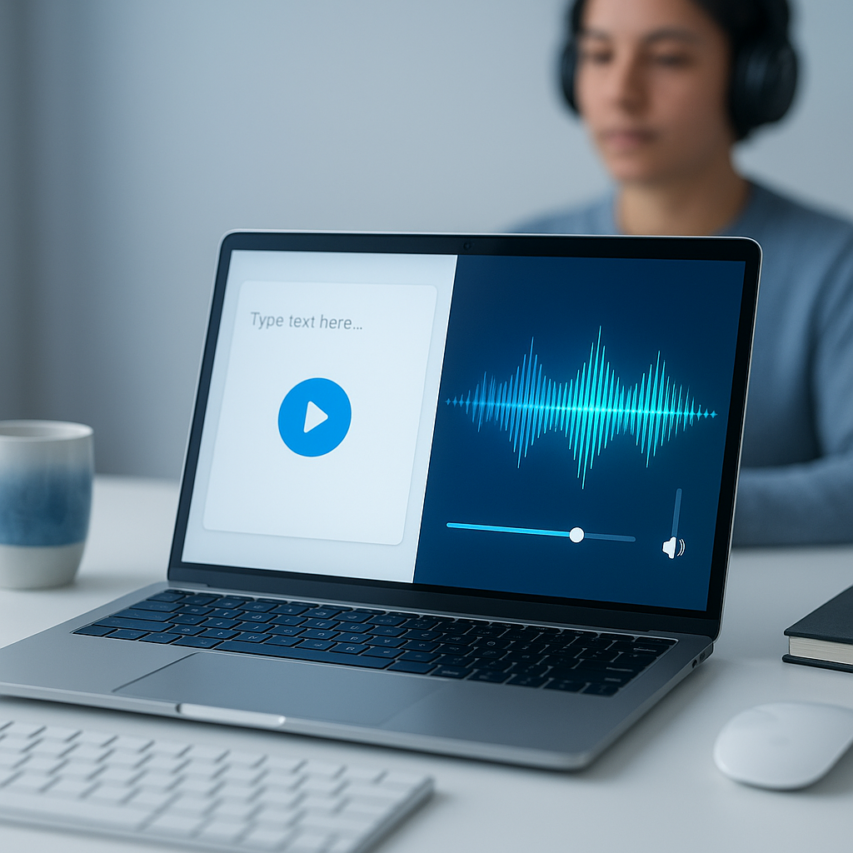
Text-to-speech technology has evolved from robotic-sounding computer voices to sophisticated AI-powered systems that can deliver remarkably natural speech. Whether you need to make content accessible for visually impaired users, create audio versions of written materials, or simply want to listen to documents while multitasking, free text to voice solutions have become increasingly powerful and accessible. Modern text to speech voices free options now rival premium services in quality, offering everything from basic utility voices to expressive AI-generated speech that can convey emotion and nuance.
The landscape of free text-to-speech tools spans from simple browser-based services to comprehensive desktop applications and developer APIs. With so many ai voice text to speech free options available, choosing the right tool depends on your specific needs, technical requirements, and quality expectations. This comprehensive guide will walk you through the best free text to speech voices available today, covering browser-based services, built-in operating system solutions, standalone applications, and developer-friendly APIs.
You’ll discover how to evaluate voice quality, compare features across different platforms, and identify the most practical text to voice free solutions for various use cases, from accessibility needs to content creation and productivity enhancement.
Understanding Free Text-to-Speech Technology
Text-to-speech technology has evolved dramatically from the robotic, monotone voices of early computer systems to today’s remarkably natural-sounding AI-generated speech. Modern free text to voice solutions leverage sophisticated algorithms and neural networks to transform written text into spoken words that can be nearly indistinguishable from human speech.
How Text-to-Speech Works
The text-to-speech process involves several complex stages that work together to create natural-sounding audio. First, the system analyzes the input text to understand its structure, identifying sentences, punctuation, and context clues. The text processing engine then converts written words into phonetic representations, determining how each word should be pronounced based on language rules and exceptions.
Next, the system applies prosody rules to add natural speech patterns including rhythm, stress, and intonation. This step determines where pauses should occur, which syllables to emphasize, and how the voice should rise or fall at the end of sentences. Finally, the audio synthesis engine generates the actual sound waves, either through concatenative synthesis using pre-recorded speech segments or through parametric synthesis that creates sounds mathematically.
Modern text to speech voices free platforms often combine multiple approaches, using machine learning to optimize the entire pipeline for more natural results. The processing typically happens in real-time or near real-time, allowing users to hear their text converted to speech within seconds of input.
AI vs Traditional TTS Engines
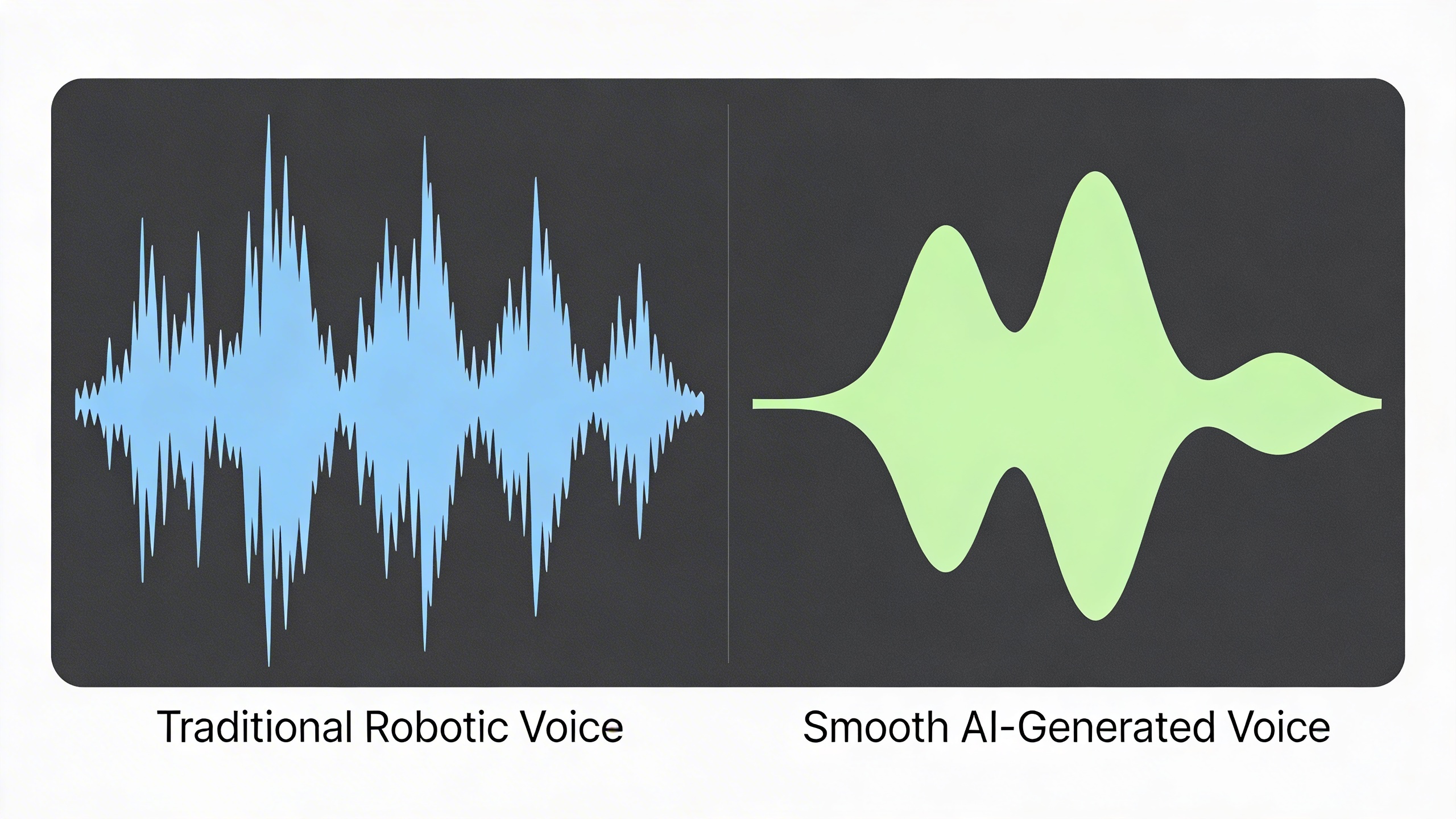
Traditional text-to-speech systems relied heavily on rule-based approaches and concatenative synthesis, where pre-recorded speech segments were stitched together to form complete sentences. While functional, these systems often produced choppy, unnatural-sounding speech with noticeable breaks between word segments.
In contrast, ai voice text to speech free technologies utilize neural networks and deep learning models trained on vast datasets of human speech. These systems can understand context, emotion, and linguistic nuances that traditional engines miss entirely. Neural text-to-speech models like WaveNet and Tacotron have revolutionized voice quality by learning the complex patterns of human speech directly from data.
The key advantage of AI-powered systems lies in their ability to generate speech that flows naturally, with appropriate pauses, emphasis, and emotional tone. They can handle complex sentences, foreign words, and even adjust speaking style based on content type. However, AI systems typically require more computational resources and may have slower processing speeds compared to traditional engines.
Quality Factors in Voice Generation
Several critical factors determine the quality of free text to speech voices, with naturalness being the most important metric. High-quality voices exhibit smooth transitions between words, appropriate breathing patterns, and natural prosody that matches human speech patterns. The best systems avoid the uncanny valley effect where speech sounds almost but not quite human.
Processing speed represents another crucial consideration, especially for real-time applications. While AI-powered systems generally produce higher quality output, they may require several seconds to generate speech for longer texts. Traditional engines often provide faster processing but with reduced naturalness. The optimal balance depends on your specific use case and quality requirements.
Language support varies significantly across text to voice free platforms. Some services excel in English but offer limited support for other languages, while others provide broad multilingual capabilities with varying quality levels. Accent accuracy, pronunciation of proper nouns, and handling of language-specific phonetic rules all impact the overall user experience.
Audio quality metrics include clarity, consistency in volume levels, and absence of artifacts like clicks or distortion. Professional applications often require specific audio formats, sample rates, and bit depths that not all free services support. Additionally, some platforms offer voice customization options, allowing users to adjust speaking speed, pitch, and emotional tone to match their content requirements.
Understanding these technical aspects helps you make informed decisions when selecting free text-to-speech tools for your projects, whether you need quick voice generation for accessibility purposes or high-quality audio for professional presentations.
Top Browser-Based Free TTS Services
Browser-based text-to-speech services have revolutionized how we access voice generation technology. These platforms eliminate the need for software downloads while offering impressive voice quality and features that rival desktop applications. Whether you need quick voice generation for accessibility purposes or professional audio content, web-based solutions provide immediate access to powerful TTS capabilities.
Web-Based TTS Platforms
Leading web platforms offer comprehensive free text to voice solutions that work directly in your browser. Google’s Text-to-Speech API powers many of these services, providing natural-sounding voices across multiple languages. Natural Reader stands out as a popular choice, offering up to 20 minutes of free daily usage with high-quality neural voices. The platform supports various text formats and provides adjustable speech rates, making it suitable for both casual users and content creators.
TTSReader delivers another excellent option for ai voice text to speech free conversion. This platform requires no registration and supports unlimited text processing, though longer texts may have slight delays. The service excels in its simplicity while maintaining voice clarity across different languages and accents. Users can paste text directly into the interface and receive immediate audio output.
Speechify’s web version provides premium-quality voices with a generous free tier that includes multiple voice options and speed controls. The platform’s strength lies in its document compatibility, supporting PDF uploads and web page reading functionality. While the free version has daily limits, it offers sufficient capacity for most personal and educational needs.
Browser Extension Options
Browser extensions transform any webpage into an audio experience, making them invaluable for accessibility and multitasking. Read Aloud is a standout Chrome extension that converts webpage content into speech using built-in browser voices or cloud-based options. The extension works offline with system voices and online with premium voices, offering flexibility based on your internet connectivity.
SpeakIt! provides another robust extension solution with customizable voice settings and text highlighting features. Users can select specific text portions or entire pages for conversion, making it ideal for research and studying. The extension supports over 50 languages and includes pause, rewind, and speed adjustment controls.
NaturalReader’s browser extension bridges the gap between web-based and desktop functionality. It offers both free and premium voices, with the free tier providing adequate quality for most users. The extension includes advanced features like pronunciation editing and voice switching, though some capabilities require account registration.
Online Voice Generators
Specialized online generators focus specifically on creating downloadable audio files from text input. Balabolka Online offers extensive customization options for free text to speech voices, including pitch adjustment, emphasis control, and multiple output formats. The platform supports SSML markup for advanced users who need precise pronunciation control.
Text2Speech.org provides a straightforward interface for quick voice generation with download capabilities. The service offers multiple voice engines and supports various audio formats including MP3 and WAV. Character limits vary by voice type, with standard voices supporting longer texts than premium options.
Voicemaker presents a more advanced solution with AI-powered voices that deliver professional-quality output. While the free tier includes character limitations, it provides access to high-quality neural voices suitable for commercial projects. The platform includes emotional tone controls and breathing effects for enhanced realism.
| Service | Daily Character Limit | Voice Quality | Download Option | Registration Required |
|---|---|---|---|---|
| Natural Reader | 20 minutes | High | Premium only | Yes |
| TTSReader | Unlimited | Good | No | No |
| Balabolka Online | 10,000 | Variable | Yes | No |
| Text2Speech.org | 5,000 | Good | Yes | No |
Privacy considerations remain crucial when using browser-based services. Most platforms process text on their servers, which may not be suitable for sensitive documents. Always review privacy policies and consider using offline alternatives for confidential content. Many services offer anonymous usage options, though registration typically unlocks additional features and higher quality voices.
The accessibility benefits of these browser-based solutions cannot be overstated. They provide immediate assistance for users with reading difficulties, visual impairments, or learning disabilities. The combination of instant access, no installation requirements, and text to voice free conversion makes these tools essential resources for inclusive digital experiences.
Built-in Operating System TTS Solutions
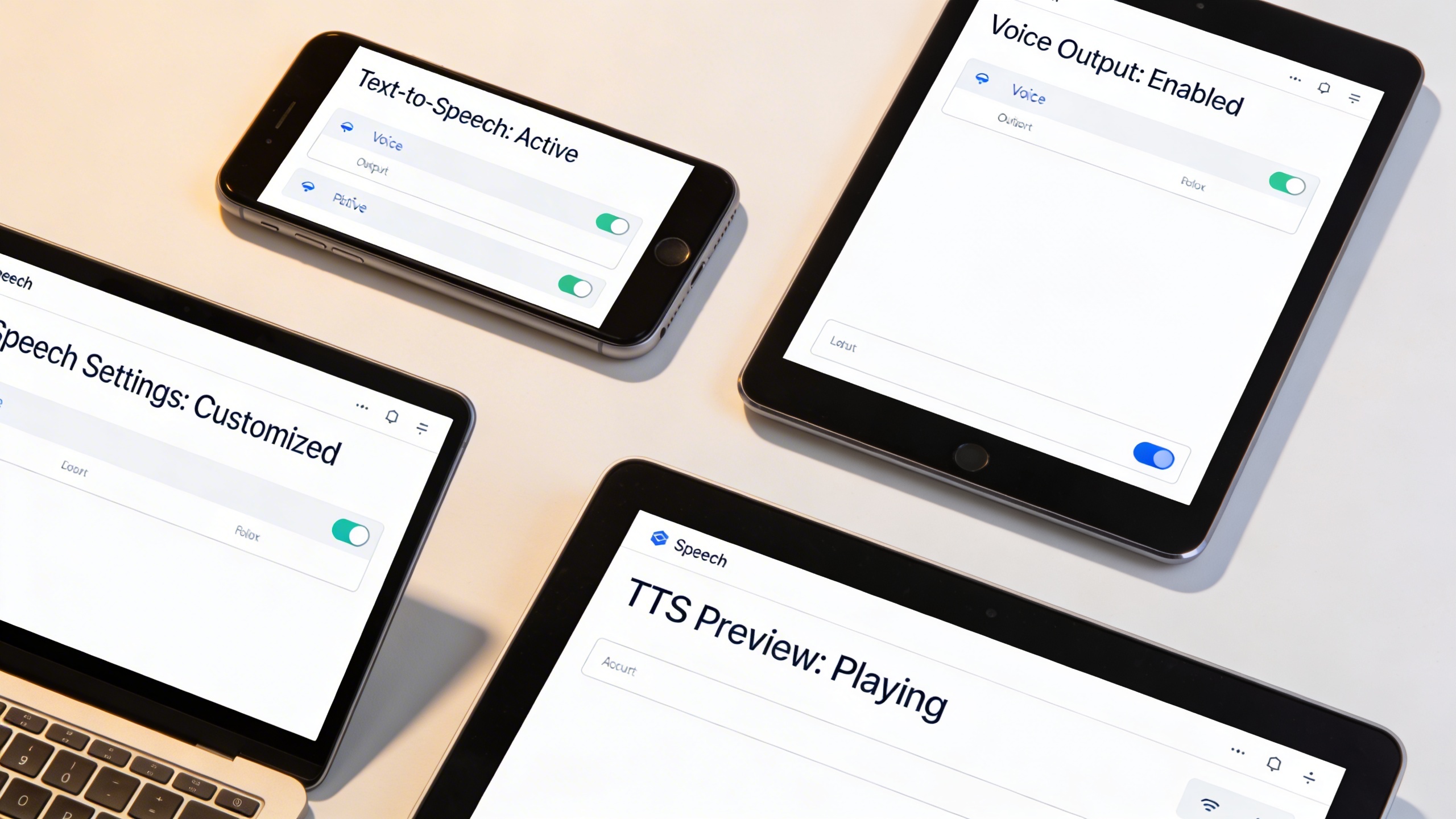
Every modern operating system includes powerful text to speech voices free capabilities that often surpass dedicated third-party applications. These built-in solutions offer seamless system integration, offline functionality, and extensive customization options without requiring additional downloads or subscriptions.
Operating system TTS solutions provide unique advantages over standalone applications. They integrate deeply with accessibility frameworks, work across all installed applications, and maintain consistent performance even without internet connectivity. These systems also receive regular updates and security patches as part of standard OS maintenance.
Windows Speech Platform
Windows has evolved its free text to voice capabilities significantly across recent versions. The Speech Platform includes multiple high-quality voices and extensive customization options through the Control Panel’s Speech Recognition settings.
To access Windows TTS features, navigate to Settings > Ease of Access > Narrator or Control Panel > Speech Recognition. The platform includes several default voices with options to download additional language packs. Users can adjust speech rate, pitch, and volume to create personalized listening experiences.
Windows Speech Platform excels in application integration. The system works seamlessly with Microsoft Office applications, web browsers, and most text-based software. The “Speak” function appears in context menus across compatible applications, making text to voice free conversion instantly accessible.
Advanced users can leverage Windows Speech API (SAPI) for custom implementations. The platform supports SSML (Speech Synthesis Markup Language) for precise pronunciation control and voice modulation. This makes Windows TTS suitable for both casual users and developers creating accessibility-focused applications.
macOS Voice Over and Speech
Apple’s macOS includes sophisticated ai voice text to speech free technology through its VoiceOver system and Speech preferences. These tools offer premium voice quality that rivals commercial solutions while maintaining complete offline functionality.
Access macOS speech features through System Preferences > Accessibility > Speech or System Preferences > Speech. The platform includes dozens of high-quality voices across multiple languages, with options ranging from compact to premium quality levels. Users can preview voices before selection and adjust speaking rates from very slow to extremely fast.
macOS speech integration extends throughout the entire system. The “Start Speaking” option appears in Edit menus across applications, while keyboard shortcuts enable instant text reading. The platform works exceptionally well with Safari, TextEdit, Pages, and third-party applications that support standard macOS accessibility frameworks.
VoiceOver provides comprehensive screen reading capabilities beyond basic text to speech. This system includes navigation commands, web page structure recognition, and detailed element descriptions. While primarily designed for accessibility, VoiceOver serves as a powerful productivity tool for multitasking users who want to listen while performing other tasks.
Mobile Device TTS Options
Smartphone operating systems include robust free text to speech voices that leverage cloud processing for enhanced quality while maintaining offline backup capabilities. Both iOS and Android provide extensive customization and seamless app integration.
iOS Speech settings appear in Settings > Accessibility > Spoken Content. The platform includes “Speak Screen” for full-page reading, “Speak Selection” for highlighted text, and typing feedback options. Users can choose from multiple voice options, adjust speaking rates, and enable pronunciation highlighting for visual learners.
Android’s TTS engine resides in Settings > Accessibility > Text-to-Speech Output. The platform supports multiple TTS engines, including Google’s high-quality voices and third-party alternatives. Users can install additional language packs and adjust speech parameters for optimal listening experiences.
Mobile TTS integration spans across applications, from email clients and web browsers to e-book readers and messaging apps. Many applications include dedicated “read aloud” functions that leverage system TTS capabilities. This integration makes mobile devices excellent platforms for consuming written content while commuting, exercising, or multitasking.
Both platforms support voice downloading for offline use, ensuring text to voice free functionality remains available without internet connectivity. This offline capability proves essential for users who rely on TTS for accessibility or productivity in areas with limited network coverage.
Free Desktop and Mobile Applications
Desktop and mobile text-to-speech applications offer enhanced functionality beyond browser-based solutions, providing offline capabilities, advanced voice customization, and professional-grade features. These free text to voice applications bridge the gap between basic web tools and premium software, delivering powerful voice generation without subscription costs.
Cross-Platform TTS Software
Several robust applications work seamlessly across Windows, macOS, and Linux systems, ensuring consistent access to high-quality voice synthesis regardless of your operating system preference.
Balabolka stands out as one of the most comprehensive free text-to-speech solutions for Windows users. This application supports over 30 file formats including DOC, PDF, EPUB, and HTML, making it ideal for converting documents, eBooks, and web content into audio. The software includes batch processing capabilities, allowing users to convert multiple files simultaneously while maintaining consistent voice settings and output quality.
For cross-platform compatibility, eSpeak NG provides reliable text to speech voices free across all major operating systems. While the synthetic voices may sound less natural than commercial alternatives, the software excels in language support with over 100 languages and variants. Installation requires minimal system resources, typically under 50MB of storage space.
The installation process for most desktop TTS applications involves downloading executables ranging from 20-200MB depending on included voice libraries. Modern applications automatically detect system-installed voices, expanding available options beyond bundled selections.
| Application | Platforms | Voice Quality | Batch Processing | File Formats |
|---|---|---|---|---|
| Balabolka | Windows | High (SAPI voices) | Yes | 30+ formats |
| eSpeak NG | Windows, macOS, Linux | Moderate | Command line | Text, HTML |
| Natural Reader | Windows, macOS | High | Limited | 15+ formats |
Specialized Reading Applications
Dedicated reading applications focus specifically on converting written content into spoken audio, offering features tailored for students, professionals, and individuals with reading difficulties.
Voice Dream Reader transforms mobile devices into powerful reading assistants. The application synchronizes text highlighting with speech, enabling users to follow along visually while listening. Advanced features include reading speed adjustment, voice pitch modification, and integration with cloud storage services for seamless document access.
For academic and research purposes, these specialized applications often include citation reading, footnote handling, and mathematical equation pronunciation. Many support importing content from popular note-taking platforms, creating comprehensive study workflows that combine written notes with audio review sessions.
Mobile applications typically require 100-500MB of storage space depending on downloaded voice packages. Premium ai voice text to speech free options within these apps often provide trial periods for high-quality neural voices before requiring subscription upgrades.
Voice Assistant Integration
Modern TTS applications increasingly integrate with existing voice assistant ecosystems, creating unified experiences across devices and platforms.
Smart home integration allows users to send text content from mobile applications directly to speakers and displays throughout their environment. This functionality proves particularly valuable for hands-free content consumption while cooking, exercising, or performing other activities.
Several applications now support voice command activation, enabling users to initiate text reading through spoken instructions. This bidirectional voice interaction creates more natural workflows, especially when combined with transcription capabilities. For users working with both speech-to-text and text-to-speech workflows, tools like Sozai provide comprehensive voice technology solutions that handle transcription needs alongside document creation and editing tasks.
Cloud synchronization features ensure that reading progress, voice preferences, and document libraries remain consistent across multiple devices. Users can begin reading on their desktop computer and seamlessly continue on mobile devices without losing their position or settings.
The combination of offline processing capabilities and cloud integration provides flexibility for various usage scenarios. Whether working in areas with limited internet connectivity or requiring immediate voice generation, these free text to speech voices applications adapt to different environmental constraints while maintaining consistent performance and quality standards.
API and Developer-Friendly Free Options
For developers and businesses looking to integrate text to speech voices free into their applications, several API services and open-source solutions offer robust functionality without upfront costs. These developer-focused options provide the foundation for building custom voice applications while maintaining budget constraints.
Free Tier API Services
Major cloud providers offer generous free tiers for their text-to-speech APIs, making professional-grade voice synthesis accessible to developers. Google Cloud Text-to-Speech provides 4 million characters per month at no cost, supporting over 220 voices across 40+ languages. The service excels in neural voice quality and offers SSML markup support for fine-tuning pronunciation and speech patterns.
Amazon Polly delivers 5 million characters monthly in their free tier, featuring lifelike neural voices and real-time streaming capabilities. The service integrates seamlessly with other AWS services and provides detailed phoneme timing for lip-sync applications. Microsoft Azure Cognitive Services Speech offers 500,000 characters per month, with particularly strong performance in conversational AI scenarios.
IBM Watson Text to Speech rounds out the major providers with 10,000 characters monthly, though with a smaller voice selection. Each service requires API key authentication and provides comprehensive SDKs for popular programming languages including Python, JavaScript, and Java.
Open Source TTS Libraries
Open-source solutions eliminate usage limits entirely while providing full control over the text to voice free implementation. Mozilla TTS stands out as a comprehensive framework supporting multiple synthesis approaches, from traditional concatenative methods to modern neural networks. The library includes pre-trained models for English and supports custom voice training with sufficient data.
Festival Speech Synthesis System offers a mature, well-documented platform that has powered academic and commercial projects for decades. While the voice quality may not match modern neural approaches, Festival provides exceptional stability and extensive customization options for specialized applications.
Coqui TTS, forked from Mozilla TTS, continues active development with improved model architectures and easier deployment options. The framework supports both research and production environments, with Docker containers available for simplified setup.
eSpeak-ng delivers lightweight, multilingual synthesis suitable for embedded systems and resource-constrained environments. Though the voice quality is more robotic than neural alternatives, its minimal footprint makes it ideal for IoT applications and offline scenarios.
Integration Considerations
When implementing ai voice text to speech free solutions, several technical factors determine project success. Latency requirements often dictate whether cloud APIs or local processing better serves your use case. Cloud services typically introduce 200-500ms delays due to network transmission, while local libraries process text instantaneously but require more computational resources.
Audio format compatibility varies significantly between providers. Most APIs support common formats like MP3 and WAV, but specific requirements for streaming applications may limit your options. Consider whether your application needs real-time streaming, batch processing, or downloadable audio files.
Documentation quality and community support become crucial during development. Google and Amazon provide extensive tutorials and active developer forums, while open-source projects rely on community contributions and GitHub issues for support. Evaluate the learning curve and available resources before committing to a particular solution.
Rate limiting and quota management require careful planning for production deployments. Most free text to speech voices services reset monthly limits, but burst capacity varies. Implement proper error handling and fallback mechanisms to maintain service availability when approaching usage thresholds.
Comparing Voice Quality and Features
When evaluating free text to voice solutions, the quality and feature set can vary dramatically between services. Understanding these differences helps you select the right tool for your specific needs, whether you’re creating content, developing applications, or simply need reliable voice output for daily tasks.
Natural Voice Assessment
The most significant advancement in modern text to speech voices free technology is the shift from robotic-sounding synthesis to natural, human-like voices. Premium free services now offer neural voices that incorporate emotional inflection, proper phrasing, and contextual understanding. Google’s WaveNet voices demonstrate exceptional naturalness, while Amazon Polly’s free tier provides voices with varying emotional ranges from cheerful to conversational tones.
Voice emotion range has become a critical differentiator among ai voice text to speech free platforms. Some services offer basic neutral delivery, while others provide emotional variations like excitement, sadness, or professional presentation styles. Microsoft’s Azure Cognitive Services free tier includes voices capable of expressing different moods, making them suitable for storytelling or educational content where engagement matters.
Pronunciation accuracy varies significantly across platforms. Advanced services use machine learning to handle complex words, proper nouns, and technical terminology more effectively. Many free text to speech voices now include phonetic spelling capabilities, allowing users to guide pronunciation for specialized terms or names that might otherwise be mispronounced.
Language and Accent Support
Multilingual capabilities represent another crucial comparison point when choosing text to voice free services. While basic platforms might offer a handful of languages, comprehensive solutions provide dozens of language options with multiple accent variations. Google Translate’s voice feature supports over 100 languages, though quality varies by language popularity and available training data.
Regional accent authenticity has improved substantially in recent years. Services now distinguish between American, British, Australian, and Indian English variants, or between Castilian and Latin American Spanish. This attention to regional differences makes content more relatable to specific audiences and improves overall user experience.
Language switching capabilities within the same text block have become increasingly important for global content creators. Some platforms automatically detect language changes and adjust voice characteristics accordingly, while others require manual language specification for optimal results.
Customization Options
Speaking speed control remains one of the most universally requested features across all user demographics. Quality free services typically offer speed adjustments ranging from 0.5x to 2x normal pace, with some providing even broader ranges. This flexibility proves essential for accessibility applications, language learning, or content consumption preferences.
Pitch and tone modifications allow users to fine-tune voice characteristics to match their content requirements. While premium services offer extensive voice parameter controls, many free alternatives provide basic pitch adjustments that can significantly impact how the generated speech is perceived by listeners.
SSML (Speech Synthesis Markup Language) support enables advanced users to insert pauses, emphasize specific words, or control pronunciation through markup tags. This feature bridges the gap between basic text input and professional voice production, making free text to speech voices competitive with paid alternatives for many use cases.
Practical Applications and Use Cases
Text-to-speech technology has evolved beyond simple document reading into a versatile tool that transforms how people consume content, create media, and access information. These practical applications demonstrate the real-world value of free text to voice solutions across diverse industries and personal use cases.
Educational and Learning Applications
Educational institutions increasingly rely on text to speech voices free to support diverse learning needs. Students with dyslexia, visual impairments, or processing difficulties benefit significantly from hearing written content aloud, which improves comprehension and retention rates. Teachers use ai voice text to speech free tools to create audio versions of reading assignments, making literature accessible to students who struggle with traditional text-based learning.
Language learners find particular value in hearing proper pronunciation and intonation patterns. Free TTS services allow students to listen to foreign language texts repeatedly, developing both listening skills and vocabulary recognition. Many educators create audio study guides by converting textbook chapters into speech, enabling students to review material during commutes or while exercising.
Content Creation and Marketing
Content creators leverage free text to speech voices to produce professional-quality audio content without expensive voice talent. Podcast creators use these tools for intro segments, advertisements, or entire episodes when human narration isn’t feasible. The variety of available voices allows creators to match their brand personality and target audience preferences.
Video content producers frequently employ text to voice free services for narration, particularly for explainer videos, tutorials, and social media content. This approach significantly reduces production costs while maintaining consistent audio quality. Marketing teams create audio versions of blog posts, newsletters, and product descriptions, expanding their content reach to audio-preferred audiences.
YouTube creators and online course developers find TTS particularly valuable for creating multilingual content versions. By converting scripts into different languages and voices, they can serve global audiences without hiring multiple voice actors.
Accessibility and Assistive Technology
Text-to-speech technology serves as a crucial accessibility bridge for individuals with visual impairments, reading disabilities, or motor limitations that make traditional reading challenging. Screen readers powered by advanced TTS engines enable blind and low-vision users to navigate websites, documents, and applications independently.
Elderly users often benefit from document reading assistance, particularly for important materials like medical instructions, legal documents, or correspondence. The ability to adjust speech speed and voice characteristics makes content more digestible for users with varying cognitive abilities.
Professional environments use TTS for creating accessible versions of training materials, employee handbooks, and safety documentation. This ensures compliance with accessibility regulations while supporting employees with diverse learning preferences and abilities.

