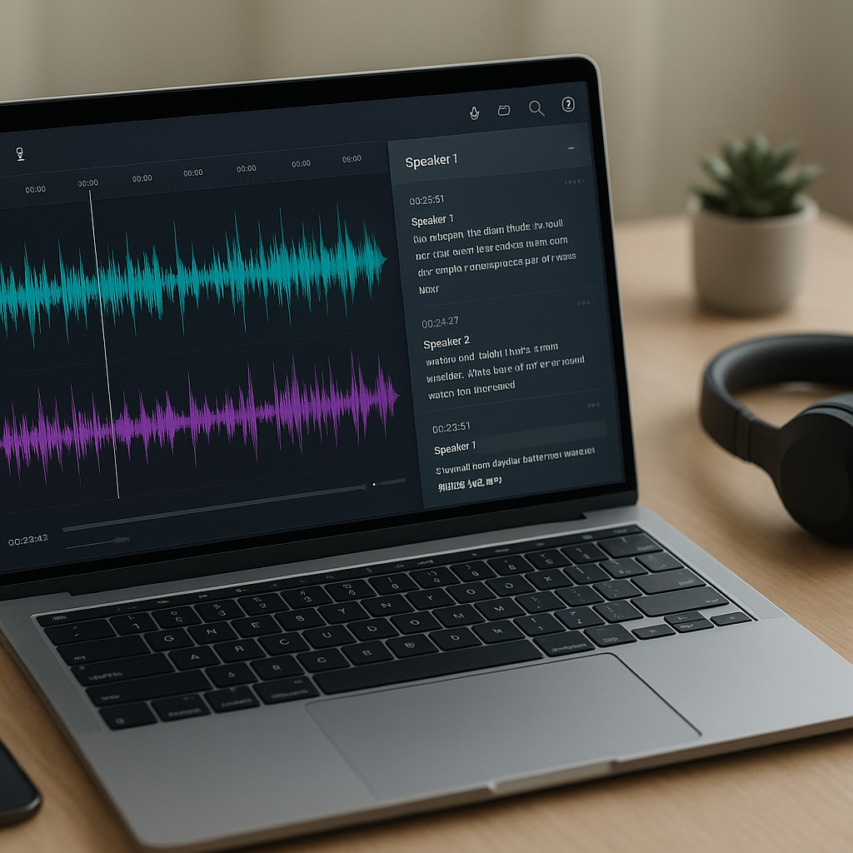
The demand for free audio transcription has exploded as remote work, content creation, and digital communication reshape how we capture and process spoken information. From journalists conducting interviews to students recording lectures, professionals hosting virtual meetings to podcasters creating show notes, the ability to convert speech to text has become essential across countless industries and personal workflows. What once required expensive professional services or specialized equipment is now accessible to anyone with an internet connection.
Free transcription tools have democratized this technology, offering surprisingly sophisticated audio to text capabilities without the hefty price tags. Modern AI-powered solutions can handle multiple speakers, various accents, and even technical terminology with remarkable accuracy. Whether you need to transcribe audio to text for a quick voice memo or process hours of meeting recordings, today’s free options provide legitimate alternatives to premium services.
This comprehensive guide examines the best free transcription tools available across all platforms and use cases. You’ll discover browser-based solutions that require no downloads, desktop software for offline processing, mobile apps for on-the-go transcription, and specialized tools designed for specific industries. We’ll also share proven strategies to maximize accuracy and help you understand when free audio transcription software meets your needs—and when it’s time to consider paid alternatives.
Understanding Free Audio Transcription Technology
Free audio transcription technology has revolutionized how we convert spoken words into written text, making professional-grade speech recognition accessible to everyone. Understanding the underlying technology and its limitations helps you choose the right tool and set appropriate expectations for your transcription projects.
How AI-Powered Transcription Works
Modern free transcription tools rely on automatic speech recognition (ASR) technology powered by artificial intelligence and machine learning algorithms. These systems analyze audio waveforms to identify phonetic patterns, converting sound waves into digital representations that neural networks can process.
The transcription process begins when you upload an audio file to the software. The AI engine breaks down the audio into smaller segments, typically lasting a few seconds each. Advanced algorithms then compare these segments against vast databases of language models, identifying words, phrases, and contextual meanings. The system considers factors like speaker accent, background noise, and speech patterns to generate the most accurate text output possible.
Most audio transcription software today uses deep learning models trained on millions of hours of speech data across multiple languages and dialects. This extensive training enables the AI to handle various speaking styles, from casual conversations to formal presentations, though performance varies significantly between different tools and use cases.
Accuracy Expectations for Free Tools
Setting realistic expectations for free audio transcription accuracy prevents disappointment and helps you plan appropriate review time. Most free transcription tools achieve accuracy rates between 80-95% under optimal conditions, with several factors influencing performance.
High-quality recordings with clear speech, minimal background noise, and standard accents typically yield the best results. Professional podcasts, recorded interviews, and dictated notes often transcribe with 90%+ accuracy using quality free tools. However, accuracy drops significantly with challenging audio conditions such as multiple speakers, heavy accents, technical jargon, or poor recording quality.
When you transcribe audio to text free, expect to spend time editing the output regardless of the tool’s claimed accuracy. Common errors include misheard words, incorrect punctuation, and confusion between similar-sounding terms. Planning for a 10-20 minute review period per hour of transcribed audio ensures you catch and correct these inevitable mistakes.
| Audio Quality | Expected Accuracy | Common Issues |
|---|---|---|
| Studio-quality recording | 90-95% | Minor punctuation errors |
| Good phone/video call | 85-90% | Occasional word substitutions |
| Noisy environment | 70-80% | Frequent misheard words |
| Multiple speakers | 65-75% | Speaker confusion, overlapping speech |
Common File Format Support
Understanding supported file formats ensures your audio files work seamlessly with free transcription tools. Most platforms accept standard audio formats, though specific compatibility varies between services.
The most universally supported formats include MP3, WAV, and M4A files, which work with virtually every audio to text free service available. These formats offer good compression while maintaining sufficient quality for accurate transcription. MP4 files containing audio tracks are also widely accepted, making it easy to transcribe video content like recorded meetings or interviews.
Many free transcription tools also support FLAC, OGG, and WEBM formats, though compatibility isn’t guaranteed across all platforms. When preparing audio files for transcription, converting to MP3 or WAV format ensures maximum compatibility while maintaining transcription quality.
File size limitations typically range from 25MB to 100MB for free services, with audio length restrictions between 30 minutes to 2 hours per upload. Higher quality recordings at 16kHz or 44.1kHz sampling rates generally produce better transcription results than heavily compressed files, though most modern free transcription tools handle standard recording quality effectively.
For optimal results, ensure your audio files have clear speech, minimal background noise, and consistent volume levels. Tools like Sozai can help process various audio formats while providing reliable transcription capabilities across different devices and platforms.
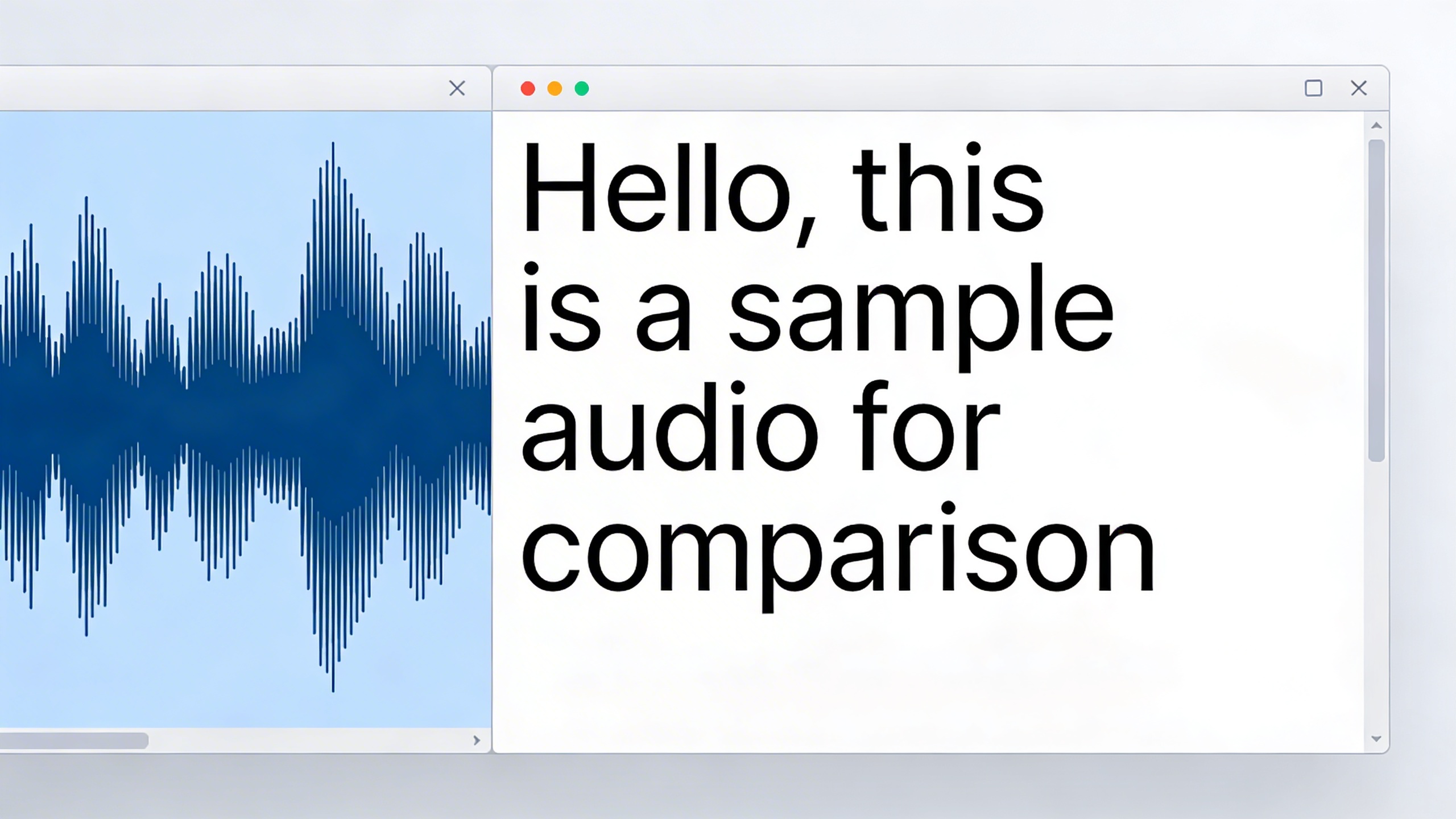
Top Browser-Based Free Transcription Tools
Browser-based transcription platforms have revolutionized how we convert speech to text, eliminating the need for software downloads while providing instant access to powerful audio transcription capabilities. These web-based solutions offer varying levels of functionality, from simple upload-and-convert services to sophisticated real-time processing platforms with collaboration features.
Web-Based Platforms with Real-Time Processing
Real-time transcription platforms excel at converting live audio streams into text as you speak, making them ideal for meetings, interviews, and dictation sessions. Google’s Web Speech API powers many of these services, delivering impressive accuracy rates of 85-95% for clear audio in quiet environments.
Otter.ai stands out as a comprehensive free audio transcription platform, offering 600 minutes of monthly transcription time. The service processes audio files up to 40 minutes in length and supports real-time transcription during live conversations. Users can highlight key phrases, add comments, and share transcripts with team members directly through the browser interface.
Rev.com’s free tier provides automated transcription with a 5-minute limit per file, but compensates with exceptional processing speed—typically delivering results within minutes. The platform’s strength lies in its clean, readable output format and ability to handle multiple speakers with reasonable accuracy.
For users seeking privacy-focused solutions, OpenAI’s Whisper-based web implementations offer local processing capabilities. These platforms process audio files entirely within your browser, ensuring sensitive content never leaves your device while maintaining transcription quality comparable to cloud-based services.
Upload and Convert Services
Upload-based transcription services prioritize convenience and file format flexibility over real-time capabilities. These platforms typically support a broader range of audio formats and offer larger file size limits compared to real-time processors.
Happy Scribe’s free tier allows users to transcribe audio to text free for files up to 10 minutes long, supporting formats including MP3, WAV, M4A, and video files like MP4. The platform processes uploads in approximately 30% of the original audio length—a 10-minute file typically completes transcription in 3-4 minutes.
Trint offers 30 minutes of free transcription monthly with files up to 2 hours in length. The service excels at handling poor audio quality and multiple speakers, using advanced noise reduction algorithms to improve accuracy. Users can edit transcripts directly in the browser using an intuitive word-by-word editing interface.
Sonix provides 30 minutes of free transcription with support for over 35 languages. The platform’s automated punctuation and speaker identification features produce polished transcripts requiring minimal editing. Processing speeds average 4x faster than real-time, making it efficient for longer audio files.
| Platform | Free Limit | Max File Size | Processing Speed | Supported Formats |
|---|---|---|---|---|
| Otter.ai | 600 min/month | 40 minutes | Real-time | MP3, WAV, M4A |
| Rev.com | 5 min/file | 200 MB | 2-3 minutes | Most audio/video |
| Happy Scribe | 10 min/file | 2 GB | 30% of audio length | MP3, WAV, M4A, MP4 |
| Trint | 30 min/month | 2 hours | 4x real-time | 40+ formats |
Integration Capabilities with Other Tools
Modern free transcription tools extend their value through seamless integration with productivity platforms and workflow automation services. These connections transform basic audio to text free services into comprehensive documentation solutions.
Otter.ai integrates directly with Zoom, Microsoft Teams, and Google Meet, automatically joining scheduled meetings to create transcripts without manual intervention. The platform’s Zapier integration enables automatic transcript delivery to Google Drive, Slack, or project management tools like Asana and Trello.
Many browser-based platforms offer API access even on free tiers, allowing developers to incorporate transcription capabilities into custom applications. This flexibility makes it possible to build automated workflows where audio files trigger transcription processes and results populate databases or content management systems.
For users requiring enhanced functionality, mobile apps like Sozai complement browser-based tools by offering offline transcription capabilities and advanced audio processing features that work seamlessly across devices.
Export capabilities vary significantly among free transcription tools. Leading platforms support multiple output formats including plain text, SRT subtitles, Microsoft Word documents, and structured JSON data. This flexibility ensures transcripts integrate smoothly with existing documentation workflows and content creation processes.
The collaboration features built into these audio transcription software solutions enable teams to review, edit, and approve transcripts collectively. Comment systems, version control, and permission management transform individual transcription tasks into collaborative content creation processes that enhance accuracy and reduce editing time.
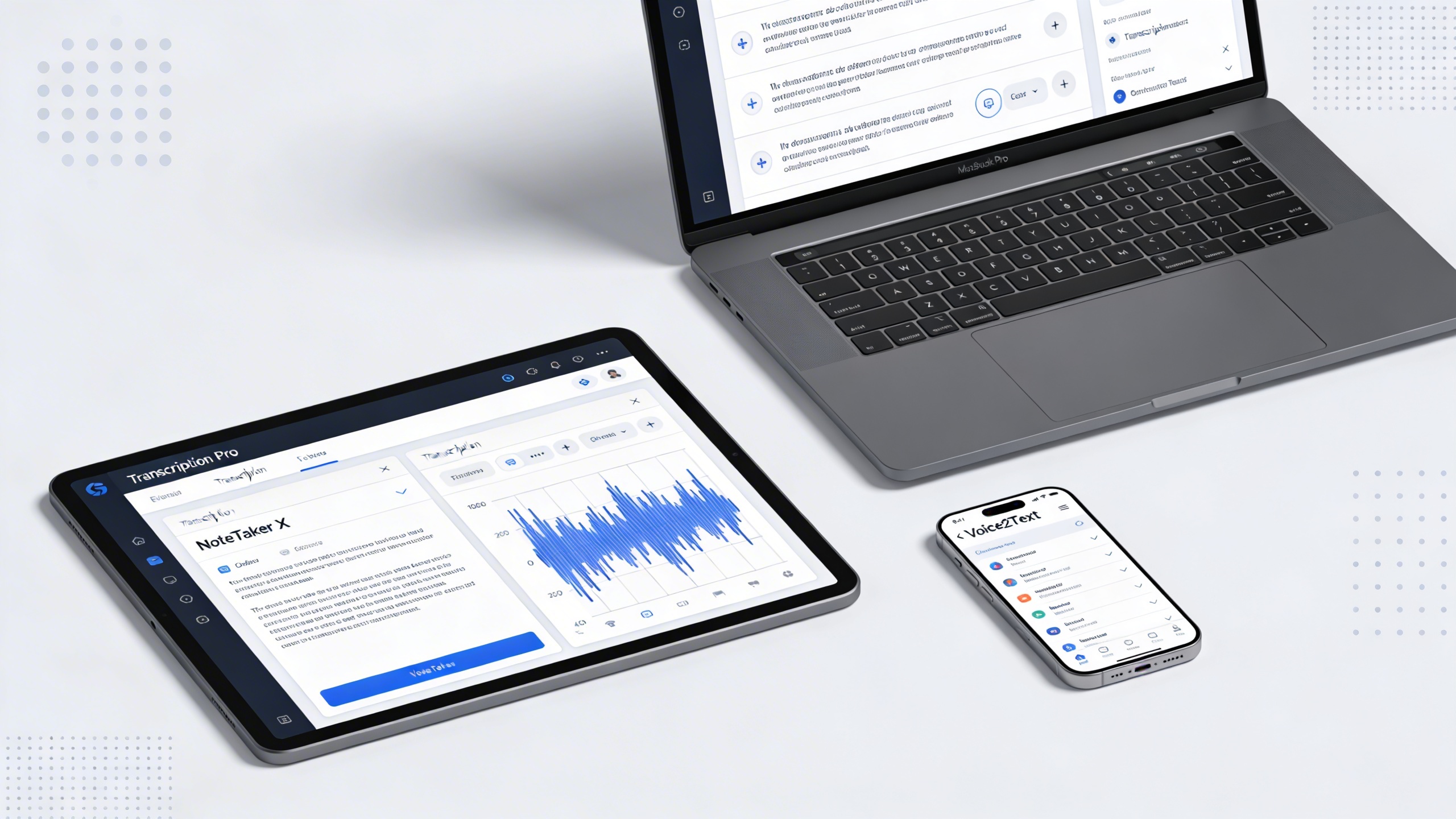
Free Desktop Transcription Software
Desktop transcription applications offer distinct advantages over browser-based solutions, particularly when handling sensitive audio content or working in environments with limited internet connectivity. These downloadable programs provide enhanced privacy controls, offline processing capabilities, and often include more sophisticated editing tools for refining your transcriptions.
Cross-Platform Desktop Applications
Several free audio transcription tools have emerged as reliable desktop solutions across multiple operating systems. Express Scribe stands out as a veteran in the transcription space, offering free audio to text conversion with professional-grade playback controls. The software supports variable playback speeds, foot pedal integration, and handles numerous audio formats including MP3, WAV, and WMA files.
Another noteworthy option is oTranscribe, which bridges the gap between online and offline functionality. While primarily web-based, it can function offline once loaded, making it ideal for users who need to transcribe audio to text free without constant internet access. The interface focuses on simplicity, displaying your audio waveform alongside a clean text editor.
For users seeking comprehensive audio transcription software, Sozai provides AI-powered transcription capabilities across iOS, Android, and macOS platforms. The application combines the convenience of automated speech recognition with the reliability of offline processing for sensitive content.
Audacity, while primarily known as an audio editor, deserves mention for its transcription-friendly features. Though it doesn’t provide automatic speech-to-text conversion, its precise audio manipulation tools make it invaluable for preparing audio files before transcription. Users can clean up recordings, adjust volume levels, and remove background noise to improve transcription accuracy in other tools.
Offline Processing Capabilities
The privacy advantages of offline transcription cannot be overstated, especially when dealing with confidential business meetings, medical records, or legal proceedings. Desktop free transcription tools that process audio locally ensure your sensitive information never leaves your device, addressing concerns about data security and compliance requirements.
Offline processing also eliminates dependency on internet connectivity, making these tools reliable for fieldwork, remote locations, or situations where network access is unreliable. Many professionals prefer this approach when transcribing interviews, research recordings, or personal notes where privacy is paramount.
However, it’s important to understand that truly offline automatic transcription requires significant computational resources. Most desktop applications that offer real-time speech recognition rely on cloud services for the actual AI processing, while providing offline capabilities for audio playback, editing, and file management. Pure offline automatic transcription typically requires specialized software with pre-downloaded language models, which may have limitations in accuracy compared to cloud-based solutions.
Advanced Editing and Export Features
Desktop transcription software typically excels in post-processing capabilities, offering sophisticated editing tools that surpass basic web applications. Professional features include speaker identification, timestamp insertion, and confidence scoring for transcribed segments. These tools allow users to efficiently review and correct automated transcriptions, ensuring accuracy before finalizing documents.
Export functionality represents another significant advantage of desktop applications. Most free audio transcription software supports multiple output formats including plain text, Rich Text Format (RTF), Microsoft Word documents, and specialized formats like SubRip (SRT) for subtitle creation. This flexibility proves essential when integrating transcriptions into different workflows or sharing content across various platforms.
| Software | Platforms | Key Features | Export Formats |
|---|---|---|---|
| Express Scribe | Windows, Mac | Variable playback, foot pedal support | TXT, RTF, DOC |
| oTranscribe | Cross-platform (browser) | Waveform display, offline capability | Plain text, Markdown |
| Audacity | Windows, Mac, Linux | Audio editing, noise reduction | Multiple audio formats |
Many desktop applications also provide batch processing capabilities, allowing users to queue multiple audio files for transcription. This feature proves invaluable for researchers, journalists, or content creators who regularly work with large volumes of recorded material. The ability to set up overnight processing runs can significantly improve productivity when dealing with extensive audio archives.
When selecting desktop audio transcription software, consider your specific workflow requirements, privacy needs, and the types of audio content you’ll be processing. The combination of offline capabilities, advanced editing tools, and flexible export options makes desktop solutions particularly attractive for professional and sensitive transcription tasks.

Mobile Apps for Audio Transcription
Mobile transcription apps have revolutionized how we capture and convert speech to text on the go. These powerful tools transform your smartphone or tablet into a portable transcription studio, making it easier than ever to document meetings, lectures, interviews, and personal notes wherever you are.
The best mobile audio transcription software combines convenience with accuracy, offering features that desktop solutions often can’t match. Real-time processing, offline capabilities, and seamless integration with cloud storage make these apps essential tools for professionals, students, and anyone who needs reliable speech-to-text conversion.
Real-Time Voice Recording and Transcription
Real-time transcription capabilities set mobile apps apart from traditional recording methods. Leading free transcription tools process speech as you speak, displaying text instantly on your screen. This immediate feedback allows you to catch errors, verify accuracy, and make corrections while the conversation is still fresh in your memory.
Google’s Recorder app exemplifies excellent real-time performance, offering accurate transcription with speaker identification and automatic punctuation. The app works entirely offline after initial setup, ensuring your sensitive conversations remain private. Similarly, Sozai provides high-quality real-time transcription with advanced AI processing that adapts to different accents and speaking patterns.
When evaluating real-time mobile solutions, consider processing speed and accuracy under various conditions. The best apps maintain transcription quality even in noisy environments, handling background sounds and multiple speakers effectively. Look for features like noise reduction, automatic gain control, and the ability to pause and resume transcription seamlessly.
Batch Processing Mobile Solutions
Batch processing functionality allows you to transcribe multiple audio files efficiently, making these tools invaluable for content creators, journalists, and researchers who work with large volumes of recorded material. Many free audio transcription apps support various file formats including MP3, WAV, and M4A, processing them in the background while you continue other tasks.
Otter.ai stands out for its robust batch processing capabilities, handling files up to several hours long with impressive accuracy. The app processes uploads in the cloud, freeing up your device’s resources and allowing you to queue multiple files for transcription. Rev Voice Recorder offers similar functionality with the added benefit of professional transcription services for critical documents.
When using batch processing features, audio quality significantly impacts transcription accuracy. Files recorded at higher bitrates with minimal background noise produce better results. Most apps provide quality indicators and allow you to adjust processing settings based on your specific needs and available bandwidth.
Cloud Sync and Multi-Device Access
Modern mobile transcription solutions excel at keeping your content synchronized across devices. Cloud integration ensures your transcriptions are accessible whether you’re using your phone, tablet, or computer, creating a seamless workflow that adapts to your changing needs throughout the day.
Microsoft’s Transcribe feature in Word mobile demonstrates excellent cross-platform integration, allowing you to start transcription on your phone and continue editing on your desktop. The automatic sync ensures no work is lost, and collaborative features enable team members to access and edit transcriptions in real-time.
Security considerations become crucial when choosing cloud-enabled audio to text free solutions. Look for apps that offer end-to-end encryption, local processing options, and clear data retention policies. Many professional users prefer solutions that allow them to control where their data is stored and processed, especially when dealing with confidential information.
The convenience of having your entire transcription library available across devices cannot be overstated, making mobile apps an indispensable part of any modern transcription workflow.
Specialized Free Tools for Different Use Cases
While general-purpose free audio transcription tools work well for basic needs, specific professional scenarios often require specialized features and capabilities. Understanding which audio transcription software excels in particular use cases can significantly improve your workflow efficiency and output quality.
Meeting and Interview Transcription
Professional meetings and interviews present unique challenges that require robust speaker identification and real-time processing capabilities. Otter.ai stands out for its advanced speaker recognition technology, automatically distinguishing between multiple participants and creating organized, searchable transcripts. The platform’s live transcription feature allows participants to follow along in real-time, making it invaluable for remote meetings where audio quality may vary.
For journalists and researchers conducting interviews, Rev.com’s free tier offers exceptional accuracy for single-speaker recordings, though it limits monthly usage. The service provides timestamped transcripts that make it easy to locate specific quotes or discussion points during the editing process.
Microsoft Teams and Google Meet both include built-in transcription features that automatically generate meeting notes with participant attribution. These integrated solutions work seamlessly within existing workflow systems, eliminating the need to upload files to external platforms. However, transcript quality depends heavily on audio input quality and may struggle with heavy accents or technical terminology.
When selecting free transcription tools for professional meetings, prioritize platforms that offer speaker labeling, export options in multiple formats, and integration capabilities with your existing productivity suite. Consider that tools like Sozai provide reliable voice-to-text conversion with offline capabilities, ensuring privacy for sensitive business discussions.
Academic and Research Applications
Academic research demands precision, detailed formatting options, and the ability to handle specialized terminology. Trint’s free tier excels in educational settings by offering collaborative editing features that allow multiple researchers to review and refine transcripts simultaneously. The platform’s search functionality enables quick location of specific terms or concepts across large volumes of transcribed content.
Students conducting interviews for thesis research benefit from tools that provide detailed timestamps and easy navigation. Happy Scribe’s free option offers academic-friendly features including the ability to slow down playback speed while editing, making it easier to verify accuracy in complex discussions about specialized subjects.
For lecture transcription, focus on tools that handle longer audio files effectively. Google Docs Voice Typing works exceptionally well for real-time note-taking during live lectures, allowing students to create searchable text documents while maintaining focus on the presentation content.
Research applications often require specific formatting standards. Look for free audio to text services that export to academic citation formats and maintain paragraph structure. Some platforms offer integration with reference management tools, streamlining the research workflow from transcription to final publication.
Content Creation and Media Production
Content creators need transcription tools that understand media production workflows and provide editing-friendly outputs. YouTube’s automatic captions serve as an excellent starting point for video content, offering free baseline transcription that creators can refine for accuracy. The platform’s integration means transcripts automatically sync with video timelines, simplifying the editing process.
Podcast producers benefit from tools that generate transcript formats suitable for show notes and SEO optimization. Descript’s free tier provides powerful editing capabilities that treat audio like text, allowing creators to edit recordings by modifying the transcript directly. This approach revolutionizes content production by making audio editing accessible to non-technical users.
For social media content creation, tools that quickly transcribe audio to text free enable rapid repurposing of video content into written posts, blog articles, and quote graphics. Platforms like Kapwing offer free transcription specifically designed for social media workflows, with formatting options that work well for Instagram stories and TikTok captions.
Content creators should prioritize transcribe audio to text free tools that offer multiple export formats, maintain speaker attribution for interview-style content, and provide editing interfaces optimized for media production timelines. Consider platforms that integrate with popular editing software to streamline your complete production workflow.
Maximizing Accuracy with Free Transcription Tools
Getting the most accurate results from free audio transcription requires a strategic approach that combines proper preparation, smart tool selection, and effective post-processing techniques. Even the best free transcription tools can struggle with poor audio quality or challenging recording conditions, but following proven optimization strategies can dramatically improve your transcribe audio to text free results.
Audio Quality Optimization Tips
The foundation of accurate transcription starts with your audio source. Before uploading to any audio transcription software, ensure your recording meets basic quality standards. Record in a quiet environment with minimal background noise, as even subtle sounds like air conditioning or traffic can confuse transcription algorithms. Position your microphone or recording device close to the speaker, ideally 6-12 inches away, to capture clear speech without room echo.
File format and quality settings also impact accuracy. Most free audio transcription tools perform best with WAV or MP3 files at 16-bit, 44.1 kHz quality. If you’re working with compressed audio, avoid re-compressing files multiple times, as this degrades quality. For recordings with multiple speakers, consider using separate microphones or recording each participant individually when possible, as this significantly improves speaker identification accuracy.
Pre-processing your audio can yield substantial improvements. Use free audio editing software like Audacity to normalize volume levels, reduce background noise, and remove silent gaps longer than a few seconds. These simple adjustments help transcription engines focus on actual speech content rather than processing unnecessary audio segments.
Effective Editing and Proofreading Strategies
Raw transcription output from any audio to text free service requires careful review and editing. Start by listening to the original audio while reading the transcript, marking unclear sections for closer examination. Focus first on correcting obvious errors like misheard words, incorrect punctuation, and missing speaker labels before refining grammar and style.
Common transcription errors include homophones (words that sound alike but have different meanings), technical terminology, and proper names. Create a custom dictionary of frequently used terms, acronyms, and names specific to your content. Many transcription tools allow you to upload custom vocabularies, which can prevent recurring mistakes in future transcriptions.
Develop a systematic editing workflow: first pass for major errors and missing content, second pass for grammar and punctuation, and final pass for formatting and style consistency. This methodical approach ensures you catch errors that might be missed in a single review session.
Leveraging Multiple Tools for Best Results
Professional transcriptionists often use multiple tools to achieve optimal results, and you can apply the same strategy with free options. Start by testing the same audio file with 2-3 different free transcription tools to compare accuracy rates. Some tools excel with clear speech, while others handle accented or technical content better.
Consider using specialized tools for different content types. For meeting recordings with multiple speakers, prioritize tools with strong speaker identification features. For academic lectures or technical presentations, choose platforms that handle domain-specific vocabulary well. Tools like Sozai offer robust transcription capabilities across various content types, making them valuable additions to your transcription toolkit.
Create a hybrid workflow by combining automatic transcription with manual verification tools. Use timestamp-enabled transcription for easier editing, then employ grammar checkers and spell-checkers as secondary validation layers. This multi-tool approach maximizes the strengths of each platform while minimizing individual tool limitations.
Limitations and Considerations of Free Tools
While free audio transcription tools provide excellent value for basic needs, understanding their limitations helps you make informed decisions about when they’re sufficient and when an upgrade might be necessary. These constraints often reflect the business model of offering premium features to paying customers while maintaining a free tier for casual users.
Usage Limits and Time Restrictions
Most free transcription tools impose monthly or daily limits on the amount of audio you can process. Popular services typically restrict free users to 600-1200 minutes per month, which translates to roughly 10-20 hours of audio content. Some platforms enforce stricter daily caps, allowing only 30-60 minutes of transcription per day.
File size restrictions present another common barrier. Free audio transcription services often limit uploads to files under 100MB or shorter than two hours in duration. This constraint can be problematic when working with lengthy recordings like full conference presentations, extended interviews, or day-long meeting recordings that exceed these thresholds.
Processing speed represents an additional consideration. Free tier users frequently experience longer wait times as their requests are queued behind paying customers. What might take minutes with a premium account could require 30-60 minutes for free users during peak usage periods.
Privacy and Data Security Concerns
Data handling practices vary significantly among free audio transcription providers. Many services store uploaded audio files and generated transcripts on their servers for extended periods, raising concerns for users dealing with confidential information. Some platforms explicitly state that free tier data may be used to improve their algorithms or train machine learning models.
For sensitive content like legal depositions, medical consultations, or proprietary business discussions, these privacy implications require careful consideration. Free tools may lack the compliance certifications necessary for regulated industries, such as HIPAA for healthcare or SOC 2 for financial services.
Geographic data storage also matters. Some free services process audio on international servers, which could conflict with data sovereignty requirements or organizational policies about where sensitive information can be stored and processed.
When to Consider Paid Alternatives
Several scenarios indicate when investing in paid audio transcription software becomes worthwhile. High-volume users who regularly exceed free tier limits often find that subscription costs are offset by time savings and improved productivity.
Professional environments requiring consistent accuracy and reliability benefit from paid solutions that offer better customer support, guaranteed uptime, and advanced editing features. When transcription quality directly impacts business outcomes, the enhanced accuracy and specialized vocabulary support of premium tools justify their cost.
Organizations handling confidential information should prioritize paid services that provide enterprise-grade security, compliance certifications, and clear data retention policies. The peace of mind regarding data protection often outweighs the convenience of free alternatives when dealing with sensitive material.

