The digital revolution has transformed how we consume and create content, making audio transcription an essential tool for millions worldwide. Whether you’re a content creator transcribing podcast episodes, a student converting lecture recordings to study notes, or a professional documenting important meetings, finding a reliable audio to text converter online free has become crucial for productivity and accessibility. The democratization of AI-powered transcription technology means that high-quality speech recognition capabilities, once exclusive to expensive enterprise software, are now available to anyone with an internet connection.
Free online transcription tools have opened doors for journalists conducting interviews, researchers analyzing recorded data, and individuals with hearing impairments who need accurate captions for audio content. These platforms leverage sophisticated machine learning algorithms to convert spoken words into written text with remarkable accuracy, often rivaling paid alternatives. However, with dozens of options claiming to offer the best audio to text online free service, choosing the right tool can feel overwhelming.
This comprehensive guide examines the top free audio transcription platforms available today, comparing their accuracy rates, supported file formats, and unique features to help you make an informed decision for your specific transcription needs.
Understanding Audio to Text Conversion Technology
Modern audio to text converter online free tools rely on sophisticated artificial intelligence to transform spoken words into written text. This technology has evolved dramatically over the past decade, making accurate transcription accessible to anyone with an internet connection. Understanding how these systems work helps you choose the right tool and optimize your results for better accuracy.
How Speech Recognition Works
Automatic Speech Recognition (ASR) technology operates through a complex multi-stage process that mirrors how humans process language. When you upload an audio file to an audio to text online free service, the system first converts the analog sound waves into digital data that can be analyzed by machine learning algorithms.
The ASR engine breaks down this audio into small segments, typically measuring just milliseconds in length. Each segment undergoes acoustic analysis, where the system identifies phonemes—the basic building blocks of speech sounds. Advanced neural networks then match these phonemes to probable words and phrases using statistical models trained on massive datasets of human speech.
Modern systems employ deep learning architectures that consider context, grammar, and linguistic patterns to improve accuracy. For instance, when the system encounters the sound “there,” it analyzes surrounding words to determine whether the speaker meant “there,” “their,” or “they’re.” This contextual understanding is what separates today’s audio to text for free services from earlier, more primitive transcription tools.
Accuracy Factors and Limitations
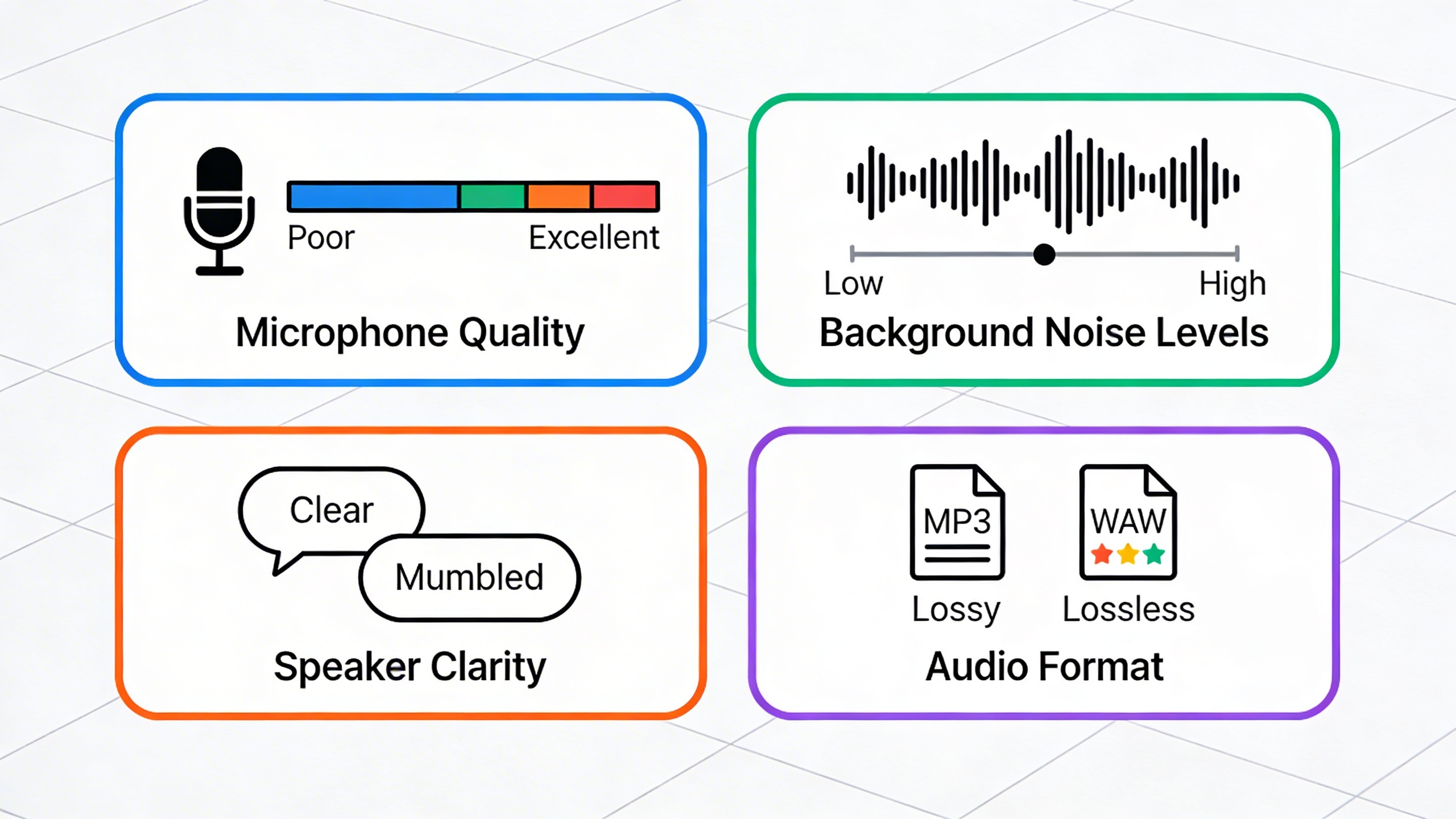
Several critical factors influence the quality of free audio transcription results. Audio quality stands as the most significant determinant—clear recordings with minimal background noise consistently produce better transcriptions than poor-quality files. The speaker’s accent, speaking pace, and pronunciation clarity also directly impact accuracy rates.
Technical jargon, proper names, and industry-specific terminology often challenge even the most advanced systems. Many online speech to text converters struggle with overlapping voices in group conversations, making single-speaker recordings ideal for optimal results. Background music, echo, and ambient noise can significantly reduce transcription quality.
Language models perform differently across various domains. A system trained primarily on conversational speech might struggle with academic lectures or technical presentations. Similarly, regional accents and dialects can affect accuracy, though leading platforms continuously expand their training data to accommodate diverse speech patterns.
Most free services achieve accuracy rates between 80-95% under ideal conditions, but this can drop substantially with poor audio quality or challenging content. Understanding these limitations helps set realistic expectations and guides your choice of recording methods.
File Format Compatibility
Audio to text converter online free platforms typically support a wide range of file formats to accommodate different recording devices and software. The most commonly accepted formats include MP3, WAV, M4A, and FLAC files, which cover the majority of recording scenarios from smartphones to professional audio equipment.
| Format | Quality | File Size | Best Use Case |
|---|---|---|---|
| WAV | Highest | Large | Professional recordings, interviews |
| MP3 | Good | Medium | General purpose, web uploads |
| M4A | Very Good | Small | Mobile recordings, voice memos |
| FLAC | Highest | Large | Archive quality, critical applications |
Many platforms also accept video files like MP4, MOV, and AVI, extracting the audio track for transcription. This feature proves particularly useful for transcribing recorded meetings, webinars, or educational content where video and audio were captured together.
File size limitations vary significantly between services, with some free platforms restricting uploads to 25MB while others allow files up to 100MB or larger. Longer recordings may require compression or splitting into smaller segments to meet these constraints.
When preparing audio files for transcription, consider converting to WAV or M4A formats for optimal results, as these maintain good quality while ensuring broad compatibility across different audio to text for free services.
Top Free Online Audio to Text Converters
Finding the right audio to text converter online free can transform how you handle meeting recordings, interviews, and voice notes. The landscape of free transcription tools has evolved dramatically, offering sophisticated AI-powered solutions that rival premium services. Understanding the strengths and limitations of each platform helps you choose the most suitable option for your specific transcription needs.
Browser-Based Transcription Tools
Browser-based solutions offer immediate accessibility without requiring software downloads or account creation. These audio to text online free tools process your files directly through web interfaces, making them ideal for quick transcription tasks.
Otter.ai stands out as a comprehensive platform offering 600 minutes of free transcription monthly. The service excels at meeting transcription with speaker identification and real-time collaboration features. Users can upload audio files up to 40 minutes long, with accuracy rates reaching 85-90% for clear recordings. The platform integrates seamlessly with Zoom and Google Meet, automatically capturing and transcribing virtual meetings.
Rev.com provides a free tier through their automated transcription service, processing files up to five minutes in length. While the free version has time limitations, the accuracy often surpasses 80% for high-quality audio. The platform supports multiple file formats including MP3, WAV, and M4A, with turnaround times under 15 minutes for most recordings.
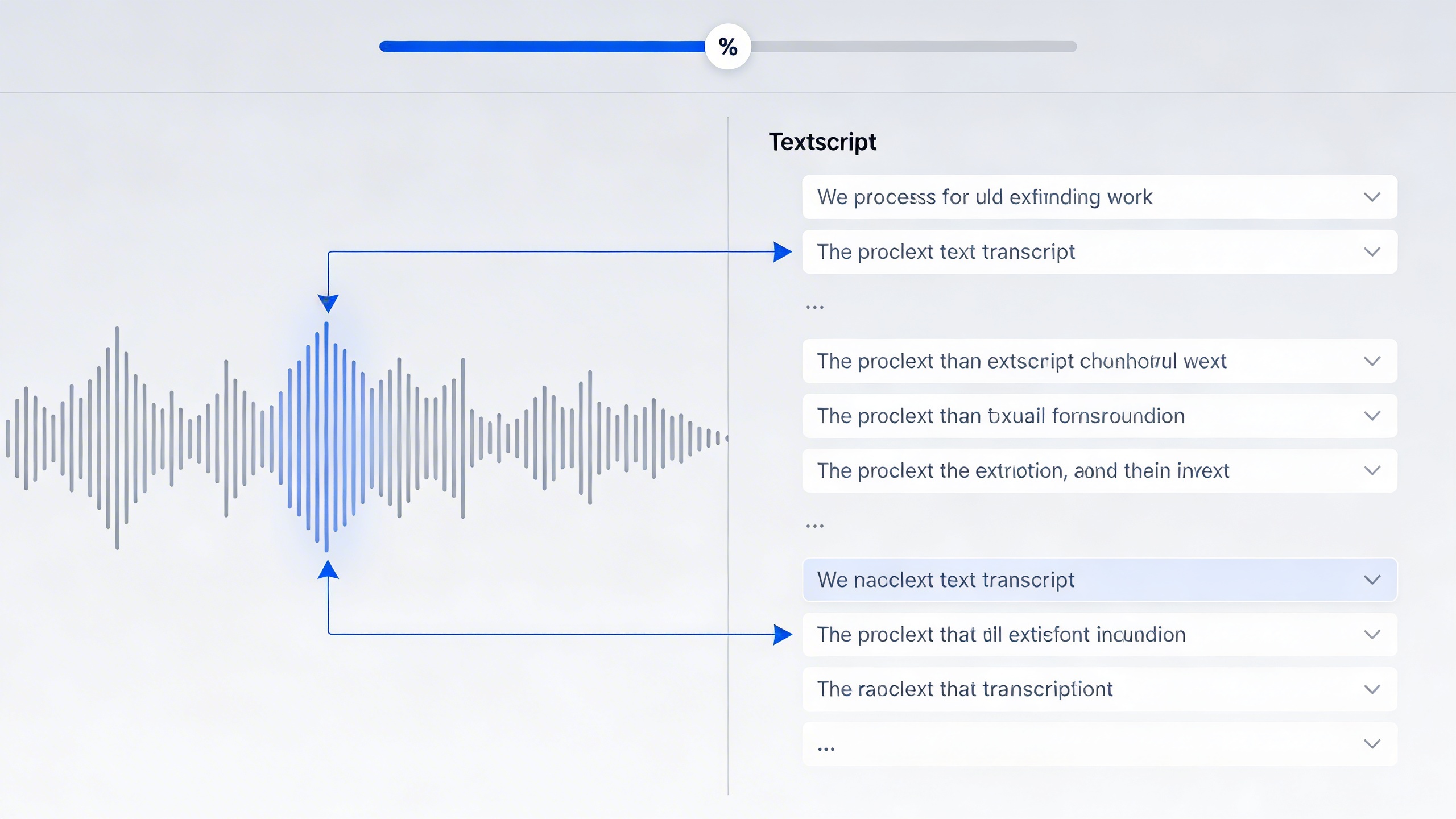
Trint offers a limited free trial that showcases their advanced editing interface. The platform combines automated transcription with collaborative editing tools, allowing multiple users to review and refine transcripts simultaneously. Their unique timeline feature synchronizes audio playback with text highlighting, streamlining the editing process.
AI-Powered Free Services
Modern AI-powered platforms leverage advanced machine learning algorithms to deliver increasingly accurate free audio transcription results. These services often provide the most sophisticated features among free options.
Google’s Speech-to-Text API, accessible through various web interfaces, delivers exceptional accuracy for clear audio recordings. The service supports over 120 languages and can handle real-time streaming or batch processing. While direct API access requires technical knowledge, several wrapper services provide user-friendly interfaces for this powerful technology.
Microsoft’s Azure Speech Services offers free tier access through partner platforms and direct API usage. The service excels at handling multiple speakers and technical terminology, making it valuable for professional recordings. The free tier includes 5 hours of standard transcription monthly, with additional features like custom vocabulary and punctuation optimization.
AssemblyAI provides a generous free tier with advanced features typically found in premium services. Their API handles speaker diarization, sentiment analysis, and content moderation automatically. The platform processes various audio formats and delivers results with detailed confidence scores for each transcribed segment.
For users seeking a reliable audio to text for free solution with mobile accessibility, Sozai offers AI-powered transcription across iOS, Android, and macOS platforms. The app combines accuracy with user-friendly features for both casual and professional transcription needs.
Platform-Integrated Solutions
Many productivity platforms now include built-in transcription capabilities, offering seamless integration with existing workflows. These solutions eliminate the need for separate transcription tools while maintaining reasonable accuracy levels.
Google Docs Voice Typing provides real-time speech recognition directly within documents. While primarily designed for live dictation, users can play audio through speakers while Voice Typing captures the content. This method works effectively for clear recordings and supports voice commands for formatting and punctuation.
Microsoft Word’s Dictate feature offers similar functionality with integration across Office 365 applications. The service supports over 60 languages and includes automatic punctuation insertion. Users can combine dictation with traditional typing, creating hybrid workflows that maximize efficiency.
Zoom’s automatic transcription feature captures meeting audio in real-time, generating searchable transcripts for all participants. The free tier includes basic transcription capabilities, while paid plans unlock advanced features like keyword highlighting and export options. Accuracy typically ranges from 75-85% depending on audio quality and speaker clarity.
Discord’s Craig bot provides free audio recording and transcription for voice channels. The service captures multi-track audio and generates individual speaker files along with combined transcripts. This solution works particularly well for gaming communities and casual group discussions.
| Platform | Monthly Limit | File Size Limit | Key Features | Accuracy Range |
|---|---|---|---|---|
| Otter.ai | 600 minutes | 40 minutes | Speaker ID, collaboration | 85-90% |
| Rev.com | 5 minutes | 5 minutes | Multiple formats | 80-85% |
| Google Speech-to-Text | 60 minutes | 480 minutes | 120+ languages | 90-95% |
| AssemblyAI | 5 hours | No limit | Speaker diarization | 85-92% |
When evaluating online speech to text services, consider factors beyond accuracy including file format support, processing speed, and privacy policies. Many free platforms process audio on remote servers, which may not suit sensitive content. Additionally, understanding usage limitations helps avoid interruptions during critical transcription projects.
Feature Comparison and Accuracy Analysis
When selecting an audio to text converter online free, understanding the technical capabilities and limitations of each tool becomes crucial for achieving reliable results. Different platforms excel in various areas, and knowing these strengths helps you match the right tool to your specific transcription needs.
Transcription Speed and Processing Time
Processing speed varies dramatically across free audio transcription services, with most tools handling files differently based on duration and complexity. Browser-based audio to text online free services typically process files in real-time or slightly faster, meaning a 10-minute audio file might take 8-12 minutes to transcribe completely.
Google’s Web Speech API, integrated into many free platforms, delivers near-instantaneous results for shorter clips under 5 minutes. However, longer files often require chunking, which can extend processing time significantly. Otter.ai’s free tier processes files at approximately 1.5x speed, while Rev’s free option handles uploads more slowly due to server limitations.
Upload size restrictions also impact processing efficiency. Most free services cap file sizes at 25-100MB, forcing users to compress audio or split longer recordings. This preprocessing step adds time to your workflow, particularly when dealing with high-quality recordings from professional meetings or interviews.
| Service | Max File Size | Processing Speed | Real-time Support |
|---|---|---|---|
| Google Speech-to-Text | 10MB (free tier) | Near real-time | Yes |
| Otter.ai | No specific limit | 1.5x speed | Yes |
| Microsoft Speech | 25MB | 1x-2x speed | Limited |
Language Support and Dialect Recognition
Language capabilities represent one of the most significant differentiators among audio to text for free services. While most platforms support major languages like English, Spanish, French, and German, dialect recognition accuracy varies considerably.
Google’s speech recognition engine supports over 125 languages and dialects, including regional variations like Australian English, Indian English, and Mexican Spanish. This extensive coverage makes it particularly valuable for international users or content creators working with diverse audiences.
However, free tiers often limit language options compared to premium versions. Whisper-based tools excel at multilingual content, automatically detecting language switches within single audio files. This capability proves invaluable for international conference calls or multilingual interviews.
Accent recognition remains challenging for most free online speech to text services. Users with strong regional accents or non-native speakers may experience reduced accuracy rates, sometimes dropping from 90% to 70% or lower. Testing your specific accent with different services before committing to longer projects helps identify the most compatible platform.
For specialized use cases requiring high accuracy across multiple languages, tools like Sozai offer advanced AI models specifically trained on diverse linguistic patterns, providing more consistent results across different speakers and accents.
Audio Quality Requirements
Audio quality directly impacts transcription accuracy across all free audio transcription services. Understanding minimum requirements helps optimize your recordings for better results, regardless of which platform you choose.
Most audio to text converter online free services require minimum sampling rates of 16kHz for acceptable accuracy. However, 44.1kHz recordings typically produce 15-25% better results, particularly for speakers with soft voices or complex vocabulary. Background noise significantly degrades performance, with accuracy dropping below 60% when signal-to-noise ratios fall under 20dB.
File format compatibility varies among platforms. While most services accept MP3, WAV, and M4A files, some struggle with compressed formats or unusual codecs. WAV files generally produce the most consistent results across different services, though they require more storage space and longer upload times.
Multiple speaker scenarios present unique challenges for free services. Audio with overlapping speech, cross-talk, or rapid speaker changes often confuses algorithms designed for single-speaker content. Speaker diarization features, when available in free tiers, typically handle only 2-3 distinct voices reliably.
Echo, reverb, and acoustic distortion from poor recording environments substantially impact all audio to text online free services. Recording in acoustically treated spaces or using directional microphones improves results more effectively than relying on software noise reduction, which can introduce artifacts that confuse transcription algorithms.
Best Use Cases for Free Audio Converters
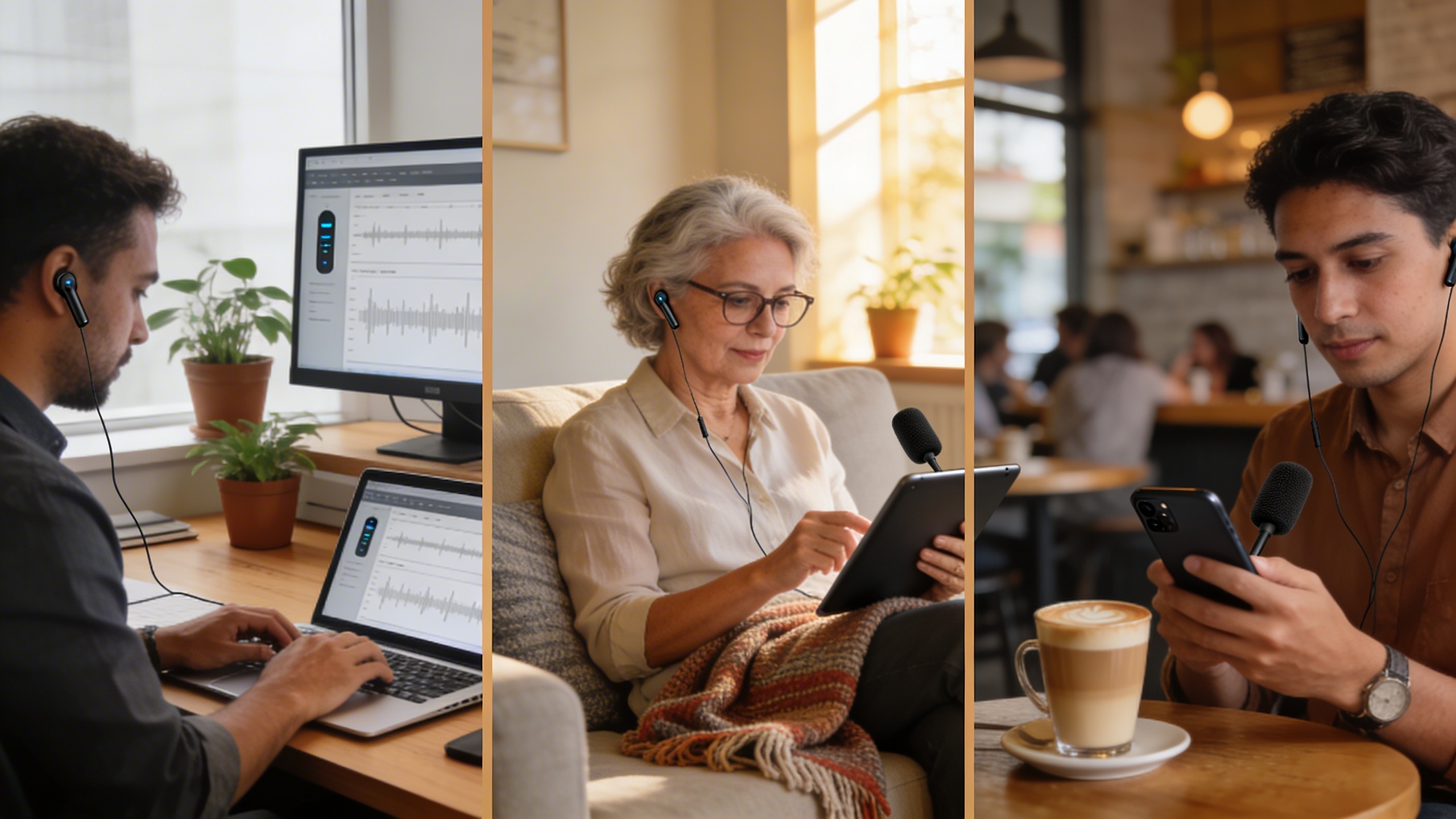
Understanding when and how to deploy audio to text converter online free tools can dramatically improve your productivity across various professional and personal scenarios. Each use case presents unique requirements for accuracy, formatting, and integration with existing workflows.
Content Creation and Blogging
Content creators consistently find audio to text online free tools invaluable for transforming spoken ideas into written material. The process begins with recording brainstorming sessions, interviews with subject matter experts, or spontaneous thoughts captured during daily activities. These recordings then feed into transcription tools that convert speech patterns into structured text.
The workflow typically involves recording audio on mobile devices, uploading files to transcription platforms, and receiving formatted text within minutes. Content creators can then edit the raw transcripts, adding paragraph breaks, headers, and formatting elements to create publication-ready articles. This approach proves especially effective for podcasters who want to repurpose audio content into blog posts, social media updates, and email newsletters.
Many creators discover that speaking their content naturally produces more conversational, engaging writing compared to typing from scratch. The audio-first approach captures natural speech rhythms and storytelling elements that translate well to written content.
Academic Research and Note-Taking
Students and researchers leverage free audio transcription services to capture lectures, seminars, and interview sessions with research participants. The academic environment demands high accuracy levels, particularly when documenting technical terminology, proper names, and complex concepts.
Research workflows benefit significantly from audio to text for free solutions during data collection phases. Qualitative researchers conducting interviews can focus entirely on the conversation while recording, knowing they can generate accurate transcripts later. This approach yields more natural responses from participants and allows researchers to maintain eye contact and build rapport.
The output formatting requirements for academic use often include timestamps, speaker identification, and the ability to export transcripts in various formats compatible with research software. Students find these tools particularly useful for creating study materials from recorded lectures, enabling them to search through semester-long content quickly and efficiently.
Business Meetings and Interviews
Professional environments increasingly rely on online speech to text technology to document important discussions, client calls, and strategic planning sessions. The business use case demands reliable accuracy and the ability to identify multiple speakers throughout extended conversations.
Meeting transcription workflows typically involve recording sessions through conference software or dedicated recording devices, then processing the audio through transcription services that can handle background noise and overlapping conversations. The resulting transcripts serve multiple purposes: creating action item lists, documenting decisions, and providing reference materials for team members who couldn’t attend.
Human resources departments find audio transcription particularly valuable during candidate interviews, allowing interviewers to focus on conversation quality while ensuring accurate documentation for compliance purposes. The technology also supports accessibility requirements, providing written records for team members with hearing difficulties.
For professionals conducting client interviews or customer research sessions, Sozai offers reliable transcription capabilities that integrate seamlessly with existing business workflows, supporting multiple audio formats and providing accurate results for strategic decision-making.
The key to successful implementation across all use cases lies in understanding the specific accuracy requirements, output formatting needs, and integration points with existing tools and processes. Each scenario benefits from selecting transcription services that align with particular workflow demands and quality expectations.
Limitations and Considerations
While free audio to text converter online free tools offer tremendous value, understanding their limitations helps you make informed decisions and set appropriate expectations. These constraints often reflect the balance between providing accessible services and maintaining sustainable business models.
File Size and Duration Restrictions
Most audio to text online free platforms impose strict limits on file size and recording duration. Typical restrictions range from 10MB to 100MB file sizes, with duration limits between 5 to 60 minutes per upload. These limitations stem from computational costs and server resource management.
For longer recordings, you’ll need to split files into smaller segments, which can disrupt workflow continuity and create additional editing work. Some services reset their limits daily or weekly, requiring users to plan their transcription needs accordingly. Professional users often find these restrictions challenging when dealing with conference recordings, lengthy interviews, or full-length webinars.
Consider preprocessing your audio files by compressing them or converting to more efficient formats like MP3 to maximize the content you can transcribe within size limits. Many free audio transcription services also perform better with clear, well-recorded audio, making file optimization doubly beneficial.
Privacy and Data Security
Data security represents a critical consideration when using online speech to text services. Free platforms often store uploaded audio files temporarily or permanently on their servers, raising concerns about confidential information exposure. Business meetings, medical consultations, legal discussions, and personal conversations may contain sensitive data unsuitable for third-party processing.
Many free services include terms of service that grant broad usage rights over uploaded content, potentially allowing companies to use your audio for algorithm training or other purposes. Some platforms process data through cloud services in different countries, subjecting your information to varying privacy regulations and data protection standards.
Review privacy policies carefully before uploading sensitive content. For confidential material, consider using desktop applications or services that explicitly guarantee data deletion after processing. When absolute privacy is required, investing in premium solutions with enhanced security features or local processing capabilities becomes essential.
Accuracy Expectations
Setting realistic accuracy expectations prevents frustration and helps you choose appropriate tools for specific tasks. Free audio to text for free services typically achieve 80-95% accuracy under optimal conditions, but real-world performance varies significantly based on audio quality, speaker accents, background noise, and technical terminology.
Conversational speech with multiple speakers, heavy accents, or domain-specific jargon often produces lower accuracy rates. Background noise, poor recording quality, and rapid speech patterns further reduce transcription reliability. Most free services struggle with distinguishing between speakers, correctly punctuating sentences, and handling specialized vocabulary.
Plan for manual editing time when using free transcription tools. A 30-minute audio file might require 15-30 minutes of correction work, depending on accuracy levels and your quality standards. For critical documents requiring high accuracy, consider professional transcription services or premium tools that offer better performance guarantees.
Understanding these limitations helps you leverage free audio transcription tools effectively while recognizing when upgraded solutions become necessary for your specific requirements.
Tips for Better Transcription Results
Getting accurate results from any audio to text converter online free requires more than just uploading your file and hoping for the best. The quality of your transcription depends heavily on preparation, recording conditions, and post-processing techniques that can dramatically improve accuracy rates.
Audio Quality Optimization
The foundation of excellent transcription starts with high-quality audio input. Record in quiet environments whenever possible, positioning microphones 6-8 inches from speakers to capture clear voice patterns without background interference. Use dedicated recording equipment rather than built-in device microphones when available.
File format selection impacts transcription accuracy significantly. WAV and FLAC formats preserve audio fidelity better than compressed MP3 files, though most audio to text online free services accept multiple formats. Maintain consistent volume levels throughout recordings, avoiding sudden spikes or drops that confuse speech recognition algorithms.
Remove background noise using audio editing software before uploading to free audio transcription services. Simple noise reduction filters can eliminate hums, air conditioning sounds, and other ambient distractions that interfere with speech detection algorithms.
Speaker Preparation Techniques
Clear articulation produces better transcription results than rapid or mumbled speech. Speakers should pause naturally between sentences, allowing speech recognition systems to process complete thoughts rather than run-on statements. Practice speaking at moderate speeds, typically 140-160 words per minute for optimal recognition.
Multiple speakers require special consideration when using audio to text for free services. Introduce speakers by name at the beginning of recordings, and maintain distinct speaking turns rather than overlapping conversations. This helps transcription algorithms differentiate between voices and assign dialogue correctly.
Technical terminology and proper nouns often challenge automated systems. Create custom vocabulary lists for specialized content, and spell out acronyms during initial mentions. Many online speech to text platforms allow users to add industry-specific terms to improve recognition accuracy.
Post-Processing and Editing
Raw transcriptions from free services typically require careful review and editing. Read through entire documents while listening to original audio, checking for context errors that automated systems commonly make. Pay special attention to homophones, numbers, and punctuation that may need correction.
Develop systematic editing workflows that address common transcription errors first. Check speaker identification accuracy, verify technical terms, and ensure proper capitalization throughout documents. Many users find it helpful to complete multiple editing passes, focusing on different elements during each review.
For professional applications requiring high accuracy, consider using dedicated transcription tools like Sozai, which offers advanced features for editing and refining transcripts beyond basic free services. These platforms often provide speaker identification, custom vocabulary support, and collaborative editing capabilities that streamline the post-processing workflow significantly.
Choosing the Right Tool for Your Needs
Selecting the perfect audio to text converter online free requires careful evaluation of your specific requirements and workflow demands. The right choice depends on several critical factors that directly impact your productivity and transcription quality.
Evaluating Your Requirements
Start by assessing your transcription volume and frequency. Students transcribing occasional lecture recordings have different needs than content creators processing hours of audio weekly. Consider your audio quality standards—if you frequently work with poor-quality recordings or multiple speakers, prioritize tools with advanced noise reduction and speaker identification features.
Language support plays a crucial role in tool selection. While most audio to text online free services handle English effectively, multilingual users need platforms supporting their target languages with high accuracy rates. Additionally, evaluate your file format requirements, as some tools only accept common formats like MP3 and WAV, while others support specialized audio codecs.
Security considerations matter significantly for sensitive content. Legal professionals, healthcare workers, and business users should prioritize platforms offering end-to-end encryption and compliance with industry standards like HIPAA or GDPR.
Free vs Premium Considerations
Free audio transcription services typically impose limitations on file size, processing time, or monthly usage quotas. These constraints work well for occasional users but may hinder regular transcription needs. Premium versions often provide enhanced accuracy through advanced AI models, faster processing speeds, and additional features like custom vocabulary training.
Consider the total cost of ownership beyond subscription fees. Time spent editing inaccurate transcriptions from lower-quality free tools may exceed the cost of premium services with superior accuracy. However, many users find that combining multiple audio to text for free platforms maximizes their monthly allowances while maintaining quality standards.
Professional features like automated punctuation, paragraph formatting, and timestamp insertion often distinguish premium offerings. Evaluate whether these time-saving features justify the additional cost based on your transcription volume and editing requirements.
Integration and Workflow Factors
Seamless workflow integration significantly impacts productivity and user experience. Look for tools that integrate with your existing software ecosystem, whether that’s cloud storage services, note-taking applications, or content management systems.
Mobile accessibility becomes essential for users who record audio on smartphones or tablets. Some online speech to text platforms offer dedicated mobile apps with offline capabilities, while others require browser-based access that may limit functionality on smaller screens.
For users seeking comprehensive voice technology solutions, platforms like Sozai combine transcription capabilities with advanced voice features across multiple devices, streamlining the entire audio-to-text workflow from recording to final output.
Export options and file compatibility ensure your transcribed content integrates smoothly with downstream applications. Consider whether you need plain text, formatted documents, or structured data outputs for your specific use cases.

