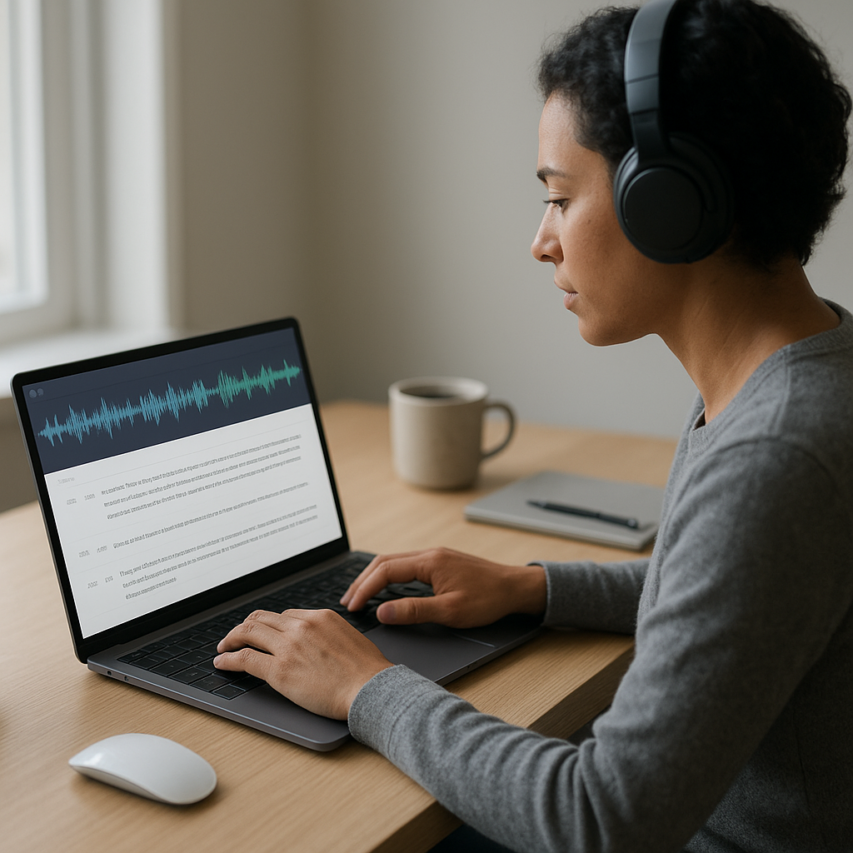
In today’s fast-paced digital world, the ability to transcribe audio to text has become an indispensable skill for professionals, students, and content creators alike. Whether you’re capturing important meeting discussions, converting podcast episodes into searchable content, or transforming voice memos into organized notes, audio to text transcription bridges the gap between spoken communication and written documentation. This powerful process not only enhances accessibility for hearing-impaired individuals but also unlocks new possibilities for content repurposing, searchable archives, and improved productivity workflows.
The landscape of transcription has evolved dramatically with advances in artificial intelligence and speech recognition technology. Modern solutions can transcribe audio recording to text with remarkable accuracy, making this once time-intensive task accessible to everyone. From manual transcription techniques to cutting-edge AI-powered tools, the options for converting voice into written words have never been more diverse or effective.
This comprehensive guide will walk you through everything you need to know about how to transcribe audio to text, including proven methods, tool selection criteria, accuracy optimization techniques, and professional best practices that will transform your approach to handling audio content.
Understanding Audio to Text Transcription
What is Audio Transcription
Audio to text transcription is the process of converting spoken words from audio recordings into written text format. This technology transforms voice content into readable documents, making audio information accessible, searchable, and easier to work with. Modern transcription combines human expertise with artificial intelligence to deliver accurate text representations of spoken content.
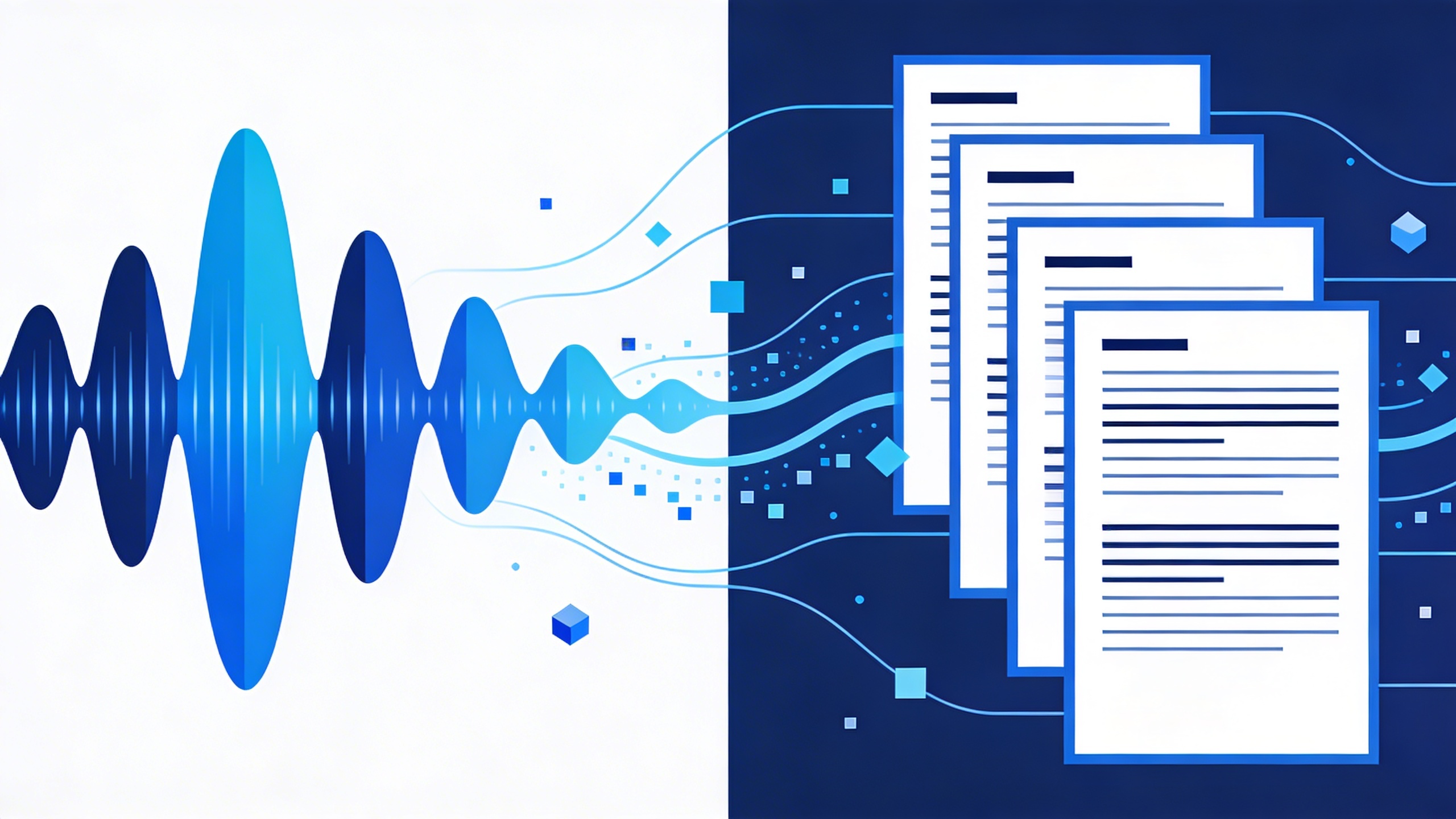
The transcription process involves analyzing audio waveforms, identifying speech patterns, and converting these sounds into corresponding written words. When you transcribe audio to text, specialized software or services process the acoustic signals and apply language models to determine the most likely word sequences. Advanced systems can handle multiple speakers, background noise, and various accents with remarkable precision.
Today’s transcription technology has evolved far beyond simple voice recognition. Modern solutions can distinguish between different speakers, add punctuation automatically, and even identify emotional context or emphasis in speech. This makes it possible to transcribe audio recording to text with nuanced accuracy that preserves the original meaning and tone of conversations.
Types of Audio Content You Can Transcribe
Audio to text transcription works with virtually any type of recorded speech content. Understanding the various formats and sources helps you choose the right transcription approach for your specific needs.
Meeting recordings represent one of the most common transcription use cases. Whether recorded through video conferencing platforms, mobile apps, or dedicated recording devices, business meetings generate valuable content that becomes much more useful when converted to searchable text format.
Interviews and podcasts benefit significantly from transcription services. Content creators, journalists, and researchers can transcribe audio to text to create show notes, extract quotes, or repurpose content for blogs and articles. The written format also improves accessibility for hearing-impaired audiences.
Educational content including lectures, webinars, and training sessions becomes more valuable when transcribed. Students can search through transcribed materials to find specific topics, while educators can create study guides and reference materials from recorded sessions.
Voice memos and dictated notes represent personal productivity applications. Many professionals record thoughts, ideas, or reminders throughout the day, then use transcription to convert these audio notes into organized, actionable text documents.
Legal depositions, medical consultations, and other professional recordings require precise transcription for documentation and compliance purposes. These specialized applications often demand higher accuracy levels and may require human review of AI-generated transcripts.
Benefits of Converting Audio to Text
The advantages of audio transcription extend far beyond simple convenience, offering tangible improvements to productivity, accessibility, and information management.
Enhanced accessibility stands as perhaps the most important benefit. Transcribed content serves individuals with hearing impairments, those in noise-sensitive environments, and people who prefer reading over listening. This inclusive approach ensures your audio content reaches the widest possible audience.
Searchability transforms how you interact with audio content. When you transcribe audio recording to text, you can instantly locate specific topics, quotes, or information using standard search functions. This capability proves invaluable for research, content creation, and knowledge management.
Productivity gains emerge from the ability to process text faster than audio. Reading typically occurs 2-3 times faster than listening, allowing you to review meeting notes, interview content, or educational materials more efficiently. Text format also enables easy highlighting, annotation, and sharing.
Content repurposing becomes seamless with transcribed audio. Blog posts, social media content, email summaries, and documentation can all be derived from original audio recordings. This multiplies the value of your recorded content across different formats and platforms.
Modern AI transcribe audio to text solutions offer additional benefits including real-time processing, multi-language support, and integration with productivity tools. Platforms like Sozai combine these capabilities with user-friendly interfaces, making professional-quality transcription accessible to individuals and teams across various industries.
Compliance and documentation requirements in many industries necessitate written records of spoken communications. Transcription provides legally acceptable documentation while maintaining the efficiency of verbal communication during the actual interaction.
Methods for Transcribing Audio to Text
When you need to transcribe audio to text, choosing the right method can significantly impact both the quality of your results and the time investment required. Each approach offers distinct advantages and challenges, making it essential to understand which technique works best for your specific needs and circumstances.
Manual Transcription Techniques
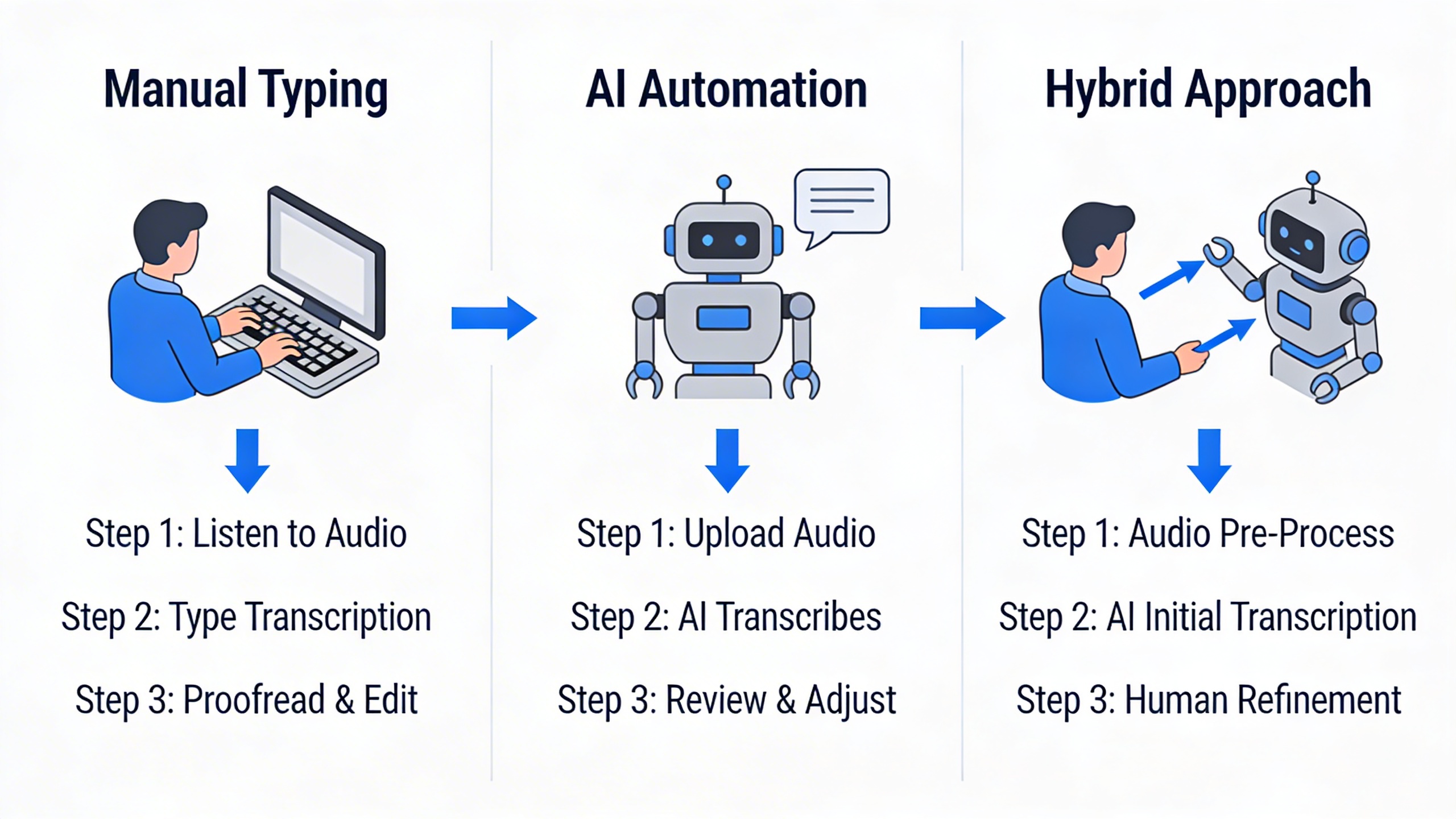
Manual transcription remains the gold standard for accuracy when you need to transcribe audio recording to text with absolute precision. This method involves listening to audio content and typing out every word, pause, and verbal nuance by hand. Professional transcriptionists typically achieve accuracy rates of 98-99% when working with clear audio recordings.
The primary advantage of manual transcription lies in human understanding of context, emotion, and subtle linguistic elements that automated systems often miss. Human transcribers can distinguish between similar-sounding words based on context, identify speakers in multi-person conversations, and capture the intended meaning even when speakers use unclear pronunciation or incomplete sentences.
However, manual audio to text transcription comes with significant drawbacks. The process is extremely time-consuming, with experienced transcriptionists requiring three to four hours to transcribe one hour of clear audio. Complex recordings with multiple speakers, background noise, or technical terminology can extend this timeframe considerably. Additionally, the cost of professional human transcription services typically ranges from $1 to $3 per audio minute, making it expensive for large volumes of content.
Automated AI-Powered Transcription
Modern artificial intelligence has revolutionized how we approach audio to text transcription, offering unprecedented speed and accessibility. AI transcription services can process hours of audio content in minutes, delivering results at a fraction of the cost of human transcription.
Advanced AI systems excel at recognizing clear speech patterns and can achieve accuracy rates of 85-95% under optimal conditions. These systems continuously improve through machine learning, adapting to various accents, speaking styles, and vocabulary sets. When you ai transcribe audio to text using modern platforms, you benefit from features like automatic punctuation, speaker identification, and real-time processing capabilities.
The speed advantage of AI transcription cannot be overstated. What takes a human transcriber hours to complete, AI can accomplish in minutes. This efficiency makes AI transcription ideal for content creators, journalists, researchers, and professionals who need quick turnaround times for meeting notes, interviews, or lecture recordings.
Despite these advantages, AI transcription has notable limitations. Accuracy drops significantly with poor audio quality, heavy accents, technical jargon, or overlapping speech. Background noise, multiple speakers talking simultaneously, and unclear pronunciation can confuse AI systems, leading to errors that require manual correction.
Hybrid Approaches for Best Results
The most effective strategy for learning how to transcribe audio to text often involves combining human expertise with AI efficiency. This hybrid approach leverages the speed of automated transcription while maintaining the accuracy standards that only human review can provide.
A typical hybrid workflow begins with AI-powered transcription to create an initial draft. Professional editors then review and correct the automated output, focusing on areas where AI commonly struggles: proper names, technical terminology, unclear speech segments, and speaker identification. This process reduces transcription time by 50-70% compared to purely manual methods while maintaining accuracy levels comparable to human-only transcription.
For organizations processing large volumes of audio content, implementing a tiered approach proves most cost-effective. High-priority or sensitive content receives full human transcription, while routine recordings undergo AI transcription with spot-checking for quality assurance. This strategy optimizes both accuracy and resource allocation.
When selecting tools for your transcription needs, consider platforms that offer both automated processing and human review options. Sozai provides AI-powered transcription capabilities that can serve as an excellent starting point for your hybrid workflow, delivering quick initial transcripts that you can refine as needed.
The choice between manual, automated, or hybrid transcription ultimately depends on your specific requirements for accuracy, speed, and budget. Understanding these trade-offs enables you to select the most appropriate method for each transcription project, ensuring optimal results while managing time and cost constraints effectively.
Choosing the Right Transcription Tools
Selecting the appropriate transcription tool can dramatically impact your productivity and the quality of your written output. With dozens of options available, understanding the trade-offs between cost, features, and performance helps you make an informed decision that aligns with your specific needs and budget.
Free vs Premium Transcription Services
The landscape of transcription tools spans from completely free solutions to enterprise-grade platforms costing hundreds of dollars monthly. Free services like Google Docs Voice Typing or Windows Speech Recognition provide basic functionality to transcribe audio to text, making them suitable for personal use or simple dictation tasks. However, these tools typically lack advanced features such as speaker identification, punctuation accuracy, and file upload capabilities.
Premium services justify their cost through enhanced accuracy rates, often exceeding 95% for clear audio, and sophisticated features like automatic timestamping, custom vocabulary training, and integration with popular productivity platforms. When you need to transcribe audio recording to text regularly for professional purposes, the time savings from higher accuracy often outweigh the subscription costs. A premium tool that reduces editing time by 50% can easily pay for itself if you process multiple hours of audio weekly.
Mid-tier options bridge this gap effectively. Tools like Sozai provide professional-grade AI transcription capabilities at accessible price points, offering features like real-time transcription and multi-language support without enterprise-level complexity.
Key Features to Look for in Transcription Software
Essential features vary significantly based on your intended use case. For academic researchers, speaker identification and timestamp insertion prove invaluable when analyzing interviews or focus groups. Legal professionals require tools with robust security measures and the ability to handle specialized terminology accurately.
File format support represents another crucial consideration. While most modern tools handle common formats like MP3 and WAV, some specialized applications may generate audio in less common formats. Ensure your chosen solution can process your specific file types without requiring additional conversion steps.
Integration capabilities can streamline your workflow considerably. Tools that connect directly with cloud storage services, note-taking applications, or project management platforms eliminate manual file transfers and reduce the friction in your transcription process. Real-time collaboration features become essential for teams working on shared projects or conducting remote interviews.
Language support and accent recognition quality matter significantly for international teams or multilingual content. Advanced AI transcribe audio to text solutions now offer support for dozens of languages and can adapt to various accents and speaking styles, though performance may vary between languages.
Evaluating Accuracy and Speed Requirements
Accuracy requirements depend heavily on your final output goals. Content creators developing rough drafts for blog posts may accept 85-90% accuracy, knowing they’ll heavily edit the content regardless. Conversely, legal professionals or medical transcriptionists require near-perfect accuracy to maintain compliance and safety standards.
Processing speed considerations extend beyond simple transcription time. Real-time transcription capabilities enable live note-taking during meetings or lectures, while batch processing suits users who regularly transcribe audio recording to text in large volumes. Some tools excel at one approach while struggling with the other.
The relationship between speed and accuracy often involves trade-offs. Faster processing may result in slightly lower accuracy, particularly with challenging audio conditions like background noise or multiple speakers. Understanding how to transcribe audio to text effectively means finding the sweet spot between these competing demands for your specific use case.
Testing potential tools with your actual audio content provides the most reliable evaluation method. Most premium services offer trial periods or sample processing, allowing you to assess performance with your typical recording conditions, speaker characteristics, and content types before committing to a subscription.
Consider scalability in your evaluation process. A tool that works perfectly for occasional personal use may struggle when your needs grow to include team collaboration or high-volume processing. Choosing a solution with room to grow prevents the need for disruptive platform changes as your requirements evolve.
Step-by-Step Transcription Process
Converting audio recordings into accurate text documents requires a systematic approach that maximizes both efficiency and quality. Whether you’re working with interview recordings, meeting notes, or lecture content, following a structured transcription workflow ensures professional results while minimizing time investment.
Preparing Your Audio Files for Transcription
Quality preparation forms the foundation of successful audio to text transcription. Before you begin the actual conversion process, invest time in optimizing your source material to achieve the best possible results.
Start by examining your audio file’s technical specifications. Clear recordings with minimal background noise produce significantly more accurate transcriptions than poor-quality files. If your original recording contains excessive background noise, use audio editing software to apply noise reduction filters. Tools like Audacity offer free noise removal features that can dramatically improve transcription accuracy.
Consider the audio format and quality settings. WAV and FLAC files typically provide better results than compressed MP3 files, especially for automated transcription services. However, most modern transcription tools can handle various formats effectively. Ensure your recording maintains a consistent volume level throughout, as dramatic volume fluctuations can interfere with speech recognition algorithms.
Speaker separation plays a crucial role in transcription accuracy. If your recording features multiple speakers, note their positions and speaking patterns. Some advanced transcription tools can automatically identify different speakers, but providing context about the number of participants and their roles improves results significantly.
Executing the Transcription Workflow
The actual transcription process varies depending on your chosen method, but certain principles apply universally to ensure efficient workflow execution.
When using automated transcription services to transcribe audio recording to text, upload your prepared file and configure the appropriate settings. Select the correct language, specify the number of speakers if known, and choose any relevant industry-specific vocabularies. Many AI transcription tools offer domain-specific models trained on medical, legal, or technical terminology that can significantly improve accuracy for specialized content.
For those wondering how to transcribe audio to text using AI-powered solutions, the process typically involves uploading your file, waiting for processing, and receiving a preliminary transcript. Modern AI transcribe audio to text services can process hours of content in minutes, making them ideal for large-scale projects. Apps like Sozai streamline this process by offering real-time transcription capabilities alongside batch processing for recorded files.
If you’re using manual transcription methods, establish a comfortable workspace with quality headphones and transcription software that allows easy playback control. Set your playback speed to a comfortable pace—typically 75-85% of normal speed for complex content. Use keyboard shortcuts for play, pause, and rewind functions to maintain typing flow without constantly reaching for the mouse.
Break longer recordings into manageable segments. Working in 10-15 minute chunks prevents fatigue and maintains concentration levels. This approach also makes it easier to track progress and identify sections that require additional attention during the review phase.
Reviewing and Editing Your Transcripts
The review and editing phase transforms raw transcripts into polished, professional documents. This critical step ensures accuracy and readability regardless of your initial transcription method.
Begin your review by reading through the entire transcript while listening to the original audio. This comprehensive approach helps identify sections where the transcription may have missed context clues or misinterpreted ambiguous speech. Pay particular attention to technical terms, proper names, and numbers, as these elements often require manual correction even in high-quality automated transcriptions.
Focus on common transcription errors during your editing process. Homophones frequently cause issues—words like “their,” “there,” and “they’re” may be incorrectly transcribed based on context. Similarly, punctuation requires careful attention, as proper sentence structure significantly impacts readability and comprehension.
Implement a systematic editing approach by making multiple passes through your transcript. During the first pass, focus solely on accuracy—ensuring every word matches the spoken content. The second pass should address formatting, punctuation, and overall readability. A final pass can focus on consistency in terminology and style.
Consider the intended use of your transcript when making editing decisions. Verbatim transcripts preserve every “um,” “ah,” and false start, while clean transcripts remove these elements for improved readability. Most business and academic applications benefit from clean transcripts that maintain the speaker’s meaning while eliminating verbal fillers.
Document any uncertain sections or inaudible portions clearly. Use timestamps and standardized notation like “[inaudible]” or “[unclear]” to maintain transparency about transcript limitations. This practice proves especially valuable when multiple people will reference the transcript or when legal accuracy requirements apply.
Quality control measures should include spell-checking, consistency verification, and final formatting review. Establish style guidelines for your transcripts, including how to handle speaker identification, time stamps, and special formatting requirements. These standards ensure professional consistency across all your transcription projects.
Improving Transcription Accuracy
Achieving high-quality results when you transcribe audio to text depends heavily on preparation, proper formatting, and strategic handling of complex content. Even the most advanced AI systems struggle with poor audio quality or unclear speech patterns, making optimization crucial for professional outcomes.
Audio Quality Optimization Techniques
The foundation of accurate audio to text transcription begins with proper recording practices. Position microphones 6-8 inches from speakers to capture clear voice data while minimizing background noise. Choose quiet environments whenever possible, as even subtle ambient sounds can interfere with transcription algorithms.
When working with existing recordings, apply noise reduction filters before attempting to transcribe audio recording to text. Most audio editing software includes built-in noise suppression tools that can significantly improve clarity. Normalize audio levels to ensure consistent volume throughout the recording, as sudden volume changes often cause transcription errors.
File format selection also impacts accuracy. WAV and FLAC formats preserve audio quality better than compressed MP3 files, though modern AI transcribe audio to text systems handle most common formats effectively. For lengthy recordings, consider breaking them into smaller segments of 30-60 minutes to prevent processing errors and make review more manageable.
Speaker Identification and Formatting
Multi-speaker scenarios present unique challenges when learning how to transcribe audio to text accurately. Clear speaker identification becomes essential for creating readable, professional transcripts that serve their intended purpose.
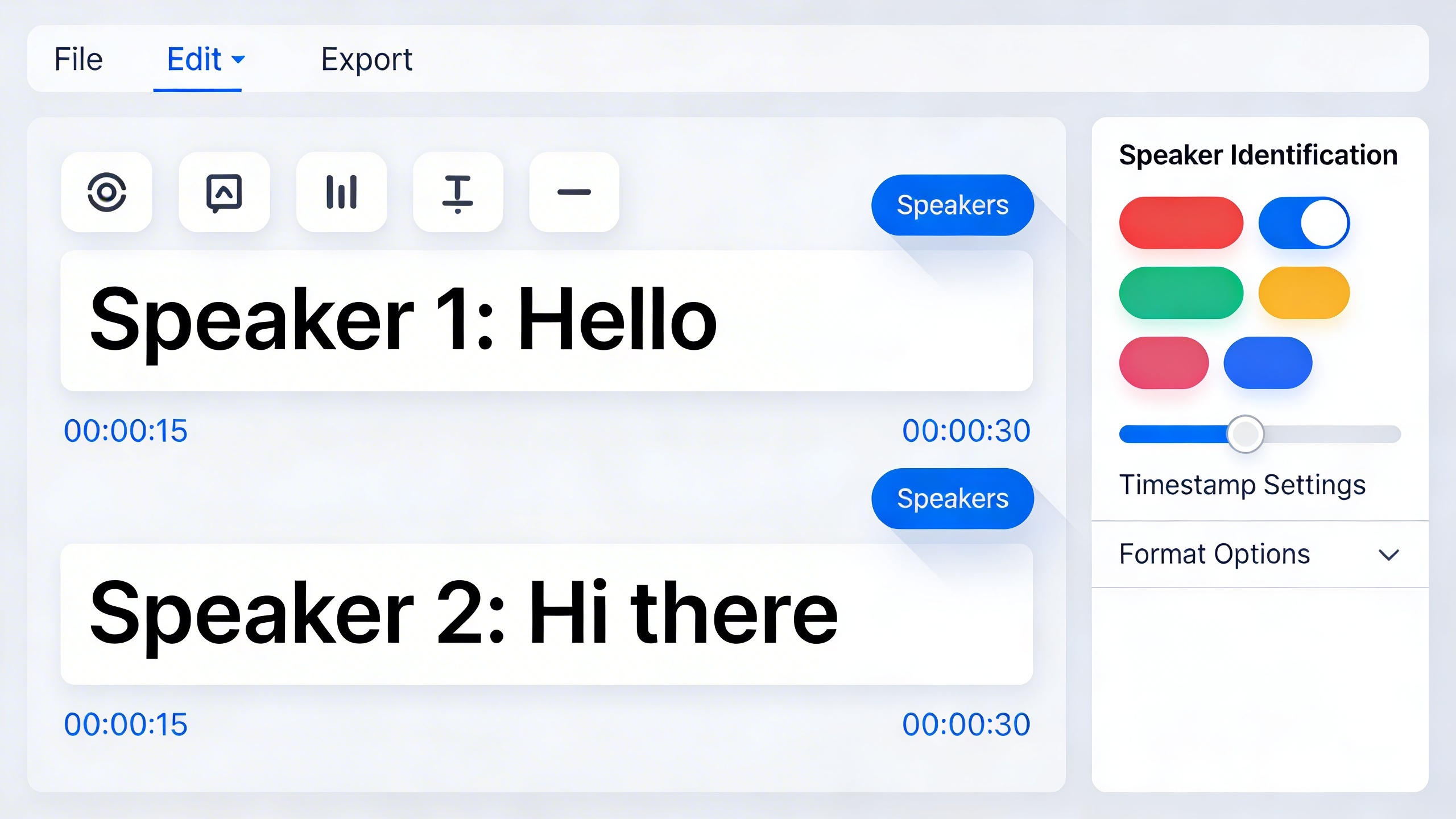
Establish consistent speaker labels from the beginning of your transcription process. Use descriptive identifiers like “Interviewer,” “CEO,” or “Speaker 1” rather than generic labels. This approach helps readers follow conversations naturally and maintains context throughout lengthy discussions.
Pay attention to speaker overlap and interruptions, which commonly occur in natural conversations. Most automated systems struggle with simultaneous speech, requiring manual correction during the editing phase. When speakers talk over each other, indicate this clearly in your transcript using formatting like “[overlapping speech]” or “[crosstalk].”
Implement proper punctuation and paragraph breaks to reflect natural speech patterns. New speakers should typically start new paragraphs, while extended monologues benefit from logical paragraph divisions that follow topic changes or natural pauses.
Handling Technical Terms and Industry Jargon
Specialized vocabulary poses significant challenges for standard transcription systems. Medical terminology, legal phrases, and technical jargon often require custom dictionaries or manual correction to achieve professional accuracy standards.
Create glossaries of frequently used terms before beginning transcription projects in specialized fields. Many advanced platforms allow users to upload custom vocabulary lists that improve recognition of domain-specific language. This preparation step dramatically reduces editing time for technical content.
Consider context when correcting technical terms during the review process. Similar-sounding words may be confused by transcription systems, requiring human judgment to select appropriate terminology. For example, “cite” versus “site” in legal documents, or “affect” versus “effect” in scientific discussions.
For organizations handling regular technical content, tools like Sozai offer customizable vocabulary features that learn from your specific terminology over time, improving accuracy for recurring specialized language.
Document your correction patterns to build institutional knowledge for future projects. This systematic approach ensures consistency across multiple transcription projects and helps train team members on common terminology challenges in your field.
Common Transcription Challenges and Solutions
Even with the best tools and preparation, audio to text transcription presents unique challenges that can impact accuracy and efficiency. Understanding these common obstacles and implementing proven solutions will help you transcribe audio to text more effectively, regardless of your recording conditions or content complexity.
Dealing with Poor Audio Quality
Background noise, low volume, and distorted recordings are among the most frequent barriers to accurate transcription. When you need to transcribe audio recording to text from less-than-perfect sources, several enhancement techniques can dramatically improve your results.
Start by using audio editing software to normalize volume levels and reduce background noise before beginning the transcription process. Tools like Audacity offer free noise reduction filters that can eliminate consistent background hums or static. For recordings with multiple volume levels, apply compression to even out the audio dynamics.
When working with extremely poor audio quality, consider breaking the recording into smaller segments and processing each section individually. This approach allows you to apply different enhancement settings based on the specific issues in each portion of the recording.
Managing Multiple Speakers and Accents
Conversations with multiple participants present unique challenges when you transcribe audio to text, particularly when speakers have overlapping dialogue or distinct accents. Modern AI transcribe audio to text solutions have improved significantly in handling these scenarios, but manual preparation still yields better results.
Create a speaker identification system before starting transcription. Listen through the recording once to identify distinct voices and assign each speaker a label or number. This preliminary step helps maintain consistency throughout the document and reduces confusion during the transcription process.
For recordings with heavy accents or regional dialects, familiarize yourself with common pronunciation patterns and vocabulary specific to those speech patterns. Many transcription tools allow you to train the software on specific voices or accents, which improves recognition accuracy over time.
When speakers talk over each other, focus on transcribing the primary speaker first, then return to capture overlapping dialogue in brackets or separate notation. This method ensures you capture the main content while preserving important interjections or side conversations.
Transcribing Different Languages and Dialects
Multilingual transcription requires specialized approaches depending on whether you’re working with single-language recordings or conversations that switch between languages. The key to successful multilingual audio to text transcription lies in proper tool selection and preparation.
For single-language recordings in languages other than English, ensure your transcription software supports the target language with appropriate grammar and vocabulary recognition. Some platforms excel at specific language families, so research which tools perform best for your particular language combination.
Code-switching conversations, where speakers alternate between languages, present the greatest challenge. When learning how to transcribe audio to text in these situations, consider using language-specific tools for different sections rather than relying on a single multilingual solution. This approach often produces more accurate results than attempting to process the entire recording with one tool.
Regional dialects within the same language require special attention to local vocabulary, idioms, and pronunciation patterns. Create a reference glossary of dialect-specific terms before starting transcription, and be prepared to make manual corrections for words that standard transcription tools might misinterpret.
Professional transcription platforms like Sozai offer robust multilingual support and can adapt to various accents and speaking patterns, making them particularly valuable for complex transcription projects involving multiple languages or challenging audio conditions.
Best Practices and Professional Tips
Mastering audio to text transcription requires more than just selecting the right tools—it demands strategic approaches that maximize efficiency while maintaining quality and security standards. Whether you’re handling a single interview or managing enterprise-level transcription projects, these professional practices will elevate your workflow and results.
Time-Saving Transcription Strategies
Efficient transcription begins before you even start converting audio to text. Prepare your audio files by organizing them with clear naming conventions and removing unnecessary silence or background noise. When you transcribe audio to text, work in focused 15-20 minute intervals to maintain concentration and accuracy.
Create standardized templates for common transcription formats, including speaker identification, timestamps, and formatting guidelines. This preparation reduces decision-making during the actual transcription process. For recurring projects, develop custom vocabulary lists and speaker profiles that can be imported into your transcription software, significantly improving recognition accuracy for specialized terminology and names.
Consider the playback speed strategy: start at 75% speed for complex audio, then increase to normal or 1.25x speed as you become familiar with the speakers’ voices and content. This approach helps you transcribe audio recording to text more accurately while building speed over time.
Maintaining Confidentiality and Security
Professional audio to text transcription demands robust security measures, especially when handling sensitive business meetings, legal proceedings, or medical consultations. Always verify that your chosen transcription platform offers end-to-end encryption and complies with relevant regulations such as HIPAA, GDPR, or industry-specific requirements.
Implement access controls by using unique user accounts for team members and regularly auditing who has access to transcribed content. Store audio files and transcripts on secure, encrypted drives with regular backup procedures. When working with cloud-based solutions, ensure data residency requirements are met and understand where your files are processed and stored.
Establish clear data retention policies that specify how long audio files and transcripts will be stored, and implement secure deletion procedures for expired content. For highly sensitive material, consider on-premise solutions or hybrid approaches that keep critical data within your organization’s infrastructure.
Scaling Transcription for Large Projects
Managing volume transcription projects requires systematic workflow planning and resource allocation. Develop a project management framework that includes quality checkpoints, deadline tracking, and progress monitoring across multiple files or team members.
When you need to ai transcribe audio to text at scale, batch processing becomes essential. Group similar audio types together—interviews, meetings, presentations—and process them using consistent settings and templates. This approach maintains quality standards while maximizing throughput efficiency.
Create quality assurance protocols that include random sampling reviews, consistency checks across transcripts, and feedback loops for continuous improvement. Establish clear communication channels between transcribers, reviewers, and project stakeholders to ensure smooth workflow management and timely issue resolution.

